light CITROEN C4 2019 User Guide
[x] Cancel search | Manufacturer: CITROEN, Model Year: 2019, Model line: C4, Model: CITROEN C4 2019Pages: 317, PDF Size: 9.31 MB
Page 41 of 317
39
C4-cactus_en_Chap01_Instruments-de-bord_ed01-2016
Brightness of instruments and controls
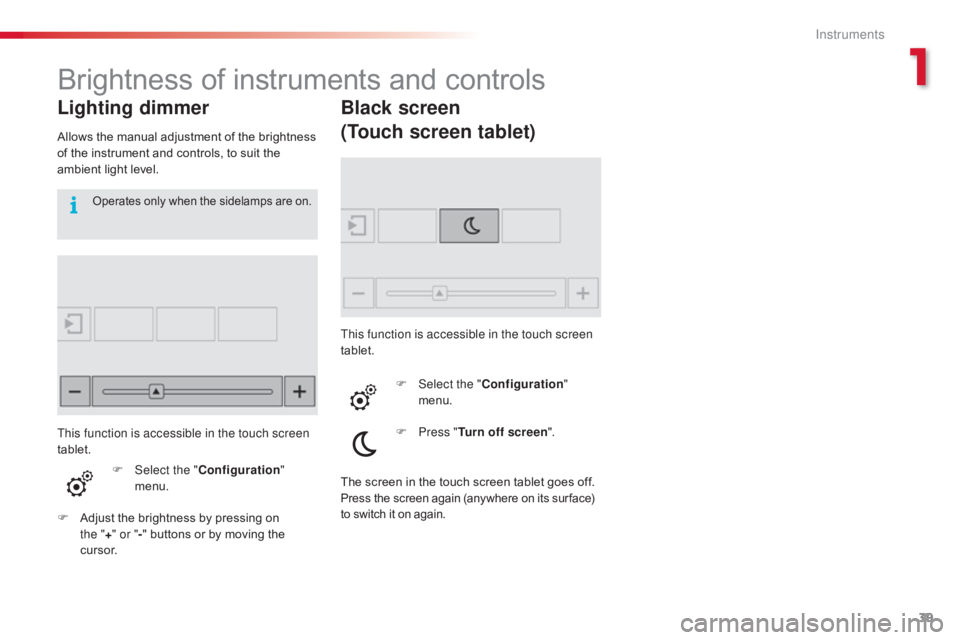
Lighting dimmer
Allows the manual adjustment of the brightness of the instrument and controls, to suit the
a
mbient light level.
F
Sel
ect the "Configuration "
menu.
F
A
djust the brightness by pressing on
t
he "+ " or " -"
buttons or by moving the
c
u r s o r.
Operates only when the sidelamps are on.
Black screen
(Touch screen tablet)
This function is accessible in the touch screen
tablet.
F
Sel
ect the "Configuration "
menu.
F
P
ress "Turn off screen ".
This function is accessible in the touch screen
tablet.
The
screen in the touch screen tablet goes off.
Press the screen again (anywhere on its sur face) to switch it on again.
1
Instruments
Page 43 of 317
41
C4-cactus_en_Chap02_ouvertures_ed01-2016
If one of the doors or the boot is still
open, the central locking does not
t
ake place; the vehicle locks then
i
mmediately unlocks, identifiable by the
s
ound of the locks rebounding.
When
the vehicle is locked, if it is
u
nlocked inadvertently, it will lock
a
gain automatically after thirty seconds
u
nless a door or the boot is open.
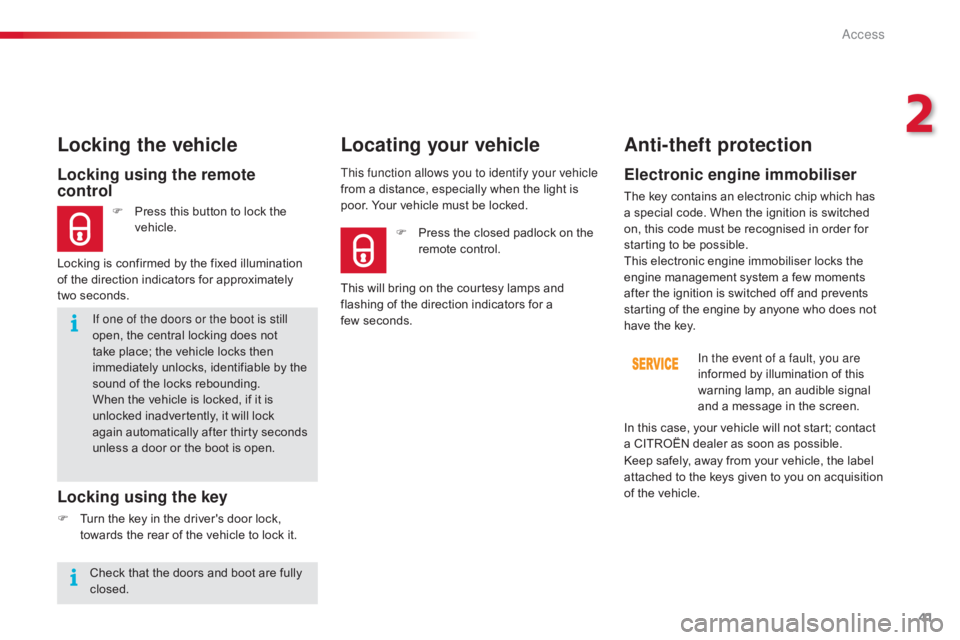
Locking using the remote
control
F Press this button to lock the v
ehicle.
Locking the vehicle
Locking is confirmed by the fixed illumination
o f the direction indicators for approximately
two
seconds.
Locking using the key
F Turn the key in the driver's door lock, t
owards the rear of the vehicle to lock it.This function allows you to identify your vehicle
from
a distance, especially when the light is
p
oor. Your vehicle must be locked.
Locating your vehicle
Anti-theft protection
Electronic engine immobiliser
The key contains an electronic chip which has a
special code. When the ignition is switched
o
n, this code must be recognised in order for
s
tarting to be possible.
This
electronic engine immobiliser locks the
e
ngine management system a few moments
a
fter the ignition is switched off and prevents
s
tarting of the engine by anyone who does not
h
ave the key.In the event of a fault, you are
informed
by illumination of this
w
arning lamp, an audible signal
a
nd a message in the screen.
F
P
ress
the
closed
padlock
on
the
r
emote
control.
This
will
bring
on
the
courtesy
lamps
and
f
lashing
of
the
direction
indicators
for
a
f
ew seconds.
Keep
safely, away from your vehicle, the label
a
ttached to the keys given to you on acquisition
o
f the vehicle.
In
this case, your vehicle will not start; contact
a
CITROËN dealer as soon as possible.
Check
that
the
doors
and
boot
are
fully
c
losed.
2
Access
Page 69 of 317
67
C4-cactus_en_Chap03_Ergonomie-et-confort_ed01-2016
Courtesy lamp
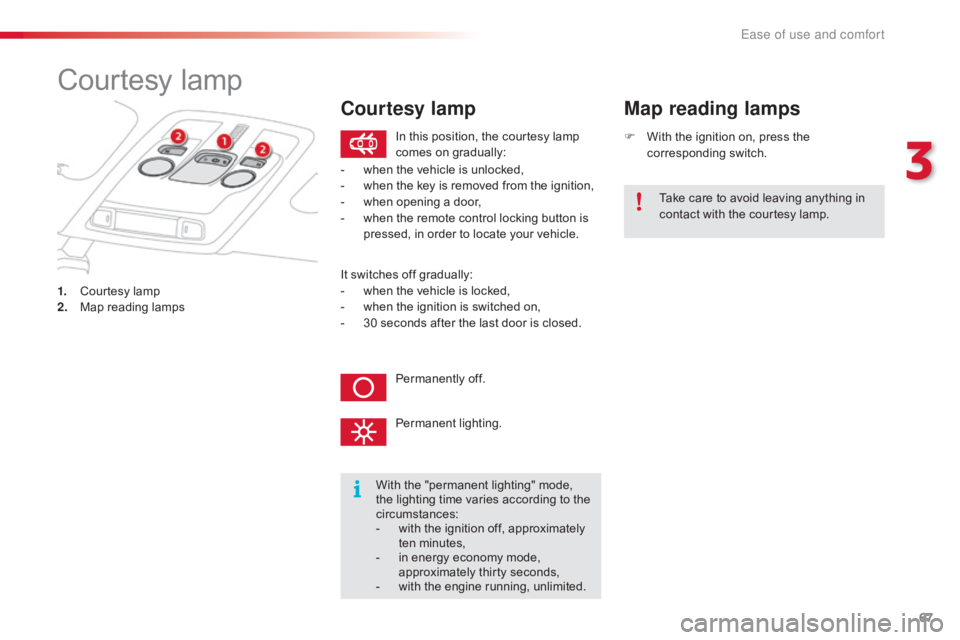
1. Courtesy lamp
2. M ap reading lamps F
W
ith the ignition on, press the
c
orresponding
s
witch.
Map reading lamps
With the "permanent lighting" mode, t
he lighting time varies according to the
c
ircumstances:
-
w
ith the ignition off, approximately
t
en
m
inutes,
-
i
n energy economy mode,
a
pproximately thirty seconds,
-
w
ith the engine running, unlimited.
In
this position, the courtesy lamp
c
omes on gradually:
Permanently off.
Permanent
l
ighting.
-
w
hen the vehicle is unlocked,
-
w
hen the key is removed from the ignition,
-
w
hen opening a door,
-
w
hen the remote control locking button is
p
ressed, in order to locate your vehicle.
Take care to avoid leaving anything in
c
ontact with the courtesy lamp.
Courtesy lamp
It switches off gradually:
- w hen the vehicle is locked,
-
w
hen the ignition is switched on,
-
3
0 seconds after the last door is closed.
3
Ease of use and comfort
Page 70 of 317
68
C4-cactus_en_Chap03_Ergonomie-et-confort_ed01-2016
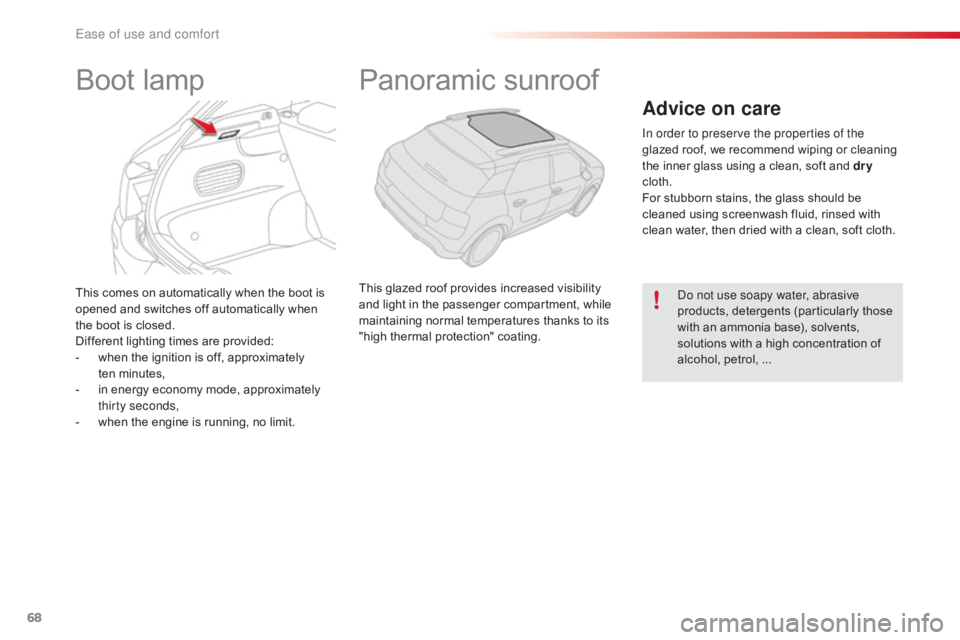
This comes on automatically when the boot is opened and switches off automatically when
t
he boot is closed.
Different
lighting times are provided:
-
w
hen the ignition is off, approximately
t
en minutes,
-
i
n energy economy mode, approximately
t
hirty seconds,
-
w
hen the engine is running, no limit.
Boot lampPanoramic s unroof
This glazed roof provides increased visibility a
nd light in the passenger compartment, while
m
aintaining normal temperatures thanks to its
"
high thermal protection" coating.
Advice on care
In order to preserve the properties of the
glazed roof, we recommend wiping or cleaning
t
he inner glass using a clean, soft and dry
cloth.
For
stubborn stains, the glass should be
c
leaned using screenwash fluid, rinsed with
c
lean water, then dried with a clean, soft cloth.
Do not use soapy water, abrasive
products,
detergents (particularly those
w
ith an ammonia base), solvents,
s
olutions with a high concentration of
a
lcohol, petrol, ...
Ease of use and comfort
Page 78 of 317
76
C4-cactus_en_Chap03_Ergonomie-et-confort_ed01-2016
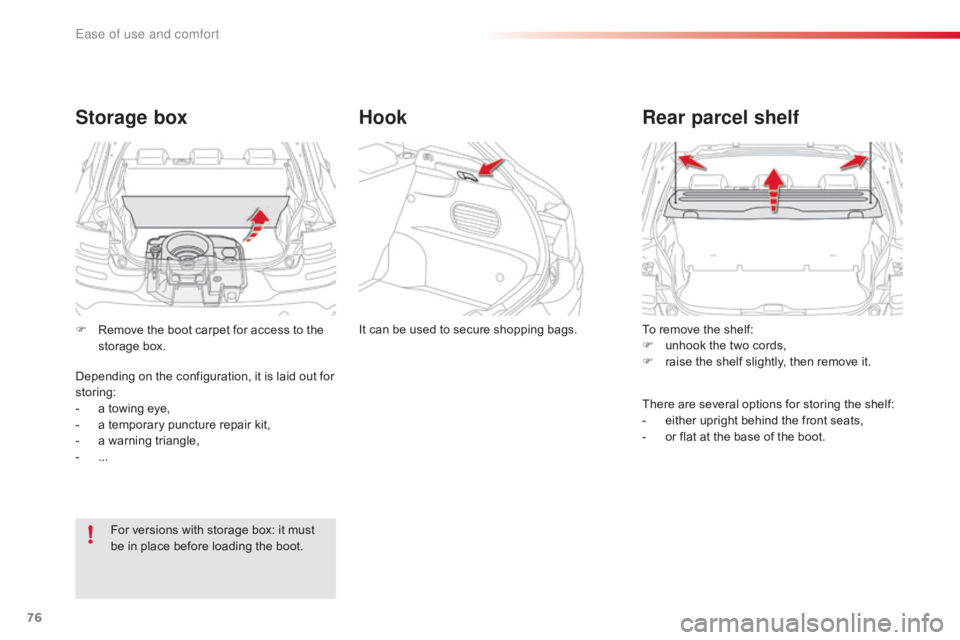
To remove the shelf:
F u nhook the two cords,
F
r
aise the shelf slightly, then remove it.
Rear parcel shelf
There are several options for storing the shelf:
- e ither upright behind the front seats,
-
o
r flat at the base of the boot.
It
can
be
used
to
secure
shopping
bags.
Hook
Storage box
For versions with storage box: it must b
e in place before loading the boot.
F
R
emove the boot carpet for access to the
s
torage box.
Depending on the configuration, it is laid out for
s
toring:
-
a
towing eye,
-
a
temporary puncture repair kit,
-
a
warning triangle,
-
...
Ease of use and comfort
Page 80 of 317
78
C4-cactus_en_Chap04_Eclairage-et-visibilite_ed01-2016
Lighting control
Main lighting
The various front and rear lamps of the vehicle are designed to adapt the driver's visibility
p
rogressively according to the climatic
c
onditions:
-
s
idelamps, to be seen,
-
d
ipped beam headlamps to see without
d
azzling
o
ther
d
rivers,
-
m
ain beam headlamps to see clearly when
t
he road is clear.
Additional lighting
Other lamps are provided to meet the requirements of particular driving conditions:
-
a
rear foglamp,
-
f
ront foglamps with cornering lighting,
-
d
aytime running lamps to be more visible
d
uring the day,
-
g
uide-me-home lighting to facilitate your
e
xit from the vehicle,
-
p
arking lamps as vehicle position markers.
In
the event of the failure of one or more
b
ulbs, a message advises you to check
t
he lamp(s) in question.Travelling abroad
The design of the dipped beam headlamps allows, without modification,
d
riving in a country that drives on the
o
ther side of the road to the country in
which
your vehicle was sold.
Lighting and visibility
Page 81 of 317
79
C4-cactus_en_Chap04_Eclairage-et-visibilite_ed01-2016
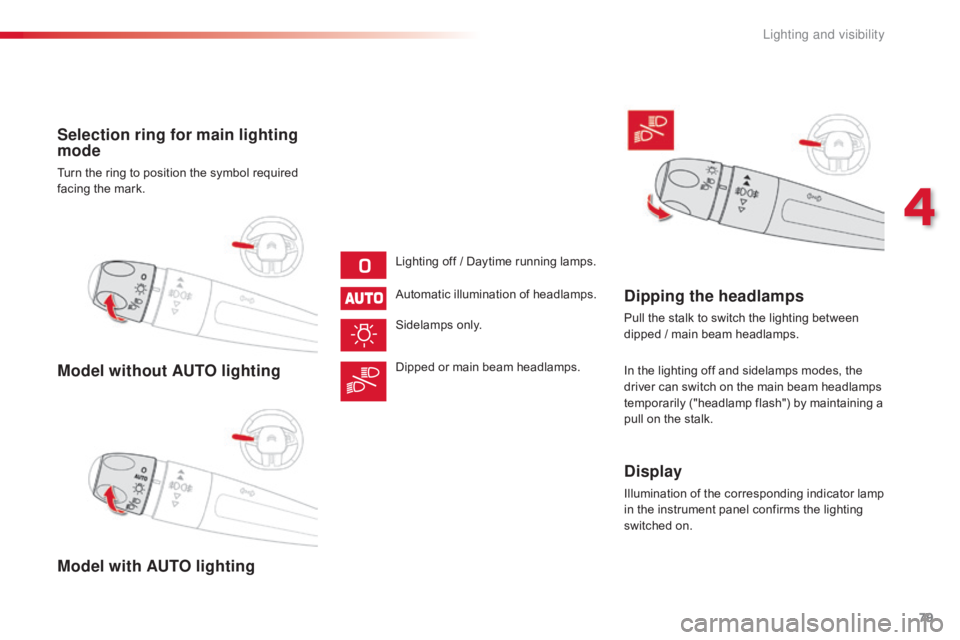
Model without AUTO lighting
Model with AUTO lighting Selection ring for main lighting
mode
Turn the ring to position the symbol required facing the mark.
Lighting
off / Daytime running lamps.
Automatic
illumination of headlamps.
Sidelamps
o
nly.
Dipped
or main beam headlamps.
Dipping the headlamps
Pull the stalk to switch the lighting between dipped / main beam headlamps.
In
the lighting off and sidelamps modes, the
d
river can switch on the main beam headlamps
t
emporarily ("headlamp flash") by maintaining a
p
ull on the stalk.
Display
Illumination of the corresponding indicator lamp in the instrument panel confirms the lighting
s
witched on.
4
Lighting and visibility
Page 82 of 317
80
C4-cactus_en_Chap04_Eclairage-et-visibilite_ed01-2016
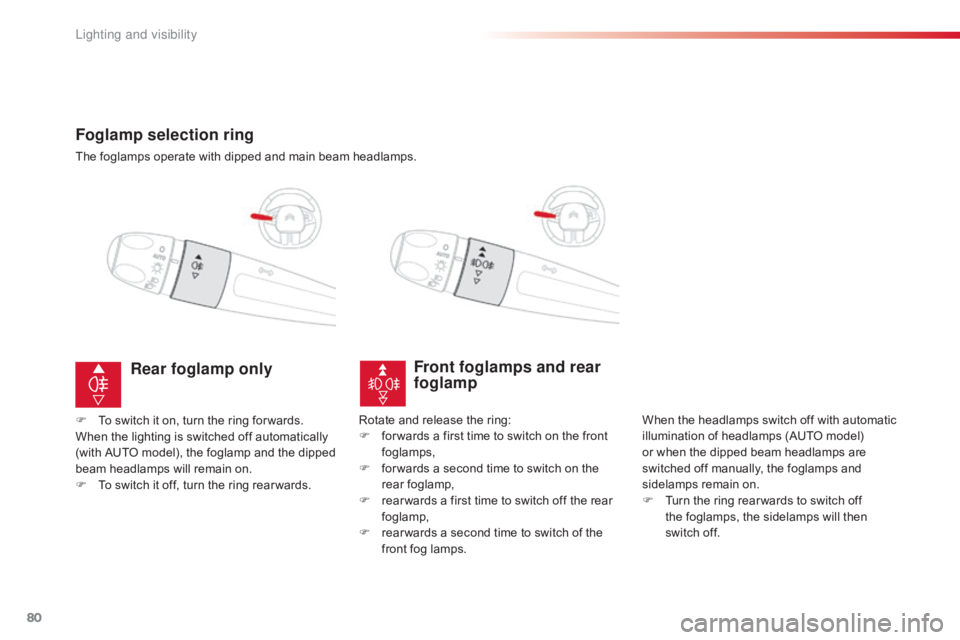
Foglamp selection ring
The foglamps operate with dipped and main beam headlamps.
Front foglamps and rear
foglamp
When the headlamps switch off with automatic illumination of headlamps (AUTO model)
o
r when the dipped beam headlamps are
s
witched off manually, the foglamps and
si
delamps
re
main
o
n.
F
T
urn the ring rear wards to switch off
t
he foglamps, the sidelamps will then
s
witch off.
Rear foglamp only
F To switch it on, turn the ring for wards.
When the lighting is switched off automatically
(
with AUTO model), the foglamp and the dipped
b
eam headlamps will remain on.
F
T
o switch it off, turn the ring rear wards.Rotate
and release the ring:
F f or wards a first time to switch on the front
fo
glamps,
F
f
or wards a second time to switch on the
r
ear
fo
glamp,
F
r
ear wards a first time to switch off the rear
fo
glamp,
F
r
ear wards a second time to switch of the
f
ront fog lamps.
Lighting and visibility
Page 83 of 317
81
C4-cactus_en_Chap04_Eclairage-et-visibilite_ed01-2016
In good or rainy weather, both day and night, the front foglamps and the
r
ear foglamp are prohibited. In these
s
ituations, the power of their beams
m
ay dazzle other drivers. They should
o
nly be used in fog or snow.
In these weather conditions, it is your
responsibility
to switch on the foglamps
a
nd dipped beam headlamps manually
a
s the sunshine sensor may detect
s
ufficient light.
Do
not forget to switch off the front
f
oglamps and the rear foglamp when
t
hey are no longer necessary.Switching off the lamps when
the ignition is switched off
On switching off the ignition, all of the lamps turn off immediately, except for
d
ipped beam if guide-me-home lighting
i
s activated.
Switching on the lamps
after the ignition is
switched off
To reactivate the lighting control, rotate the ring to the "0" position - lamps off,
t
hen to the desired position.
On
opening the driver's door a
t
emporary audible signal warns the
d
river that the lighting is on.
The
lamps, with the exception of the
s
idelamps, switch off automatically after
a
maximum duration of thirty minutes to
p
revent discharging of the battery.
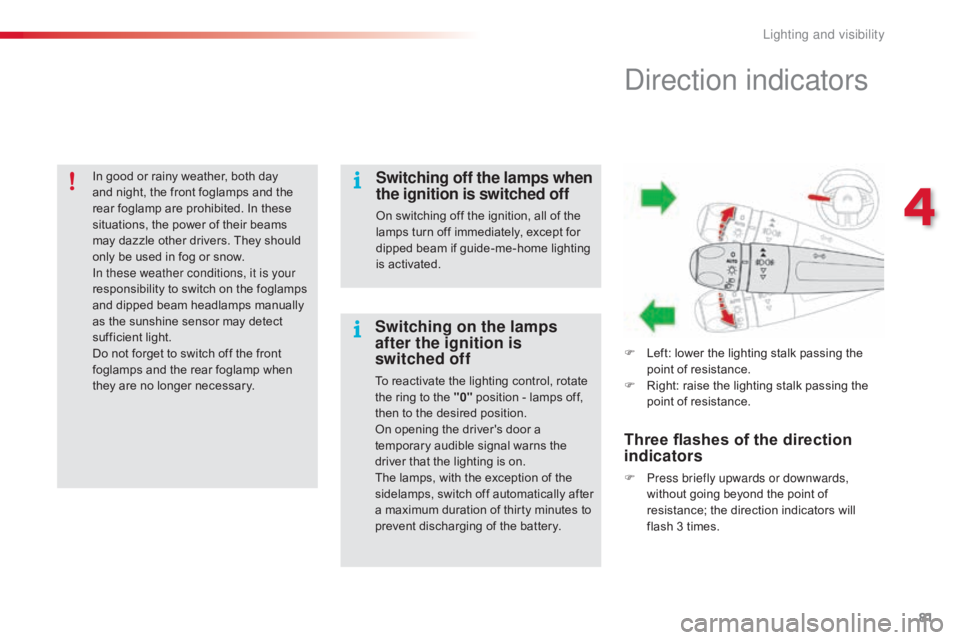
Direction indicators
F Left: lower the lighting stalk passing the p
oint of resistance.
F
R
ight: raise the lighting stalk passing the
p
oint of resistance.
Three flashes of the direction
indicators
F Press briefly upwards or downwards, without going beyond the point of
r
esistance; the direction indicators will
f
lash 3 times.
4
Lighting and visibility
Page 84 of 317
82
C4-cactus_en_Chap04_Eclairage-et-visibilite_ed01-2016
Automatic illumination
of headlamps
Activation
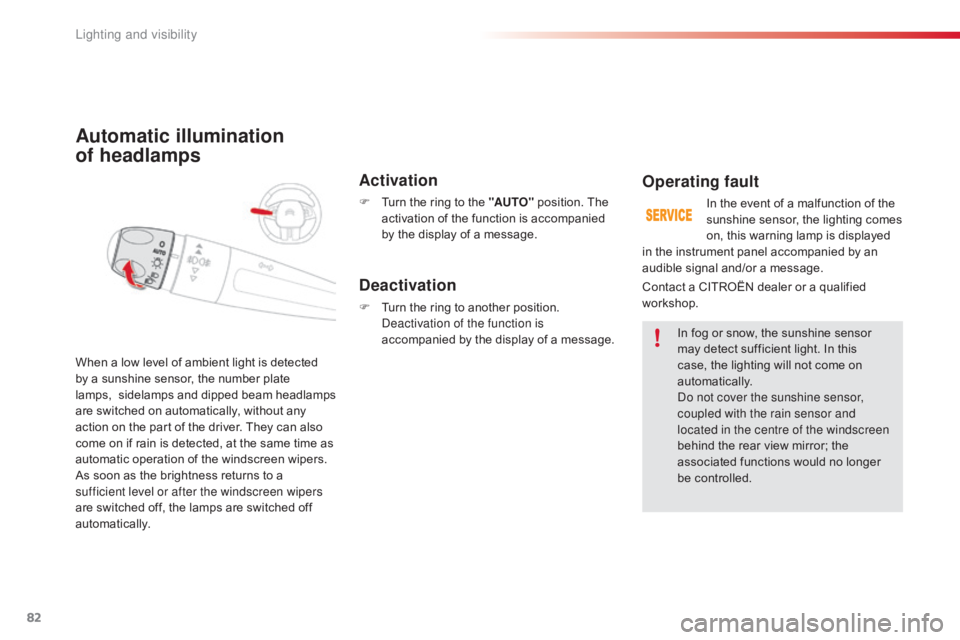
F Turn the ring to the "AUTO" position. The a
ctivation of the function is accompanied
b
y the display of a message.
When
a
low
level
of
ambient
light
is
detected
b
y
a
sunshine
sensor,
the
number
plate
lam
ps,
sidelamps
an
d
d
ipped
b
eam
h
eadlamps
a
re
switched
on
automatically,
without
any
a
ction
on
the
part
of
the
driver.
They
can
also
c
ome
on
if
rain
is
detected,
at
the
same
time
as
a
utomatic
operation
of
the
windscreen
wipers.
As
soon
as
the
brightness
returns
to
a
s
ufficient level or after the windscreen wipers
are
switched
off,
the
lamps
are
switched
off
au
tomatically.
Deactivation
F Turn the ring to another position. D
eactivation of the function is
accompanied
by the display of a message.
Operating fault
In the event of a malfunction of the sunshine sensor, the lighting comes
o
n, this warning lamp is displayed
I
n
fog or snow, the sunshine sensor
m
ay
detect sufficient light. In this
c
ase, the lighting will not come on
au
tomatically.
Do not cover the sunshine sensor,
coupled with the rain sensor and
located in the centre of the windscreen
behind
the rear view mirror; the
a
ssociated functions would no longer
be c
ontrolled.
Contact
a
CITROËN dealer or a qualified
w
orkshop.
in
the
instrument panel accompanied by an
a
udible
signal and/or a message.
Lighting and visibility