display Citroen NEMO 2008.5 1.G User Guide
[x] Cancel search | Manufacturer: CITROEN, Model Year: 2008.5, Model line: NEMO, Model: Citroen NEMO 2008.5 1.GPages: 140, PDF Size: 2.21 MB
Page 26 of 140
28
Instruments and controls
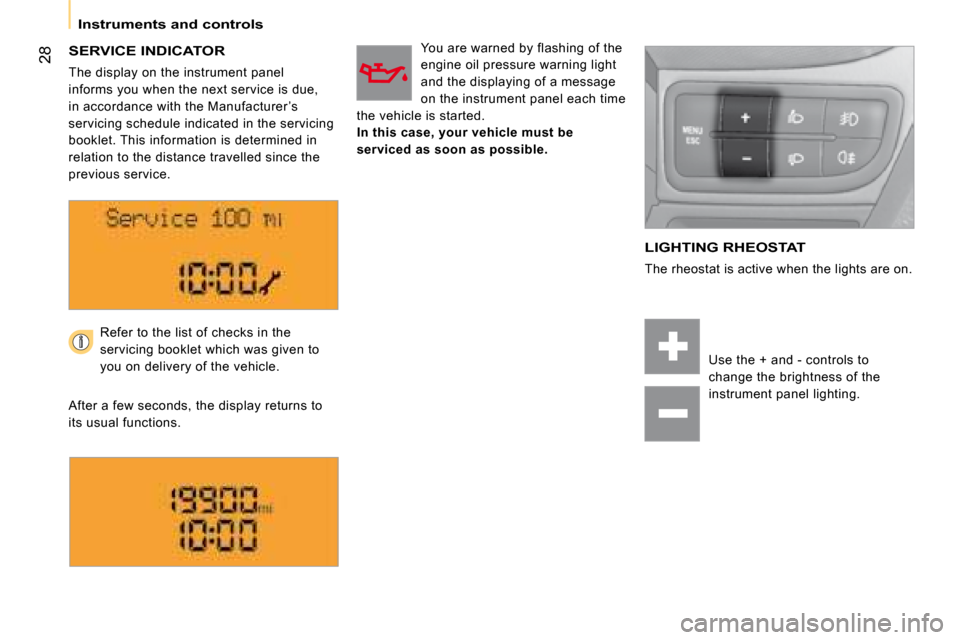
SERVICE INDICATOR
The display on the instrument panel
informs you when the next service is due,
in accordance with the Manufacturer ’s
servicing schedule indicated in the servicing
booklet. This information is determined in
relation to the distance travelled since the
previous service.
You are warned by flashing of the
engine oil pressure warning light
and the displaying of a message
on the instrument panel each time
the vehicle is started.
In this case, your vehicle must be
serviced as soon as possible.
LIGHTING RHEOSTAT
The rheostat is active when the lights are on.
Refer to the list of checks in the
servicing booklet which was given to
you on delivery of the vehicle.
After a few seconds, the display returns to
its usual functions.
Use the + and - controls to
change the brightness of the
instrument panel lighting.
Page 30 of 140
32
Accesses
Deactivation using the remote control
Deactivation using the key
Unlock the doors using the key and enter
the vehicle. Switch on the ignition to the
RUNNING position, identification of the key
code will switch off the alarm.
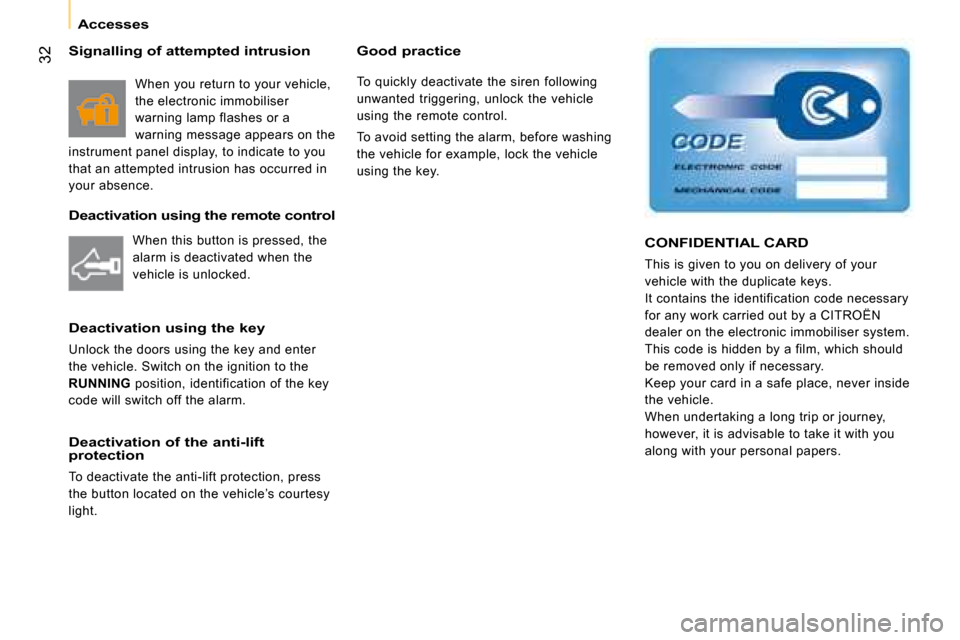
CONFIDENTIAL CARD
This is given to you on delivery of your
vehicle with the duplicate keys.
It contains the identification code necessary
for any work carried out by a CITROËN
dealer on the electronic immobiliser system.
This code is hidden by a film, which should
be removed only if necessary.
Keep your card in a safe place, never inside
the vehicle.
When undertaking a long trip or journey,
however, it is advisable to take it with you
along with your personal papers. Deactivation of the anti-lift
protection
To deactivate the anti-lift protection, press
the button located on the vehicle’s courtesy
light.
Good practice
To quickly deactivate the siren following
unwanted triggering, unlock the vehicle
using the remote control.
To avoid setting the alarm, before washing
the vehicle for example, lock the vehicle
using the key.
When this button is pressed, the
alarm is deactivated when the
vehicle is unlocked.
Signalling of attempted intrusion
When you return to your vehicle,
the electronic immobiliser
warning lamp flashes or a
warning message appears on the
instrument panel display, to indicate to you
that an attempted intrusion has occurred in
your absence.
Page 33 of 140
32
Accesses
Deactivation using the remote control
Deactivation using the key
Unlock the doors using the key and enter
the vehicle. Switch on the ignition to the
RUNNING position, identification of the key
code will switch off the alarm.
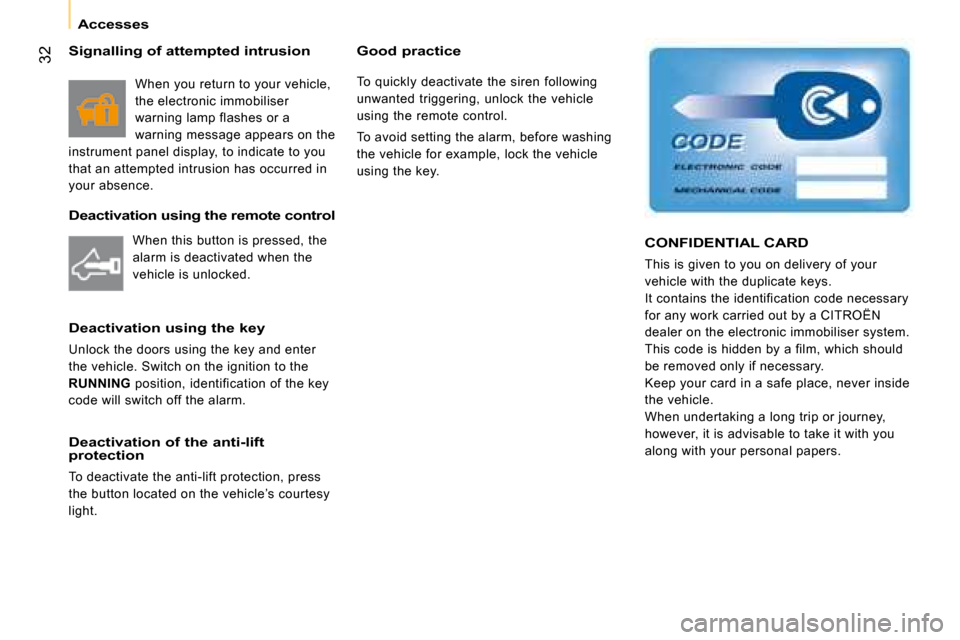
CONFIDENTIAL CARD
This is given to you on delivery of your
vehicle with the duplicate keys.
It contains the identification code necessary
for any work carried out by a CITROËN
dealer on the electronic immobiliser system.
This code is hidden by a film, which should
be removed only if necessary.
Keep your card in a safe place, never inside
the vehicle.
When undertaking a long trip or journey,
however, it is advisable to take it with you
along with your personal papers. Deactivation of the anti-lift
protection
To deactivate the anti-lift protection, press
the button located on the vehicle’s courtesy
light.
Good practice
To quickly deactivate the siren following
unwanted triggering, unlock the vehicle
using the remote control.
To avoid setting the alarm, before washing
the vehicle for example, lock the vehicle
using the key.
When this button is pressed, the
alarm is deactivated when the
vehicle is unlocked.
Signalling of attempted intrusion
When you return to your vehicle,
the electronic immobiliser
warning lamp flashes or a
warning message appears on the
instrument panel display, to indicate to you
that an attempted intrusion has occurred in
your absence.
Page 36 of 140
32
Accesses
Deactivation using the remote control
Deactivation using the key
Unlock the doors using the key and enter
the vehicle. Switch on the ignition to the
RUNNING position, identification of the key
code will switch off the alarm.
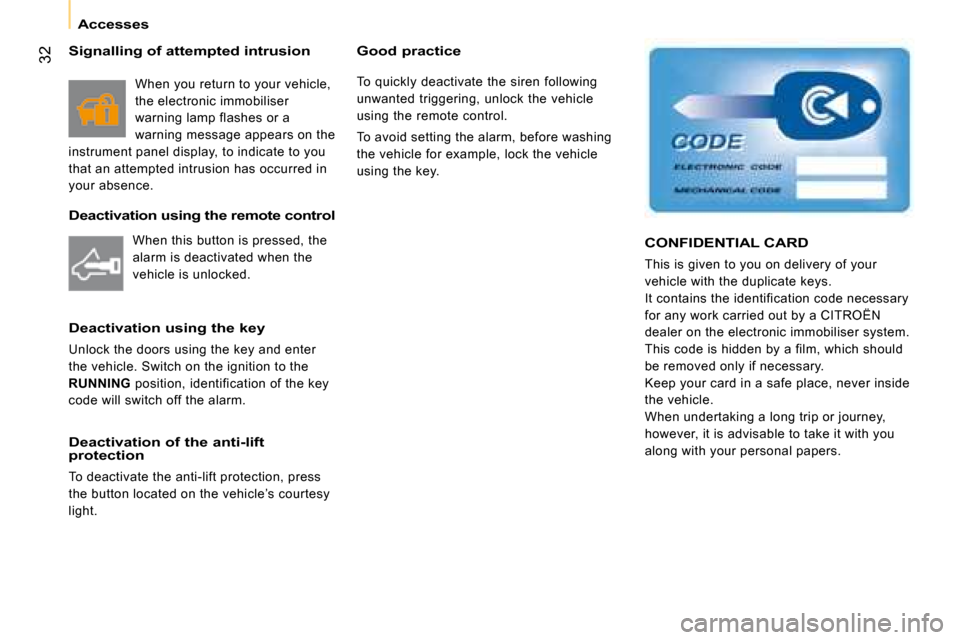
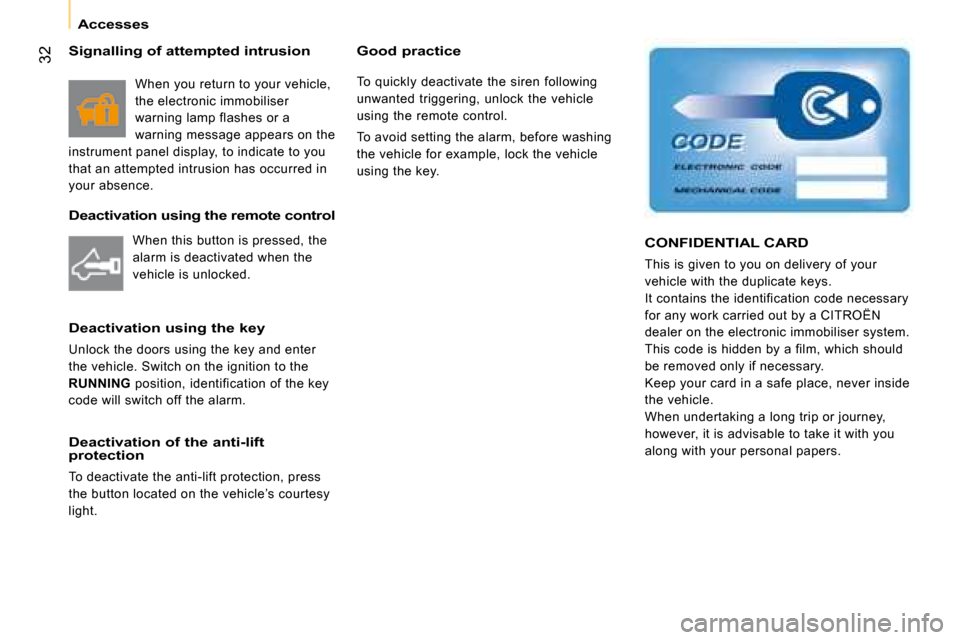
CONFIDENTIAL CARD
This is given to you on delivery of your
vehicle with the duplicate keys.
It contains the identification code necessary
for any work carried out by a CITROËN
dealer on the electronic immobiliser system.
This code is hidden by a film, which should
be removed only if necessary.
Keep your card in a safe place, never inside
the vehicle.
When undertaking a long trip or journey,
however, it is advisable to take it with you
along with your personal papers. Deactivation of the anti-lift
protection
To deactivate the anti-lift protection, press
the button located on the vehicle’s courtesy
light.
Good practice
To quickly deactivate the siren following
unwanted triggering, unlock the vehicle
using the remote control.
To avoid setting the alarm, before washing
the vehicle for example, lock the vehicle
using the key.
When this button is pressed, the
alarm is deactivated when the
vehicle is unlocked.
Signalling of attempted intrusion
When you return to your vehicle,
the electronic immobiliser
warning lamp flashes or a
warning message appears on the
instrument panel display, to indicate to you
that an attempted intrusion has occurred in
your absence.
Page 37 of 140
32
Accesses
Deactivation using the remote control
Deactivation using the key
Unlock the doors using the key and enter
the vehicle. Switch on the ignition to the
RUNNING position, identification of the key
code will switch off the alarm.
CONFIDENTIAL CARD
This is given to you on delivery of your
vehicle with the duplicate keys.
It contains the identification code necessary
for any work carried out by a CITROËN
dealer on the electronic immobiliser system.
This code is hidden by a film, which should
be removed only if necessary.
Keep your card in a safe place, never inside
the vehicle.
When undertaking a long trip or journey,
however, it is advisable to take it with you
along with your personal papers. Deactivation of the anti-lift
protection
To deactivate the anti-lift protection, press
the button located on the vehicle’s courtesy
light.
Good practice
To quickly deactivate the siren following
unwanted triggering, unlock the vehicle
using the remote control.
To avoid setting the alarm, before washing
the vehicle for example, lock the vehicle
using the key.
When this button is pressed, the
alarm is deactivated when the
vehicle is unlocked.
Signalling of attempted intrusion
When you return to your vehicle,
the electronic immobiliser
warning lamp flashes or a
warning message appears on the
instrument panel display, to indicate to you
that an attempted intrusion has occurred in
your absence.
Page 44 of 140
38
Steering wheel controls
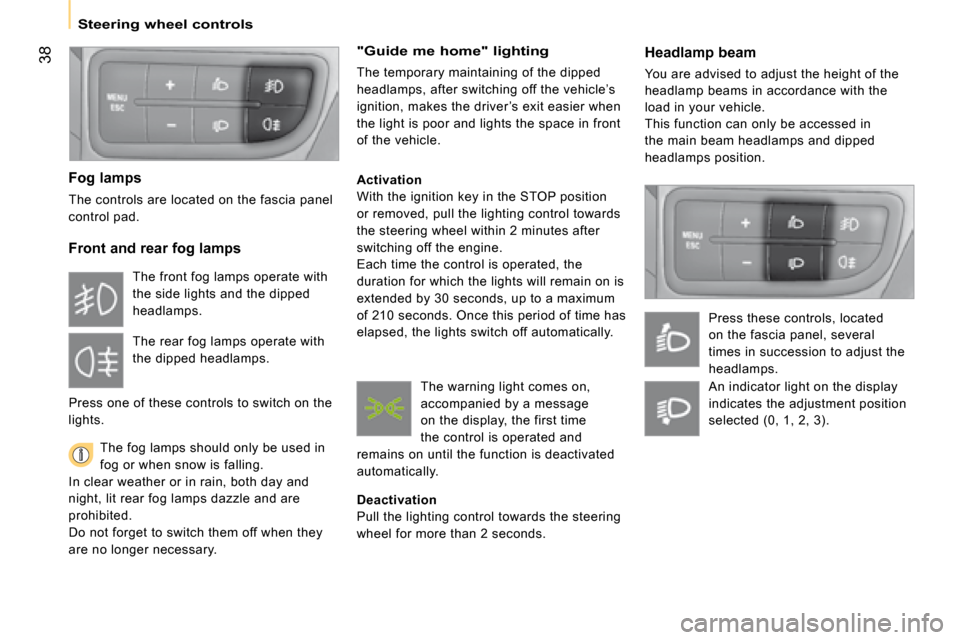
Headlamp beam
You are advised to adjust the height of the
headlamp beams in accordance with the
load in your vehicle.
This function can only be accessed in
the main beam headlamps and dipped
headlamps position.
Press these controls, located
on the fascia panel, several
times in succession to adjust the
headlamps.
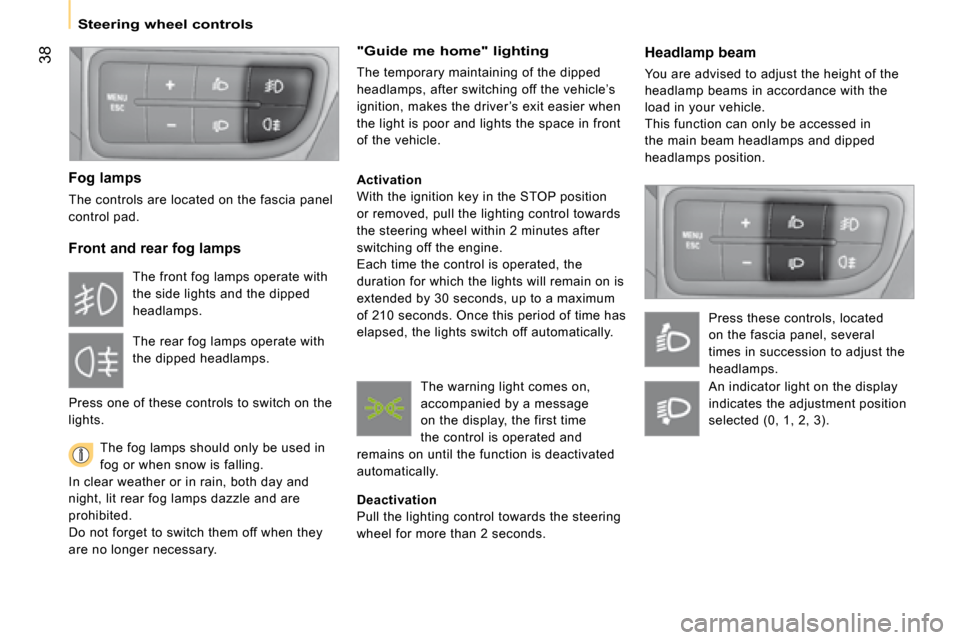
Fog lamps
The controls are located on the fascia panel
control pad.
Front and rear fog lamps
The fog lamps should only be used in
fog or when snow is falling.
In clear weather or in rain, both day and
night, lit rear fog lamps dazzle and are
prohibited.
Do not forget to switch them off when they
are no longer necessary.
"Guide me home" lighting
The temporary maintaining of the dipped
headlamps, after switching off the vehicle’s
ignition, makes the driver ’s exit easier when
the light is poor and lights the space in front
of the vehicle.
Activation
With the ignition key in the STOP position
or removed, pull the lighting control towards
the steering wheel within 2 minutes after
switching off the engine.
Each time the control is operated, the
duration for which the lights will remain on is
extended by 30 seconds, up to a maximum
of 210 seconds. Once this period of time has
elapsed, the lights switch off automatically.
Deactivation
Pull the lighting control towards the steering
wheel for more than 2 seconds.
The front fog lamps operate with
the side lights and the dipped
headlamps.
The rear fog lamps operate with
the dipped headlamps.
Press one of these controls to switch on the
lights.
The warning light comes on,
accompanied by a message
on the display, the first time
the control is operated and
remains on until the function is deactivated
automatically.
An indicator light on the display
indicates the adjustment position
selected (0, 1, 2, 3).
Page 45 of 140
38
Steering wheel controls
Headlamp beam
You are advised to adjust the height of the
headlamp beams in accordance with the
load in your vehicle.
This function can only be accessed in
the main beam headlamps and dipped
headlamps position.
Press these controls, located
on the fascia panel, several
times in succession to adjust the
headlamps.
Fog lamps
The controls are located on the fascia panel
control pad.
Front and rear fog lamps
The fog lamps should only be used in
fog or when snow is falling.
In clear weather or in rain, both day and
night, lit rear fog lamps dazzle and are
prohibited.
Do not forget to switch them off when they
are no longer necessary.
"Guide me home" lighting
The temporary maintaining of the dipped
headlamps, after switching off the vehicle’s
ignition, makes the driver ’s exit easier when
the light is poor and lights the space in front
of the vehicle.
Activation
With the ignition key in the STOP position
or removed, pull the lighting control towards
the steering wheel within 2 minutes after
switching off the engine.
Each time the control is operated, the
duration for which the lights will remain on is
extended by 30 seconds, up to a maximum
of 210 seconds. Once this period of time has
elapsed, the lights switch off automatically.
Deactivation
Pull the lighting control towards the steering
wheel for more than 2 seconds.
The front fog lamps operate with
the side lights and the dipped
headlamps.
The rear fog lamps operate with
the dipped headlamps.
Press one of these controls to switch on the
lights.
The warning light comes on,
accompanied by a message
on the display, the first time
the control is operated and
remains on until the function is deactivated
automatically.
An indicator light on the display
indicates the adjustment position
selected (0, 1, 2, 3).
Page 50 of 140
43
1
READY TO SET OFF
Gearbox and steering wheel
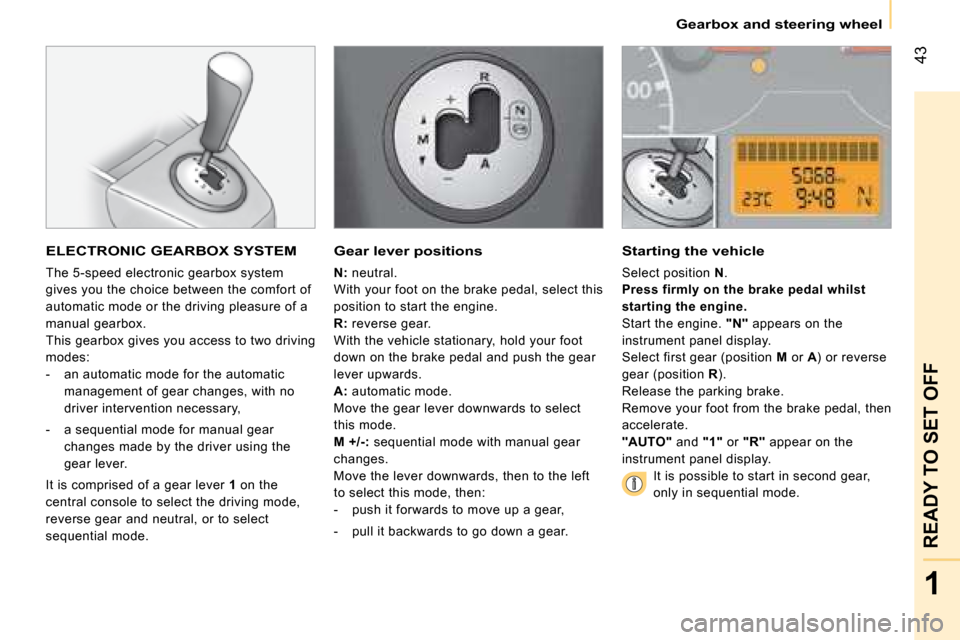
ELECTRONIC GEARBOX SYSTEM
The 5-speed electronic gearbox system
gives you the choice between the comfort of
automatic mode or the driving pleasure of a
manual gearbox.
This gearbox gives you access to two driving
modes:
- an automatic mode for the automatic
management of gear changes, with no
driver intervention necessary,
- a sequential mode for manual gear
changes made by the driver using the
gear lever.
It is comprised of a gear lever 1 on the
central console to select the driving mode,
reverse gear and neutral, or to select
sequential mode.
Gear lever positions
N: neutral.
With your foot on the brake pedal, select this
position to start the engine.
R: reverse gear.
With the vehicle stationary, hold your foot
down on the brake pedal and push the gear
lever upwards.
A: automatic mode.
Move the gear lever downwards to select
this mode.
M+/-: sequential mode with manual gear
changes.
Move the lever downwards, then to the left
to select this mode, then:
- push it forwards to move up a gear,
- pull it backwards to go down a gear.
Starting the vehicle
Select position N .
Press firmly on the brake pedal whilst
starting the engine.
Start the engine. "N" appears on the
instrument panel display.
Select first gear (position M or A) or reverse
gear (position R).
Release the parking brake.
Remove your foot from the brake pedal, then
accelerate.
"AUTO" and "1" or "R" appear on the
instrument panel display.
It is possible to start in second gear,
only in sequential mode.
Page 51 of 140
44
Gearbox and steering wheel
Stopping - Starting on a gradient
This is an electronic gearbox system without
a clutch pedal.
To immobilise the vehicle on a gradient,
you must use the parking brake and not
the accelerator.
When starting on a gradient, accelerate
gradually while releasing the parking brake.
Changing to sequential mode
Once you have started the engine, you
can go into sequential mode by selecting
position M.
Changing to automatic mode
When in sequential mode, you can return to
automatic mode by selecting position A.
Stopping the vehicle
Before switching off the engine, you can:
- select position N to engage neutral.
- leave a gear engaged, such as first or
reverse gear.
In either case, you must engage the parking
brake to immobilise the vehicle.
Reinitialising
Following a battery disconnection, you must
reinitialise the gearbox:
- switch on the ignition, "AUTO" appears
on the instrument panel display,
- press on the brake pedal,
- wait for about 30 seconds until "N" or
a gear appears on the instrument panel
display,
- release the brake pedal.
The gearbox is now operational again.
Operating anomaly
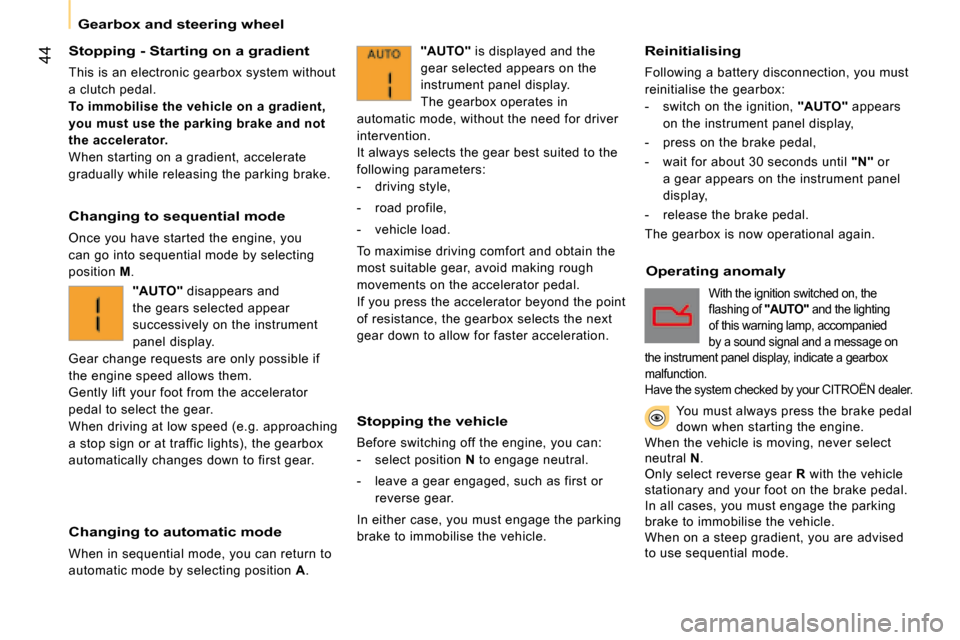
"AUTO" is displayed and the
gear selected appears on the
instrument panel display.
The gearbox operates in
automatic mode, without the need for driver
intervention.
It always selects the gear best suited to the
following parameters:
- driving style,
- road profile,
- vehicle load.
To maximise driving comfort and obtain the
most suitable gear, avoid making rough
movements on the accelerator pedal.
If you press the accelerator beyond the point
of resistance, the gearbox selects the next
gear down to allow for faster acceleration.
"AUTO" disappears and
the gears selected appear
successively on the instrument
panel display.
Gear change requests are only possible if
the engine speed allows them.
Gently lift your foot from the accelerator
pedal to select the gear.
When driving at low speed (e.g. approaching
a stop sign or at traffic lights), the gearbox
automatically changes down to first gear.
With the ignition switched on, the
fl ashing of "AUTO" and the lighting
of this warning lamp, accompanied
by a sound signal and a message on
the instrument panel display, indicate a gearbox
malfunction.
Have the system checked by your CITROËN dealer.
You must always press the brake pedal down when starting the engine. When the vehicle is moving, never select neutral N.Only select reverse gear R with the vehicle stationary and your foot on the brake pedal.In all cases, you must engage the parking brake to immobilise the vehicle.When on a steep gradient, you are advised to use sequential mode.
Page 52 of 140
1
READY TO SET OFF
Gearbox and steering wheel
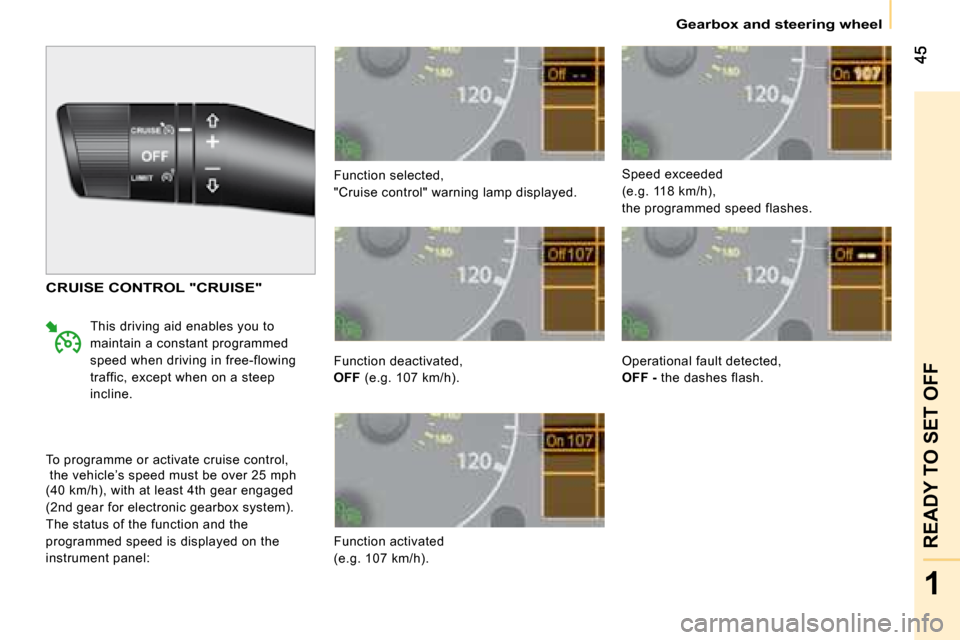
Function selected,
"Cruise control" warning lamp displayed.
Function deactivated,
OFF (e.g. 107 km/h).
Function activated
(e.g. 107 km/h). Speed exceeded
(e.g. 118 km/h),
the programmed speed flashes.
CRUISE CONTROL "CRUISE"
This driving aid enables you to
maintain a constant programmed
speed when driving in free-flowing
traffic, except when on a steep
incline.
To programme or activate cruise control,
the vehicle’s speed must be over 25 mph
(40 km/h), with at least 4th gear engaged
(2nd gear for electronic gearbox system).
The status of the function and the
programmed speed is displayed on the
instrument panel: Operational fault detected,
OFF
- the dashes flash.