PAGE 19 CITROEN RELAY 2019 Handbook (in English)
[x] Cancel search | Manufacturer: CITROEN, Model Year: 2019, Model line: RELAY, Model: CITROEN RELAY 2019Pages: 232, PDF Size: 8.21 MB
Page 21 of 232

19
Retrieving the service
information
To access the ser vice indicators at any time,
press the MODE button briefly.
Use the up/down arrows to see the scheduling
information and engine oil usage.
Press the MODE button again to return to the
various display menus.
Hold it down to return to the home page.Menu…
Choose…Allows you to…
Service Ser vice (Miles/Km before
service)Display the distance remaining
before the next ser vice.
Oil change (Miles/Km before
oil change) Display the distance remaining
before the next oil change.
For more information on Vehicle configuration , refer to the corresponding section.
1
Dashboard instruments
Page 25 of 232

23
You have access to all the menus if your
vehicle is fitted with the audio system.
If your vehicle is fitted with the touch screen
audio system, certain menus are only
accessible using the audio system control
panel.
As a
safety measure, some menus can
only be accessed when the ignition is off.
The corresponding information appears in the
instrument panel screen.
Languages available: Italian, English, German,
French, Spanish, Portuguese, Dutch, Brazilian,
Polish, Russian, Turkish and Arabic.
This MODE button enables
you to:
-
a
ccess the menus and
sub-menus,
-
c
onfirm your selections,
within a
menu,
-
q
uit the menus. Hold it down to return to the
home page.
This button enables you to:
-
s
croll up through a menu,
-
i
ncrease a value.
This button enables you to:
-
s
croll down through a menu,
-
d
ecrease a value.
1
Dashboard instruments
Page 194 of 232
8
To protect the system, do not use a USB
hub .
The system does not support the simultaneous
connection of two identical devices (two
memory sticks or two Apple
® players) but it is
possible to connect one memory stick and one
Apple
® player at the same time.
It is recommended that you use genuine
Apple® USB cables for correct operation.
Bluetooth® audio streaming
Streaming allows you to listen to audio files on
your smartphone using the vehicle's speakers.
On the peripheral device, activate the
Bluetooth
® function.
Press " MEDIA".
In case of active media source,
press the " Source" button.
Select the " Bluetooth
®" media
source then press the " Add device"
button. If no peripheral device has yet been paired
with the system, a special page is displayed
in the screen.
Select "Yes" to start the pairing procedure,
and therefore to search for the name of the
system in the device.
Select the name of the system on the device
and, when requested by the audio system,
enter the PIN number displayed in the screen
of the system or confirm in the device the PIN
displayed.
During pairing, a screen page is displayed
showing the operation progress.
In case of an error, deactivate Bluetooth
® on
your device and then activate it again.
Once the pairing procedure is complete, a
screen page appears:
-
b
y replying "Yes" to the question, the
Bluetooth
® audio device will be saved as
favourite (the device will have priority over
other devices paired later).
-
b
y replying "No", the priority will be
determined by the order of connection.
The last connected device has the highest
priority. Some Bluetooth
® devices do not allow
scanning of tracks and other information
on the telephone against the categories
present in the system.
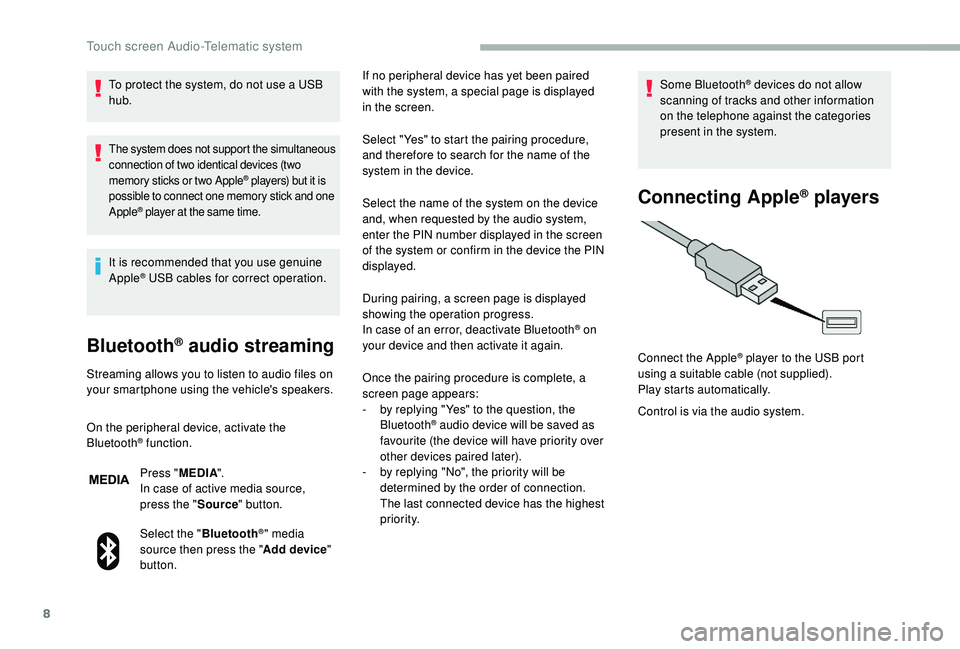
Connecting Apple® players
Control is via the audio system. Connect the Apple
® player to the USB port
using a
suitable cable (not supplied).
Play starts automatically.
Touch screen Audio-Telematic system
Page 199 of 232
13
Press "PHONE ".
If no telephone has yet been paired
in the system, a special page is
displayed in the screen.
Select "Yes" to start the pairing procedure, and
search for the name of the system in the mobile
phone (other wise selecting "No" displays the
main Telephone screen page).
Select the name of the system and, depending
on the telephone, using the telephone's
keypad, enter the PIN displayed in the screen
of the system or confirm in the mobile phone
the PIN displayed.
When pairing, a screen page is displayed
showing progress in the operation. If the operation fails, we recommend
switching the Bluetooth function
of your telephone off and then on
again. When the pairing procedure has
finished successfully, a screen page
appears:
-
b y replying "Yes" to the
question, the mobile phone
is saved as favourite (this
telephone will have priority
over other telephones paired
subsequently).
-
i
f no other device has been
paired, the system considers
the first device paired to be the
favourite.
For telephones not set as favourites,
the order of priority is determined in the
order of connection. The last telephone
connected will take higher priority.
The available ser vices depend on the network,
SIM card and Bluetooth
® device compatibility.
Consult your telephone's manual and your
operator to find out which ser vices are
available to you. select the telephone in the list then select the
desired setting.
The profiles compatible with the system are:
HFP, OPP, PBAP, A 2DP, AVRCP, MAP.
Automatic reconnection
When the ignition is switched on, the telephone
connected when the ignition was last switched
off reconnects automatically, if this connection
mode had been set during the pairing
procedure (see previous pages).
Activate the telephone's Bluetooth function
and ensure that it is "visible to all" (telephone
configuration).
When you return to your vehicle, the last
telephone connected reconnects automatically,
within around thirty seconds of switching on the
ignition (with Bluetooth
® switched on).
To modify the automatic connection profile, The connection is confirmed by the display of
a
message and the name of the telephone.
Managing paired
telephones
This function allows the connection or
disconnection of a
peripheral device as
well as the deletion of a
pairing.
Press " Settings ".
Select " Telephone/Bluetooth
®" then select the
telephone in the list of paired devices.
.
Touch screen Audio-Telematic system
Page 203 of 232

17
Voice interaction can be quickly used if
these buttons are pressed during a voice
message from the system; it allows
a
voice command to be issued directly.
For example, if the system is speaking
a
voice help message and if you know
the command to give the system, by
pressing these buttons, the voice
message is interrupted and the desired
voice command can be spoken directly (so
avoiding the need to listen to the complete
voice help message).
When the system is waiting for a
voice
command from the user, pressing these
buttons closes the voice session.
Every time a
button is pressed, a "beep"
(audible signal) is produced and the
screen displays a
page of suggestions
asking the user to speak a
command.Global voice commands
These voice commands can be issued from any screen page after pressing the voice
recognition or telephone button on the steering wheel, as long as there is no telephone call in
progress.Level 1 Level 2 Level 3 Comments
Help Provides generic help to the user
by suggesting certain available
commands.
Cancel Closes the current voice session.
Repeat Repeats to the user the last voice
message spoken.
Voice
tutorial Provides the user with detailed
description of how to use the voice
system.
.
Touch screen Audio-Telematic system
Page 204 of 232

18
"Telephone " voice commands
If a telephone is connected to the system, these voice commands can be issued from any main screen page after pressing the telephone button
o n the steering wheel, as long as there is no telephone call in progress.
If there is no telephone connected, a voice message announces "No telephone is connected. Please connect a
telephone and try again" and the
voice session will be closed.
Level 1 Level 2 Level 3 Comments
Call * Henri Dupont Dials the telephone number associated with contact Henri Dupont.
Call * Henri Dupont Mobile phoneDials the telephone number labelled Mobile phone associated with contact Henri Dupont.
Call number 0123 4 5 6789 Calls the number 0123456789.
Call again Calls the number or contact of the last call made.
Call back Calls the number or contact of the last call received.
Recent calls * Displays the complete list of recent calls: outgoing, missed and incoming.
Calls made * Displays the list of outgoing calls.
Missed calls * Displays the list of missed calls.
*
T
his function is only available if the telephone connected to the system supports downloading of the phonebook and recent calls and if the download
has been done.
Touch screen Audio-Telematic system
Page 206 of 232

20
"AM/FM/DAB Radio " voice commands
These voice commands can be issued from any main screen page after pressing the voice recognition button on the steering wheel, as long as
there is no telephone call in progress.
Level 1 Level 2 Level 3 Comments
Tu n e t o 105.5FMTunes the radio to frequency 105.5
on the FM waveband.
Tu n e t o 940AMTunes the radio to frequency 940
on the AM waveband.
Tu n e t o * FIP FMTunes the radio to the FIP station.
Tune to DAB
channel ** Radio NOVA
Tunes the DAB radio to the Radio NOVA channel.
*
T
he name "FIP" can be replaced by any
other FM station name received by the
radio. Not all radio stations provide this
service. **
T
he name "Radio NOVA" can be replaced
by any other DAB channel received by the
radio. Not all DAB channels provide this
service.
Touch screen Audio-Telematic system
Page 207 of 232

21
"Media " voice commands
These voice commands can be issued from any main screen page after pressing the voice recognition button on the steering wheel, as long as
there is no telephone call in progress.
Level 1 Level 2 Level 3 Comments
Play track "Title 1 " Plays the track "Title 1".
Play album "Album 1 " Plays the songs in album "Album 1".
Play ar tist "Ar tist 1 " Plays the songs by "Artist 1".
Play musical
genre "
Jazz " Plays the songs of the "Jazz" musical genre.
Play playlist "Playlist 1 " Plays the songs in the playlist "Playlist 1".
Play podcast "Radio 1 " Plays the podcast "Radio 1".
Play audio
book "
Book 1 " Plays the audio book "Book 1".
Play track
number "
5 " Plays track number "5".
Select "USB " Selects the USB media as the active audio source.
Scan "Album " Displays the list of albums available.
.
Touch screen Audio-Telematic system
Page 208 of 232

22
"Navigation " voice commands
These voice commands can be issued from any main screen page after pressing the voice recognition button on the steering wheel, as long as
there is no telephone call in progress.
Level 1 Level 2 Level 3 Comments
Go home Displays the route home.
2D mode Changes to 2D mode.
3D mode Changes to 3D mode.
Delete route Deletes the route displayed.
Add
a
favourite Displays the favourites screen page.
Repeat the
instruction Repeats the last voice message spoken.
Touch screen Audio-Telematic system
Page 209 of 232

23
"Text message " voice commands
These voice commands can be issued from any main screen page after pressing the telephone button on the steering wheel, as long as there is
no telephone call in progress.
Level 1 Level 2 Level 3 Comments
Send a
text
to 0123 4 5 6789
Starts the voice procedure for sending a
pre-defined text message using the system.
Send a
text
to Henri Dupont
Mobile phone
Display text Henri DupontMobile phoneDisplays the message box downloaded from the telephone.
.
Touch screen Audio-Telematic system