instrument panel DODGE AVENGER 2008 User Guide
[x] Cancel search | Manufacturer: DODGE, Model Year: 2008, Model line: AVENGER, Model: DODGE AVENGER 2008Pages: 467, PDF Size: 7.16 MB
Page 82 of 467
Defroster
Check operation by selecting the defrost mode and place
the blower control on high speed. You should be able to
feel the air directed against the windshield.
NOTE: If the defrost feature is not functioning, the
cause should be located and corrected immediately by an
authorized service center. The windshield could fog up
while driving and obscure your visibility.
Periodic Safety Checks You Should Make Outside
The Vehicle
Tires
Examine tires for excessive tread wear or uneven wear
patterns. Check for stones, nails, glass, or other objects
lodged in the tread. Inspect tread and sidewall for cuts or
cracks. Check wheel nuts for tightness, and tires (includ-
ing spare) for proper pressure. Lights
Have someone observe the operation of exterior lights
while you work the controls. Check turn signal and high
beam indicator lights on the instrument panel.
Fluid Leaks
Check area under vehicle after overnight parking for fuel,
engine coolant, oil, or other fluid leaks. In addition, if
gasoline fumes are detected or fuel, power steering fluid,
transmission fluid, or brake fluid leaks are suspected, the
cause should be located and corrected immediately.80 THINGS TO KNOW BEFORE STARTING YOUR VEHICLE
Page 106 of 467
Turning Confirmation Prompts On/Off
Turning confirmation prompts off will stop the system
from confirming your choices (e.g., the UConnect t sys-
tem will not repeat a phone number before you dial it).
² Press the PHONE button to begin.
² After the 9 Ready 9 prompt and the following beep, say
9 Setup Confirmations. 9 The UConnect t system will
play the current confirmation prompt status and you
will be given the choice to change it.
Phone and Network Status Indicators
If available on the radio and/or on a premium display
such as the instrument panel cluster, and supported by
your cell phone, the UConnect t system will provide
notification to inform you of your phone and network
status when you are attempting to make a phone call
using UConnect t . The status is given for roaming, net-
work signal strength, phone battery strength, etc. Dialing Using the Cellular Phone Keypad
You can dial a phone number with your cellular phone
keypad and still use the UConnect t system (while dial-
ing via the cell phone keypad, the user must exercise
caution and take precautionary safety measures). By
dialing a number with your paired Bluetooth t cellular
phone, the audio will be played through your vehicle's
audio system. The UConnect t system will work the same
as if you dial the number using voice recognition.
NOTE: Certain brands of mobile phones do not send the
dial ring to the UConnect t system to play it on the
vehicle audio system, so you will not hear it. Under this
situation, after successfully dialing a number the user
may feel that the call did not go through even though the
call is in progress. Once your call is answered, you will
hear the audio.104 UNDERSTANDING THE FEATURES OF YOUR VEHICLE
Page 129 of 467
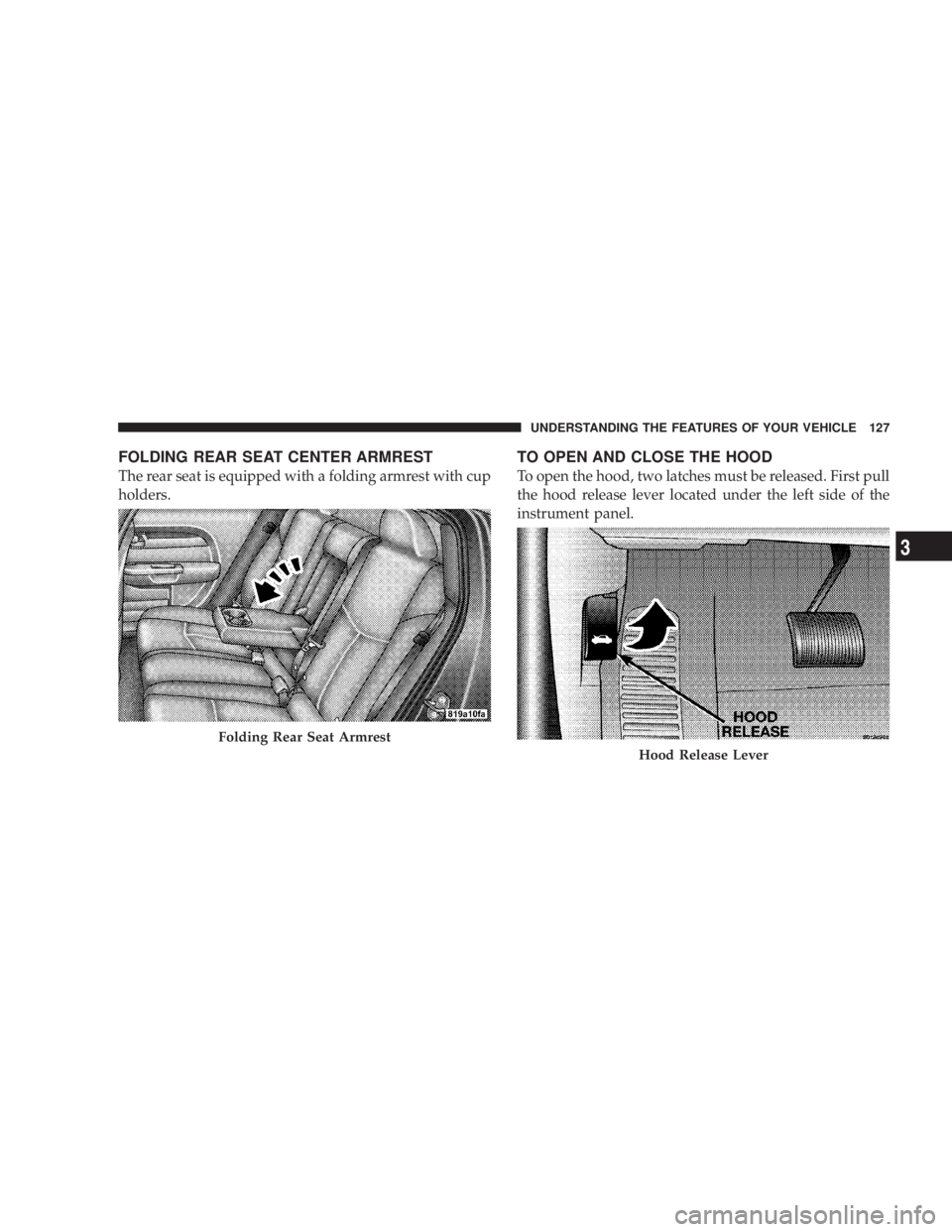
FOLDING REAR SEAT CENTER ARMREST
The rear seat is equipped with a folding armrest with cup
holders. TO OPEN AND CLOSE THE HOOD
To open the hood, two latches must be released. First pull
the hood release lever located under the left side of the
instrument panel.
Folding Rear Seat Armrest
Hood Release LeverUNDERSTANDING THE FEATURES OF YOUR VEHICLE 127
3
Page 132 of 467
because a door is open. This includes the glove box light,
but not the trunk light. To restore interior light operation,
either turn the ignition switch ON or cycle the light
switch.
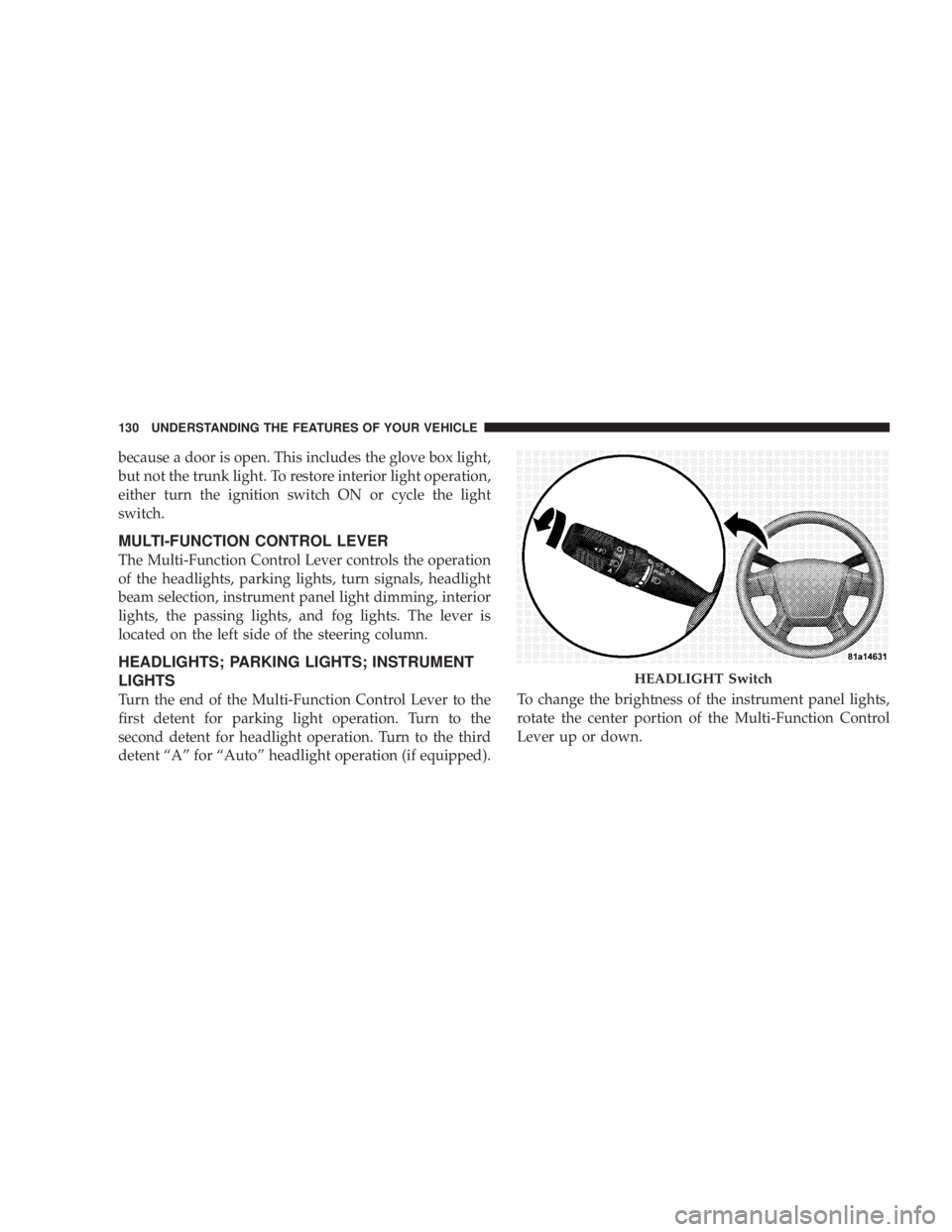
MULTI-FUNCTION CONTROL LEVER
The Multi-Function Control Lever controls the operation
of the headlights, parking lights, turn signals, headlight
beam selection, instrument panel light dimming, interior
lights, the passing lights, and fog lights. The lever is
located on the left side of the steering column.
HEADLIGHTS; PARKING LIGHTS; INSTRUMENT
LIGHTS
Turn the end of the Multi-Function Control Lever to the
first detent for parking light operation. Turn to the
second detent for headlight operation. Turn to the third
detent ªAº for ªAutoº headlight operation (if equipped). To change the brightness of the instrument panel lights,
rotate the center portion of the Multi-Function Control
Lever up or down. HEADLIGHT Switch130 UNDERSTANDING THE FEATURES OF YOUR VEHICLE
Page 155 of 467

ELECTRICAL POWER OUTLETS
There are two 12-volt electrical outlets on this vehicle.
Both of the outlets are protected by a fuse.
The instrument panel power outlet, located below the
climate control knobs, has power available only when the
ignition is on. This outlet will also operate a conventional
cigar lighter unit.
NOTE: If desired, the instrument panel power outlet
can be converted by your authorized dealer to provide
power with the ignition switch while in the LOCK
position. Instrument Panel Power OutletUNDERSTANDING THE FEATURES OF YOUR VEHICLE 153
3
Page 157 of 467
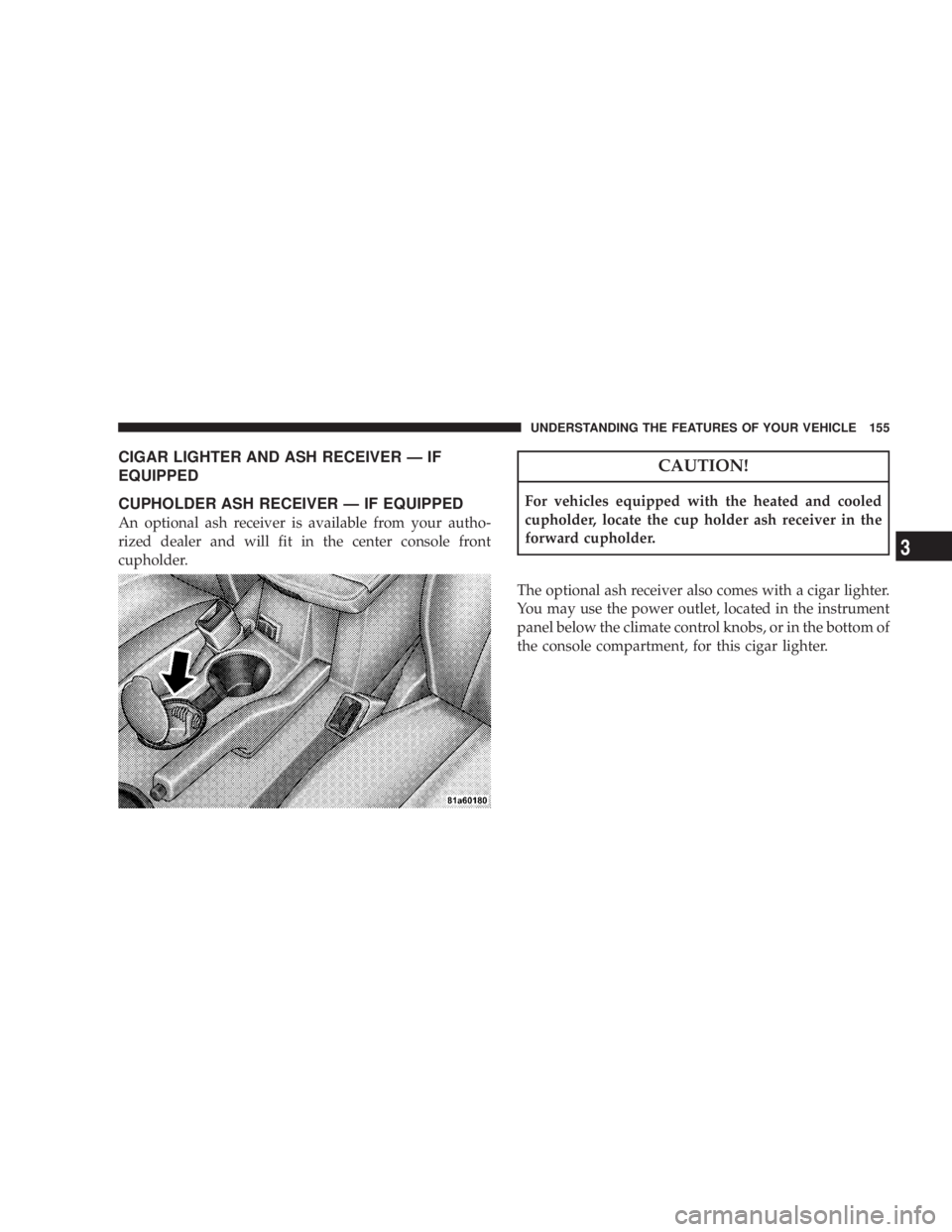
CIGAR LIGHTER AND ASH RECEIVER Ð IF
EQUIPPED
CUPHOLDER ASH RECEIVER Ð IF EQUIPPED
An optional ash receiver is available from your autho-
rized dealer and will fit in the center console front
cupholder. CAUTION!For vehicles equipped with the heated and cooled
cupholder, locate the cup holder ash receiver in the
forward cupholder.
The optional ash receiver also comes with a cigar lighter.
You may use the power outlet, located in the instrument
panel below the climate control knobs, or in the bottom of
the console compartment, for this cigar lighter. UNDERSTANDING THE FEATURES OF YOUR VEHICLE 155
3
Page 163 of 467
WARNING!² The weight and position of cargo and passengers
can change the vehicle center of gravity and ve-
hicle handling. To avoid loss of control resulting
in personal injury, follow these guidelines for
loading your vehicle:
² Always place cargo evenly on the cargo floor. Put
heavier objects as low and as far forward as possible.
² Place as much cargo as possible in front of the rear
axle. Too much weight or improperly placed weight
over or behind the rear axle can cause the rear of the
vehicle to sway.
² Do not pile luggage or cargo higher than the top of the
seatback. This could impair visibility or become a
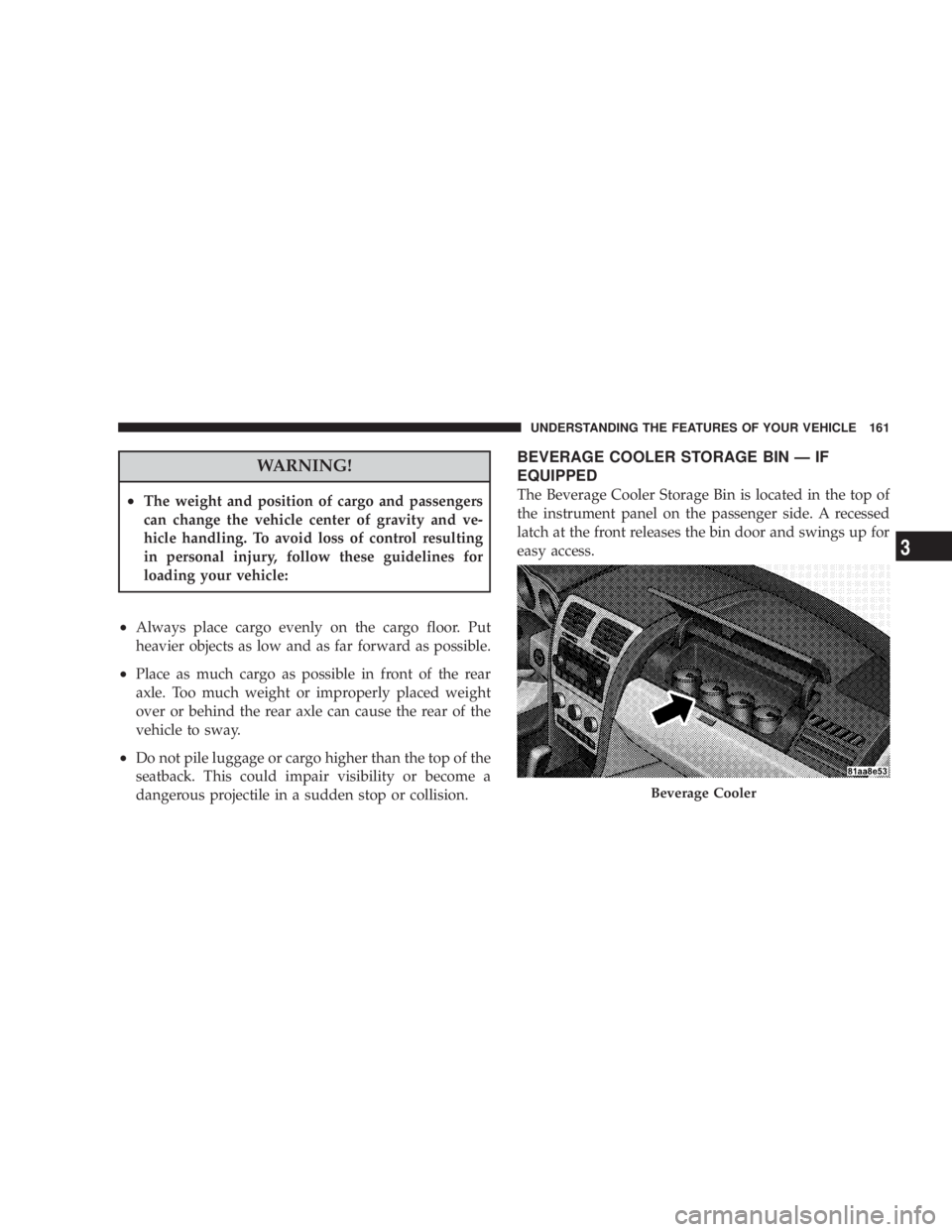
dangerous projectile in a sudden stop or collision. BEVERAGE COOLER STORAGE BIN Ð IF
EQUIPPED
The Beverage Cooler Storage Bin is located in the top of
the instrument panel on the passenger side. A recessed
latch at the front releases the bin door and swings up for
easy access.
Beverage CoolerUNDERSTANDING THE FEATURES OF YOUR VEHICLE 161
3
Page 165 of 467
UNDERSTANDING YOUR INSTRUMENT PANELCONTENTS m Instrument Panel Features .................167
m Instrument Cluster Ð Base ................168
m Instrument Cluster Ð Premium .............169
m Instrument Cluster Descriptions ............170
m Electronic Vehicle Information Center (EVIC) ±
If Equipped ...........................181
N EVIC Displays .......................183
N Oil Change Required ...................184
N Trip Functions .......................184 N Compass Display .....................186
N EVIC Personal Settings
(Customer Programmable Features) ........188
m Radio General Information ................191
N Radio Broadcast Signals .................191
N Two Types Of Signals ..................191
m Sales Code RES Ð AM/FM Stereo Radio With
CD Player (MP3 AUX Jack) ................192
N Operating Instructions - Radio Mode .......1924
Page 166 of 467
N Operation Instructions - CD Mode For CD And
MP3 Audio Play ......................198
N Notes On Playing MP3 Files .............200
N List Button (CD Mode For MP3 Play) .......203
N Info Button (CD Mode For MP3 Play) .......203
m Sales Code REQ Ð AM/FM Stereo Radio And
6±Disc CD/DVD Changer
(MP3/WMA AUX Jack) ..................205
N Operating Instructions - Radio Mode .......205
N Operation Instructions - (Disc Mode For CD
And MP3/WMA Audio Play, DVD-Video) ....213
N Notes On Playing MP3/WMA Files ........215
N List Button (Disc Mode For MP3/WMA Play) . . 218
N
Info Button (Disc Mode For MP3/WMA Play) . . 218 m Sales Code REN Ð Multimedia System Ð
If Equipped ...........................220
N Operating Instructions Ð Satellite Radio
(If Equipped) ........................221
N Operating Instructions Ð Voice Recognition
System (VR) (If Equipped) ...............221
N Operating Instructions Ð Hands-Free
Communication (UConnect t ) (If Equipped) . . . 221
N Clock Setting Procedur e.................221
m Sales Code RER Ð Multimedia System Ð
If Equipped ...........................223
N Operating Instructions Ð Satellite Radio .....224
N Operating Instructions Ð Hands-Free
Communication (UConnect t ) (If Equipped) . . . 224
N Clock Setting Procedur e.................225164 UNDERSTANDING YOUR INSTRUMENT PANEL
Page 167 of 467
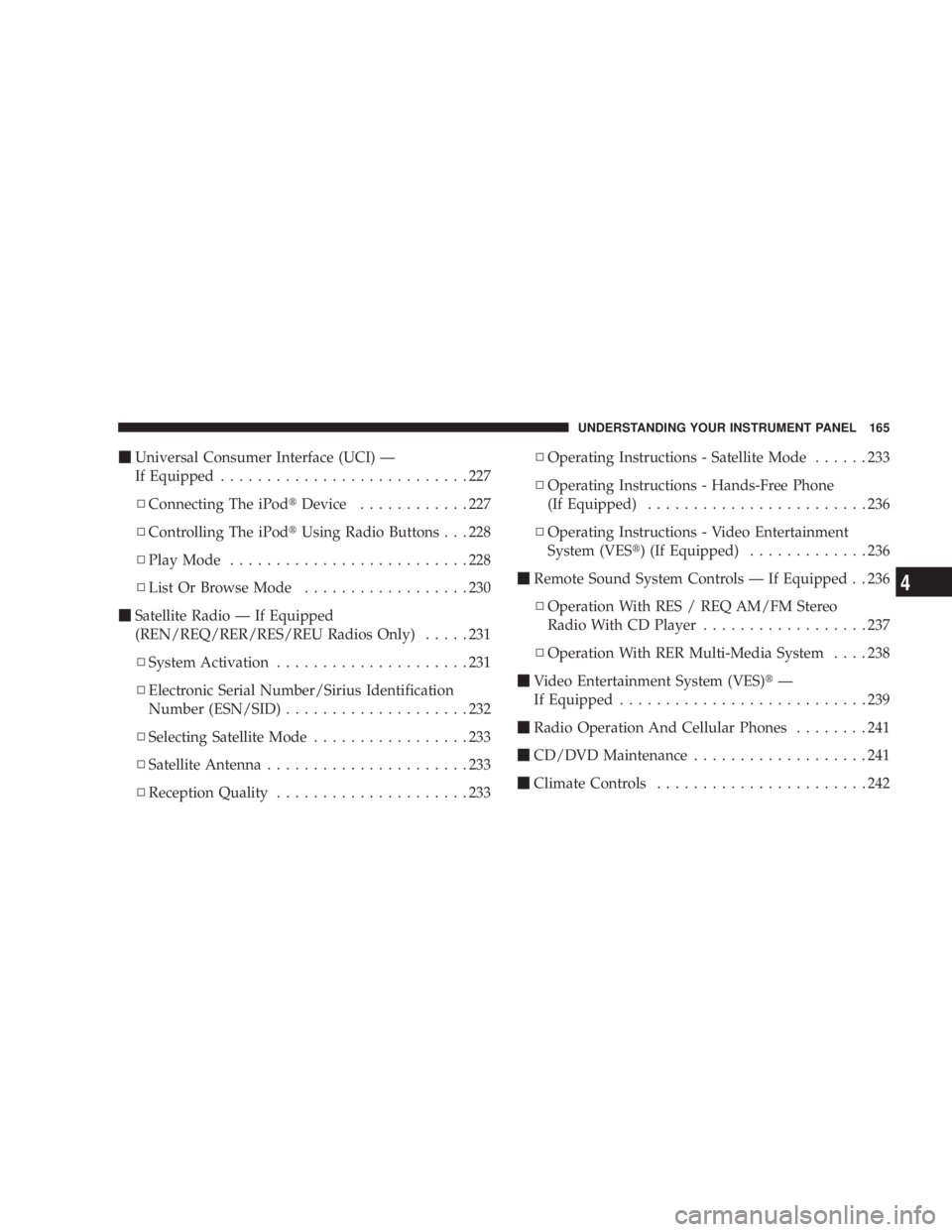
m Universal Consumer Interface (UCI) Ð
If Equipped ...........................227
N Connecting The iPod t Device ............227
N Controlling The iPod t Using Radio Buttons . . . 228
N Play Mode ..........................228
N List Or Browse Mode ..................230
m Satellite Radio Ð If Equipped
(REN/REQ/RER/RES/REU Radios Only) .....231
N System Activation .....................231
N Electronic Serial Number/Sirius Identification
Number (ESN/SID) ....................232
N Selecting Satellite Mode .................233
N Satellite Antenna ......................233
N Reception Quality .....................233 N Operating Instructions - Satellite Mode ......233
N Operating Instructions - Hands-Free Phone
(If Equipped) ........................236
N Operating Instructions - Video Entertainment
System (VES t ) (If Equipped) .............236
m Remote Sound System Controls Ð If Equipped . . 236
N Operation With RES / REQ AM/FM Stereo
Radio With CD Player ..................237
N Operation With RER Multi-Media System ....238
m Video Entertainment System (VES) t Ð
If Equipped ...........................239
m Radio Operation And Cellular Phones ........241
m CD/DVD Maintenance ...................241
m Climate Controls .......................242 UNDERSTANDING YOUR INSTRUMENT PANEL 165
4