buttons DODGE AVENGER 2008 Owner's Manual
[x] Cancel search | Manufacturer: DODGE, Model Year: 2008, Model line: AVENGER, Model: DODGE AVENGER 2008Pages: 467, PDF Size: 7.16 MB
Page 215 of 467
Every time a preset button is used, a corresponding
button number will display.
Button s1-6
These buttons tune the radio to the stations that you
commit to pushbutton memory {12 AM, 12 FM, and 12
Satellite (if equipped) stations}.
DISC Button
Pressing the DISC button will allow you to switch from
AM/FM modes to Disc modes.
Operation Instructions - (DISC MODE for CD and
MP3/WMA Audio Play, DVD-VIDEO)
The radio DVD player and many DVD discs are coded by
geographic region. These region codes must match in
order for the disc to play. If the region code for the DVD
disc does not match the region code for the radio DVD
player, it will not play the disc. Customers may take their
vehicle to an authorized dealer to change the region code
of the player a maximum of five times. CAUTION!The radio may shut down during extremely hot
conditions. When this occurs, the radio will indicate
ªDisc Hotº and shut off until a safe temperature is
reached. This shutdown is necessary to protect the
optics of the DVD player and other radio internal
components.
NOTE: The ignition switch must be in the ON or ACC
position to operate the radio.
LOAD Button Ð Loading Compact Disc(s)
Press the LOAD button and the pushbutton with the
corresponding number (1-6) where the CD is being
loaded. The radio will display PLEASE WAIT and
prompt when to INSERT DISC. After the radio displays
9 INSERT DISC, 9 insert the CD into the player. UNDERSTANDING YOUR INSTRUMENT PANEL 213
4
Page 229 of 467
2. Touch the screen where the time is displayed. The
clock setting menu will appear on the screen.
3. When this feature is on, a check mark will appear in
the box next to the words ªShow Time if Radio is Off.º
Touch the screen where the words ªShow Time if Radio is
Offº are displayed to change the current setting.
UNIVERSAL CONSUMER INTERFACE (UCI) Ð IF
EQUIPPED
NOTE: This section is for sales code RES/REL and
REQ/RET radios only with UConnect t . For sales code
REN/REZ touch screen radio and REU/REX/RE1 radio,
refer to the separate User's Manual.
This feature allows you to plug an iPod t mobile digital
device into the vehicle's sound system through a connec-
tor (UCI connector) using an optional connection cable
(available through MOPAR t ). See your authorized dealer
for details. Using this feature,
² the iPod t audio can be played on the vehicle's sound
system, providing metadata (Track Title, Artist, Al-
bum, etc.) information display on radio.
² the iPod t can be controlled using the radio buttons to
Play, Browse and List the iPod t contents.
² the iPod t battery charges when plugged into the UCI
connector.
Connecting The iPod T Device
Use the optional connection cable to connect an iPod t to
the vehicle's UCI connector (which is located in the glove
box or center console on some vehicles. This location may
vary with vehicle). Once the iPod t is connected and
synchronized to the vehicle system (this may take a few
seconds to connect), the vehicle brand logo appears on
the iPod t display, and it starts charging and is ready for
use by pressing radio switches as described below. UNDERSTANDING YOUR INSTRUMENT PANEL 227
4
Page 230 of 467
Controlling The iPod T Using Radio Buttons
To get into the UCI (iPod t ) mode and access a connected
iPod t , press the AUX button on the radio faceplate. Once
in the UCI (iPod t ) mode, the iPod t audio track (if
available from iPod t ) will start playing over the vehicle
audio system.
Play Mode
When switched to UCI mode the iPod t will be in Play
mode. In Play mode, you may use the following buttons
on the radio faceplate to control the iPod t and display
data:
Tune/Scroll Knob
Use the Tune/Scroll knob to go to the next or previous
track.
The Tune/Scroll knob functions similar to the scroll
wheel on the iPod t mobile digital device. Turning it clockwise (forward) by one click while playing
a track skips to the next track.
Turning it counterclockwise (backward) by one click
during the first two seconds of the track will jump to the
previous track in the list and turning this button at any
other time in the track will jump to the beginning of the
current track.
RW (Rewind) Button
Press and hold the RW button to move backward in the
current track. Holding the RW button long enough will
take you back to the beginning of the current track.
Pressing and releasing the RW button will go back five
seconds of the current track.
FF (Fast Forward) Button
Press and hold the FF button to move forward in the
current track.228 UNDERSTANDING YOUR INSTRUMENT PANEL
Page 231 of 467
Pressing and releasing the FF button will go forward five
seconds of the current track.
SEEK Buttons
Use the SEEK buttons to move to the previous or the next
track.
If the left (down) button is pressed during the first two
seconds of the current track, it will go back to the
previous track in the list; if you press this button at any
other time in the current track it will go back to the
beginning of the track.
If the right (up) button is pressed during Play mode, it
will go to the next track in the list.
INFO Button
Press the INFO button while a track is playing to see the
information (Track Title, Artist, Album, etc.) for that
track. Each press of the INFO button will take you to the
next screen of data for that track. Once you have seen all of the screens, the last press of the INFO button will take
you back to the Play mode screen on the radio.
REPEAT Button
Press the REPEAT button to repeat the current playing
track.
SCAN Button
Pressing the SCAN button will play the first five seconds
of each track in the current list and then forward to the
next song. To stop the SCAN mode and start playing the
desired track, press the SCAN button again.
During the SCAN mode, you can also press the SEEK
button to the left or right to go to the previous or next
tracks.
RND (Random) Button (RES/REL Radios Only)
Pressing the RND button will switch between the shuffle
on and shuffle off modes of the iPod t . If the RND icon is
showing on the radio display then the Shuffle mode is on. UNDERSTANDING YOUR INSTRUMENT PANEL 229
4
Page 232 of 467
List or Browse Mode
During Play mode, pressing any of the following buttons
will take you to List mode. List mode enables you to
scroll through the list of menus and tracks on the iPod t
device.
Tune/Scroll Knob
In the List mode, the Tune/Scroll knob functions in a
similar manner as the scroll wheel on the iPod t .
Turning the Tune/Scroll knob clockwise (forward) and
counterclockwise (backward) scrolls through lists, dis-
playing the track detail on the radio display. Once you
have the track to be played highlighted on the radio
display, press the Tune/Scroll knob to select and start
playing the track. By turning the Tune/Scroll knob fast,
you can jump through the list faster. During fast scroll,
you may notice a slight delay in updating the informa-
tion on the radio display. During all List modes, the iPod t will display all lists in
ªwrap-aroundº mode. So if the track you wish to select is
at the bottom of the list, you just turn the Tune/Scroll
knob backward (counterclockwise) to get to the track
faster.
Radio Preset Buttons
In the List mode, the radio preset buttons are used as
shortcuts to the following lists on the iPod t device.
² 1 ± Playlists
² 2 ± Artists
² 3 ± Albums
² 4 ± Genres
² 5 - Audiobooks
² 6 ± Podcasts230 UNDERSTANDING YOUR INSTRUMENT PANEL
Page 235 of 467
Selecting Satellite Mode
Press the SAT button until 9 SAT 9 appears in the display. A
CD may remain in the radio while in the Satellite radio
mode.
Satellite Antenna
To ensure optimum reception, do not place items on the
roof around the rooftop antenna location or strap items to
the trunk lid around the trunk lid antenna (if equipped).
Metal objects placed within the line of sight of the
antenna will cause decreased performance. Larger lug-
gage items such as bikes should be placed as far rearward
as possible, within the loading design of the rack. Do not
place items directly on or above the antenna.
Reception Quality
Satellite reception may be interrupted due to one of the
following reasons:
² The vehicle is parked in an underground parking
structure or under a physical obstacle. ² Dense tree coverage may interrupt reception in the
form of short audio mutes.
² Driving under wide bridges or along tall buildings can
cause intermittent reception.
² Placing objects over or too close to the antenna can
cause signal blockage.
Operating Instructions - Satellite Mode
NOTE: The ignition switch must be in the ON or ACC
position to operate the radio.
SEEK Buttons
Press and release the SEEK buttons to search for the next
channel in Satellite mode. Press the right switch to seek
up and the left switch to seek down. The radio will
remain tuned to the new channel until you make another
selection. Holding either button will bypass channels
without stopping until you release it. UNDERSTANDING YOUR INSTRUMENT PANEL 233
4
Page 236 of 467
SCAN Button
Pressing the SCAN button causes the tuner to search for
the next channel, pausing for eight seconds before con-
tinuing to the next. To stop the search, press the SCAN
button a second time.
INFO Button Ð Except REU Radio
Pressing the INFO button will cycle the display informa-
tion between Artist, Song Title, and Composer (if avail-
able). Also, pressing and holding the INFO button for an
additional three seconds will make the radio display the
Song Title all of the time (press and hold again to return
to normal display).
INFO Button Ð REU Radio
Pressing the INFO button will display information about
Artist, Song Title, and Composer (if available). Pressing
the INFO button again will close the INFO screen. RW/FF
Pressing the RW (Rewind) or FF (Fast Forward) buttons
causes the tuner to search for the next channel in the
direction of the arrows.
TUNE Control (Rotary)
Turn the rotary Tune/Scroll control knob clockwise to
increase or counterclockwise to decrease the channel.
MUSIC TYPE Button Ð Except REU Radio
Pressing this button once will turn on the Music Type
mode for five seconds. Pressing the MUSIC TYPE button
or turning the Tune/Scroll control knob within five
seconds will allow the program format type to be se-
lected.
Toggle the MUSIC TYPE button again to select the music
type.234 UNDERSTANDING YOUR INSTRUMENT PANEL
Page 238 of 467
You may add a second channel to each pushbutton by
repeating the above procedure with this exception: Press
the SET button twice and SET 2 will show in the display
window. Each button can be set for SET 1 and SET 2. This
allows a total of 12 Satellite channels to be stored into
pushbutton memory. The channels stored in SET 2
memory can be selected by pressing the pushbutton
twice.
Every time a preset button is used, a corresponding
button number will display.
Button s1-6
These buttons tune the radio to the channels that you
commit to pushbutton memory (12 Satellite stations). Operating Instructions - Hands-Free Phone (If
Equipped)
Refer to ªHands-Free Communication (UConnect t )º in
Section 3.
Operating Instructions - Video Entertainment
System (VES T ) (If Equipped)
Refer to separate ªVideo Entertainment System (VES t )
Guide.º
REMOTE SOUND SYSTEM CONTROLS Ð IF
EQUIPPED
The remote sound system controls are located on the rear
surface of the steering wheel. The left- and right-hand
controls are rocker-type switches with a push-button in
the center of each switch. Reach behind the steering
wheel to access the switches.236 UNDERSTANDING YOUR INSTRUMENT PANEL
Page 244 of 467
3. Do not apply paper, paper CD labels, or tape to the
disc; avoid scratching a disc.
4. Do not use solvents such as benzine, thinner, cleaners,
or antistatic sprays.
5. Store a disc in its case after playing.
6. Do not expose a disc to direct sunlight.
7. Do not store a disc where temperatures may become
too high.
8. Do not play discs that are small in size or have
irregular shapes. CLIMATE CONTROLS
The Air Conditioning and Heating System is designed to
make you comfortable in all types of weather.
Manual Air Conditioning and Heating System
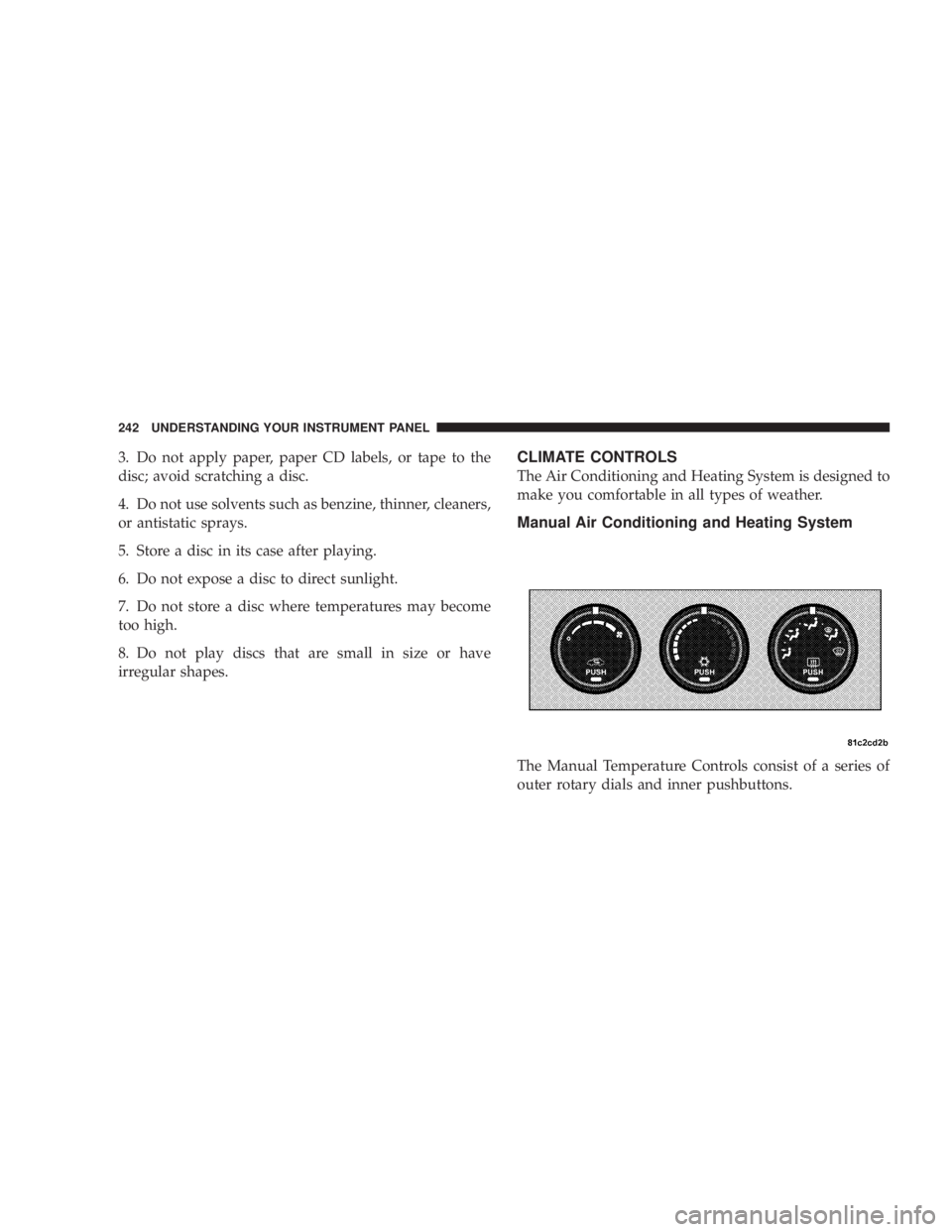
The Manual Temperature Controls consist of a series of
outer rotary dials and inner pushbuttons.242 UNDERSTANDING YOUR INSTRUMENT PANEL
Page 248 of 467
² MAX A/C
For maximum cooling use the A/C and recirculation
buttons at the same time.
² Economy Mode
If economy mode is desired, press the A/C button to turn
off the indicator light and the A/C compressor. Then,
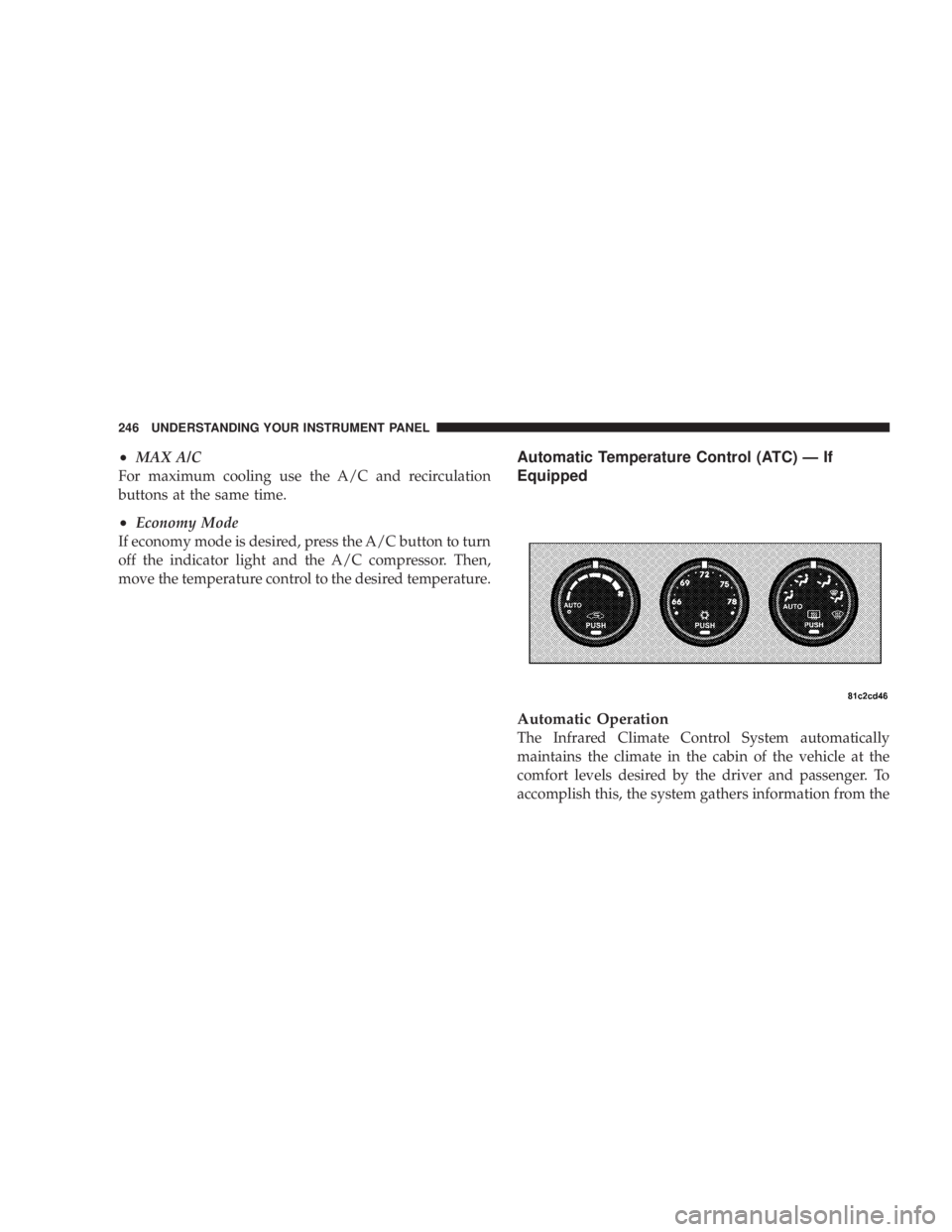
move the temperature control to the desired temperature. Automatic Temperature Control (ATC) Ð If
Equipped
Automatic Operation
The Infrared Climate Control System automatically
maintains the climate in the cabin of the vehicle at the
comfort levels desired by the driver and passenger. To
accomplish this, the system gathers information from the246 UNDERSTANDING YOUR INSTRUMENT PANEL