instrument panel DODGE CHALLENGER 2015 3.G Owner's Guide
[x] Cancel search | Manufacturer: DODGE, Model Year: 2015, Model line: CHALLENGER, Model: DODGE CHALLENGER 2015 3.GPages: 603, PDF Size: 14.97 MB
Page 187 of 603
Changing the FCW status to “Off” prevents the system
from warning you of a possible collision with the vehicle
in front of you.
NOTE:The FCW system state is kept in memory from
one key cycle to the next. If the system is turned OFF, it
will remain off when the vehicle is restarted.
Changing FCW Status
The FCW Sensitivity Settings are programmable through
the Uconnect® System. Refer to “Uconnect® Settings” in
“Understanding Your Instrument Panel” for further in-
formation.
The default status of FCW is the “Far” setting is the “On”
setting, this allows the system to warn you of a possible
collision with the vehicle in front of you when you are
farther away. This gives you the most reaction time to
avoid a possible collision.
Changing the FCW status to the “Near” setting, allows
the system to warn you of a possible collision with the
vehicle in front of you when you are much closer. This
setting provides less reaction time than the “Far” setting,
which allows for a more dynamic driving experience.
NOTE:
•The system will retain the last setting selected by the
driver after ignition shut down.
•FCW may not react to irrelevant objects such as
overhead objects, ground reflections, objects not in the
path of the car, stationary objects that are far away,
oncoming traffic, or leading vehicles with the same or
higher rate of speed.
•FCW will be disabled like ACC, with the unavailable
screens.
3
UNDERSTANDING THE FEATURES OF YOUR VEHICLE 185
Page 189 of 603
ParkSense® Warning Display
The ParkSense® Warning screen will only be displayed if
Sound and Display is selected from the Uconnect®
System. Refer to#Uconnect® Settings” in “Understand-
ing Your Instrument Panel” for further information.
The ParkSense® Warning screen is located within the
Driver Information Display (DID). It provides visual
warnings to indicate the distance between the rear
fascia/bumper and the detected obstacle. Refer to
“Driver Information Display (DID)” in “Understanding
Your Instrument Panel” for further information.
ParkSense® Display
When the vehicle is in REVERSE, the warning display
will turn ON indicating the system status.
The system will indicate a detected obstacle by showing
a single arc in one or more regions based on the obstacle’s
distance and location relative to the vehicle.
If an obstacle is detected in the center rear region, the
display will show a single solid arc in the center rear
region and will produce a one-half second tone. As the
vehicle moves closer to the obstacle, the display will
show the single arc moving closer to the vehicle and the
sound tone will change from slow, to fast, to continuous.
If an obstacle is detected in the left and/or right rear
region, the display will show a single flashing arc in the
left and/or right rear region and will produce a fast
sound tone. As the vehicle moves closer to the obstacle,
the display will show the single arc moving closer to the
vehicle and the sound tone will change from fast, to
continuous.
3
UNDERSTANDING THE FEATURES OF YOUR VEHICLE 187
Page 194 of 603
Enabling And Disabling ParkSense®
ParkSense® can be enabled and disabled with the
ParkSense® switch, located on the switch panel below
the Uconnect® display.
When the ParkSense® system is disabled, the
Drivers Information Display (DID) will display
the “PARKSENSE OFF” message for approxi-
mately five seconds. Refer to “Drivers Informa-
tion Display (DID)” in “Understanding Your Instrument
Panel” for further information. When the shift lever is
moved to REVERSE and the system is disabled, the DID
will display the “PARKSENSE OFF” message for as long
as the vehicle is in REVERSE.
The ParkSense® switch LED will be ON when
ParkSense® is disabled or defective. The ParkSense®
switch LED will be OFF when the system is enabled. If
the ParkSense switch is pressed and the system is dis-
abled or requires service, the ParkSense switch LED will
blink momentarily and then the LED will be ON.
Service The ParkSense® Rear Park Assist
System
During vehicle start up, when the ParkSense® Rear Park
Assist System has detected a faulted condition, the
instrument cluster will actuate a single chime, once per
ignition cycle and it will display the “PARKSENSE
UNAVAILABLE WIPE REAR SENSORS” or
“PARKSENSE UNAVAILABLE SERVICE REQUIRED”
message for five seconds. Refer to “Driver Information
Display (DID)” in “Understanding Your Instrument
Panel” for further information.
When the shift lever is moved to REVERSE and the
system has detected a faulted condition, the Driver
Information Display (DID) will display the
“PARKSENSE UNAVAILABLE WIPE REAR SENSORS”
192 UNDERSTANDING THE FEATURES OF YOUR VEHICLE
Page 198 of 603
When enabled, active guide lines are overlaid on the
image to illustrate the width of the vehicle and its
projected backup path based on the steering wheel
position.
When enabled, fixed guide lines are overlaid on the
image to illustrate the width of the vehicle.
NOTE:The ParkView® Rear Back Up Camera has pro-
grammable modes of operation that may be selected
through the Uconnect® System. Refer to “Uconnect®
Settings” in “Understanding Your Instrument Panel” for
further information.
Different colored zones indicate the distance to the rear of
the vehicle.
The following table shows the approximate distances for
each zone:
ZoneDistance to the rear of the vehicle
Red0 - 1 ft (0 - 30 cm)
Yellow1 ft - 3 ft (30 cm - 1 m)
Green3 ft or greater (1 m or greater)
196 UNDERSTANDING THE FEATURES OF YOUR VEHICLE
Page 213 of 603
Sunroof Maintenance
Use only a nonabrasive cleaner and a soft cloth to clean
the glass panel.
Ignition Off Operation
The power sunroof switch will remain active for up to
approximately ten minutes after the ignition switch is
turned to the LOCK position. Opening either front door
will cancel this feature.
NOTE:Ignition Off time is programmable through the
Uconnect® System. Refer to “Uconnect® Settings/
Customer Programmable Features” in “Understanding
Your Instrument Panel” for further information.
ELECTRICAL POWER OUTLETS
Your vehicle is equipped with two 12 Volt (13 Amp)
power outlets that can be used to power cellular phones,
small electronics and other low powered electrical acces-
sories.
The 12 Volt power outlets have power available at all
times. These power outlets can also operate a conven-
tional cigar lighter unit.
NOTE:To ensure proper operation, a MOPAR® cigar
knob and element must be used.
The front power outlet is located next to the storage area
on the integrated center stack of the instrument panel.
3
UNDERSTANDING THE FEATURES OF YOUR VEHICLE 211
Page 218 of 603
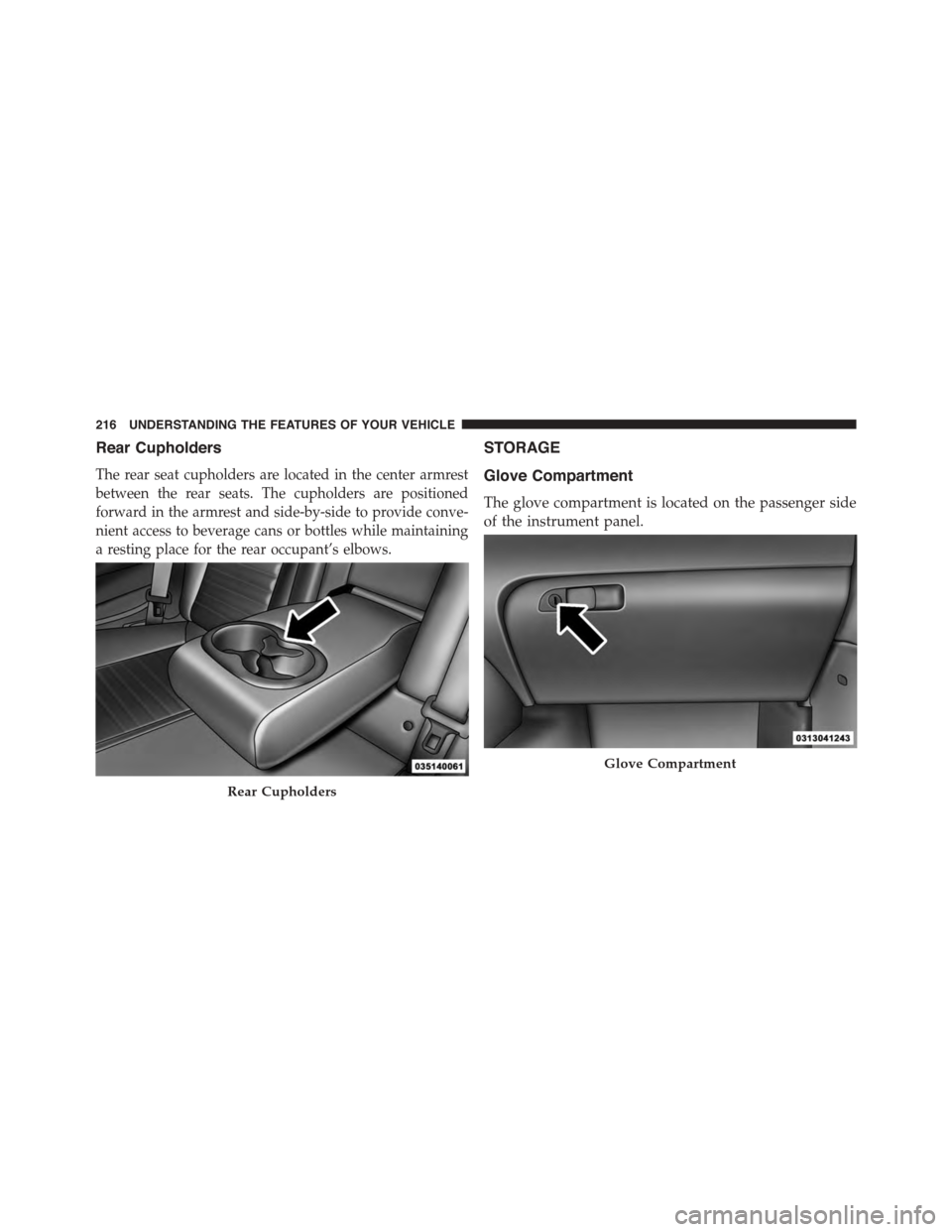
Rear Cupholders
The rear seat cupholders are located in the center armrest
between the rear seats. The cupholders are positioned
forward in the armrest and side-by-side to provide conve-
nient access to beverage cans or bottles while maintaining
a resting place for the rear occupant’s elbows.
STORAGE
Glove Compartment
The glove compartment is located on the passenger side
of the instrument panel.
Rear Cupholders
Glove Compartment
216 UNDERSTANDING THE FEATURES OF YOUR VEHICLE
Page 221 of 603
UNDERSTANDING YOUR INSTRUMENT PANEL
CONTENTS
!INSTRUMENT PANEL FEATURES..........221
!INSTRUMENT CLUSTER — BASE..........222
!INSTRUMENT CLUSTER — PREMIUM......223
!INSTRUMENT CLUSTER DESCRIPTIONS.....224
!DRIVER INFORMATION DISPLAY (DID).....234
▫Engine Oil Life Reset..................236
▫DID Selectable Menu Items..............238
!Uconnect® SETTINGS...................250
▫Buttons On The Faceplate................251
▫Buttons On The Touchscreen..............252
▫Customer Programmable Features — Uconnect®
5.0 Settings..........................252
▫Customer Programmable Features — Uconnect®
8.4 Settings..........................268
▫Performance Pages — If Equipped.........286
▫Performance Control — If Equipped........296
!Uconnect® RADIOS — IF EQUIPPED........309
!iPod®/USB/MP3 CONTROL — IF EQUIPPED . .310
!STEERING WHEEL AUDIO CONTROLS — IF
EQUIPPED...........................311
▫Radio Operation......................312
4
Page 222 of 603
▫Media Mode.........................312
!RADIO OPERATION AND MOBILE PHONES . .312
▫Regulatory And Safety Information.........313
!CLIMATE CONTROLS...................314
▫General Overview.....................315
▫Climate Control Functions...............321
▫Automatic Temperature Control (ATC)......322
▫Operating Tips.......................324
!Uconnect® VOICE RECOGNITION
QUICK TIPS..........................327
▫Introducing Uconnect®.................327
▫Get Started..........................328
▫Basic Voice Commands..................329
▫Radio..............................330
▫Media..............................330
▫Phone..............................332
▫Voice Text Reply......................333
▫Climate (8.4A/8.4AN)..................334
▫Navigation (8.4A/8.4AN)................335
▫Uconnect® Access* (8.4A/8.4AN)..........335
▫Register (8.4A/8.4AN)..................336
▫Mobile App (8.4A/8.4AN)...............337
▫Voice Texting (8.4A/8.4AN)..............338
▫Yelp® (8.4A/8.4AN)....................339
▫SiriusXM Travel Link™ (8.4A/8.4AN).......340
▫Additional Information.................341
220 UNDERSTANDING YOUR INSTRUMENT PANEL
Page 223 of 603
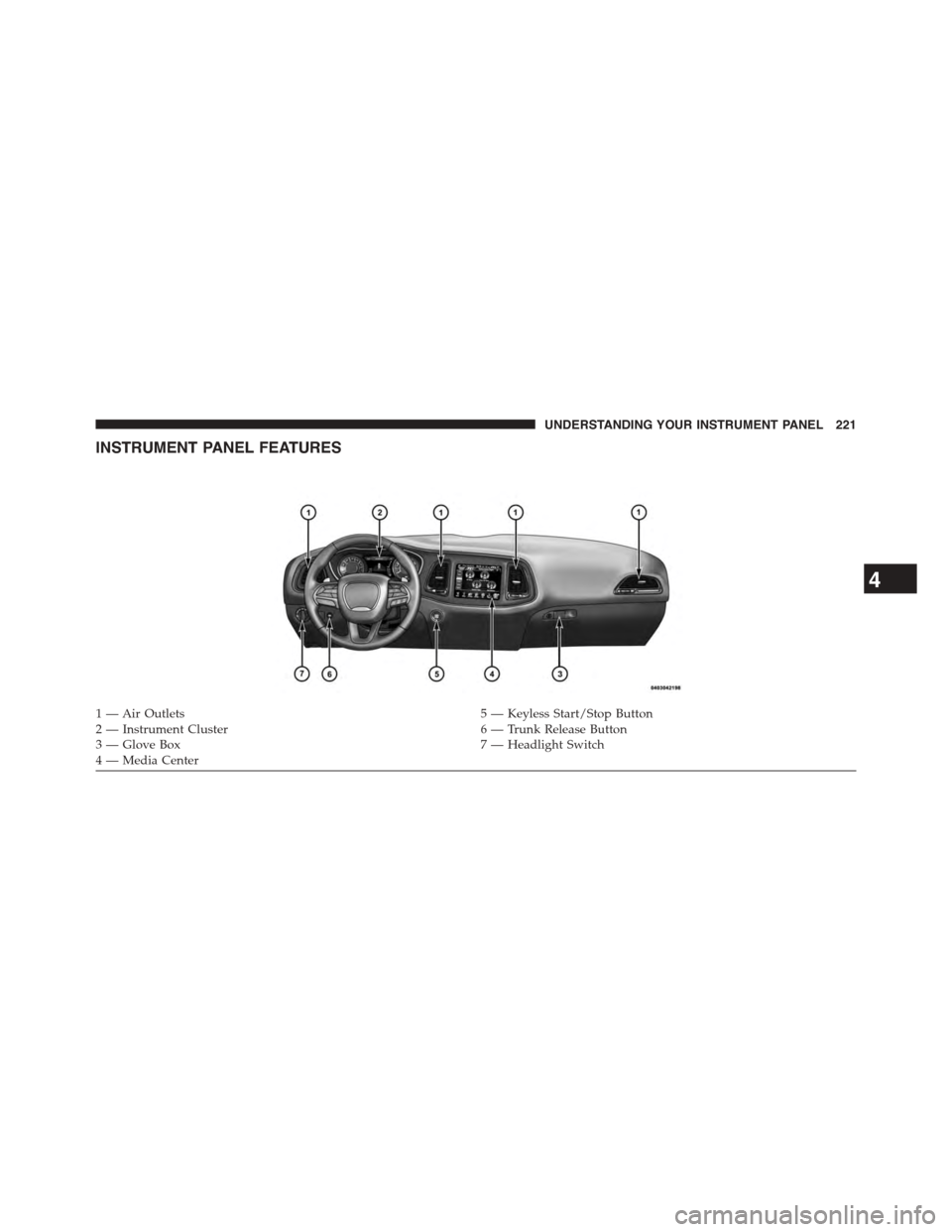
INSTRUMENT PANEL FEATURES
1 — Air Outlets5 — Keyless Start/Stop Button2 — Instrument Cluster6 — Trunk Release Button3—GloveBox7—HeadlightSwitch4 — Media Center
4
UNDERSTANDING YOUR INSTRUMENT PANEL 221
Page 224 of 603
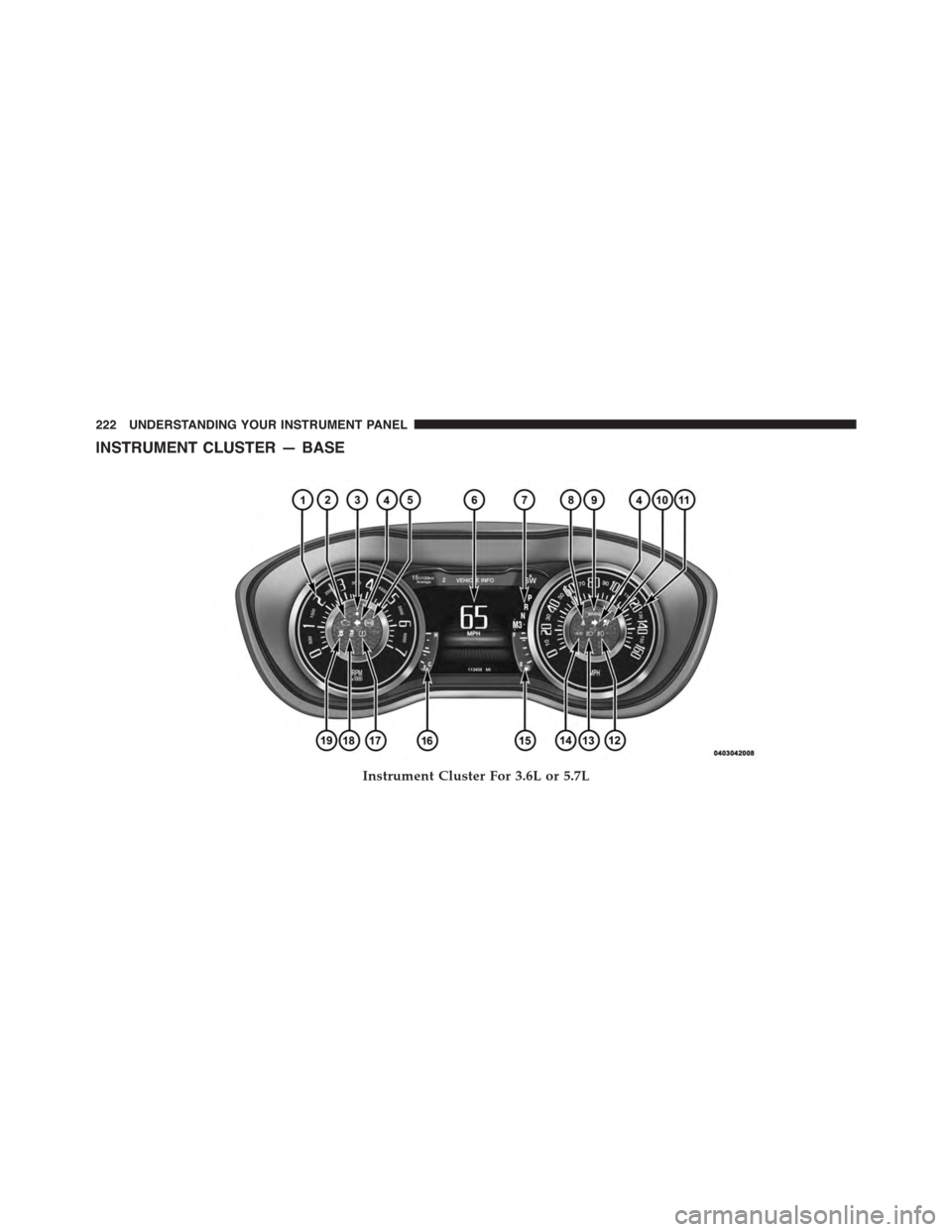
INSTRUMENT CLUSTER — BASE
Instrument Cluster For 3.6L or 5.7L
222 UNDERSTANDING YOUR INSTRUMENT PANEL