display DODGE CHALLENGER 2015 3.G Repair Manual
[x] Cancel search | Manufacturer: DODGE, Model Year: 2015, Model line: CHALLENGER, Model: DODGE CHALLENGER 2015 3.GPages: 603, PDF Size: 14.97 MB
Page 288 of 603
Clear Personal Data
After pressing the “Clear Personal Data Settings” button
on the touchscreen the following settings will be avail-
able:
•Clear Personal Data
When this feature is selected it will remove personal data
including Bluetooth® devices and presets. To remove
personal information, press the “Clear Personal Data”
button and a pop-up will appear asking#Are you sure
you want to clear all personal data?” select “OK” to
Clear, or “Cancel” to exit. Once the data has been cleared,
a pop up appears stating#Personal data cleared”. Press
the back arrow button on the touchscreen to return to the
previous menu.
System Information
After pressing the “System Information” button on the
touchscreen the following settings will be available:
•System Information
When System Information is selected, a System Informa-
tion screen will appear displaying the system software
version.
Performance Pages — If Equipped
Performance Pages is an application that provides a
display for performance indicators, as received from the
Instrument Cluster, that will help you gain familiarity
with the capabilities of your vehicle in real-time.
To access the Performance Pages, press the “Apps”
button on the touchscreen then press the “Performance
Pages” button on the touchscreen. Press the desired
button on the touchscreen to access that specific Perfor-
mance Page.
286 UNDERSTANDING YOUR INSTRUMENT PANEL
Page 291 of 603
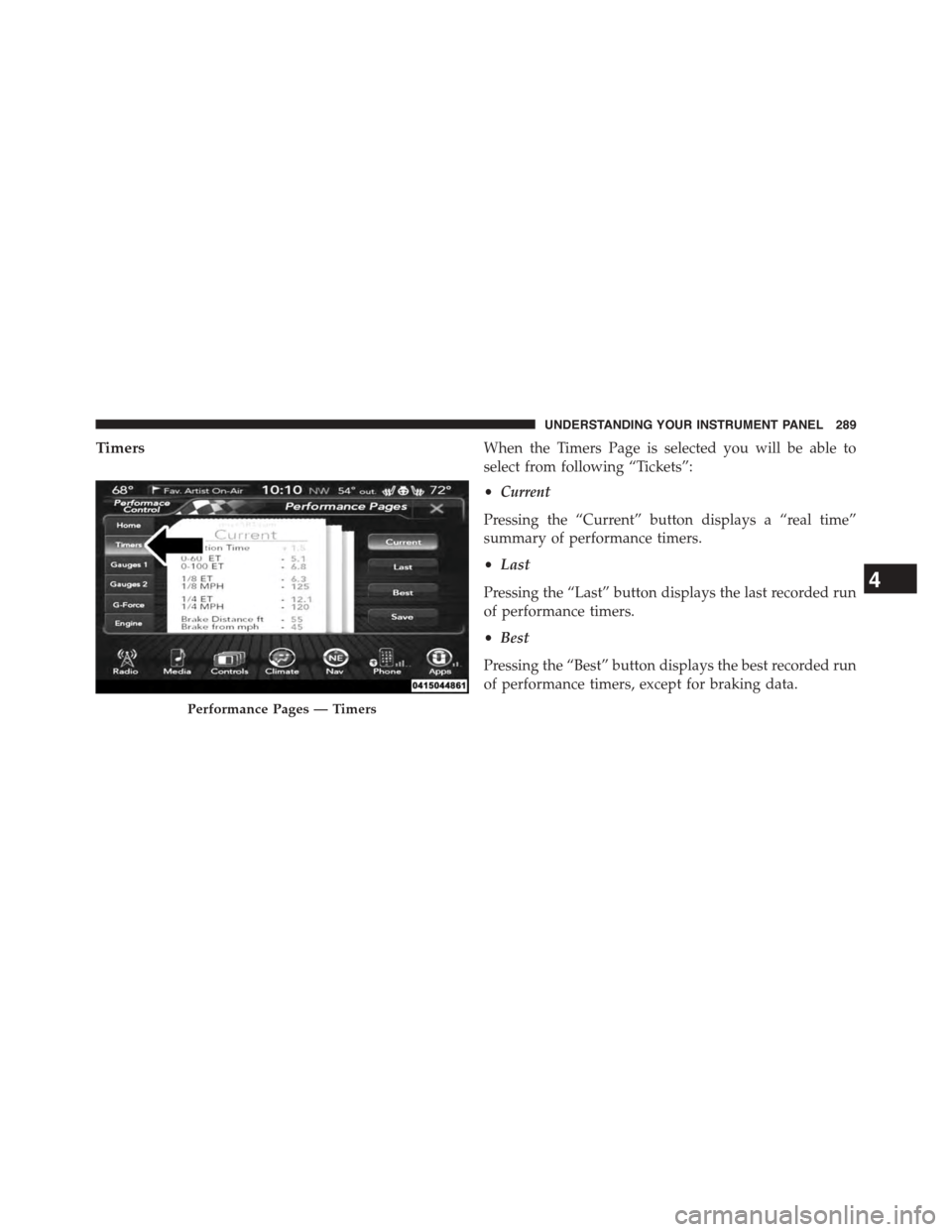
TimersWhen the Timers Page is selected you will be able to
select from following “Tickets”:
•Current
Pressing the “Current” button displays a “real time”
summary of performance timers.
•Last
Pressing the “Last” button displays the last recorded run
of performance timers.
•Best
Pressing the “Best” button displays the best recorded run
of performance timers, except for braking data.
Performance Pages — Timers
4
UNDERSTANDING YOUR INSTRUMENT PANEL 289
Page 292 of 603
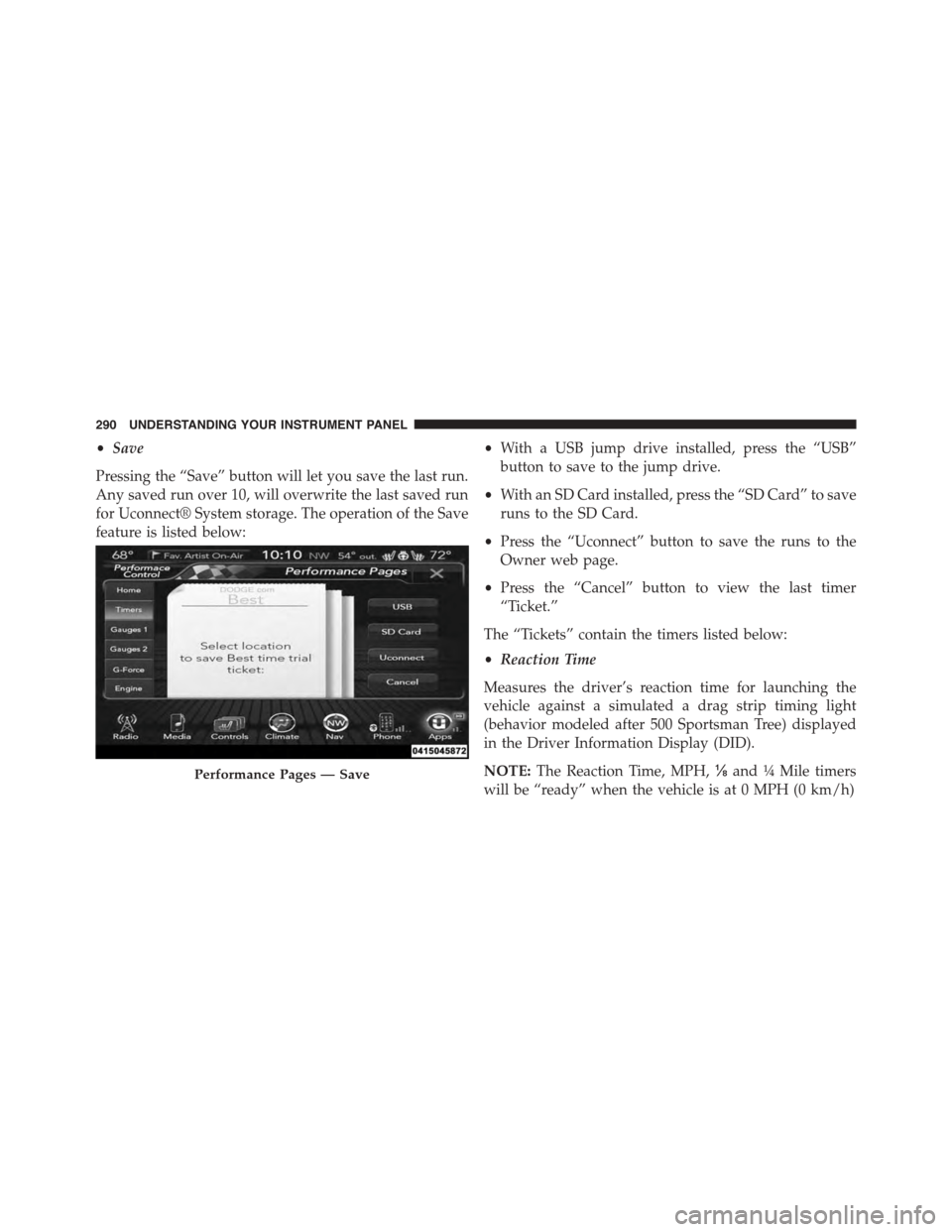
•Save
Pressing the “Save” button will let you save the last run.
Any saved run over 10, will overwrite the last saved run
for Uconnect® System storage. The operation of the Save
feature is listed below:
•With a USB jump drive installed, press the “USB”
button to save to the jump drive.
•With an SD Card installed, press the “SD Card” to save
runs to the SD Card.
•Press the “Uconnect” button to save the runs to the
Owner web page.
•Press the “Cancel” button to view the last timer
“Ticket.”
The “Tickets” contain the timers listed below:
•Reaction Time
Measures the driver’s reaction time for launching the
vehicle against a simulated a drag strip timing light
(behavior modeled after 500 Sportsman Tree) displayed
in the Driver Information Display (DID).
NOTE:The Reaction Time, MPH,⅛and¼Mile timers
will be “ready” when the vehicle is at 0 MPH (0 km/h)
Performance Pages — Save
290 UNDERSTANDING YOUR INSTRUMENT PANEL
Page 293 of 603
•0-60 MPH (0-100 km/h)
Displays the time it takes for the vehicle to go from 0 to
60 mph (0 to 100 km/h).
•0-100 MPH (0-160 km/h)
Displays the time it takes for the vehicle to go from 0 to
100 mph (0 to 160 km/h).
•⅛Mile (200 meter)
Displays the time it takes for the vehicle to go an⅛mile
(200 meters).
•¼Mile (400 meter)
Displays the time it takes for the vehicle to go an¼mile
(400 meters).
•Brake Distance
Displays the distance it takes the vehicle to make a full
stop.
NOTE:The distance measurement will be aborted if the
brake pedal is released before the vehicle comes to a
complete stop.
•Brake Speed
Displays the speed the vehicle is traveling when the
brake pedal is depressed.
NOTE:Brake Distance and Speed timers will only dis-
play#ready#when vehicle is traveling at greater than 30
MPH (48 km/h).
4
UNDERSTANDING YOUR INSTRUMENT PANEL 291
Page 294 of 603
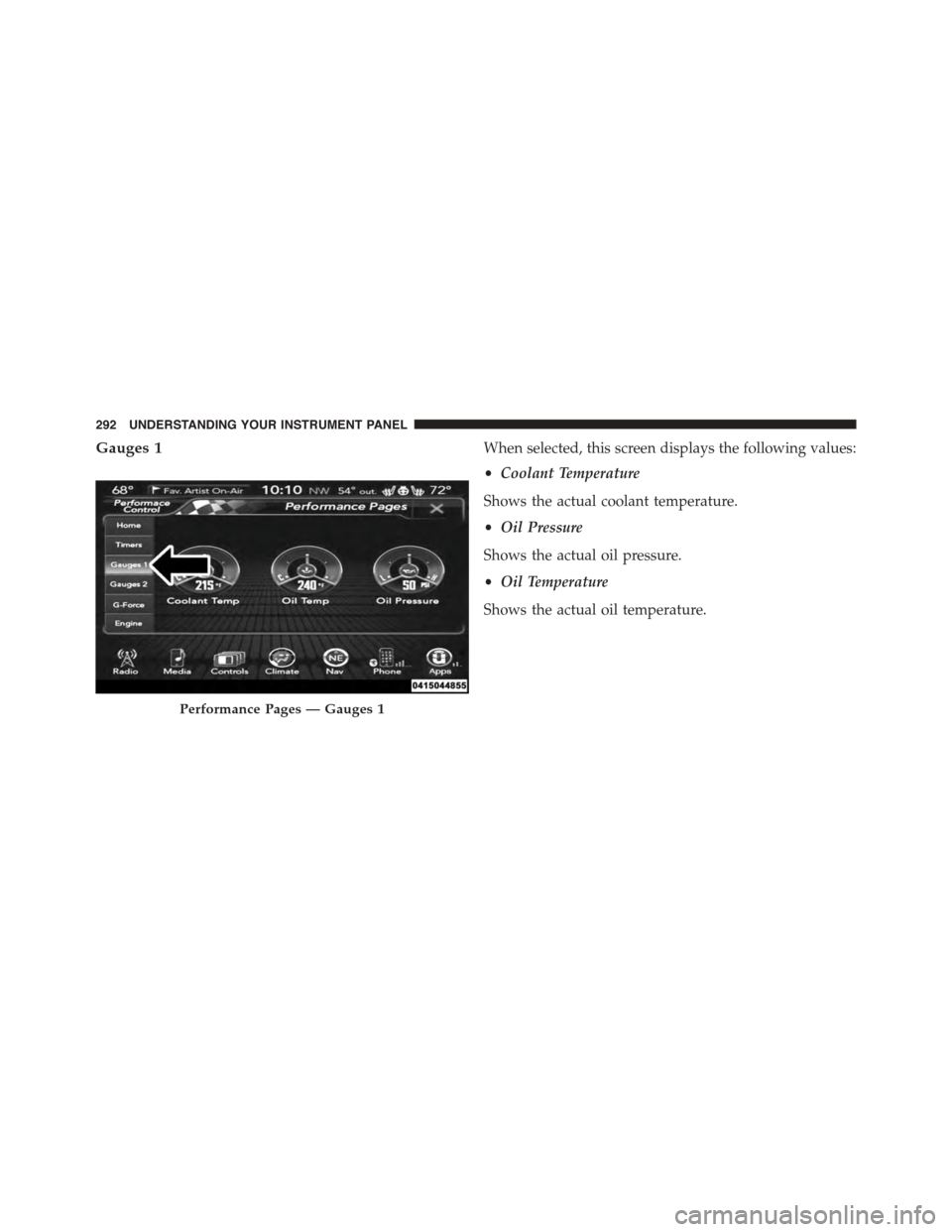
Gauges 1When selected, this screen displays the following values:
•Coolant Temperature
Shows the actual coolant temperature.
•Oil Pressure
Shows the actual oil pressure.
•Oil Temperature
Shows the actual oil temperature.
Performance Pages — Gauges 1
292 UNDERSTANDING YOUR INSTRUMENT PANEL
Page 296 of 603
When selected, this screen displays the following values:
•Battery Voltage
Shows the actual battery voltage.
•Intake Air Temperature
Shows the actual intake air temperature.
•Transmission Temperature (Automatic Transmission
Only)
Shows the actual transmission temperature.
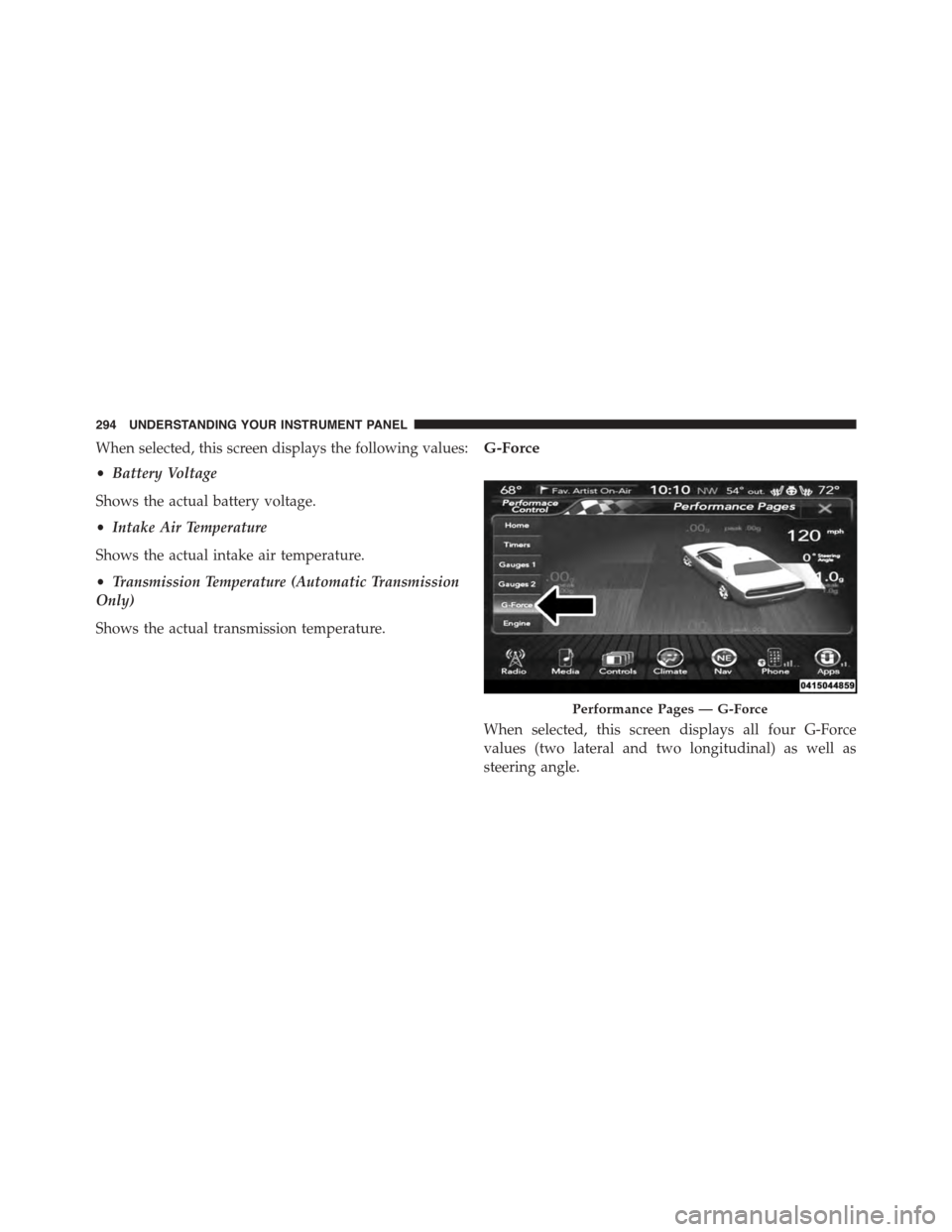
G-Force
When selected, this screen displays all four G-Force
values (two lateral and two longitudinal) as well as
steering angle.
Performance Pages — G-Force
294 UNDERSTANDING YOUR INSTRUMENT PANEL
Page 298 of 603
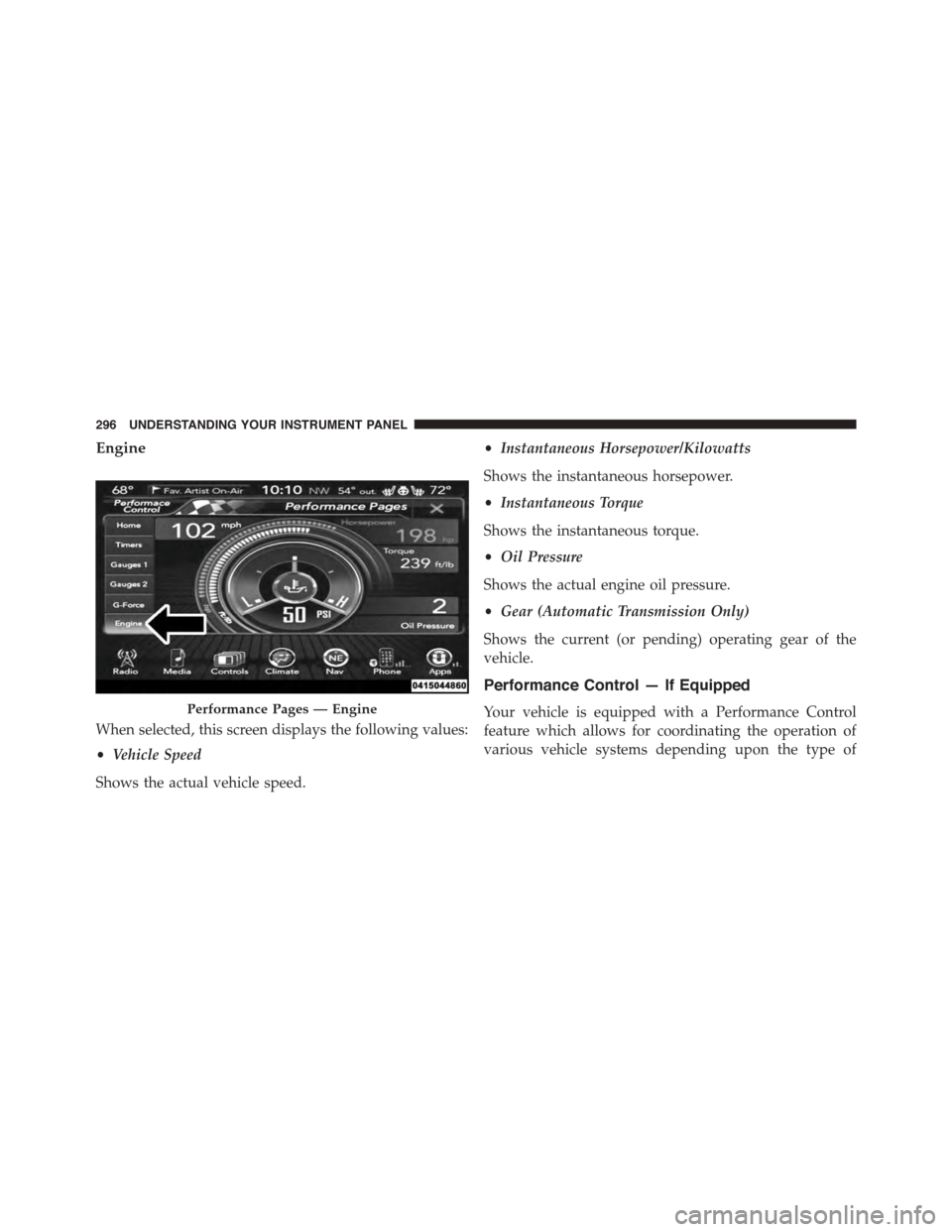
Engine
When selected, this screen displays the following values:
•Vehicle Speed
Shows the actual vehicle speed.
•Instantaneous Horsepower/Kilowatts
Shows the instantaneous horsepower.
•Instantaneous Torque
Shows the instantaneous torque.
•Oil Pressure
Shows the actual engine oil pressure.
•Gear (Automatic Transmission Only)
Shows the current (or pending) operating gear of the
vehicle.
Performance Control — If Equipped
Your vehicle is equipped with a Performance Control
feature which allows for coordinating the operation of
various vehicle systems depending upon the type of
Performance Pages — Engine
296 UNDERSTANDING YOUR INSTRUMENT PANEL
Page 302 of 603
6. While holding the brake, rapidly apply the accelerator
pedal to wide open throttle. The engine speed will
hold at the RPM that was set in the “Launch RPM
Set-up” screen.
NOTE:Messages will appear in the Driver Information
Display (DID) to inform the driver if one or more of the
above conditions have not been met.
7. When conditions four through six have been met, the
DID will read “Launch Ready Release Brake.” Release
the brake and continue to hold wide open throttle to
launch.
8. Keep the vehicle pointed straight. Launch Control will
be active until the vehicle reaches 62 MPH (100 km/h).
Launch Control will abort before launch completion and
display “Launch Aborted” in the DID for any the follow-
ing conditions:
•The accelerator pedal is released during launch.
•The ESC system detects that the vehicle is no longer
moving in a straight line.
•The “ESC OFF” button is pressed to change the system
to another mode if Launch Control is enabled.
NOTE:Launch mode is not available within the first 500
miles of engine break-in.
Manual Transmission — If Equipped
Launch Control is only available when the following
procedure is followed:
1. Press the “Apps” button on the touchscreen, select
Performance Control, and press the “Launch Control”
button on the touchscreen or push the Super Track Pak
button on the center stack switch bank.
2. Press the “Launch RPM Set-Up” button on the touch-
screen. This screen will allow you to adjust your
launch RPM for optimum launch/traction. To adjust
300 UNDERSTANDING YOUR INSTRUMENT PANEL
Page 303 of 603
the Launch RPM, press and drag the slider bar or press
the arrows on the touchscreen to adjust the holding
RPM. Press the back arrow button when finished. The
setting will be saved.
NOTE:The default for launch control is 3000 RPM.
Optimal launch RPM will depend on the engine and tires
on the vehicle, as well as road and weather conditions.
Not all RPM settings will be usable in all configurations
and scenarios. If requested launch RPM is not attainable
in a given scenario, the engine will provide the maximum
amount of torque possible to get as close as possible to
the requested RPM.
3. Press the “Activate Launch Mode” button on the
touchscreen.
4. Ensure the vehicle is not moving and the steering
wheel is pointing straight.
5. Fully depress the clutch pedal and verify the vehicle is
in first gear.
6. While holding the clutch depressed, rapidly apply the
accelerator pedal to wide open throttle. The engine
speed will hold at the RPM that was set in the “Launch
RPM Set-up” screen.
NOTE:Messages will appear in the Driver Information
Display (DID) to inform the driver if one or more of the
above conditions have not been met.
7. When conditions four through six have been met, the
DID will read “Launch Ready Release Clutch.” Re-
lease the clutch quickly and continue to hold wide
open throttle to launch. Execute shifts as described in
the section “Manual Transmission – Shifting.”
8. Keep the vehicle pointed straight. Launch control will
be active until the vehicle reaches 62 MPH (100 km/h).
4
UNDERSTANDING YOUR INSTRUMENT PANEL 301
Page 304 of 603
Launch Control will abort before launch completion and
display “Launch Aborted” in the DID for any the follow-
ing conditions:
•The brake is applied during launch.
•The ESC system detects that the vehicle is no longer
moving in a straight line.
•The “ESC OFF” button is pressed to change the ESC
system to another mode if Launch Control is enabled.
NOTE:Launch mode is not available within the first 500
miles of engine break-in.
NOTE:Do not attempt to shift when the drive wheels
are spinning and do not have traction. Damage to the
transmission may occur.
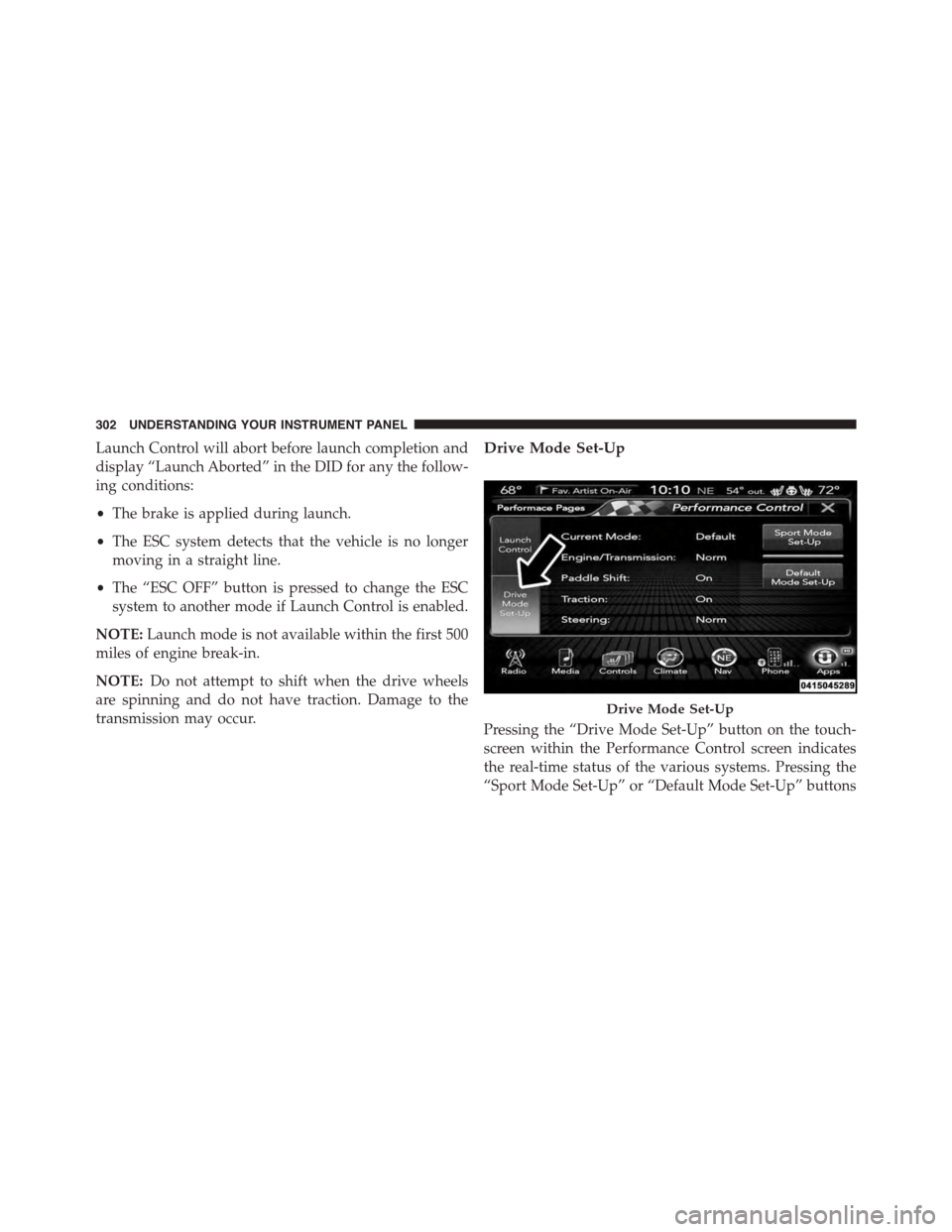
Drive Mode Set-Up
Pressing the “Drive Mode Set-Up” button on the touch-
screen within the Performance Control screen indicates
the real-time status of the various systems. Pressing the
“Sport Mode Set-Up” or “Default Mode Set-Up” buttons
Drive Mode Set-Up
302 UNDERSTANDING YOUR INSTRUMENT PANEL