ad blue DODGE CHARGER SRT 2015 7.G Uconnect 8.4A
[x] Cancel search | Manufacturer: DODGE, Model Year: 2015, Model line: CHARGER SRT, Model: DODGE CHARGER SRT 2015 7.GPages: 429, PDF Size: 4.01 MB
Page 104 of 429
10.Can I use Text Messaging if the “messaging” button
doesn’t turn white?Only MAP compatible phones
will work with Text Messaging. If your phone is
compatible, the “messaging” light will turn white,
after the phone is Bluetooth® connected, and you
will then be able to do hands free Text Messaging.
The system will respond with “Sorry, I didn’t under-
stand you” if you push the steering wheel “Phone”
button and say a voice command for Text Messaging,
when the button isn’t active (“white”).
Remote Door Lock/Unlock
Lock Or Unlock Your Vehicle From Virtually Anywhere
Using Your Computer Or Smartphone App.
Description
The Remote Door Lock/Unlock feature provides you the
ability to lock or unlock the door on your vehicle,
without the keys and from virtually any distance. You
can send a request to your vehicle in one of three ways:
•Using the Uconnect® Access App from a compatible
smartphone
•From the Mopar® Owner Connect website
(moparownerconnect.com)
•Contacting Uconnect® Care
If you want, you can set up notifications for your account
to receive an email or text (SMS) message every time a
command is sent to lock or unlock your doors.
How It Works
Uconnect® Access App:
1. Download the Uconnect® Access App to a compatible
smartphone and login using your username and pass-
word.
2. To lock the doors, push the button with the closed lock
icon; to unlock the driver ’s door push the button with
the open lock icon.
2
ALL ABOUT Uconnect® ACCESS 103
Page 122 of 429
How It Works
Via Mobile uses the Uconnect® Access smartphone app
and your smartphone’s data plan to access your personal
Pandora® account from the vehicle and control it using
the vehicle touchscreen. A compatible smartphone is
required. The Pandora® mobile app on your phone does
not need to be launched to use Pandora® Via Mobile.
1. If you haven’t yet registered with Uconnect® Access,
begin by pushing the “Apps” icon on the touchscreen
inside your vehicle, and then push “Uconnect Regis-
tration.”
2. Once you receive an email from “Uconnect Access,”
click on the secure link to complete your registration
onmoparownerconnect.comwhere you’ll be guided
through setup of your Via Mobile profile.
3. Next, link app accounts to your Via Mobile profile by
entering your login information for Pandora®.
If you’ve already registered with Uconnect® Access,
log in tomoparownerconnect.comto set up your Via
Mobile profile. Click on “Via Mobile Profile.”
4. Next, connect your smartphone to the vehicle touch-
screen. The Uconnect® Access app is compatible with
select iPhone® and Android smartphones. Visit
UconnectPhone.comto confirm that your smart-
phone is compatible with Uconnect®. Once you’ve
confirmed your smartphone is compatible, pair it to
the vehicle touchscreen via Bluetooth® to use Via
Mobile apps. If using an iPhone®, a USB cable may
also be supported for the data connection.
2
ALL ABOUT Uconnect® ACCESS 121
Page 123 of 429
5. Launch the Uconnect® Access app on your connected
smartphone and log in with your Mopar Owner
Connect Username/Email and password. From the
vehicle touchscreen press the “Apps” button and
select Pandora® from the list. Pandora® is located
within the “All Apps” tab. To launch Pandora® using
voice recognition, push the button on the steering
wheel and say, “launch Pandora Via Mobile.”
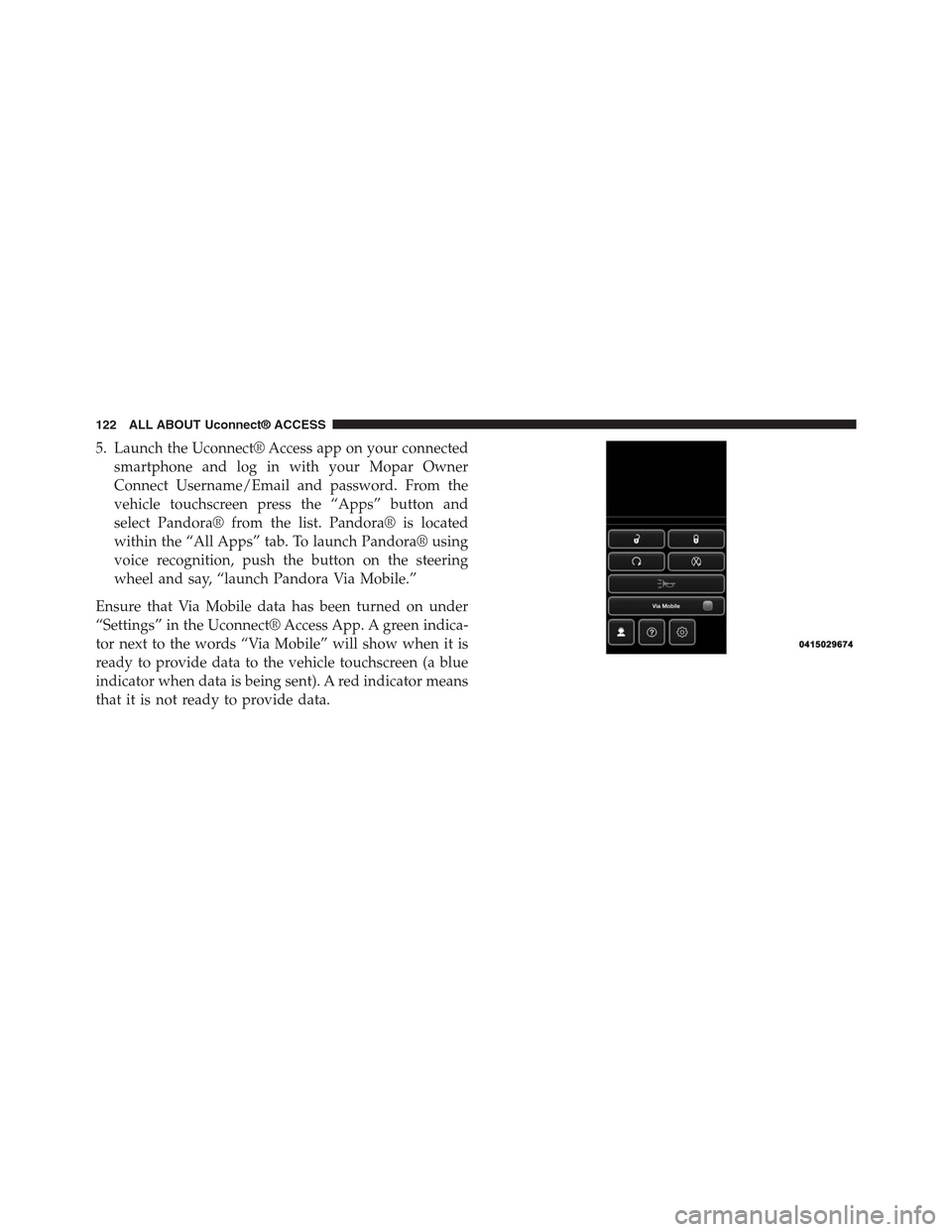
Ensure that Via Mobile data has been turned on under
“Settings” in the Uconnect® Access App. A green indica-
tor next to the words “Via Mobile” will show when it is
ready to provide data to the vehicle touchscreen (a blue
indicator when data is being sent). A red indicator means
that it is not ready to provide data.
122 ALL ABOUT Uconnect® ACCESS
Page 124 of 429
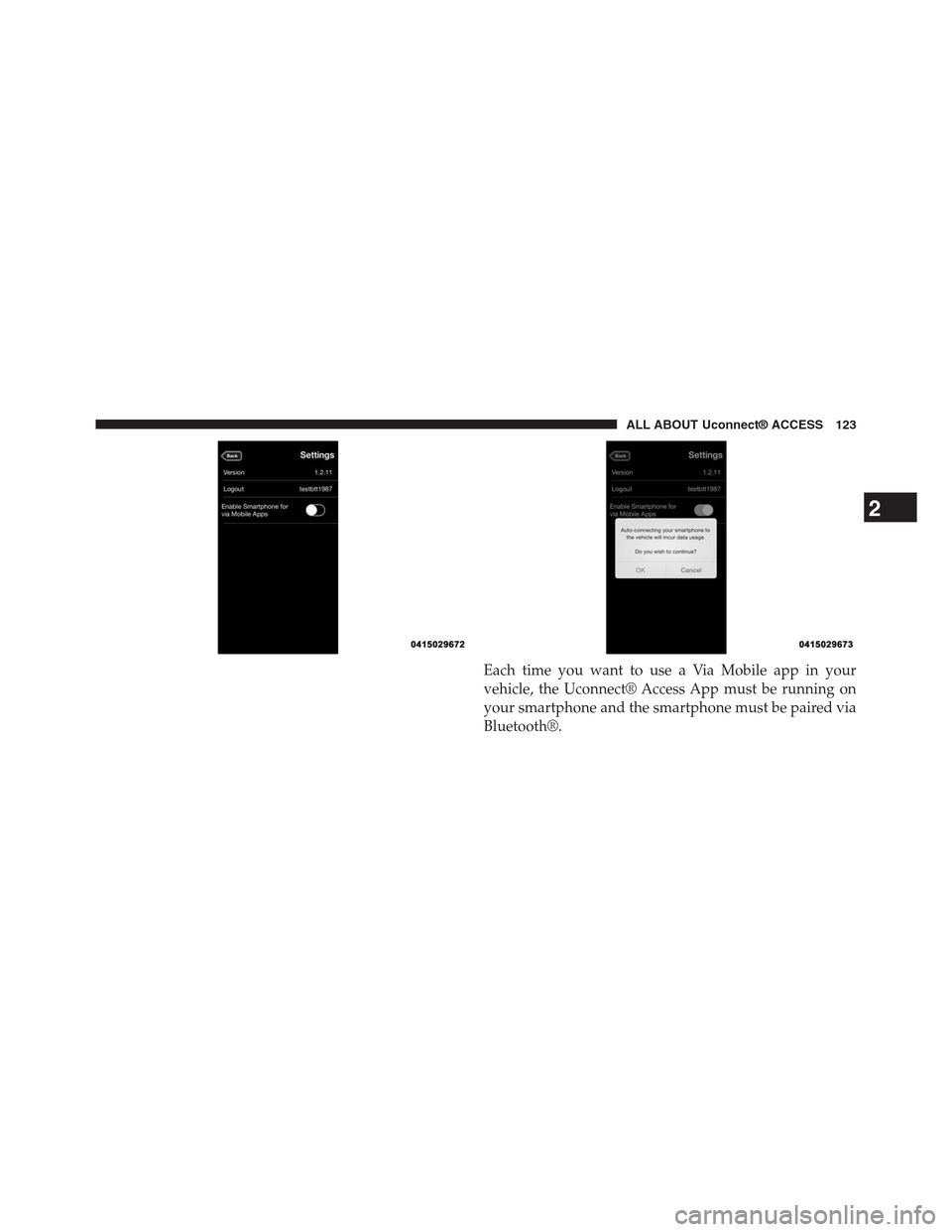
Each time you want to use a Via Mobile app in your
vehicle, the Uconnect® Access App must be running on
your smartphone and the smartphone must be paired via
Bluetooth®.
2
ALL ABOUT Uconnect® ACCESS 123
Page 127 of 429
•Vehicle must be equipped with Uconnect 8.4A/8.4AN.
Not available on Uconnect 5.0.
Tips and Shortcuts
•Pandora® will launch with the last setting and play list
you chose. To change this, select the “Station List”
button on the touchscreen in lower left corner to select
another station.
•Steering wheel controls supported are for “next track”
(until reaching maximum skips – for free account).
FAQs
1.Why can’t I get Pandora® Via Mobile to work?Here
are some things to consider:
•Check to ensure you have linked your Pandora®
account credentials with Uconnect® Access. This is
usually done during registration and setup. Then,
check to ensure you have properly connected your
compatible smartphone to the vehicle touchscreen.
The Uconnect® Access App must be open and you
must be logged in. A blue light indicates that it’s
providing data to the vehicle.
•If you recently changed your password for
Pandora®, it may need to be updated on Mopar
Owner Connect under the “Via Mobile” section.
2.If I changed my password for Pandora®, do I have to
update it with Uconnect® Access?Yes. Visit
moparownerconnect.com, log in, and click on Via
Mobile.
3.How do I set up a Pandora® account?You can create
an account with Pandora® by visitingpandora.com.
To make changes to an existing Pandora® account,
visit the Pandora® website.
4.Can I create a Pandora® account during Uconnect®
Access registration and setup?There is a link from the
Via Mobile profile page where the customer can go to
the Pandora® website to create a new account.
126 ALL ABOUT Uconnect® ACCESS
Page 130 of 429
the vehicle touchscreen. A compatible smartphone is
required. The iHeartRadio mobile app on your phone
does not need to be launched to use iHeartRadio Via
Mobile.
1. If you haven’t yet registered with Uconnect® Access,
begin by pressing the “Apps” icon on the touchscreen
inside your vehicle, and then press “Uconnect Regis-
tration.”
2. Once you receive an email from “Uconnect Access,”
click on the secure link to complete your registration
onmoparownerconnect.comwhere you’ll be guided
through setup of your Via Mobile profile.
3. Next, link app accounts to your Via Mobile profile by
entering your login information for apps like iHeart-
Radio.
If you’ve already registered with Uconnect® Access,
log in tomoparownerconnect.comto set up your Via
Mobile profile. Click on “Via Mobile Profile”.
4. Connect your smartphone to the vehicle touchscreen.
The Uconnect® Access app is compatible with select
iPhone® and Android smartphones. Visit
UconnectPhone.comto confirm that your smart-
phone is compatible with Uconnect®. Once you’ve
confirmed your smartphone is compatible, pair it to
the vehicle touchscreen via Bluetooth® to use Via
Mobile apps. If using an iPhone®, a USB cable may
also be supported for the data connection.
5. Launch the Uconnect® Access app on your connected
smartphone and log in with your Mopar Owner
Connect Username/Email and password. From the
vehicle touchscreen press the “Apps” button and
select iHeartRadio from the list. iHeartRadio is located
within the “All Apps” tab. To launch iHeartRadio
using voice recognition, push the button on the steer-
ing wheel and say, “launch iHeartRadio Via Mobile.”
2
ALL ABOUT Uconnect® ACCESS 129
Page 131 of 429
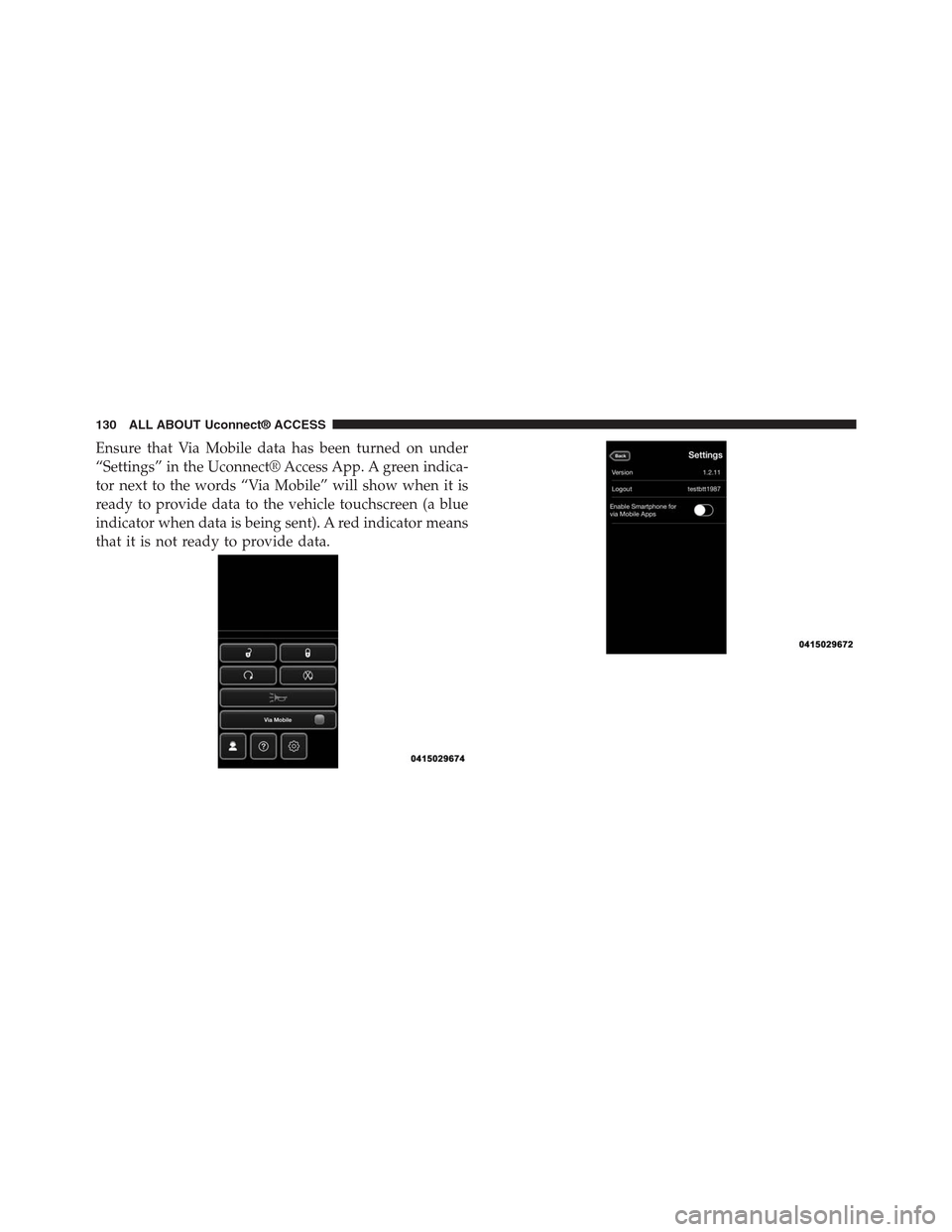
Ensure that Via Mobile data has been turned on under
“Settings” in the Uconnect® Access App. A green indica-
tor next to the words “Via Mobile” will show when it is
ready to provide data to the vehicle touchscreen (a blue
indicator when data is being sent). A red indicator means
that it is not ready to provide data.
130 ALL ABOUT Uconnect® ACCESS
Page 132 of 429
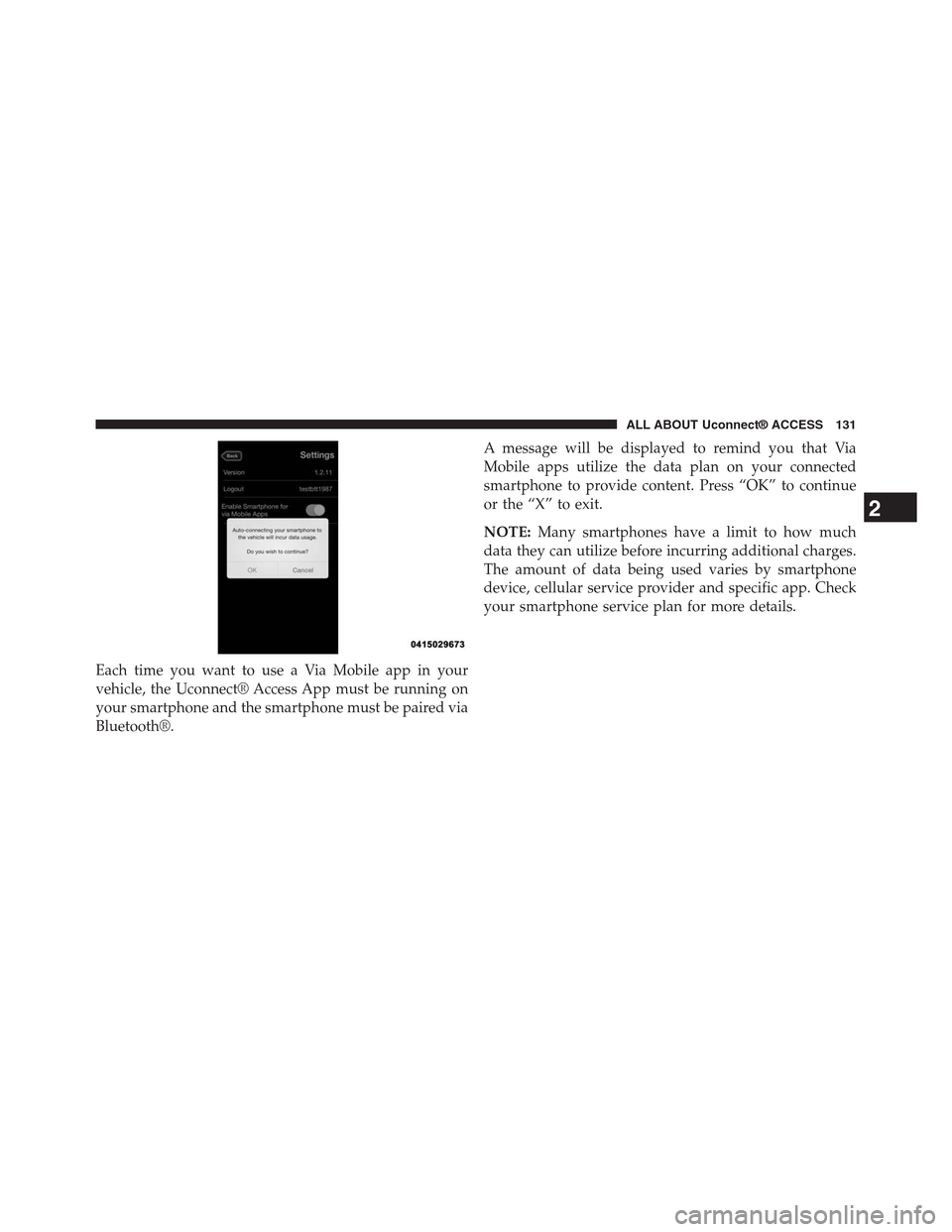
Each time you want to use a Via Mobile app in your
vehicle, the Uconnect® Access App must be running on
your smartphone and the smartphone must be paired via
Bluetooth®.
A message will be displayed to remind you that Via
Mobile apps utilize the data plan on your connected
smartphone to provide content. Press “OK” to continue
or the “X” to exit.
NOTE:Many smartphones have a limit to how much
data they can utilize before incurring additional charges.
The amount of data being used varies by smartphone
device, cellular service provider and specific app. Check
your smartphone service plan for more details.
2
ALL ABOUT Uconnect® ACCESS 131
Page 136 of 429
FAQs
1.Why can’t I get iHeartRadio Via Mobile to work?
Here are some things to consider:
•Check to ensure you have linked your iHeartRadio
account credentials with Uconnect® Access. This is
usually done during registration and setup. Then,
check to ensure you have properly connected your
compatible smartphone to the radio. The Uconnect®
Access App must be open and you must be logged
in. A blue light indicates that it’s providing data to
the vehicle.
•If you recently changed your password for iHeart-
Radio, it may need to be updated on Mopar Owner
Connect under the “Via Mobile” section.
2.How do I personalize the music played on my
custom station?Press the “thumbs up” icon when
music is played that you like, and the “thumbs down”
icon when music is played that you do not like. Future
music played will give you more of the music with
characteristics that meet your preferences. The more
often you use Thumb Up and Thumbs Down, the
better your station becomes.
3.How do I know when iHeartRadio is playing one of
the songs I indicated I “liked”?The Thumbs Up
button on the radio touchscreen will appear in red
when playing a song you previously liked.
4.If I changed my password for iHeartRadio, do I have
to update it with Uconnect® Access?Yes. Visit Mopar
Owner Connectmoparownerconnect.com, log in,
and click on Via Mobile.
2
ALL ABOUT Uconnect® ACCESS 135
Page 139 of 429
1. If you have not registered with Uconnect® Access,
begin by pressing the “Apps” button on the touch-
screen inside your vehicle, and then press “Uconnect
Registration.”
2. Once you receive an email from “Uconnect Access,”
click on the secure link to complete your registration
onmoparownerconnect.comwhere you’ll be guided
through setup of your Via Mobile profile.
3. Next, link app accounts to your Via Mobile profile by
entering your login information for apps like Slacker
Radio.
If you’ve already registered with Uconnect Access, log
in tomoparownerconnect.comto set up your Via
Mobile profile. Click on “Via Mobile Profile”.
4. Next, connect your smartphone to the vehicle touch-
screen. The Uconnect® Access app is compatible with
select iPhone® and Android smartphones. Visit
UconnectPhone.comto confirm that your smart-
phone is compatible with Uconnect®. Once you’ve
confirmed your smartphone is compatible, pair it to
the vehicle touchscreen via Bluetooth® to use Via
Mobile apps. If using an iPhone®, a USB cable may
also be supported for the data connection.
5. Launch the Uconnect® Access app on your connected
smartphone and log in with your Mopar Owner
Connect Username/Email and password. From the
vehicle touchscreen press the “Apps” button and
select Slacker Radio from the list. Slacker Radio is
located within the “All Apps” tab. To launch Slacker
Radio using voice recognition, push the button on the
steering wheel and say, “launch Slacker Via Mobile.”
138 ALL ABOUT Uconnect® ACCESS