key DODGE DURANGO 2015 3.G Owner's Manual
[x] Cancel search | Manufacturer: DODGE, Model Year: 2015, Model line: DURANGO, Model: DODGE DURANGO 2015 3.GPages: 689, PDF Size: 20.05 MB
Page 34 of 689
WARNING!(Continued)
•Never leave children alone in a vehicle, or with
access to an unlocked vehicle.
•Allowing children to be in a vehicle unattended is
dangerous for a number of reasons. A child or
others could be seriously or fatally injured. Chil-
dren should be warned not to touch the parking
brake, brake pedal or the gear selector.
•Do not leave the Key Fob in or near the vehicle, or
in a location accessible to children, and do not
leave the ignition of a vehicle equipped with
Keyless Enter-N-Go ™ in the ACC or ON/RUN
mode. A child could operate power windows, other
controls, or move the vehicle.
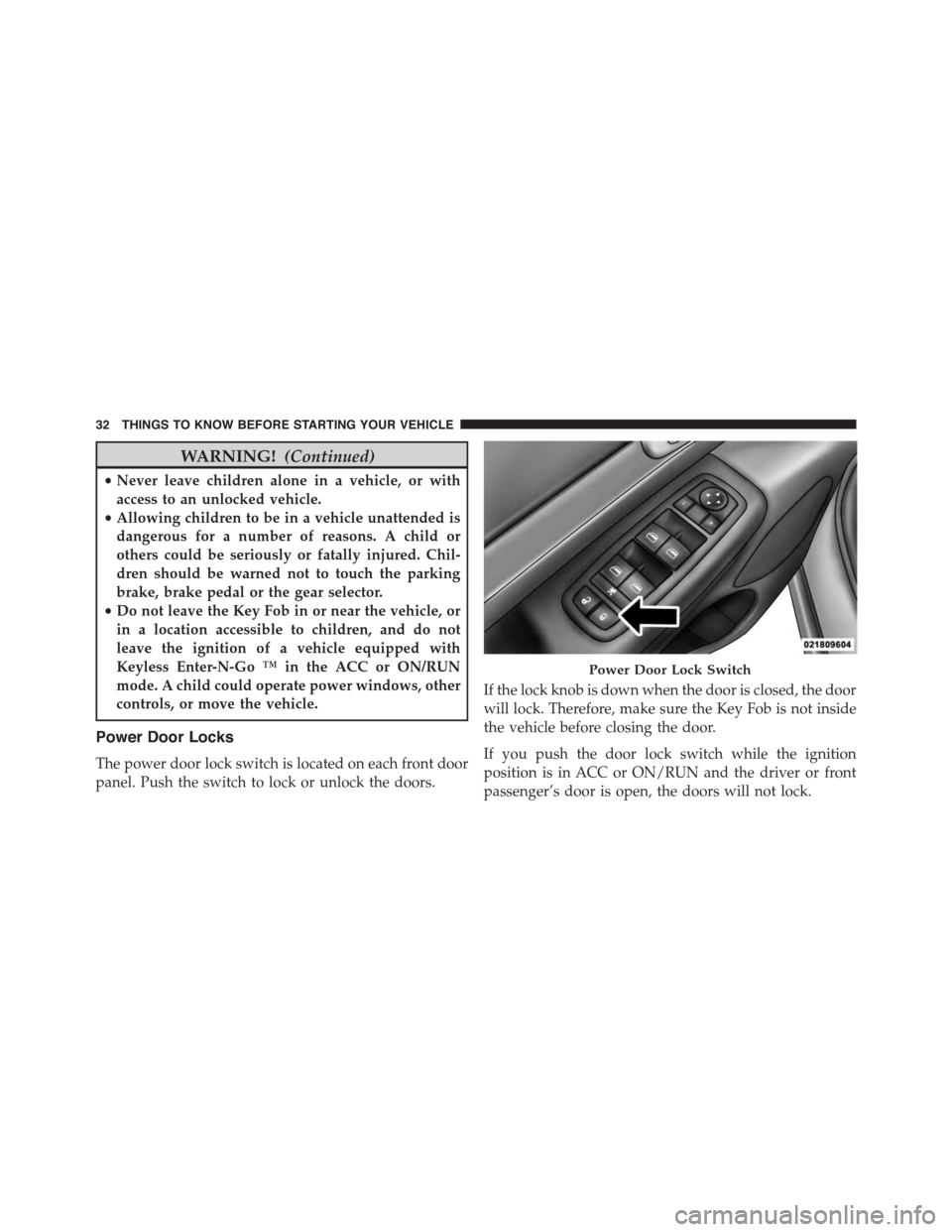
Power Door Locks
The power door lock switch is located on each front door
panel. Push the switch to lock or unlock the doors.
If the lock knob is down when the door is closed, the door
will lock. Therefore, make sure the Key Fob is not inside
the vehicle before closing the door.
If you push the door lock switch while the ignition
position is in ACC or ON/RUN and the driver or front
passenger’s door is open, the doors will not lock.
Power Door Lock Switch
32 THINGS TO KNOW BEFORE STARTING YOUR VEHICLE
Page 35 of 689
If a rear door is locked, it cannot be opened from inside
the vehicle without first unlocking the door. The door
may be unlocked manually by raising the lock knob.
Automatic Door Locks — If Equipped
When enabled, the door locks will lock automatically
when the vehicle’s speed exceeds 15 MPH (24 km/h).
Auto door lock feature is enabled/Desabled in the
Uconnect Settings sections in the radio. Refer to
“Uconnect® Settings” located in “Understanding Your
Instrument Panel.”
Automatic Unlock On Exit Feature — If Equipped
If Auto Unlock is enabled, this feature will unlock all the
doors when any door is opened if the vehicle is stopped
and in PARK. Refer to “Uconnect® Settings” in “Under-
standing Your Instrument Panel” for further information.
Child-Protection Door Lock System — Rear
Doors
To provide a safer environment for small children riding
in the rear seats, the rear doors are equipped with
Child-Protection Door Lock system.
To Engage Or Disengage The Child-Protection
Door Lock System
1. Open the rear door.
2. Insert the tip of the emergency key into the lock and
rotate to the LOCK or UNLOCK position.
3. Repeat steps 1 and 2 for the opposite rear door.
2
THINGS TO KNOW BEFORE STARTING YOUR VEHICLE 33
Page 37 of 689
NOTE:For emergency exit with the system engaged,
move the lock knob up (unlocked position), roll down the
window, and open the door with the outside door
handle.
KEYLESS ENTER-N-GO™
The Passive Entry system is an enhancement to the
vehicle’s Remote Keyless Entry (RKE) system and a
feature of Keyless Enter-N-Go™. This feature allows you
to lock and unlock the vehicle’s door(s) without having to
push the RKE transmitter lock or unlock buttons.
NOTE:
•Passive Entry may be programmed ON/OFF. Refer to
“Uconnect® Settings” in “Understanding Your Instru-
ment Panel” for further information.
•If wearing gloves on your hands, or if it has been
raining on the Passive Entry door handle, the unlock
sensitivity can be affected, resulting in a slower re-
sponse time.
•If the vehicle is unlocked by Passive Entry and no door
goes ajar within 60 seconds, the vehicle will re-lock,
and if equipped, will arm the security alarm.
To Unlock From The Driver’s Side:
With a valid Passive Entry RKE transmitter within 5 ft
(1.5 m) of the driver’s door handle, grab the driver’s front
door handle to unlock the driver’s door automatically.
The interior door panel lock knob will raise when the
door is unlocked.
2
THINGS TO KNOW BEFORE STARTING YOUR VEHICLE 35
Page 48 of 689
WARNING!
Driving with the liftgate open can allow poisonous
exhaust gases into your vehicle. You and your pas-
sengers could be injured by these fumes. Keep the
liftgate closed when you are operating the vehicle.
Power Liftgate — If Equipped
The power liftgate may be opened by pushing
the electronic liftgate release located handle
(refer to “Keyless Enter-N-Go™” located in
“Things To Know Before Starting”) or by push-
ing the LIFTGATE button on the Remote Keyless Entry
(RKE) transmitter. Push the LIFTGATE button on the
RKE transmitter twice within five seconds to open the
power liftgate. Once the liftgate is open, pushing the
button twice within five seconds a second time will close
the liftgate.
The power liftgate may also be opened or closed by
pushing the LIFTGATE button located on the front
overhead console, or closed by pushing the LIFTGATE
button located on left rear trim panel, near the liftgate
opening. Pushing the LIFTGATE button located on left
rear trim panel once will close the liftgate only. This
button cannot be used to open the liftgate.
When the LIFTGATE button on the RKE transmitter is
pushed two times, the turn signals will flash twice to
signal that the liftgate is preparing open or close (if Flash
Lamps with Lock is enabled in the Uconnect® Settings)
and the liftgate chime (Selectable in Uconnect® Settings)
will be audible. For further information, refer to
#Uconnect® Settings#in#Understanding Your Instrument
Panel.”
46 THINGS TO KNOW BEFORE STARTING YOUR VEHICLE
Page 50 of 689
•The power liftgate must be in the full open position for
rear liftgate close button on the left rear trim, near the
liftgate opening, to operate. If the liftgate is not fully
open, push the Liftgate button on the Key Fob to fully
open the liftgate, and then push it again to close.
•If the liftgate handle switch is pushed while the power
liftgate is closing, the liftgate will reverse to the full
open position.
•If the liftgate handle switch is pushed while the power
liftgate is opening, the liftgate motor will disengage to
allow manual operation.
•If the power liftgate encounters multiple obstructions
within the same cycle, the system will automatically
stop and the liftgate must be opened or closed manu-
ally.
•If your liftgate is power closing and you put the
vehicle in gear, the liftgate will continue to power
close. However, vehicle movement may result in a
detection of an obstruction.
WARNING!
•Driving with the liftgate open can allow poisonous
exhaust gases into your vehicle. You and your
passengers could be injured by these fumes. Keep
the liftgate closed when you are operating the
vehicle.
•If you are required to drive with the liftgate open,
make sure that all windows are closed, and the
climate control blower switch is set at high speed.
Do not use the recirculation mode.
48 THINGS TO KNOW BEFORE STARTING YOUR VEHICLE
Page 116 of 689
▫Power Lumbar — If Equipped............144
▫Manual Front Passenger Seat Forward/Rearward
Adjustment.........................145
▫Manual Front Passenger Seatback Adjustment —
Recline............................146
▫Front Passenger Seat Fold-Flat Feature —
If Equipped..........................146
▫Heated Seats — If Equipped..............147
▫Front Ventilated Seats — If Equipped.......150
▫Head Restraints......................151
▫60/40 Split Rear Seat..................156
▫Rear Captain Chairs — If Equipped.........159
▫Folding Third Row....................163
!DRIVER MEMORY SEAT — IF EQUIPPED . . . .164
▫Programming The Memory Feature.........165
▫Linking And Unlinking The Remote Keyless Entry
Transmitter To Memory.................166
▫Memory Position Recall.................167
▫Easy Entry/Exit Seat...................168
!TO OPEN AND CLOSE THE HOOD.........170
!LIGHTS.............................171
▫Headlight Switch.....................171
▫Automatic Headlights — If Equipped.......173
▫Headlights On Automatically With Wipers . . .173
▫Automatic High Beam — If Equipped......173
▫Daytime Running Lights — If Equipped.....174
▫Headlight Delay......................175
11 4 U N D E R S TA N D I N G T H E F E AT U R E S O F Y O U R V E H I C L E
Page 166 of 689
WARNING!
Be certain that the seatback is securely locked into
position. If the seatback is not securely locked into
position the seat will not provide the proper stability
for child seats and/or passengers. An improperly
latched seat could cause serious injury.
DRIVER MEMORY SEAT — IF EQUIPPED
This feature allows the driver to store up to two different
memory profiles for easy recall through a memory
switch. Each memory profile contains desired position
settings for the driver seat, side mirrors, adjustable
pedals (if equipped), and power tilt and telescopic steer-
ing column (if equipped) and a set of desired radio
station presets. Your Remote Keyless Entry (RKE) trans-
mitter can also be programmed to recall the same posi-
tions when the UNLOCK button is pushed.
NOTE:Your vehicle is equipped with two RKE transmit-
ters, one RKE transmitter can be linked to memory
position 1 and the other transmitter can be linked to
memory position 2.
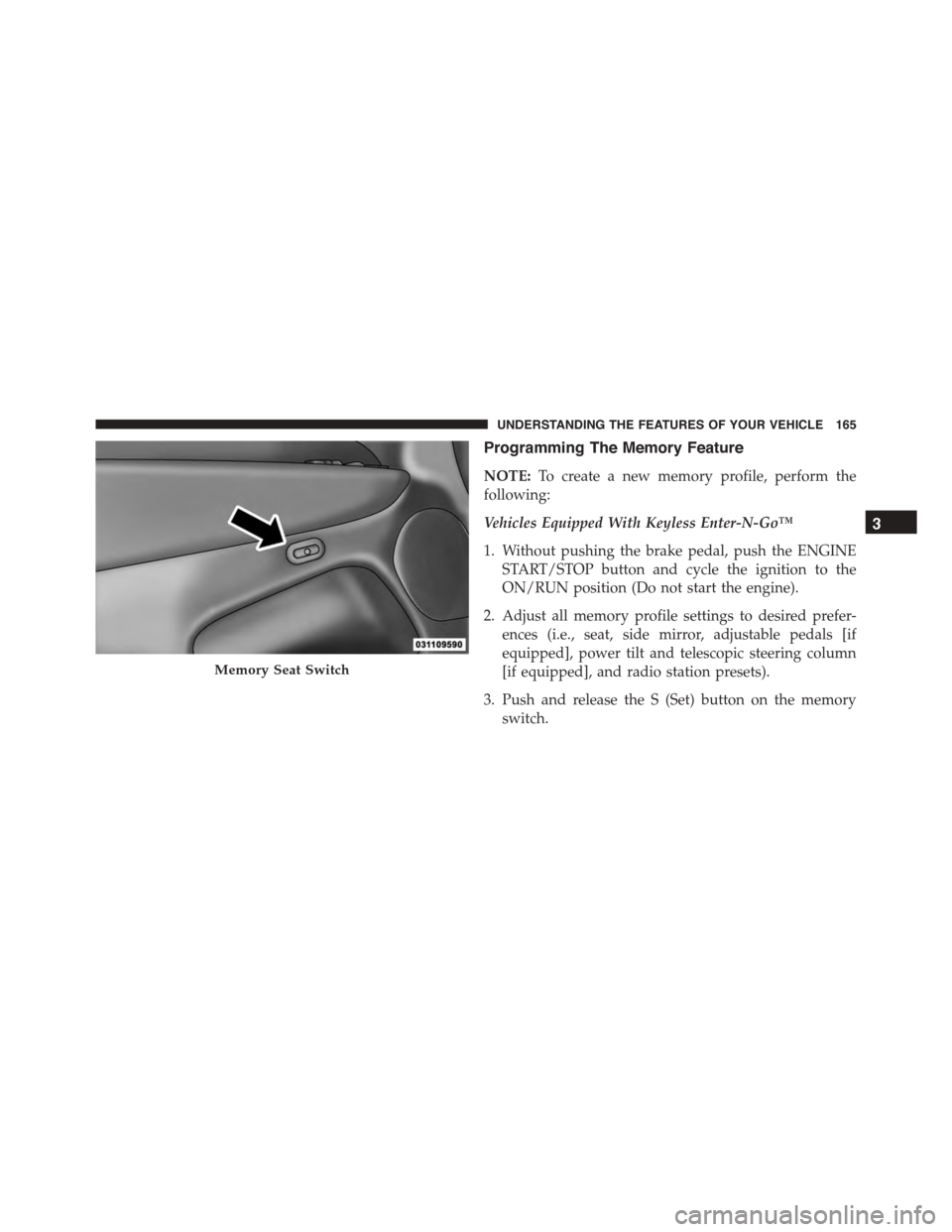
The memory seat switch is located on the driver ’s door
trim panel. The switch consists of three buttons:
•The (S) button, which is used to activate the memory
save function.
•The (1) and (2) buttons which are used to recall either
of two pre-programmed memory profiles.
164 UNDERSTANDING THE FEATURES OF YOUR VEHICLE
Page 167 of 689
Programming The Memory Feature
NOTE:To create a new memory profile, perform the
following:
Vehicles Equipped With Keyless Enter-N-Go™
1. Without pushing the brake pedal, push the ENGINE
START/STOP button and cycle the ignition to the
ON/RUN position (Do not start the engine).
2. Adjust all memory profile settings to desired prefer-
ences (i.e., seat, side mirror, adjustable pedals [if
equipped], power tilt and telescopic steering column
[if equipped], and radio station presets).
3. Push and release the S (Set) button on the memory
switch.
Memory Seat Switch
3
UNDERSTANDING THE FEATURES OF YOUR VEHICLE 165
Page 168 of 689
4. Within five seconds, push and release either of the
memory buttons (1) or (2). The Driver Information
Display (DID) will display which memory position
has been set.
Vehicles Not Equipped With Keyless Enter-N-Go™
1. Insert the ignition key fob, and turn the ignition switch
to the ON/RUN position.
2. Adjust all memory profile settings to desired prefer-
ences (i.e., seat, side mirror, adjustable pedals [if
equipped], power tilt and telescopic steering column
[if equipped], and radio station presets).
3. Push and release the S (Set) button on the memory
switch.
4. Within five seconds, push and release either of the
memory buttons (1) or (2). The Driver Information
Display (DID) will display which memory position
has been set.
NOTE:
•Memory profiles can be set without the vehicle in
PARK, but the vehicle must be in PARK to recall a
memory profile.
•The Recall Memory with the “Memory To FOB” fea-
ture can be enabled through the Uconnect® system
screen. Refer to “Customer- Programmable Features —
Uconnect® Access 8.4 Settings ” in “Understanding
Your Instrument Panel” for further information.
Linking And Unlinking The Remote Keyless Entry
Transmitter To Memory
Your RKE transmitters can be programmed to recall one
of two pre-programmed memory profiles by pushng the
UNLOCK button on the RKE transmitter.
166 UNDERSTANDING THE FEATURES OF YOUR VEHICLE
Page 170 of 689
Driver One Memory Position Recall
•To recall the memory settings for driver one using the
memory switch, push MEMORY button number 1 on
the memory switch.
•To recall the memory settings for driver one using the
RKE transmitter, push the UNLOCK button on the
RKE transmitter linked to memory position 1.
Driver Two Memory Position Recall
•To recall the memory setting for driver two using the
memory switch, push MEMORY button number 2 on
the memory switch.
•To recall the memory settings for driver two using the
RKE transmitter, push the UNLOCK button on the
RKE transmitter linked to memory position 2.
A recall can be cancelled by pushing any of the MEMORY
buttons during a recall (S, 1, or 2). When a recall is
cancelled, the driver’s seat, and the power pedals (if
equipped) stop moving. A delay of one second will occur
before another recall can be selected.
Easy Entry/Exit Seat
This feature provides automatic driver seat positioning to
enhance driver mobility when entering and exiting the
vehicle.
The distance the driver seat moves depends on where
you have the driver seat positioned when you remove the
Key Fob from the ignition (or change the ignition to OFF,
for vehicles equipped with Keyless Enter-N-Go™).
•When you remove the Key Fob from the ignition (or
change the ignition to OFF, for vehicles equipped with
Keyless Enter-N-Go™), the driver seat will move
about 2.4 in (60 mm) rearward if the driver seat
position is greater than or equal to 2.7 in (67.7 mm)
168 UNDERSTANDING THE FEATURES OF YOUR VEHICLE