key DODGE DURANGO 2015 3.G Service Manual
[x] Cancel search | Manufacturer: DODGE, Model Year: 2015, Model line: DURANGO, Model: DODGE DURANGO 2015 3.GPages: 689, PDF Size: 20.05 MB
Page 328 of 689
•Flash Lights w/Lock
When this feature is selected, the exterior lights will flash
when the doors are locked or unlocked with the Remote
Keyless Entry (RKE) transmitter or the Passive Entry
Feature. To make your selection, press the “Flash Lights
w/Lock” button on the touchscreen and select from “On”
or “Off.” Press the back arrow button on the touchscreen
to return to the previous menu.
Doors & Locks
After pressing the “Doors & Locks” button on the touch-
screen the following settings will be available.
•Auto Door Locks
When this feature is selected, all doors will lock auto-
matically when the vehicle reaches a speed of 15 mph
(24 km/h). To make your selection, press the “Auto Door
Locks” button on the touchscreen and select from “On”
or “Off.” Press the back arrow button on the touchscreen
to return to the previous menu.
•Auto Unlock On Exit
When this feature is selected, all doors will unlock when
the vehicle is stopped and the transmission is in the
PARK or NEUTRAL position and the driver’s door is
opened. To make your selection, press the “Auto Unlock
On Exit” button on the touchscreen and select from “On”
or “Off.” Press the back arrow button on the touchscreen
to return to the previous menu.
•Flash Lights w/Lock
When this feature is selected, the exterior lights will flash
when the doors are locked or unlocked with the Remote
Keyless Entry (RKE) transmitter or the Passive Entry
Feature. To make your selection, press the “Flash Lights
w/Lock” button on the touchscreen and select from “On”
or “Off.” Press the back arrow button on the touchscreen
to return to the previous menu.
326 UNDERSTANDING YOUR INSTRUMENT PANEL
Page 329 of 689
•Horn w/Lock
When this feature is selected, the horn will sound when
the Key Fob Lock button is pressed. To make your
selection, press the “Sound Horn With Lock” button on
the touchscreen and select from “Off,” ”1st Press,” or
“2nd Press.” Press the back arrow button on the touch-
screen to return to the previous menu.
•Horn w/Remote Start — If Equipped
When this feature is selected, the horn will sound when the
remote start is activated. To make your selection, press the
“Horn w/Remote Start” button on the touchscreen and
select from “On” or “Off.” Press the back arrow button on
the touchscreen to return to the previous menu.
•Remote Door Unlock
When “Remote Door Unlock” is selected, you may
choose from “Driver” or “All.” Select “All” to have all
doors unlock with the first push of the Key Fob. Select
“Driver” to have the only the driver door open with the
first push of the key fob.
NOTE:Passive Entry — If Equipped. If “All” is selected,
all doors will unlock no matter which Passive Entry door
handle is grasped. If “Driver” is selected, only the
driver ’s door will unlock when the driver ’s door is
grasped.
•Passive Entry
This feature allows you to lock and unlock the vehicle’s
door(s) without having to press the Remote Keyless
Entry (RKE) transmitter lock or unlock buttons. To make
your selection, press the “Passive Entry” button on the
touchscreen and select from “On” or “Off. Press the back
arrow button on the touchscreen to return to the previous
menu. Refer to “Keyless Enter-N-Go™” in “Things To
Know Before Starting Your Vehicle” for further informa-
tion.
4
UNDERSTANDING YOUR INSTRUMENT PANEL 327
Page 330 of 689
•Memory Linked to Fob — If Equipped
This feature provides automatic driver seat positioning to
enhance driver mobility when entering and exiting the
vehicle. To make your selection, press the “Memory
Linked to Fob” button on the touchscreen and select from
“On” or “Off.” Press the back arrow button on the
touchscreen to return to the previous menu.
NOTE:The seat will return to the memorized seat
location if “Memory Linked to Fob” is set to (ON) when
the Remote Keyless Entry (RKE) transmitter is used to
unlock the door. Refer to “Driver Memory Seat” in
“Understanding The Features Of Your Vehicle” for fur-
ther information.
•Power Lift Gate Alert — If Equipped
This feature plays an alert when the power lift gate is
raising or lowering. To make your selection, press the
“Power Lift Gate Alert” button on the touchscreen and
select from “On” or “Off.” Press the back arrow button on
the touchscreen to return to the previous menu.
Auto Comfort Systems — If Equipped
After pressing the “Auto-On Comfort & Remote Start”
button on the touchscreen the following settings will be
available:
•Auto-On Driver Heated/Ventilated Seat & Steering
Wheel With Vehicle Start — If Equipped
When this feature is selected the driver’s heated seat and
heated steering wheel will automatically turn ON when
temperatures are below 40° F (4.4° C). When tempera-
tures are above 80° F (26.7° C) the driver vented seat will
turn ON. To make your selection, press the “Auto Heated
Seats” button on the touchscreen, then select either “Off,”
“Remote Start” or “All Starts.” Press the back arrow
button on the touchscreen to return to the previous
menu.
328 UNDERSTANDING YOUR INSTRUMENT PANEL
Page 346 of 689
Lights
After pressing the Lights button on the touchscreen the
following settings will be available.
•Headlight Off Delay
When this feature is selected, it allows adjustment of the
amount of time the headlights remain on after the engine
is shut off. To change the Headlights Off Delay setting,
press the “+” or “–” button on the touchscreen to select
your desired time interval, and choose either 0 sec, 30 sec,
60 sec or 90 seconds. Press the back arrow button on the
touchscreen to return to the previous menu, or push the
back button on the faceplate.
•Headlight Illumination On Approach
When this feature is selected, the headlights will activate
and remain on for 0, 30, 60, or 90 seconds when the doors
are unlocked with the Remote Keyless Entry (RKE)
transmitter. To change the Illuminated Approach status,
press the “+” or “–” button on the touchscreen to select
your desired time interval. Press the back arrow button
on the touchscreen to return to the previous menu, or
push the back button on the faceplate.
•Headlights With Wipers — If Equipped
When this feature is selected, and the headlight switch is
in the AUTO position, the headlights will turn on ap-
proximately 10 seconds after the wipers are turned on.
The headlights will also turn off when the wipers are
turned off if they were turned on by this feature. To make
your selection, press the Headlights With Wipers button
on the touchscreen, until a check-mark appears next to
setting, showing that setting has been selected. Press the
back arrow button on the touchscreen to return to the
previous menu, or push the back button on the faceplate.
344 UNDERSTANDING YOUR INSTRUMENT PANEL
Page 347 of 689
•Auto Dim High Beams — If Equipped
When this feature is selected, the high beam headlights
will activate/deactivate automatically under certain con-
ditions. To make your selection, press the “Auto High
Beams” button on the touchscreen, until a check-mark
appears next to setting, showing that setting has been
selected. Press the back arrow button on the touchscreen
to return to the previous menu, or push the back button
on the faceplate. Refer to “Automatic High Beam Head-
lamp Control — If Equipped” in “Understanding The
Features Of Your Vehicle” for further information.
•Daytime Running Lights — If Equipped
When this feature is selected, the headlights will turn on
whenever the vehicle is set in motion. To make your
selection, press the “Daytime Running Lights” button on
the touchscreen, until a check-mark appears next to
setting, showing that setting has been selected. Press the
back arrow button on the touchscreen to return to the
previous menu, or push the back button on the faceplate.
•Flash Lights With Lock
When this feature is selected, the exterior lights will flash
when the doors are locked or unlocked with the Remote
Keyless Entry (RKE) transmitter. This feature may be
selected with or without the sound horn on lock feature
selected. To make your selection, press the “Flash Lights
with Lock” button on the touchscreen, until a check-mark
appears next to setting, showing that setting has been
selected. Press the back arrow button on the touchscreen
to return to the previous menu, or push the back button
on the faceplate.
Doors & Locks
After pressing the Doors & Locks button on the touch-
screen the following settings will be available.
•Auto Door Locks
When this feature is selected, all doors will lock auto-
matically when the vehicle reaches a speed of 15 mph
4
UNDERSTANDING YOUR INSTRUMENT PANEL 345
Page 348 of 689
(24 km/h). To make your selection, press the “Auto Door
Locks” button on the touchscreen, until a check-mark
appears next to setting, showing that setting has been
selected. Press the back arrow button on the touchscreen
to return to the previous menu, or push the back button
on the faceplate.
•Auto Unlock On Exit
When this feature is selected, all doors will unlock when
the vehicle is stopped, the transmission is in the PARK or
NEUTRAL position and the driver’s door is opened. To
make your selection, press the “Auto Unlock on Exit”
button on the touchscreen, until a check-mark appears next
to setting, showing that setting has been selected. Press the
back arrow button on the touchscreen to return to the
previous menu, or push the back button on the faceplate.
•Flash Lights With Lock
When this feature is selected, the exterior lights will flash
when the doors are locked or unlocked with the Remote
Keyless Entry (RKE) transmitter, or when using the
passive entry feature. This feature may be selected with
or without the sound horn on lock feature selected. To
make your selection, press the “Flash Lights with Lock”
button on the touchscreen, until a check-mark appears
next to setting, indicating that the setting has been
selected. Press the back arrow button on the touchscreen
to return to the previous menu.
•Sound Horn With Lock
When this feature is selected, the horn will sound when
the door locks are activated. To make your selection,
press either the “Off,” “1st Press,” or “2nd Press” button
on the touchscreen, until a check-mark appears next to
setting, showing that setting has been selected. Press the
back arrow button on the touchscreen to return to the
previous menu.
346 UNDERSTANDING YOUR INSTRUMENT PANEL
Page 349 of 689
•Sound Horn With Remote Start
When this feature is selected, the horn will sound when
the remote start is activated. To make your selection,
press the “Sound Horn with Remote Start” button on the
touchscreen until a check-mark appears next to setting,
showing that setting has been selected. Press the back
arrow button on the touchscreen to return to the previous
menu.
•1st Press Of Key Fob Unlocks
When#Driver Door#is selected with 1st Press Of Key Fob
Unlocks, only the driver’s door will unlock with the first
press of the Remote Keyless Entry (RKE) transmitter
UNLOCK button. You must press the RKE transmitter
UNLOCK button twice to unlock the passenger’s doors.
When#All Doors#is selected for 1st Press Of Key Fob
Unlocks, all doors will unlock on the first press of the
RKE transmitter UNLOCK button.
NOTE:If the vehicle is programmed 1st Press Of Key Fob
Unlocks “All Doors,” all doors will unlock no matter
which Passive Entry equipped door handle is grasped. If
1st Press Of Key Fob Unlocks “Driver Door” is pro-
grammed, only the driver ’s door will unlock when the
driver ’s door is grasped. With Passive Entry, if 1st Press
Of Key Fob Unlocks “Driver Door” is programmed,
touching the handle more than once will only result in
the driver ’s door opening. If “Driver Door” is selected,
once the driver door is opened, the interior door lock/
unlock switch can be used to unlock all doors (or use
RKE transmitter).
•Passive Entry
This feature allows you to lock and unlock the vehicles
door(s) without having to press the Remote Keyless
Entry (RKE) transmitter lock or unlock buttons. To make
your selection, press the “Passive Entry” button on the
touchscreen, until a check-mark appears next to setting,
4
UNDERSTANDING YOUR INSTRUMENT PANEL 347
Page 350 of 689
showing that setting has been selected. Press the back
arrow button on the touchscreen to return to the previous
menu, or push the back button on the faceplate. Refer to
“Keyless Enter-N-Go™” in “Things To Know Before
Starting Your Vehicle”.
•Personal Settings Linked to Key Fob — If Equipped
This feature provides automatic recall of all settings
stored to a memory location (driver ’s seat, exterior
mirrors, steering column position and radio station pre-
sets) to enhance driver mobility when entering and
exiting the vehicle. To make your selection, press the
“Personal Settings Linked to Key Fob” button on the
touchscreen, until a check-mark appears next to setting,
showing that setting has been selected. Press the back
arrow button on the touchscreen to return to the previous
menu, or push the back button on the faceplate.
NOTE:The seat will return to the memorized seat
location (if Recall Memory with Remote Key Unlock is set
to ON) when the Remote Keyless Entry (RKE) transmitter
is used to unlock the door. Refer to “Driver Memory
Seat” in “Understanding The Features Of Your Vehicle”
for further information.
•Power Lift Gate Chime — If Equipped
This feature plays an alert when the power lift gate is
raising or lowering. To make your selection, press the
“Power Lift Gate Chime” button on the touchscreen, until
a check-mark appears next to setting, showing that
setting has been selected. Press the back arrow button on
the touchscreen to return to the previous menu, or push
the back button on the faceplate.
348 UNDERSTANDING YOUR INSTRUMENT PANEL
Page 364 of 689
•Press the OK button on the touchscreen to begin
playing the Blu-ray™ Disc on the touchscreen radio.
Using The Remote Control
•Select an audio channel (Rear 1 for driver side rear
screen and Rear 2 for passenger side rear screen), then
press the source key and using the up and down
arrows, highlight disc from the menu and press the OK
button.
•Press the popup/menu key to navigate the disc menu
and options.
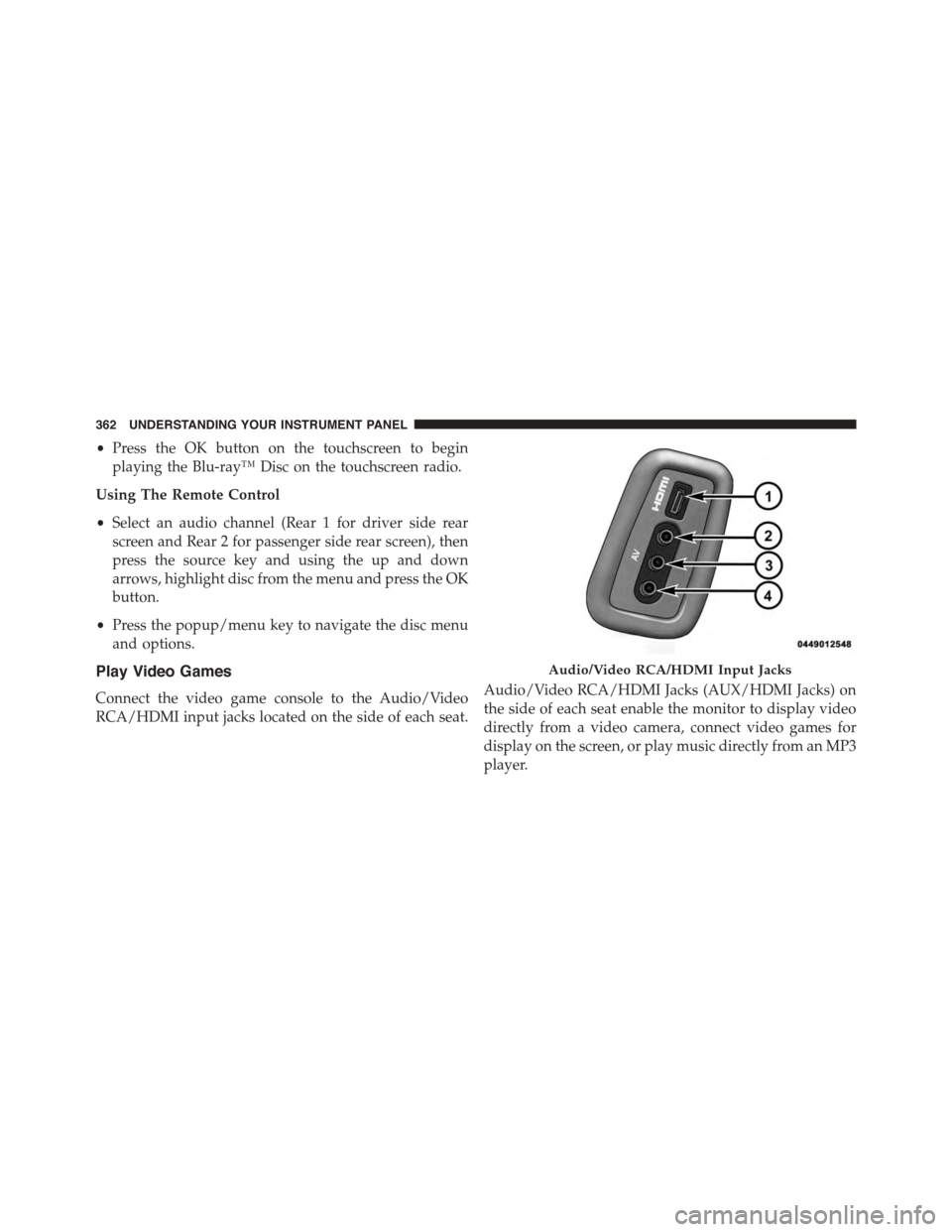
Play Video Games
Connect the video game console to the Audio/Video
RCA/HDMI input jacks located on the side of each seat.
Audio/Video RCA/HDMI Jacks (AUX/HDMI Jacks) on
the side of each seat enable the monitor to display video
directly from a video camera, connect video games for
display on the screen, or play music directly from an MP3
player.
Audio/Video RCA/HDMI Input Jacks
362 UNDERSTANDING YOUR INSTRUMENT PANEL
Page 369 of 689
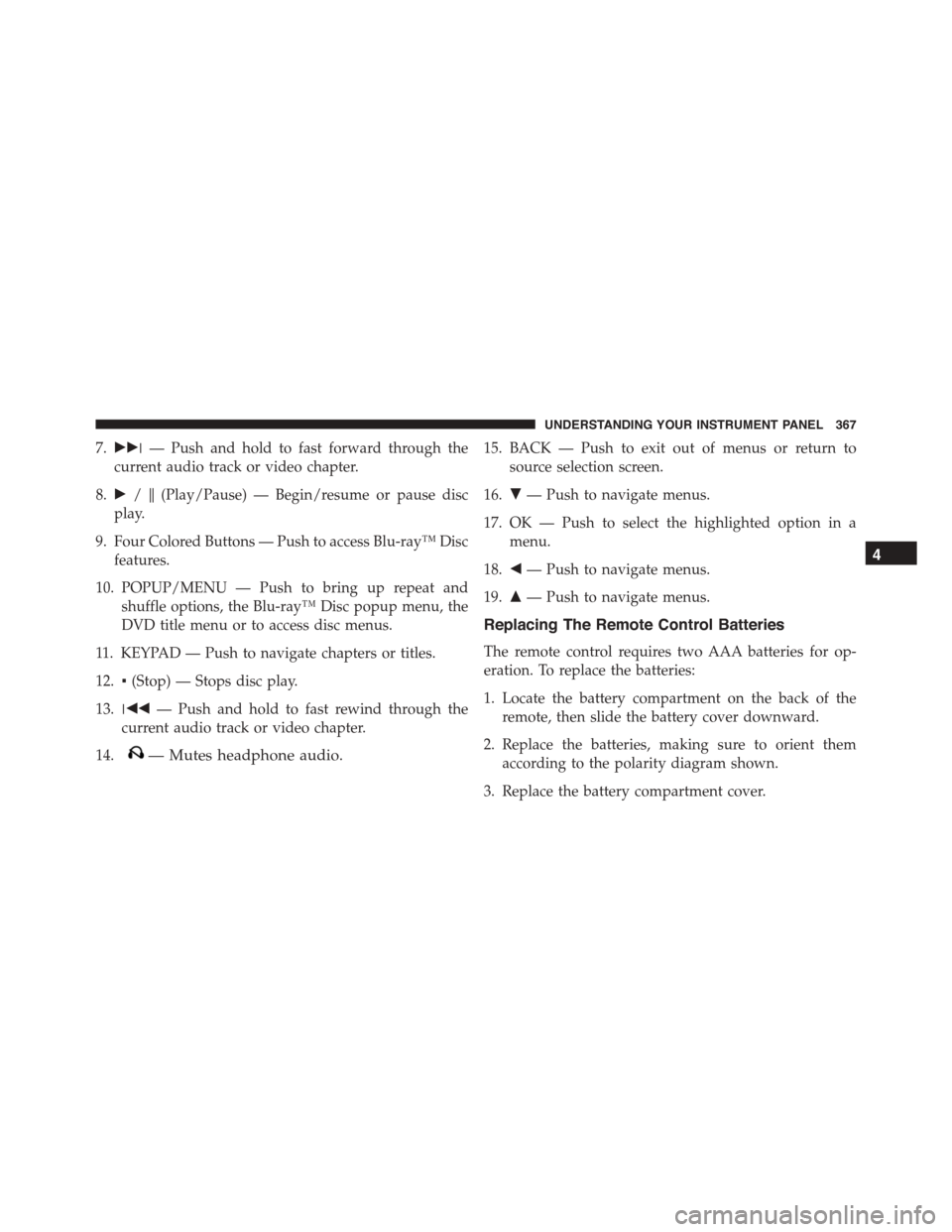
7.!!!— Push and hold to fast forward through the
current audio track or video chapter.
8.!/$(Play/Pause) — Begin/resume or pause disc
play.
9. Four Colored Buttons — Push to access Blu-ray™ Disc
features.
10. POPUP/MENU — Push to bring up repeat and
shuffle options, the Blu-ray™ Disc popup menu, the
DVD title menu or to access disc menus.
11. KEYPAD — Push to navigate chapters or titles.
12.▪(Stop) — Stops disc play.
13.!""— Push and hold to fast rewind through the
current audio track or video chapter.
14.— Mutes headphone audio.
15. BACK — Push to exit out of menus or return to
source selection screen.
16.#— Push to navigate menus.
17. OK — Push to select the highlighted option in a
menu.
18."— Push to navigate menus.
19.$— Push to navigate menus.
Replacing The Remote Control Batteries
The remote control requires two AAA batteries for op-
eration. To replace the batteries:
1. Locate the battery compartment on the back of the
remote, then slide the battery cover downward.
2. Replace the batteries, making sure to orient them
according to the polarity diagram shown.
3. Replace the battery compartment cover.
4
UNDERSTANDING YOUR INSTRUMENT PANEL 367