radio DODGE DURANGO 2015 3.G Workshop Manual
[x] Cancel search | Manufacturer: DODGE, Model Year: 2015, Model line: DURANGO, Model: DODGE DURANGO 2015 3.GPages: 689, PDF Size: 20.05 MB
Page 403 of 689
Basic Voice Commands
The basic Voice Commands below can be given at any
point while using your Uconnect® system.
Push the VR button. After the beep, say%
•Cancelto stop a current voice session
•Helpto hear a list of suggested Voice Commands
•Repeatto listen to the system prompts again
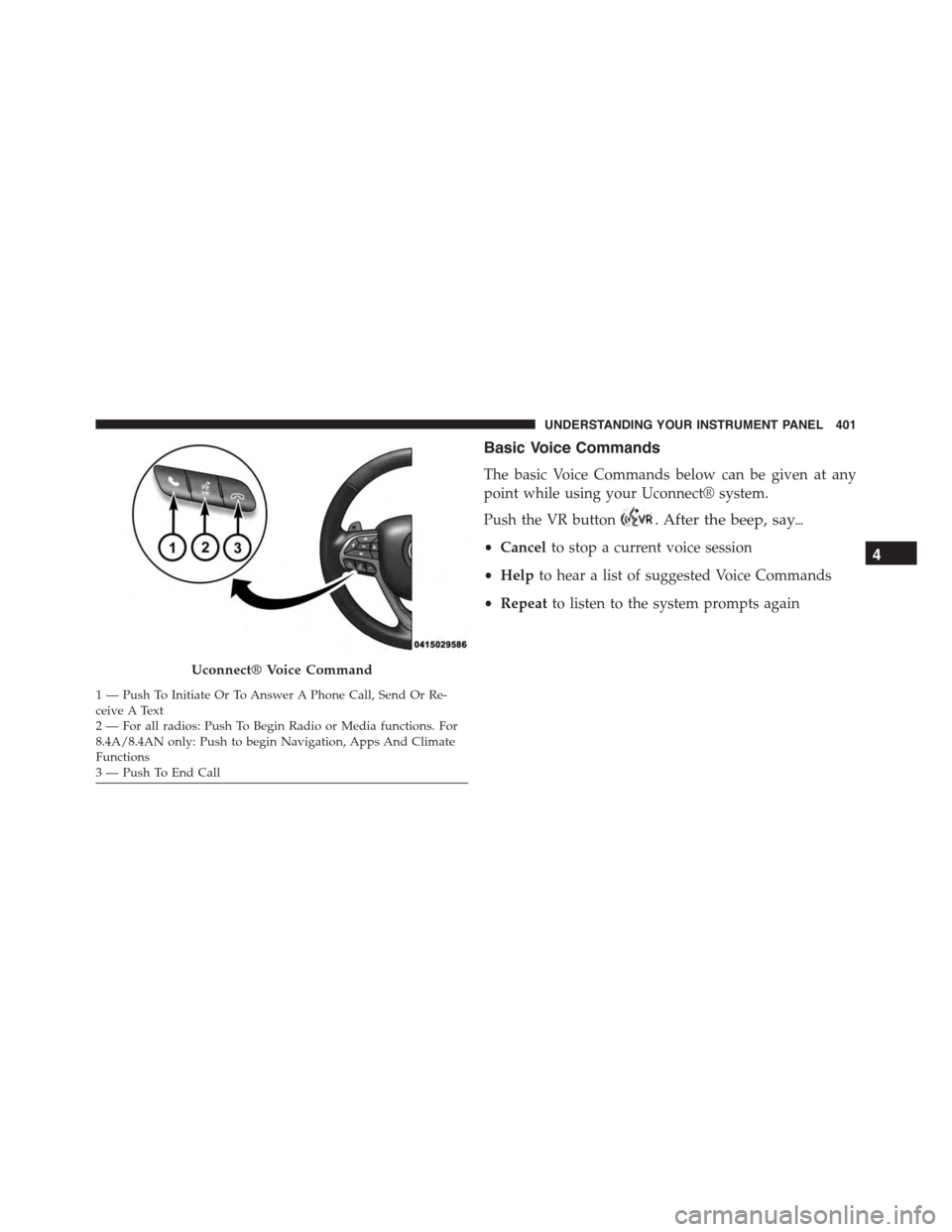
Uconnect® Voice Command
1—PushToInitiateOrToAnswerAPhoneCall,SendOrRe-ceive A Text2 — For all radios: Push To Begin Radio or Media functions. For8.4A/8.4AN only: Push to begin Navigation, Apps And ClimateFunctions3—PushToEndCall
4
UNDERSTANDING YOUR INSTRUMENT PANEL 401
Page 405 of 689
Radio
Use your voice to quickly get to the AM, FM or SiriusXM
Satellite Radio® stations you would like to hear. (Sub-
scription or included SiriusXM Satellite Radio® trial
required.)
Push the VR button. After the beep, say%
•Tune toninety-five-point-five FM
•Tune toSatellite Channel Hits 1
TIP:At any time, if you are not sure of what to say or
want to learn a Voice Command, press the VR button
and say“Help.”The system will provide you
with a list of commands.
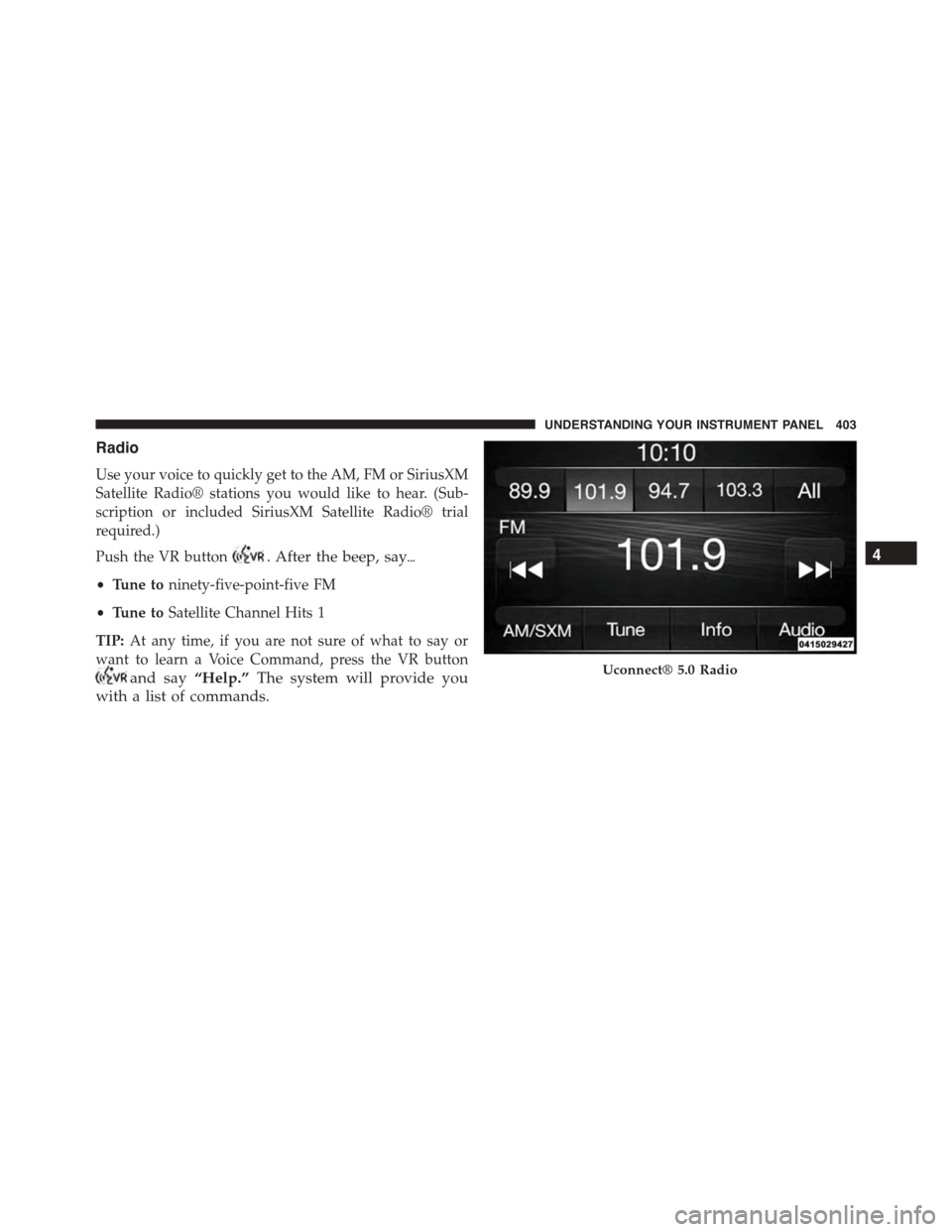
Uconnect® 5.0 Radio
4
UNDERSTANDING YOUR INSTRUMENT PANEL 403
Page 406 of 689
Media
Uconnect® offers connections via USB, SD, Bluetooth®
and auxiliary ports (If Equipped). Voice operation is only
available for connected USB and iPod® devices. (Remote
CD player optional and not available on all vehicles.)
Push the VR button. After the beep, say one of the
following commands and follow the prompts to
switch your media source or choose an artist.
•Change sourceto Bluetooth®
•Change sourceto iPod®
•Change sourceto USB
•Play artistBeethoven;Play albumGreatest Hits;Play
songMoonlight Sonata;Play genreClassical
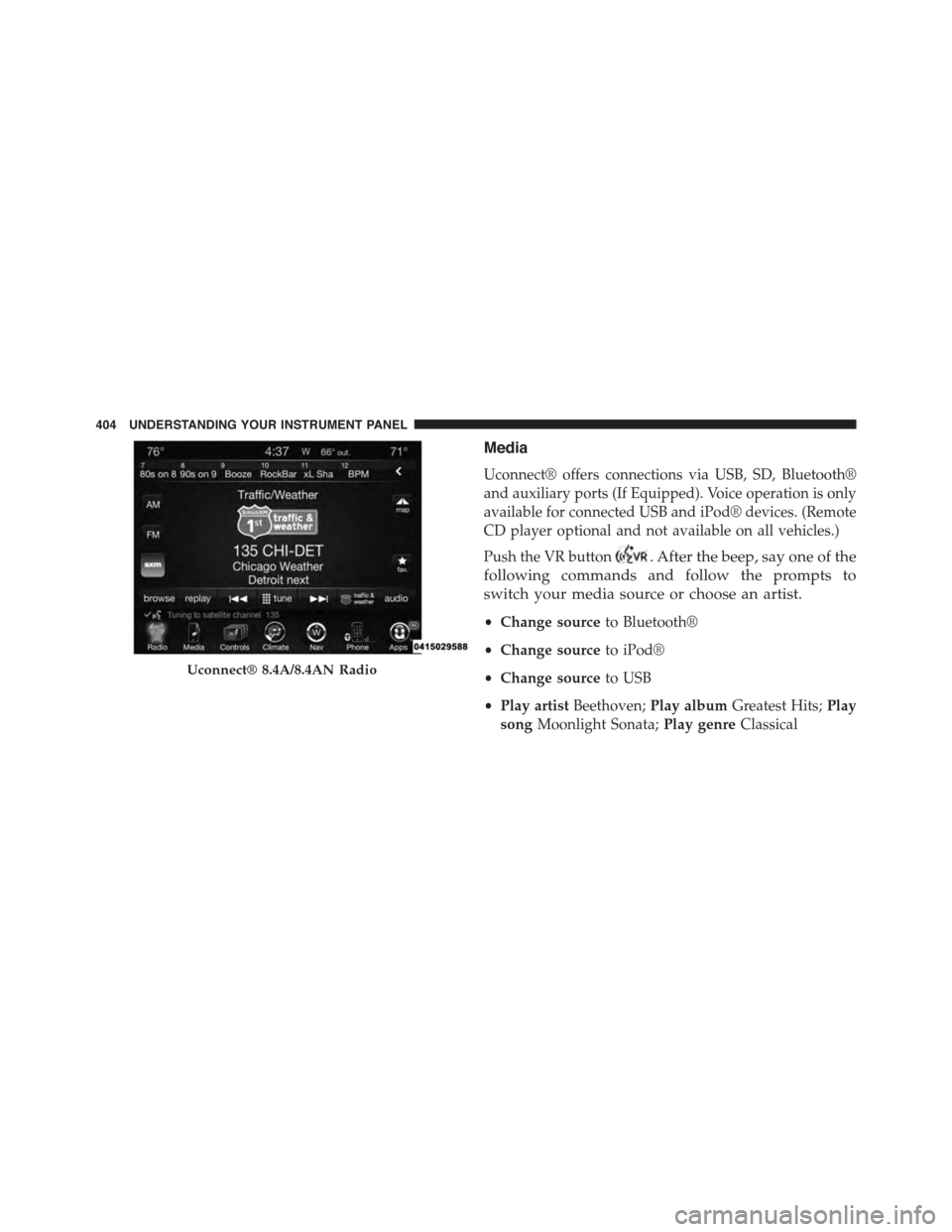
Uconnect® 8.4A/8.4AN Radio
404 UNDERSTANDING YOUR INSTRUMENT PANEL
Page 418 of 689
Additional Information
© 2014 Chrysler Group LLC. All rights reserved. Mopar
and Uconnect are registered trademarks and Mopar
Owner Connect is a trademark of Chrysler Group LLC.
Android is a trademark of Google Inc. SiriusXM and all
related marks and logos are trademarks of SiriusXM
Radio Inc. Yelp, Yelp logo, Yelp burst and related marks
are registered trademarks of Yelp.
Uconnect® System Support:
•U.S. residents call 1-877-855-8400 or visit
DriveUconnect.com
•Canadian residents call 1-800-465-2001 (English) or
1-800-387-9983 (French) or visit DriveUconnect.ca
Mon. – Fri., 7:00 am – 12:00 am, ET
Sat., 8:00 am – 10:00 pm, ET
Sun., 9:00 am – 5:00 pm, ET
Uconnect® Access Services Support 1-855-792-4241.
Please have your Uconnect® Security PIN ready when
you call.
416 UNDERSTANDING YOUR INSTRUMENT PANEL
Page 506 of 689
NOTE:When filling warm tires, the tire pressure may
need to be increased up to an additional 4 psi (30 kPa)
above the recommended cold placard pressure in order
to turn the Tire Pressure Monitoring Telltale Light off.
The system will automatically update, the graphic display
of the pressure value(s) will return to its original color and
the Tire Pressure Monitoring Telltale Light will extinguish
once the updated tire pressure(s) have been received. The
vehicle may need to be driven for up to 20 minutes above
15 mph (24 km/h) to receive this information.
Service Tpm System Warning
The Tire Pressure Monitoring Telltale Light will flash on
and off for 75 seconds, and remain on solid when a system
fault is detected. The system fault will also sound a chime.
The DID will display a “SERVICE TPM SYSTEM” message
for a minimum of five seconds. This message is then
followed by a graphic display, with “- -“ in place of the
pressure value(s), indicating which Tire Pressure Monitor-
ing Sensor(s) is not being received.
If the ignition switch is cycled, this sequence will repeat,
providing the system fault still exists. If the system fault
no longer exists, the Tire Pressure Monitoring Telltale
Light will no longer flash, the#SERVICE TPM SYSTEM#
message will not be present, and a pressure value will be
displayed instead of dashes. A system fault can occur by
any of the following:
1. Jamming due to electronic devices or driving next to
facilities emitting the same Radio Frequencies as the
TPM sensors.
2. Installing some form of aftermarket window tinting
that affects radio wave signals.
3. Lots of snow or ice around the wheels or wheel
housings.
4. Using tire chains on the vehicle.
5. Using wheels/tires not equipped with TPM sensors.
504 STARTING AND OPERATING
Page 571 of 689
WARNING!
•Take care to avoid the radiator cooling fan when-
ever the hood is raised. It can start anytime the
ignition switch is ON. You can be injured by
moving fan blades.
•Remove any metal jewelry such as rings, watch
bands and bracelets that could make an inadvertent
electrical contact. You could be seriously injured.
•Batteries contain sulfuric acid that can burn your
skin or eyes and generate hydrogen gas which is
flammable and explosive. Keep open flames or
sparks away from the battery.
NOTE:Be sure that the disconnected ends of the cables
do not touch while still connected to the other vehicle.
1. Set the parking brake, shift the automatic transmission
into PARK and turn the ignition to LOCK.
2. Turn off the heater, radio, and all unnecessary electri-
cal accessories.
3. Remove the protective cover over the remote positive
(+)battery post. Pull upward on the cover to remove
it.
4. If using another vehicle to jump-start the battery, park
the vehicle within the jumper cables reach, set the
parking brake and make sure the ignition is OFF.
WARNING!
Do not allow vehicles to touch each other as this
could establish a ground connection and personal
injury could result.
6
WHAT TO DO IN EMERGENCIES 569
Page 626 of 689
To minimize the possibility of scratching the lenses and
reducing light output, avoid wiping with a dry cloth. To
remove road dirt, wash with a mild soap solution fol-
lowed by rinsing.
Do not use abrasive cleaning components, solvents, steel
wool or other aggressive material to clean the lenses.
Glass Surfaces
All glass surfaces should be cleaned on a regular basis
with MOPAR® Glass Cleaner, or any commercial
household-type glass cleaner. Never use an abrasive type
cleaner. Use caution when cleaning the inside rear win-
dow equipped with electric defrosters or windows
equipped with radio antennas. Do not use scrapers or
other sharp instrument that may scratch the elements.
When cleaning the rear view mirror, spray cleaner on the
towel or rag that you are using. Do not spray cleaner
directly on the mirror.
Cleaning Plastic Instrument Cluster Lenses
The lenses in front of the instruments in this vehicle are
molded in clear plastic. When cleaning the lenses, care
must be taken to avoid scratching the plastic.
1. Clean with a wet soft rag. A mild soap solution may be
used, but do not use high alcohol content or abrasive
cleaners. If soap is used, wipe clean with a clean damp
rag.
2. Dry with a soft cloth.
Seat Belt Maintenance
Do not bleach, dye, or clean the belts with chemical
solvents or abrasive cleaners. This will weaken the fabric.
Sun damage can also weaken the fabric.
If the belts need cleaning, use MOPAR® Total Clean, a
mild soap solution, or lukewarm water. Do not remove
the belts from the vehicle to wash them. Dry with a soft
cloth.
624 MAINTAINING YOUR VEHICLE
Page 678 of 689
Security Alarm.........................292
Service...............................636
Service Engine Soon (Malfunction Indicator) . . . .292
Side Marker...........................639
Tire Pressure Monitoring (TPMS)............292
Traction Control........................470
Turn Signal............................112
Vanity Mirror..........................130
Loading Vehicle..........................518
Ti re s . . . . . . . . . . . . . . . . . . . . . . . . . . . . . . ..478
Locks..................................31
Child Protection.........................33
Door.................................31
Power Door............................32
Lubrication, Body.........................601
Luggage Rack (Roof Rack)...................276
Lug Nuts...............................549
Maintenance Free Battery....................595
Maintenance Procedures....................590
Maintenance Schedule......................648
Malfunction Indicator Light (Check Engine).......292
Manual, Service..........................662
Memory Feature (Memory Seat)...............164
Memory Seat............................164
Memory Seats and Radio....................164
Methanol...............................508
Mirrors................................120
Electric Powered........................128
Electric Remote.........................128
Exterior Folding........................128
Heated...............................129
Outside..............................120
Rearview.............................120
Vanity...............................130
Modifications/Alterations, Vehicle...............9
Monitor, Tire Pressure System................498
MOPAR® Parts...........................589
676 INDEX
Page 680 of 689
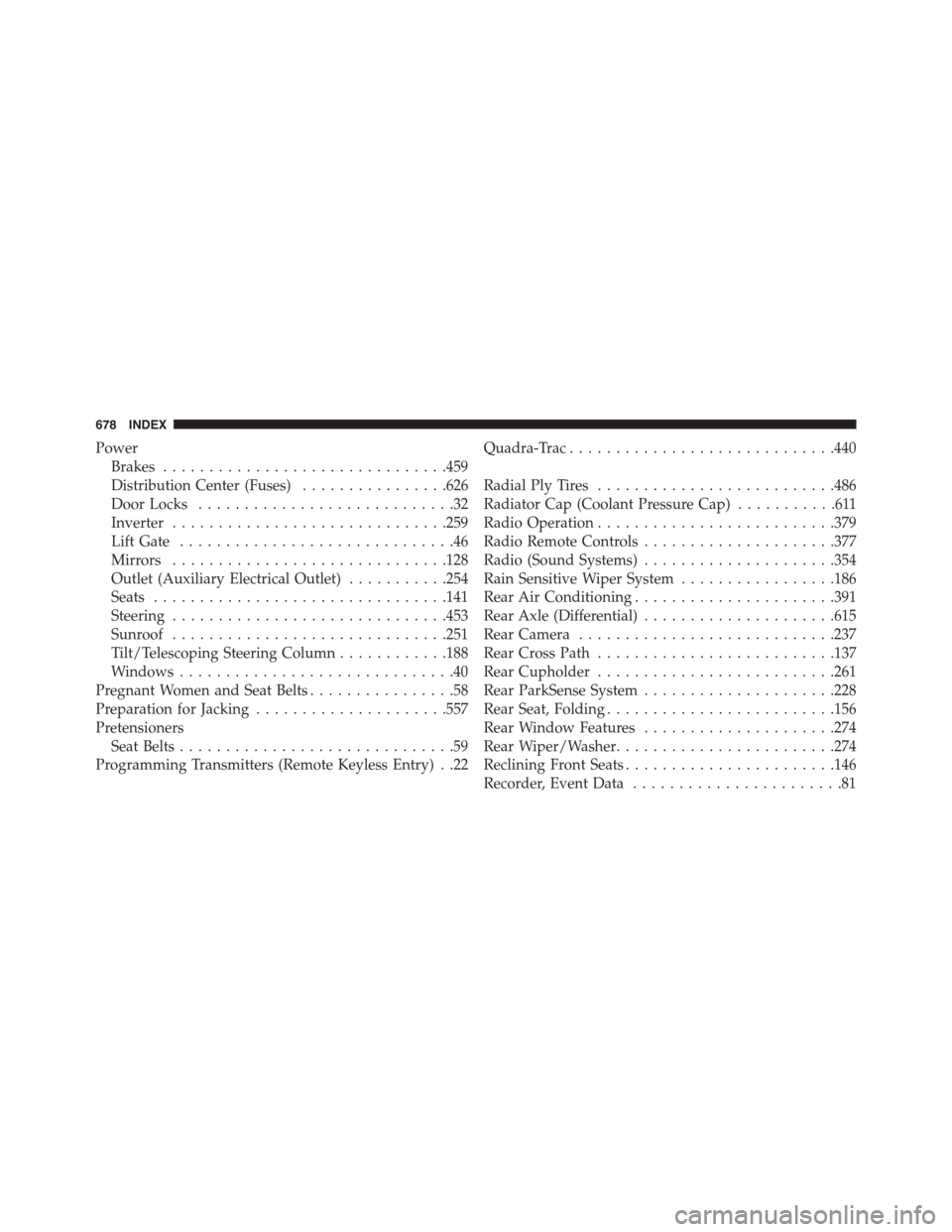
Power
Brakes...............................459
Distribution Center (Fuses)................626
Door Locks............................32
Inverter..............................259
Lift Gate..............................46
Mirrors..............................128
Outlet (Auxiliary Electrical Outlet)...........254
Seats................................141
Steering..............................453
Sunroof..............................251
Tilt/Telescoping Steering Column............188
Windows..............................40
Pregnant Women and Seat Belts................58
Preparation for Jacking.....................557
Pretensioners
Seat Belts..............................59
Programming Transmitters (Remote Keyless Entry) . .22
Quadra-Trac.............................440
Radial Ply Tires..........................486
Radiator Cap (Coolant Pressure Cap)...........611
Radio Operation..........................379
Radio Remote Controls.....................377
Radio (Sound Systems).....................354
Rain Sensitive Wiper System.................186
Rear Air Conditioning......................391
Rear Axle (Differential).....................615
Rear Camera............................237
Rear Cross Path..........................137
Rear Cupholder..........................261
Rear ParkSense System.....................228
Rear Seat, Folding.........................156
Rear Window Features.....................274
Rear Wiper/Washer........................274
Reclining Front Seats.......................146
Recorder, Event Data.......................81
678 INDEX
Page 681 of 689
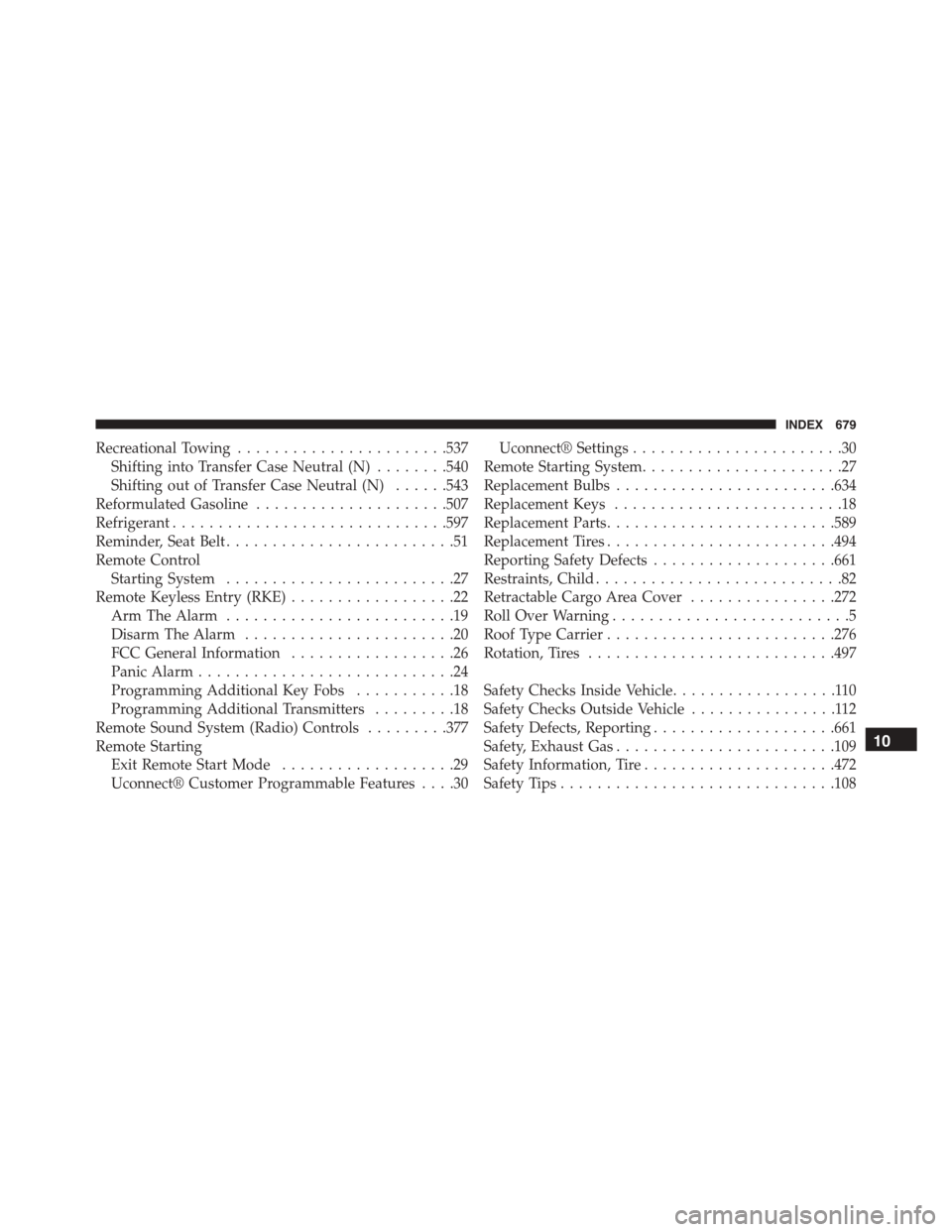
Recreational Towing.......................537
Shifting into Transfer Case Neutral (N)........540
Shifting out of Transfer Case Neutral (N)......543
Reformulated Gasoline.....................507
Refrigerant..............................597
Reminder, Seat Belt.........................51
Remote Control
Starting System.........................27
Remote Keyless Entry (RKE)..................22
Arm The Alarm.........................19
Disarm The Alarm.......................20
FCC General Information..................26
Panic Alarm............................24
Programming Additional Key Fobs...........18
Programming Additional Transmitters.........18
Remote Sound System (Radio) Controls.........377
Remote Starting
Exit Remote Start Mode...................29
Uconnect® Customer Programmable Features....30
Uconnect® Settings.......................30
Remote Starting System......................27
Replacement Bulbs........................634
Replacement Keys.........................18
Replacement Parts.........................589
Replacement Tires.........................494
Reporting Safety Defects....................661
Restraints, Child...........................82
Retractable Cargo Area Cover................272
Roll Over Warning..........................5
Roof Type Carrier.........................276
Rotation, Tires...........................497
Safety Checks Inside Vehicle..................110
Safety Checks Outside Vehicle................112
Safety Defects, Reporting....................661
Safety, Exhaust Gas........................109
Safety Information, Tire.....................472
Safety Tips..............................108
10
INDEX 679