ECO mode DODGE GRAND CARAVAN 2020 User Guide
[x] Cancel search | Manufacturer: DODGE, Model Year: 2020, Model line: GRAND CARAVAN, Model: DODGE GRAND CARAVAN 2020Pages: 380, PDF Size: 14.92 MB
Page 30 of 380
28GETTING TO KNOW YOUR VEHICLE
Adjusting The Seat Forward Or Rearward
The seat can be adjusted both forward and
rearward. Push the seat switch forward or
rearward. The seat will move in the direction of
the switch. Release the switch when the desired
position has been reached.
Adjusting The Seat Up Or Down
The height of the seats can be adjusted up or
down. Pull upward or push downward on the
rear of seat switch, the seat will move in the
direction of the switch. Release the switch when
the desired position has been reached.
Tilting The Seat Up Or Down
The angle of the seat cushion can be adjusted
in two directions. Pull upward or push
downward on the front of the seat switch, the
front of the seat cushion will move in the
direction of the switch. Release the switch when
the desired position has been reached.
Reclining The Seatback
The angle of the seatback can be adjusted
forward or rearward. Push the seatback switch
forward or rearward, the seat will move in the
direction of the switch. Release the switch when
the desired position is reached.
Power Lumbar — If Equipped
Vehicles equipped with power driver or
passenger seats may also be equipped with
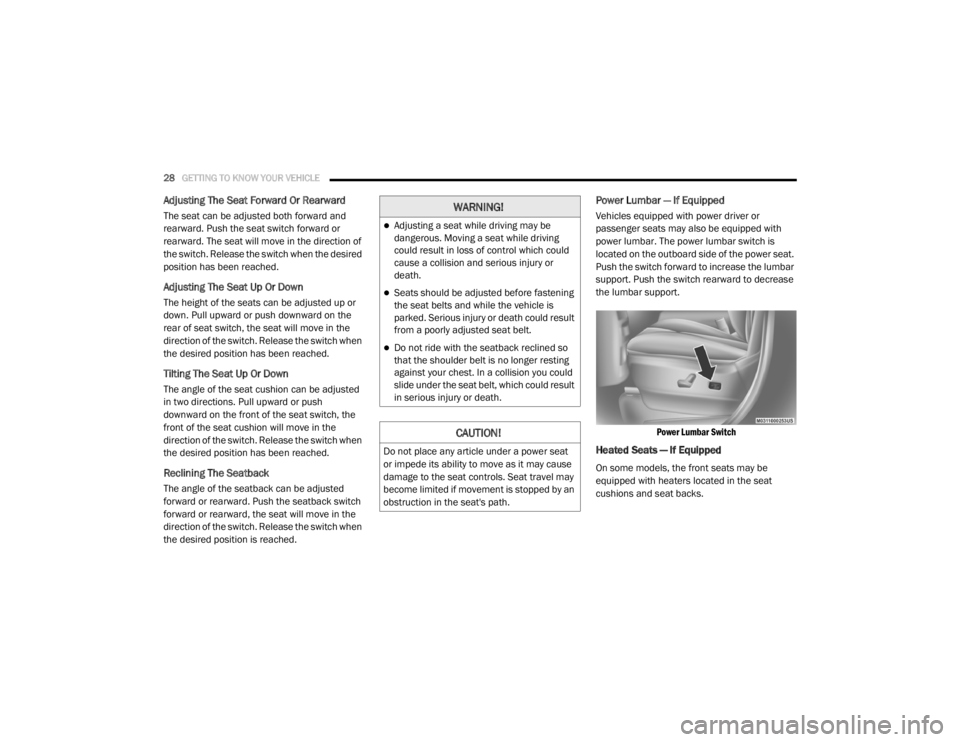
power lumbar. The power lumbar switch is
located on the outboard side of the power seat.
Push the switch forward to increase the lumbar
support. Push the switch rearward to decrease
the lumbar support.
Power Lumbar Switch
Heated Seats — If Equipped
On some models, the front seats may be
equipped with heaters located in the seat
cushions and seat backs.
WARNING!
Adjusting a seat while driving may be
dangerous. Moving a seat while driving
could result in loss of control which could
cause a collision and serious injury or
death.
Seats should be adjusted before fastening
the seat belts and while the vehicle is
parked. Serious injury or death could result
from a poorly adjusted seat belt.
Do not ride with the seatback reclined so
that the shoulder belt is no longer resting
against your chest. In a collision you could
slide under the seat belt, which could result
in serious injury or death.
CAUTION!
Do not place any article under a power seat
or impede its ability to move as it may cause
damage to the seat controls. Seat travel may
become limited if movement is stopped by an
obstruction in the seat's path.
20_RT_OM_EN_USC_t.book Page 28
Page 31 of 380
GETTING TO KNOW YOUR VEHICLE29
Front Heated Seats
There are two heated seat switches that allow
the driver and passenger to operate the seats
independently. The controls for each heater are
located on the switch bank below the climate
controls. You can choose from HI, LO or OFF heat
settings. Amber indicator lights in each switch
indicate the level of heat in use. Two indicator
lights will illuminate for HI, one for LO and none
for OFF.
Push the heated seat button once to turn
the HI setting on.
Push the heated seat button a second
time to turn the LO setting on.
Push the heated seat button a third time
to turn the heating elements off.
NOTE:
Once a heat setting is selected, heat will be felt
within two to five minutes.
If the HI-level setting is selected, the system will
automatically switch to LO-level after approxi -
mately 60 minutes of continuous operation. At
that time, the display will change from HI to LO,
indicating the change. The LO-level setting will
turn off automatically after approximately
45 minutes. Vehicles Equipped With Remote Start
On models that are equipped with remote start,
the heated seats can be programmed to come
on during a remote start.
This feature can be programmed through the
instrument cluster display. Refer to “Instrument
Cluster Display” in “Getting To Know Your
Instrument Panel” for further information.
WARNING!
Persons who are unable to feel pain to the
skin because of advanced age, chronic
illness, diabetes, spinal cord injury, medica
-
tion, alcohol use, exhaustion or other phys -
ical condition must exercise care when
using the seat heater. It may cause burns
even at low temperatures, especially if
used for long periods of time.
Do not place anything on the seat or seat -
back that insulates against heat, such as a
blanket or cushion. This may cause the seat
heater to overheat. Sitting in a seat that has
been overheated could cause serious
burns due to the increased surface
temperature of the seat.
WARNING!
Persons who are unable to feel pain to the
skin because of advanced age, chronic
illness, diabetes, spinal cord injury, medica -
tion, alcohol use, exhaustion or other phys -
ical condition must exercise care when
using the seat heater. It may cause burns
even at low temperatures, especially if
used for long periods of time.
Do not place anything on the seat or seat -
back that insulates against heat, such as a
blanket or cushion. This may cause the seat
heater to overheat. Sitting in a seat that has
been overheated could cause serious
burns due to the increased surface
temperature of the seat.
2
20_RT_OM_EN_USC_t.book Page 29
Page 36 of 380
34GETTING TO KNOW YOUR VEHICLE
(Continued)
Heated Steering Wheel — If Equipped
The steering wheel contains a heating element
that helps warm your hands in cold weather.
The heated steering wheel has only one
temperature setting. Once the heated steering
wheel has been turned on it can operate for an
average of 80 minutes before automatically
shutting off. This time may vary depending on
the temperature of the environment.
The heated steering wheel can shut off early or
may not turn on when the steering wheel is
already warm.
The heated steering wheel control button is
located on the center of the instrument panel
below the climate controls.
Push the heated steering wheel button
once to turn the heating element on.
Push the heated steering wheel button a
second time to turn the heating element off.NOTE:
The engine must be running for the heated
steering wheel to operate.
Vehicles Equipped With Remote Start
On models that are equipped with remote start,
the heated steering wheel can be programed to
come on during a remote start. Refer to
“Instrument Cluster Display” in
“Getting To Know Your Instrument Panel” for
further information.
MIRRORS
Automatic Dimming Mirror — If Equipped
The mirror head can be adjusted up, down, left,
and right for various drivers. The mirror should
be adjusted to center on the view through the
rear window.
This mirror automatically adjusts for headlight
glare from vehicles behind you.
NOTE:
The Automatic Dimming feature is disabled
when the vehicle is in REVERSE to improve rear
view viewing.WARNING!
Persons who are unable to feel pain to the
skin because of advanced age, chronic
illness, diabetes, spinal cord injury, medica
-
tion, alcohol use, exhaustion, or other phys -
ical conditions must exercise care when
using the steering wheel heater. It may
cause burns even at low temperatures,
especially if used for long periods.
Do not place anything on the steering wheel
that insulates against heat, such as a
blanket or steering wheel covers of any type
and material. This may cause the steering
wheel heater to overheat.
WARNING! (Continued)
20_RT_OM_EN_USC_t.book Page 34
Page 40 of 380

38GETTING TO KNOW YOUR VEHICLE
Daytime Running Lights (DRLs) — If
Equipped
The headlights on your vehicle will illuminate
when the engine is started and the
transmission is in any gear except PARK. This
provides a constant "lights on" condition until
the ignition is placed in the OFF position. The
lights illuminate at less than half of normal
intensity. If the parking brake is applied, the
Daytime Running Lights (DRLs) will turn off.
Also, if a turn signal is activated, the DRL lamp
on the same side of the vehicle may turn off for
the duration of the turn signal activation. Once
the turn signal is no longer active, the DRL lamp
will illuminate.
High/Low Beam Switch
Push the multifunction lever toward the
instrument panel to switch the headlights to
high beams. Pulling the multifunction lever
back toward the steering wheel will return the
lights to low beams.
Flash-To-Pass
You can signal another vehicle with your
headlights by lightly pulling the multifunction
lever toward you. This will cause the high beam
headlights to turn on, and remain on, until the
lever is released.
Automatic Headlights
This system automatically turns the headlights
on or off according to ambient light levels. To
turn the system on, rotate the headlight switch
counterclockwise to the AUTO position. When
the system is on, the headlight time delay
feature is also on. This means the headlights
will stay on for up to 90 seconds after you place
the ignition into the OFF position. The headlight
time delay can be programmed to 0, 30, 60, or
90 seconds. Refer to “Headlight Delay” in this
section for further information.
To turn the automatic system off, move the
headlight switch out of the AUTO position.
NOTE:
The engine must be running before the
headlights will come on in the automatic mode.
Headlights On With Wipers — If Equipped
When your headlights are in the AUTO mode
and the engine is running, the headlights will
automatically turn on when the wiper system is
also turned on. Headlights on when windshield
wipers are on may be found on vehicles
equipped with an automatic headlight system.
NOTE:
The Headlights with Wipers feature can be
turned on or off through the instrument cluster
display. Refer to “Instrument Cluster Display” in
“Getting To Know Your Instrument Panel” for
further information.
Headlight Delay — If Equipped
This feature provides the safety of headlight
illumination for up to 90 seconds after exiting
your vehicle.
To activate the delay feature, place the ignition
in the OFF position while the headlights are still
on. Then turn off the headlights within 45
seconds. The 90 second delay interval begins
when the headlight switch is turned off. If the
headlights or parking lights are turned back on
or the ignition switch is placed in the ON
position, the delay will be cancelled.
20_RT_OM_EN_USC_t.book Page 38
Page 43 of 380

GETTING TO KNOW YOUR VEHICLE41
Dimmer Controls
The dimmer switch is located next to the
headlight switch.
Instrument Panel Dimmer Control
With the parking lights or headlights on, rotating
the left dimmer control upward will increase the
brightness of the instrument panel lights.
Rotating the left dimmer control completely
upward to the second detent (extreme top
position) will turn on the interior lights. The
interior lights will remain on when the dimmer
control is in this position.
Rotating the left dimmer control to the off
position (extreme bottom) will turn the interior
lights off, and will remain off when the doors or
liftgate are opened.
Parade Mode (Daytime Brightness Feature)
Rotate the dimmer control upward to the first
detent. This feature brightens all text displays
such as the odometer, instrument cluster
display, and radio when the parking lights or
headlights are on.
WINDSHIELD WIPER AND WASHERS
The wipers and washers are operated by a
switch within the multifunction lever. Rotate the
end of the multifunction lever to select the
desired wiper speed.
Washer And Wiper Controls
NOTE:
Always remove any buildup of snow that
prevents the windshield wiper blades from
returning to the off position. If the windshield
wiper switch is turned off and the blades cannot
return to the off position, damage to the wiper
motor may occur.
Windshield Wiper Operation
Rotate the end of the lever upward, to the first
detent past the intermittent settings for
low-speed wiper operation. Rotate the end of
the lever upward to the second detent past the
intermittent settings for high-speed wiper
operation.
WARNING!
Sudden loss of visibility through the
windshield could lead to a collision. You might
not see other vehicles or other obstacles. To
avoid sudden icing of the windshield during
freezing weather, warm the windshield with
the defroster before and during windshield
washer use.
2
20_RT_OM_EN_USC_t.book Page 41
Page 45 of 380
GETTING TO KNOW YOUR VEHICLE43
Manual Climate Control Descriptions
Icon Description
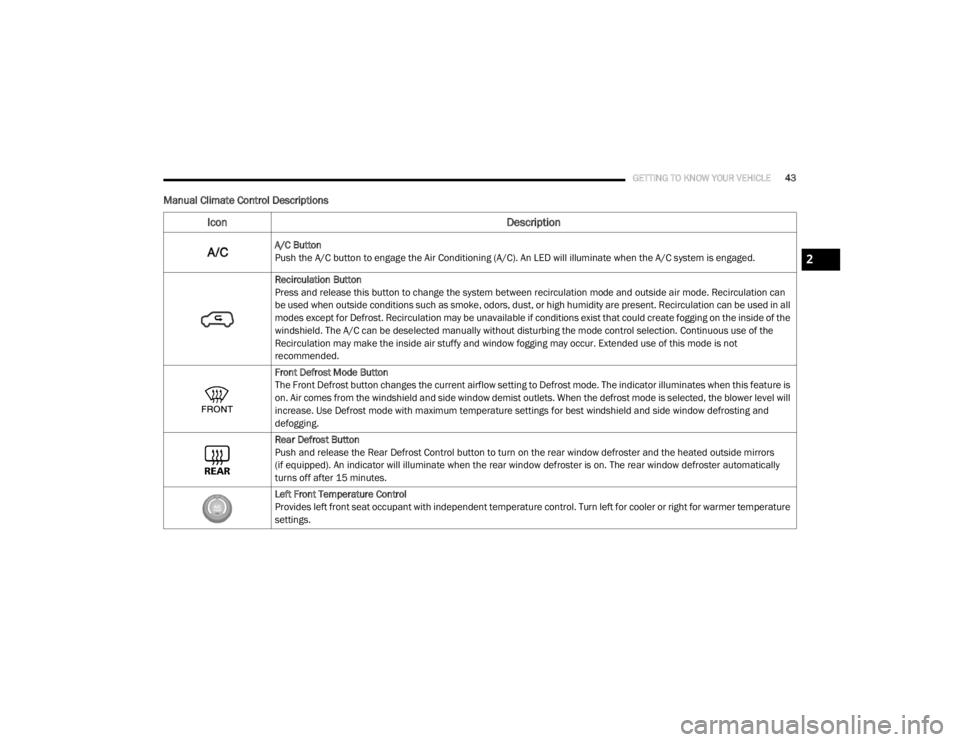
A/C Button
Push the A/C button to engage the Air Conditioning (A/C). An LED will illuminate when the A/C system is engaged.
Recirculation Button
Press and release this button to change the system between recirculation mode and outside air mode. Recirculation can
be used when outside conditions such as smoke, odors, dust, or high humidity are present. Recirculation can be used in all
modes except for Defrost. Recirculation may be unavailable if conditions exist that could create fogging on the inside of the
windshield. The A/C can be deselected manually without disturbing the mode control selection. Continuous use of the
Recirculation may make the inside air stuffy and window fogging may occur. Extended use of this mode is not
recommended.
Front Defrost Mode Button
The Front Defrost button changes the current airflow setting to Defrost mode. The indicator illuminates when this feature is
on. Air comes from the windshield and side window demist outlets. When the defrost mode is selected, the blower level will
increase. Use Defrost mode with maximum temperature settings for best windshield and side window defrosting and
defogging.
Rear Defrost Button
Push and release the Rear Defrost Control button to turn on the rear window defroster and the heated outside mirrors
(if equipped). An indicator will illuminate when the rear window defroster is on. The rear window defroster automatically
turns off after 15 minutes.
Left Front Temperature Control
Provides left front seat occupant with independent temperature control. Turn left for cooler or right for warmer temperature
settings.
2
20_RT_OM_EN_USC_t.book Page 43
Page 51 of 380
GETTING TO KNOW YOUR VEHICLE49
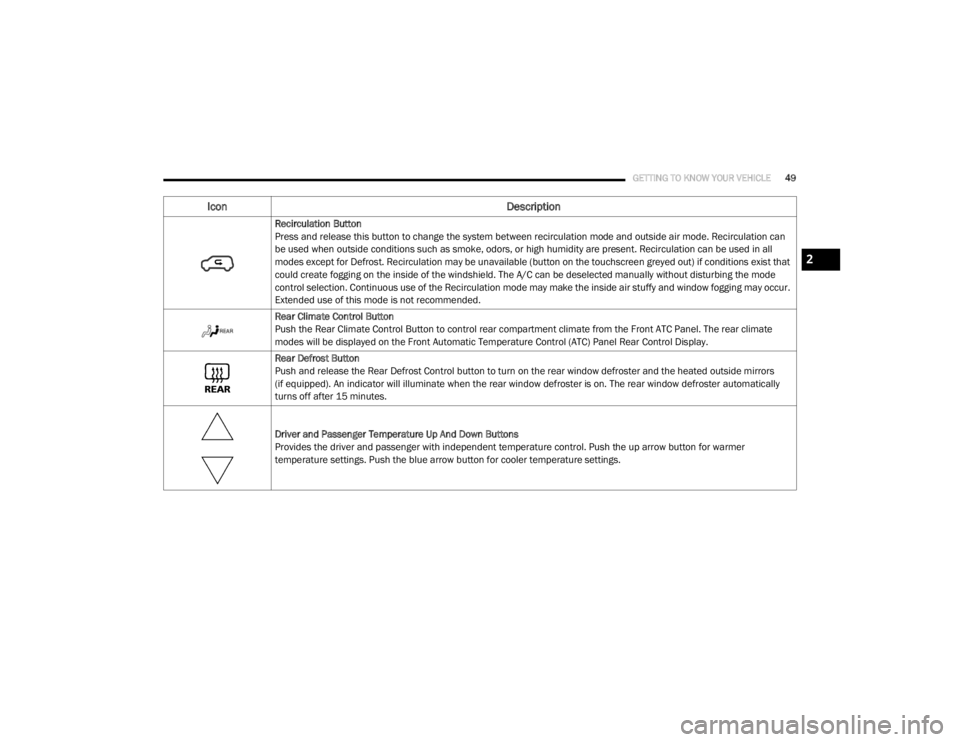
Recirculation Button
Press and release this button to change the system between recirculation mode and outside air mode. Recirculation can
be used when outside conditions such as smoke, odors, or high humidity are present. Recirculation can be used in all
modes except for Defrost. Recirculation may be unavailable (button on the touchscreen greyed out) if conditions exist that
could create fogging on the inside of the windshield. The A/C can be deselected manually without disturbing the mode
control selection. Continuous use of the Recirculation mode may make the inside air stuffy and window fogging may occur.
Extended use of this mode is not recommended.
Rear Climate Control Button
Push the Rear Climate Control Button to control rear compartment climate from the Front ATC Panel. The rear climate
modes will be displayed on the Front Automatic Temperature Control (ATC) Panel Rear Control Display.
Rear Defrost Button
Push and release the Rear Defrost Control button to turn on the rear window defroster and the heated outside mirrors
(if equipped). An indicator will illuminate when the rear window defroster is on. The rear window defroster automatically
turns off after 15 minutes.
Driver and Passenger Temperature Up And Down Buttons
Provides the driver and passenger with independent temperature control. Push the up arrow button for warmer
temperature settings. Push the blue arrow button for cooler temperature settings.
Icon Description
2
20_RT_OM_EN_USC_t.book Page 49
Page 55 of 380

GETTING TO KNOW YOUR VEHICLE53
Rear Automatic Temperature Control (ATC) —
If Equipped
The Three-Zone ATC system allows for
adjustment of the rear climate controls from the
front ATC panel. To change the rear system
settings:
Press the REAR button to change control to
rear control mode, Rear display will appear.
Control functions now operate rear system.
To return to Front screen, press the REAR
button again, or it will revert to the Front
screen after six seconds.
Rear ATC Control Features
1. Adjust the Rear Blower, Rear Temperature
and the Rear Modes to suit your comfort
needs.
2. ATC is selected by pushing the AUTO button.
Once the desired temperature is displayed, the
ATC System will automatically achieve and
maintain that comfort level. When the system is
set up for your comfort level, it is not necessary
to change the settings. You will experience the
greatest efficiency by simply allowing the
system to function automatically.
Bi-Level Mode
Rear Bi-Level Mode
Toggle the Modes Control Button until the Rear Bi-Level Mode appears on the display. Air comes from both the headliner
outlets and the floor outlets.
NOTE:
In many temperature positions, the Bi-Level mode is designed to provide cooler air out of the headliner outlets and warmer
air from the floor outlets.
Floor Mode
Rear Floor Mode
Toggle the Modes Control Button until the Rear Floor Mode appears on the display. Air comes from the floor vents.
Icon Description
2
20_RT_OM_EN_USC_t.book Page 53
Page 58 of 380

56GETTING TO KNOW YOUR VEHICLE
Climate Control Functions
A/C (Air Conditioning)
The Air Conditioning (A/C) button allows the
operator to manually activate or deactivate the
air conditioning system. When the air
conditioning system is turned on, cool
dehumidified air will flow through the outlets
into the cabin. For improved fuel economy,
press the A/C button to turn off the air
conditioning and manually adjust the blower
and airflow mode settings. Also, make sure to
select only Panel, Bi-Level, or Floor modes.
NOTE:
For Manual Climate Controls, if the system is
in Mix, Floor or Defrost Mode, the A/C can be
turned off, but the A/C system shall remain
active to prevent fogging of the windows.
If fog or mist appears on the windshield or
side glass, select Defrost mode, and increase
blower speed if needed.
If your air conditioning performance seems
lower than expected, check the front of the
A/C condenser (located in front of the radi -
ator), for an accumulation of dirt or insects.
Clean with a gentle water spray from the front
of the radiator and through the condenser.
MAX A/C
MAX A/C sets the control for maximum cooling
performance.
Press and release to toggle between MAX A/C
and the prior settings. The button illuminates
when MAX A/C is on.
In MAX A/C, the blower level and mode position
can be adjusted to desired user settings.
Pressing other settings will cause the MAX A/C
operation to switch to the selected setting and
MAX A/C to exit.
Recirculation
In cold weather, use of Recirculation mode may
lead to excessive window fogging. The Recircu -
lation feature may be unavailable (button on
the touchscreen greyed out) if conditions exist
that could create fogging on the inside of the
windshield. On systems with Manual Climate Controls, if
equipped, the Recirculation mode is not
allowed in Defrost mode to improve window
clearing operation. Recirculation is disabled
automatically if this mode is selected.
Attempting to use Recirculation while in this
mode causes the LED in the control button to
blink and then turns off.
Automatic Temperature Control (ATC) — If
Equipped
Automatic Operation
1. Push the AUTO button on the faceplate, or
the AUTO button on the touchscreen on the
Automatic Temperature Control (ATC)
Panel.
2. Next, adjust the temperature you would like the system to maintain by adjusting the
driver and passenger temperature control
buttons. Once the desired temperature is
displayed, the system will achieve and
automatically maintain that comfort level.
20_RT_OM_EN_USC_t.book Page 56
Page 59 of 380

GETTING TO KNOW YOUR VEHICLE57
3. When the system is set up for your comfort
level, it is not necessary to change the
settings. You will experience the greatest
efficiency by simply allowing the system to
function automatically.
NOTE:
It is not necessary to move the temperature
settings for cold or hot vehicles. The system
automatically adjusts the temperature,
mode, and blower speed to provide comfort
as quickly as possible.
The temperature can be displayed in U.S. or
Metric units by selecting the U.S./Metric
customer programmable feature. To provide
you with maximum comfort in the Automatic
mode during cold start-ups, the blower fan
will remain on low until the engine warms up.
The blower will increase in speed and transi -
tion into AUTO mode.
Manual Operation Override
This system offers a full complement of manual
override features. The AUTO symbol in the front
ATC display will be turned off when the system
is being used in the manual mode.
Operating Tips
NOTE:
Refer to the chart at the end of this section for
suggested control settings for various weather
conditions.
Summer Operation
The engine cooling system must be protected
with a high-quality antifreeze coolant to provide
proper corrosion protection and to protect
against engine overheating. OAT coolant
(conforming to MS.90032) is recommended.
Refer to “Fluids And Lubricants” in “Technical
Specifications” for proper coolant selection.
Winter Operation
To ensure the best possible heater and
defroster performance, make sure the engine
cooling system is functioning properly and the
proper amount, type, and concentration of
coolant is used. Refer to “Fluids And
Lubricants” in “Technical Specifications” for
proper coolant selection. Use of the air Recircu -
lation mode during Winter months is not
recommended, because it may cause window
fogging.
Vacation/Storage
Before you store your vehicle, or keep it out of
service (i.e., vacation) for two weeks or more,
run the air conditioning system at idle for about
five minutes, in fresh air with the blower setting
on high. This will ensure adequate system
lubrication to minimize the possibility of
compressor damage when the system is started
again.
2
20_RT_OM_EN_USC_t.book Page 57