instrument panel DODGE GRAND CARAVAN 2020 Owner's Manual
[x] Cancel search | Manufacturer: DODGE, Model Year: 2020, Model line: GRAND CARAVAN, Model: DODGE GRAND CARAVAN 2020Pages: 380, PDF Size: 14.92 MB
Page 75 of 380
GETTING TO KNOW YOUR VEHICLE73
Seat Storage Bin Cover Emergency Release
Lever
As a security measure, the Seat Storage Bin
Cover has an Emergency Release Lever built
into the latching mechanism.
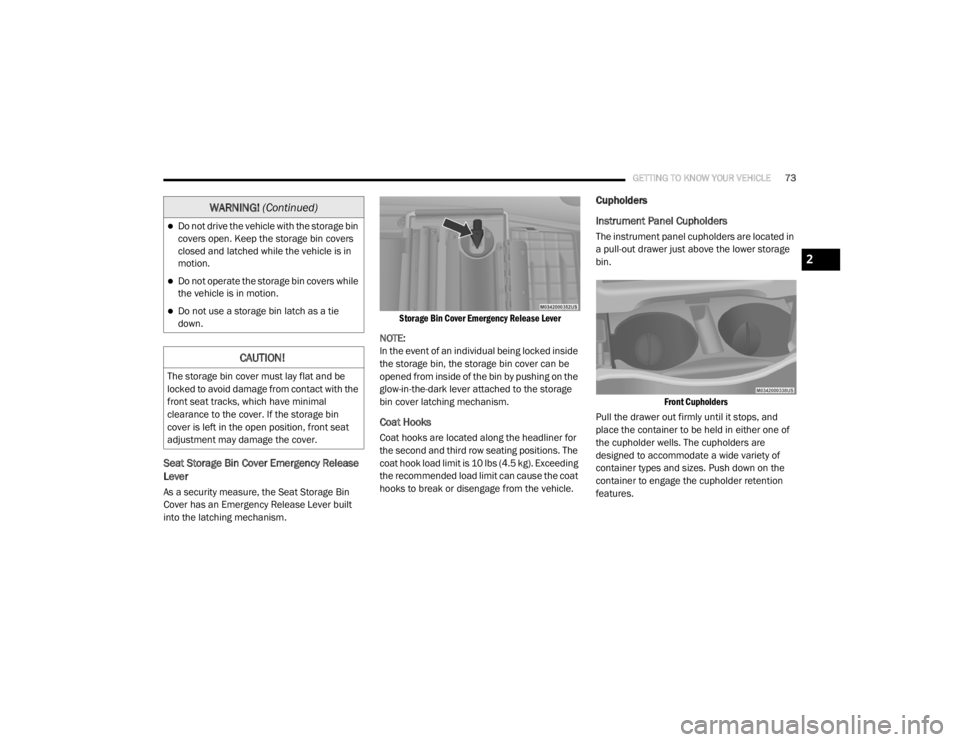
Storage Bin Cover Emergency Release Lever
NOTE:
In the event of an individual being locked inside
the storage bin, the storage bin cover can be
opened from inside of the bin by pushing on the
glow-in-the-dark lever attached to the storage
bin cover latching mechanism.
Coat Hooks
Coat hooks are located along the headliner for
the second and third row seating positions. The
coat hook load limit is 10 lbs (4.5 kg). Exceeding
the recommended load limit can cause the coat
hooks to break or disengage from the vehicle.
Cupholders
Instrument Panel Cupholders
The instrument panel cupholders are located in
a pull-out drawer just above the lower storage
bin.
Front Cupholders
Pull the drawer out firmly until it stops, and
place the container to be held in either one of
the cupholder wells. The cupholders are
designed to accommodate a wide variety of
container types and sizes. Push down on the
container to engage the cupholder retention
features.Do not drive the vehicle with the storage bin
covers open. Keep the storage bin covers
closed and latched while the vehicle is in
motion.
Do not operate the storage bin covers while
the vehicle is in motion.
Do not use a storage bin latch as a tie
down.
CAUTION!
The storage bin cover must lay flat and be
locked to avoid damage from contact with the
front seat tracks, which have minimal
clearance to the cover. If the storage bin
cover is left in the open position, front seat
adjustment may damage the cover.
WARNING! (Continued)
2
20_RT_OM_EN_USC_t.book Page 73
Page 77 of 380
GETTING TO KNOW YOUR VEHICLE75
Sun Screens — If Equipped
Sun screens are available for second row
seating windows. The screens store in the sill
trim panels, and the tops of the windows are
equipped with hooks that the sun screens
attach to when pulled out.
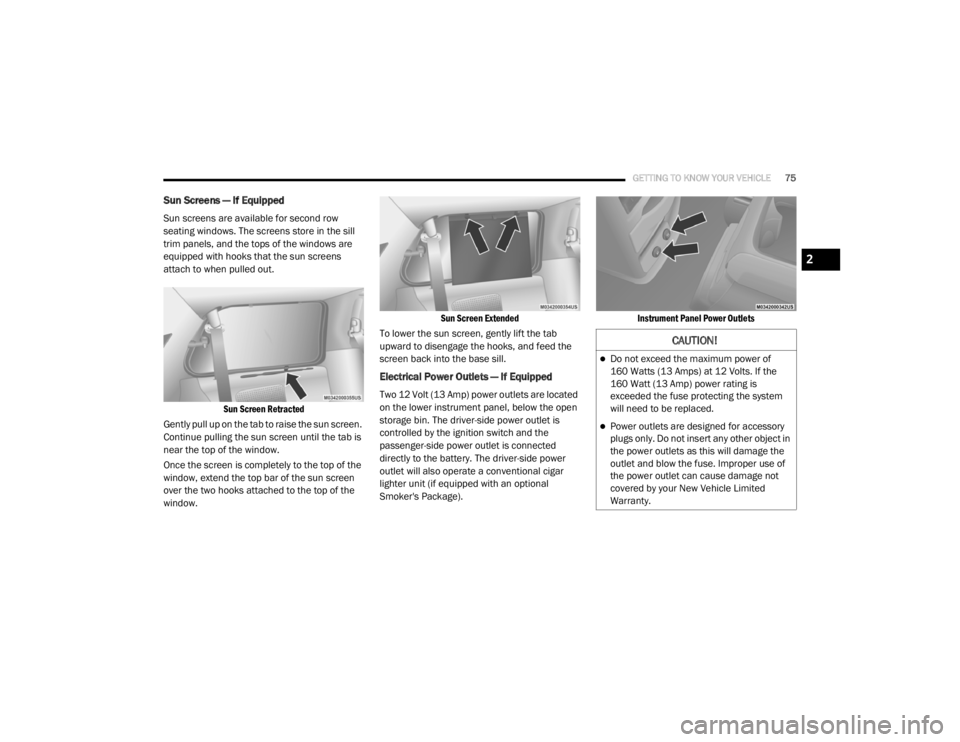
Sun Screen Retracted
Gently pull up on the tab to raise the sun screen.
Continue pulling the sun screen until the tab is
near the top of the window.
Once the screen is completely to the top of the
window, extend the top bar of the sun screen
over the two hooks attached to the top of the
window.
Sun Screen Extended
To lower the sun screen, gently lift the tab
upward to disengage the hooks, and feed the
screen back into the base sill.
Electrical Power Outlets — If Equipped
Two 12 Volt (13 Amp) power outlets are located
on the lower instrument panel, below the open
storage bin. The driver-side power outlet is
controlled by the ignition switch and the
passenger-side power outlet is connected
directly to the battery. The driver-side power
outlet will also operate a conventional cigar
lighter unit (if equipped with an optional
Smoker's Package).
Instrument Panel Power Outlets
CAUTION!
Do not exceed the maximum power of
160 Watts (13 Amps) at 12 Volts. If the
160 Watt (13 Amp) power rating is
exceeded the fuse protecting the system
will need to be replaced.
Power outlets are designed for accessory
plugs only. Do not insert any other object in
the power outlets as this will damage the
outlet and blow the fuse. Improper use of
the power outlet can cause damage not
covered by your New Vehicle Limited
Warranty.
2
20_RT_OM_EN_USC_t.book Page 75
Page 78 of 380
76GETTING TO KNOW YOUR VEHICLE
One outlet in the removable floor console
(if equipped) shares a fuse with the lower outlet
in the instrument panel and is also connected
to the battery. Do not exceed a maximum power
of 160 Watts (13 Amps) shared between the
lower panel outlet and the removable floor
console outlet.
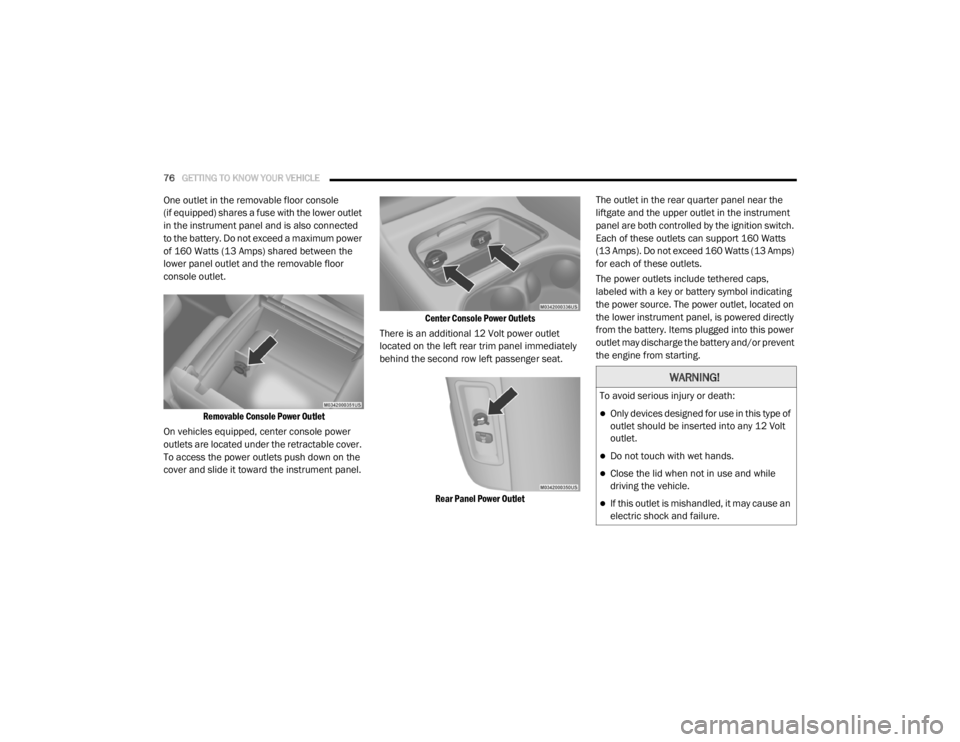
Removable Console Power Outlet
On vehicles equipped, center console power
outlets are located under the retractable cover.
To access the power outlets push down on the
cover and slide it toward the instrument panel.
Center Console Power Outlets
There is an additional 12 Volt power outlet
located on the left rear trim panel immediately
behind the second row left passenger seat.
Rear Panel Power Outlet
The outlet in the rear quarter panel near the
liftgate and the upper outlet in the instrument
panel are both controlled by the ignition switch.
Each of these outlets can support 160 Watts
(13 Amps). Do not exceed 160 Watts (13 Amps)
for each of these outlets.
The power outlets include tethered caps,
labeled with a key or battery symbol indicating
the power source. The power outlet, located on
the lower instrument panel, is powered directly
from the battery. Items plugged into this power
outlet may discharge the battery and/or prevent
the engine from starting.
WARNING!
To avoid serious injury or death:
Only devices designed for use in this type of
outlet should be inserted into any 12 Volt
outlet.
Do not touch with wet hands.
Close the lid when not in use and while
driving the vehicle.
If this outlet is mishandled, it may cause an
electric shock and failure.
20_RT_OM_EN_USC_t.book Page 76
Page 79 of 380
GETTING TO KNOW YOUR VEHICLE77
Power Inverter — If Equipped
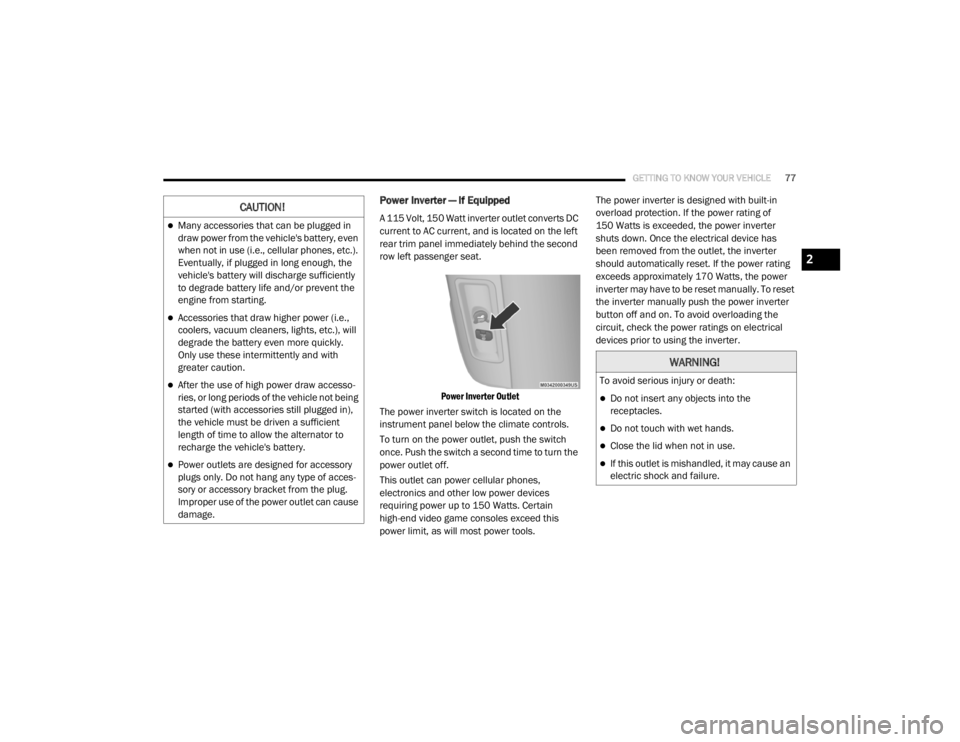
A 115 Volt, 150 Watt inverter outlet converts DC
current to AC current, and is located on the left
rear trim panel immediately behind the second
row left passenger seat.
Power Inverter Outlet
The power inverter switch is located on the
instrument panel below the climate controls.
To turn on the power outlet, push the switch
once. Push the switch a second time to turn the
power outlet off.
This outlet can power cellular phones,
electronics and other low power devices
requiring power up to 150 Watts. Certain
high-end video game consoles exceed this
power limit, as will most power tools. The power inverter is designed with built-in
overload protection. If the power rating of
150 Watts is exceeded, the power inverter
shuts down. Once the electrical device has
been removed from the outlet, the inverter
should automatically reset. If the power rating
exceeds approximately 170 Watts, the power
inverter may have to be reset manually. To reset
the inverter manually push the power inverter
button off and on. To avoid overloading the
circuit, check the power ratings on electrical
devices prior to using the inverter.CAUTION!
Many accessories that can be plugged in
draw power from the vehicle's battery, even
when not in use (i.e., cellular phones, etc.).
Eventually, if plugged in long enough, the
vehicle's battery will discharge sufficiently
to degrade battery life and/or prevent the
engine from starting.
Accessories that draw higher power (i.e.,
coolers, vacuum cleaners, lights, etc.), will
degrade the battery even more quickly.
Only use these intermittently and with
greater caution.
After the use of high power draw accesso
-
ries, or long periods of the vehicle not being
started (with accessories still plugged in),
the vehicle must be driven a sufficient
length of time to allow the alternator to
recharge the vehicle's battery.
Power outlets are designed for accessory
plugs only. Do not hang any type of acces -
sory or accessory bracket from the plug.
Improper use of the power outlet can cause
damage.
WARNING!
To avoid serious injury or death:
Do not insert any objects into the
receptacles.
Do not touch with wet hands.
Close the lid when not in use.
If this outlet is mishandled, it may cause an
electric shock and failure.
2
20_RT_OM_EN_USC_t.book Page 77
Page 80 of 380
78GETTING TO KNOW YOUR VEHICLE
Smoker's Package Kit — If Equipped
With the optional authorized dealer installed
Smoker's Package Kit, a removable ash
receiver is inserted into one of the two
cupholders in the center front instrument panel.
To install the ash receiver, align the receiver so
the thumb grip on the lid is facing rearward.
Push the ash receiver into either of the cup
wells to secure. Pull upward on the ash receiver
to remove for cleaning and/or storage.
The left rear trim panel cupholder is designed to
accommodate a second ash receiver, if desired.
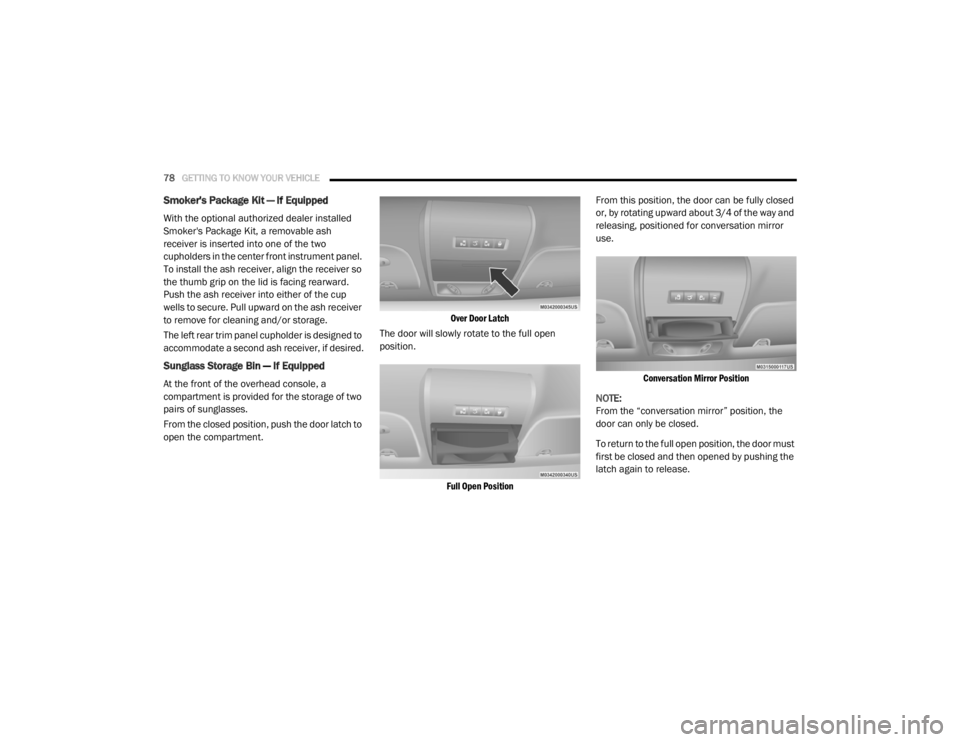
Sunglass Storage Bin — If Equipped
At the front of the overhead console, a
compartment is provided for the storage of two
pairs of sunglasses.
From the closed position, push the door latch to
open the compartment.
Over Door Latch
The door will slowly rotate to the full open
position.
Full Open Position
From this position, the door can be fully closed
or, by rotating upward about 3/4 of the way and
releasing, positioned for conversation mirror
use.
Conversation Mirror Position
NOTE:
From the “conversation mirror” position, the
door can only be closed.
To return to the full open position, the door must
first be closed and then opened by pushing the
latch again to release.
20_RT_OM_EN_USC_t.book Page 78
Page 84 of 380
82
GETTING TO KNOW YOUR INSTRUMENT PANEL
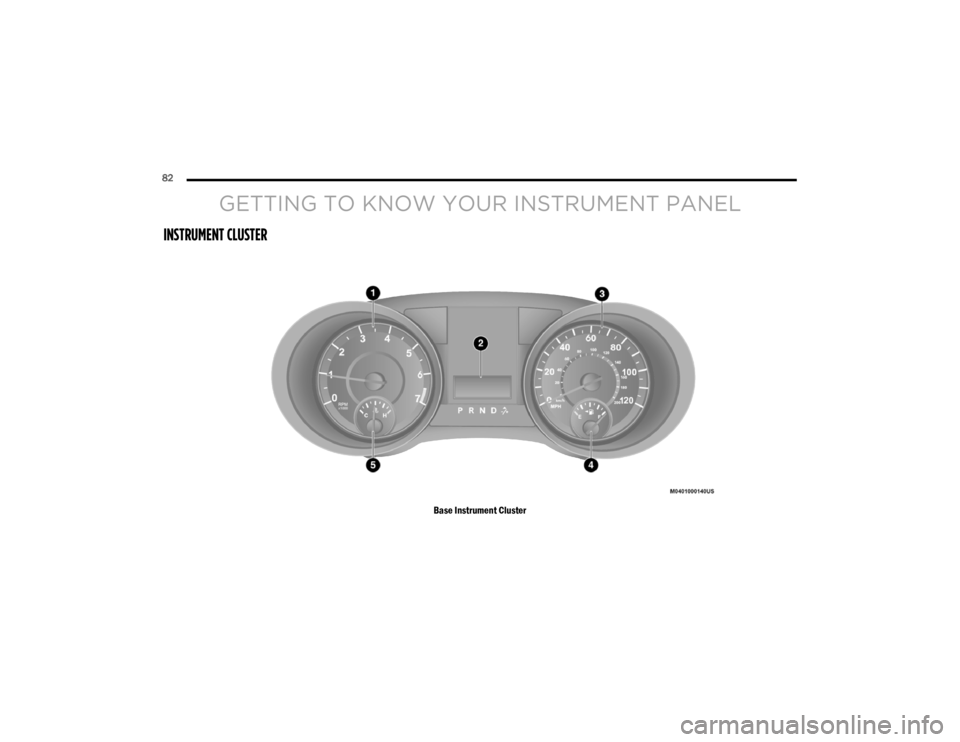
INSTRUMENT CLUSTER
Base Instrument Cluster
20_RT_OM_EN_USC_t.book Page 82
Page 85 of 380
GETTING TO KNOW YOUR INSTRUMENT PANEL83
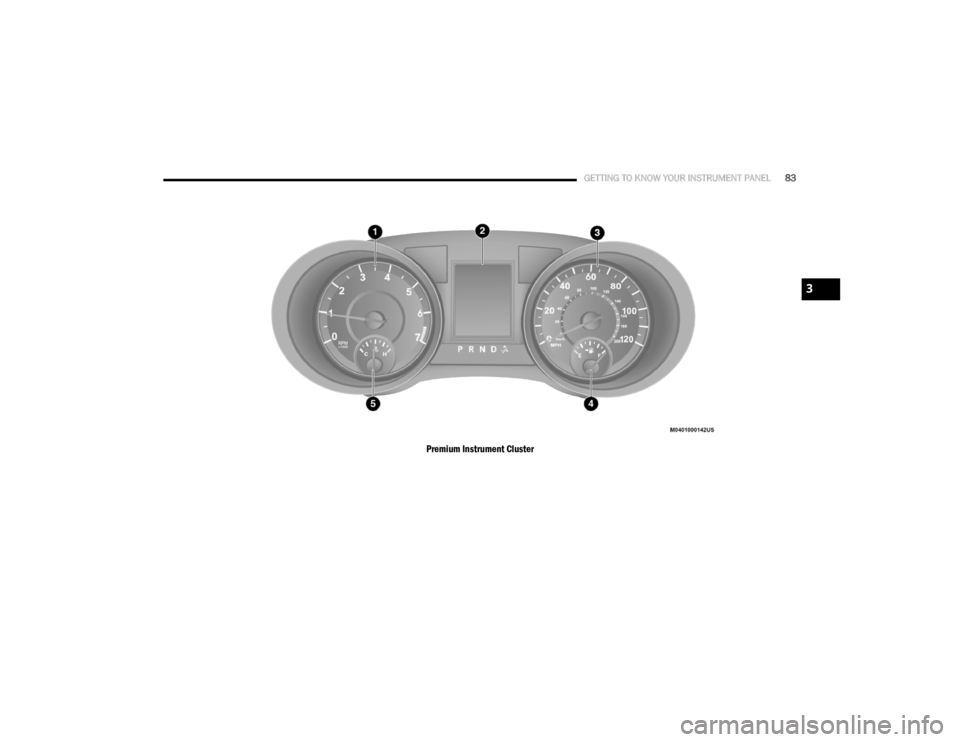
Premium Instrument Cluster
3
20_RT_OM_EN_USC_t.book Page 83
Page 86 of 380

84GETTING TO KNOW YOUR INSTRUMENT PANEL
Instrument Cluster Descriptions
1. Tachometer
Indicates the engine speed in revolutions
per minute (RPM x 1000).
2. Instrument Cluster Display— If Equipped / Odometer Display / Trip Odometer Display
Instrument Cluster Display— If Equipped
The instrument cluster display features a
driver interactive display that is located in the
instrument cluster. Refer to “Instrument
Cluster Display” in this section for further
information.
Odometer Display / Trip Odometer
Display
The odometer display shows the total
distance the vehicle has been driven. This also displays Trip A and Trip B, DTE, MPG
or L/100km, Outside Air Temperature (OAT)
information to Base Cluster, use STEP and
RESET button (on steering wheel) to access
or reset the display.
Message Display Area (Base Instrument
Cluster)
When the appropriate conditions exist, the
following odometer messages will display:
door — Door Ajar
gATE — Liftgate Ajar
LoW tirE — Low Tire Pressure
gASCAP — Fuel Cap Fault
noFUSE — Fuse Fault
CHAngE OIL — Oil Change Required
LoCOOL — Low Coolant
3. Speedometer Indicates vehicle speed. 4. Fuel Gauge
The gauge shows the level of fuel in the
fuel tank when the ignition switch is in
the ON/RUN position.
The fuel pump symbol points
to the side of the vehicle where
the fuel door is located.
5. Temperature Gauge
The temperature gauge shows engine
coolant temperature. Any reading within
the normal range indicates that the
engine cooling system is operating
satisfactorily.
The gauge can indicate a higher
temperature when driving in hot weather
or up mountain grades. It should not be
allowed to exceed the upper limits of the
normal operating range.
20_RT_OM_EN_USC_t.book Page 84
Page 87 of 380
GETTING TO KNOW YOUR INSTRUMENT PANEL85
NOTE:
The hard telltales will illuminate for a bulb check
when the ignition is first cycled.
INSTRUMENT CLUSTER DISPLAY
Your vehicle is equipped with an instrument
cluster display, which offers useful information
to the driver. With the ignition in the OFF
position (and the key removed, for vehicles with
mechanical key), opening/closing of a door will
activate the display for viewing, and display the
total miles or kilometers in the odometer. Your
instrument cluster display is designed to display
important information about your vehicle’s
systems and features. Using a driver interactive
display located on the instrument panel, your
instrument cluster display can show you how
systems are working and give you warnings
when they are not. The steering wheel mounted
controls allow you to scroll through and enter
the main menus and submenus. You can
access the specific information you want and
make selections and adjustments.
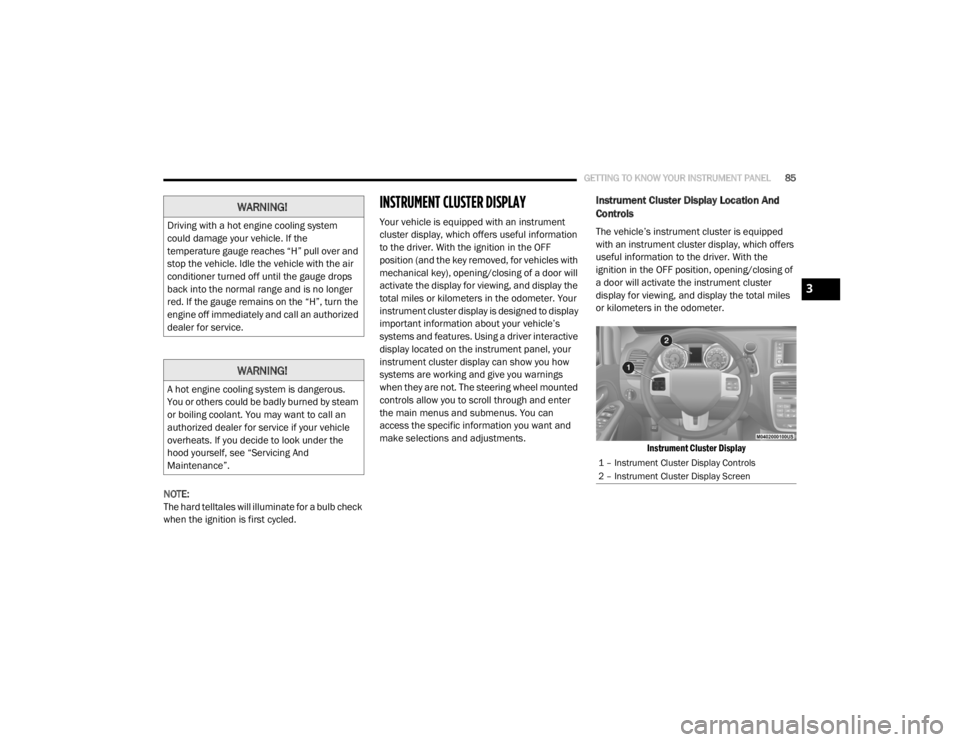
Instrument Cluster Display Location And
Controls
The vehicle’s instrument cluster is equipped
with an instrument cluster display, which offers
useful information to the driver. With the
ignition in the OFF position, opening/closing of
a door will activate the instrument cluster
display for viewing, and display the total miles
or kilometers in the odometer.
Instrument Cluster Display
WARNING!
Driving with a hot engine cooling system
could damage your vehicle. If the
temperature gauge reaches “H” pull over and
stop the vehicle. Idle the vehicle with the air
conditioner turned off until the gauge drops
back into the normal range and is no longer
red. If the gauge remains on the “H”, turn the
engine off immediately and call an authorized
dealer for service.
WARNING!
A hot engine cooling system is dangerous.
You or others could be badly burned by steam
or boiling coolant. You may want to call an
authorized dealer for service if your vehicle
overheats. If you decide to look under the
hood yourself, see “Servicing And
Maintenance”.
1 – Instrument Cluster Display Controls
2 – Instrument Cluster Display Screen
3
20_RT_OM_EN_USC_t.book Page 85
Page 88 of 380
86GETTING TO KNOW YOUR INSTRUMENT PANEL
The instrument cluster display menu items
consists of the following:
Fuel Economy
Vehicle Speed
Trip Info
Tire Pressure
Vehicle Info
Messages
Units
System Setup (Personal Settings)
Turn Menu Off
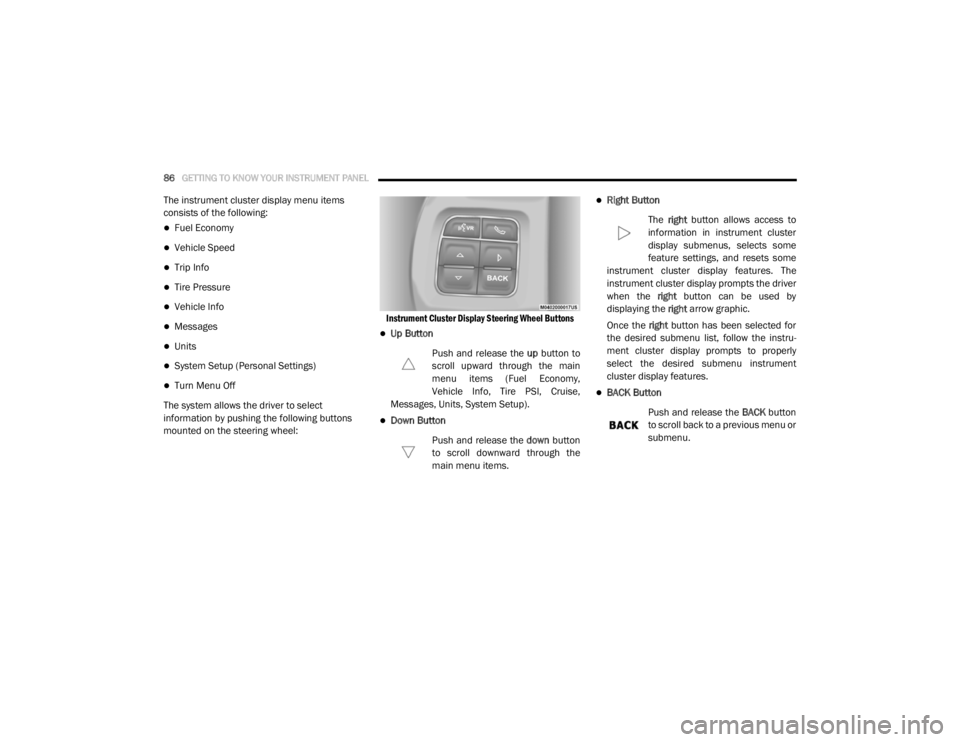
The system allows the driver to select
information by pushing the following buttons
mounted on the steering wheel:
Instrument Cluster Display Steering Wheel Buttons
Up Button
Push and release the up button to
scroll upward through the main
menu items (Fuel Economy,
Vehicle Info, Tire PSI, Cruise,
Messages, Units, System Setup).
Down Button
Push and release the down button
to scroll downward through the
main menu items.
Right Button
The right button allows access to
information in instrument cluster
display submenus, selects some
feature settings, and resets some
instrument cluster display features. The
instrument cluster display prompts the driver
when the right button can be used by
displaying the right arrow graphic.
Once the right button has been selected for
the desired submenu list, follow the instru -
ment cluster display prompts to properly
select the desired submenu instrument
cluster display features.
BACK Button
Push and release the BACK button
to scroll back to a previous menu or
submenu.
20_RT_OM_EN_USC_t.book Page 86