change time DODGE HORNET 2023 Owner's Guide
[x] Cancel search | Manufacturer: DODGE, Model Year: 2023, Model line: HORNET, Model: DODGE HORNET 2023Pages: 288, PDF Size: 14.2 MB
Page 151 of 288
MULTIMEDIA149
Reset
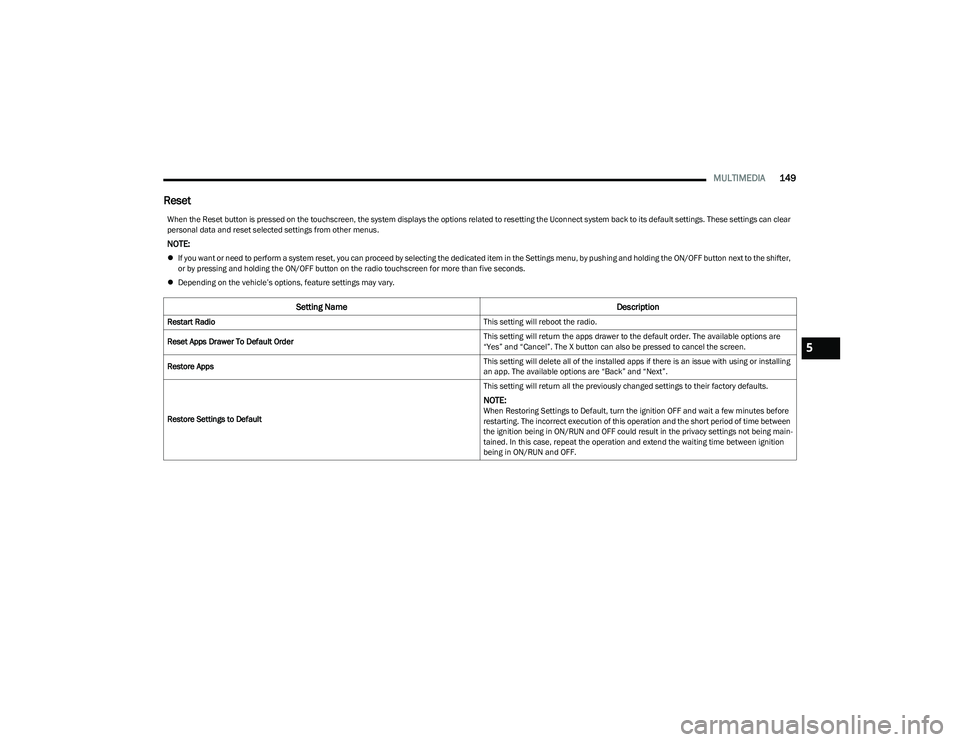
When the Reset button is pressed on the touchscreen, the system displays the options related to resetting the Uconnect system back to its default settings. These settings can clear
personal data and reset selected settings from other menus.
NOTE:
If you want or need to perform a system reset, you can proceed by selecting the dedicated item in the Settings menu, by pushing and holding the ON/OFF button next to the shifter,
or by pressing and holding the ON/OFF button on the radio touchscreen for more than five seconds.
Depending on the vehicle’s options, feature settings may vary.
Setting Name Description
Restart Radio This setting will reboot the radio.
Reset Apps Drawer To Default Order This setting will return the apps drawer to the default order. The available options are
“Yes” and “Cancel”. The X button can also be pressed to cancel the screen.
Restore Apps This setting will delete all of the installed apps if there is an issue with using or installing
an app. The available options are “Back” and “Next”.
Restore Settings to Default This setting will return all the previously changed settings to their factory defaults.
NOTE:When Restoring Settings to Default, turn the ignition OFF and wait a few minutes before
restarting. The incorrect execution of this operation and the short period of time between
the ignition being in ON/RUN and OFF could result in the privacy settings not being main
-
tained. In this case, repeat the operation and extend the waiting time between ignition
being in ON/RUN and OFF.
5
23_GG_OM_EN_USC_t.book Page 149
Page 152 of 288
150MULTIMEDIA
STEERING WHEEL AUDIO CONTROLS —
IF EQUIPPED
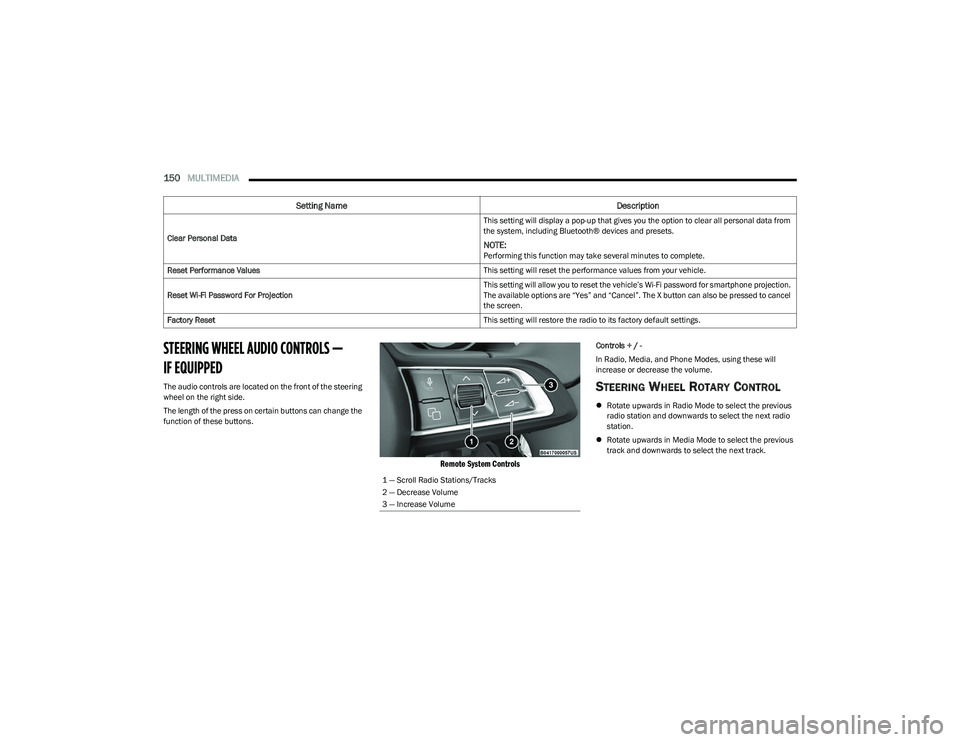
The audio controls are located on the front of the steering
wheel on the right side.
The length of the press on certain buttons can change the
function of these buttons.
Remote System Controls
Controls + / -
In Radio, Media, and Phone Modes, using these will
increase or decrease the volume.
STEERING WHEEL ROTARY CONTROL
Rotate upwards in Radio Mode to select the previous
radio station and downwards to select the next radio
station.
Rotate upwards in Media Mode to select the previous
track and downwards to select the next track.
Clear Personal Data
This setting will display a pop-up that gives you the option to clear all personal data from
the system, including Bluetooth® devices and presets.
NOTE:Performing this function may take several minutes to complete.
Reset Performance Values This setting will reset the performance values from your vehicle.
Reset Wi-Fi Password For Projection This setting will allow you to reset the vehicle’s Wi-Fi password for smartphone projection.
The available options are “Yes” and “Cancel”. The X button can also be pressed to cancel
the screen.
Factory Reset This setting will restore the radio to its factory default settings.
Setting NameDescription
1 — Scroll Radio Stations/Tracks
2 — Decrease Volume
3 — Increase Volume
23_GG_OM_EN_USC_t.book Page 150
Page 154 of 288
152MULTIMEDIA
PERFORMANCE PAGES
The Performance Pages is an application that provides
performance indicators that will help you gain familiarity
with the capabilities of your vehicle in real time.
To access Performance options, select “Performance”
from the top page headers within the Vehicle tab.
The Performance Pages includes:
Technical Gauges
Consumption History
Accessory Gauges
Viewing Content
Press the desired Performance item on the touchscreen to
view the content related to it. The following describes each feature and its operation:TE
C H N IC A L GAUG ES
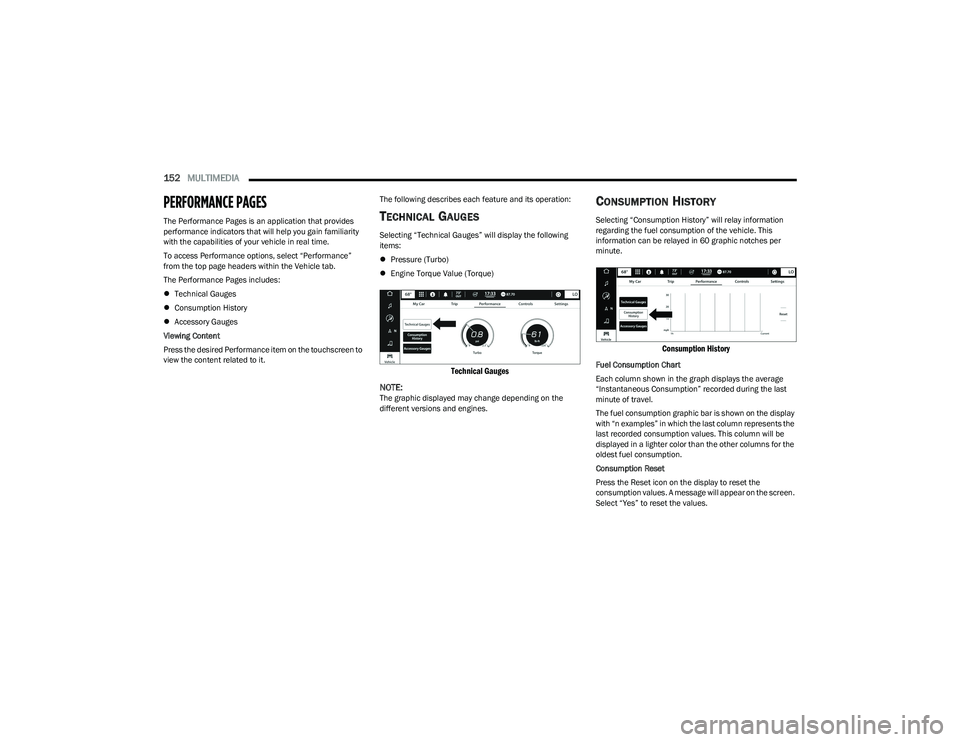
Selecting “Technical Gauges” will display the following
items:
Pressure (Turbo)
Engine Torque Value (Torque)
Technical Gauges
NOTE:
The graphic displayed may change depending on the
different versions and engines.
CO N SU M PTIO N HIS TO RY
Selecting “Consumption History” will relay information
regarding the fuel consumption of the vehicle. This
information can be relayed in 60 graphic notches per
minute.
Consumption History
Fuel Consumption Chart
Each column shown in the graph displays the average
“Instantaneous Consumption” recorded during the last
minute of travel.
The fuel consumption graphic bar is shown on the display
with “n examples” in which the last column represents the
last recorded consumption values. This column will be
displayed in a lighter color than the other columns for the
oldest fuel consumption.
Consumption Reset
Press the Reset icon on the display to reset the
consumption values. A message will appear on the screen.
Select “Yes” to reset the values.
23_GG_OM_EN_USC_t.book Page 152
Page 161 of 288
SAFETY159
AUXILIARY DRIVING SYSTEMS
BLIND SPOT MONITORING (BSM) —
I
F EQUIPPED
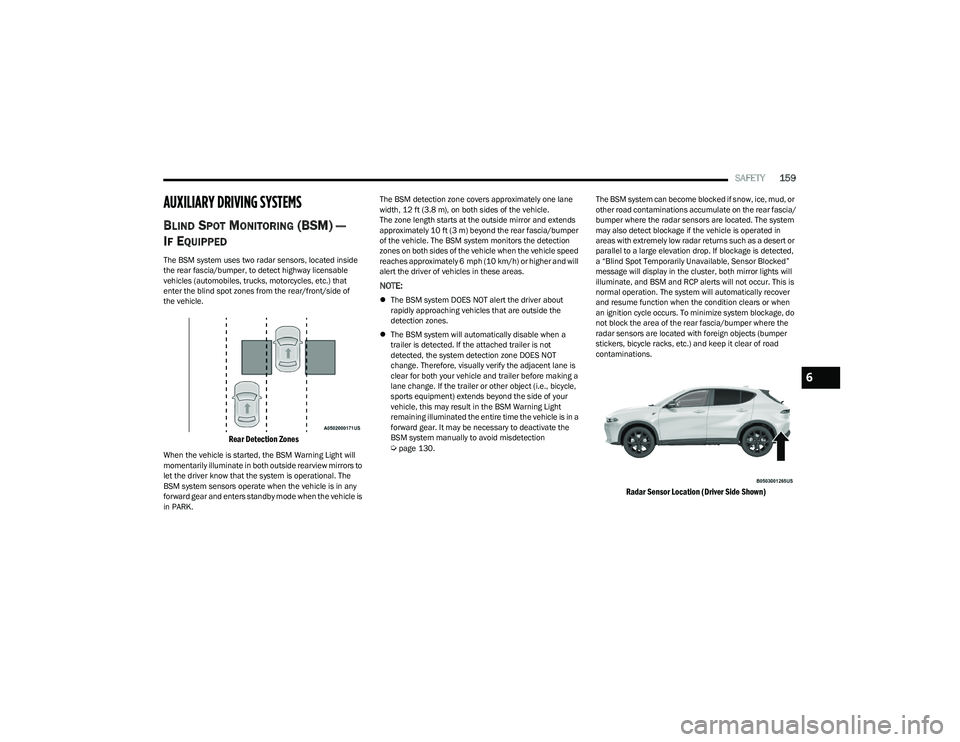
The BSM system uses two radar sensors, located inside
the rear fascia/bumper, to detect highway licensable
vehicles (automobiles, trucks, motorcycles, etc.) that
enter the blind spot zones from the rear/front/side of
the vehicle.
Rear Detection Zones
When the vehicle is started, the BSM Warning Light will
momentarily illuminate in both outside rearview mirrors to
let the driver know that the system is operational. The
BSM system sensors operate when the vehicle is in any
forward gear and enters standby mode when the vehicle is
in PARK. The BSM detection zone covers approximately one lane
width, 12 ft (3.8 m), on both sides of the vehicle.
The zone length starts at the outside mirror and extends
approximately 10 ft (3 m) beyond the rear fascia/bumper
of the vehicle. The BSM system monitors the detection
zones on both sides of the vehicle when the vehicle speed
reaches approximately 6 mph (10 km/h) or higher and will
alert the driver of vehicles in these areas.
NOTE:
The BSM system DOES NOT alert the driver about
rapidly approaching vehicles that are outside the
detection zones.
The BSM system will automatically disable when a
trailer is detected. If the attached trailer is not
detected, the system detection zone DOES NOT
change. Therefore, visually verify the adjacent lane is
clear for both your vehicle and trailer before making a
lane change. If the trailer or other object (i.e., bicycle,
sports equipment) extends beyond the side of your
vehicle, this may result in the BSM Warning Light
remaining illuminated the entire time the vehicle is in a
forward gear. It may be necessary to deactivate the
BSM system manually to avoid misdetection
Úpage 130. The BSM system can become blocked if snow, ice, mud, or
other road contaminations accumulate on the rear fascia/
bumper where the radar sensors are located. The system
may also detect blockage if the vehicle is operated in
areas with extremely low radar returns such as a desert or
parallel to a large elevation drop. If blockage is detected,
a “Blind Spot Temporarily Unavailable, Sensor Blocked”
message will display in the cluster, both mirror lights will
illuminate, and BSM and RCP alerts will not occur. This is
normal operation. The system will automatically recover
and resume function when the condition clears or when
an ignition cycle occurs. To minimize system blockage, do
not block the area of the rear fascia/bumper where the
radar sensors are located with foreign objects (bumper
stickers, bicycle racks, etc.) and keep it clear of road
contaminations.
Radar Sensor Location (Driver Side Shown)
6
23_GG_OM_EN_USC_t.book Page 159
Page 171 of 288
SAFETY169
SEAT BELT SYSTEMS
Buckle up even though you are an excellent driver, even
on short trips. Someone on the road may be a poor driver
and could cause a collision that includes you. This can
happen far away from home or on your own street.
Research has shown that seat belts save lives, and they
can reduce the seriousness of injuries in a collision. Some
of the worst injuries happen when people are thrown from
the vehicle. Seat belts reduce the possibility of ejection
and the risk of injury caused by striking the inside of the
vehicle. Everyone in a motor vehicle should be belted at
all times.
Enhanced Seat Belt Use Reminder System
(BeltAlert)
Driver And Passenger BeltAlert — If Equipped
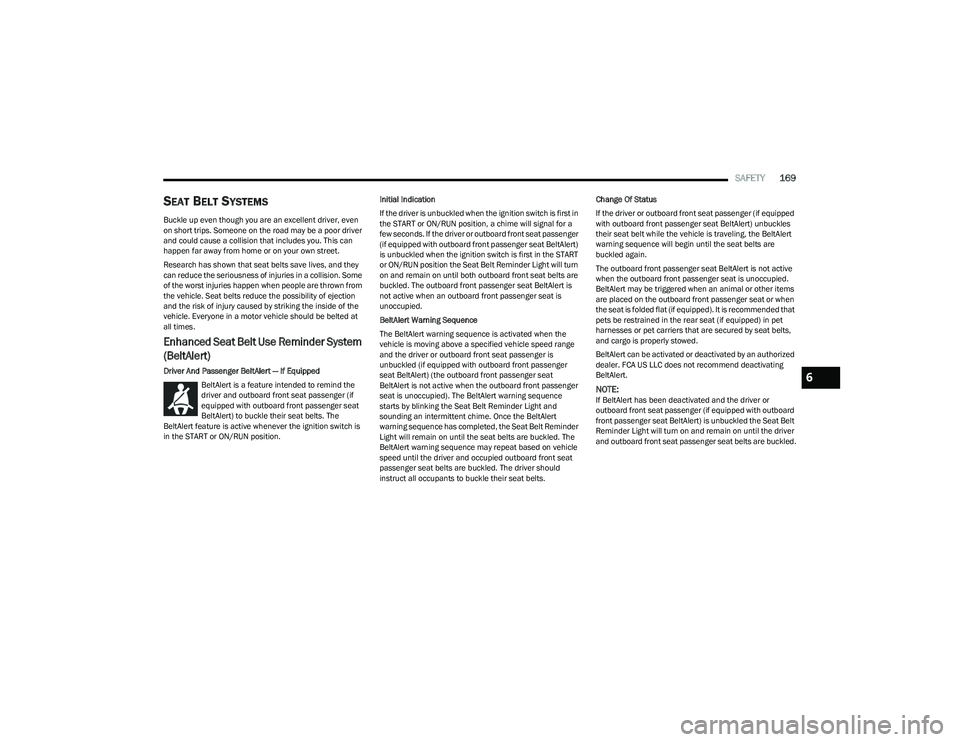
BeltAlert is a feature intended to remind the
driver and outboard front seat passenger (if
equipped with outboard front passenger seat
BeltAlert) to buckle their seat belts. The
BeltAlert feature is active whenever the ignition switch is
in the START or ON/RUN position. Initial Indication
If the driver is unbuckled when the ignition switch is first in
the START or ON/RUN position, a chime will signal for a
few seconds. If the driver or outboard front seat passenger
(if equipped with outboard front passenger seat BeltAlert)
is unbuckled when the ignition switch is first in the START
or ON/RUN position the Seat Belt Reminder Light will turn
on and remain on until both outboard front seat belts are
buckled. The outboard front passenger seat BeltAlert is
not active when an outboard front passenger seat is
unoccupied.
BeltAlert Warning Sequence
The BeltAlert warning sequence is activated when the
vehicle is moving above a specified vehicle speed range
and the driver or outboard front seat passenger is
unbuckled (if equipped with outboard front passenger
seat BeltAlert) (the outboard front passenger seat
BeltAlert is not active when the outboard front passenger
seat is unoccupied). The BeltAlert warning sequence
starts by blinking the Seat Belt Reminder Light and
sounding an intermittent chime. Once the BeltAlert
warning sequence has completed, the Seat Belt Reminder
Light will remain on until the seat belts are buckled. The
BeltAlert warning sequence may repeat based on vehicle
speed until the driver and occupied outboard front seat
passenger seat belts are buckled. The driver should
instruct all occupants to buckle their seat belts.Change Of Status
If the driver or outboard front seat passenger (if equipped
with outboard front passenger seat BeltAlert) unbuckles
their seat belt while the vehicle is traveling, the BeltAlert
warning sequence will begin until the seat belts are
buckled again.
The outboard front passenger seat BeltAlert is not active
when the outboard front passenger seat is unoccupied.
BeltAlert may be triggered when an animal or other items
are placed on the outboard front passenger seat or when
the seat is folded flat (if equipped). It is recommended that
pets be restrained in the rear seat (if equipped) in pet
harnesses or pet carriers that are secured by seat belts,
and cargo is properly stowed.
BeltAlert can be activated or deactivated by an authorized
dealer. FCA US LLC does not recommend deactivating
BeltAlert.
NOTE:If BeltAlert has been deactivated and the driver or
outboard front seat passenger (if equipped with outboard
front passenger seat BeltAlert) is unbuckled the Seat Belt
Reminder Light will turn on and remain on until the driver
and outboard front seat passenger seat belts are buckled.
6
23_GG_OM_EN_USC_t.book Page 169
Page 183 of 288
SAFETY181
The Air Bag Warning Light in the instrument panel will
turn on whenever the OCS is unable to classify the front
passenger seat status. A malfunction in the OCS may
affect the operation of the air bag system.
If the Air Bag Warning Light does not come on, or stays
on after you start the vehicle, or it comes on as you drive,
take the vehicle to an authorized dealer for service
immediately.
The passenger seat assembly contains critical OCS
components that may affect the Passenger Advanced
Front Air Bag inflation. In order for the OCS to properly
classify the seated weight of a front seat passenger, the
OCS components must function as designed. Do not make
any modifications to the front passenger seat
components, assembly, or to the seat cover. If the seat,
trim cover, or cushion needs service for any reason, take
the vehicle to an authorized dealer. Only FCA US LLC
approved seat accessories may be used.
The following requirements must be strictly followed:
Do not modify the front passenger seat assembly or
components in any way.
Do not use prior or future model year seat covers or
cushions not designated by FCA US LLC for the specific
model being repaired. Always use the correct seat
cover and cushion specified for the vehicle.
Do not replace the seat cover or cushion with an
aftermarket seat cover or cushion.
Do not add a secondary seat cover or mat.
At no time should any Supplemental Restraint System
(SRS) component or SRS related component or
fastener be modified or replaced with any part except
those which are approved by FCA US LLC.
Knee Impact Bolsters
The Knee Impact Bolsters help protect the knees of the
driver and front passenger, and position the front
occupants for improved interaction with the front air bags.
Supplemental Driver Knee Air Bag
This vehicle is equipped with a Supplemental Driver Knee
Air Bag mounted in the instrument panel below the
steering column. The Supplemental Driver Knee Air Bag
provides enhanced protection during a frontal impact by
working together with the seat belts, pretensioners, and
front air bags.
Supplemental Side Air Bags
Supplemental Seat-Mounted Side Air Bags (SABs)
This vehicle is equipped with Supplemental Seat-Mounted
Side Air Bags (SABs).
Supplemental Seat-Mounted Side Air Bags (SABs) are
located in the outboard side of the front seats. The SABs
are marked with “SRS AIRBAG” or “AIRBAG” on a label or
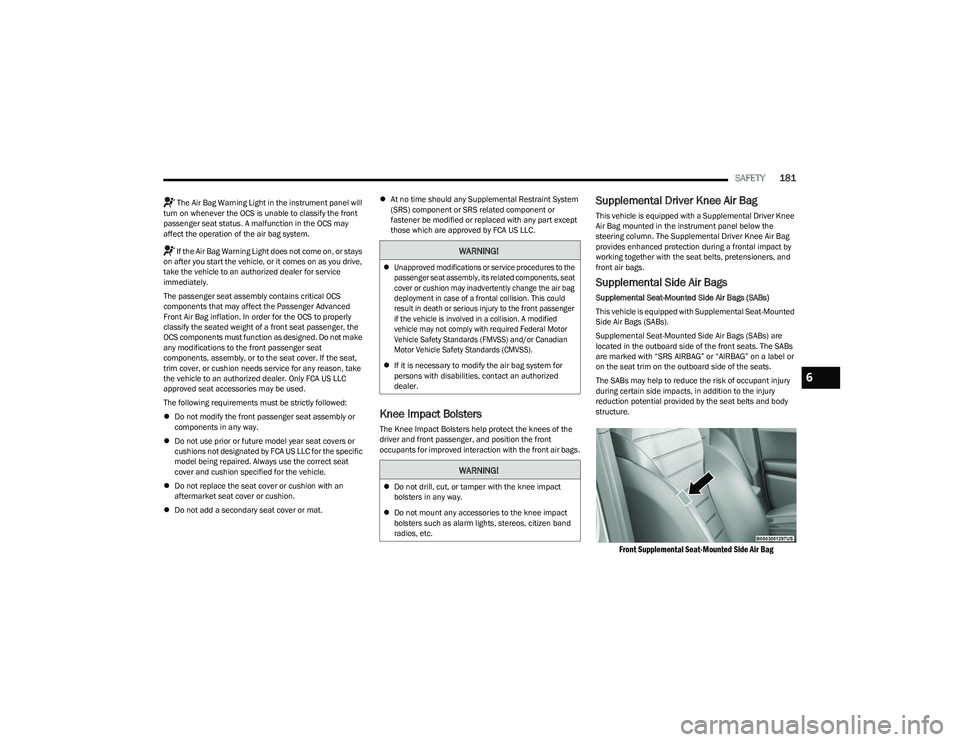
on the seat trim on the outboard side of the seats.
The SABs may help to reduce the risk of occupant injury
during certain side impacts, in addition to the injury
reduction potential provided by the seat belts and body
structure.
Front Supplemental Seat-Mounted Side Air Bag
WARNING!
Unapproved modifications or service procedures to the
passenger seat assembly, its related components, seat
cover or cushion may inadvertently change the air bag
deployment in case of a frontal collision. This could
result in death or serious injury to the front passenger
if the vehicle is involved in a collision. A modified
vehicle may not comply with required Federal Motor
Vehicle Safety Standards (FMVSS) and/or Canadian
Motor Vehicle Safety Standards (CMVSS).
If it is necessary to modify the air bag system for
persons with disabilities, contact an authorized
dealer.
WARNING!
Do not drill, cut, or tamper with the knee impact
bolsters in any way.
Do not mount any accessories to the knee impact
bolsters such as alarm lights, stereos, citizen band
radios, etc.
6
23_GG_OM_EN_USC_t.book Page 181
Page 204 of 288
202SAFETY
EXHAUST GAS The best protection against carbon monoxide entry into
the vehicle body is a properly maintained engine exhaust
system.
Whenever a change is noticed in the sound of the exhaust
system, when exhaust fumes can be detected inside the
vehicle, or when the underside or rear of the vehicle is
damaged, have an authorized dealer inspect the complete
exhaust system and adjacent body areas for broken,
damaged, deteriorated, or mispositioned parts. Open
seams or loose connections could permit exhaust fumes
to seep into the passenger compartment. In addition,
inspect the exhaust system each time the vehicle is raised
for lubrication or oil change. Replace as required.CARBON MONOXIDE WARNINGS
WARNING!
Exhaust gases can injure or kill. They contain carbon
monoxide (CO), which is colorless and odorless.
Breathing it can make you unconscious and can
eventually poison you. To avoid breathing (CO), follow
these safety tips:
Do not run the engine in a closed garage or in
confined areas any longer than needed to move your
vehicle in or out of the area.
If you are required to drive with the trunk/liftgate/
rear doors open, make sure that all windows are
closed and the climate control BLOWER switch is set
at high speed. DO NOT use the recirculation mode.
If it is necessary to sit in a parked vehicle with the
engine running, adjust your heating or cooling
controls to force outside air into the vehicle.
Set the blower at high speed.
WARNING!
Carbon monoxide (CO) in exhaust gases is deadly.
Follow the precautions provided to prevent carbon
monoxide poisoning:
Do not inhale exhaust gases. They contain carbon
monoxide, a colorless and odorless gas, which can
kill. Never run the engine in a closed area, such as a
garage, and never sit in a parked vehicle with the
engine running for an extended period. If the vehicle
is stopped in an open area with the engine running
for more than a short period, adjust the ventilation
system to force fresh, outside air into the vehicle.
Guard against carbon monoxide with proper mainte -
nance. Have the exhaust system inspected every
time the vehicle is raised. Have any abnormal condi -
tions repaired promptly. Until repaired, drive with all
side windows fully open.
23_GG_OM_EN_USC_t.book Page 202
Page 207 of 288
IN CASE OF EMERGENCY205
SOS Call System Limitations
Vehicles sold in Mexico DO NOT have SOS Call system
capabilities.
SOS or other emergency line operators in Mexico may not
answer or respond to SOS system calls.
If the SOS Call system detects a malfunction, any of the
following may occur at the time the malfunction is
detected, and at the beginning of each ignition cycle:
The light located next to the SOS button will continu -
ously illuminate red.
The Device Screen will display the following message
“Vehicle device requires service. Please contact an
authorized dealer.”
An In-Vehicle Audio message will state “Vehicle device
requires service. Please contact an authorized dealer.” Even if the SOS Call system is fully functional, factors
beyond FCA US LLC’s control may prevent or stop the
SOS Call system operation. These include, but are not
limited to, the following factors:
The ignition is in the OFF position
The vehicle’s electrical systems are not intact
The SOS Call system software and/or hardware are
damaged during a crash
The vehicle battery loses power or becomes discon -
nected during a vehicle crash
LTE (voice/data) or 4G (data) network and/or Global
Positioning Satellite signals are unavailable or
obstructed
Equipment malfunction at the SOS operator facility
Operator error by the SOS operator
LTE (voice/data) or 4G (data) network congestion
Weather
Buildings, structures, geographic terrain, or tunnels
NOTE:
Your vehicle may be transmitting data as authorized by
the subscriber Úpage 275.
Never place anything on or near the vehicle’s
LTE (voice/data) or 4G (data) and GPS antennas.
You could prevent LTE (voice/data) or 4G (data) and
GPS signal reception, which can prevent your vehicle
from placing an emergency call. An operable LTE
(voice/data) or 4G (data) network connection and a
GPS signal is required for the SOS Call system to
function properly.
Changes or modifications not expressly approved by
the party responsible for compliance could void the
user's authority to operate the equipment.
WARNING!
Ignoring the overhead console light could mean you
will not have SOS Call services. If the overhead
console light is illuminated, have an authorized
dealer service the SOS Call system immediately.
The Occupant Restraint Control module turns on the
air bag Warning Light on the instrument panel if a
malfunction in any part of the system is detected.
If the Air Bag Warning Light is illuminated, have an
authorized dealer service the Occupant Restraint
Control system immediately.
WARNING!
ALWAYS obey traffic laws and pay attention to the road.
ALWAYS drive safely with your hands on the steering
wheel. You have full responsibility and assume all risks
related to the use of the features and applications in
this vehicle. Only use the features and applications
when it is safe to do so. Failure to do so may result in an
accident involving serious injury or death.
7
23_GG_OM_EN_USC_t.book Page 205
Page 225 of 288
223
SERVICING AND MAINTENANCE
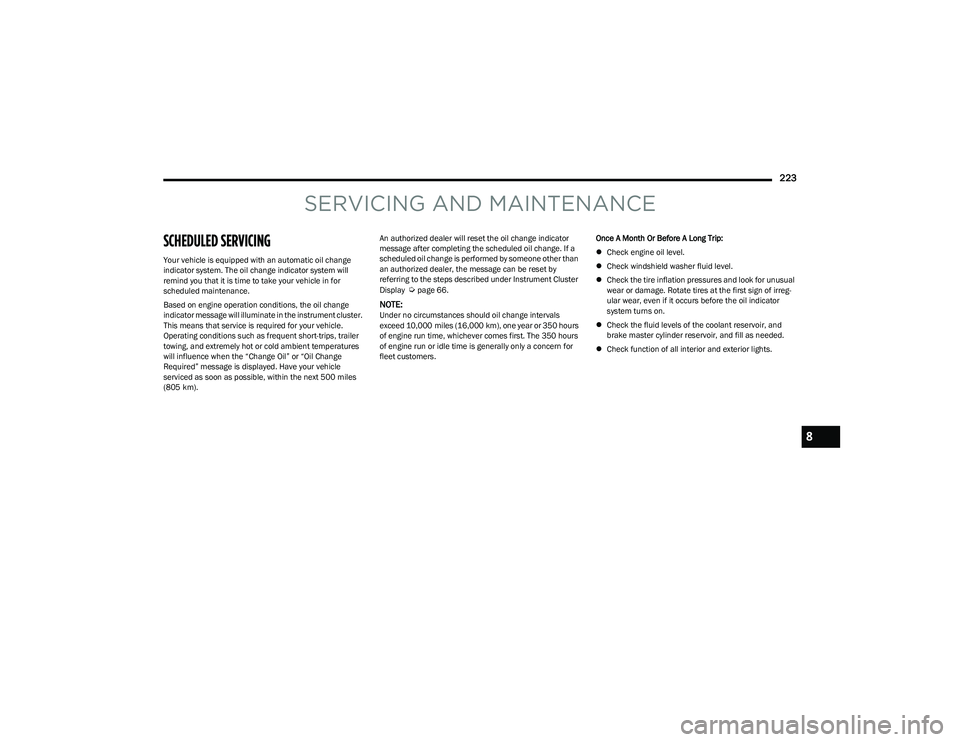
SCHEDULED SERVICING
Your vehicle is equipped with an automatic oil change
indicator system. The oil change indicator system will
remind you that it is time to take your vehicle in for
scheduled maintenance.
Based on engine operation conditions, the oil change
indicator message will illuminate in the instrument cluster.
This means that service is required for your vehicle.
Operating conditions such as frequent short-trips, trailer
towing, and extremely hot or cold ambient temperatures
will influence when the “Change Oil” or “Oil Change
Required” message is displayed. Have your vehicle
serviced as soon as possible, within the next 500 miles
(805 km).An authorized dealer will reset the oil change indicator
message after completing the scheduled oil change. If a
scheduled oil change is performed by someone other than
an authorized dealer, the message can be reset by
referring to the steps described under Instrument Cluster
Display
Úpage 66.
NOTE:Under no circumstances should oil change intervals
exceed 10,000 miles (16,000 km), one year or 350 hours
of engine run time, whichever comes first. The 350 hours
of engine run or idle time is generally only a concern for
fleet customers.
Once A Month Or Before A Long Trip:
Check engine oil level.
Check windshield washer fluid level.
Check the tire inflation pressures and look for unusual
wear or damage. Rotate tires at the first sign of irreg -
ular wear, even if it occurs before the oil indicator
system turns on.
Check the fluid levels of the coolant reservoir, and
brake master cylinder reservoir, and fill as needed.
Check function of all interior and exterior lights.
8
23_GG_OM_EN_USC_t.book Page 223
Page 226 of 288
224SERVICING AND MAINTENANCE
MAINTENANCE PLAN
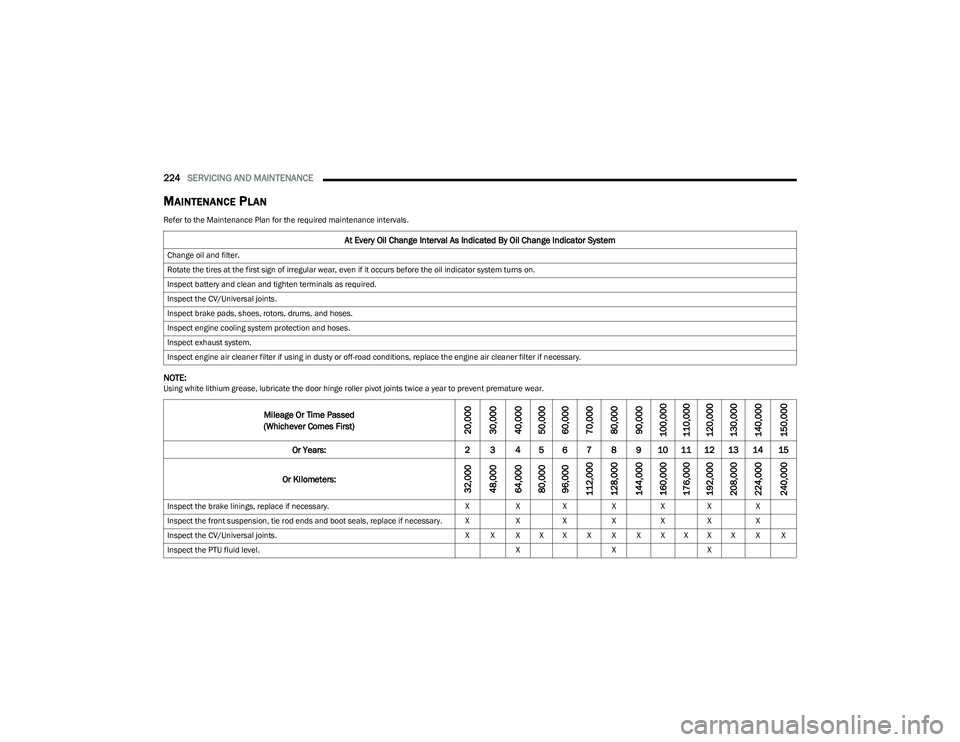
Refer to the Maintenance Plan for the required maintenance intervals.
NOTE:Using white lithium grease, lubricate the door hinge roller pivot joints twice a year to prevent premature wear.
At Every Oil Change Interval As Indicated By Oil Change Indicator System
Change oil and filter.
Rotate the tires at the first sign of irregular wear, even if it occurs before the oil indicator system turns on.
Inspect battery and clean and tighten terminals as required.
Inspect the CV/Universal joints.
Inspect brake pads, shoes, rotors, drums, and hoses.
Inspect engine cooling system protection and hoses.
Inspect exhaust system.
Inspect engine air cleaner filter if using in dusty or off-road conditions, replace the engine air cleaner filter if necessary.
Mileage Or Time Passed
(Whichever Comes First)
20,000
30,000
40,000
50,000
60,000
70,000
80,000
90,000
100,000
110,000
120,000
130,000
140,000
150,000
Or Years: 2 3 4 5 6 7 8 9 10 11 12 13 14 15
Or Kilometers:
32,000
48,000
64,000
80,000
96,000
112,000
128,000
144,000
160,000
176,000
192,000
208,000
224,000
240,000
Inspect the brake linings, replace if necessary. XXX XXX X
Inspect the front suspension, tie rod ends and boot seals, replace if necessary. X XX XXX X
Inspect the CV/Universal joints. X X X X X X X X X X X X X X
Inspect the PTU fluid level. XXX
23_GG_OM_EN_USC_t.book Page 224