light DODGE POWER WAGON 2007 2.G Repair Manual
[x] Cancel search | Manufacturer: DODGE, Model Year: 2007, Model line: POWER WAGON, Model: DODGE POWER WAGON 2007 2.GPages: 492, PDF Size: 8.25 MB
Page 211 of 492
Fast Forward (FF)
Press the FF button up momentarily to advance the tape
in the direction that it is playing. The tape will advance
until the button is pressed again or the end of the tape is
reached. At the end of the tape, the tape will play in the
opposite direction.
Rewind (RW)
Press the RW button momentarily to reverse the tape
direction. The tape will reverse until the button is pressed
again or until the end of the tape is reached. At the end of
the tape, the tape will play in the opposite direction.
Tape Eject
Press this button and the cassette will disen-
gage and eject from the radio.
Scan Button
Press this button to play 10 seconds of each selection.
Press the scan button a second time to cancel the feature.
Changing Tape Direction
If you wish to change the direction of tape travel (side
being played), press Preset 6. The lighted arrow in the
display window will show the new direction.
Metal Tape Selection
If a standard metal tape is inserted into the player, the
player will automatically select the correct equalization.
Pinch Roller Release
If ignition power or the radio ON/OFF switch is turned
off, the pinch roller will automatically retract to protect
the tape from any damage. When power is restored to the
tape player, the pinch roller will automatically reengage
and the tape will resume play.
210 UNDERSTANDING YOUR INSTRUMENT PANEL
Page 212 of 492
Noise Reduction
The Dolby Noise Reduction System* is on whenever the
tape player is on, but may be switched off.
To turn off the Dolby Noise reduction System: Press
Preset 1 after you insert the tape. The NR light in the
display will go off when the Dolby System is off.
* ºDolbyº noise reduction is manufactured under license
from Dolby Laboratories Licensing Corporation. Dolby
and the double-D symbol are trademarks of Dolby Labo-
ratories Licensing Corporation.
Operation Instructions - (CD MODE for CD Audio
Play)
NOTE:The ignition switch must be in the ON or ACC
position to operate the radio.
NOTE:Note: This Radio is capable of playing compact
discs (CD), recordable compact discs (CD-R), rewritablecompact discs (CD-RW) compact discs with MP3 tracks
and multisession compact discs with CD and MP3 tracks
and WMA.
Inserting Compact Disc(s)
CAUTION!
This CD player will accept 4 3/4 inch (12 cm) discs
only. The use of other sized discs may damage the
CD player mechanism.
You may eject a disc with the radio OFF.
If you insert a disc with the ignition ON and the radio
ON, the unit will switch from radio to CD mode and
begin to play when you insert the disc. The display will
show the disc number, the track number, and index time
in minutes and seconds. Play will begin at the start of
track 1.
UNDERSTANDING YOUR INSTRUMENT PANEL 211
4
Page 226 of 492
Tape Player
Pressing the top of the switch once will go to the next
selection on the cassette. Pressing the bottom of the
switch once will go to the beginning of the current
selection or to the beginning of the previous selection if it
is within the first 5 seconds of the current selection.
If you press the switch up or down twice it plays the
second selection, three times, it will play the third, etc.
The button in the center of the left hand switch has no
function in this mode.
CD Player
Pressing the top of the switch once will go to the next
track on the CD. Pressing the bottom of the switch once
will go to the beginning of the current track or to the
beginning of the previous track if it is within one second
after the current track begins to play.If you press the switch up or down twice it plays the
second track, three times, it will play the third, etc.
The button in the center of the left hand switch has no
function in this mode.
CASSETTE TAPE AND PLAYER MAINTENANCE
To keep the cassette tapes and player in good condition,
take the following precautions:
1. Do not use cassette tapes longer than C-90; otherwise,
sound quality and tape durability will be greatly dimin-
ished.
2. Keep the cassette tape in its case to protect from
slackness and dust when it is not in use.
3. Keep the cassette tape away from direct sunlight, heat
and magnetic fields such as the radio speakers.
4. Before inserting a tape, make sure that the label is
adhering flatly to the cassette.
UNDERSTANDING YOUR INSTRUMENT PANEL 225
4
Page 227 of 492
5. A loose tape should be corrected before use. To rewind
a loose tape, insert the eraser end of a pencil into the tape
drive gear and twist the pencil in the required directions.
Maintain your cassette tape player. The head and capstan
shaft in the cassette player can pick up dirt or tape
deposits each time a cassette is played. The result of
deposits on the capstan shaft may cause the tape to wrap
around and become lodged in the tape transport. The
other adverse condition is low or ªmuddyº sound from
one or both channels, as if the treble tone control were
turned all the way down. To prevent this, you should
periodically clean the head with a commercially available
WET cleaning cassette.
As preventive maintenance, clean the head about every
30 hours of use. If you wait until the head becomes very
dirty (noticeably poor sound), it may not be possible to
remove all deposits with a simple WET cleaning cassette.COMPACT DISC MAINTENANCE
To keep the compact discs in good condition, take the
following precautions:
1. Handle the disc by its edge; avoid touching the
surface.
2. If the disc is stained, clean the surface with a soft cloth,
wiping from center to edge.
3. Do not apply paper or tape to the disc; avoid scratch-
ing the disc.
4. Do not use solvents such as benzene, thinner, cleaners,
or antistatic sprays.
5. Store the disc in its case after playing.
6. Do not expose the disc to direct sunlight.
7. Do not store the disc where temperatures may become
too high.
226 UNDERSTANDING YOUR INSTRUMENT PANEL
Page 232 of 492
outlets selected by the mode control. A light in the
snowflake button shows that the air conditioning is on.
Press the button a second time to turn the air condition-
ing off.
Slight changes in engine speed or power may be noticed
when the air conditioning compressor is on. This is a
normal occurrence as the compressor will cycle on and
off to maintain comfort and increase fuel economy.
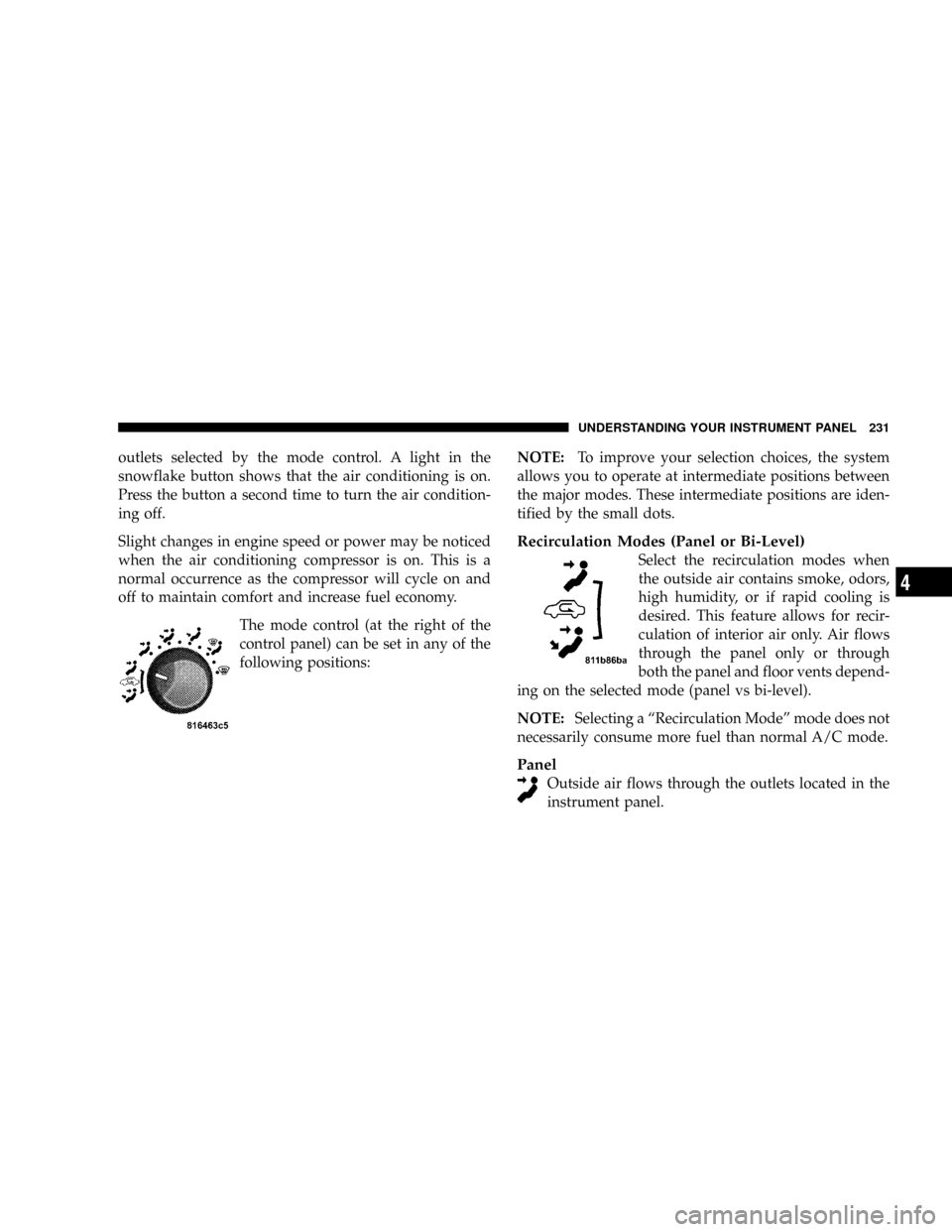
The mode control (at the right of the
control panel) can be set in any of the
following positions:NOTE:To improve your selection choices, the system
allows you to operate at intermediate positions between
the major modes. These intermediate positions are iden-
tified by the small dots.
Recirculation Modes (Panel or Bi-Level)
Select the recirculation modes when
the outside air contains smoke, odors,
high humidity, or if rapid cooling is
desired. This feature allows for recir-
culation of interior air only. Air flows
through the panel only or through
both the panel and floor vents depend-
ing on the selected mode (panel vs bi-level).
NOTE:Selecting a ªRecirculation Modeº mode does not
necessarily consume more fuel than normal A/C mode.
Panel
Outside air flows through the outlets located in the
instrument panel.
UNDERSTANDING YOUR INSTRUMENT PANEL 231
4
Page 235 of 492
Air Conditioning and Heating Operation
To turn on the Air Conditioning, set the fan control at any
speed and press the snowflake button located on the
control panel. Conditioned air will be directed through
the outlets selected by the mode control. A light in the
snowflake button shows that the air conditioning is on.
Press the button a second time to turn the air condition-
ing off.
A/C Pushbutton
With the fan control in the ON posi-
tion, pushing the A/C button turns on
the air conditioning compressor. An
indicator light on the button shows
that the Air Conditioning compressor
is on. Conditioned air is now directed
through the mode outlets selected.
Pushing the button a second time turns the compressor
OFF.
Recirculation Pushbutton
Pushing the Recirculation button al-
lows interior air to recirculate continu-
ously in any position except defrost
and defrost/floor mode for rapid cool
down of the interior. See ªFast
Cooldownº later in this section.
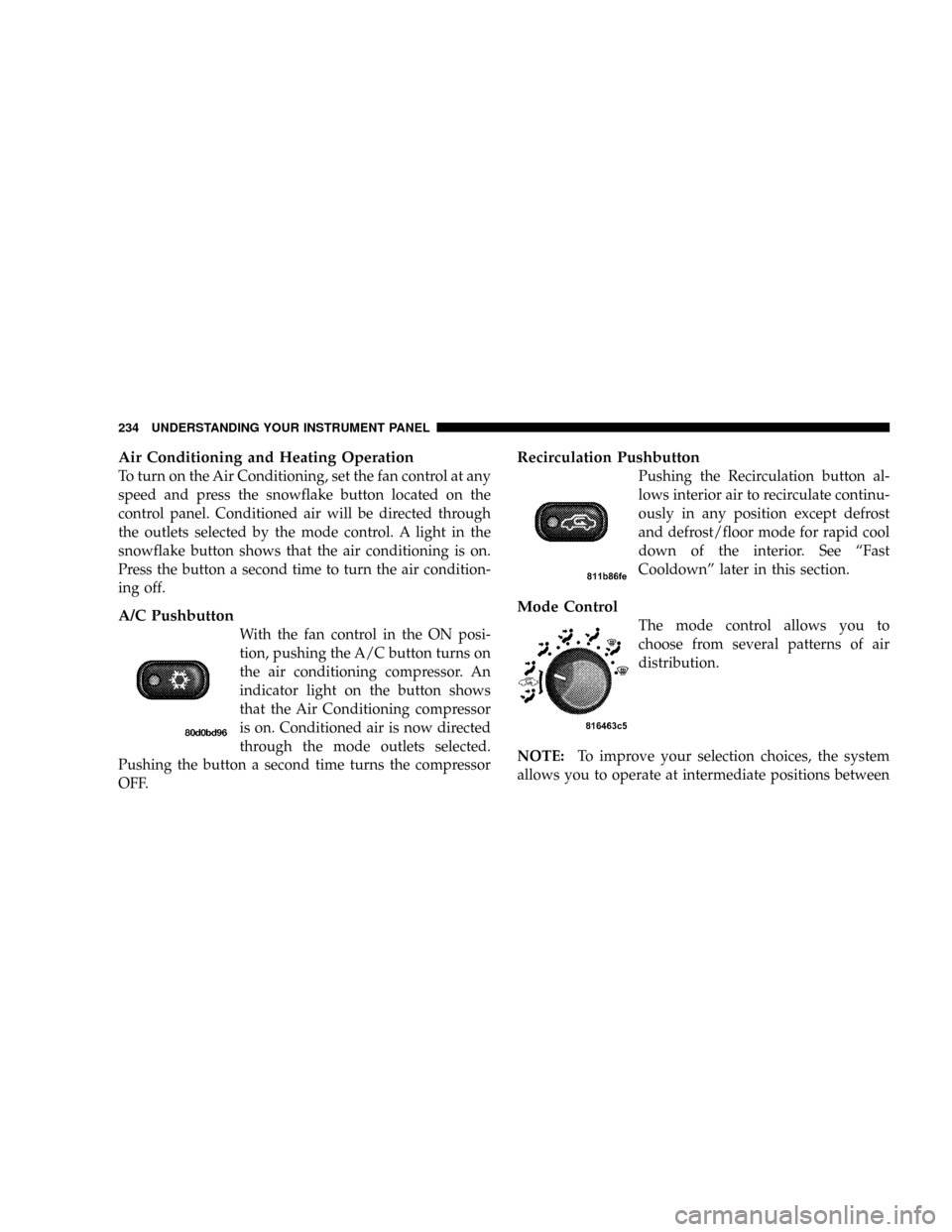
Mode Control
The mode control allows you to
choose from several patterns of air
distribution.
NOTE:To improve your selection choices, the system
allows you to operate at intermediate positions between
234 UNDERSTANDING YOUR INSTRUMENT PANEL
Page 239 of 492
Window Fogging
Windows will fog on the inside when the humidity inside
the vehicle is high. This often occurs in mild or cool
temperatures when it's rainy or humid. In most cases
turning on the Air-conditioning (pressing the snowflake
button) will clear the fog. Adjust the temperature control,
air direction and blower speed to maintain comfort.
As the temperature gets colder it may be necessary to
direct air onto the windshield by using MIX Mode
position on the control. Adjust the temperature control
and blower speed to maintain comfort. Higher blower
speeds will reduce fogging. Interior fogging on the
windshield can be quickly removed by selecting the
defrost mode.
Regular cleaning of the inside of the windows with a
non-filming cleaning solution (vinegar and water works
very well) will help prevent contaminates (cigarettesmoke, perfumes, etc.) from sticking to the windows.
Contaminates increase the rate of window fogging.
Summer Operation
Air conditioned vehicles must be protected with a high
quality antifreeze coolant during summer to provide
proper corrosion protection and to raise the boiling point
of the coolant for protection against overheating. A 50 %
concentration is recommended. Refer to Recommended
Fluids and Genuine Parts for the proper coolant type.
When using the air conditioner in extremely heavy traffic
in hot weather especially when towing a trailer, addi-
tional engine cooling may be required. If this situation is
encountered, operate the transmission in a lower gear to
increase engine RPM, coolant flow and fan speed. When
stopped in heavy traffic, it may be necessary to shift into
NEUTRAL and depress the accelerator slightly for fast
idle operation to increase coolant flow and fan speed.
238 UNDERSTANDING YOUR INSTRUMENT PANEL
Page 242 of 492
STARTING AND OPERATING
CONTENTS
mStarting Procedures ± Gas Engines...........245
NManual Transmission..................245
NAutomatic Transmission................245
NNormal Starting......................246
NIf Engine Fails To Start.................246
NAfter Starting........................248
mEngine Block Heater Ð If Equipped.........249
mAutomatic Transmission..................249
NAutomatic Transmission With Overdrive.....250mManual Transmission....................255
NManual Transmission Ð 6 Speed (G56)......256
NRecommended Vehicle Shift Speeds........257
NDownshifting ± All Manual Transmissions....257
mFour-Wheel- Drive Operation..............258
NManually Shifted Transfer Case Operating
Information/Precautions................258
NShifting Procedure - Manually Shifted Transfer
Case..............................261
NTransfer Case Reminder Light............262
5
Page 254 of 492
²the engine coolant has reached normal operating tem-
perature;
²vehicle speed is above approximately 30 mph (48
km/h);
²the ªTOW HAUL O/D OFFº switch has not been
activated;
²transmission has reached normal operating tempera-
ture.
NOTE:If the vehicle is started in extremely cold tem-
peratures, the transmission may not shift into Overdrive
and will automatically select the most desirable gear for
operation at this temperature. Normal operation will
resume when the transmission fluid temperature has
risen to a suitable level. Refer also to the Note under
torque converter clutch, later in this section.If the transmission temperature gets extremely hot, the
transmission will automatically select the most desirable
gear for operation at this temperature. If the transmission
temperature becomes hot enough the TRANS TEMP light
may illuminate and the transmission may downshift out
of Overdrive until the transmission cools down. After
cooldown, the transmission will resume normal opera-
tion.
The transmission will downshift from Overdrive to Drive
if the accelerator pedal is fully depressed at vehicle
speeds above approximately 35 mph (56 km/h).
STARTING AND OPERATING 253
5
Page 255 of 492
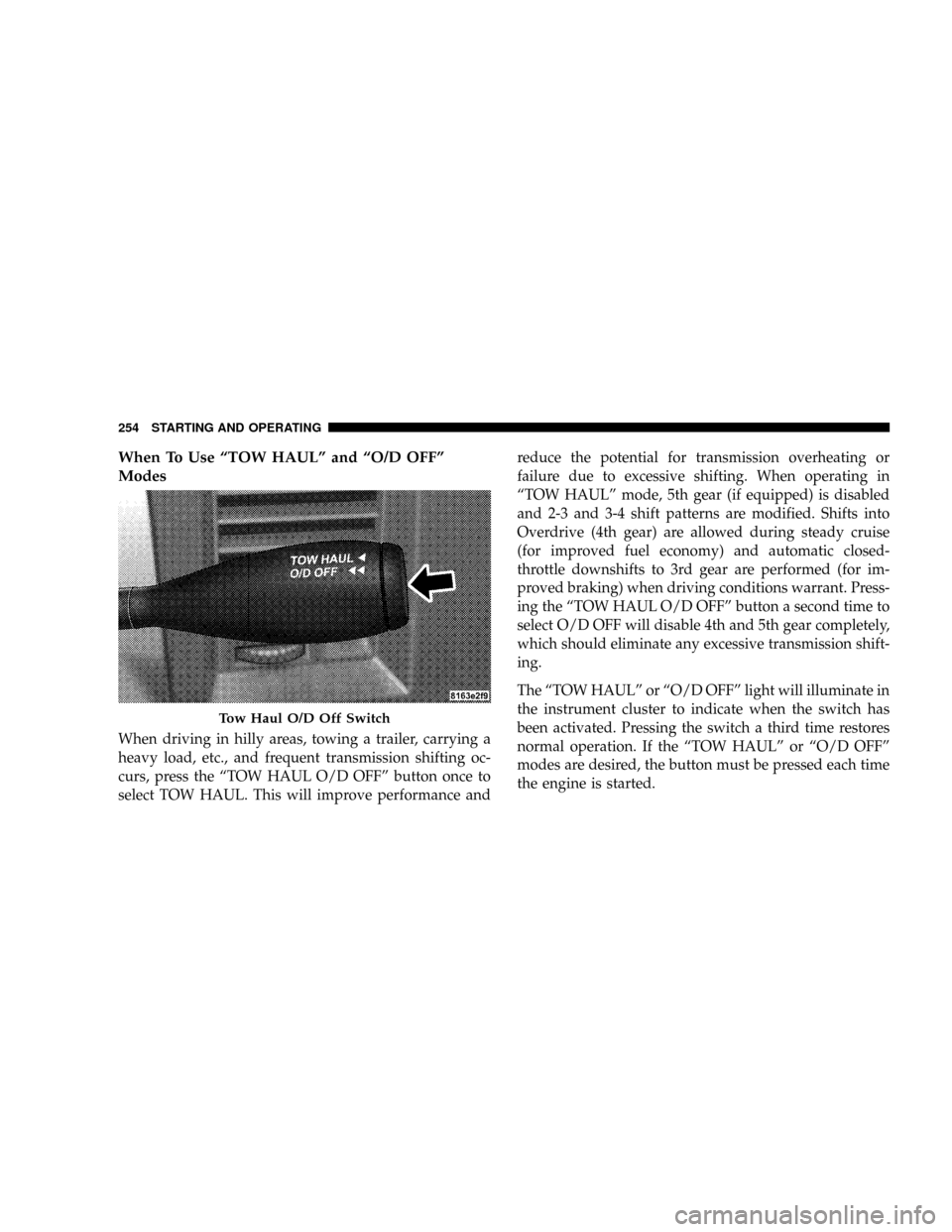
When To Use ªTOW HAULº and ªO/D OFFº
Modes
When driving in hilly areas, towing a trailer, carrying a
heavy load, etc., and frequent transmission shifting oc-
curs, press the ªTOW HAUL O/D OFFº button once to
select TOW HAUL. This will improve performance andreduce the potential for transmission overheating or
failure due to excessive shifting. When operating in
ªTOW HAULº mode, 5th gear (if equipped) is disabled
and 2-3 and 3-4 shift patterns are modified. Shifts into
Overdrive (4th gear) are allowed during steady cruise
(for improved fuel economy) and automatic closed-
throttle downshifts to 3rd gear are performed (for im-
proved braking) when driving conditions warrant. Press-
ing the ªTOW HAUL O/D OFFº button a second time to
select O/D OFF will disable 4th and 5th gear completely,
which should eliminate any excessive transmission shift-
ing.
The ªTOW HAULº or ªO/D OFFº light will illuminate in
the instrument cluster to indicate when the switch has
been activated. Pressing the switch a third time restores
normal operation. If the ªTOW HAULº or ªO/D OFFº
modes are desired, the button must be pressed each time
the engine is started.
Tow Haul O/D Off Switch
254 STARTING AND OPERATING