AUX DODGE SPRINTER 2007 2.G User Guide
[x] Cancel search | Manufacturer: DODGE, Model Year: 2007, Model line: SPRINTER, Model: DODGE SPRINTER 2007 2.GPages: 393, PDF Size: 7.61 MB
Page 142 of 393
141 Controls in detail
Auxiliary heating/ventilation*
3
Operation using the remote control*
The remote control has a maximum range
of approximately 600 meters. The range
may be reduced by:
\4sources of interference
\4solid objects between the remote con-
trol and the vehicle
\4the remote control being in an unfavor-
able position
\4transmitting from an enclosed space
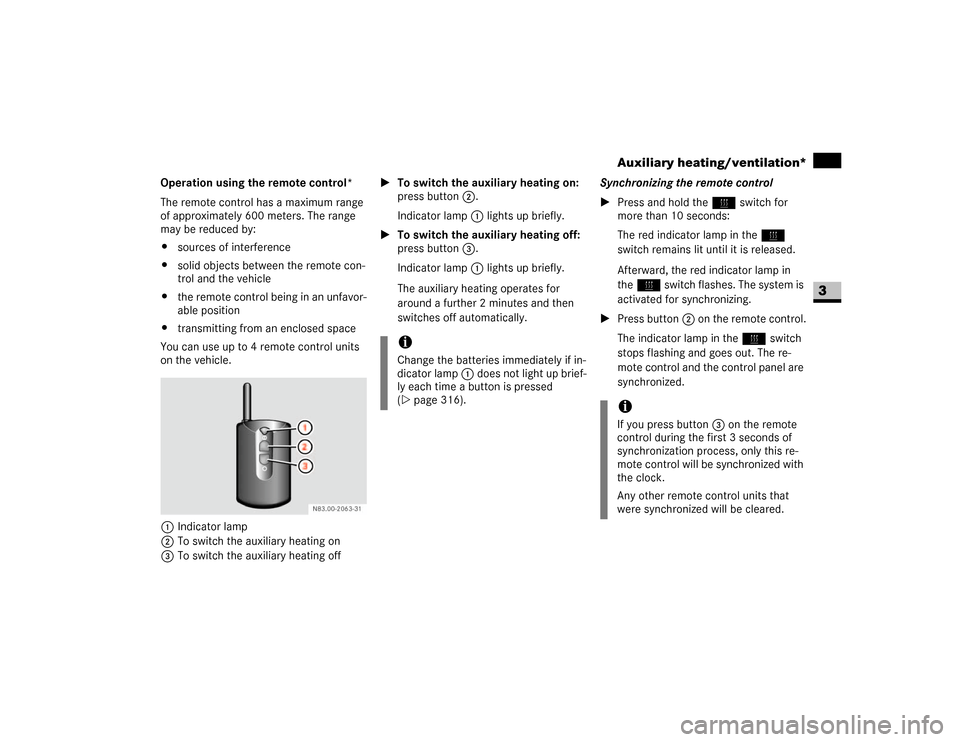
You can use up to 4 remote control units
on the vehicle.
1Indicator lamp
2To switch the auxiliary heating on
3To switch the auxiliary heating off\1To switch the auxiliary heating on:
press button2.
Indicator lamp1 lights up briefly.
\1To switch the auxiliary heating off:
press button3.
Indicator lamp1 lights up briefly.
The auxiliary heating operates for
around a further 2 minutes and then
switches off automatically.Synchronizing the remote control
\1Press and hold theö switch for
more than 10 seconds:
The red indicator lamp in theö
switch remains lit until it is released.
Afterward, the red indicator lamp in
theö switch flashes. The system is
activated for synchronizing.
\1Press button2 on the remote control.
The indicator lamp in theö switch
stops flashing and goes out. The re-
mote control and the control panel are
synchronized.
iChange the batteries immediately if in-
dicator lamp 1 does not light up brief-
ly each time a button is pressed
(\2page 316).
iIf you press button3 on the remote
control during the first 3 seconds of
synchronization process, only this re-
mote control will be synchronized with
the clock.
Any other remote control units that
were synchronized will be cleared.
Page 143 of 393
142 Controls in detailAuxiliary heating/ventilation*
3
Selecting a switch-on time
You can use the operating system to define
up to 3 switch-on times, one of which can
be selected to switch on the auxiliary
heating / ventilation.
Operating system without steering
wheel buttons
\1Switch on the ignition (\2page 67).
\1Press theö switch.
Theö symbol in the display flashes.
or
\1Press the menu button on the in-
strument cluster repeatedly until the
ö symbol in the display flashes.
\1Use the or button on the instru-
ment cluster to select desired switch-
on time
1 to
3.
The switch-on time selected is dis-
played.\1Wait 10 seconds for the standard dis-
play to appear.
The switch-on time is selected.
The yellow indicator lamp in theö
switch comes on.
If you have not selected a switch-on time
and
--:--
appears in the display, the auto-
matic switch-on is deactivated. The yellow
indicator lamp in theö switch goes
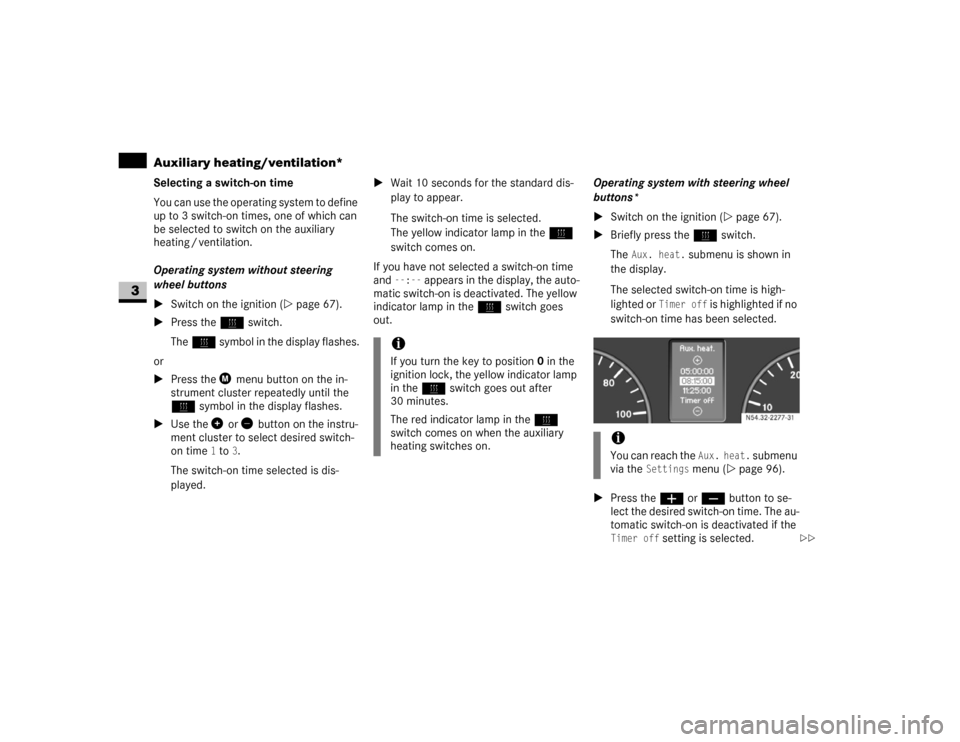
out.Operating system with steering wheel
buttons*
\1Switch on the ignition (\2page 67).
\1Briefly press theö switch.
The
Aux. heat.
submenu is shown in
the display.
The selected switch-on time is high-
lighted or
Timer off
is highlighted if no
switch-on time has been selected.
\1Press theæ orç button to se-
lect the desired switch-on time. The au-
tomatic switch-on is deactivated if the
Timer off
setting is selected.
iIf you turn the key to position0 in the
ignition lock, the yellow indicator lamp
in theö switch goes out after
30 minutes.
The red indicator lamp in theö
switch comes on when the auxiliary
heating switches on.
iYou can reach the
Aux. heat.
submenu
via the
Settings
menu (\2page 96).
N54.32-2277-31
\2\2
Page 144 of 393
143 Controls in detail
Auxiliary heating/ventilation*
3
\1Press the è button.
The switch-on time is selected.
The yellow indicator lamp in theö
switch comes on.
Setting the switch-on time
Operating system without steering
wheel buttons
\1Select a switch-on time as described
under “Selecting a switch-on time”
(\2page 142).\1Press the reset button on the instru-
ment cluster to set the selected switch-
on time.
The hours figure flashes and the”
symbol appears in the display.
\1Set the hours using the or am
button on the instrument cluster.
\1Press the reset button.
The minute display flashes.
\1Set the minutes using the or
button.Operating system with steering wheel
buttons
\1Select a switch-on time as described
under “Selecting a switch-on time”
(\2page 142).
\1Press thej button.
The
Hours
menu appears in the display.
\1Set the hours using theæ orç
button.
\1Press thej button.
The
Minutes
menu appears in the dis-
play.
\1Set the minutes using theæ
orç button.
\1Press the è button.
The switch-on time is set and selected.
iIf you turn the key to position0 in the
ignition lock, the yellow indicator lamp
in theö switch goes out after
30 minutes.
The red indicator lamp in theö
switch comes on when the auxiliary
heating switches on.
iIf you keep the button pressed, the val-
ues will change continuously.
To return to the standard display:
\4press and hold the button on
the instrument cluster for more
than 1 second
\4do not press a button for
10 seconds
iTo return to the standard display, press
theè or ÿ button repeatedly
until the standard display appears.
Page 185 of 393
184 OperationRefueling
4
\3 Refueling
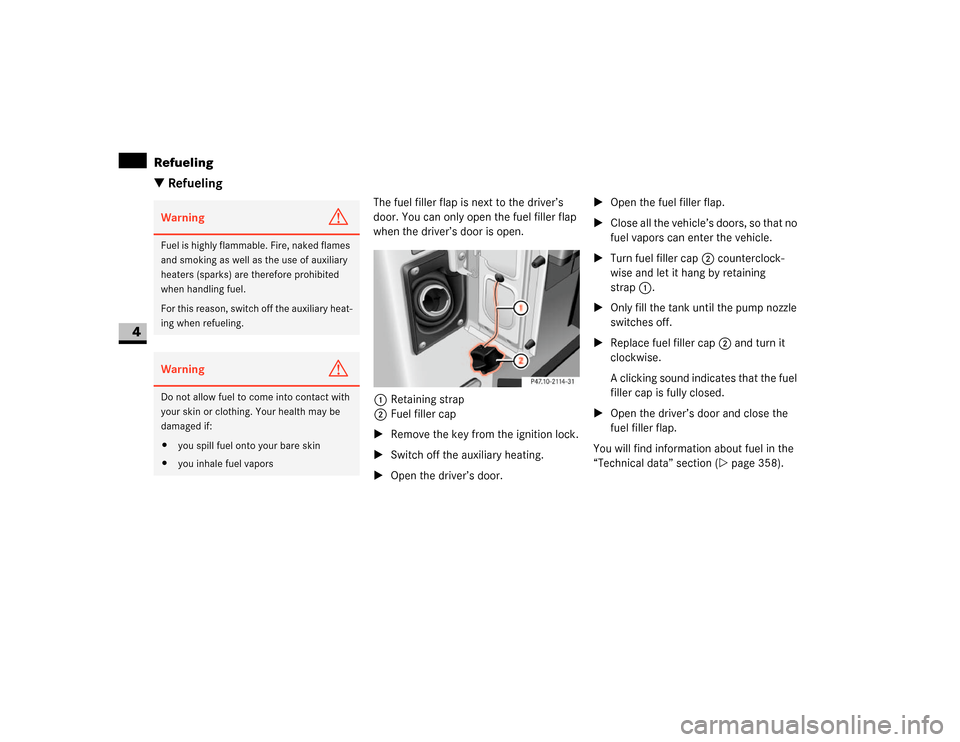
The fuel filler flap is next to the driver’s
door. You can only open the fuel filler flap
when the driver’s door is open.
1Retaining strap
2Fuel filler cap
\1Remove the key from the ignition lock.
\1Switch off the auxiliary heating.
\1Open the driver’s door.\1Open the fuel filler flap.
\1Close all the vehicle’s doors, so that no
fuel vapors can enter the vehicle.
\1Turn fuel filler cap2 counterclock-
wise and let it hang by retaining
strap1.
\1Only fill the tank until the pump nozzle
switches off.
\1Replace fuel filler cap2 and turn it
clockwise.
A clicking sound indicates that the fuel
filler cap is fully closed.
\1Open the driver’s door and close the
fuel filler flap.
You will find information about fuel in the
“Technical data” section (\2page 358).
Warning
G
Fuel is highly flammable. Fire, naked flames
and smoking as well as the use of auxiliary
heaters (sparks) are therefore prohibited
when handling fuel.
For this reason, switch off the auxiliary heat-
ing when refueling.Warning
G
Do not allow fuel to come into contact with
your skin or clothing. Your health may be
damaged if:
\4you spill fuel onto your bare skin
\4you inhale fuel vapors
Page 196 of 393
195 Operation
Battery
4
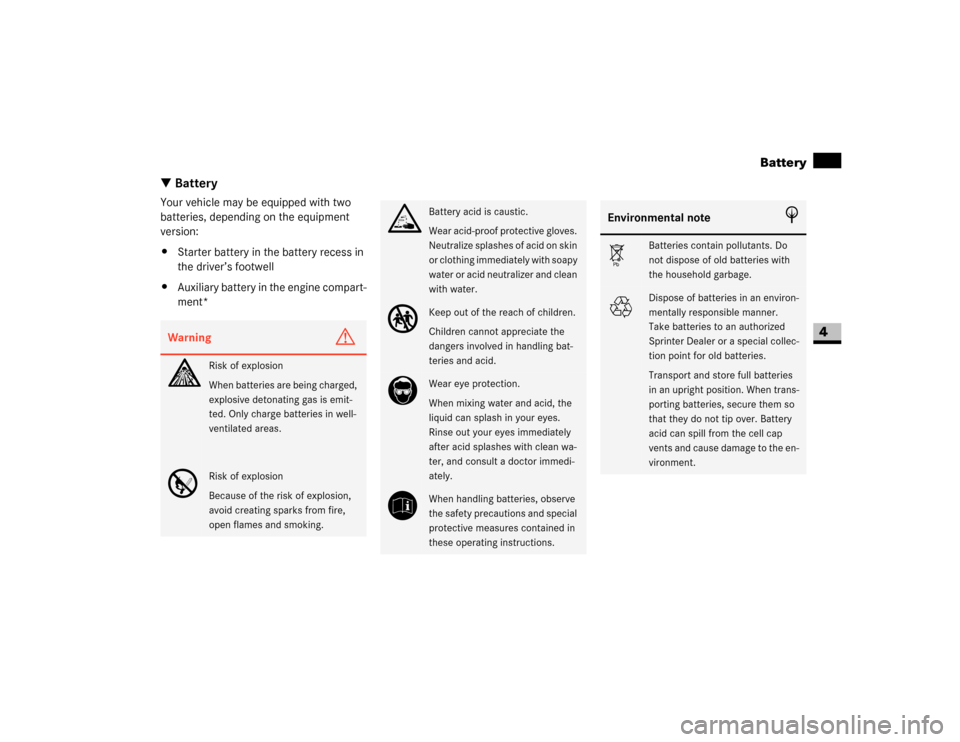
\3 BatteryYour vehicle may be equipped with two
batteries, depending on the equipment
version:
\4Starter battery in the battery recess in
the driver’s footwell
\4Auxiliary battery in the engine compart-
ment*Warning
G
A
Risk of explosion
When batteries are being charged,
explosive detonating gas is emit-
ted. Only charge batteries in well-
ventilated areas.
D
Risk of explosion
Because of the risk of explosion,
avoid creating sparks from fire,
open flames and smoking.
B
Battery acid is caustic.
Wear acid-proof protective gloves.
Neutralize splashes of acid on skin
or clothing immediately with soapy
water or acid neutralizer and clean
with water.
C
Keep out of the reach of children.
Children cannot appreciate the
dangers involved in handling bat-
teries and acid.
E
Wear eye protection.
When mixing water and acid, the
liquid can splash in your eyes.
Rinse out your eyes immediately
after acid splashes with clean wa-
ter, and consult a doctor immedi-
ately.
F
When handling batteries, observe
the safety precautions and special
protective measures contained in
these operating instructions.
Environmental note
H
Á
Batteries contain pollutants. Do
not dispose of old batteries with
the household garbage.
À
Dispose of batteries in an environ-
mentally responsible manner.
Take batteries to an authorized
Sprinter Dealer or a special collec-
tion point for old batteries.
Transport and store full batteries
in an upright position. When trans-
porting batteries, secure them so
that they do not tip over. Battery
acid can spill from the cell cap
vents and cause damage to the en-
vironment.
Page 198 of 393
197 Operation
Battery isolating switch*
4
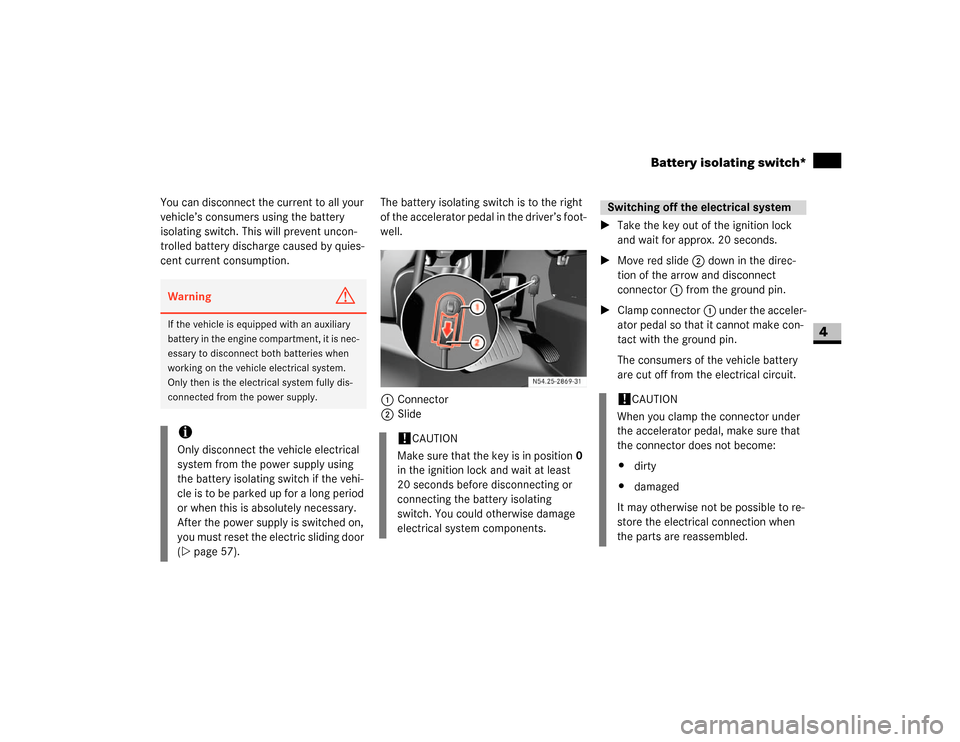
You can disconnect the current to all your
vehicle’s consumers using the battery
isolating switch. This will prevent uncon-
trolled battery discharge caused by quies-
cent current consumption.The battery isolating switch is to the right
of the accelerator pedal in the driver’s foot-
well.
1Connector
2Slide\1Take the key out of the ignition lock
and wait for approx. 20 seconds.
\1Move red slide2 down in the direc-
tion of the arrow and disconnect
connector1 from the ground pin.
\1Clamp connector1 under the acceler-
ator pedal so that it cannot make con-
tact with the ground pin.
The consumers of the vehicle battery
are cut off from the electrical circuit.Warning
G
If the vehicle is equipped with an auxiliary
battery in the engine compartment, it is nec-
essary to disconnect both batteries when
working on the vehicle electrical system.
Only then is the electrical system fully dis-
connected from the power supply.iOnly disconnect the vehicle electrical
system from the power supply using
the battery isolating switch if the vehi-
cle is to be parked up for a long period
or when this is absolutely necessary.
After the power supply is switched on,
you must reset the electric sliding door
(\2page 57).
!
CAUTION
Make sure that the key is in position0
in the ignition lock and wait at least
20 seconds before disconnecting or
connecting the battery isolating
switch. You could otherwise damage
electrical system components.
Switching off the electrical system!
CAUTION
When you clamp the connector under
the accelerator pedal, make sure that
the connector does not become:
\4dirty
\4damaged
It may otherwise not be possible to re-
store the electrical connection when
the parts are reassembled.
Page 265 of 393
264 Practical hintsWhat to do if ...
5
Auxiliary heating*Warning
G
Always have maintenance work carried out
at an authorized Sprinter Dealer which has
the necessary specialist knowledge and
tools to carry out the work required.
The manufacturer recommends that you use
an authorized Sprinter Dealer for this pur-
pose. In particular, work relevant to safety
or on safety-related systems must be
carried out at an authorized Sprinter Dealer.
If this work is carried out incorrectly, the op-
erating safety of the heater can no longer be
guaranteed and there is a risk of accident
and injury.
Problem
Possible cause / result
Suggested solutions
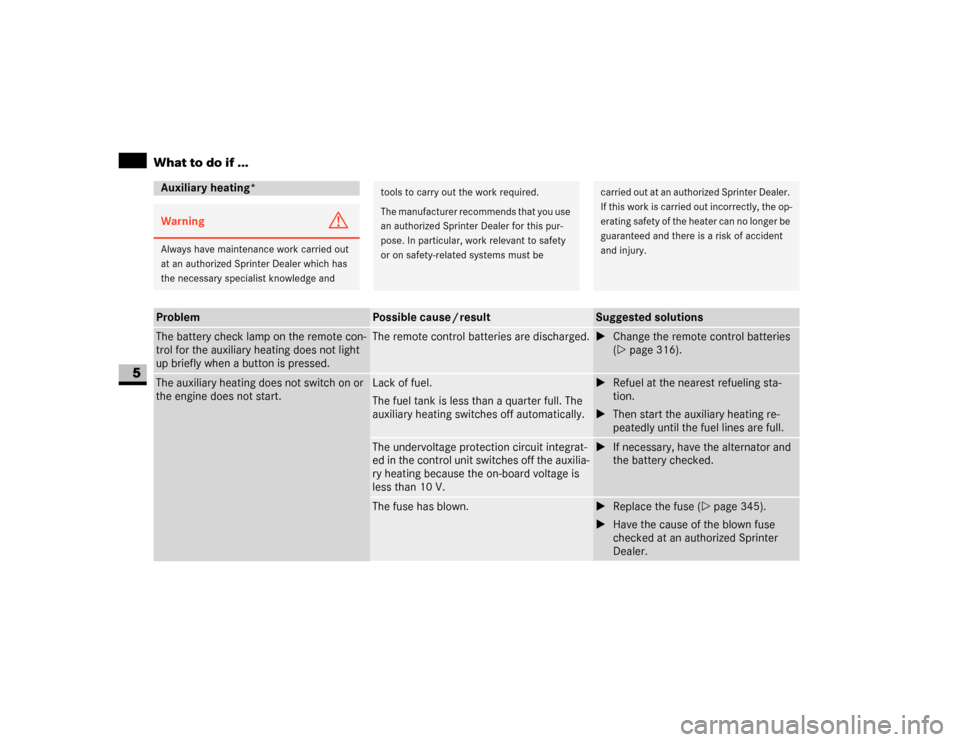
The battery check lamp on the remote con-
trol for the auxiliary heating does not light
up briefly when a button is pressed.
The remote control batteries are discharged.
\1Change the remote control batteries
(\2page 316).
The auxiliary heating does not switch on or
the engine does not start.
Lack of fuel.
The fuel tank is less than a quarter full. The
auxiliary heating switches off automatically.
\1Refuel at the nearest refueling sta-
tion.
\1Then start the auxiliary heating re-
peatedly until the fuel lines are full.
The undervoltage protection circuit integrat-
ed in the control unit switches off the auxilia-
ry heating because the on-board voltage is
less than 10 V.
\1If necessary, have the alternator and
the battery checked.
The fuse has blown.
\1Replace the fuse (\2page 345).
\1Have the cause of the blown fuse
checked at an authorized Sprinter
Dealer.
Page 266 of 393
265 Practical hints
What to do if ...
5
The auxiliary heating does not switch on or
the engine does not start
WARNING
G
The auxiliary heating has overheated about
ten times in succession.
The engine or heater is malfunctioning.
\1Have the auxiliary heating checked at
an authorized Sprinter Dealer.
The heater has overheated.
The coolant level is too low.
\1Check the coolant level and add cool-
ant if necessary (\2page 191).
Problem
Possible cause / result
Suggested solutions
Leaving the vehicle in storageWarning
G
Always have maintenance work carried out
at an authorized Sprinter Dealer which has
the necessary specialist knowledge and
tools to carry out the work required.
The manufacturer recommends that you use
an authorized Sprinter Dealer for this pur-
pose.
In particular, work relevant to safety or on
safety-related systems must be carried out
at an authorized Sprinter Dealer. There is a
risk of an accident and injury if this work is
carried out incorrectly.
Problem
Possible cause / result
Suggested solutions
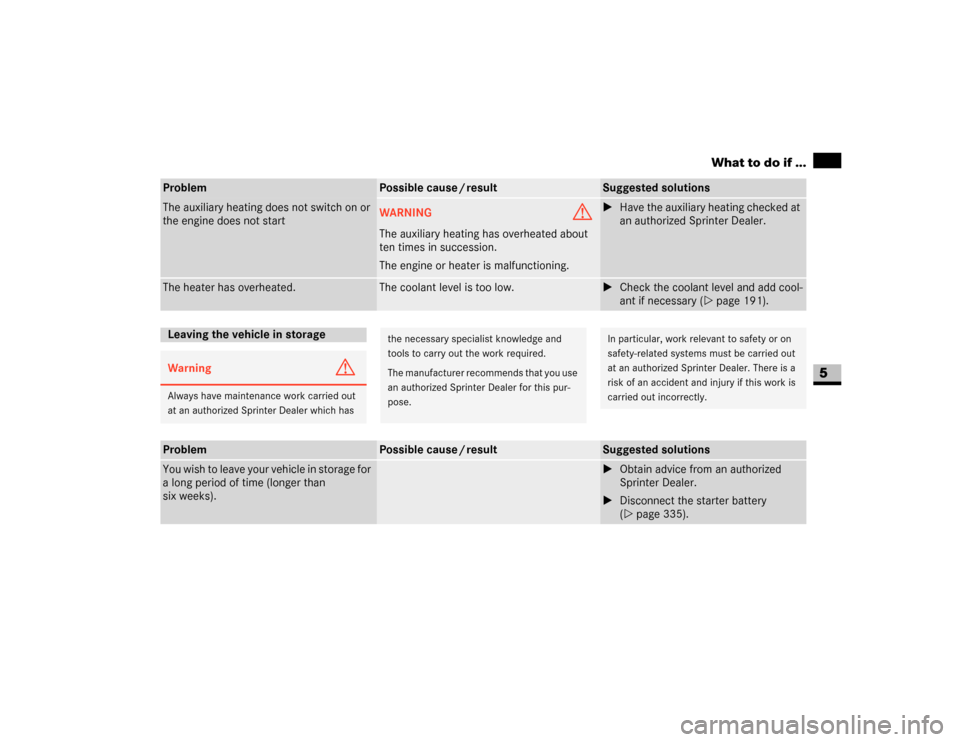
You wish to leave your vehicle in storage for
a long period of time (longer than
six weeks).
\1Obtain advice from an authorized
Sprinter Dealer.
\1Disconnect the starter battery
(\2page 335).
Page 316 of 393
315 Practical hints
Changing the batteries
5
\3 Changing the batteriesIf the remote control batteries (remote
keyless entry) are discharged, you will only
be able to lock and unlock the vehicle man-
ually using the key.
If the batteries in the auxiliary heating re-
mote control are discharged, you will only
be able to switch the auxiliary heating on
or off using the auxiliary heating / heater
booster switch inside the vehicle
(\2page 140).
It is advisable to have the batteries
changed at an authorized Sprinter Dealer.You need two CR 2025 3 V cell batteries or
equivalent.
Do not touch the battery contact surfaces.Warning
G
Keep batteries away from children.
Consult a doctor immediately if a battery is
swallowed.
Dispose of used batteries in an environmen-
tally responsible manner.
Danger of explosion if the battery is not cor-
rectly replaced.
Replacements should always be either of
the same type or one which has been rec-
ommended by the manufacturer.
Environmental note
H
Batteries contain materials that can harm
the environment if disposed of improperly.
Recycling of batteries is the preferred meth-
od of disposal. Many states require sellers
of batteries to accept old batteries for recy-
cling.iAlways replace all the batteries at the
same time. Suitable batteries are avail-
able from an authorized Sprinter Deal-
er. You can also have the batteries
changed there and return used batter-
ies.
Remote control
(remote keyless entry)iWhen inserting the batteries, make
sure that they are clean and lint-free.!
CAUTION
Do not operate the remote control
while the battery is being replaced.
Page 317 of 393
316 Practical hintsChanging the batteries
5
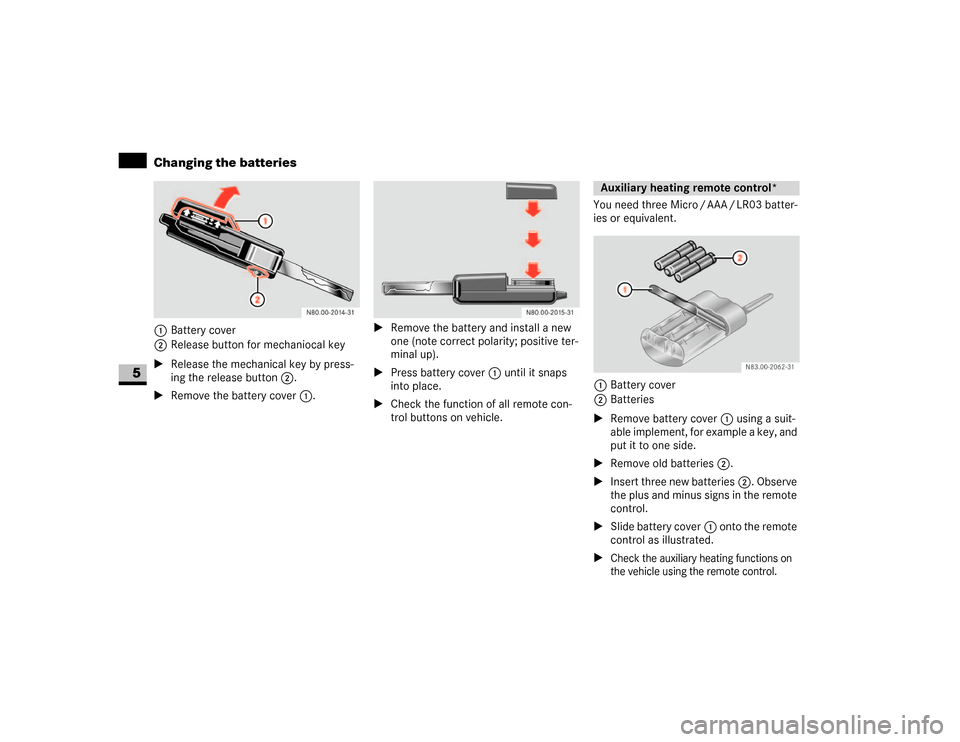
1Battery cover
2Release button for mechaniocal key
\1Release the mechanical key by press-
ing the release button2.
\1Remove the battery cover1.\1Remove the battery and install a new
one (note correct polarity; positive ter-
minal up).
\1Press battery cover1 until it snaps
into place.
\1Check the function of all remote con-
trol buttons on vehicle.You need three Micro / AAA / LR03 batter-
ies or equivalent.
1Battery cover
2Batteries
\1Remove battery cover1 using a suit-
able implement, for example a key, and
put it to one side.
\1Remove old batteries2.
\1Insert three new batteries2. Observe
the plus and minus signs in the remote
control.
\1Slide battery cover1 onto the remote
control as illustrated.
\1
Check the auxiliary heating functions on
the vehicle using the remote control.Auxiliary heating remote control*
N83.00-2062-31