door lock DODGE SPRINTER 2007 2.G Owner's Manual
[x] Cancel search | Manufacturer: DODGE, Model Year: 2007, Model line: SPRINTER, Model: DODGE SPRINTER 2007 2.GPages: 393, PDF Size: 7.61 MB
Page 85 of 393
84 Controls in detailLighting
3
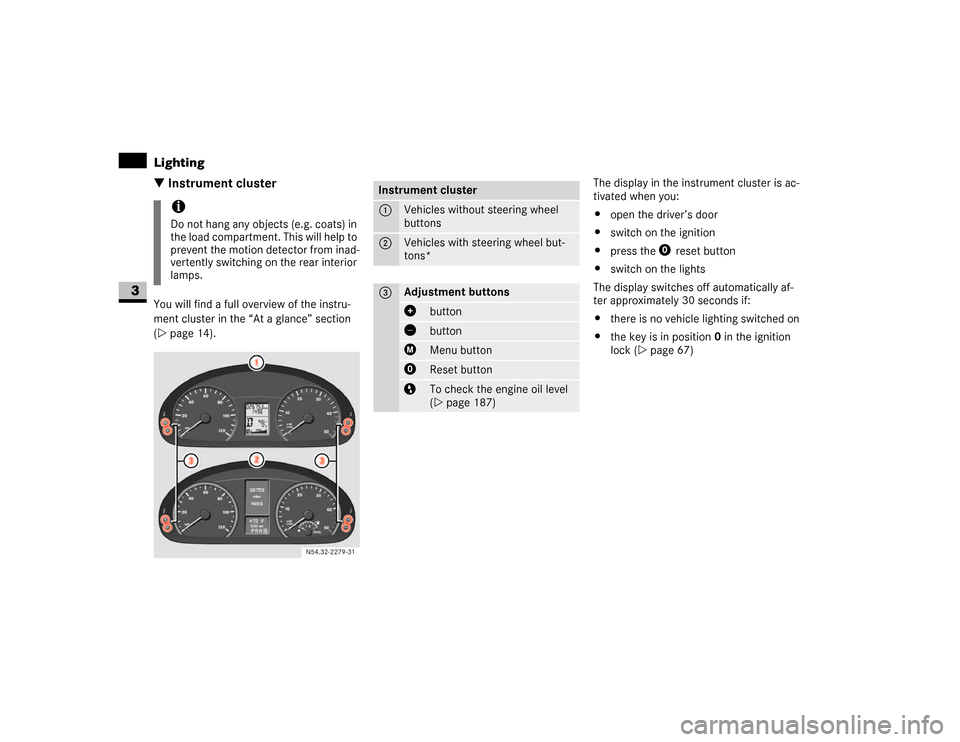
\3 Instrument clusterYou will find a full overview of the instru-
ment cluster in the “At a glance” section
(\2page 14).The display in the instrument cluster is ac-
tivated when you:
\4open the driver’s door
\4switch on the ignition
\4press the reset button
\4switch on the lights
The display switches off automatically af-
ter approximately 30 seconds if:
\4there is no vehicle lighting switched on
\4the key is in position 0 in the ignition
lock (\2page 67)
iDo not hang any objects (e.g. coats) in
the load compartment. This will help to
prevent the motion detector from inad-
vertently switching on the rear interior
lamps.
N54.32-2279-31
Instrument cluster1
Vehicles without steering wheel
buttons
2
Vehicles with steering wheel but-
tons*
3
Adjustment buttons
button buttonMenu buttonReset buttonTo check the engine oil level
(\2page 187)
Page 104 of 393
103 Controls in detail
Operating system with steering wheel buttons*
3
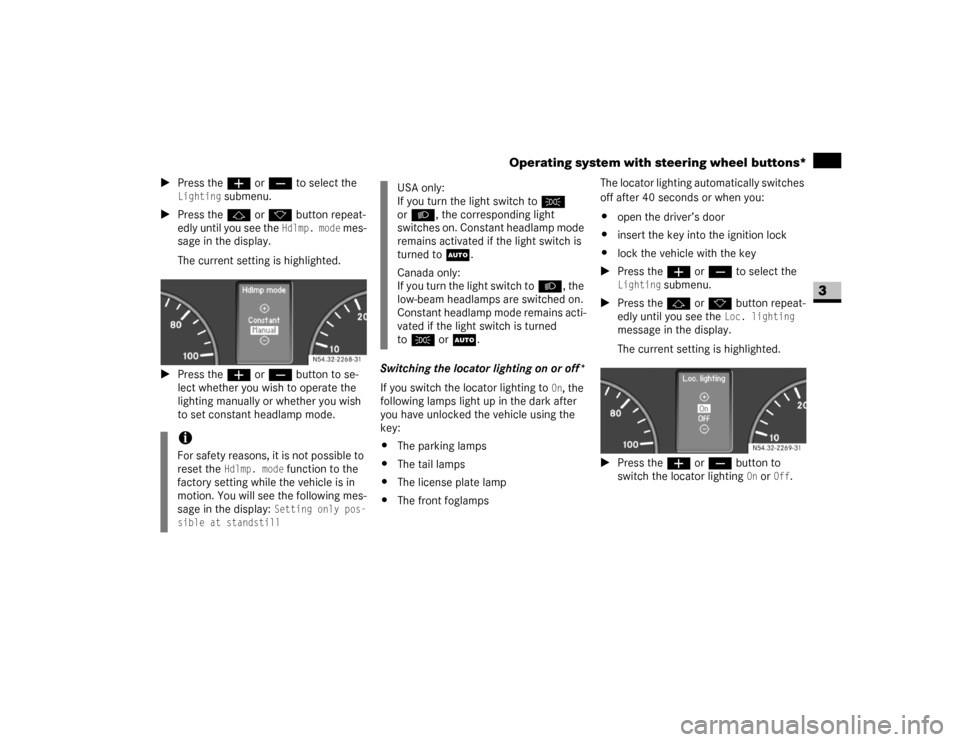
\1Press theæ or ç to select the
Lighting
submenu.
\1Press thej or k button repeat-
edly until you see the
Hdlmp. mode
mes-
sage in the display.
The current setting is highlighted.
\1Press theæ or ç button to se-
lect whether you wish to operate the
lighting manually or whether you wish
to set constant headlamp mode.Switching the locator lighting on or off*
If you switch the locator lighting to
On, the
following lamps light up in the dark after
you have unlocked the vehicle using the
key:
\4The parking lamps
\4The tail lamps
\4The license plate lamp
\4The front foglampsThe locator lighting automatically switches
off after 40 seconds or when you:
\4open the driver’s door
\4insert the key into the ignition lock
\4lock the vehicle with the key
\1Press theæ or ç to select the
Lighting
submenu.
\1Press thej or k button repeat-
edly until you see the
Loc. lighting
message in the display.
The current setting is highlighted.
\1Press the æ or ç button to
switch the locator lighting
On or
Off
.
iFor safety reasons, it is not possible to
reset the
Hdlmp. mode
function to the
factory setting while the vehicle is in
motion. You will see the following mes-
sage in the display: Setting only pos-
sible at standstill
N54.32-2268-31
USA only:
If you turn the light switch toC
orB, the corresponding light
switches on. Constant headlamp mode
remains activated if the light switch is
turned toU.
Canada only:
If you turn the light switch toB, the
low-beam headlamps are switched on.
Constant headlamp mode remains acti-
vated if the light switch is turned
toC orU.
N54.32-2269-31
Page 111 of 393
110 Controls in detailDriving and parking
3
\3 Driving and parking
\1Before each journey, check the vehicle
lighting and the general condition of
the vehicle.
\1Observe the general driving tips at the
end of this section (\2page 116).
You will find information on:
\4regular checks (\2page 181)
\4driving in winter (\2page 235)
\4driving when towing a trailer
(\2page 175)
\4and other driving tips
in the “Operation” section (\2page 173).
Warning
G
T h e m o v e m e n t o f t h e p e d a l s m u s t n o t b e o b -
structed. The vehicle’s operating and road
safety are otherwise jeopardized.
Objects could fall and get caught between
the pedals if you accelerate or brake sud-
denly. You will no longer be able to brake or
accelerate. You could cause an accident,
which could result in injury to yourself and
others.
\4If floor mats and carpets are used, make
sure that these are secured correctly
and cannot slip and that there is suffi-
cient pedal clearance.
\4Do not place any objects in the driver’s
footwell.
\4Store and secure all loose objects so
they cannot get into the driver’s footwell
while the vehicle is in motion.
Warning
G
The doors could open of their own accord
while the vehicle is in motion if they are not
fully closed. For this reason, please make
sure that all the doors are properly closed
and locked before driving off (\2page 52).
Starting the engineWarning
G
Never run the engine in an enclosed space.
The exhaust fumes contain poisonous car-
bon monoxide. Breathing in exhaust fumes
constitutes a health hazard and can lead to
loss of consciousness and death.Warning
G
A seat belt that is worn incorrectly or not at
all, or that is not correctly engaged in the
seat belt buckle, cannot perform its intend-
ed protective function. In certain circum-
stances, you could then be seriously or even
fatally injured. Make sure, therefore, that all
occupants – in particular, expectant moth-
ers – wear their seat belt correctly at all
times.
Page 113 of 393
112 Controls in detailDriving and parking
3
\1Depress the brake pedal and keep it
depressed.
The selector lever lock is released.
\1Release the handbrake (\2page 115).
The7 indicator lamp in the instru-
ment cluster goes out.
\1Move the selector lever to position D or
R.\1Release the brake pedal.
\1Carefully depress the accelerator ped-
al.
You will find more information about selec-
tor lever positions, shift ranges and driving
tips in the “Automatic transmission” sec-
tion (\2page 121).
Pulling awayWarning
G
Do not downshift for additional engine brak-
ing on a slippery surface. The drive wheels
may lose their grip and the vehicle could
skid.!
CAUTION
Only drive at high speeds once the en-
gine has warmed up. This protects the
engine.
When driving on slippery surfaces,
avoid spinning the drive wheels where
possible as this could damage the drive
train.
iOn vehicles with a reverse warning fea-
ture*, an audible warning sounds for
other road users when reverse gear is
engaged (\2page 153).
iDepending on the vehicle's settings,
the vehicle automatically locks itself
centrally after it has driven off, at the
latest (\2page 64). The locking knobs
on the front doors and the sliding door
drop down.
You can open the doors from the inside
at any time.
You can also switch off the automatic
door lock (\2page 64). !
CAUTION
Only select reverse gear when the vehi-
cle is stationary, otherwise you could
damage the automatic transmission.
iWait until the gear selection has com-
pleted before pulling away.iAutomatic transmission upshifts are
made at higher engine speeds after a
cold start. This helps the catalytic con-
verter to reach its operating tempera-
ture more quickly.
Page 145 of 393
144 Controls in detailOpen air
3
\3 Open airYou can open and close the side windows
electrically.
The switches for all side windows are locat-
ed on the door control panel.
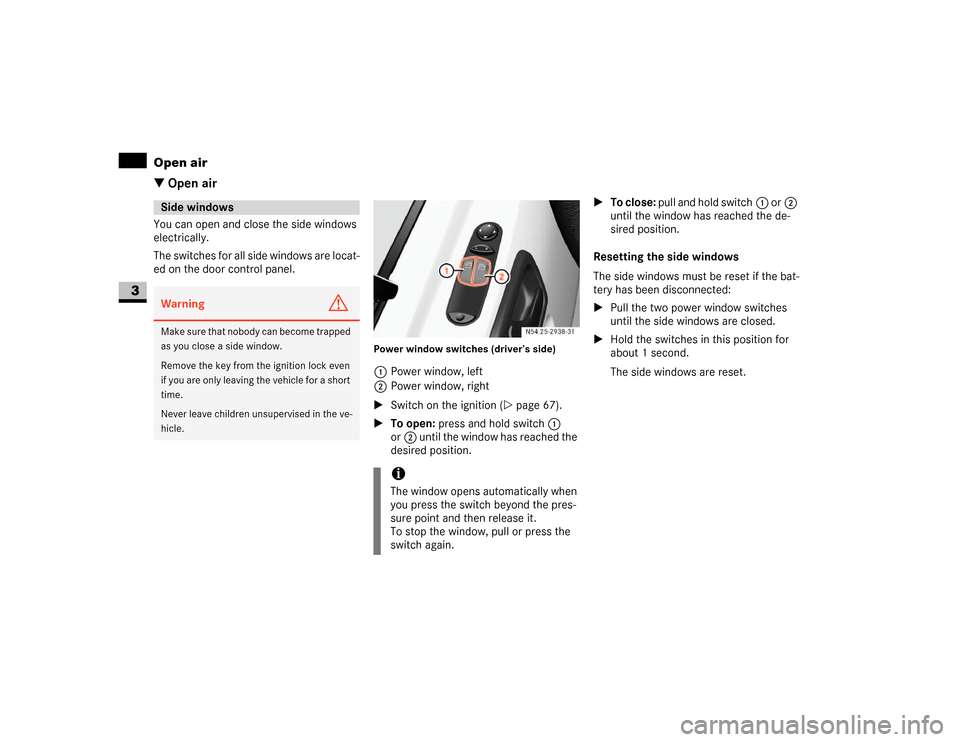
Power window switches (driver’s side)1Power window, left
2Power window, right
\1Switch on the ignition (\2page 67).
\1To open: press and hold switch1
or2 until the window has reached the
desired position.\1To close: pull and hold switch1 or2
until the window has reached the de-
sired position.
Resetting the side windows
The side windows must be reset if the bat-
tery has been disconnected:
\1Pull the two power window switches
until the side windows are closed.
\1Hold the switches in this position for
about 1 second.
The side windows are reset.
Side windowsWarning
G
Make sure that nobody can become trapped
as you close a side window.
Remove the key from the ignition lock even
if you are only leaving the vehicle for a short
time.
Never leave children unsupervised in the ve-
hicle.
iThe window opens automatically when
you press the switch beyond the pres-
sure point and then release it.
To stop the window, pull or press the
switch again.
Page 171 of 393
170 Controls in detailFeatures
3
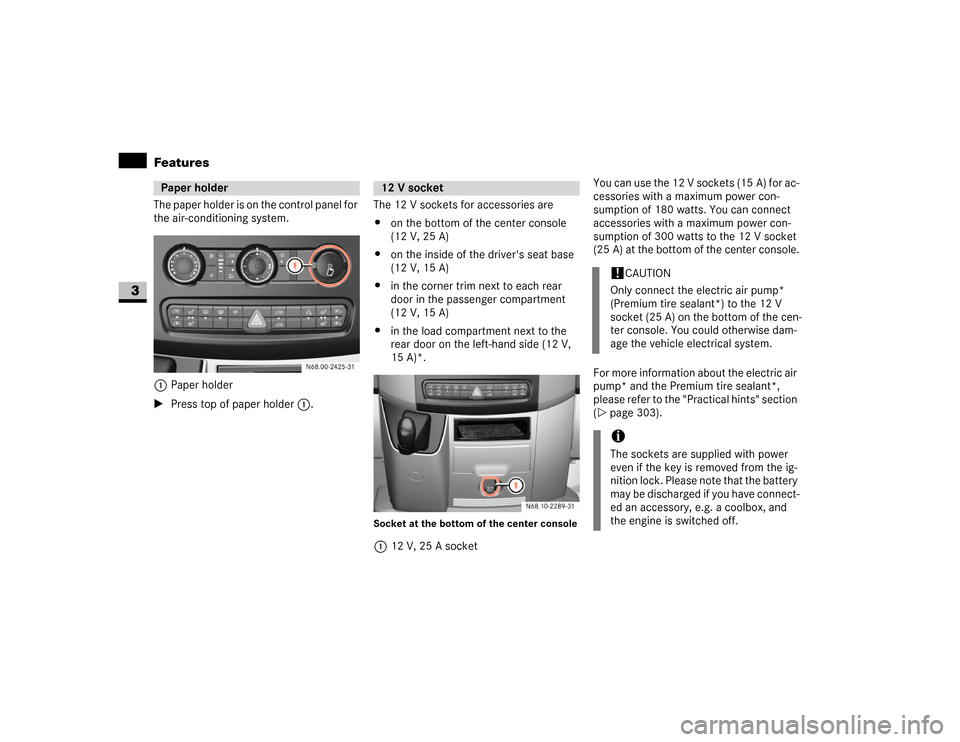
The paper holder is on the control panel for
the air-conditioning system. 1Paper holder
\1Press top of paper holder1.The 12 V sockets for accessories are
\4on the bottom of the center console
(12 V, 25 A)
\4on the inside of the driver's seat base
(12 V, 15 A)
\4in the corner trim next to each rear
door in the passenger compartment
(12 V, 15 A)
\4in the load compartment next to the
rear door on the left-hand side (12 V,
15 A)*.
Socket at the bottom of the center console112 V, 25 A socketYou can use the 12 V sockets (15 A) for ac-
cessories with a maximum power con-
sumption of 180 watts. You can connect
accessories with a maximum power con-
sumption of 300 watts to the 12 V socket
(25 A) at the bottom of the center console.
For more information about the electric air
pump* and the Premium tire sealant*,
please refer to the "Practical hints" section
(\2page 303).
Paper holder
N68.00-2425-31
12 V socket
!
CAUTION
Only connect the electric air pump*
(Premium tire sealant*) to the 12 V
socket (25 A) on the bottom of the cen-
ter console. You could otherwise dam-
age the vehicle electrical system.
iThe sockets are supplied with power
even if the key is removed from the ig-
nition lock. Please note that the battery
may be discharged if you have connect-
ed an accessory, e.g. a coolbox, and
the engine is switched off.
Page 185 of 393
184 OperationRefueling
4
\3 Refueling
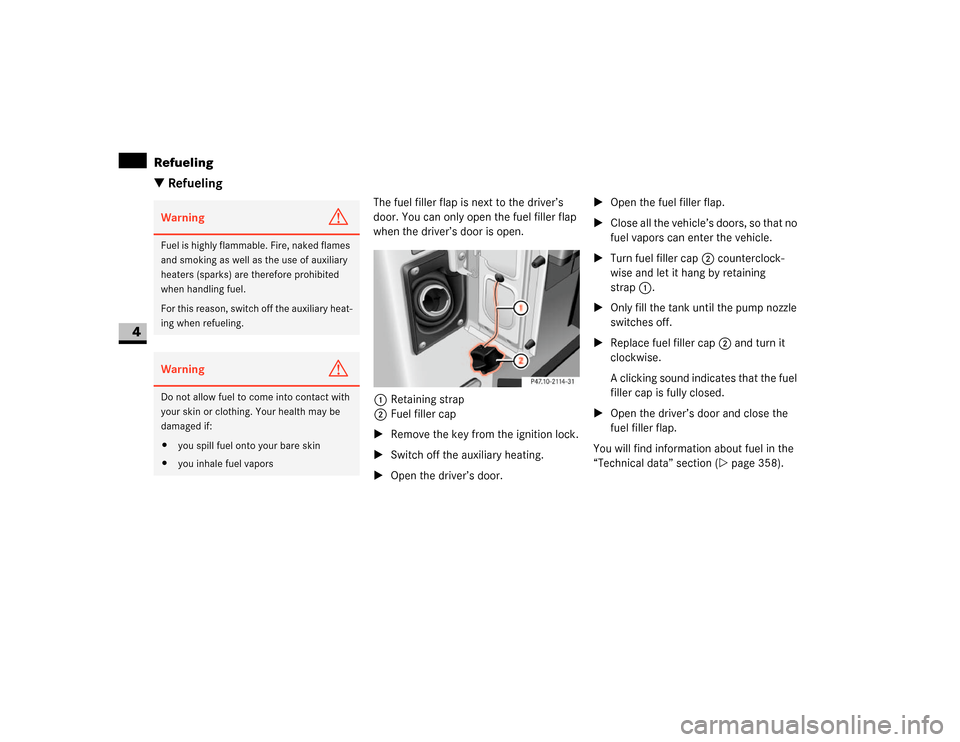
The fuel filler flap is next to the driver’s
door. You can only open the fuel filler flap
when the driver’s door is open.
1Retaining strap
2Fuel filler cap
\1Remove the key from the ignition lock.
\1Switch off the auxiliary heating.
\1Open the driver’s door.\1Open the fuel filler flap.
\1Close all the vehicle’s doors, so that no
fuel vapors can enter the vehicle.
\1Turn fuel filler cap2 counterclock-
wise and let it hang by retaining
strap1.
\1Only fill the tank until the pump nozzle
switches off.
\1Replace fuel filler cap2 and turn it
clockwise.
A clicking sound indicates that the fuel
filler cap is fully closed.
\1Open the driver’s door and close the
fuel filler flap.
You will find information about fuel in the
“Technical data” section (\2page 358).
Warning
G
Fuel is highly flammable. Fire, naked flames
and smoking as well as the use of auxiliary
heaters (sparks) are therefore prohibited
when handling fuel.
For this reason, switch off the auxiliary heat-
ing when refueling.Warning
G
Do not allow fuel to come into contact with
your skin or clothing. Your health may be
damaged if:
\4you spill fuel onto your bare skin
\4you inhale fuel vapors
Page 198 of 393
197 Operation
Battery isolating switch*
4
You can disconnect the current to all your
vehicle’s consumers using the battery
isolating switch. This will prevent uncon-
trolled battery discharge caused by quies-
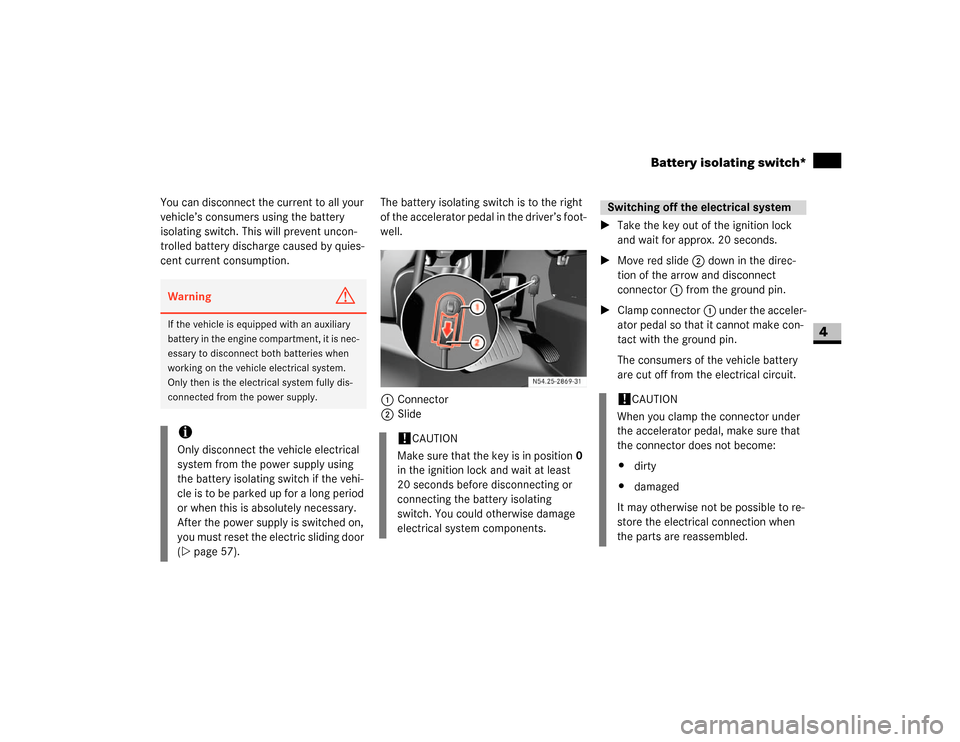
cent current consumption.The battery isolating switch is to the right
of the accelerator pedal in the driver’s foot-
well.
1Connector
2Slide\1Take the key out of the ignition lock
and wait for approx. 20 seconds.
\1Move red slide2 down in the direc-
tion of the arrow and disconnect
connector1 from the ground pin.
\1Clamp connector1 under the acceler-
ator pedal so that it cannot make con-
tact with the ground pin.
The consumers of the vehicle battery
are cut off from the electrical circuit.Warning
G
If the vehicle is equipped with an auxiliary
battery in the engine compartment, it is nec-
essary to disconnect both batteries when
working on the vehicle electrical system.
Only then is the electrical system fully dis-
connected from the power supply.iOnly disconnect the vehicle electrical
system from the power supply using
the battery isolating switch if the vehi-
cle is to be parked up for a long period
or when this is absolutely necessary.
After the power supply is switched on,
you must reset the electric sliding door
(\2page 57).
!
CAUTION
Make sure that the key is in position0
in the ignition lock and wait at least
20 seconds before disconnecting or
connecting the battery isolating
switch. You could otherwise damage
electrical system components.
Switching off the electrical system!
CAUTION
When you clamp the connector under
the accelerator pedal, make sure that
the connector does not become:
\4dirty
\4damaged
It may otherwise not be possible to re-
store the electrical connection when
the parts are reassembled.
Page 251 of 393
250 Practical hintsWhat to do if ...
5
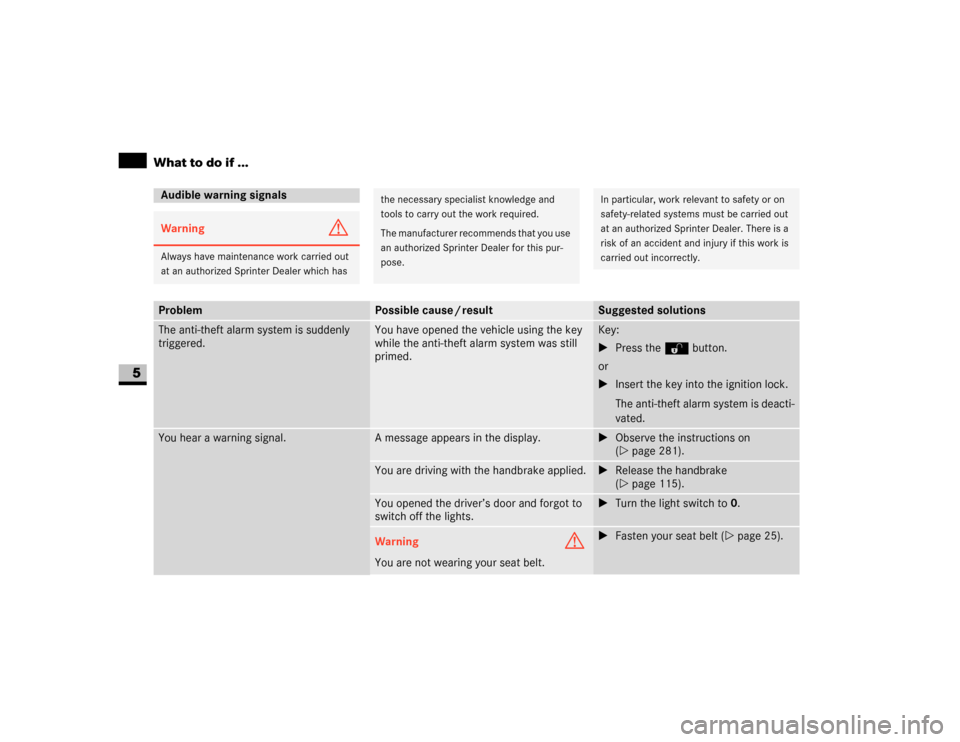
Audible warning signalsWarning
G
Always have maintenance work carried out
at an authorized Sprinter Dealer which has
the necessary specialist knowledge and
tools to carry out the work required.
The manufacturer recommends that you use
an authorized Sprinter Dealer for this pur-
pose.
In particular, work relevant to safety or on
safety-related systems must be carried out
at an authorized Sprinter Dealer. There is a
risk of an accident and injury if this work is
carried out incorrectly.
Problem
Possible cause / result
Suggested solutions
The anti-theft alarm system is suddenly
triggered.
You have opened the vehicle using the key
while the anti-theft alarm system was still
primed.
Key:
\1Press theΠbutton.
or
\1Insert the key into the ignition lock.
The anti-theft alarm system is deacti-
vated.
You hear a warning signal.
A message appears in the display.
\1Observe the instructions on
(\2page 281).
You are driving with the handbrake applied.
\1Release the handbrake
(\2page 115).
You opened the driver’s door and forgot to
switch off the lights.
\1Turn the light switch to0.
Warning
G
You are not wearing your seat belt.
\1Fasten your seat belt (\2page 25).
Page 260 of 393
259 Practical hints
What to do if ...
5
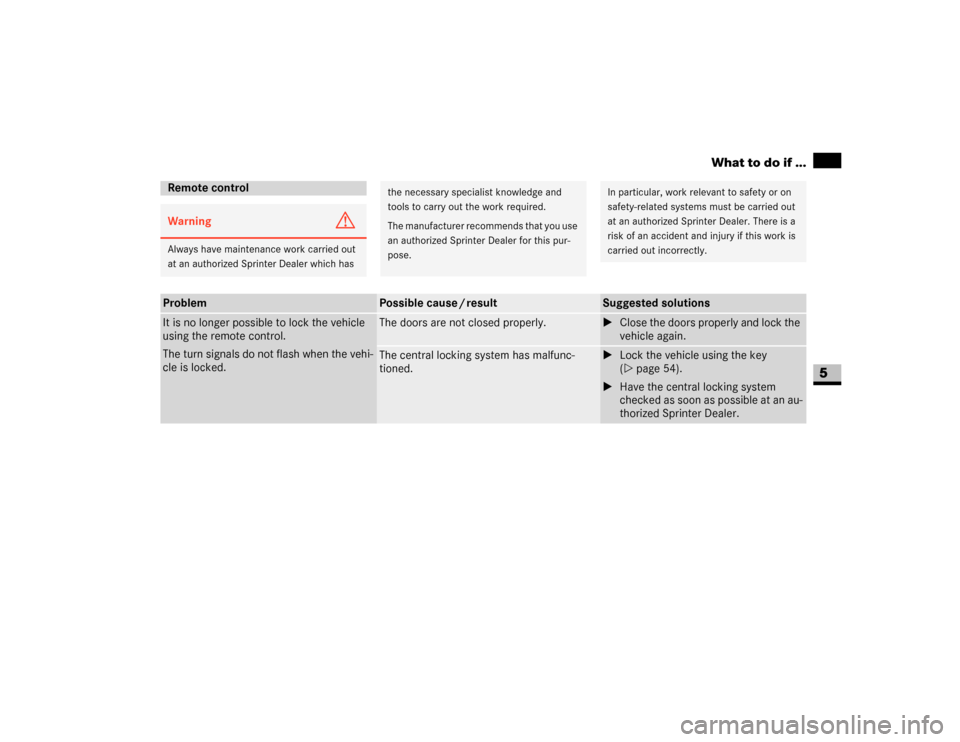
Remote controlWarning
G
Always have maintenance work carried out
at an authorized Sprinter Dealer which has
the necessary specialist knowledge and
tools to carry out the work required.
The manufacturer recommends that you use
an authorized Sprinter Dealer for this pur-
pose.
In particular, work relevant to safety or on
safety-related systems must be carried out
at an authorized Sprinter Dealer. There is a
risk of an accident and injury if this work is
carried out incorrectly.
Problem
Possible cause / result
Suggested solutions
It is no longer possible to lock the vehicle
using the remote control.
The turn signals do not flash when the vehi-
cle is locked.
The doors are not closed properly.
\1Close the doors properly and lock the
vehicle again.
The central locking system has malfunc-
tioned.
\1Lock the vehicle using the key
(\2page 54).
\1Have the central locking system
checked as soon as possible at an au-
thorized Sprinter Dealer.