wheel DODGE SPRINTER 2008 2.G Owners Manual
[x] Cancel search | Manufacturer: DODGE, Model Year: 2008, Model line: SPRINTER, Model: DODGE SPRINTER 2008 2.GPages: 666, PDF Size: 14.11 MB
Page 243 of 666
241 Controls in detail
Auxiliary heating/ventilation*
3
Operating system without steering
wheel buttons
\1
Switch on the ignition (
\2
page 111).
\1
Press the
ö
switch.
The
ö
symbol in the display flashes.
or \1
Press the
menu button on the
in-
strument cluster repeatedly until the
ö
symbol in the display flashes.
\1
Use the or button on the
in-
strument cluster to select desired
switch-on time
1 to
3.
The switch-on time selected is dis-
played.
\1
Wait 10 seconds for the standard
display to appear.The switch-on time is selected.
The yellow indicator lamp in
the
ö
switch comes on.
If you have not selected a switch-on time
and
--:--
appears in the display, the au-
tomatic switch-on is deactivated. The
yellow indicator lamp in the
ö
switch
goes out.
Operating system with steering wheel
buttons*
\1
Switch on the ignition (
\2
page 111).
\1
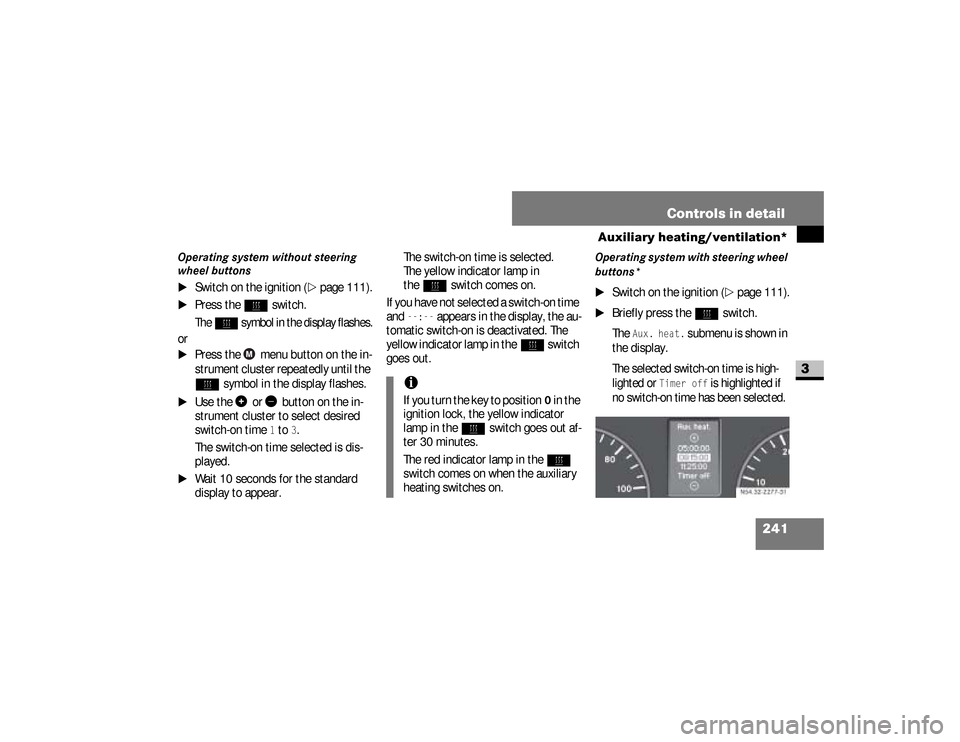
Briefly press the
ö
switch.
The
Aux. heat.
submenu is shown in
the display.
The selected switch-on time is high-
lighted or
Timer off
is highlighted if
no switch-on time has been selected.
iIf you turn the key to position
0 in the
ignition lock, the yellow indicator
lamp in the
ö
switch goes out af-
ter 30 minutes.
The red indicator lamp in the
ö
switch comes on when the auxiliary
heating switches on.
N54.32-2277-31
nf_BA.book Page 241 Friday, January 25, 2008 3:53 PM
Page 244 of 666
242 Controls in detailAuxiliary heating/ventilation*
3
\1
Press the
æ
or
ç
button to se-
lect the desired switch-on time. The
automatic switch-on is deactivated if
the
Timer off
setting is selected.
\1
Press the
è
button.
The switch-on time is selected.
The yellow indicator lamp in
the
ö
switch comes on.
Setting the switch-on time
Operating system without steering
wheel buttons
\1
Select a switch-on time as described
under “Selecting a switch-on time”
(\2
page 240).
\1
Press the reset button on the
in-
strument cluster to set the selected
switch-on time.
The hours figure flashes and
the
”
symbol appears in the dis-
play.
\1
Set the hours using the or
am
button on the
instrument cluster.
\1
Press the reset button.
The minute display flashes.
\1
Set the minutes using the
or button.
iYou can reach the
Aux. heat.
sub-
menu via the
Settings
menu
(
\2
page 161).
iIf you turn the key to position
0 in the
ignition lock, the yellow indicator
lamp in the
ö
switch goes out af-
ter 30 minutes.
The red indicator lamp in the
ö
switch comes on when the auxiliary
heating switches on.
nf_BA.book Page 242 Friday, January 25, 2008 3:53 PM
Page 245 of 666
243 Controls in detail
Auxiliary heating/ventilation*
3
Operating system with steering wheel
buttons
\1
Select a switch-on time as described
under “Selecting a switch-on time”
(\2
page 240).
\1
Press the
j
button.
The
Hours
menu appears in the dis-
play.
\1
Set the hours using the
æ
or
ç
button.
\1
Press the
j
button.
The
Minutes
menu appears in the
display.
\1
Set the minutes using the
æ
or
ç
button.
\1
Press the
è
button.
The switch-on time is set and selected.
iIf you keep the button pressed, the
values will change continuously.
To return to the standard display:\4
press and hold the button
on the
instrument cluster for
more than 1 second
\4
do not press a button for
10 seconds
iTo return to the standard display,
press the
è
or
ÿ
button re-
peatedly until the standard display
appears.
nf_BA.book Page 243 Friday, January 25, 2008 3:53 PM
Page 249 of 666
247 Controls in detail
Open air
3
Resetting the sliding sunroofThe sliding sunroof must be reset after:\4
the sunroof has been closed manual-
ly using the emergency operation
key (
\2
page 522)
\4
the sunroof has opened with a jerk
\4
a malfunction
\1
Switch on the ignition (
\2
page 111).
\1
Press the sliding sunroof switch in
the direction of arrow
2
(\2
page 246).
\1
Wait until the sliding sunroof is
closed and then keep the sliding sun-
roof switch pressed for approximate-
ly 3 seconds.
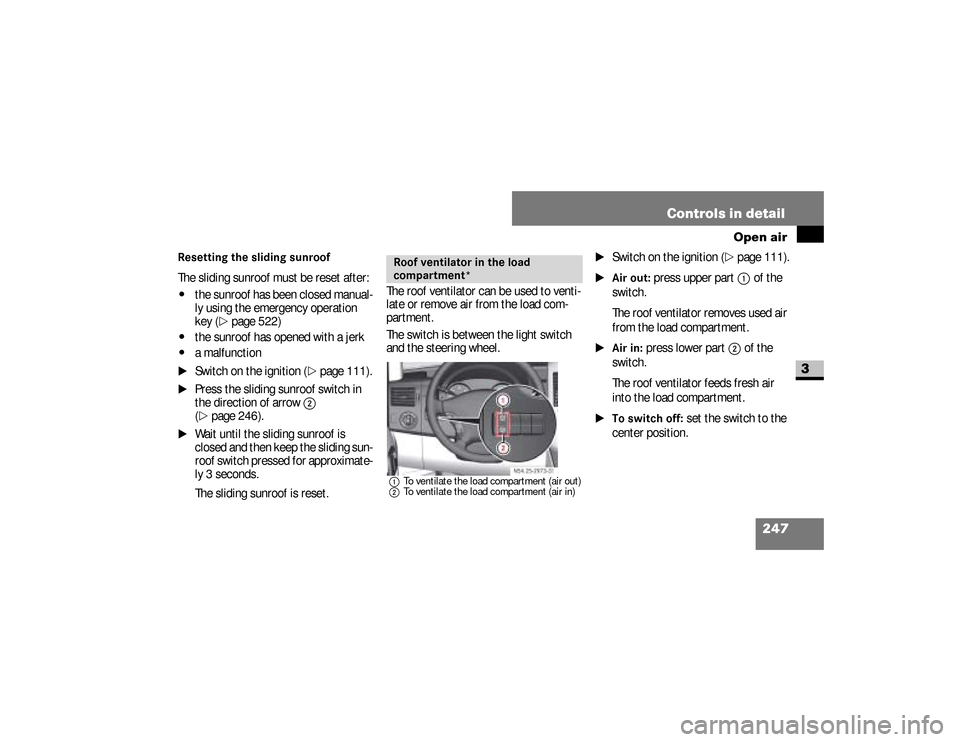
The sliding sunroof is reset.The roof ventilator can be used to venti-
late or remove air from the load com-
partment.
The switch is between the light switch
and the steering wheel.
1To ventilate the load compartment (air out)
2To ventilate the load compartment (air in)
\1
Switch on the ignition (
\2
page 111).
\1Air out:
press upper part
1
of the
switch.
The roof ventilator removes used air
from the load compartment.
\1Air in:
press lower part
2
of the
switch.
The roof ventilator feeds fresh air
into the load compartment.
\1To switch off:
set the switch to the
center position.
Roof ventilator in the load
compartment*
N54.25-2929-31
nf_BA.book Page 247 Friday, January 25, 2008 3:53 PM
Page 251 of 666
249 Controls in detail
Driving systems
3
Cruise control leverThe cruise control lever is the upper-
most lever on the left of the steering col-
umn.
Warning
G
The cruise control function cannot take
account of road and traffic conditions.
Always pay attention to road and traffic
conditions, even when cruise control is
activated.Cruise control is only an aid designed to
assist driving. You are responsible for the
vehicle’s speed and for braking in good
time.
If there is a change of drivers, advise the
new driver of the cruising speed that is
stored.
Warning
G
Do not use cruise control:
\4if road and traffic conditions do not
permit a constant driving speed to be
maintained (e.g. heavy traffic or wind-
ing roads). You could otherwise cause
an accident.
\4on slippery roads. The drive wheels
may lose their grip when braking or
accelerating and the vehicle could
skid
\4when visibility is poor, e.g. in fog,
heavy rain or snow
iCruise control may be unable to
maintain the stored speed on uphill
or downhill gradients. The stored
speed is resumed if the gradient
evens out and the vehicle’s speed
has not fallen below 20 mph
(30 km/h).
nf_BA.book Page 249 Friday, January 25, 2008 3:53 PM
Page 275 of 666
273 Controls in detail
Operating the vehicle
3
\3 Operating the vehicleWhen activated, the operating speed
governor (ADR) automatically increases
the engine speed to a preset or adjust-
able operating speed (
\2
page 275).
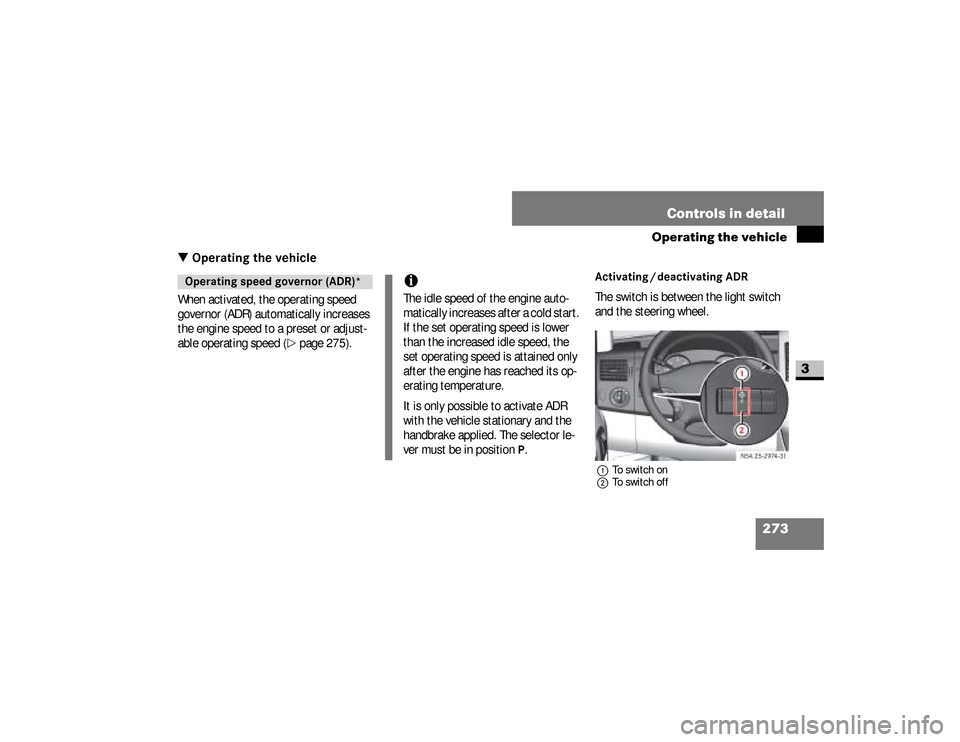
Activating / deactivating ADRThe switch is between the light switch
and the steering wheel.1To switch on
2To switch off
Operating speed governor (ADR)*
iThe idle speed of the engine auto-
matically increases after a cold start.
If the set operating speed is lower
than the increased idle speed, the
set operating speed is attained only
after the engine has reached its op-
erating temperature.
It is only possible to activate ADR
with the vehicle stationary and the
handbrake applied. The selector le-
ver must be in position
P.
N54.25-2932-31
nf_BA.book Page 273 Friday, January 25, 2008 3:53 PM
Page 276 of 666
274 Controls in detailOperating the vehicle
3
\1To switch on:
press upper part
1
of
the switch with the engine running.
The indicator lamp in the switch
comes on.
Vehicles without steering wheel but-
tons:
The
™
indicator lamp in the in-
strument cluster comes on.Vehicles with steering wheel but-
tons:
The
Operating speed governor ac-
tive message appears in the dis-
play.
\1To switch off:
press lower part
2
of
the switch with the engine running.
The indicator lamp in the switch and
the
™
indicator lamp in the in-
strument cluster go out.
iADR is automatically deactivated
when:\4
you release the handbrake
\4
the vehicle moves
\4
the control unit detects a mal-
function
nf_BA.book Page 274 Friday, January 25, 2008 3:53 PM
Page 282 of 666
280 Controls in detailTransporting
3
As the driver of the vehicle, you are re-
sponsible for ensuring that the load is
secured against slipping, tipping over,
rolling or falling down, whether driving in
normal traffic situations or on poor road
surfaces or as a result of having to
swerve to avoid an obstacle or applying
the brakes fully.
Failing to secure the load in accordance
with relevant requirements and sound
practice may be a punishable offense,
depending on national legislation and
the consequences that arise.
For this reason, observe the legal re-
quirements in all countries concerned.Before each journey and at regular inter-
vals during longer journeys, check
whether the load is secure and take ad-
ditional action to improve any incorrect
or inadequate safety measures.
\1
Fill up any empty spaces between
the load and the load compartment
walls or wheel arches in a form-fit-ting manner. For this purpose, use
solid transport aids, such as chocks,
wooden blocks or storage cushions.
\1
Secure tilt and tip-resistant loads in
all directions by using the lashing
points or lashing eyes and load rails
in the load compartment or on the
load surface, according to your vehi-
cle's equipment.
Only use lashing materials that have
been tested according to valid stan-
dards, such as lashing nets and
straps.
Securing a load
iInformation about how to secure a
load correctly can be obtained from
the manufacturers of transport aids
or lashing materials for securing
loads.
nf_BA.book Page 280 Friday, January 25, 2008 3:53 PM
Page 303 of 666
301 Operation
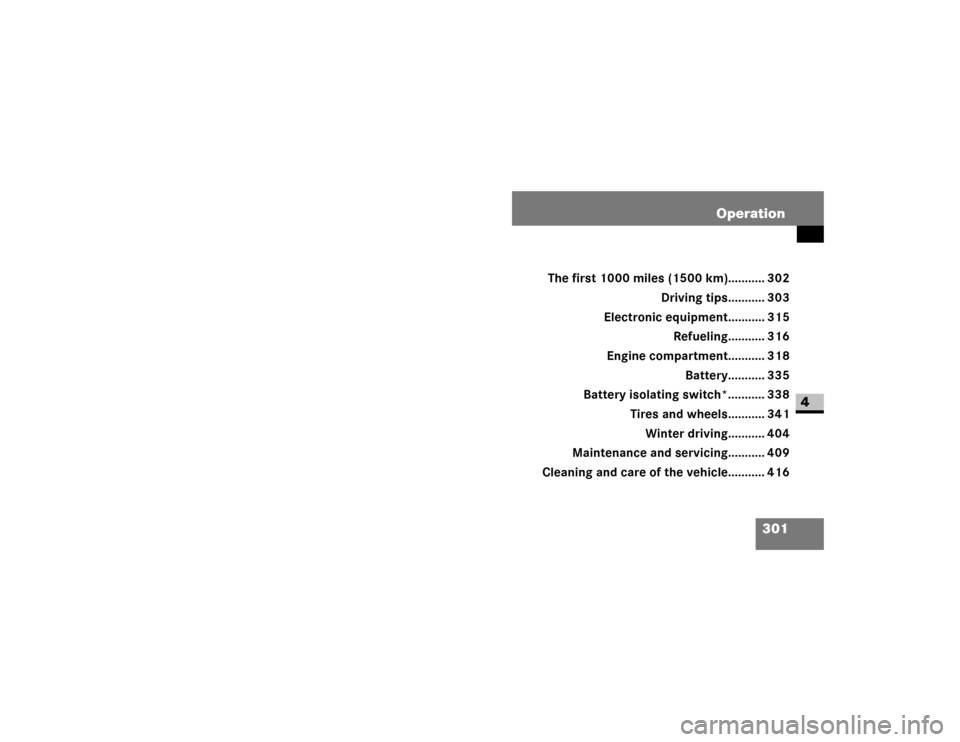
4 Operation
The first 1000 miles (1500 km)........... 302
Driving tips........... 303
Electronic equipment........... 315
Refueling........... 316
Engine compartment........... 318
Battery........... 335
Battery isolating switch*........... 338
Tires and wheels........... 341
Winter driving........... 404
Maintenance and servicing........... 409
Cleaning and care of the vehicle........... 416
nf_BA.book Page 301 Friday, January 25, 2008 3:53 PM
Page 307 of 666
305 Operation
Driving tips
4
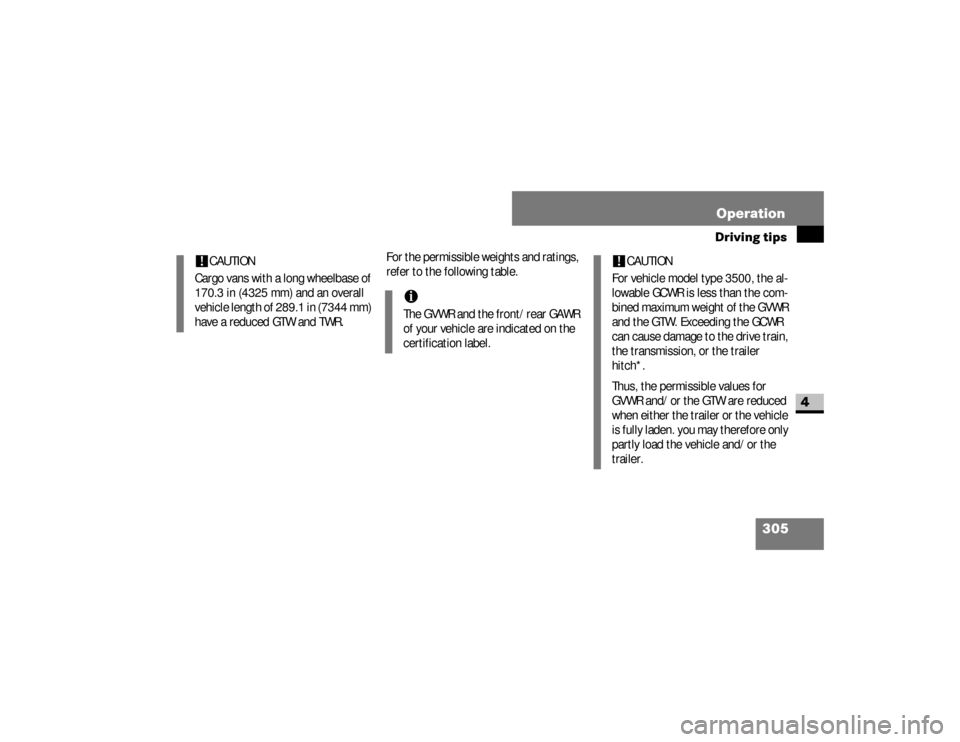
For the permissible weights and ratings,
refer to the following table.
!
CAUTION
Cargo vans with a long wheelbase of
170.3 in (4325 mm) and an overall
vehicle length of 289.1 in (7344 mm)
have a reduced GTW and TWR.
iThe GVWR and the front/rear GAWR
of your vehicle are indicated on the
certification label.
!
CAUTION
For vehicle model type 3500, the al-
lowable GCWR is less than the com-
bined maximum weight of the GVWR
and the GTW. Exceeding the GCWR
can cause damage to the drive train,
the transmission, or the trailer
hitch*.
Thus, the permissible values for
GVWR and/or the GTW are reduced
when either the trailer or the vehicle
is fully laden. you may therefore only
partly load the vehicle and/or the
trailer.
nf_BA.book Page 305 Friday, January 25, 2008 3:53 PM