door lock DODGE SPRINTER 2008 2.G User Guide
[x] Cancel search | Manufacturer: DODGE, Model Year: 2008, Model line: SPRINTER, Model: DODGE SPRINTER 2008 2.GPages: 666, PDF Size: 14.11 MB
Page 93 of 666
91 Controls in detail
Opening and closing
3
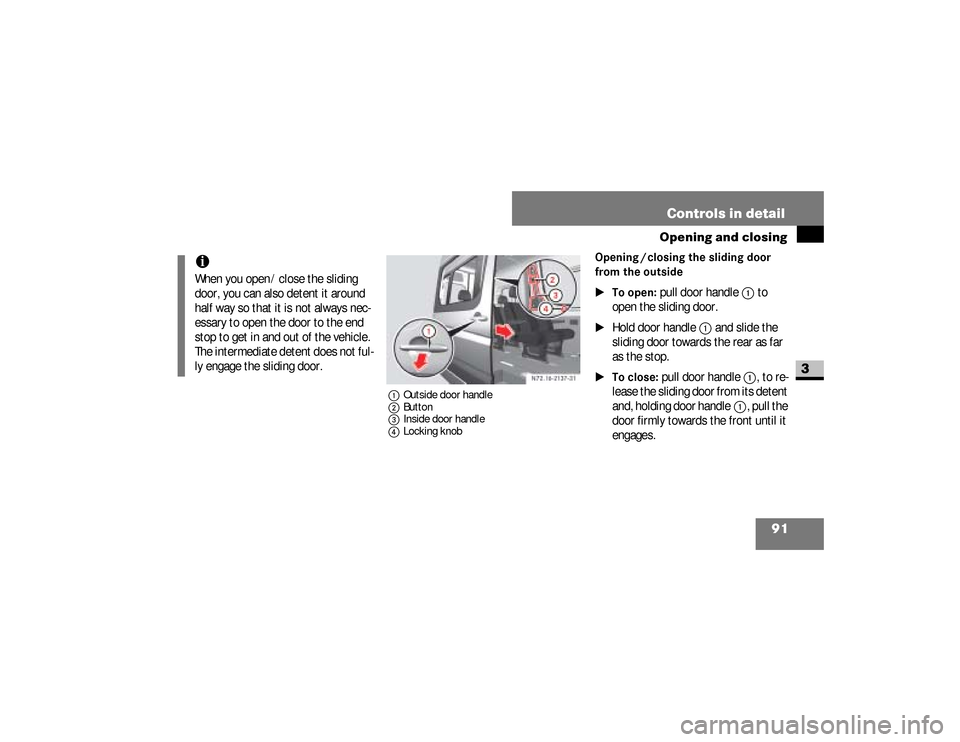
1Outside door handle
2Button
3Inside door handle
4Locking knob
Opening / closing the sliding door
from the outside
\1To open:
pull door handle
1
to
open the sliding door.
\1
Hold door handle
1
and slide the
sliding door towards the rear as far
as the stop.
\1To close:
pull door handle
1
, to re-
lease the sliding door from its detent
and,
holding door handle
1
, pull the
door firmly towards the front until it
engages.
iWhen you open / close the sliding
door, you can also detent it around
half way so that it is not always nec-
essary to open the door to the end
stop to get in and out of the vehicle.
The intermediate detent does not ful-
ly engage the sliding door.
nf_BA.book Page 91 Friday, January 25, 2008 3:53 PM
Page 94 of 666
92 Controls in detailOpening and closing
3
Opening / closing the sliding door
from the insideOpen sliding door only when conditions
are safe to do so.\1To unlock:
pull locking knob
4
up.
Only this sliding door unlocks. The
other doors remain locked.
\1To open:
press button
2
to open
the unlocked sliding door.
\1
Hold door handle
3
and slide the
sliding door towards the rear as far
as the stop.
\1To close:
press button
2
to release
the sliding door from its detent and,
holding door handle
3
, pull the door
firmly towards the front until it en-
gages.
\1To lock:
press locking knob
4
down.
Only this sliding door is locked.
Electric closing aid*Your vehicle may be equipped with an
electric closing aid.
The electric closing aid helps you to
close the sliding door. Closing the door
does not require as much effort.Depending on the vehicle’s equipment,
there are electric sliding doors on the
left and / or right-hand side.
Open sliding door only when conditions
are safe to do so. You can operate the
electric sliding door as follows:
\4
Switch on the center console
\4
Switch in the doorway (B-pillar)
\4
Inside door handle
\4
Outside door handle
\4
Remote controlElectric sliding door*
nf_BA.book Page 92 Friday, January 25, 2008 3:53 PM
Page 95 of 666
93 Controls in detail
Opening and closing
3
If the electric drive of the sliding door is
at risk of overheating, e.g. as a result of
frequent opening and closing within a
short amount of time, the sliding door
opens completely and is locked (func-
tion override). After approx. 30 seconds,
the sliding door is again operational.
Opening / closing using the switchObserve the notes on anti-trap protec-
tion (
\2
page 98).
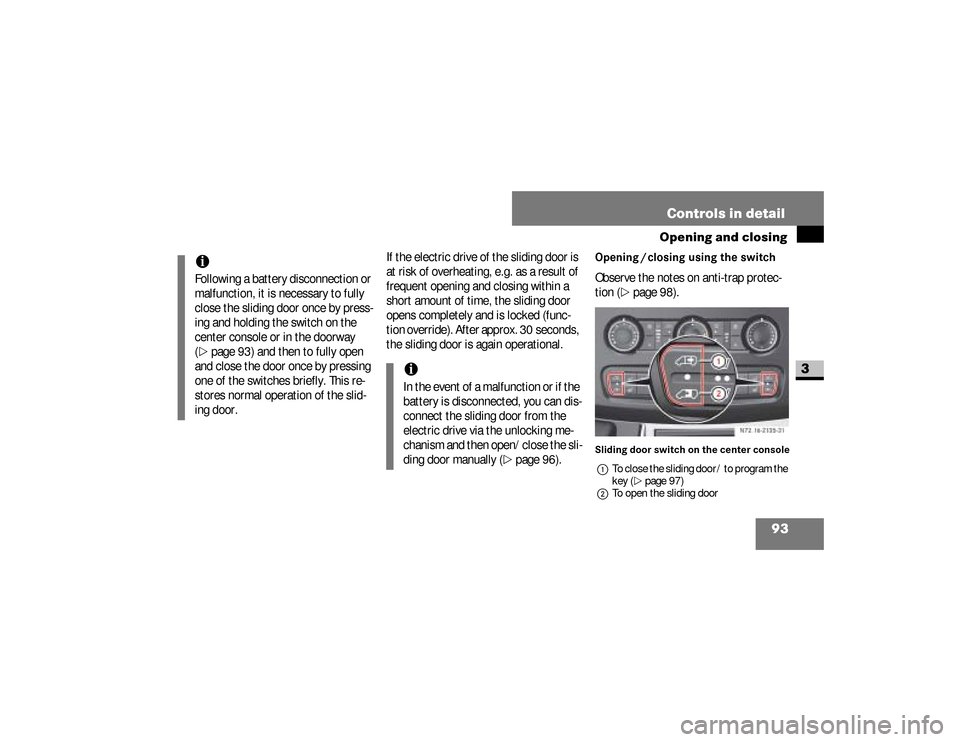
Sliding door switch on the center console
1To close the sliding door / to program the
key (\2page 97)
2To open the sliding door
iFollowing a battery disconnection or
malfunction, it is necessary to fully
close the sliding door once by press-
ing and holding the switch on the
center console or in the doorway
(\2
page 93) and then to fully open
and close the door once by pressing
one of the switches briefly. This re-
stores normal operation of the slid-
ing door.
iIn the event of a malfunction or if the
battery is disconnected, you can dis-
connect the sliding door from the
electric drive via the unlocking me-
chanism and then open/close the sli-
ding door manually (
\2
page 96).
N72.16-2135-31
nf_BA.book Page 93 Friday, January 25, 2008 3:53 PM
Page 96 of 666
94 Controls in detailOpening and closing
3
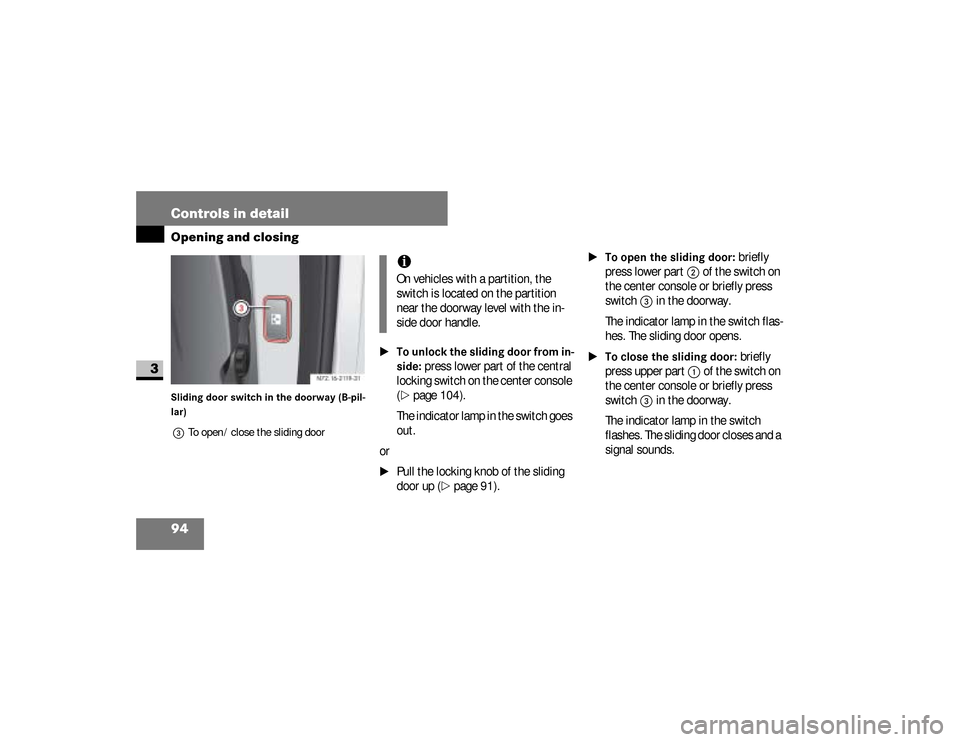
Sliding door switch in the doorway (B-pil-
lar)
3To open / close the sliding door
\1To unlock the sliding door from in-
side:
press lower part of the central
locking switch on the center console
(
\2
page 104).
The indicator lamp in the switch goes
out.
or
\1
Pull the locking knob of the sliding
door up (
\2
page 91).
\1To open the sliding door:
briefly
press lower part
2
of the switch on
the center console or briefly press
switch
3
in the doorway.
The indicator lamp in the switch flas-
hes. The sliding door opens.
\1To close the sliding door:
briefly
press upper part
1
of the switch on
the center console or briefly press
switch
3
in the doorway.
The indicator lamp in the switch
flashes. The sliding door closes and a
signal sounds. N72.16-2119-31
iOn vehicles with a partition, the
switch is located on the partition
near the doorway level with the in-
side door handle.
nf_BA.book Page 94 Friday, January 25, 2008 3:53 PM
Page 97 of 666
95 Controls in detail
Opening and closing
3
\1To stop the sliding door:
press lo-
wer/upper part of the switch on the
center console or press switch
3
in
the doorway.
The sliding door stops.
\1To lock the sliding door from in-
side:
press lower part of the central
locking switch on the center console
(
\2
page 104).
The indicator lamp in the switch co-
mes on.
or
\1
Press the locking knob of the sliding
door down (
\2
page 91).Proceed as follows in the event of unfa-
vorable operating conditions, e.g. frost,
ice or heavy soiling:
\1To open the sliding door:
press
lower part
2
of the switch on the
center console or press and hold
switch
3
in the doorway.
The indicator lamp in the switch
flashes. The sliding door unlocks and
opens, and a signal sounds.
\1To close the sliding door:
press up-
per part
1
of the switch on the cen-
ter console or press and hold
switch
3
in the doorway.The indicator lamp in the switch
flashes. The sliding door closes and a
signal sounds.
\1
Release the switch.
\1
The sliding door stops.
\1To stop the sliding door:
press lo-
wer/upper part of the switch on the
center console or press switch
3
in
the doorway.
The sliding door stops.
\1To lock the sliding door from in-
side:
press lower part of the central
locking switch on the center console
(
\2
page 104).
nf_BA.book Page 95 Friday, January 25, 2008 3:53 PM
Page 98 of 666
96 Controls in detailOpening and closing
3
The indicator lamp in the switch
comes on.
or
\1
Press the locking knob of the sliding
door down (
\2
page 91).
The sliding door can jam under unfavor-
able operating conditions such as frost,
icing or heavy dirt. In this case, clean the
door entry and proceed as follows:
\1To open the sliding door:
unlock
the sliding door (
\2
page 94).
\1
Press and hold lower part
2
of the
switch on the center console or press
and hold switch
3
in the doorway.
The indicator lamp in the switch
flashes. The sliding door opens.
\1
Release the switch.
The sliding door stops.
\1To close the sliding door:
press
and hold upper part
1
of the switch
on the center console or press and
hold switch
3
in the doorway.
The indicator lamp in the switch
flashes. The sliding door closes and a
signal sounds.
\1
Release the switch. The sliding door stops.
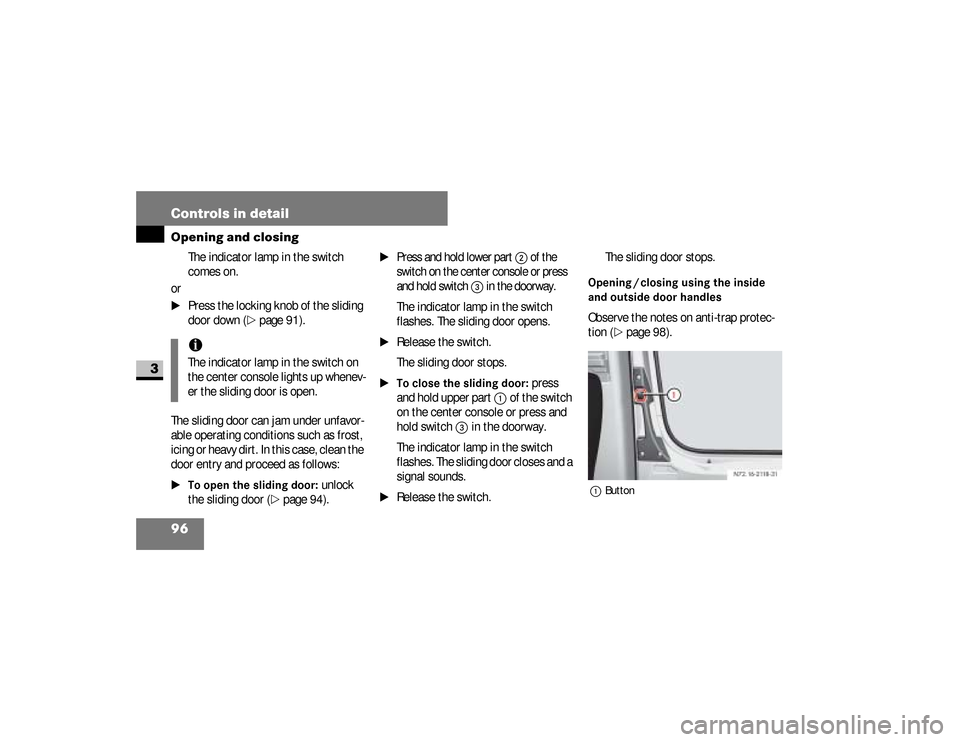
Opening / closing using the inside
and outside door handlesObserve the notes on anti-trap protec-
tion (
\2
page 98).
1Button
iThe indicator lamp in the switch on
the center console lights up whenev-
er the sliding door is open.
N72.16-2118-31
nf_BA.book Page 96 Friday, January 25, 2008 3:53 PM
Page 99 of 666
97 Controls in detail
Opening and closing
3
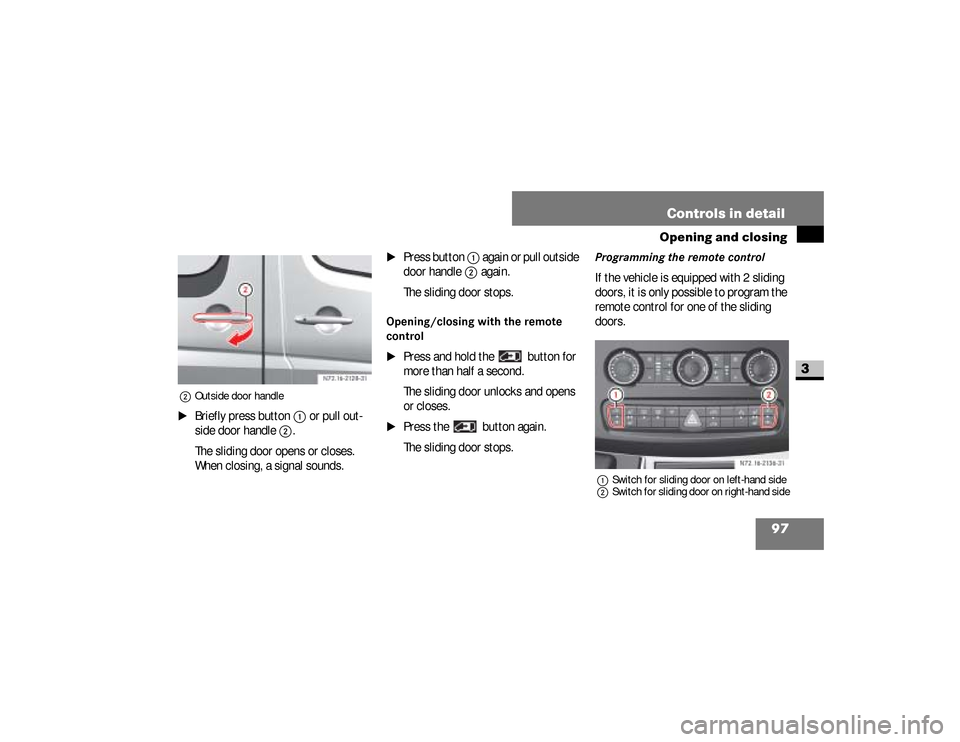
2Outside door handle\1
Briefly press button
1
or pull out-
side door handle
2
.
The sliding door opens or closes.
When closing, a signal sounds.
\1
Press button
1
again or pull outside
door handle
2
again.
The sliding door stops.
Opening/closing with the remote
control
\1
Press and hold the button for
more than half a second.
The sliding door unlocks and opens
or closes.
\1
Press the button again.
The sliding door stops.
Programming the remote controlIf the vehicle is equipped with 2 sliding
doors, it is only possible to program the
remote control for one of the sliding
doors.1Switch for sliding door on left-hand side
2Switch for sliding door on right-hand side
N72.16-2136-31
nf_BA.book Page 97 Friday, January 25, 2008 3:53 PM
Page 105 of 666
103 Controls in detail
Opening and closing
3
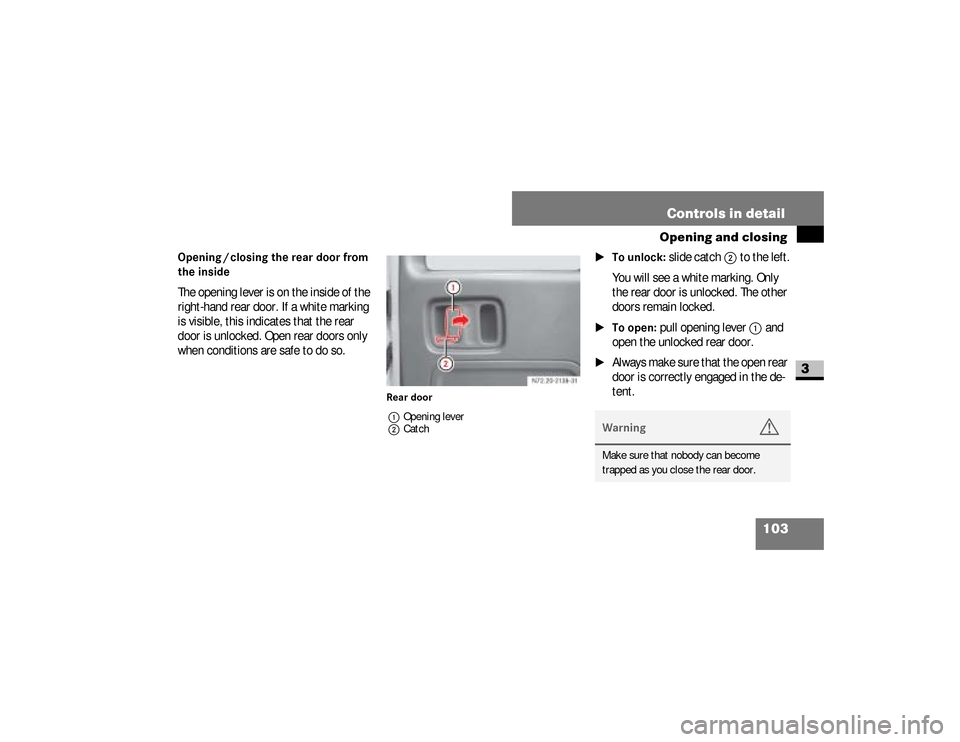
Opening / closing the rear door from
the insideThe opening lever is on the inside of the
right-hand rear door. If a white marking
is visible, this indicates that the rear
door is unlocked. Open rear doors only
when conditions are safe to do so.
Rear door
1Opening lever
2Catch
\1To unlock:
slide catch
2
to the left.
You will see a white marking. Only
the rear door is unlocked. The other
doors remain locked.
\1To open:
pull opening lever
1
and
open the unlocked rear door.
\1
Always make sure that the open rear
door is correctly engaged in the de-
tent. Warning
G
Make sure that nobody can become
trapped as you close the rear door.
nf_BA.book Page 103 Friday, January 25, 2008 3:53 PM
Page 106 of 666
104 Controls in detailOpening and closing
3
\1To close:
make sure that the left-
hand rear door is closed.
\1
Pull the right-hand rear door firmly
closed by the door handle.
\1To lock:
slide catch
2
to the right.
Only the rear door is locked.
The white marking is no longer visi-
ble.
Using the central locking switch, you
can centrally lock or unlock from the in-
side either the entire vehicle or the slid-
ing doors and rear doors only.The central locking switch is located on
the center console.
Locking and unlocking centrally
from the inside
Warning
G
Do not leave children unsupervised in the
vehicle, even if they are secured by a child
restraint system. The children could:\4injure themselves on parts of the
vehicle\4be severely or even fatally injured by
prolonged exposure to intense heat\4If the children open a door, they could:\4cause injury to others as a result
Continued
Warning (Continued)
G
\4get out of the vehicle and could either
injure themselves when doing so or
they could be injured by passing
vehicles\4sustain serious injuries if they were to
fall out of the vehicle, due in particular
to the height of the passenger com-
partment from the ground
nf_BA.book Page 104 Friday, January 25, 2008 3:53 PM
Page 107 of 666
105 Controls in detail
Opening and closing
3
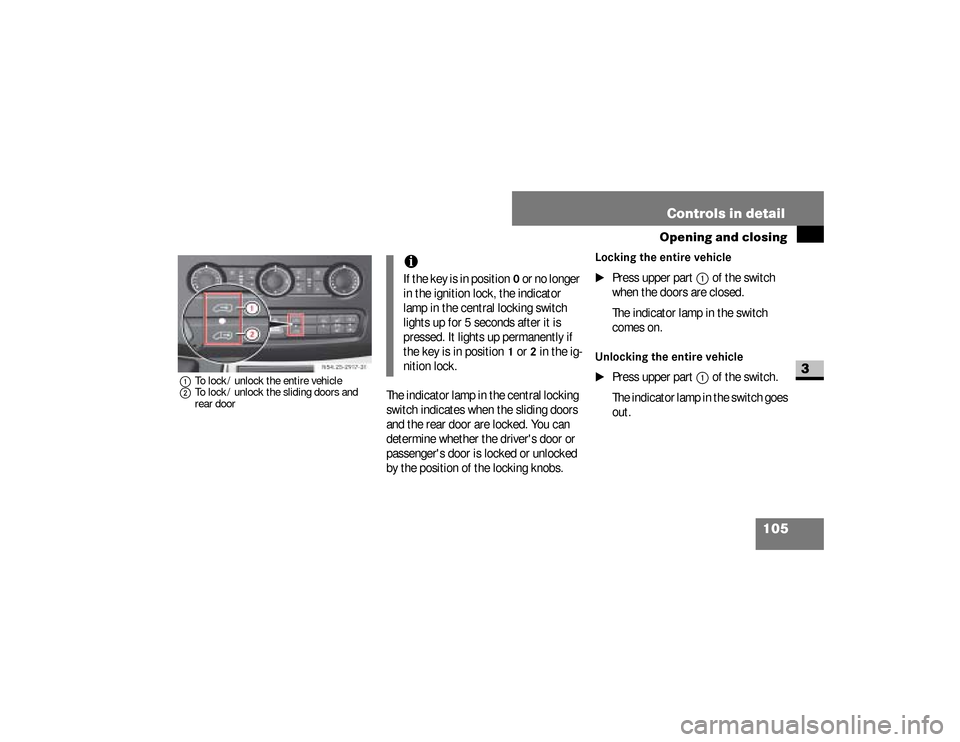
1To lock / unlock the entire vehicle
2To lock / unlock the sliding doors and
rear door
The indicator lamp in the central locking
switch indicates when the sliding doors
and the rear door are locked. You can
determine whether the driver's door or
passenger's door is locked or unlocked
by the position of the locking knobs.
Locking the entire vehicle
\1
Press upper part
1
of the switch
when the doors are closed.
The indicator lamp in the switch
comes on.
Unlocking the entire vehicle
\1
Press upper part
1
of the switch.
The indicator lamp in the switch goes
out. N54.25-2917-31
iIf the key is in position
0 or no longer
in the ignition lock, the indicator
lamp in the central locking switch
lights up for 5 seconds after it is
pressed. It lights up permanently if
the key is in position
1 or
2 in the ig-
nition lock.
nf_BA.book Page 105 Friday, January 25, 2008 3:53 PM