ignition DODGE SPRINTER 2008 2.G User Guide
[x] Cancel search | Manufacturer: DODGE, Model Year: 2008, Model line: SPRINTER, Model: DODGE SPRINTER 2008 2.GPages: 666, PDF Size: 14.11 MB
Page 86 of 666
84 Controls in detailOpening and closing
3
Remote controls with keys which were
not included with delivery must be acti-
vated at an authorized Sprinter Dealer
before they can be used.
The remote keyless entry transmitter
transmits in all directions. It does not
have to be pointed at the vehicle.
The remote keyless entry transmitter
has an average range of about 32 ft
(about 10 m). Always verify the correct
operation of the remote keyless entry transmitter by checking whether the
locking knobs on the driver's and pas-
senger's doors move down and whether
the turn signals flash.
The remote control unlocks the driver's
door and/or all doors centrally. If pro-
grammed as a factory setting, it locks
the following centrally:
\4
the driver’s and passenger’s door
\4
the sliding doors
\4
the rear doorsThe remote keyless entry transmitter
will not function when there is a vehicle
key inserted in the ignition lock.
iCanada only:
This device complies with RSS-210
of Industry Canada.
iIf the driver’s or passenger’s door is
not completely closed, the respective
door is not locked.
If one sliding door or rear door is not
completely closed, all doors of the
load compartment are not locked.
nf_BA.book Page 84 Friday, January 25, 2008 3:53 PM
Page 91 of 666
89 Controls in detail
Opening and closing
3
The alarm can be disabled in the follow-
ing ways:\1
Press the
Œ
button on the remote
control.
or
\1
Insert the key into the ignition lock.
Locking the vehicleOnly the driver's door and the rear doors
can be locked with the key.\1
For all other doors, press the locking
knob down.
\1
Close the doors.
The doors are locked.
\1
Insert the key all the way into the
rear door lock and turn it to the left.
The rear doors are locked.
\1
Insert the key all the way into the
driver’s door lock and turn it to the
right.
The driver’s door is locked.
iThe anti-theft alarm system (ATA) is
triggered when you open the vehicle
using the key.
Opening the driver’s or passen-
ger’s door from the insideWarning
G
Make sure nobody can become trapped
when you close or open the doors. Take
particular care, especially when children
are near the vehicle.Make sure there is sufficient clearance
and that the traffic area is clear when ope-
ning the doors.You could otherwise injure yourself and
others.
nf_BA.book Page 89 Friday, January 25, 2008 3:53 PM
Page 100 of 666
98 Controls in detailOpening and closing
3
\1
Make sure that the doors are closed.
\1
Switch on the ignition (
\2
page 111).
\1
Press and hold the upper part of
relevant switch
1
or
2
on the cen-
ter console for 5 seconds.
The indicator lamp in the switch for
the sliding door concerned flashes
and a warning tone sounds three
times as confirmation.
Anti-trap protectionIf the sliding door is obstructed during
the opening procedure, it moves back in
the opposite direction slightly and stops.If the sliding door is obstructed during
the closing procedure, it opens fully
again.
Resetting the electric sliding door In the event of serious malfunctions or if
you disconnect the battery, you will
need to reset the sliding door.
Warning
G
The anti-trap protection function does not
eliminate the possibility of fingers or other
parts of the body being trapped against
the door frame and therefore does not
eliminate the risk of injury.
Always make sure that nobody is within
the operating range of the sliding door.
iThe anti-trap protection is pro-
grammed to be less sensitive when
you press and hold the switch on the
center console or the switch in the
doorway than when the door opens
of its own accord.
nf_BA.book Page 98 Friday, January 25, 2008 3:53 PM
Page 107 of 666
105 Controls in detail
Opening and closing
3
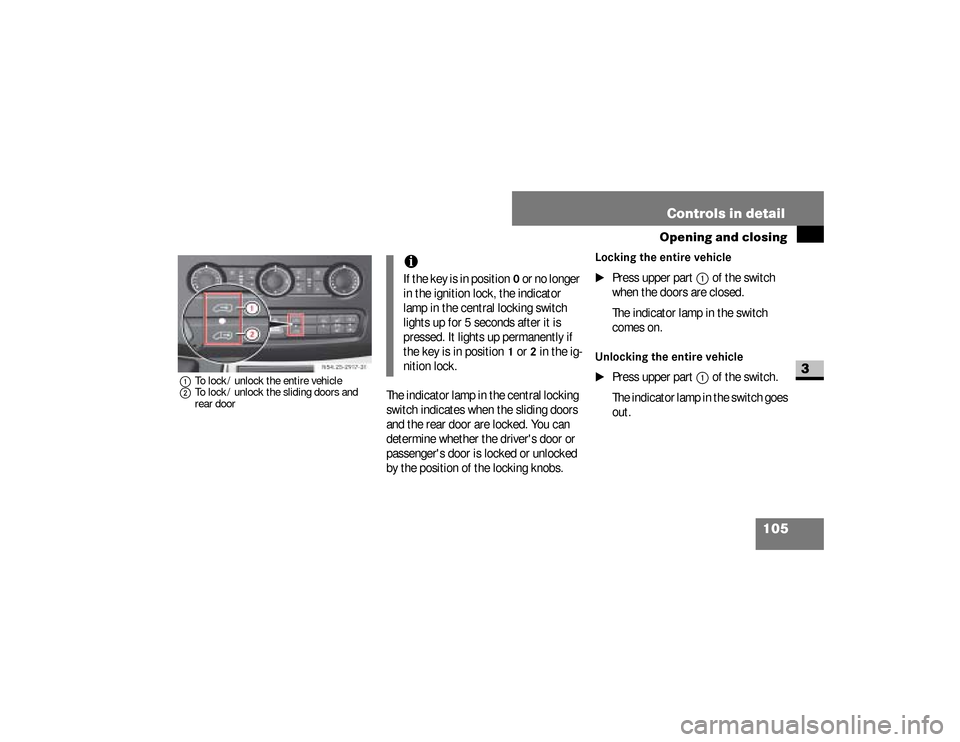
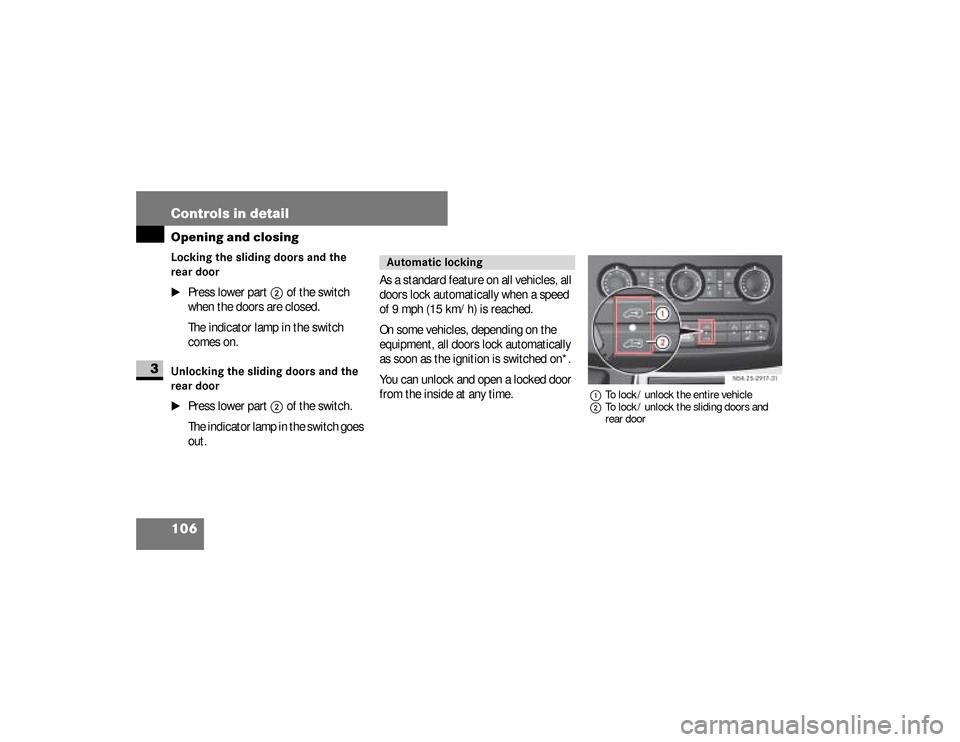
1To lock / unlock the entire vehicle
2To lock / unlock the sliding doors and
rear door
The indicator lamp in the central locking
switch indicates when the sliding doors
and the rear door are locked. You can
determine whether the driver's door or
passenger's door is locked or unlocked
by the position of the locking knobs.
Locking the entire vehicle
\1
Press upper part
1
of the switch
when the doors are closed.
The indicator lamp in the switch
comes on.
Unlocking the entire vehicle
\1
Press upper part
1
of the switch.
The indicator lamp in the switch goes
out. N54.25-2917-31
iIf the key is in position
0 or no longer
in the ignition lock, the indicator
lamp in the central locking switch
lights up for 5 seconds after it is
pressed. It lights up permanently if
the key is in position
1 or
2 in the ig-
nition lock.
nf_BA.book Page 105 Friday, January 25, 2008 3:53 PM
Page 108 of 666
106 Controls in detailOpening and closing
3
Locking the sliding doors and the
rear door
\1
Press lower part
2
of the switch
when the doors are closed.
The indicator lamp in the switch
comes on.
Unlocking the sliding doors and the
rear door
\1
Press lower part
2
of the switch.
The indicator lamp in the switch goes
out.As a standard feature on all vehicles, all
doors lock automatically when a speed
of 9 mph (15 km/h) is reached.
On some vehicles, depending on the
equipment, all doors lock automatically
as soon as the ignition is switched on*.
You can unlock and open a locked door
from the inside at any time.
1To lock / unlock the entire vehicle
2To lock / unlock the sliding doors and
rear door
Automatic locking
N54.25-2917-31
nf_BA.book Page 106 Friday, January 25, 2008 3:53 PM
Page 109 of 666
107 Controls in detail
Opening and closing
3
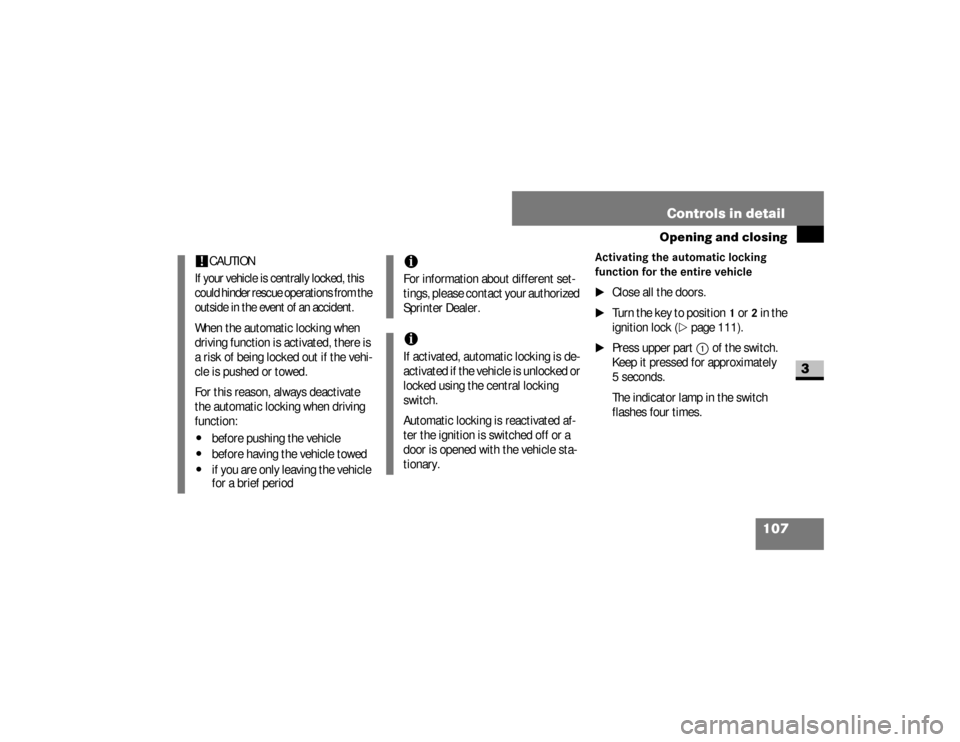
Activating the automatic locking
function for the entire vehicle
\1
Close all the doors.
\1
Turn the key to position
1 or
2 in the
ignition lock (
\2
page 111).
\1
Press upper part
1
of the switch.
Keep it pressed for approximately
5seconds.
The indicator lamp in the switch
flashes four times.
!
CAUTION
If your vehicle is centrally locked, this
could hinder rescue operations from the
outside in the event of an accident.When the automatic locking when
driving function is activated, there is
a risk of being locked out if the vehi-
cle is pushed or towed.
For this reason, always deactivate
the automatic locking when driving
function:\4
before pushing the vehicle
\4
before having the vehicle towed
\4
if you are only leaving the vehicle
for a brief period
iFor information about different set-
tings, please contact your authorized
Sprinter Dealer.iIf activated, automatic locking is de-
activated if the vehicle is unlocked or
locked using the central locking
switch.
Automatic locking is reactivated af-
ter the ignition is switched off or a
door is opened with the vehicle sta-
tionary.
nf_BA.book Page 107 Friday, January 25, 2008 3:53 PM
Page 110 of 666
108 Controls in detailOpening and closing
3
Deactivating the automatic locking
function for the entire vehicle
\1
Close all the doors.
\1
Turn the key to position
1 or
2 in the
ignition lock (
\2
page 111).
\1
Press upper part
1
of the switch.
Keep it pressed for approximately
5seconds.
The indicator lamp in the switch
flashes twice.
Activating the automatic locking
function for the sliding doors and the
rear door
\1
Close all the doors.
\1
Turn the key to position
1 or
2 in the
ignition lock (
\2
page 111).
\1
Press lower part
2
of the switch.
Keep it pressed for approximately
5seconds.
The indicator lamp in the switch
flashes four times.
Deactivating the automatic locking
when driving function for the sliding
doors and the rear door
\1
Close all the doors.
\1
Turn the key to position
1 or
2 in the
ignition lock (
\2
page 111).
\1
Press lower part
2
of the switch.
Keep it pressed for approximately
5seconds.
The indicator lamp in the switch
flashes twice.
nf_BA.book Page 108 Friday, January 25, 2008 3:53 PM
Page 113 of 666
111 Controls in detail
Key positions
3
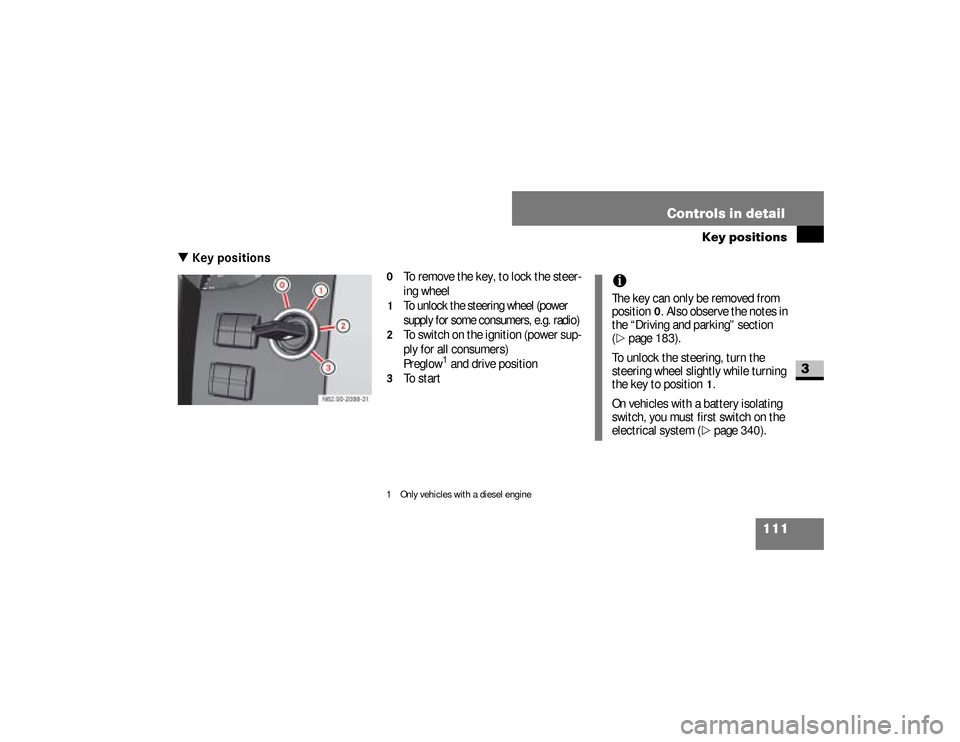
\3 Key positions
0
To remove the key, to lock the steer-
ing wheel
1
To unlock the steering wheel (power
supply for some consumers, e.g. radio)
2
To switch on the ignition (power sup-
ply for all consumers)
Preglow
1 and drive position
3
To start
1 Only vehicles with a diesel engine
iThe key can only be removed from
position
0. Also observe the notes in
the “Driving and parking” section
(
\2
page 183).
To unlock the steering, turn the
steering wheel slightly while turning
the key to position
1.
On vehicles with a battery isolating
switch, you must first switch on the
electrical system (\2
page 340).
nf_BA.book Page 111 Friday, January 25, 2008 3:53 PM
Page 124 of 666
122 Controls in detailSeats
3
\1To raise:
pull the head restraint up
to the desired position.
\1To lower:
press release button
1
and slide the head restraint down to
the desired position.
\1To adjust the angle:
hold the head
restraint by the lower edge and fold
it to the desired position.
Removing the head restraints
\1
Pull the head restraint up as far as it
will go.
\1
Press release button
1
and pull the
head restraint out.
Installing the head restraints
\1
Insert the head restraint so that the
rod with the notches is in the direc-
tion of travel on the left.
\1
Push the head restraint down until it
engages.The switches for the driver’s and pas-
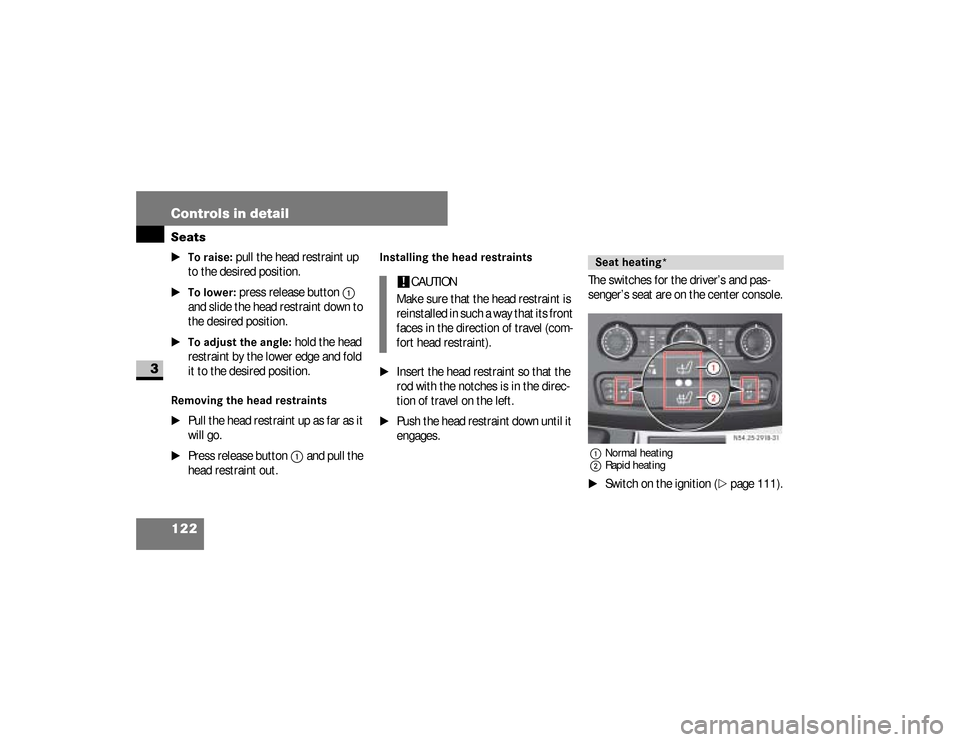
senger’s seat are on the center console.
1Normal heating
2Rapid heating\1
Switch on the ignition (
\2
page 111).
!
CAUTION
Make sure that the head restraint is
reinstalled in such a way that its front
faces in the direction of travel (com-
fort head restraint).
Seat heating*
N54.25-2918-31
nf_BA.book Page 122 Friday, January 25, 2008 3:53 PM
Page 133 of 666
131 Controls in detail
Lighting
3
Switching on the low-beam head-
lamps
\1
Turn light switch to
B
.
The
B
indicator lamp in the in-
strument cluster lights up.
Switching on the high-beam head-
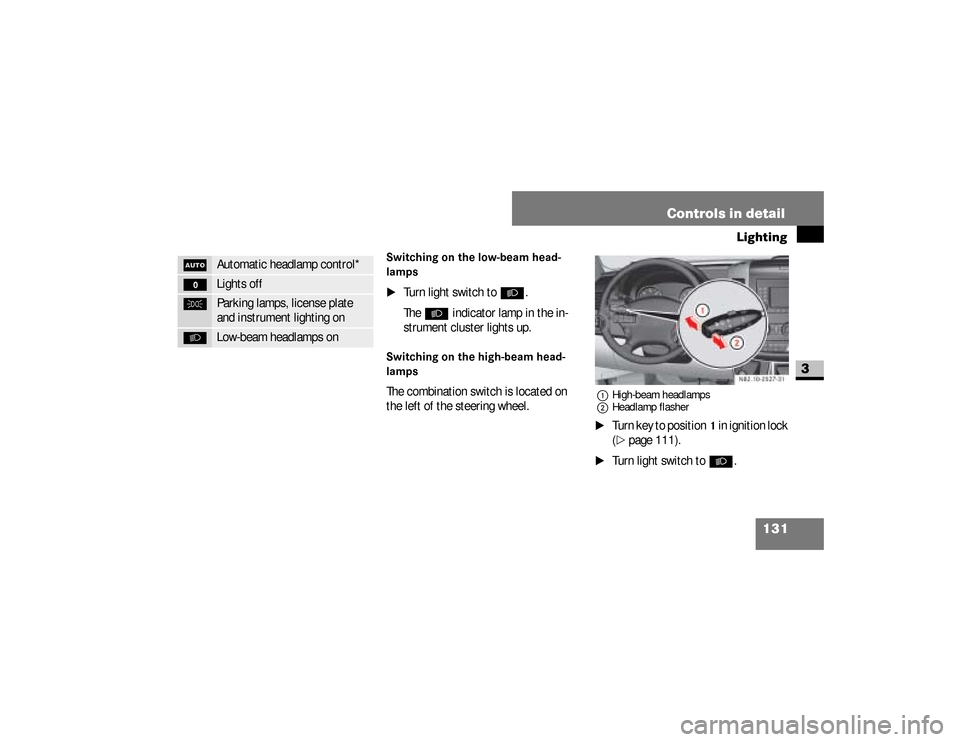
lampsThe combination switch is located on
the left of the steering wheel.
1High-beam headlamps
2Headlamp flasher\1
Turn key to position
1 in ignition lock
(
\2
page 111).
\1
Turn light switch to
B
.
U
Automatic headlamp control*
M
Lights off
C
Parking lamps, license plate
and instrument lighting on
B
Low-beam headlamps on
N82.10-2527-31
nf_BA.book Page 131 Friday, January 25, 2008 3:53 PM