ignition DODGE SPRINTER 2008 2.G Workshop Manual
[x] Cancel search | Manufacturer: DODGE, Model Year: 2008, Model line: SPRINTER, Model: DODGE SPRINTER 2008 2.GPages: 666, PDF Size: 14.11 MB
Page 298 of 666
296 Controls in detailFeatures
3
\1
Switch on the ignition (
\2
page 111).
\1
Press in cigarette lighter
1
.The cigarette lighter will pop out auto-
matically when the heating element is
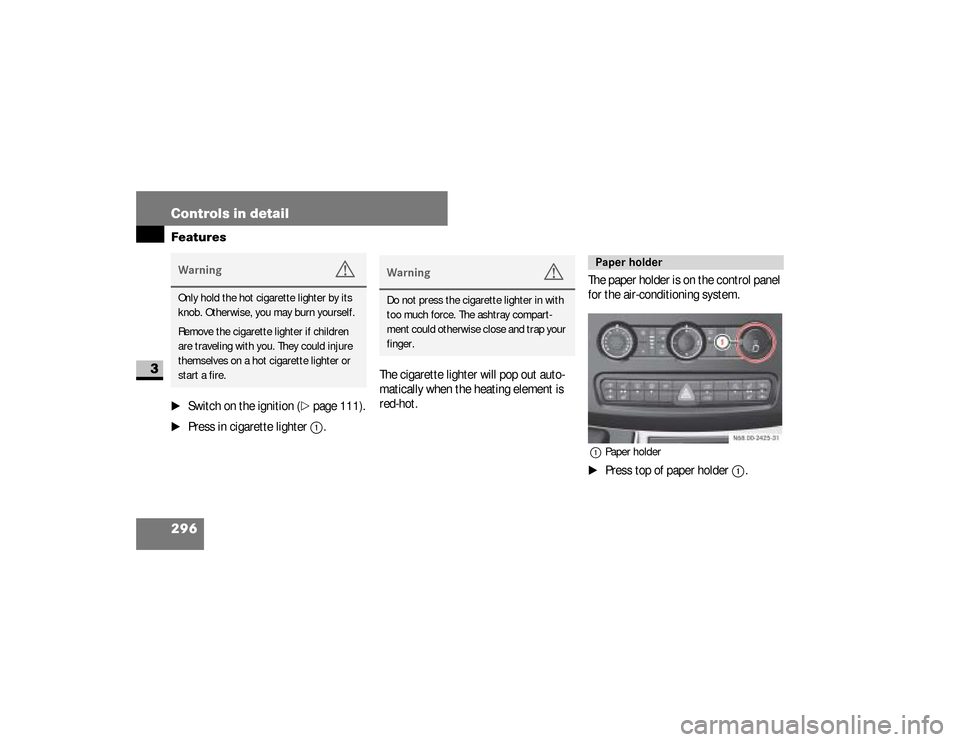
red-hot.The paper holder is on the control panel
for the air-conditioning system.
1Paper holder\1
Press top of paper holder
1
.
Warning
G
Only hold the hot cigarette lighter by its
knob. Otherwise, you may burn yourself.
Remove the cigarette lighter if children
are traveling with you. They could injure
themselves on a hot cigarette lighter or
start a fire.
Warning
G
Do not press the cigarette lighter in with
too much force. The ashtray compart-
ment could otherwise close and trap your
finger.
Paper holder
N68.00-2425-31
nf_BA.book Page 296 Friday, January 25, 2008 3:53 PM
Page 300 of 666
298 Controls in detailFeatures
3
Telephones may only be used inside the
vehicle if they are connected to a sepa-
rate exterior antenna of a type tested
and approved by the manufacturer.
iThe sockets are supplied with power
even if the key is removed from the
ignition lock. Please note that the
battery may be discharged if you
have connected an accessory, e.g. a
coolbox, and the engine is switched
off.Telephone*
Warning
G
You must observe the legal requirements
for the country in which you are driving
when operating a cell phone in the vehi-
cle.If it is permitted to operate a cell phone
while the vehicle is in motion, you must
only operate it when road and traffic con-
ditions permit. You may otherwise be dis-
tracted from the traffic conditions, cause
an accident and injure yourself and oth-
ers.
Continued
Warning (Continued)
G
Cell phones without exterior antennas
may interfere with the vehicle electronics
and thereby jeopardize the operational
safety of the vehicle. You must therefore
only use these devices when they are con-
nected to a separate exterior antenna.
nf_BA.book Page 298 Friday, January 25, 2008 3:53 PM
Page 301 of 666
299 Controls in detail
Features
3
The installation of the antenna must be
approved by a qualified specialist work-
shop.
Always have maintenance work carried
out at a qualified specialist workshop,
e.g. an authorized Sprinter Dealer.
Warning
G
Only use the telephone when road, weath-
er and traffic conditions permit you to do
so. You will otherwise be too distracted. If
you are not using the hands-free system,
pull over to make a phone call.
Bear in mind that at a speed of just
30 mph (approx. 50 km/h), your vehicle
is covering a distance of 44 feet (approx.
14 m) every second.
Telephones without exterior antennas
may interfere with the vehicle electronics
and thereby jeopardize the operational
safety of the vehicle.
iObserve all legal requirements.iThe cell phone battery will be
charged depending on the charge
status and the position of the key in
the ignition lock. The cell phone dis-
play indicates the charging process.
nf_BA.book Page 299 Friday, January 25, 2008 3:53 PM
Page 319 of 666
317 Operation
Refueling
4
\1
Remove the key from the ignition
lock.
\1
Switch off the auxiliary heating.
\1
Open the driver’s door.
\1
Open the fuel filler flap.
\1
Close all the vehicle’s doors, so that
no fuel vapors can enter the vehicle.
\1
Turn fuel filler cap
2
counterclock-
wise and let it hang by retaining
strap
1
.
\1
Only fill the tank until the pump noz-
zle switches off.
\1
Replace fuel filler cap
2
and turn it
clockwise.A clicking sound indicates that the
fuel filler cap is fully closed.
\1
Open the driver’s door and close the
fuel filler flap.
You will find information about fuel in
the “Technical data” section
(
\2
page 610).
nf_BA.book Page 317 Friday, January 25, 2008 3:53 PM
Page 322 of 666
320 OperationEngine compartment
4
Closing
Warning
G
Engine parts may be hot and can rotate.
There is a risk of injury if the hood is open
and the engine is running.
Only open the hood when the engine has
stopped and cooled down.
Warning
G
The engine has an electronic ignition sys-
tem which carries a high voltage. For this
reason, you must never touch the ignition
system components (ignition coil, test
socket) while:
\4the engine is running
\4the engine is being started
\4the key is in position2 in the ignition
lock and the engine is being cranked
by hand
Warning
G
Make sure that nobody can become
trapped as you close the hood.
nf_BA.book Page 320 Friday, January 25, 2008 3:53 PM
Page 325 of 666
323 Operation
Engine compartment
4
Check the engine oil level on a regular ba-
sis, for example weekly or each time you re-
fuel.Checking the engine oil level in the
displayIn vehicles with diesel engines, you can
view the engine oil level in the display.When the oil is being checked, the vehi-
cle must
\4
be standing level
\4
be at normal operating temperature
\4
have been standing with the engine
switched off for at least five minutes
\1
Switch on the ignition (
\2
page 111).
The display is activated.
iIf the oil level exceeds the maximum
level several times during operation,
have the malfunction rectified imme-
diately at an authorized Sprinter
Dealer.
iIf no oil level reading is shown again,
check the engine oil level with the dip-
stick.
Have the engine oil level display
checked at an authorized Sprinter Deal-
er.
!
CAUTION
Have any excess oil drained or si-
phoned off at an authorized Sprinter
Dealer. Otherwise, the engine or cat-
alytic converter could be damaged.
iIf at extremely low temperatures no
engine oil level is displayed after 5
minutes, wait a further 5 minutes be-
fore repeating the engine oil level
check.
nf_BA.book Page 323 Friday, January 25, 2008 3:53 PM
Page 327 of 666
325 Operation
Engine compartment
4
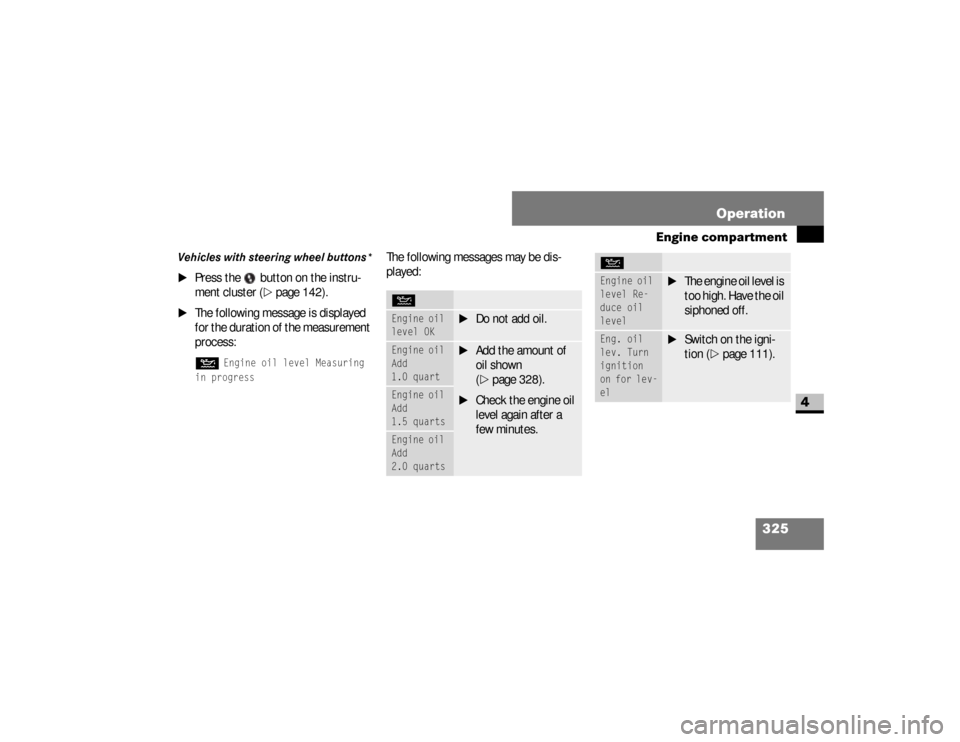
Vehicles with steering wheel buttons*
\1
Press the button on the instru-
ment cluster (
\2
page 142).
\1
The following message is displayed
for the duration of the measurement
process:N
Engine oil level Measuring
in progress
The following messages may be dis-
played:NEngine oil
level OK
\1
Do not add oil.
Engine oil
Add
1.0 quart
\1
Add the amount of
oil shown
(\2
page 328).
\1
Check the engine oil
level again after a
few minutes.
Engine oil
Add
1.5 quartsEngine oil
Add
2.0 quarts
Engine oil
level Re-
duce oil
level
\1
The engine oil level is
too high. Have the oil
siphoned off.
Eng. oil
lev. Turn
ignition
on for lev-
el
\1
Switch on the igni-
tion (
\2
page 111).
N
nf_BA.book Page 325 Friday, January 25, 2008 3:53 PM
Page 341 of 666
339 Operation
Battery isolating switch*
4
\1
Take the key out of the ignition lock
and wait for approximately
20 seconds.
\1
Move red slide
2
down in the direc-
tion of the arrow and disconnect
connector
1
from the ground pin.
\1
Clamp connector
1
under the ac-
celerator pedal so that it cannot
make contact with the ground pin.
The consumers of the vehicle battery
are cut off from the electrical circuit.
!
CAUTION
Make sure that the key is in
position
0 in the ignition lock and
wait at least 20 seconds before dis-
connecting or connecting the battery
isolating switch. You could otherwise
damage electrical system compo-
nents.
Switching off the electrical system
!
CAUTION
When you clamp the connector under
the accelerator pedal, make sure that
the connector does not become:
\4
dirty
\4
damaged
It may otherwise not be possible to
restore the electrical connection
when the parts are reassembled.
nf_BA.book Page 339 Friday, January 25, 2008 3:53 PM
Page 342 of 666
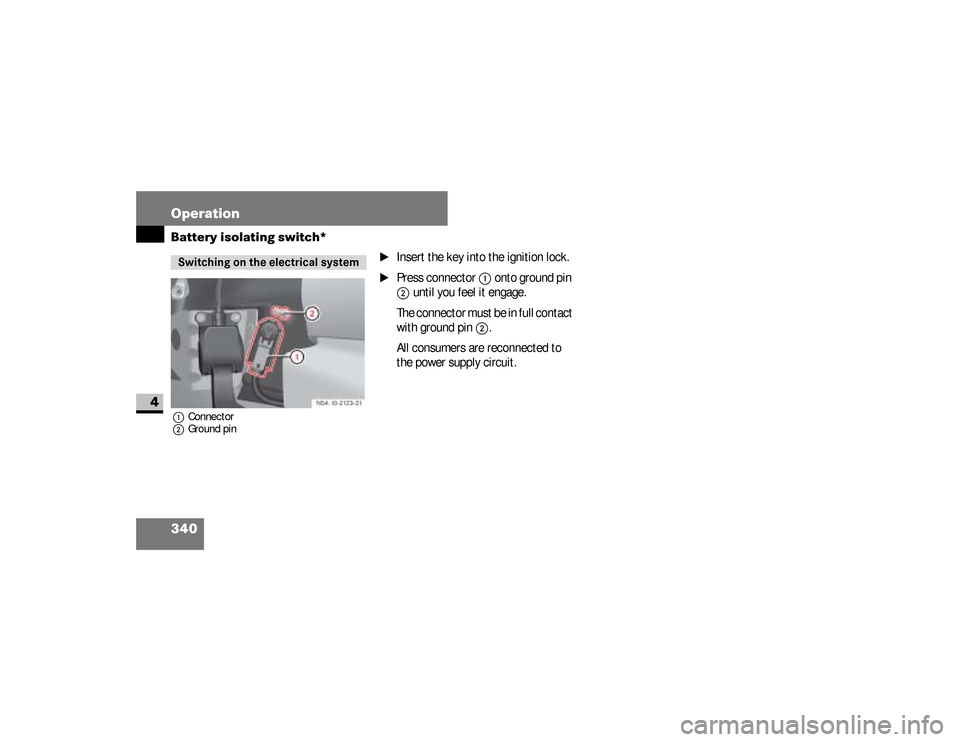
340 OperationBattery isolating switch*
4
1Connector
2Ground pin
\1
Insert the key into the ignition lock.
\1
Press connector
1
onto ground pin
2
until you feel it engage.
The connector must be in full contact
with ground pin
2
.
All consumers are reconnected to
the power supply circuit.
Switching on the electrical system
nf_BA.book Page 340 Friday, January 25, 2008 3:53 PM
Page 375 of 666
373 Operation
Tires and wheels
4
\1
Switch on the ignition (
\2
page 111).
\1
Press the 5menu button on the in-
strument cluster until you see the +CAL TPMS
message in the display.
\1
Press the ,menu button on the in-
strument cluster.
The following message is displayed:OK TPMSThe tire pressure monitor activation
process has begun.
The tire pressures of the individual
wheels are stored as the new refer-
ence values if they are determined to
be plausible for the tire pressure
monitor.If you wish to cancel the activation pro-
cess:
\1
Press the .button or the 5menu but-
ton on the instrument cluster.
The activation process is canceled
automatically if 30 seconds elapse
with no input.
Checking tire inflation pressure elec-
tronically with the Tire Pressure Mon-
itoring System (TPMS)* (vehicles
with steering wheel buttons)Vehicles with steering wheel buttons are
equipped with the Advanced Tire Pres-
sure Monitoring System.
iUSA only:
The Tire Pressure Monitoring System
(TPMS) is equipped with a combina-
tion low tire pressure/TPMS mal-
function telltale in the instrument
cluster (
\2
page 20). Depending on
how the telltale illuminates, it indi-
cates a low tire pressure condition or
a malfunction in the TPMS system it-
self:
If the telltale illuminates continuous-
ly, one or more of your tires is signif-
icantly underinflated. There is no
malfunction in the TPMS.
nf_BA.book Page 373 Friday, January 25, 2008 3:53 PM