ignition DODGE SPRINTER 2008 2.G Owner's Manual
[x] Cancel search | Manufacturer: DODGE, Model Year: 2008, Model line: SPRINTER, Model: DODGE SPRINTER 2008 2.GPages: 666, PDF Size: 14.11 MB
Page 134 of 666
132 Controls in detailLighting
3
\1
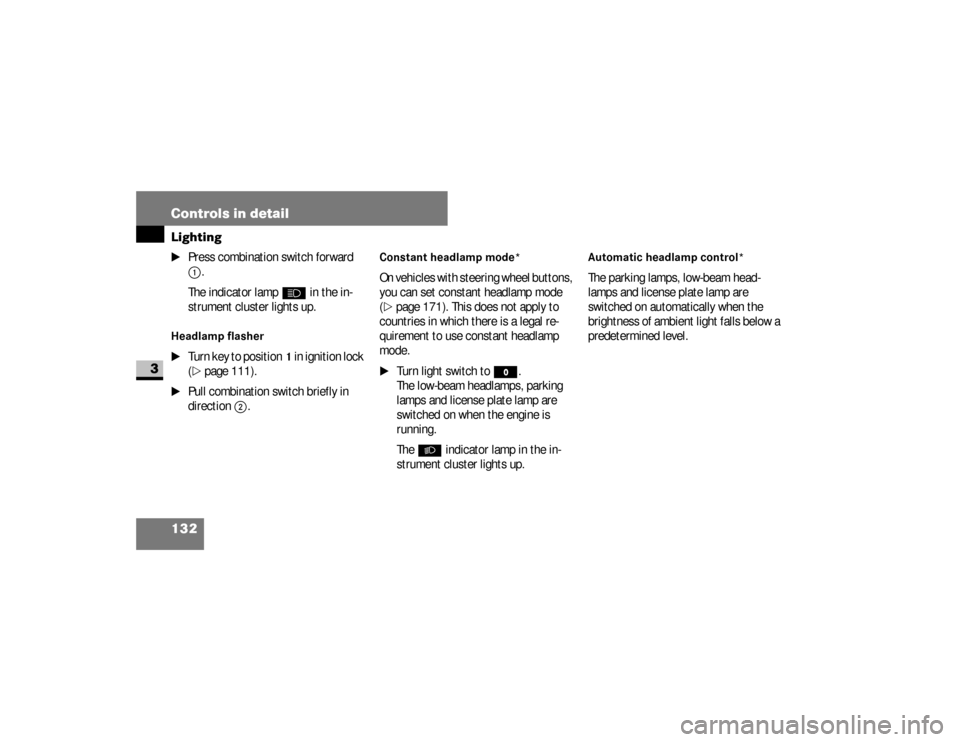
Press combination switch forward 1
.
The indicator lamp
A
in the in-
strument cluster lights up.
Headlamp flasher
\1
Turn key to position
1 in ignition lock
(
\2
page 111).
\1
Pull combination switch briefly in
direction
2
.
Constant headlamp mode*On vehicles with steering wheel buttons,
you can set constant headlamp mode
(\2
page 171). This does not apply to
countries in which there is a legal re-
quirement to use constant headlamp
mode.
\1
Turn light switch to
M
.
The low-beam headlamps, parking
lamps and license plate lamp are
switched on when the engine is
running.
The
B
indicator lamp in the in-
strument cluster lights up.
Automatic headlamp control*The parking lamps, low-beam head-
lamps and license plate lamp are
switched on automatically when the
brightness of ambient light falls below a
predetermined level.
nf_BA.book Page 132 Friday, January 25, 2008 3:53 PM
Page 138 of 666
136 Controls in detailLighting
3
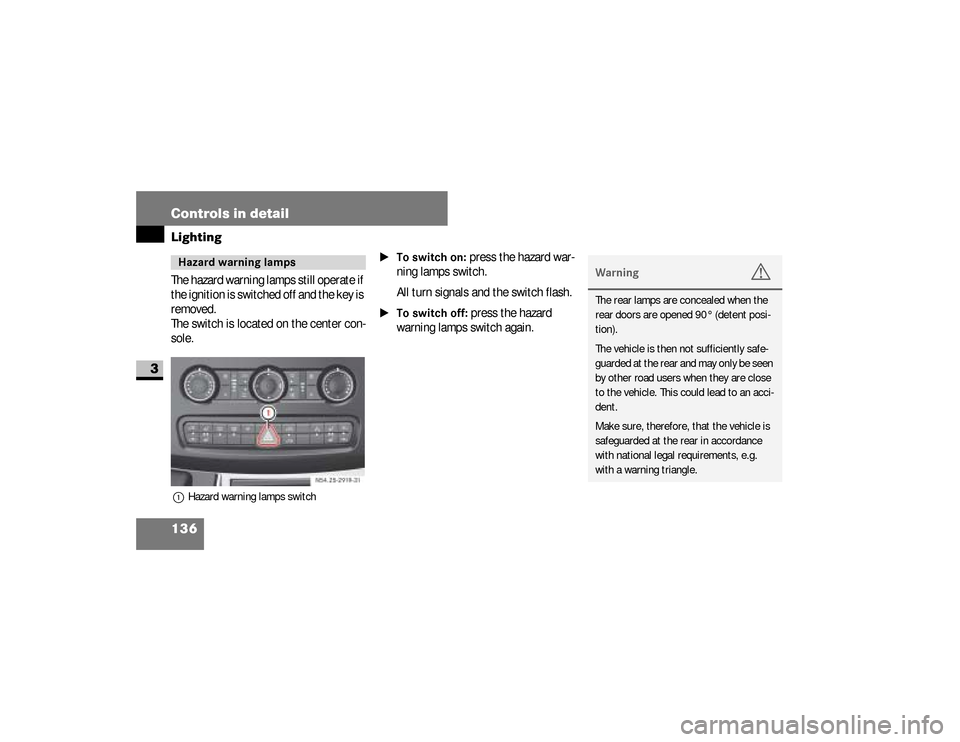
The hazard warning lamps still operate if
the ignition is switched off and the key is
removed.
The switch is located on the center con-
sole.1Hazard warning lamps switch
\1To switch on:
press the hazard war-
ning lamps switch.
All turn signals and the switch flash.
\1To switch off:
press the hazard
warning lamps switch again.
Hazard warning lamps
N54.25-2919-31
Warning
G
The rear lamps are concealed when the
rear doors are opened 90° (detent posi-
tion).
The vehicle is then not sufficiently safe-
guarded at the rear and may only be seen
by other road users when they are close
to the vehicle. This could lead to an acci-
dent.
Make sure, therefore, that the vehicle is
safeguarded at the rear in accordance
with national legal requirements, e.g.
with a warning triangle.
nf_BA.book Page 136 Friday, January 25, 2008 3:53 PM
Page 139 of 666
137 Controls in detail
Lighting
3
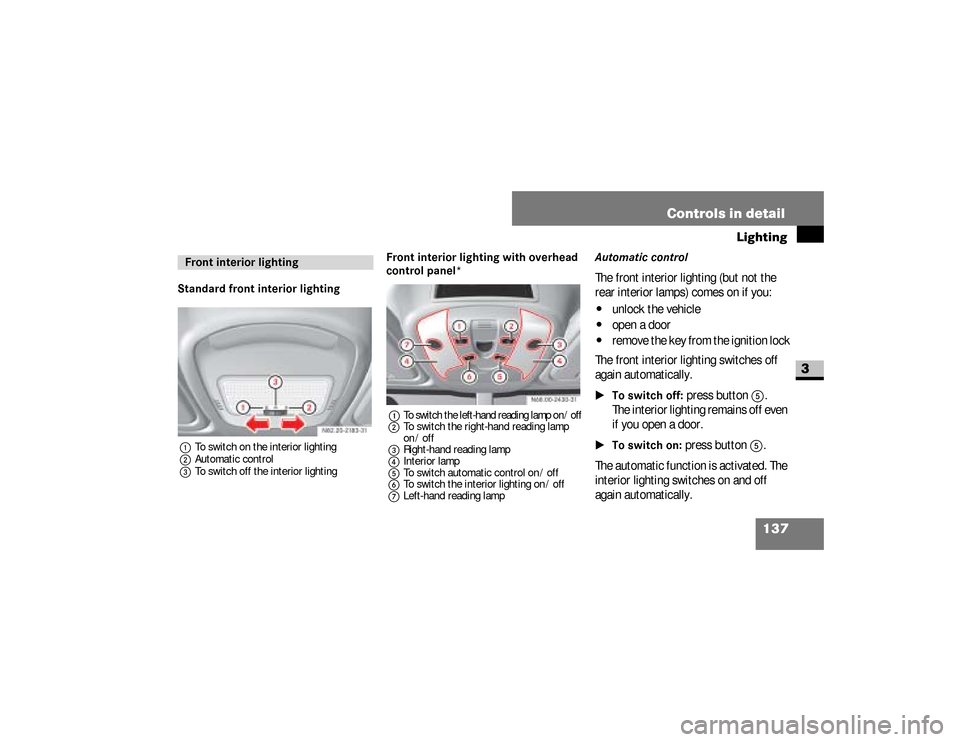
Standard front interior lighting1To switch on the interior lighting
2Automatic control
3To switch off the interior lighting
Front interior lighting with overhead
control panel*1
To switch the left-hand reading lamp on / off
2To switch the right-hand reading lamp
on / off
3Right-hand reading lamp
4Interior lamp
5To switch automatic control on / off
6To switch the interior lighting on / off
7Left-hand reading lamp
Automatic controlThe front interior lighting (but not the
rear interior lamps) comes on if you:\4
unlock the vehicle
\4
open a door
\4
remove the key from the ignition lock
The front interior lighting switches off
again automatically.
\1To switch off:
press button
5
.
The interior lighting remains off even
if you open a door.
\1To switch on:
press button
5
.
The automatic function is activated. The
interior lighting switches on and off
again automatically.
Front interior lighting
nf_BA.book Page 137 Friday, January 25, 2008 3:53 PM
Page 141 of 666
139 Controls in detail
Lighting
3
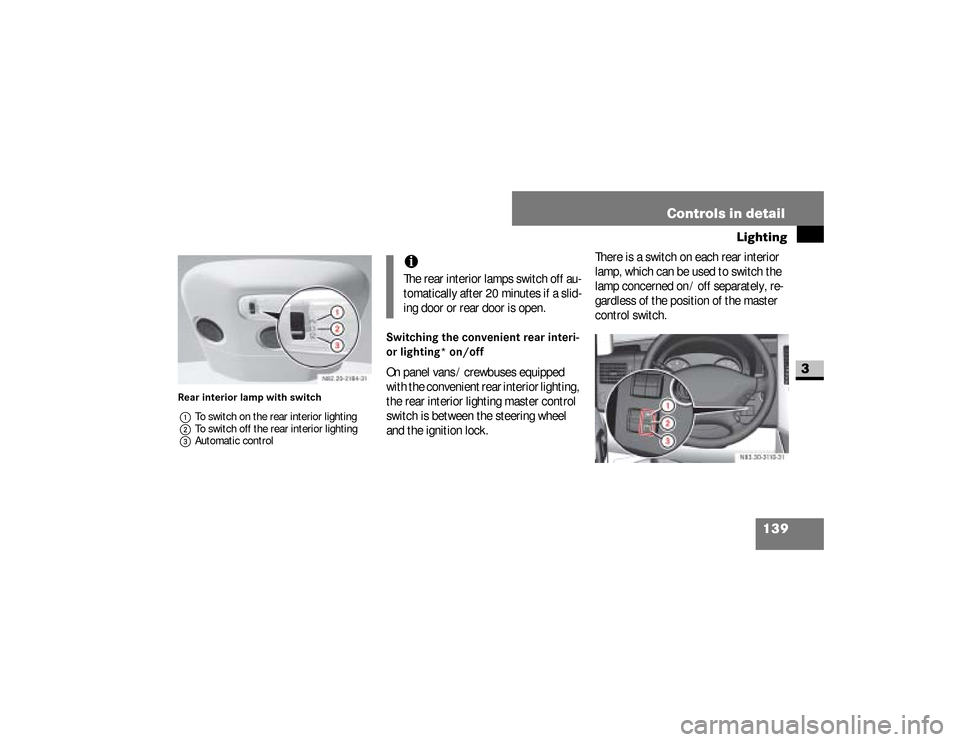
Rear interior lamp with switch
1To switch on the rear interior lighting
2To switch off the rear interior lighting
3Automatic control
Switching the convenient rear interi-
or lighting* on/offOn panel vans / crewbuses equipped
with the convenient rear interior lighting,
the rear interior lighting master control
switch is between the steering wheel
and the ignition lock.There is a switch on each rear interior
lamp, which can be used to switch the
lamp concerned on / off separately, re-
gardless of the position of the master
control switch.
iThe rear interior lamps switch off au-
tomatically after 20 minutes if a slid-
ing door or rear door is open.
N83.30-3110-31
nf_BA.book Page 139 Friday, January 25, 2008 3:53 PM
Page 142 of 666
140 Controls in detailLighting
3
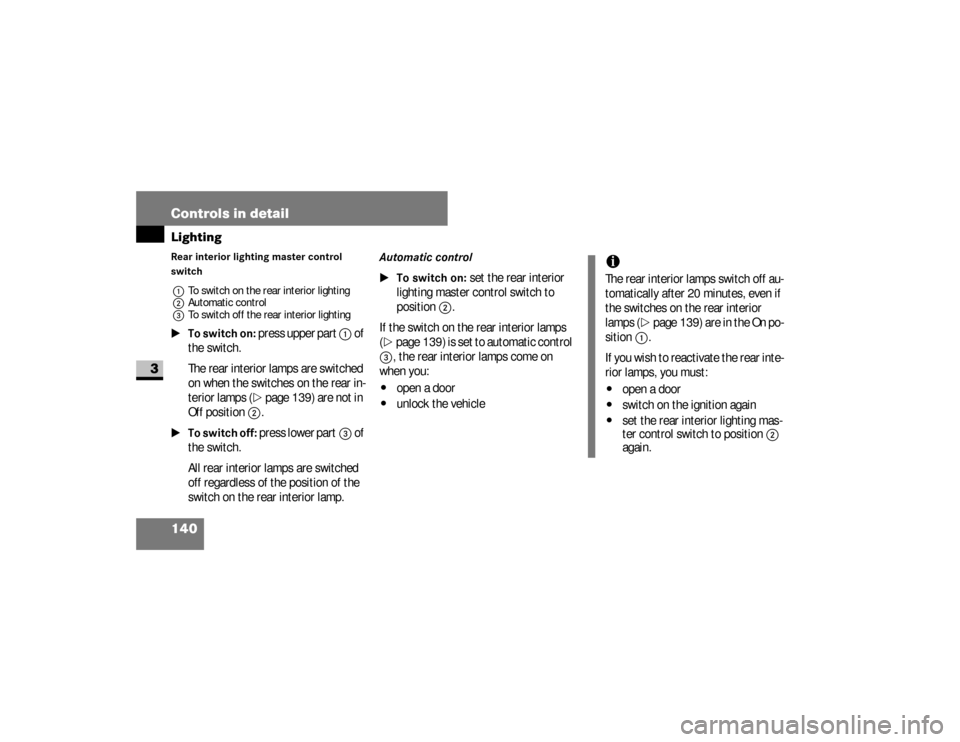
Rear interior lighting master control
switch
1To switch on the rear interior lighting
2Automatic control
3To switch off the rear interior lighting\1To switch on:
press upper part
1
of
the switch.
The rear interior lamps are switched
on when the switches on the rear in-
terior lamps (
\2
page 139) are not in
Off
position
2
.
\1To switch off:
press lower part
3
of
the switch.
All rear interior lamps are switched
off regardless of the position of the
switch on the rear interior lamp.
Automatic control
\1To switch on:
set the rear interior
lighting master control switch to
position
2
.
If the switch on the rear interior lamps
(
\2
page 139) is set to automatic control
3
, the rear interior lamps come on
when you:
\4
open a door
\4
unlock the vehicle
iThe rear interior lamps switch off au-
tomatically after 20 minutes, even if
the switches on the rear interior
lamps (
\2
page 139) are in the On po-
sition
1
.
If you wish to reactivate the rear inte-
rior lamps, you must:
\4
open a door
\4
switch on the ignition again
\4
set the rear interior lighting mas-
ter control switch to position
2
again.
nf_BA.book Page 140 Friday, January 25, 2008 3:53 PM
Page 143 of 666
141 Controls in detail
Lighting
3
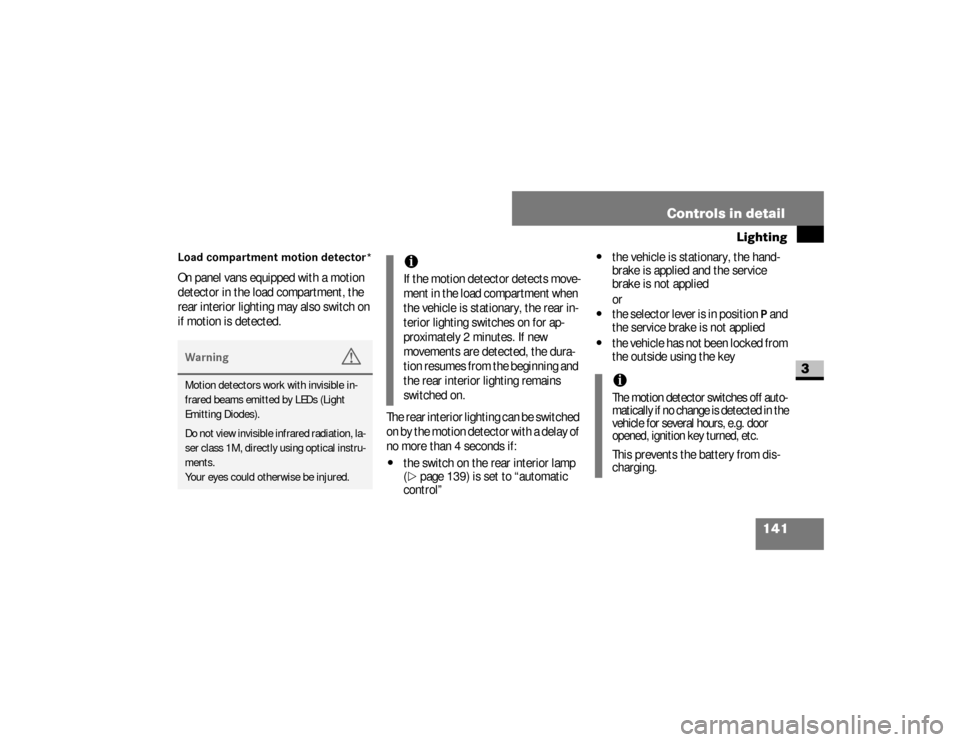
Load compartment motion detector*On panel vans equipped with a motion
detector in the load compartment, the
rear interior lighting may also switch on
if motion is detected.
The rear interior lighting can be switched
on by the motion detector with a delay of
no more than 4 seconds if:
\4
the switch on the rear interior lamp
(\2
page 139) is set to “automatic
control”
\4
the vehicle is stationary, the hand-
brake is applied and the service
brake is not applied
or
\4
the selector lever is in position
P and
the service brake is not applied
\4
the vehicle has not been locked from
the outside using the key
Warning
G
Motion detectors work with invisible in-
frared beams emitted by LEDs (Light
Emitting Diodes).
Do not view invisible infrared radiation, la-
ser class 1M, directly using optical instru-
ments.
Your eyes could otherwise be injured.
iIf the motion detector detects move-
ment in the load compartment when
the vehicle is stationary, the rear in-
terior lighting switches on for ap-
proximately 2 minutes. If new
movements are detected, the dura-
tion resumes from the beginning and
the rear interior lighting remains
switched on.
iThe motion detector switches off auto-
matically if no change is detected in the
vehicle for several hours, e.g. door
opened, ignition key turned, etc.This prevents the battery from dis-
charging.
nf_BA.book Page 141 Friday, January 25, 2008 3:53 PM
Page 145 of 666
143 Controls in detail
Instrument cluster
3
The display in the instrument cluster is
activated when you:\4
open the driver’s door
\4
switch on the ignition
\4
press the reset button
\4
switch on the lights
The display switches off automatically
after approximately 30 seconds if:
\4
there is no vehicle lighting switched
on
\4
the key is in position
0 in the ignition
lock
(\2
page 111)
Warning
G
No messages can be displayed if the in-
strument cluster and / or the display is
malfunctioning.You will not then be able to see informa-
tion about the vehicle status, such as
speed and outside temperature, warning
and indicator lamps, malfunction and
warning messages or the malfunction of
systems. Handling characteristics may be
affected.
Continued
Warning (Continued)
G
Contact a qualified specialist workshop
immediately which has the necessary spe-
cialist knowledge and tools to carry out
the work required.The manufacturer recommends that you
use an authorized Sprinter Dealer for this
purpose. In particular, work relevant to
safety or on safety-related systems must
be carried out at a qualified specialist
workshop.
Continued
nf_BA.book Page 143 Friday, January 25, 2008 3:53 PM
Page 149 of 666
147 Controls in detail
Operating system without steering wheel buttons
3
\3 Operating system without steering wheel buttonsThe operating system is activated as
soon as you switch on the ignition. You
may perform the following using the op-
erating system:\4
Call up vehicle information
\4
Make settings
You can control the display and the set-
tings in the operating system using the
adjustment buttons on the instrument
cluster.Warning
G
Only use adjustment buttons , ,
or when traffic conditions permit. You
will otherwise be unable to observe road
and traffic conditions and could cause an
accident.
Continued
Warning (Continued)
G
Do not reach through the steering wheel to
press the adjustment buttons. This will
make the steering wheel much more diffi-
cult to control. Your attention will also be di-
verted from the road and traffic conditions.
This could cause you to lose control of the
vehicle and could lead to an accident.Do not rest your head or chest on the
steering wheel or dashboard when oper-
ating the adjustment buttons.
Continued
Warning (Continued)
G
See the safety precautions for airbags
(\2page 46).The operating system shows the informa-
tion in the display.
nf_BA.book Page 147 Friday, January 25, 2008 3:53 PM
Page 150 of 666
148 Controls in detailOperating system without steering wheel buttons
3
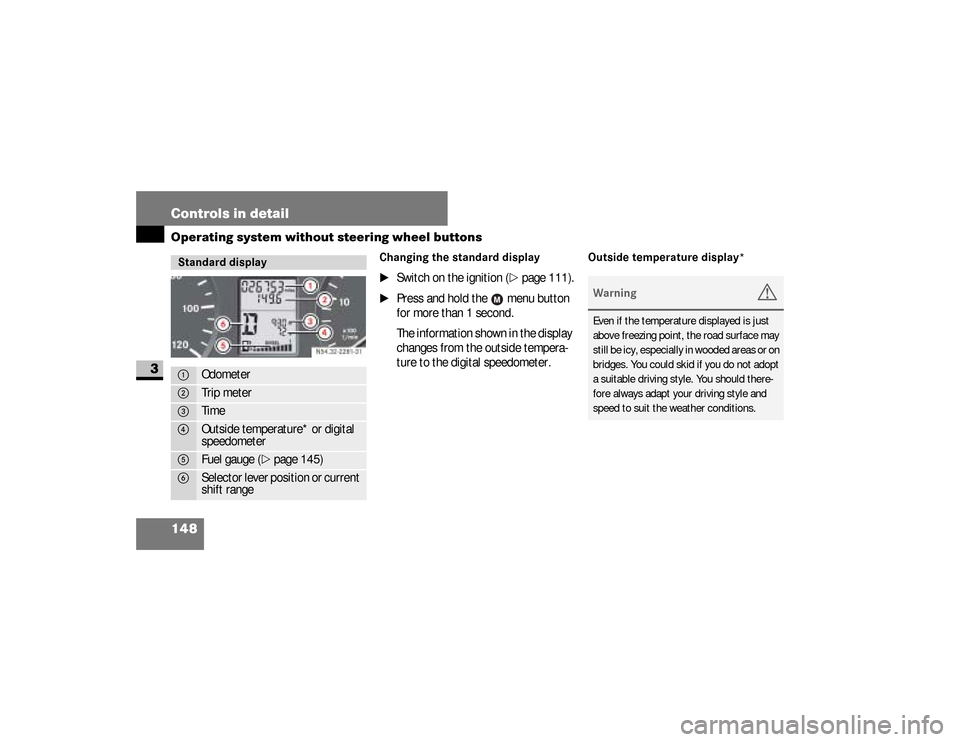
Changing the standard display
\1
Switch on the ignition (
\2
page 111).
\1
Press and hold the menu button
for more than 1 second.
The information shown in the display
changes from the outside tempera-
ture to the digital speedometer.
Outside temperature display*
Standard display1
Odometer
2
Trip meter
3
Time
4
Outside temperature* or digital
speedometer
5
Fuel gauge (
\2
page 145)
6
Selector lever position or current
shift rangeN54.32-2281-31
Warning
G
Even if the temperature displayed is just
above freezing point, the road surface may
still be icy, especially in wooded areas or on
bridges. You could skid if you do not adopt
a suitable driving style. You should there-
fore always adapt your driving style and
speed to suit the weather conditions.
nf_BA.book Page 148 Friday, January 25, 2008 3:53 PM
Page 152 of 666
150 Controls in detailOperating system without steering wheel buttons
3
Setting the time
\1
Switch on the ignition (
\2
page 111).
\1
Press menu button repeatedly
until the hours figure flashes.
\1
Set the hour using the or but-
ton.
\1
Press the reset button .
The minute display flashes.
\1
Set the minutes using the or
button.
Setting the date
\1
Switch on the ignition (
\2
page 111).
\1
Press menu button repeatedly
until the day flashes.
\1
Set the day using the or but-
ton.
\1
Press reset button.
The month display flashes.
\1
Set the month using the or
button.
\1
Press reset button.
The year display flashes.
\1
Set the year using the or but-
ton.
iIf you keep the button pressed, the
values will change continuously.
iIf you keep the button pressed, the
values will change continuously.
nf_BA.book Page 150 Friday, January 25, 2008 3:53 PM