phone DODGE SPRINTER 2008 2.G User Guide
[x] Cancel search | Manufacturer: DODGE, Model Year: 2008, Model line: SPRINTER, Model: DODGE SPRINTER 2008 2.GPages: 666, PDF Size: 14.11 MB
Page 184 of 666
182 Controls in detailOperating system with steering wheel buttons*
3
\1
Press the
j
or
k
button re-
peatedly until the number or the
name you are looking for is dis-
played.
\1
Press the
s
button.
The operating system dials the se-
lected phone number.
If a connection is made, you will see
the call duration and name of the
person you are calling if stored in the
phone book. Otherwise, the number
you are dialing continues to be dis-
played.
iIf you no longer wish to make a call,
press the
t
button.
nf_BA.book Page 182 Friday, January 25, 2008 3:53 PM
Page 264 of 666
262 Controls in detailDriving systems
3
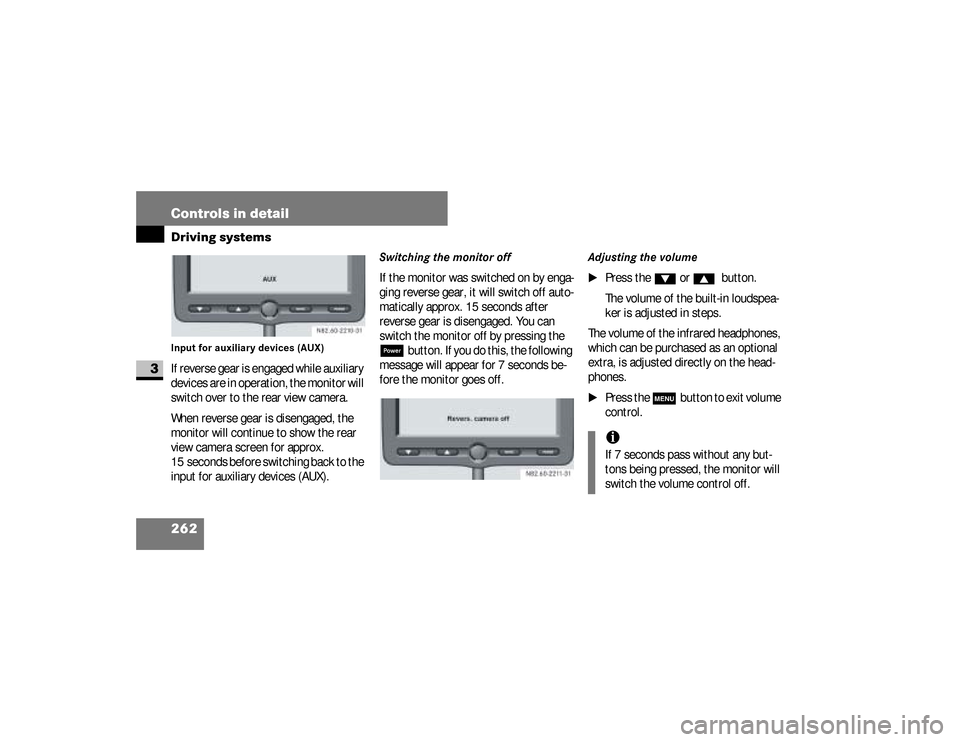
Input for auxiliary devices (AUX)If reverse gear is engaged while auxiliary
devices are in operation, the monitor will
switch over to the rear view camera.
When reverse gear is disengaged, the
monitor will continue to show the rear
view camera screen for approx.
15 seconds before switching back to the
input for auxiliary devices (AUX).
Switching the monitor offIf the monitor was switched on by enga-
ging reverse gear, it will switch off auto-
matically approx. 15 seconds after
reverse gear is disengaged. You can
switch the monitor off by pressing the ;
button. If you do this, the following
message will appear for 7 seconds be-
fore the monitor goes off.
Adjusting the volume
\1
Press the
%
or
$
button.
The volume of the built-in loudspea-
ker is adjusted in steps.
The volume of the infrared headphones,
which can be purchased as an optional
extra, is adjusted directly on the head-
phones.
\1
Press the
m
button to exit volume
control.
iIf 7 seconds pass without any but-
tons being pressed, the monitor will
switch the volume control off.
nf_BA.book Page 262 Friday, January 25, 2008 3:53 PM
Page 300 of 666
298 Controls in detailFeatures
3
Telephones may only be used inside the
vehicle if they are connected to a sepa-
rate exterior antenna of a type tested
and approved by the manufacturer.
iThe sockets are supplied with power
even if the key is removed from the
ignition lock. Please note that the
battery may be discharged if you
have connected an accessory, e.g. a
coolbox, and the engine is switched
off.Telephone*
Warning
G
You must observe the legal requirements
for the country in which you are driving
when operating a cell phone in the vehi-
cle.If it is permitted to operate a cell phone
while the vehicle is in motion, you must
only operate it when road and traffic con-
ditions permit. You may otherwise be dis-
tracted from the traffic conditions, cause
an accident and injure yourself and oth-
ers.
Continued
Warning (Continued)
G
Cell phones without exterior antennas
may interfere with the vehicle electronics
and thereby jeopardize the operational
safety of the vehicle. You must therefore
only use these devices when they are con-
nected to a separate exterior antenna.
nf_BA.book Page 298 Friday, January 25, 2008 3:53 PM
Page 301 of 666
299 Controls in detail
Features
3
The installation of the antenna must be
approved by a qualified specialist work-
shop.
Always have maintenance work carried
out at a qualified specialist workshop,
e.g. an authorized Sprinter Dealer.
Warning
G
Only use the telephone when road, weath-
er and traffic conditions permit you to do
so. You will otherwise be too distracted. If
you are not using the hands-free system,
pull over to make a phone call.
Bear in mind that at a speed of just
30 mph (approx. 50 km/h), your vehicle
is covering a distance of 44 feet (approx.
14 m) every second.
Telephones without exterior antennas
may interfere with the vehicle electronics
and thereby jeopardize the operational
safety of the vehicle.
iObserve all legal requirements.iThe cell phone battery will be
charged depending on the charge
status and the position of the key in
the ignition lock. The cell phone dis-
play indicates the charging process.
nf_BA.book Page 299 Friday, January 25, 2008 3:53 PM
Page 317 of 666
315 Operation
Electronic equipment
4
\3 Electronic equipment
The vehicle’s general operating permit
may be invalidated if you do not observe
the manufacturer’s installation specifi-
cations .
You will find information about retrofit-
ting electrical / electronic equipment in
the “Technical data” section
(\2
page 602).
Radio, telephone, two-way radio,
fax machine and navigation
systemWarning
G
Please do not forget that your primary re-
sponsibility is to drive the vehicle safely.
Only operate the electronic equipment
when road and traffic conditions permit.
Keep in mind that at a speed of just
30 mph (about 50 km/h), your vehicle
travels 44 feet (about 14 m) per second.
Continued
Warning (Continued)
G
A navigation system does not provide in-
formation about bridge load-bearing ca-
pacities or headroom clearances.
You are responsible for safety at all times.
Observe legal requirements.Telephones, two-way radios and fax ma-
chines without an exterior antenna may in-
terfere with the vehicle’s electronics, thereby
jeopardizing the vehicle’s operating safety.
The risk of an accident increases.Do not use this equipment while the vehi-
cle is in motion.
nf_BA.book Page 315 Friday, January 25, 2008 3:53 PM
Page 325 of 666
323 Operation
Engine compartment
4
Check the engine oil level on a regular ba-
sis, for example weekly or each time you re-
fuel.Checking the engine oil level in the
displayIn vehicles with diesel engines, you can
view the engine oil level in the display.When the oil is being checked, the vehi-
cle must
\4
be standing level
\4
be at normal operating temperature
\4
have been standing with the engine
switched off for at least five minutes
\1
Switch on the ignition (
\2
page 111).
The display is activated.
iIf the oil level exceeds the maximum
level several times during operation,
have the malfunction rectified imme-
diately at an authorized Sprinter
Dealer.
iIf no oil level reading is shown again,
check the engine oil level with the dip-
stick.
Have the engine oil level display
checked at an authorized Sprinter Deal-
er.
!
CAUTION
Have any excess oil drained or si-
phoned off at an authorized Sprinter
Dealer. Otherwise, the engine or cat-
alytic converter could be damaged.
iIf at extremely low temperatures no
engine oil level is displayed after 5
minutes, wait a further 5 minutes be-
fore repeating the engine oil level
check.
nf_BA.book Page 323 Friday, January 25, 2008 3:53 PM
Page 326 of 666
324 OperationEngine compartment
4
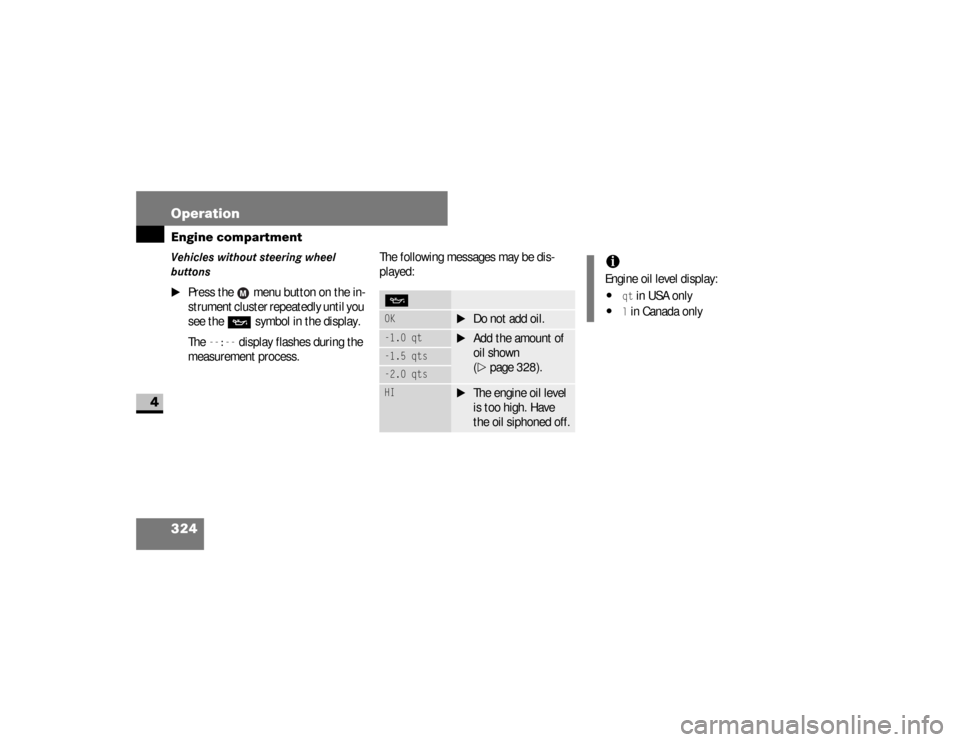
Vehicles without steering wheel
buttons
\1
Press the menu button on the in-
strument cluster repeatedly until you
see the
P
symbol in the display.
The
--:--
display flashes during the
measurement process.The following messages may be dis-
played:
POK
\1
Do not add oil.
-1.0 qt
\1
Add the amount of
oil shown
(\2
page 328).
-1.5 qts-2.0 qtsHI
\1
The engine oil level
is too high. Have
the oil siphoned off.
iEngine oil level display:\4
qt in USA only
\4
l in Canada only
nf_BA.book Page 324 Friday, January 25, 2008 3:53 PM
Page 327 of 666
325 Operation
Engine compartment
4
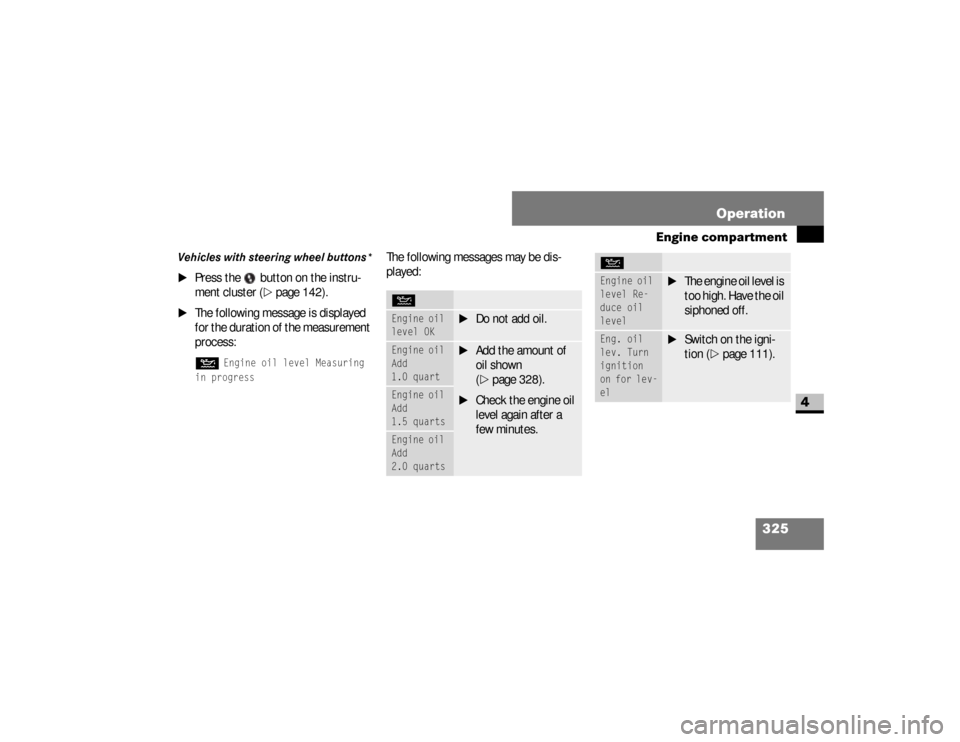
Vehicles with steering wheel buttons*
\1
Press the button on the instru-
ment cluster (
\2
page 142).
\1
The following message is displayed
for the duration of the measurement
process:N
Engine oil level Measuring
in progress
The following messages may be dis-
played:NEngine oil
level OK
\1
Do not add oil.
Engine oil
Add
1.0 quart
\1
Add the amount of
oil shown
(\2
page 328).
\1
Check the engine oil
level again after a
few minutes.
Engine oil
Add
1.5 quartsEngine oil
Add
2.0 quarts
Engine oil
level Re-
duce oil
level
\1
The engine oil level is
too high. Have the oil
siphoned off.
Eng. oil
lev. Turn
ignition
on for lev-
el
\1
Switch on the igni-
tion (
\2
page 111).
N
nf_BA.book Page 325 Friday, January 25, 2008 3:53 PM
Page 330 of 666
328 OperationEngine compartment
4
3
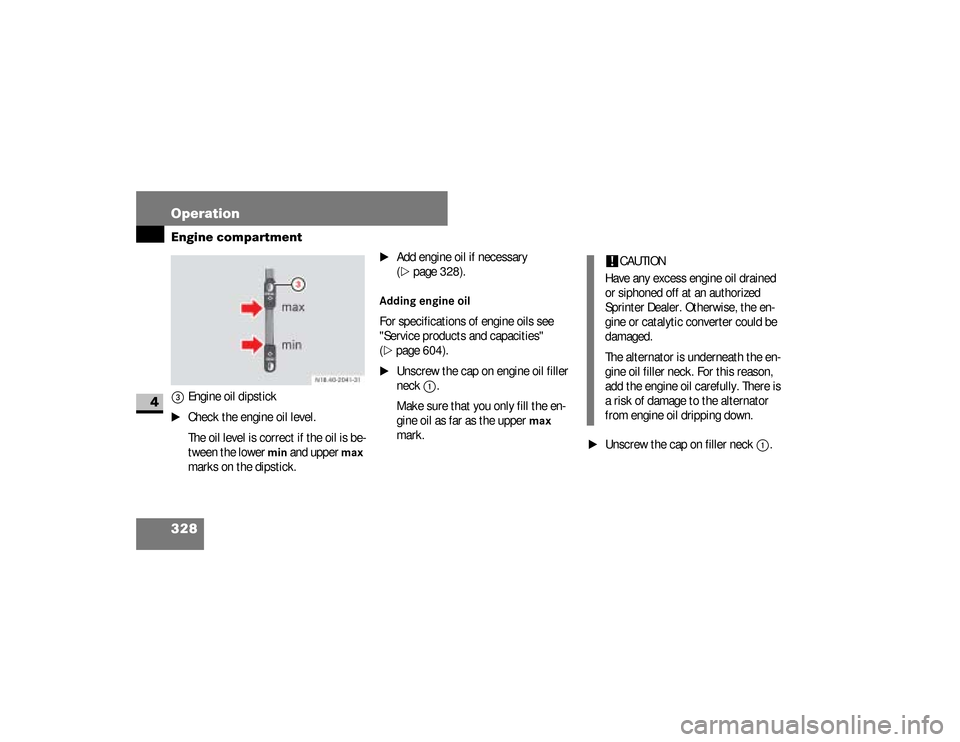
Engine oil dipstick
\1
Check the engine oil level.
The oil level is correct if the oil is be-
tween the lower
min
and upper
max
marks on the dipstick.
\1
Add engine oil if necessary
(\2
page 328).
Adding engine oilFor specifications of engine oils see
"Service products and capacities"
(\2
page 604).
\1
Unscrew the cap on engine oil filler
neck
1
.
Make sure that you only fill the en-
gine oil as far as the upper
max
mark.
\1
Unscrew the cap on filler neck
1
. N18.00-2041-31
!
CAUTION
Have any excess engine oil drained
or siphoned off at an authorized
Sprinter Dealer. Otherwise, the en-
gine or catalytic converter could be
damaged.
The alternator is underneath the en-
gine oil filler neck. For this reason,
add the engine oil carefully. There is
a risk of damage to the alternator
from engine oil dripping down.
nf_BA.book Page 328 Friday, January 25, 2008 3:53 PM
Page 420 of 666
418 OperationCleaning and care of the vehicle
4
Automatic car washYou can clean the vehicle in an automat-
ic car wash from the very start. It is pref-
erable to use a car wash that does not
have brushes.
If the vehicle is very dirty, prewash it be-
fore you drive into the car wash.\1
Remove the radio / telephone anten-
na and fold the exterior mirrors in be-
fore driving into the automatic car
wash.For information on windshield wiper
switch, see the “Controls in detail” sec-
tion (
\2
page 210).
!
CAUTION
Make sure that the automatic car
w a s h i s s u i t a b l e f o r t h e s i z e o f t h e ve -
hicle.
If you do not remove the radio / tele-
phone antenna and fold in the exteri-
or mirrors, there is a possibility that
the antenna, the exterior mirrors or
the vehicle could be damaged by the
automatic car wash.
!
CAUTION
Make sure that the windshield wiper
switch is set to
0 (\2
page 210), oth-
erwise the rain sensor could be acti-
vated, for example, and the
windshield wipers could be triggered
unintentionally. This could cause
damage to the vehicle.
nf_BA.book Page 418 Friday, January 25, 2008 3:53 PM