tow DODGE SPRINTER 2008 2.G User Guide
[x] Cancel search | Manufacturer: DODGE, Model Year: 2008, Model line: SPRINTER, Model: DODGE SPRINTER 2008 2.GPages: 666, PDF Size: 14.11 MB
Page 186 of 666
184 Controls in detailDriving and parking
3
You will find information on:\4
regular checks (
\2
page 312)
\4
driving in winter (
\2
page 406)
\4
driving when towing a trailer
(\2
page 303)
\4
and other driving tips
in the “Operation” section
(
\2
page 301).
\1
Before starting the engine, make
sure that all vehicle occupants are
wearing their seat belt correctly
(\2
page 39) and the handbrake
(
\2
page 191) is applied.
Starting the engineWarning
G
Never run the engine in an enclosed
space. The exhaust fumes contain poi-
sonous carbon monoxide. Breathing in
exhaust fumes constitutes a health haz-
ard and can lead to loss of consciousness
and death.
Warning
G
A seat belt that is worn incorrectly or not
at all, or that is not correctly engaged in
the seat belt buckle, cannot perform its
intended protective function. In certain
circumstances, you could then be seri-
ously or even fatally injured. Make sure,
therefore, that all occupants – in particu-
lar, expectant mothers – wear their seat
belt correctly at all times.
nf_BA.book Page 184 Friday, January 25, 2008 3:53 PM
Page 190 of 666
188 Controls in detailDriving and parking
3
Do not accelerate to prevent your vehi-
cle from rolling backwards on an uphill
gradient. Instead, you should either use
the handbrake or depress the brake ped-
al. This prevents excessive wear on the
clutch.
Select a lower gear (shift range
3, 2 or
1)
(
\2
page 204) in good time on long and
steep downhill gradients, especially if
towing a trailer. This prevents the brakes
from overheating and wearing too rapidly.
It is best not to stop the vehicle immedi-
ately after the brakes have been subject-
ed to an extreme load; continue driving
for a short time instead. The brakes are
cooled down more quickly in the airflow.The first time the brakes are applied af-
ter a long period of driving in heavy rain
without braking, it is possible that:
\4
there will be a delayed braking
response
\4
you will need to depress the brake
pedal more firmly
You should therefore maintain a greater
distance from the vehicle in front.
BrakingWarning
G
There is no power assistance for the ser-
vice brake when the engine is not running.
You will need to use significantly more
force to brake and could therefore lose
control of the vehicle and cause an acci-
dent.
Never switch off the engine while driving.
Warning
G
Make sure that other road users are not
put at risk by your braking.
nf_BA.book Page 188 Friday, January 25, 2008 3:53 PM
Page 195 of 666
193 Controls in detail
Driving and parking
3
Stopping the engine\1
Apply handbrake (
\2
page 191).
\1
Move selector lever to
P.
\1
Turn key to position
0 (\2
page 111)
in the ignition lock and remove it.
The immobilizer is activated.
\1
Secure the vehicle at the front axle if
unloaded and at the rear axle if load-
ed, e.g. using a chock (
\2
page 521).
Warning
G
The wheels on the rear axle could lock if
the handbrake lever is applied too abrupt-
ly. The vehicle could then start to skid.
Make sure that you apply the handbrake
lever carefully to ensure that braking ap-
plication is moderated.
!
CAUTION
If the coolant temperature is raised,
e.g. following driving in mountainous
terrain, run the engine at idling speed
for a further 1 or 2 minutes before
you switch off the engine. This allows
the coolant temperature to return to
normal again.
iWhen parking on steep uphill or
downhill gradients, turn the front
wheels towards the curb.
iYou can only remove the key from
the ignition lock when the selector le-
ver is in position
P.
nf_BA.book Page 193 Friday, January 25, 2008 3:53 PM
Page 198 of 666
196 Controls in detailDriving and parking
3
\4
causes and consequences of tire
wear
\4
measures to be taken in the event of
tire damage
\4
tire types for certain regions, areas
of operation or conditions of vehicle
use
\4
interchangeability of tires, etc.
Modifications to the brake system or
wheels are not permissible, nor is the
use of spacer plates or brake dust
shields. Any such modifications will in-
validate the vehicle’s general operating
permit.Treadwear indicators (TWI) are required
by law. These indicators are located in
six places on the tread circumference
and become visible at a tread depth of
approximately 1/16 in (1.6 mm), at
which point the tire is considered worn
and should be replaced.
The Treadwear Indicator appears as a
solid band across the tread.
Warning
G
If you feel a sudden significant vibration
or ride disturbance, or you suspect that
possible damage to your vehicle has oc-
curred, you should turn on the hazard
warning flashers, carefully slow down,
and drive with caution to an area which is
a safe distance from the road.
Inspect the tires and the vehicle undercar-
riage for possible damage. If the vehicle
or tires appear unsafe, have the vehicle
towed to the nearest authorized Sprinter
Dealer or tire dealer for repairs.
nf_BA.book Page 196 Friday, January 25, 2008 3:53 PM
Page 203 of 666
201 Controls in detail
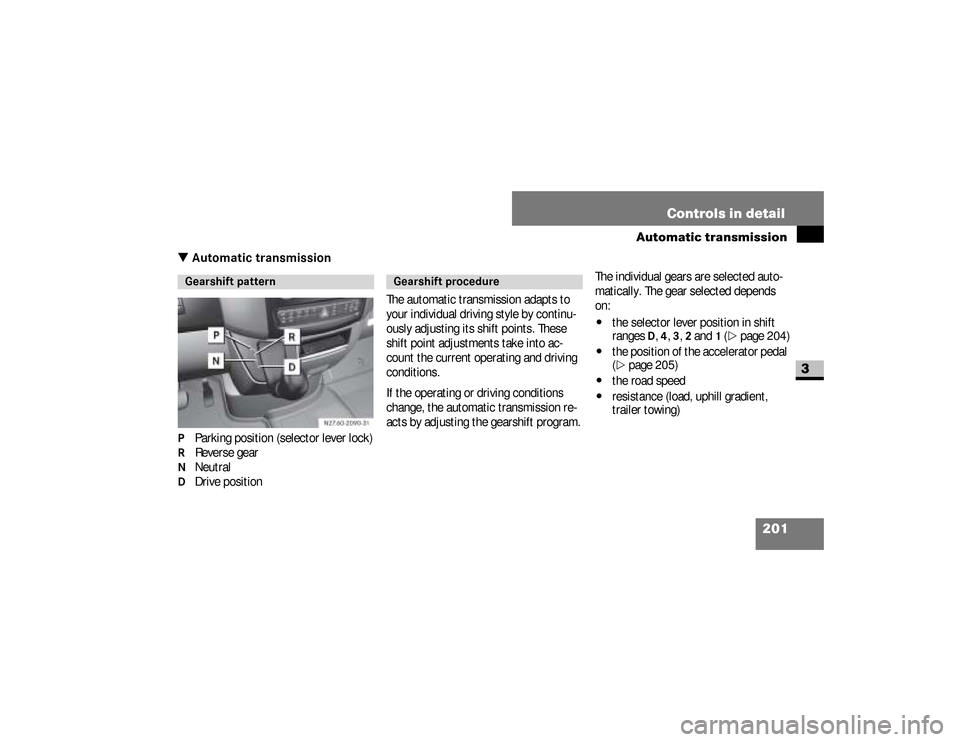
Automatic transmission
3
\3 Automatic transmissionP Parking position (selector lever lock)R Reverse gearN NeutralD Drive positionThe automatic transmission adapts to
your individual driving style by continu-
ously adjusting its shift points. These
shift point adjustments take into ac-
count the current operating and driving
conditions.
If the operating or driving conditions
change, the automatic transmission re-
acts by adjusting the gearshift program.The individual gears are selected auto-
matically. The gear selected depends
on:
\4
the selector lever position in shift
ranges
D, 4, 3, 2 and
1 (\2
page 204)
\4
the position of the accelerator pedal
(\2
page 205)
\4
the road speed
\4
resistance (load, uphill gradient,
trailer towing)
Gearshift pattern
Gearshift procedure
nf_BA.book Page 201 Friday, January 25, 2008 3:53 PM
Page 204 of 666
202 Controls in detailAutomatic transmission
3
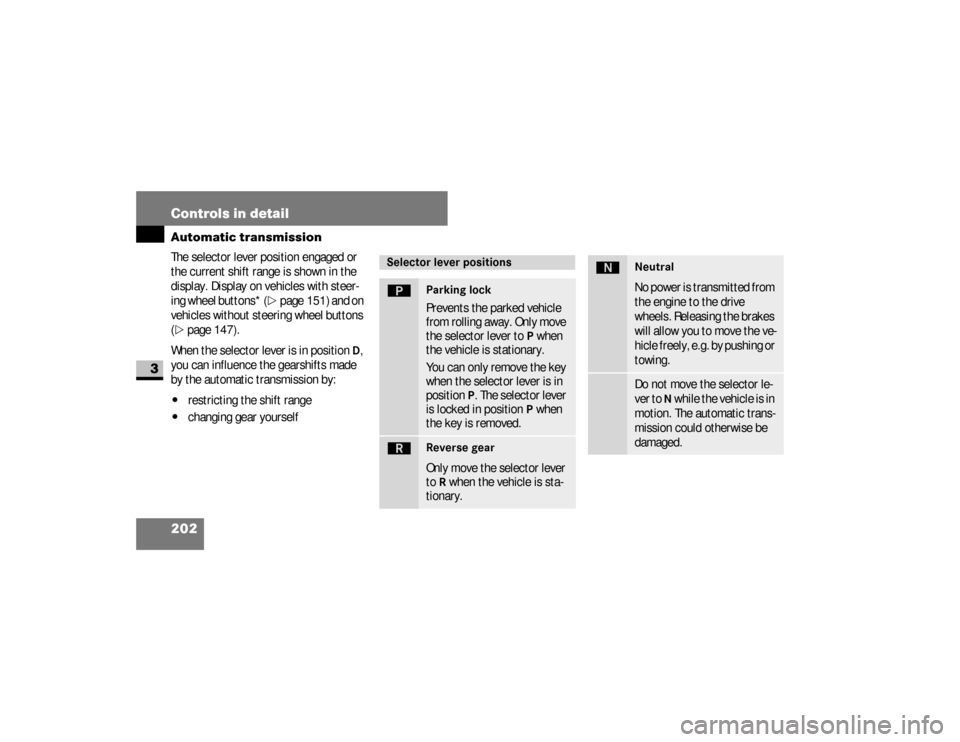
The selector lever position engaged or
the current shift range is shown in the
display. Display on vehicles with steer-
ing wheel buttons* (
\2
page 151) and on
vehicles without steering wheel buttons
(
\2
page 147).
When the selector lever is in position
D,
you can influence the gearshifts made
by the automatic transmission by:
\4
restricting the shift range
\4
changing gear yourself
Selector lever positionsì
Parking lock
Prevents the parked vehicle
from rolling away. Only move
the selector lever to
P when
the vehicle is stationary.
You can only remove the key
when the selector lever is in
position
P. The selector lever
is locked in position
P when
the key is removed.
í
Reverse gear
Only move the selector lever
to
R when the vehicle is sta-
tionary.
ë
NeutralNo power is transmitted from
the engine to the drive
wheels. Releasing the brakes
will allow you to move the ve-
hicle freely, e.g. by pushing or
towing.Do not move the selector le-
ver to
N while the vehicle is in
motion. The automatic trans-
mission could otherwise be
damaged.
nf_BA.book Page 202 Friday, January 25, 2008 3:53 PM
Page 205 of 666
203 Controls in detail
Automatic transmission
3
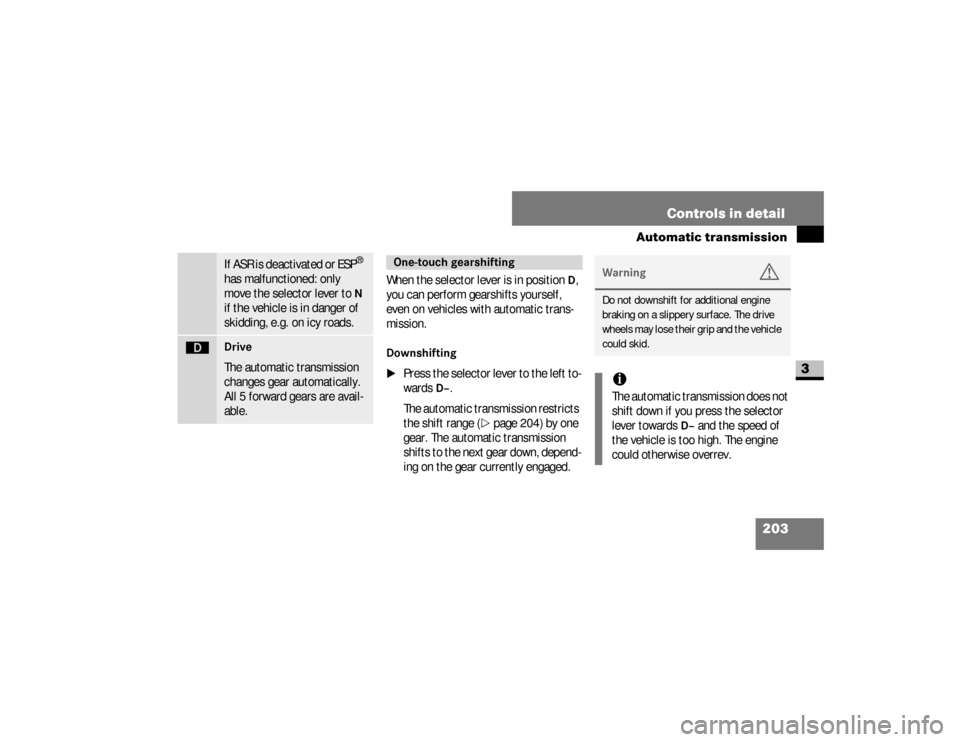
When the selector lever is in position
D,
you can perform gearshifts yourself,
even on vehicles with automatic trans-
mission.
Downshifting
\1
Press the selector lever to the left to-
wards
D–
.
The automatic transmission restricts
the shift range (
\2
page 204) by one
gear. The automatic transmission
shifts to the next gear down, depend-
ing on the gear currently engaged.
If ASR is deactivated or ESP
®
has malfunctioned: only
move the selector lever to N
if the vehicle is in danger of
skidding, e.g. on icy roads.
ê
Drive
The automatic transmission
changes gear automatically.
All 5 forward gears are avail-
able.
One-touch gearshifting
Warning
G
Do not downshift for additional engine
braking on a slippery surface. The drive
wheels may lose their grip and the vehicle
could skid.iThe automatic transmission does not
shift down if you press the selector
lever towards
D–
and the speed of
the vehicle is too high. The engine
could otherwise overrev.
nf_BA.book Page 203 Friday, January 25, 2008 3:53 PM
Page 206 of 666
204 Controls in detailAutomatic transmission
3
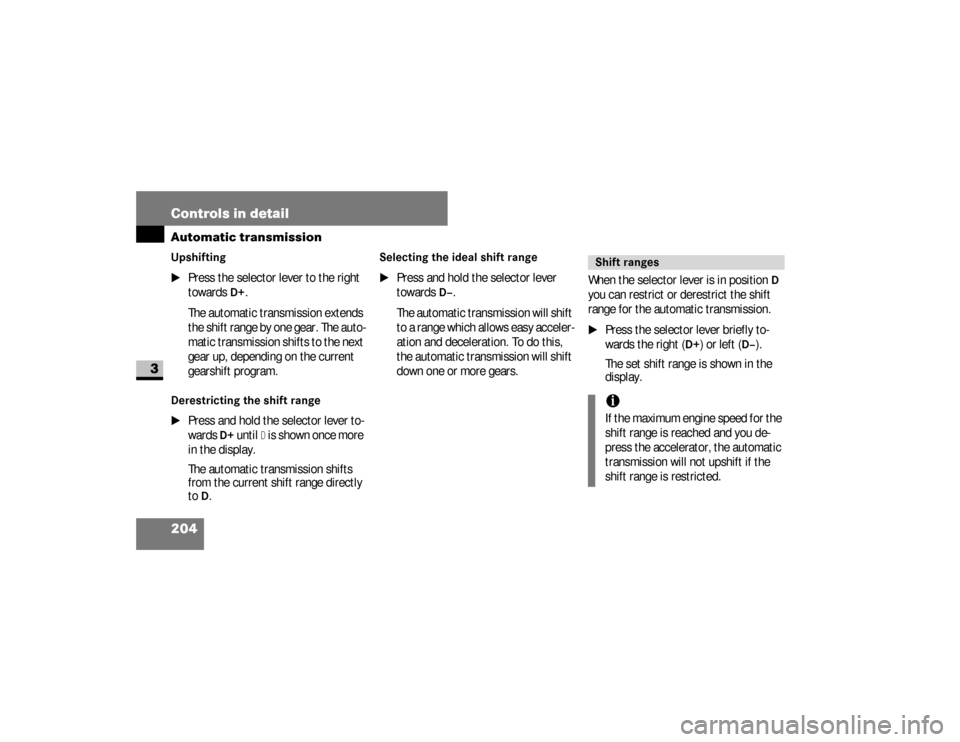
Upshifting
\1
Press the selector lever to the right
towards
D+
.
The automatic transmission extends
the shift range by one gear. The auto-
matic transmission shifts to the next
gear up, depending on the current
gearshift program.
Derestricting the shift range
\1
Press and hold the selector lever to-
wards
D+
until
D is shown once more
in the display.
The automatic transmission shifts
from the current shift range directly
to
D.
Selecting the ideal shift range
\1
Press and hold the selector lever
towards
D–
.
The automatic transmission will shift
to a range which allows easy acceler-
ation and deceleration. To do this,
the automatic transmission will shift
down one or more gears.When the selector lever is in position
D
you can restrict or derestrict the shift
range for the automatic transmission.
\1
Press the selector lever briefly to-
wards the right (
D+
) or left (
D–
).
The set shift range is shown in the
display.
Shift rangesiIf the maximum engine speed for the
shift range is reached and you de-
press the accelerator, the automatic
transmission will not upshift if the
shift range is restricted.
nf_BA.book Page 204 Friday, January 25, 2008 3:53 PM
Page 209 of 666
207 Controls in detail
Automatic transmission
3
Trailer towing
\1
Run the engine in the moderate en-
gine speed range on steep uphill gra-
dients.
\1
Depending on the uphill or downhill
gradient, shift down to shift range
3
or
2 (\2
page 204), even if cruise
control* is switched on.
Working on the vehicleWarning
G
Apply the handbrake before working on
the vehicle and shift the automatic trans-
mission into parking positionP.
The vehicle could otherwise roll away.
nf_BA.book Page 207 Friday, January 25, 2008 3:53 PM
Page 257 of 666
255 Controls in detail
Driving systems
3
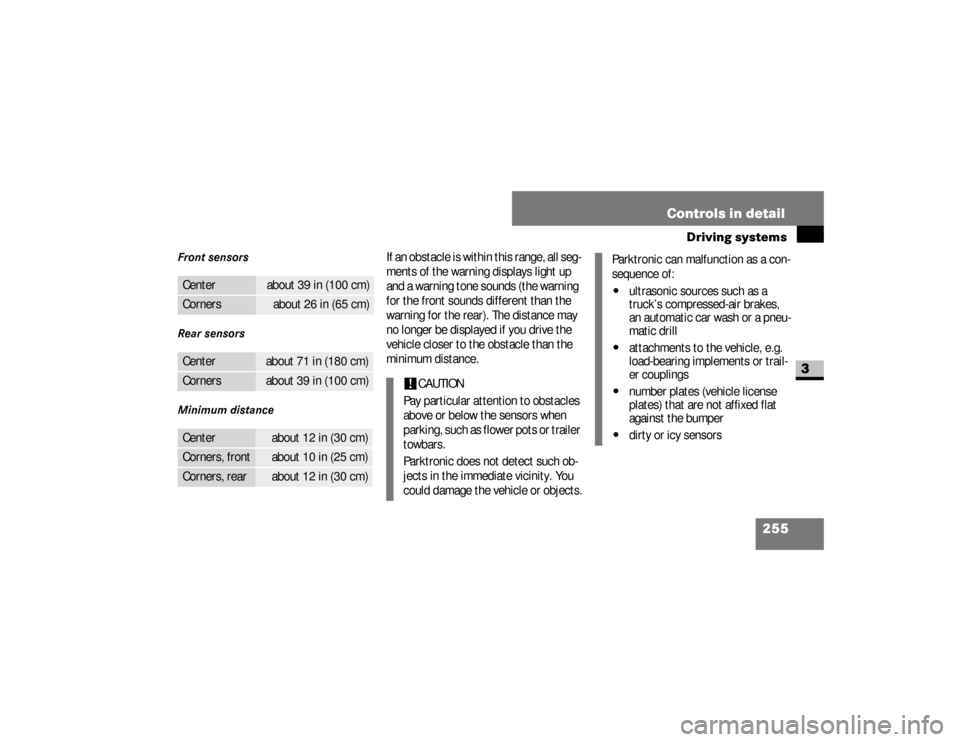
Front sensors
Rear sensors
Minimum distance
If an obstacle is within this range, all seg-
ments of the warning displays light up
and a warning tone sounds (the warning
for the front sounds different than the
warning for the rear). The distance may
no longer be displayed if you drive the
vehicle closer to the obstacle than the
minimum distance.
Center
about 39 in (100 cm)
Corners
about 26 in (65 cm)
Center
about 71 in (180 cm)
Corners
about 39 in (100 cm)
Center
about 12 in (30 cm)
Corners, front
about 10 in (25 cm)
Corners, rear
about 12 in (30 cm)
!
CAUTION
Pay particular attention to obstacles
above or below the sensors when
p a r k i n g , s u c h a s f l o w e r p o t s o r t r a i l e r
towbars.
Parktronic does not detect such ob-
jects in the immediate vicinity. You
could damage the vehicle or objects.
Parktronic can malfunction as a con-
sequence of:\4
ultrasonic sources such as a
truck’s compressed-air brakes,
an automatic car wash or a pneu-
matic drill
\4
attachments to the vehicle, e.g.
load-bearing implements or trail-
er couplings
\4
number plates (vehicle license
plates) that are not affixed flat
against the bumper
\4
dirty or icy sensors
nf_BA.book Page 255 Friday, January 25, 2008 3:53 PM