buttons DODGE SPRINTER 2008 2.G Service Manual
[x] Cancel search | Manufacturer: DODGE, Model Year: 2008, Model line: SPRINTER, Model: DODGE SPRINTER 2008 2.GPages: 666, PDF Size: 14.11 MB
Page 178 of 666

176 Controls in detailOperating system with steering wheel buttons*
3
\1
Press the
j
or
k
button re-
peatedly until you see the
Key
mes-
sage in the display.
The current setting is highlighted.
\1
Press the
æ
or
ç
button to
switch key dependence On or
Off
.The Trip computer menu displays statis-
tical data for your vehicle. N54.32-2273-31
iFor safety reasons, it is not possible
to set the
Key
function while the vehi-
cle is in motion. You will see the fol-
lowing message in the display:
Setting only possible at stand-
still
.
Trip computer menuFunction
Page
Consumption statistics after
start
177
Consumption statistics after
reset
177
Reset consumption statistics
178
iWhen you call up the trip computer
again, it always displays the con-
sumption statistics after start first.
The units of the trip computer are
country-specific and depend on the
setting in the
Instrument
submenu of
the
Settings
menu.
Function
Page
nf_BA.book Page 176 Friday, January 25, 2008 3:53 PM
Page 179 of 666
177 Controls in detail
Operating system with steering wheel buttons*
3
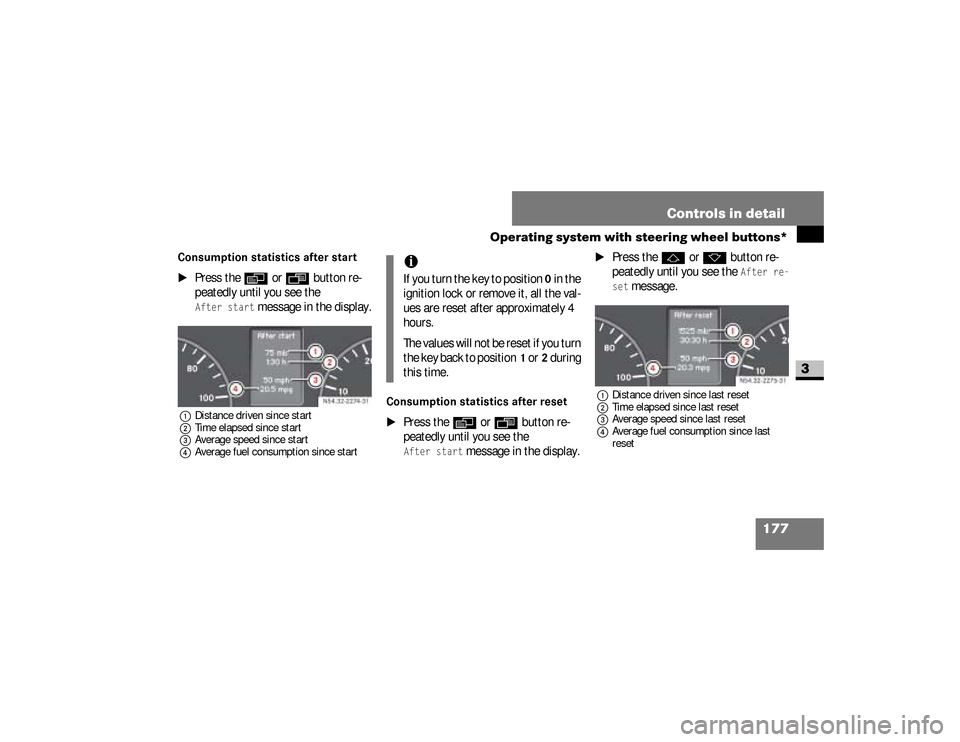
Consumption statistics after start
\1
Press the
è
or
ÿ
button re-
peatedly until you see the
After start
message in the display.
1Distance driven since start
2Time elapsed since start
3Average speed since start
4Average fuel consumption since start
Consumption statistics after reset
\1
Press the
è
or
ÿ
button re-
peatedly until you see the
After start
message in the display.
\1
Press the
j
or
k
button re-
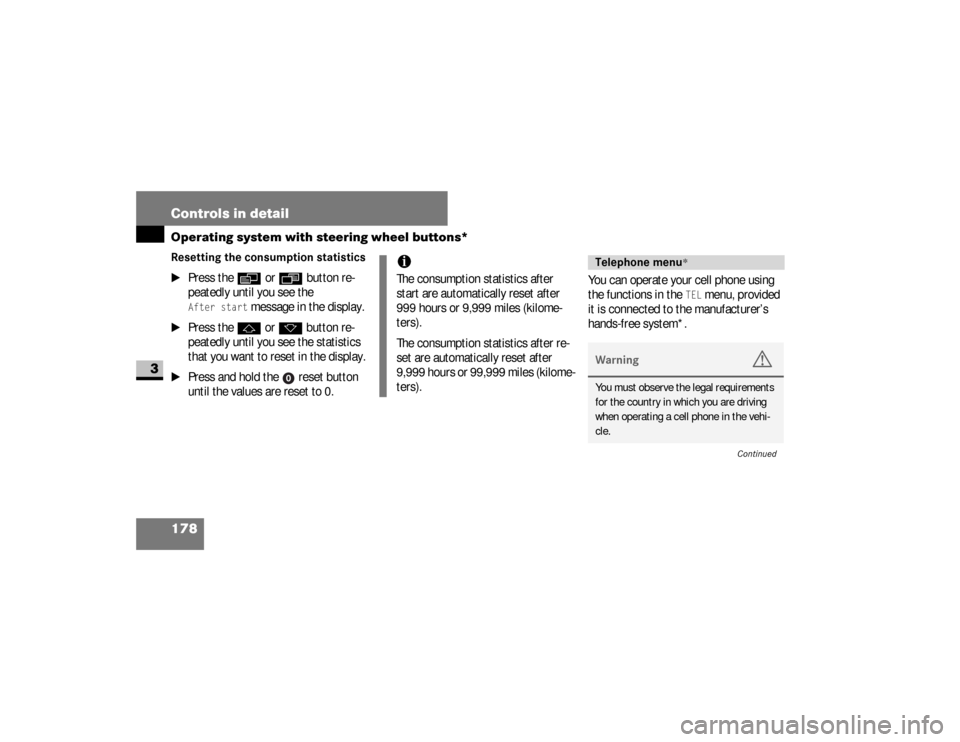
peatedly until you see the
After re-
set
message.
1Distance driven since last reset
2Time elapsed since last reset
3Average speed since last reset
4Average fuel consumption since last
reset
N54.32-2274-31
iIf you turn the key to position
0 in the
ignition lock or remove it, all the val-
ues are reset after approximately 4
hours.
The values will not be reset if you turn
the key back to position
1 or
2 during
this time.
N54.32-2275-31
nf_BA.book Page 177 Friday, January 25, 2008 3:53 PM
Page 180 of 666
178 Controls in detailOperating system with steering wheel buttons*
3
Resetting the consumption statistics
\1
Press the
è
or
ÿ
button re-
peatedly until you see the
After start
message in the display.
\1
Press the
j
or
k
button re-
peatedly until you see the statistics
that you want to reset in the display.
\1
Press and hold the reset button
until the values are reset to 0.You can operate your cell phone using
the functions in the
TEL
menu, provided
it is connected to the manufacturer’s
hands-free system*.
iThe consumption statistics after
start are automatically reset after
999 hours or 9,999 miles (kilome-
ters).
The consumption statistics after re-
set are automatically reset after
9,999 hours or 99,999 miles (kilome-
ters).
Telephone menu
*
Warning
G
You must observe the legal requirements
for the country in which you are driving
when operating a cell phone in the vehi-
cle.
Continued
nf_BA.book Page 178 Friday, January 25, 2008 3:53 PM
Page 181 of 666
179 Controls in detail
Operating system with steering wheel buttons*
3
\1
Switch on the cell phone and audio
system.
See the separate operating instruc-
tions.
\1
Press the
è
or
ÿ
button re-
peatedly until you see the
TEL
menu
in the display.
You will see different messages in
the display, depending on the status
of your cell phone:
\4
If the cell phone is switched off,
you will see the
TEL off
message
(Sound 20) .
\4
If you have not yet entered a PIN,
you will see the
TEL PIN
message
(Sound 20) .
\1
Enter the PIN code using the cell
phone, audio system.
The cell phone searches for a network. The
display remains blank during this time.As soon as the cell phone has found a
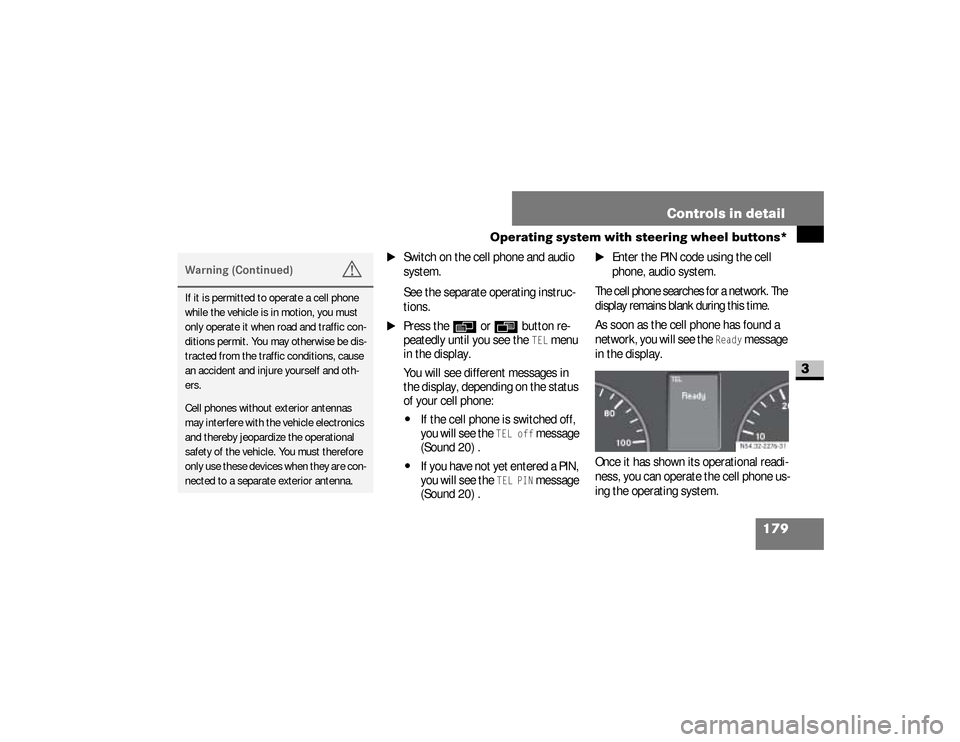
network, you will see the
Ready
message
in the display.
Once it has shown its operational readi-
ness, you can operate the cell phone us-
ing the operating system.
Warning (Continued)
G
If it is permitted to operate a cell phone
while the vehicle is in motion, you must
only operate it when road and traffic con-
ditions permit. You may otherwise be dis-
tracted from the traffic conditions, cause
an accident and injure yourself and oth-
ers.Cell phones without exterior antennas
may interfere with the vehicle electronics
and thereby jeopardize the operational
safety of the vehicle. You must therefore
only use these devices when they are con-
nected to a separate exterior antenna.
N54.32-2276-31
nf_BA.book Page 179 Friday, January 25, 2008 3:53 PM
Page 182 of 666
180 Controls in detailOperating system with steering wheel buttons*
3
Rejecting a callIf you do not wish to speak to the person
who is calling, you can reject the call.\1
Press the
t
button.
The caller then hears the busy signal.
Accepting a callYou can accept a call at any time, provid-
ed the cell phone is ready to receive
calls. \1
Press the
s
button.
The call duration is shown in the dis-
play.
Ending a call
\1
Press the
t
button.
The display now shows the opera-
tional readiness symbol again.
Dialing a number from the phone
bookYou may select and dial a number from
the phone book at any time, provided
the cell phone is ready to receive calls.
\1
Press the
è
or
ÿ
button re-
peatedly until you see the
TEL
menu
with the operational readiness sym-
bol in the display.
\1
Press the
j
or
k
button.
The operating system reads the
phone book stored on the SIM card
or in the phone. This may take more
than 1 minute.
You will see the
Processing
message
(Sound 20) in the display.
\1
Press the
j
or
k
button re-
peatedly until you see the name you
are looking for.
iIt is only possible to create new
phone number entries in the phone
book using the cell phone itself. See
the separate operating instructions.
nf_BA.book Page 180 Friday, January 25, 2008 3:53 PM
Page 183 of 666
181 Controls in detail
Operating system with steering wheel buttons*
3
The stored names are displayed al-
phabetically from A to Z, or Z to A.
\1
Press the
s
button.
The operating system dials the se-
lected phone number. You will see
the
dialing
message (Sound 20) in
the display.
The operating system stores the
phone numbers in the redial memo-
ry.
If a connection is made, you will see
the name of the person you are call-
ing and the call duration.
RedialingThe operating system stores the most
recently dialed phone numbers. This
means that you do not have to search
through the entire phone book.\1
Press the
ÿ
or
è
button re-
peatedly until you see the
TEL
menu
with the operational readiness sym-
bol in the display.
\1
Press the
s
button.
The redial memory shows the most
recently dialed numbers or names.
iThe operating system scrolls through
the names rapidly if you press and
hold the
j
or
k
button for
more than one second. Releasing the
button stops the rapid scroll.
If you no longer wish to make a call,
press the
t
button.
nf_BA.book Page 181 Friday, January 25, 2008 3:53 PM
Page 184 of 666
182 Controls in detailOperating system with steering wheel buttons*
3
\1
Press the
j
or
k
button re-
peatedly until the number or the
name you are looking for is dis-
played.
\1
Press the
s
button.
The operating system dials the se-
lected phone number.
If a connection is made, you will see
the call duration and name of the
person you are calling if stored in the
phone book. Otherwise, the number
you are dialing continues to be dis-
played.
iIf you no longer wish to make a call,
press the
t
button.
nf_BA.book Page 182 Friday, January 25, 2008 3:53 PM
Page 204 of 666
202 Controls in detailAutomatic transmission
3
The selector lever position engaged or
the current shift range is shown in the
display. Display on vehicles with steer-
ing wheel buttons* (
\2
page 151) and on
vehicles without steering wheel buttons
(
\2
page 147).
When the selector lever is in position
D,
you can influence the gearshifts made
by the automatic transmission by:
\4
restricting the shift range
\4
changing gear yourself
Selector lever positionsì
Parking lock
Prevents the parked vehicle
from rolling away. Only move
the selector lever to
P when
the vehicle is stationary.
You can only remove the key
when the selector lever is in
position
P. The selector lever
is locked in position
P when
the key is removed.
í
Reverse gear
Only move the selector lever
to
R when the vehicle is sta-
tionary.
ë
NeutralNo power is transmitted from
the engine to the drive
wheels. Releasing the brakes
will allow you to move the ve-
hicle freely, e.g. by pushing or
towing.Do not move the selector le-
ver to
N while the vehicle is in
motion. The automatic trans-
mission could otherwise be
damaged.
nf_BA.book Page 202 Friday, January 25, 2008 3:53 PM
Page 243 of 666
241 Controls in detail
Auxiliary heating/ventilation*
3
Operating system without steering
wheel buttons
\1
Switch on the ignition (
\2
page 111).
\1
Press the
ö
switch.
The
ö
symbol in the display flashes.
or \1
Press the
menu button on the
in-
strument cluster repeatedly until the
ö
symbol in the display flashes.
\1
Use the or button on the
in-
strument cluster to select desired
switch-on time
1 to
3.
The switch-on time selected is dis-
played.
\1
Wait 10 seconds for the standard
display to appear.The switch-on time is selected.
The yellow indicator lamp in
the
ö
switch comes on.
If you have not selected a switch-on time
and
--:--
appears in the display, the au-
tomatic switch-on is deactivated. The
yellow indicator lamp in the
ö
switch
goes out.
Operating system with steering wheel
buttons*
\1
Switch on the ignition (
\2
page 111).
\1
Briefly press the
ö
switch.
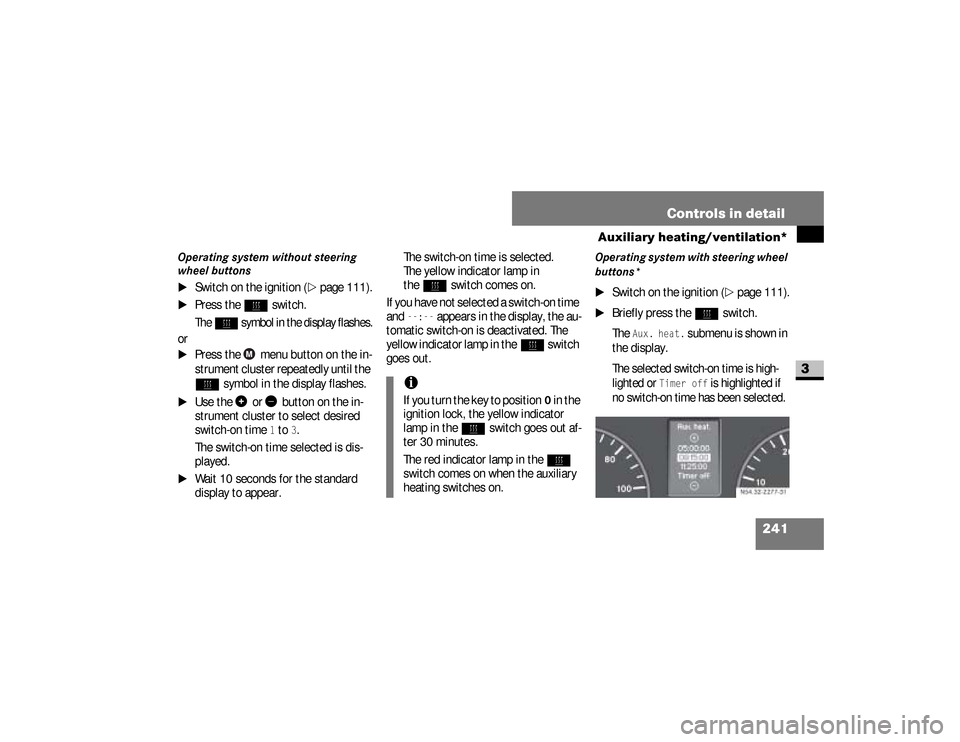
The
Aux. heat.
submenu is shown in
the display.
The selected switch-on time is high-
lighted or
Timer off
is highlighted if
no switch-on time has been selected.
iIf you turn the key to position
0 in the
ignition lock, the yellow indicator
lamp in the
ö
switch goes out af-
ter 30 minutes.
The red indicator lamp in the
ö
switch comes on when the auxiliary
heating switches on.
N54.32-2277-31
nf_BA.book Page 241 Friday, January 25, 2008 3:53 PM
Page 244 of 666
242 Controls in detailAuxiliary heating/ventilation*
3
\1
Press the
æ
or
ç
button to se-
lect the desired switch-on time. The
automatic switch-on is deactivated if
the
Timer off
setting is selected.
\1
Press the
è
button.
The switch-on time is selected.
The yellow indicator lamp in
the
ö
switch comes on.
Setting the switch-on time
Operating system without steering
wheel buttons
\1
Select a switch-on time as described
under “Selecting a switch-on time”
(\2
page 240).
\1
Press the reset button on the
in-
strument cluster to set the selected
switch-on time.
The hours figure flashes and
the
”
symbol appears in the dis-
play.
\1
Set the hours using the or
am
button on the
instrument cluster.
\1
Press the reset button.
The minute display flashes.
\1
Set the minutes using the
or button.
iYou can reach the
Aux. heat.
sub-
menu via the
Settings
menu
(
\2
page 161).
iIf you turn the key to position
0 in the
ignition lock, the yellow indicator
lamp in the
ö
switch goes out af-
ter 30 minutes.
The red indicator lamp in the
ö
switch comes on when the auxiliary
heating switches on.
nf_BA.book Page 242 Friday, January 25, 2008 3:53 PM