buttons DODGE SPRINTER 2008 2.G Workshop Manual
[x] Cancel search | Manufacturer: DODGE, Model Year: 2008, Model line: SPRINTER, Model: DODGE SPRINTER 2008 2.GPages: 666, PDF Size: 14.11 MB
Page 245 of 666
243 Controls in detail
Auxiliary heating/ventilation*
3
Operating system with steering wheel
buttons
\1
Select a switch-on time as described
under “Selecting a switch-on time”
(\2
page 240).
\1
Press the
j
button.
The
Hours
menu appears in the dis-
play.
\1
Set the hours using the
æ
or
ç
button.
\1
Press the
j
button.
The
Minutes
menu appears in the
display.
\1
Set the minutes using the
æ
or
ç
button.
\1
Press the
è
button.
The switch-on time is set and selected.
iIf you keep the button pressed, the
values will change continuously.
To return to the standard display:\4
press and hold the button
on the
instrument cluster for
more than 1 second
\4
do not press a button for
10 seconds
iTo return to the standard display,
press the
è
or
ÿ
button re-
peatedly until the standard display
appears.
nf_BA.book Page 243 Friday, January 25, 2008 3:53 PM
Page 263 of 666
261 Controls in detail
Driving systems
3
For information on cleaning the camera,
see “Rear view camera lens”
(\2
page 422).
Activating the rear view camera
\1
Make sure that the ignition is switched
on.
\1
Engage reverse gear.
The rear view camera is activated.
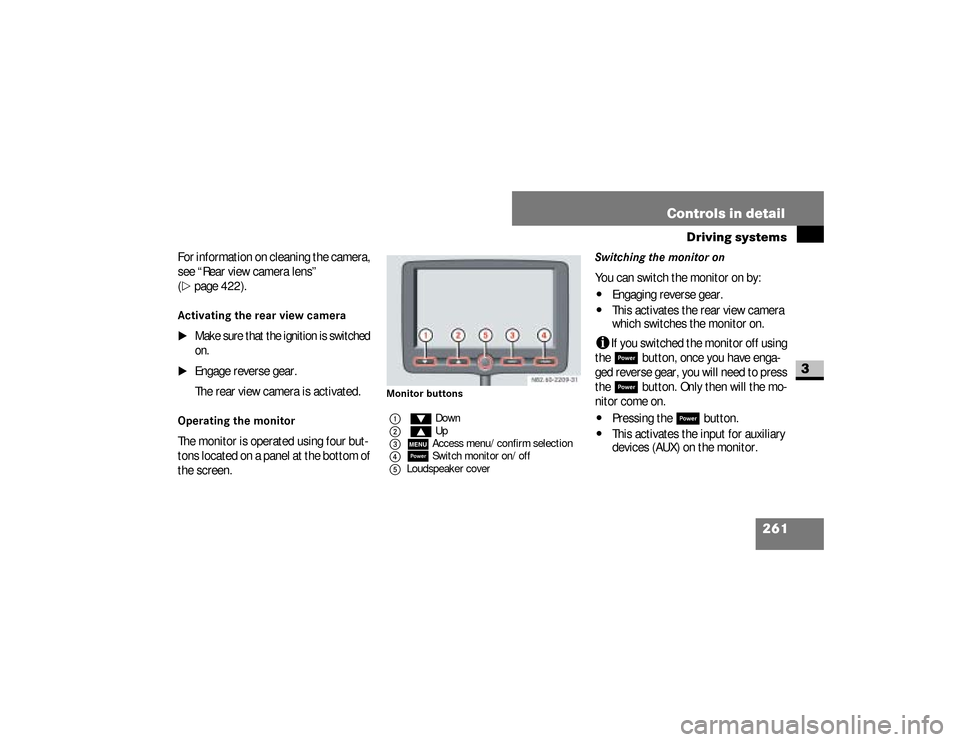
Operating the monitor The monitor is operated using four but-
tons located on a panel at the bottom of
the screen.
Monitor buttons
Switching the monitor onYou can switch the monitor on by:\4
Engaging reverse gear.
\4
This activates the rear view camera
which switches the monitor on.
i
If you switched the monitor off using
the ;
button, once you have enga-
ged reverse gear, you will need to press
the
;
button. Only then will the mo-
nitor come on.
\4
Pressing the
;
button.
\4
This activates the input for auxiliary
devices (AUX) on the monitor.
1%Down
2$ Up
3mAccess menu/confirm selection
4;Switch monitor on/off
5Loudspeaker cover
nf_BA.book Page 261 Friday, January 25, 2008 3:53 PM
Page 326 of 666
324 OperationEngine compartment
4
Vehicles without steering wheel
buttons
\1
Press the menu button on the in-
strument cluster repeatedly until you
see the
P
symbol in the display.
The
--:--
display flashes during the
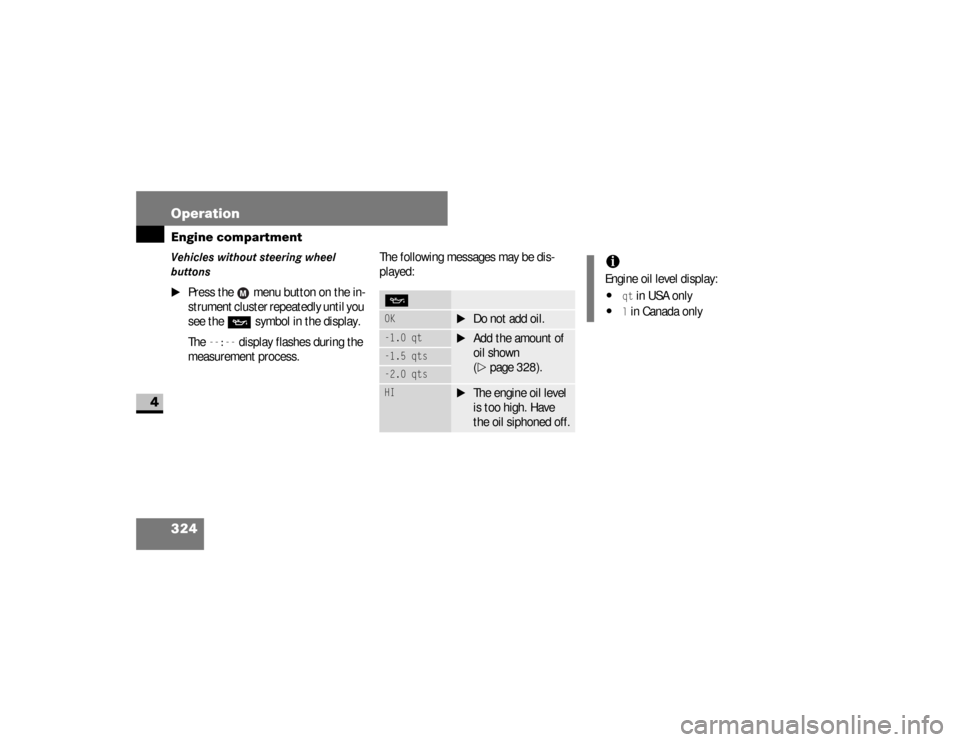
measurement process.The following messages may be dis-
played:
POK
\1
Do not add oil.
-1.0 qt
\1
Add the amount of
oil shown
(\2
page 328).
-1.5 qts-2.0 qtsHI
\1
The engine oil level
is too high. Have
the oil siphoned off.
iEngine oil level display:\4
qt in USA only
\4
l in Canada only
nf_BA.book Page 324 Friday, January 25, 2008 3:53 PM
Page 327 of 666
325 Operation
Engine compartment
4
Vehicles with steering wheel buttons*
\1
Press the button on the instru-
ment cluster (
\2
page 142).
\1
The following message is displayed
for the duration of the measurement
process:N
Engine oil level Measuring
in progress
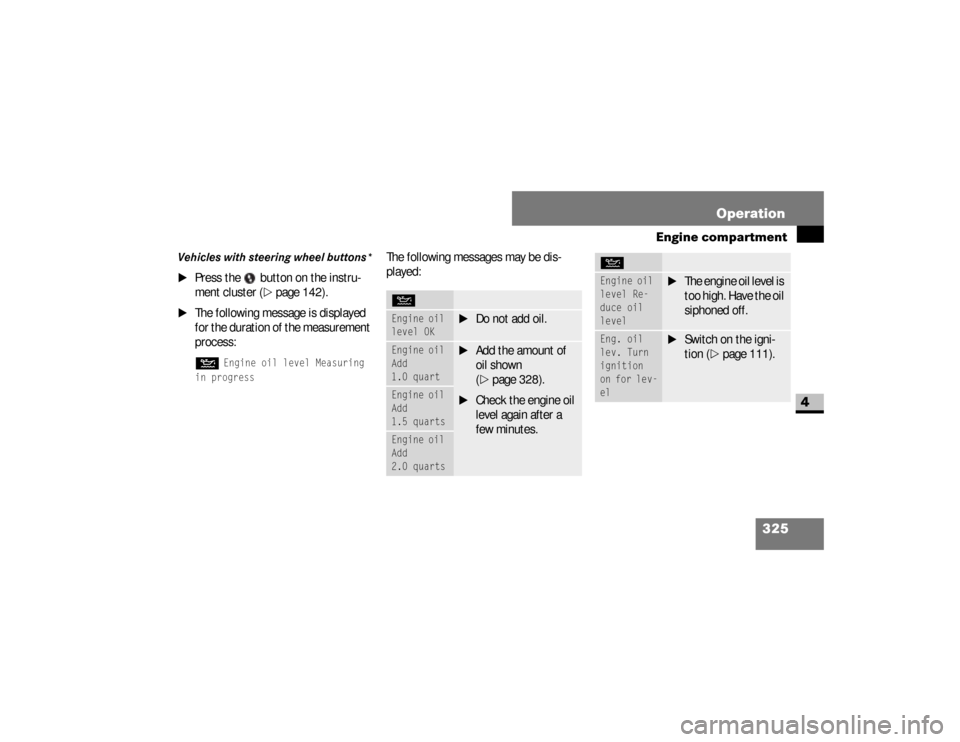
The following messages may be dis-
played:NEngine oil
level OK
\1
Do not add oil.
Engine oil
Add
1.0 quart
\1
Add the amount of
oil shown
(\2
page 328).
\1
Check the engine oil
level again after a
few minutes.
Engine oil
Add
1.5 quartsEngine oil
Add
2.0 quarts
Engine oil
level Re-
duce oil
level
\1
The engine oil level is
too high. Have the oil
siphoned off.
Eng. oil
lev. Turn
ignition
on for lev-
el
\1
Switch on the igni-
tion (
\2
page 111).
N
nf_BA.book Page 325 Friday, January 25, 2008 3:53 PM
Page 369 of 666
367 Operation
Tires and wheels
4
In addition to the placard also con-
sult the tire inflation pressure table
(\2
page 628).
\1
If necessary, add air to achieve the
recommended tire inflation pressu-
re.
\1
Reattach the valve cap.
\1
Repeat this procedure for each tire.
Checking tire inflation pressure elec-
tronically with the Tire Pressure Mon-
itoring System (TPMS)* (vehicles
without steering wheel buttons)
iIf you have overfilled the tire, release
tire inflation pressure by pushing the
metal stem of the valve with for ex-
ample a tip of a pen. Then recheck
the tire inflation pressure with the
tire gauge.
!
CAUTION
After inspecting or adjusting the tire
inflation pressure, always reattach
the valve cap if equipped.
This will prevent moisture and dirt
from entering the valve stem, which
could damage the valve stem.
iUSA only:
The Tire Pressure Monitoring System
(TPMS) is equipped with a combina-
tion low tire pressure/TPMS mal-
function telltale in the instrument
cluster (
\2
page 20). Depending on
how the telltale illuminates, it indi-
cates a low tire pressure condition or
a malfunction in the TPMS system it-
self:
nf_BA.book Page 367 Friday, January 25, 2008 3:53 PM
Page 375 of 666
373 Operation
Tires and wheels
4
\1
Switch on the ignition (
\2
page 111).
\1
Press the 5menu button on the in-
strument cluster until you see the +CAL TPMS
message in the display.
\1
Press the ,menu button on the in-
strument cluster.
The following message is displayed:OK TPMSThe tire pressure monitor activation
process has begun.
The tire pressures of the individual
wheels are stored as the new refer-
ence values if they are determined to
be plausible for the tire pressure
monitor.If you wish to cancel the activation pro-
cess:
\1
Press the .button or the 5menu but-
ton on the instrument cluster.
The activation process is canceled
automatically if 30 seconds elapse
with no input.
Checking tire inflation pressure elec-
tronically with the Tire Pressure Mon-
itoring System (TPMS)* (vehicles
with steering wheel buttons)Vehicles with steering wheel buttons are
equipped with the Advanced Tire Pres-
sure Monitoring System.
iUSA only:
The Tire Pressure Monitoring System
(TPMS) is equipped with a combina-
tion low tire pressure/TPMS mal-
function telltale in the instrument
cluster (
\2
page 20). Depending on
how the telltale illuminates, it indi-
cates a low tire pressure condition or
a malfunction in the TPMS system it-
self:
If the telltale illuminates continuous-
ly, one or more of your tires is signif-
icantly underinflated. There is no
malfunction in the TPMS.
nf_BA.book Page 373 Friday, January 25, 2008 3:53 PM
Page 414 of 666
412 OperationMaintenance and servicing
4
Service due date display
Vehicles with steering wheel buttonsThe following messages may be dis-
played:\49
Service A in .. days
\49
Service A in .. miles
(km)
\49
Service A due now
The letters
A or
B indicate the type of ser-
vice that is due.
Vehicles without steering wheel
buttonsThe following messages may be dis-
played:\49
for service A
\4´
for service B
The following are also shown:
Service A: Oil Service Plus
Service B: Maintenance Service
\4
the remaining distance in kilometers,
e.g.
1900 miles
(3000 km
)
\4
the remaining time in days, e.g.30 days
.
Missing the service due date An authorized Sprinter Dealer, can reset
the service indicator when the service
has been carried out.
!
CAUTION
If you fail to have the specified ser-
vice carried out, you could be in
breach of relevant regulations and
warranty and goodwill settlements
could be invalidated.
nf_BA.book Page 412 Friday, January 25, 2008 3:53 PM
Page 415 of 666
413 Operation
Maintenance and servicing
4
Vehicles with steering wheel buttons*If you have missed the service due date,
one of the following messages appears
in the display:\49
Service A overdue by .. days
\49
Service A overdue by ..
miles (km)
A signal also sounds.
Vehicles without steering wheel but-
tonsIf you have missed the service due date,
the following symbol flashes in the dis-
play for 10 seconds after the ignition is
switched on:\49
for service A
\4´
for service B
You will also see a minus sign before the
service due date.
Calling up the service due date
\1
Switch on the ignition (
\2
page 111).
The display is activated.
Vehicles with steering wheel buttons*
\1
Press the
è
or
ÿ
button on
the steering wheel repeatedly until
you see the standard display
(
\2
page 151) .
\1
Press the
j
or
k
button on
the steering wheel repeatedly until
you see the following in the display,
for example:
\49
Service A in .. days
\49
Service A in .. miles
(km)
The letters
A or
B indicate the type of
service that is due.
nf_BA.book Page 413 Friday, January 25, 2008 3:53 PM
Page 454 of 666
452 Practical hintsWhat to do if ...
5
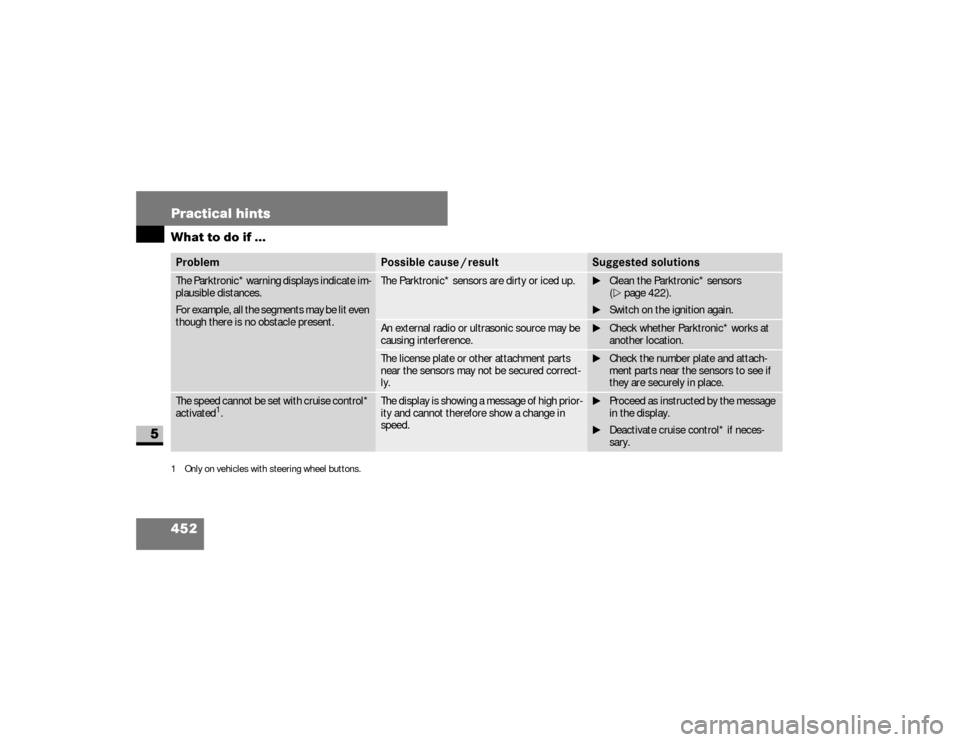
The Parktronic* warning displays indicate im-
plausible distances.
For example, all the segments may be lit even
though there is no obstacle present.
The Parktronic* sensors are dirty or iced up.
\1Clean the Parktronic* sensors
(\2page 422).
\1Switch on the ignition again.
An external radio or ultrasonic source may be
causing interference.
\1Check whether Parktronic* works at
another location.
The license plate or other attachment parts
near the sensors may not be secured correct-
ly.
\1Check the number plate and attach-
ment parts near the sensors to see if
they are securely in place.
The speed cannot be set with cruise control*
activated
1.
The display is showing a message of high prior-
ity and cannot therefore show a change in
speed.
\1Proceed as instructed by the message
in the display.
\1Deactivate cruise control* if neces-
sary.
1 Only on vehicles with steering wheel buttons.Problem
Possible cause / result
Suggested solutions
nf_BA.book Page 452 Friday, January 25, 2008 3:53 PM
Page 464 of 666
462 Practical hintsWhat to do if ...
5
#
-
k
6
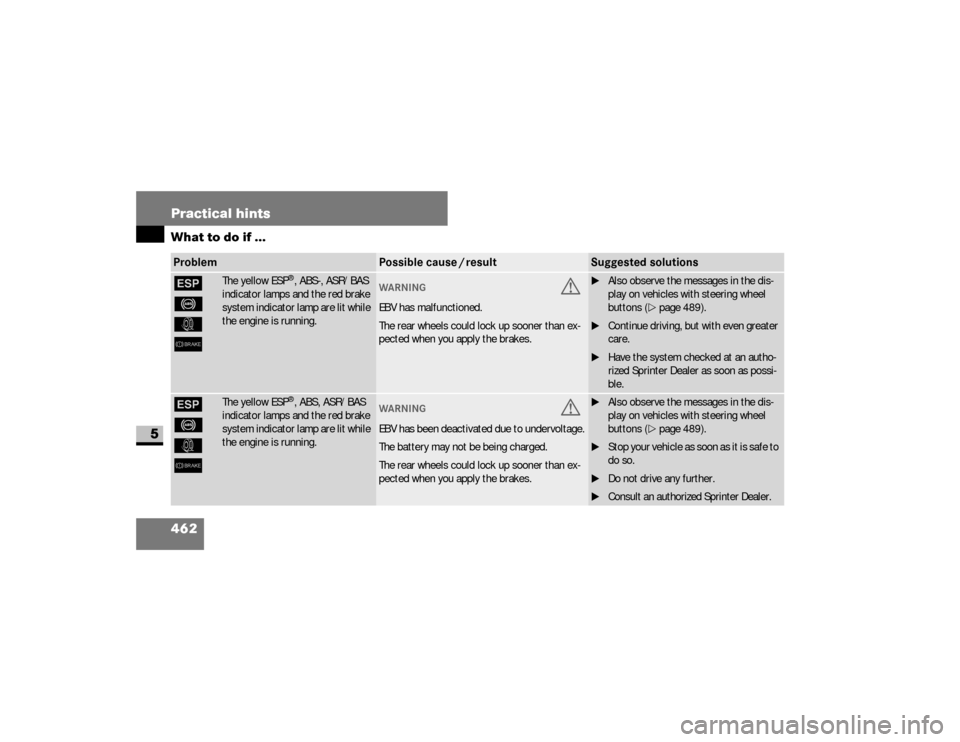
The yellow ESP
®, ABS-, ASR/BAS
indicator lamps and the red brake
system indicator lamp are lit while
the engine is running.
WAR NING
G
EBV has malfunctioned.
The rear wheels could lock up sooner than ex-
pected when you apply the brakes.
\1Also observe the messages in the dis-
play on vehicles with steering wheel
buttons (\2page 489).
\1Continue driving, but with even greater
care.
\1Have the system checked at an autho-
rized Sprinter Dealer as soon as possi-
ble.
#
-
k
6
The yellow ESP
®, ABS, ASR/BAS
indicator lamps and the red brake
system indicator lamp are lit while
the engine is running.
WAR NING
G
EBV has been deactivated due to undervoltage.
The battery may not be being charged.
The rear wheels could lock up sooner than ex-
pected when you apply the brakes.
\1Also observe the messages in the dis-
play on vehicles with steering wheel
buttons (\2page 489).
\1S t o p y o u r v e h i c l e a s s o o n a s i t i s s a f e t o
do so.
\1Do not drive any further.
\1Consult an authorized Sprinter Dealer.
Problem
Possible cause / result
Suggested solutions
nf_BA.book Page 462 Friday, January 25, 2008 3:53 PM