change time DODGE VIPER 2008 ZB II / 2.G User Guide
[x] Cancel search | Manufacturer: DODGE, Model Year: 2008, Model line: VIPER, Model: DODGE VIPER 2008 ZB II / 2.GPages: 303, PDF Size: 2.65 MB
Page 114 of 303
Seek
Press the top of the SEEK button for the next selection on
the CD. Press the bottom of the button to return to the
beginning of the current selection, or return to the
beginning of the previous selection if the CD is within the
first 10 seconds of the current selection.
EJT Ð Eject
Press the EJT button and the disc will unload and move
to the entrance for easy removal. The unit will switch to
the radio mode.
If you do not remove the disc within 15 seconds, it will be
reloaded. The radio mode will continue to appear.
The disc can be ejected with the radio OFF.
FF/TUNE/RW
Press FF (Fast Forward) and the CD player will begin to
fast forward until FF is released. The RW (Reverse)
button works in a similar manner.
RND Ð Random Play
Press the RND button while the CD is playing to activate
Random Play. This feature plays the selections on the
compact disc in random order to provide an interesting
change of pace.
Press the SEEK button to move to the next randomly
selected track.
Press TUNE FF to fast forward through the tracks. Press
the FF button a second time to stop the fast forward
feature. If TUNE RW is pressed, the current track will
reverse to the beginning of the track and begin playing.
Press the RND button a second time to stop Random
Play.
UNDERSTANDING YOUR INSTRUMENT PANEL 113
4
Page 115 of 303
CD/DVD Changer Operation
Press the MODE button to select between the CD player
and the optional remote CD/DVD changer.
Time
Press the TIME button to change the display from
elapsed CD or DVD playing time to time of day.
Notes On Playing MP3 Files
The radio can play MP3 files, however, acceptable MP3
file recording media and formats are limited. When
writing MP3 files, pay attention to the following restric-
tions.
Supported media (disc types)
The MP3 file recording media supported by the radio are
CD-ROM, CD-R and CD-RW.
Supported medium formats (file systems)
The medium formats supported by the radio are ISO 9660
Level 1 and Level 2 and includes the Joliet extension.When reading discs recorded using formats other than
ISO 9660 Level 1 and Level 2, the radio may fail to read
files properly and may be unable to play the file nor-
mally. UDF and Apple HFS formats are not supported.
The radio uses the following limits for file systems:
²Maximum number of directory levels: 15
²Maximum number of files: 255
²Maximum number of folders: 100
²Maximum number of characters in file/folder names:
²Level 1: 12 (including a separator9.9anda3
character extension)
²Level 2: 31 (including a separator9.9anda3
character extension)
Multisession disc formats are supported by the radio.
Multisession discs may contain combinations of normal
114 UNDERSTANDING YOUR INSTRUMENT PANEL
Page 121 of 303
Selecting a Channel
Press and release the SEEK or TUNE buttons to search for
the next channel. Press the top of the button to search up
and the bottom of the button to search down. Holding the
TUNE button causes the radio to bypass channels until
the button is released.
Press and release the SCAN button (if equipped) to
automatically change channels every 7 seconds. The
radio will pause on each channel for 7 seconds before
moving on to the next channel. The word9SCAN9will
appear in the display between each channel change. Press
the SCAN button a second time to stop the search.
NOTE:Channels that may contain objectionable content
can be blocked. Contact Sirius Customer Care at 888-539-
7474 to discuss options for channel blocking or unblock-
ing. Please have your ESN/SID information available.
Storing and Selecting Pre-Set Channels
In addition to the 10 AM and 10 FM pre-set stations, you
may also commit 10 satellite stations to push button
memory. These satellite channel pre-set stations will not
erase any AM or FM pre-set memory stations. Follow the
memory pre-set procedures that apply to your radio.
Using the PTY (Program Type) Button (If
Equipped)
Follow the PTY button instructions that apply to your
radio.
PTY Button(SCAN(
When the desired program type is obtained, press the
9SCAN9button within five seconds. The radio will play 7
seconds of the selected channel before moving to the next
channel of the selected program type. Press the9SCAN9
button a second time to stop the search.
NOTE:Pressing the9SEEK9or9SCAN9button while
performing a music type scan will change the channel by
120 UNDERSTANDING YOUR INSTRUMENT PANEL
Page 126 of 303
²Defrost/Floor
Air is directed through the windshield defrost
and the floor outlets. This setting works best in
cold or snowy conditions that require extra heat
at the windshield. This setting is good for maintaining
comfort while reducing moisture on the windshield.
²Defrost
Air is directed through the windshield defrost
outlet. Use this mode with maximum fan and
temperature settings for best windshield defrosting.
NOTE:The air conditioning compressor operates in this
mode. This dehumidifies the air to help dry the wind-
shield. To improve fuel economy, leave in the Defrost
mode only when necessary.
Air Conditioning Control
With the fan control in the ON position, push the
A/C button to turn on the air conditioning com-
pressor. An indicator light above the button shows
that the Air Conditioning compressor is on. Conditioned
air is now directed through the outlets selected. Pushing
the button a second time turns the compressor OFF.
Slight changes in engine speed or power may be noticed
when the compressor is on. This is a normal occurrence
since the compressor will cycle on and off to maintain
comfort and increase fuel economy.
NOTE:If your air conditioning performance seems
lower than expected, check the front of the A/C con-
denser for an accumulation of dirt or insects.
UNDERSTANDING YOUR INSTRUMENT PANEL 125
4
Page 200 of 303
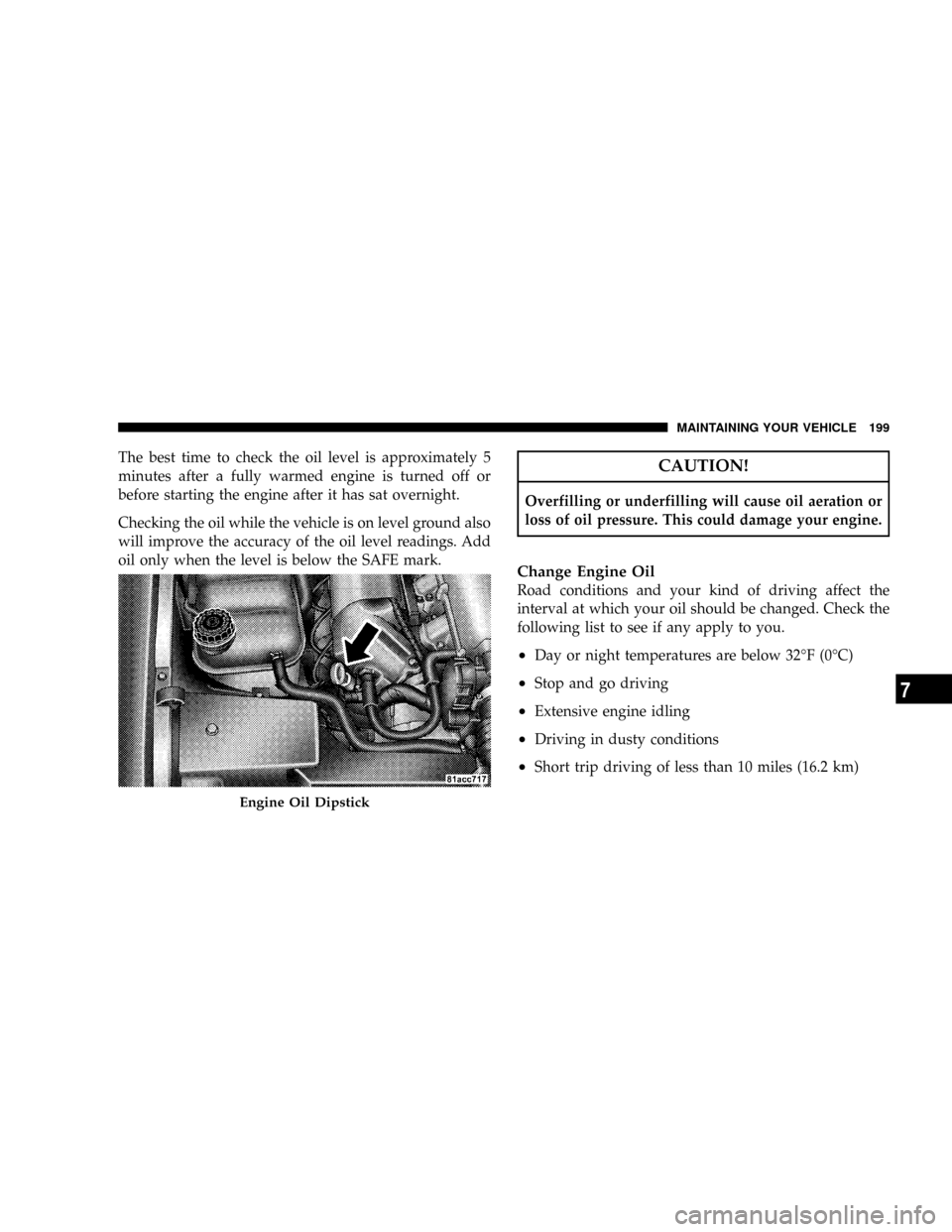
The best time to check the oil level is approximately 5
minutes after a fully warmed engine is turned off or
before starting the engine after it has sat overnight.
Checking the oil while the vehicle is on level ground also
will improve the accuracy of the oil level readings. Add
oil only when the level is below the SAFE mark.CAUTION!
Overfilling or underfilling will cause oil aeration or
loss of oil pressure. This could damage your engine.
Change Engine Oil
Road conditions and your kind of driving affect the
interval at which your oil should be changed. Check the
following list to see if any apply to you.
²Day or night temperatures are below 32ÉF (0ÉC)
²Stop and go driving
²Extensive engine idling
²Driving in dusty conditions
²Short trip driving of less than 10 miles (16.2 km)
Engine Oil Dipstick
MAINTAINING YOUR VEHICLE 199
7
Page 219 of 303
Exhaust System
The best protection against carbon monoxide entry into
the vehicle body is a properly maintained engine exhaust
system.
If you notice a change in the sound of the exhaust system;
or if exhaust fumes can be detected inside the vehicle; or
when the underside or side of the vehicle is damaged;
have a competent technician inspect the complete ex-
haust system and adjacent body areas for broken, dam-
aged, deteriorated, or mispositioned parts. Open seams
or loose connections could permit exhaust fumes to seep
into the passenger compartment. In addition, inspect the
exhaust system each time the vehicle is raised for lubri-
cation or oil change. Replace as required.WARNING!
Exhaust gases can injure or kill. They contain carbon
monoxide (CO) which is colorless and odorless.
Breathing it can make you unconscious and can
eventually poison you. To avoid breathing CO, refer
to ªExhaust Gasº in the ªSafety Tipsº section of this
manual.
218 MAINTAINING YOUR VEHICLE
Page 228 of 303
Use only the manufacturer's recommended brake fluid.
Refer to ªFluids, Lubricants, and Genuine Partsº for the
correct fluid type. Use of a brake fluid that may have a
lower initial boiling point or unidentified as to specifica-
tion, may result in sudden brake failure during hard
prolonged braking.
WARNING!
Overfilling the brake fluid reservoir can result in
spilling brake fluid on hot engine parts and the
brake fluid catching fire.
Use only brake fluid that has been in a tightly closed
container to avoid contamination from foreign matter.
CAUTION!
²Do not allow petroleum base fluid to contaminate
the brake fluid, all brake seal components could
be damaged causing partial or complete brake
failure.
²Brake fluid can damage the finish of your vehicle.
Do not allow brake fluid to contact any painted
surface.
Change Brake Fluid
Brake fluid will tend to absorb moisture from the atmo-
sphere over time. If the fluid becomes contaminated with
water, brake performance will deteriorate. Therefore, the
brake fluid must be changed at the intervals specified in
the ªMaintenance Schedulesº in this manual. See your
authorized dealer for service.
MAINTAINING YOUR VEHICLE 227
7
Page 230 of 303
Use only the manufacturer's recommended clutch fluid.
Refer to ªFluids, Lubricants, and Genuine Partsº for the
correct fluid type.
WARNING!
Overfilling the clutch fluid reservoir can result in
spilling clutch fluid on hot engine parts and the
clutch fluid catching fire.
Use only clutch fluid that has been in a tightly closed
container to avoid contamination from foreign matter.
CAUTION!
²Do not allow petroleum base fluid to contaminate
the clutch fluid, all clutch seal components could
be damaged causing partial or complete clutch
failure.
²Clutch fluid can damage the finish of your vehicle.
Do not allow clutch fluid to contact any painted
surface.
Change Clutch Fluid
Clutch fluid will tend to absorb moisture from the
atmosphere over time. If the fluid becomes contaminated
with water, clutch performance will deteriorate. There-
fore, the clutch fluid must be changed at the intervals
specified in the ªMaintenance Schedulesº in this manu-
al.See your authorized dealer for service.
MAINTAINING YOUR VEHICLE 229
7
Page 258 of 303
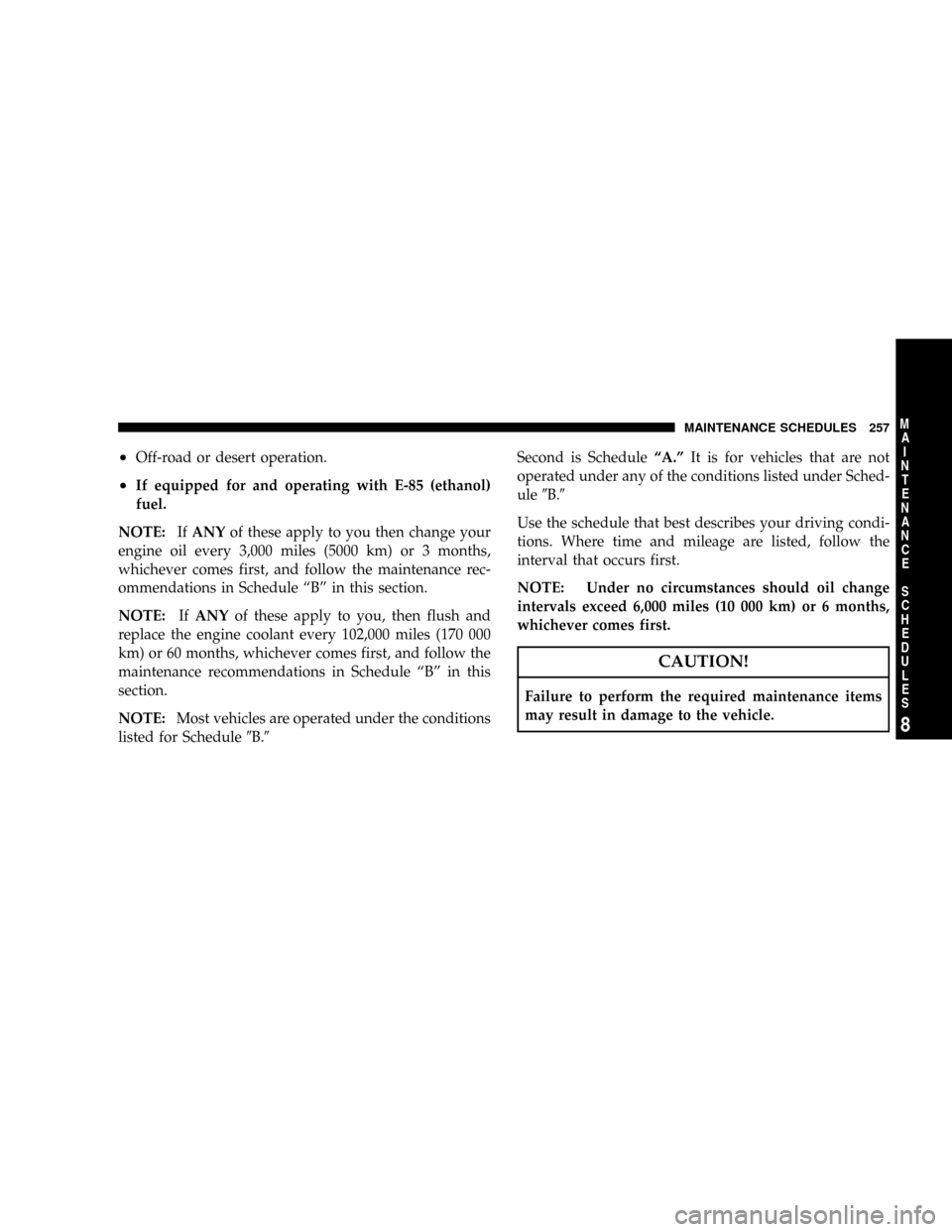
²Off-road or desert operation.
²If equipped for and operating with E-85 (ethanol)
fuel.
NOTE:IfANYof these apply to you then change your
engine oil every 3,000 miles (5000 km) or 3 months,
whichever comes first, and follow the maintenance rec-
ommendations in Schedule ªBº in this section.
NOTE:IfANYof these apply to you, then flush and
replace the engine coolant every 102,000 miles (170 000
km) or 60 months, whichever comes first, and follow the
maintenance recommendations in Schedule ªBº in this
section.
NOTE:Most vehicles are operated under the conditions
listed for Schedule9B.9Second is ScheduleªA.ºIt is for vehicles that are not
operated under any of the conditions listed under Sched-
ule9B.9
Use the schedule that best describes your driving condi-
tions. Where time and mileage are listed, follow the
interval that occurs first.
NOTE: Under no circumstances should oil change
intervals exceed 6,000 miles (10 000 km) or 6 months,
whichever comes first.
CAUTION!
Failure to perform the required maintenance items
may result in damage to the vehicle.
MAINTENANCE SCHEDULES 257
8
M
A
I
N
T
E
N
A
N
C
E
S
C
H
E
D
U
L
E
S
Page 269 of 303
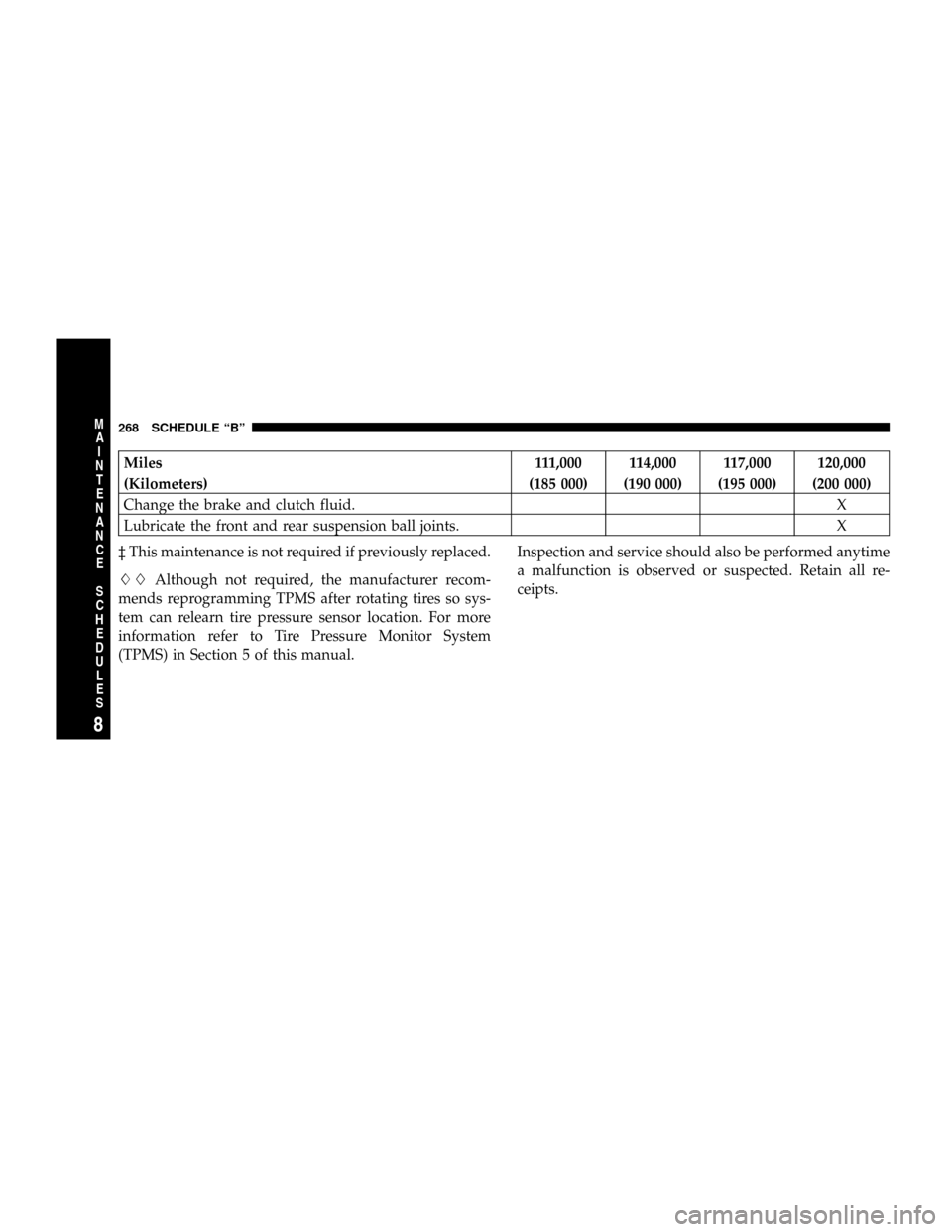
Miles 111,000 114,000 117,000 120,000
(Kilometers) (185 000) (190 000) (195 000) (200 000)
Change the brake and clutch fluid.X
Lubricate the front and rear suspension ball joints. X
³ This maintenance is not required if previously replaced.
LLAlthough not required, the manufacturer recom-
mends reprogramming TPMS after rotating tires so sys-
tem can relearn tire pressure sensor location. For more
information refer to Tire Pressure Monitor System
(TPMS) in Section 5 of this manual.Inspection and service should also be performed anytime
a malfunction is observed or suspected. Retain all re-
ceipts.
268 SCHEDULE ªBº
8
M
A
I
N
T
E
N
A
N
C
E
S
C
H
E
D
U
L
E
S