phone DODGE VIPER 2015 VX / 3.G User Guide
[x] Cancel search | Manufacturer: DODGE, Model Year: 2015, Model line: VIPER, Model: DODGE VIPER 2015 VX / 3.GPages: 400, PDF Size: 9.59 MB
Page 198 of 400
The Satellite/Navigation antenna is located in the rear
liftgate, while the cellular phone antenna is on the
windshield behind the interior rearview mirror.
RADIO OPERATION AND MOBILE PHONES
Under certain conditions, the mobile phone being on in
your vehicle can cause erratic or noisy performance from
your radio. This condition may be lessened or eliminated
by relocating the mobile phone antenna. This condition is
not harmful to the radio. If your radio performance does
not satisfactorily “clear” by the repositioning of the
antenna, it is recommended that the radio volume be
turned down or off during mobile phone operation when
not using Uconnect® (if equipped).
General Information
This device complies with Part 15 of the FCC rules and
RSS 210 of Industry Canada. Operation is subject to the
following conditions:
•Changes or modifications not expressly approved by
the party responsible for compliance could void the
user’s authority to operate the equipment.
•This device may not cause harmful interference.
•This device must accept any interference received,
including interference that may cause undesired op-
eration.
CLIMATE CONTROLS
The Climate Control System allows you to regulate the
temperature, amount, and direction of air circulating
throughout the vehicle. The controls are located on the
instrument panel below the radio.
196 UNDERSTANDING YOUR INSTRUMENT PANEL
Page 208 of 400
Get Started
1. Visit UconnectPhone.com to check mobile device and
feature compatibility and to find phone pairing in-
structions.
2. Reduce background noise. Wind and passenger con-
versations are examples of noise that may impact
recognition.
3. Speak clearly at a normal pace and volume while
facing straight ahead. The microphone is positioned
on the rearview mirror and aimed at the driver.
4. Each time you give a Voice Command, you must first
push either the VR or Phone button, wait untilafter
the beep, then say your Voice Command.
5. You can interrupt the help message or system prompts
by pushing the VR or Phone button and saying a Voice
Command from current category.
Two buttons are all you need to control your Uconnect®
system with your voice.
Basic Voice Commands
The basic Voice Commands below can be given at any
point while using your Uconnect® system.
Push the VR button. After the beep, say:
•Cancelto stop a current voice session
•Helpto hear a list of suggested Voice Commands
•Repeatto listen to the system prompts again
Notice the visual cues that inform you of your voice
recognition system’s status. Cues appear on the touch-
screen.
206 UNDERSTANDING YOUR INSTRUMENT PANEL
Page 211 of 400
Phone
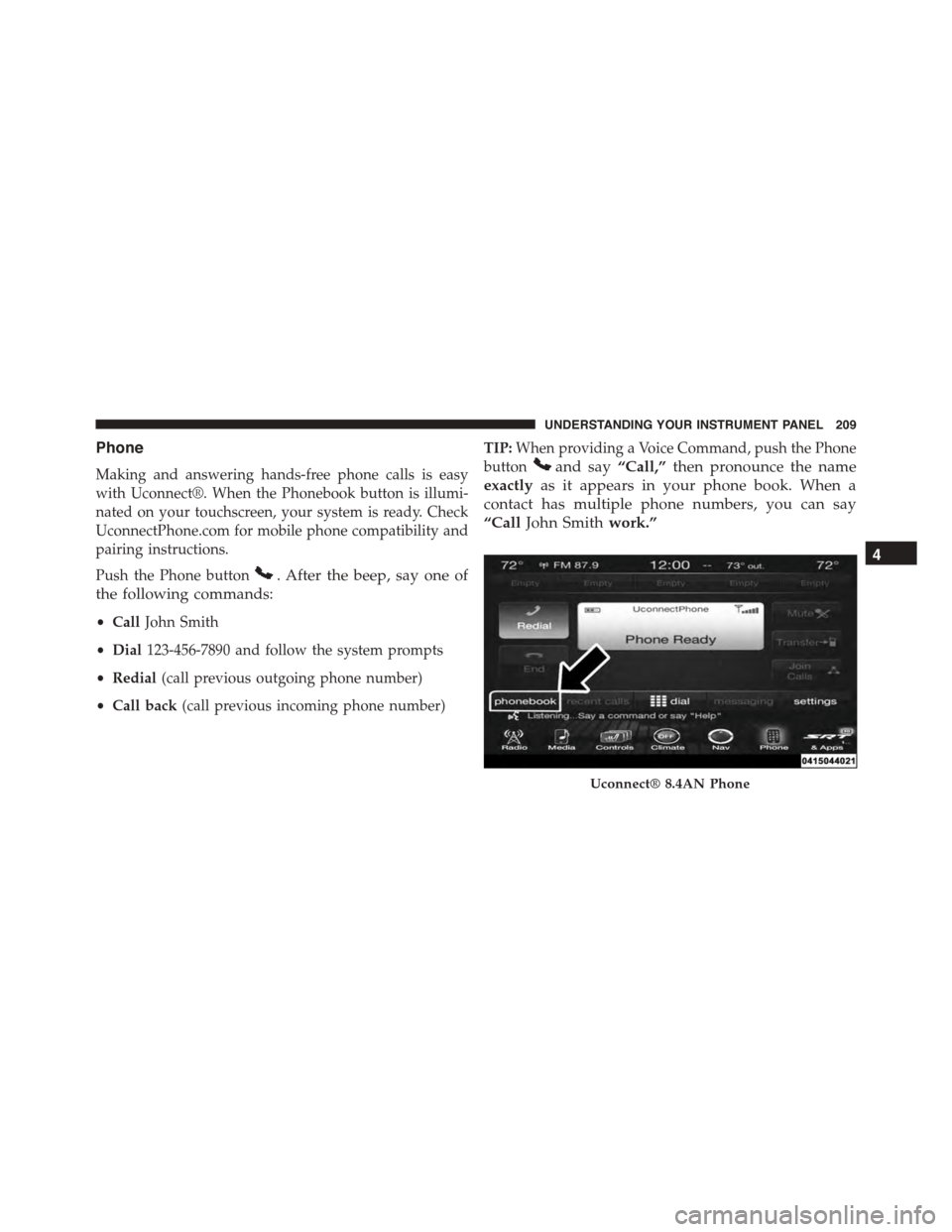
Making and answering hands-free phone calls is easy
with Uconnect®. When the Phonebook button is illumi-
nated on your touchscreen, your system is ready. Check
UconnectPhone.com for mobile phone compatibility and
pairing instructions.
Push the Phone button. After the beep, say one of
the following commands:
•CallJohn Smith
•Dial123-456-7890 and follow the system prompts
•Redial(call previous outgoing phone number)
•Call back(call previous incoming phone number)
TIP:When providing a Voice Command, push the Phone
buttonand say“Call,”then pronounce the name
exactlyas it appears in your phone book. When a
contact has multiple phone numbers, you can say
“CallJohn Smithwork.”
Uconnect® 8.4AN Phone
4
UNDERSTANDING YOUR INSTRUMENT PANEL 209
Page 212 of 400
Voice Text Reply
Uconnect® will announceincomingtext messages. Push
the Phone buttonand sayListen.(Must have com-
patible mobile phone paired to Uconnect® system.)
1. Once an incoming text message is read to you, push
the Phone button. After the beep, say:“Reply.”
2. Listen to the Uconnect® prompts. After the beep,
repeat one of the pre-defined messages and follow the
system prompts.
PRE-DEFINED VOICE TEXT REPLY RESPONSES
Yes. Stuck in Traffic. See you later.
No.Start without
me.I’ll be Late.
Okay. Where are you? I will be
utes late.Call me.Are you there
yet?
PRE-DEFINED VOICE TEXT REPLY RESPONSES
I’ll call you
later.
I need
directions.
See you in
minutes.I’m on my way.Can’t talk right
now.I’m lost. Thanks.
TIP:Your mobile phone must have the full implementa-
tion of theMessage Access Profile (MAP)to take advan-
tage of this feature. For details about MAP, visit
UconnectPhone.com. Apple iPhone® iOS6 or later sup-
ports readingincomingtext messages only.
Climate (8.4AN)
Too hot? Too cold? Adjust vehicle temperatures hands-
free and keep everyone comfortable while you keep
moving ahead.
210 UNDERSTANDING YOUR INSTRUMENT PANEL
Page 216 of 400
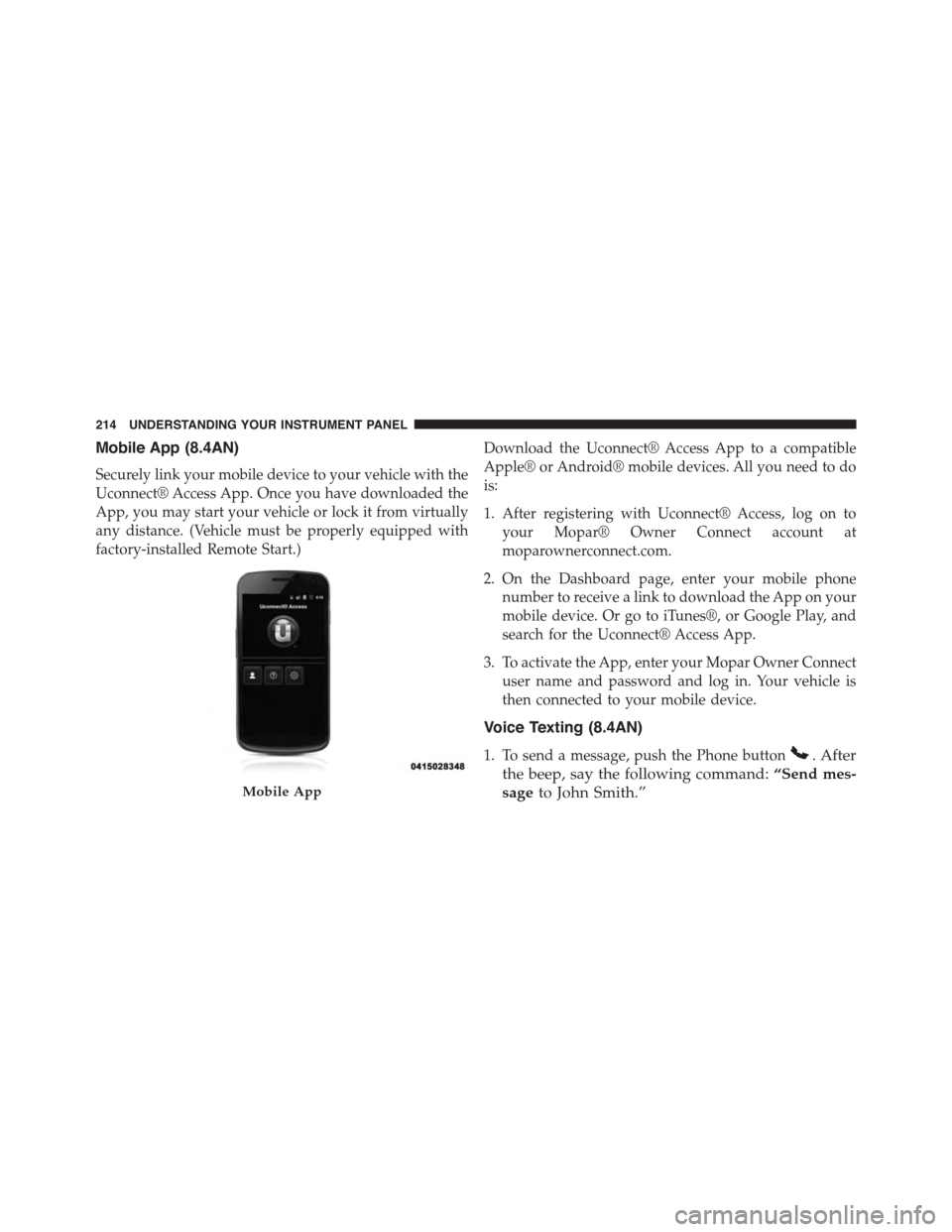
Mobile App (8.4AN)
Securely link your mobile device to your vehicle with the
Uconnect® Access App. Once you have downloaded the
App, you may start your vehicle or lock it from virtually
any distance. (Vehicle must be properly equipped with
factory-installed Remote Start.)
Download the Uconnect® Access App to a compatible
Apple® or Android® mobile devices. All you need to do
is:
1. After registering with Uconnect® Access, log on to
your Mopar® Owner Connect account at
moparownerconnect.com.
2. On the Dashboard page, enter your mobile phone
number to receive a link to download the App on your
mobile device. Or go to iTunes®, or Google Play, and
search for the Uconnect® Access App.
3. To activate the App, enter your Mopar Owner Connect
user name and password and log in. Your vehicle is
then connected to your mobile device.
Voice Texting (8.4AN)
1. To send a message, push the Phone button. After
the beep, say the following command:“Send mes-
sageto John Smith.”Mobile App
214 UNDERSTANDING YOUR INSTRUMENT PANEL
Page 217 of 400
2. Listen to the prompt. After the beep, dictate the
message you would like to send. Wait for Uconnect®
to process your message.
3. The Uconnect® system will repeat your message and
provide a variety of options to add to, delete, send or
hear the message again. After the beep, tell Uconnect®
what you’d like to do. For instance, if you’re happy
with your message, after the beep, say:“Send.”
You must be registered with Uconnect® Access and have
a compatible MAP – enabled smartphone to use your
voice to send a personalized text message.
TIP:
•Not compatible with iPhone®.
•Messages are limited to 140 characters.
•The Messaging button on the touchscreen must be
illuminated to use the feature.
Yelp® (8.4AN)
Once registered with Uconnect® Access, you can use
your voice to search for the most popular places or things
around you.
1. Press the “SRT & Apps” button on the touchscreen.
2. Press the “All Apps” button on the touchscreen.
3. Press the “Yelp” button on the touchscreen.
4. Once the YELP® home screen appears on the touch-
screen, push the VR button, then say:“YELP
search.”
5. Listen to the system prompts and after the beep, tell
Uconnect® the place or business that you’d like
Uconnect® to find.
4
UNDERSTANDING YOUR INSTRUMENT PANEL 215
Page 243 of 400
ELECTRONIC BRAKE CONTROL SYSTEM
Your vehicle is equipped with an advanced electronic
brake control system that includes the Anti-Lock Brake
System (ABS), Traction Control System (TCS), and Elec-
tronic Stability Control (ESC). All of these systems work
together to enhance vehicle stability and control in vari-
ous driving conditions.
Anti-Lock Brake System
The Anti-Lock Brake System (ABS) is designed to aid the
driver in maintaining vehicle control under adverse
braking conditions. The system operates with a separate
computer to modulate hydraulic pressure to prevent
wheel lock-up and help avoid skidding on slippery
surfaces.
NOTE:During severe braking conditions, a pulsing sen-
sation may occur and a clicking noise will be heard. This
is normal, indicating that the ABS is functioning.
The ABS conducts a low-speed self-test at approximately
12 mph (20 km/h). If you have your foot lightly on the
brake pedal while this test is occurring, you may feel a
slight pedal movement. The movement can be more
apparent on ice and snow and be considered normal.
The ABS pump motor runs during the self-test at 12 mph
(20 km/h) and during an ABS stop. The pump motor
makes a low humming noise during operation, which is
normal.
CAUTION!
The Anti-Lock Brake System is subject to possible
detrimental effects of electronic interference caused
by improperly installed aftermarket radios or tele-
phones.
5
STARTING AND OPERATING 241
Page 309 of 400
CAUTION!
Accessories plugged into the vehicle power outlets
draw power from the vehicle’s battery, even when not
in use (i.e., cellular phones, etc.). Eventually, if
plugged in long enough without engine operation,
the vehicle’s battery will discharge sufficiently to
degrade battery life and/or prevent the engine from
starting.
FREEING A STUCK VEHICLE
If your vehicle becomes stuck in mud, sand, or snow, it
can often be moved using a rocking motion. Turn your
steering wheel right and left to clear the area around the
front wheels. Then shift back and forth between 1st gear
and REVERSE, while gently pushing the accelerator. Use
the least amount of pressure to maintain the rocking
motion, without spinning the wheels, or racing the
engine.
CAUTION!
•When “rocking” a stuck vehicle by shifting be-
tween 1st gear and REVERSE, do not spin the
wheels faster than 15 mph (24 km/h), or drivetrain
damage may result.
•Revving the engine or spinning the wheels too fast
may lead to transmission overheating and failure.
It can also damage the tires. Do not spin the wheels
above 30 mph (48 km/h) while in gear (no trans-
mission shifting occurring).
6
WHAT TO DO IN EMERGENCIES 307
Page 374 of 400
facilities, factory-trained technicians, special tools, and
the latest information to ensure the vehicle is fixed
correctly and in a timely manner.
This is why you should always talk to an authorized
dealer service manager first. Most matters can be re-
solved with this process.
•If for some reason you are still not satisfied, talk to the
general manager or owner of the authorized dealer.
They want to know if you need assistance.
•If an authorized dealer is unable to resolve the con-
cern, you may contact the manufacturer’s customer
center.
Any communication to the manufacturer’s customer cen-
ter should include the following information:
•Owner’s name and address
•Owner’s telephone number (home and office)
•Authorized dealer name
•Vehicle Identification Number (VIN)
•Vehicle delivery date and mileage
FCA US LLC Customer Center
P.O. Box 21–8004
Auburn Hills, MI 48321–8004
Phone: (855) SRT–TEAM
Chrysler Canada Inc. Customer Center
P.O. Box 1621
Windsor, Ontario N9A 4H6
Phone: (800) 465-2001 English / (800) 387-9983 French
372 IF YOU NEED CONSUMER ASSISTANCE
Page 378 of 400
PUBLICATION ORDER FORMS
To order the following manuals, you may use either the
website or the phone numbers listed below. Visa, Mas-
tercard, American Express, and Discover orders are ac-
cepted. If you prefer mailing your payment, please call
for an order form.
NOTE:A street address is required when ordering
manuals (no P.O. Boxes).
Service Manuals
These comprehensive Service Manuals provide the infor-
mation that students and professional technicians need in
diagnosing/troubleshooting, problem solving, maintain-
ing, servicing, and repairing FCA US LLC vehicles. A
complete working knowledge of the vehicle, system,
and/or components is written in straightforward lan-
guage with illustrations, diagrams, and charts.
Diagnostic Procedure Manuals
Diagnostic Procedure Manuals are filled with diagrams,
charts and detailed illustrations. These practical manuals
make it easy for students and technicians to find and fix
problems on computer-controlled vehicle systems and
features. They show exactly how to find and correct
problems the first time, using step-by-step troubleshoot-
ing and drivability procedures, proven diagnostic tests
and a complete list of all tools and equipment.
Owner’s Manuals
These Owner’s Manuals have been prepared with the
assistance of service and engineering specialists to ac-
quaint you with specific FCA US LLC vehicles. Included
are starting, operating, emergency and maintenance pro-
cedures as well as specifications, capabilities and safety
tips.
376 IF YOU NEED CONSUMER ASSISTANCE