wheel FIAT 500 2013 2.G Owner's Manual
[x] Cancel search | Manufacturer: FIAT, Model Year: 2013, Model line: 500, Model: FIAT 500 2013 2.GPages: 423, PDF Size: 9.86 MB
Page 146 of 423
▫Technical Specifications.................181
▫Quick Guide.........................182
▫General Information....................185
▫Functions And Adjustments..............186
▫Radio..............................193
▫SiriusXM Satellite Radio — If Equipped......195
▫CD Player...........................198
▫CD MP3 Player.......................200
▫Troubleshooting.......................203
!iPod®/USB/MEDIA PLAYER CONTROL —
IF EQUIPPED.........................204
!STEERING WHEEL AUDIO CONTROLS......205
▫Radio Operation......................206
▫CD Player Operation...................206
▫Operating Instructions — Hands-Free Phone
(If Equipped).........................206
!CD/DVD DISC MAINTENANCE...........206
!RADIO OPERATION AND MOBILE PHONES . .207
!CLIMATE CONTROLS...................207
▫Manual Heating And Air Conditioning......208
▫Automatic Temperature Control (ATC) —
If Equipped.........................210
▫Operating Tips.......................216
144 UNDERSTANDING YOUR INSTRUMENT PANEL
Page 151 of 423
CAUTION!(Continued)
•Do not use scrapers, sharp instruments, or abrasive
window cleaners on the interior surface of the
window.
•Keep all objects a safe distance from the window.
3. Front Fog Light Indicator — If Equipped
This indicator will illuminate when the front fog
lights are on.
4. Low Fuel Light
When the fuel level reaches approximately 1.0
gallon (3.8L) this light will turn on, and remain on
until fuel is added.
5. High Beam Indicator
This light indicates that the headlights are on high
beam. Pull the turn signal lever toward the steer-
ing wheel to switch the headlights to low beam.
6. Park/Headlight ON Indicator / Follow Me Home
(Headlight Delay) Indicator — If Equipped
This indicator will illuminate when the park
lights or headlights are turned on. If the Follow
Me Home feature is activated this indicator
will illuminate and the EVIC will show how
long the function remains active. For further information,
refer to “Follow Me Home” in “Understanding The
Features of Your Vehicle”.
7. Turn Signal Indicators
The arrows will flash in unison with the exterior
turn signal, when using the turn signal lever.
8. Generic Warning Light
The Generic Warning Light will illuminate if
any of the following conditions occur: Oil
Change Request, Engine Oil Pressure Sensor
4
UNDERSTANDING YOUR INSTRUMENT PANEL 149
Page 154 of 423
vehicle placard or tire inflation pressure label, you should
determine the proper tire inflation pressure for those
tires.)
As an added safety feature, your vehicle has been
equipped with a Tire Pressure Monitoring System
(TPMS) that illuminates a low tire pressure telltale when
one or more of your tires is significantly under-inflated.
Accordingly, when the low tire pressure telltale illumi-
nates, you should stop and check your tires as soon as
possible, and inflate them to the proper pressure. Driving
on a significantly under-inflated tire causes the tire to
overheat and can lead to tire failure. Under-inflation also
reduces fuel efficiency and tire tread life, and may affect
the vehicle’s handling and stopping ability.
Please note that the TPMS is not a substitute for proper
tire maintenance, and it is the driver ’s responsibility to
maintain correct tire pressure, even if under-inflation has
not reached the level to trigger illumination of the TPMS
low tire pressure telltale.
Your vehicle has also been equipped with a TPMS
malfunction indicator to indicate when the system is not
operating properly. The TPMS malfunction indicator is
combined with the low tire pressure telltale. When the
system detects a malfunction, the telltale will flash for
approximately one minute and then remain continuously
illuminated. This sequence will continue upon subse-
quent vehicle start-ups as long as the malfunction exists.
When the malfunction indicator is illuminated, the sys-
tem may not be able to detect or signal low tire pressure
as intended. TPMS malfunctions may occur for a variety
of reasons, including the installation of replacement or
alternate tires or wheels on the vehicle that prevent the
TPMS from functioning properly. Always check the
TPMS malfunction telltale after replacing one or more
tires or wheels on your vehicle, to ensure that the
replacement or alternate tires and wheels allow the TPMS
to continue to function properly.
152 UNDERSTANDING YOUR INSTRUMENT PANEL
Page 155 of 423
CAUTION!
The TPMS has been optimized for the original
equipment tires and wheels. TPMS pressures and
warning have been established for the tire size
equipped on your vehicle. Undesirable system opera-
tion or sensor damage may result when using re-
placement equipment that is not of the same size,
type, and/or style. Aftermarket wheels can cause
sensor damage. Do not use tire sealant from a can or
balance beads if your vehicle is equipped with a
TPMS, as damage to the sensors may result.
16. Automatic Gearbox Failure
This light will illuminate when there is an
automatic transmission fault.
17. Oil Pressure Warning Light
This light indicates low engine oil pressure. The
light should turn on momentarily when the engine is
started. If the light turns on while driving, stop the
vehicle and shut off the engine as soon as possible. A
chime will sound for four minutes when this light turns
on.
Do not operate the vehicle until the cause is corrected.
This light does not indicate how much oil is in the engine.
The engine oil level must be checked under the hood.
18. Malfunction Indicator Light (MIL)
The Malfunction Indicator Light (MIL) is part of
an onboard diagnostic system, called OBDII, that
monitors engine and automatic transmission con-
trol systems. The light will illuminate when the key is in
the ON/RUN position before engine start. If the bulb
does not come on when turning the key from OFF/LOCK
to ON/RUN, have the condition checked promptly.
4
UNDERSTANDING YOUR INSTRUMENT PANEL 153
Page 207 of 423
STEERING WHEEL AUDIO CONTROLS
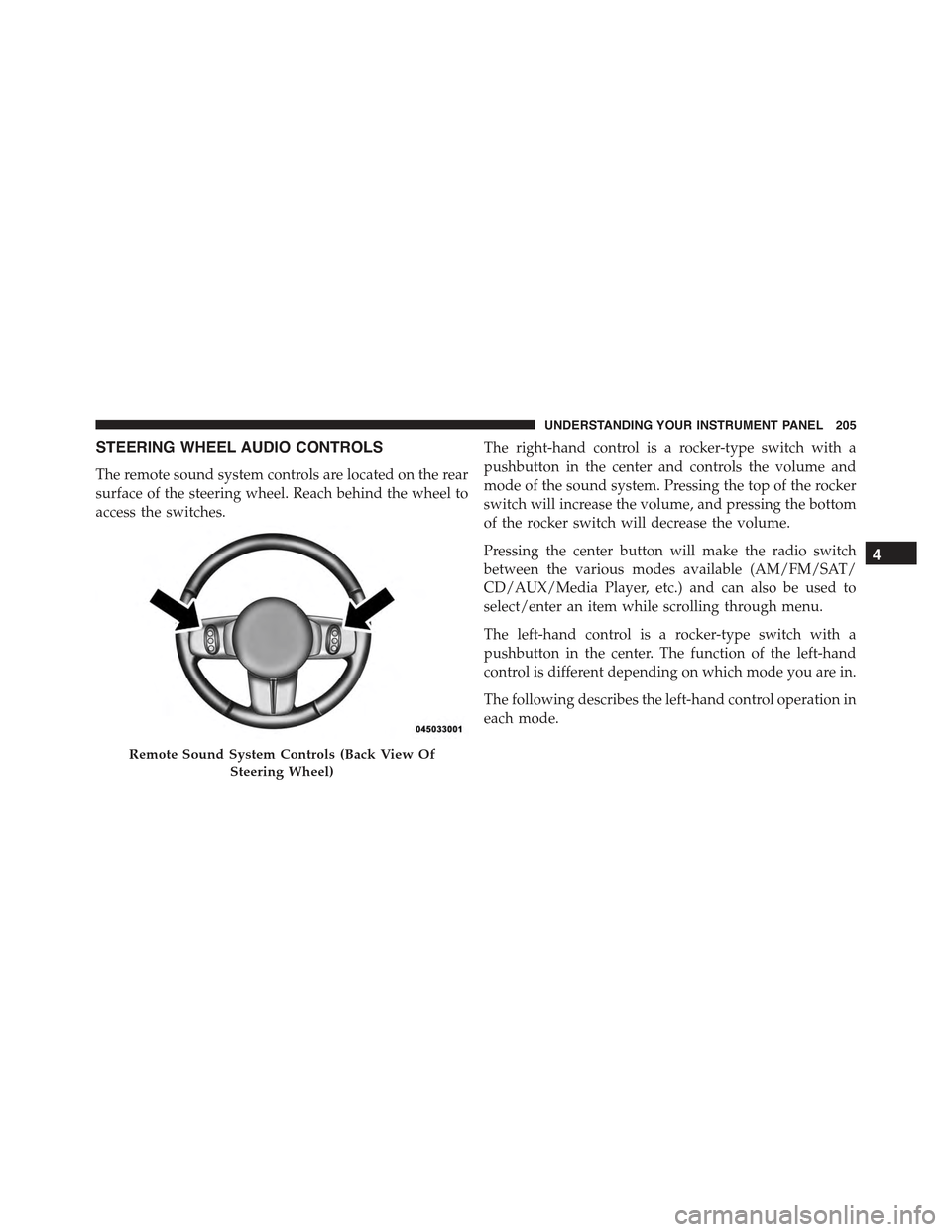
The remote sound system controls are located on the rear
surface of the steering wheel. Reach behind the wheel to
access the switches.
The right-hand control is a rocker-type switch with a
pushbutton in the center and controls the volume and
mode of the sound system. Pressing the top of the rocker
switch will increase the volume, and pressing the bottom
of the rocker switch will decrease the volume.
Pressing the center button will make the radio switch
between the various modes available (AM/FM/SAT/
CD/AUX/Media Player, etc.) and can also be used to
select/enter an item while scrolling through menu.
The left-hand control is a rocker-type switch with a
pushbutton in the center. The function of the left-hand
control is different depending on which mode you are in.
The following describes the left-hand control operation in
each mode.
Remote Sound System Controls (Back View Of
Steering Wheel)
4
UNDERSTANDING YOUR INSTRUMENT PANEL 205
Page 216 of 423
on low until the engine warms up. The blower will
increase in speed and transition into AUTO mode.
Manual Operation
This system offers a full complement of manual override
features.
NOTE:Each of these features operates independently
from each other. If any feature is controlled manually,
temperature control will continue to operate automati-
cally.
Blower Control
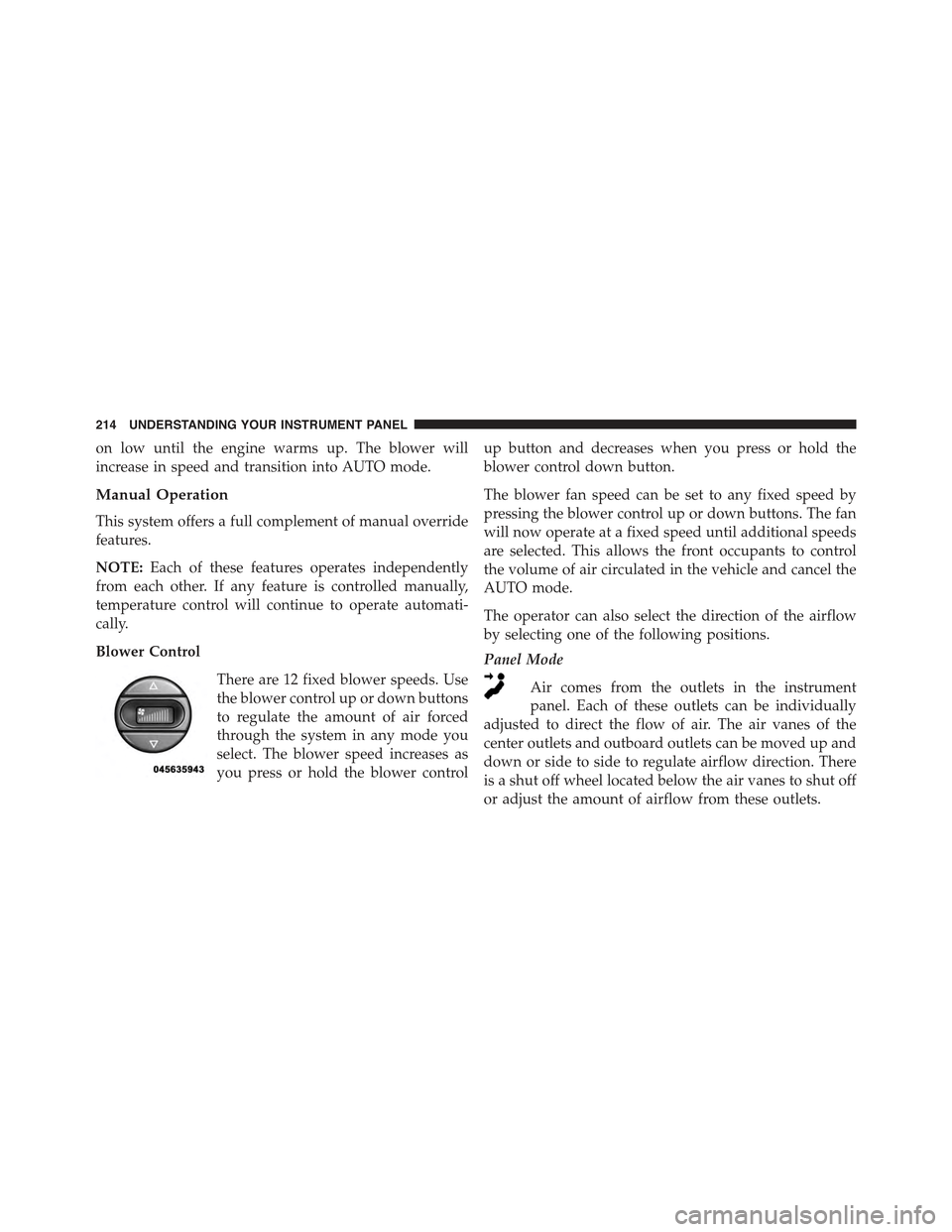
There are 12 fixed blower speeds. Use
the blower control up or down buttons
to regulate the amount of air forced
through the system in any mode you
select. The blower speed increases as
you press or hold the blower control
up button and decreases when you press or hold the
blower control down button.
The blower fan speed can be set to any fixed speed by
pressing the blower control up or down buttons. The fan
will now operate at a fixed speed until additional speeds
are selected. This allows the front occupants to control
the volume of air circulated in the vehicle and cancel the
AUTO mode.
The operator can also select the direction of the airflow
by selecting one of the following positions.
Panel Mode
Air comes from the outlets in the instrument
panel. Each of these outlets can be individually
adjusted to direct the flow of air. The air vanes of the
center outlets and outboard outlets can be moved up and
down or side to side to regulate airflow direction. There
is a shut off wheel located below the air vanes to shut off
or adjust the amount of airflow from these outlets.
214 UNDERSTANDING YOUR INSTRUMENT PANEL
Page 222 of 423
▫Acceleration.........................239
▫Traction............................239
!DRIVING THROUGH WATER.............240
▫Flowing/Rising Water..................240
▫Shallow Standing Water.................240
!POWER STEERING.....................242
!PARKING BRAKE......................244
!SPORT MODE.........................246
▫Manual Transmission – If Equipped........246
▫Automatic Transmission – If Equipped......247
!BRAKE SYSTEM.......................248
▫Four-Wheel Anti-Lock Brake System (ABS) . . .248
!ELECTRONIC BRAKE CONTROL SYSTEM . . . .249
▫Anti-Lock Brake System (ABS)............250
▫Brake Assist System (BAS)...............250
▫Traction Control System (TCS)............251
▫Hill Start Assist (HSA).................251
▫Electronic Stability Control (ESC)..........252
▫ESC Activation/Malfunction Indicator Light
And ESC OFF Indicator Light............255
!TIRE SAFETY INFORMATION.............257
▫Tire Markings........................257
▫Tire Identification Number (TIN)...........260
▫Tire Terminology And Definitions..........262
▫Tire Loading And Tire Pressure...........263
!TIRES — GENERAL INFORMATION........268
220 STARTING AND OPERATING
Page 223 of 423
▫Tire Pressure........................268
▫Tire Inflation Pressures.................269
▫Tire Pressures For High Speed Operation . . . .270
▫Radial Ply Tires......................271
▫All Season Tires – If Equipped............272
▫Summer Or Three Season Tires – If Equipped . . .272
▫Snow Tires..........................272
▫Spare Tire Matching Original Equipped Tire
And Wheel – If Equipped................273
▫Compact Spare Tire....................273
▫Tire Spinning........................274
▫Tread Wear Indicators..................274
▫Life Of Tire.........................275
▫Replacement Tires.....................276
!TIRE CHAINS.........................277
!TIRE ROTATION RECOMMENDATIONS.....279
!TIRE PRESSURE MONITORING
SYSTEM (TPMS).......................280
▫Base System.........................282
▫Enhanced System– If Equipped............285
▫General Information...................285
!FUEL REQUIREMENTS..................285
!FUEL REQUIREMENTS – 1.4L Turbo........286
▫Reformulated Gasoline.................286
▫Gasoline/Oxygenate Blends..............287
▫E-85 Usage In Non-Flex Fuel Vehicles.......287
5
STARTING AND OPERATING 221
Page 234 of 423
Only shift from DRIVE to PARK or REVERSE when the
accelerator pedal is released and the vehicle is stopped.
Be sure to keep your foot on the brake pedal when
shifting between these gears.
The transmission shift lever has PARK, REVERSE, NEU-
TRAL, DRIVE, and AutoStick® shift positions. Manual
shifts can be made using the AutoStick® shift control
(refer to “AutoStick®” in “Starting and Operating” for
further information). Moving the shift lever forward or
rearward (–/+) while in the AutoStick® position (beside
the DRIVE position) will manually select the transmis-
sion gear, and will display the current gear in the
instrument cluster as 6, 5, 4, 3, 2, 1.
Gear Ranges
DO NOT race the engine when shifting from PARK or
NEUTRAL into another gear range.
NOTE:After selecting any gear range, wait a moment to
allow the selected gear to engage before accelerating.
This is especially important when the engine is cold.
PARK
This range supplements the parking brake by locking the
transmission. The engine can be started in this range.
Never attempt to use PARK while the vehicle is in
motion. Apply the parking brake when leaving the
vehicle in this range.
When parking on a level surface, you may place the shift
lever in PARK first, and then apply the parking brake.
When parking on a hill, apply the parking brake before
placing the shift lever in PARK, otherwise the load on the
transmission locking mechanism may make it difficult to
move the shift lever out of PARK. As an added precau-
tion, turn the front wheels toward the curb on a downhill
grade and away from the curb on an uphill grade.
232 STARTING AND OPERATING
Page 241 of 423
AutoStick® position at any time without taking your
foot off the accelerator pedal.
WARNING!
Do not downshift for additional engine braking on a
slippery surface. The drive wheels could lose their
grip and the vehicle could skid, causing a collision or
personal injury.
DRIVING ON SLIPPERY SURFACES
Acceleration
Rapid acceleration on snow covered, wet, or other slip-
pery surfaces may cause the driving wheels to pull
erratically to the right or left. This phenomenon occurs
when there is a difference in the surface traction under
the front (driving) wheels.
WARNING!
Rapid acceleration on slippery surfaces is dangerous.
Unequal traction can cause sudden pulling of the
front wheels. You could lose control of the vehicle
and possibly have a collision. Accelerate slowly and
carefully whenever there is likely to be poor traction
(ice, snow, wet, mud, loose sand, etc.).
Traction
When driving on wet or slushy roads, it is possible for a
wedge of water to build up between the tire and road
surface. This is hydroplaning and may cause partial or
complete loss of vehicle control and stopping ability. To
reduce this possibility, the following precautions should
be observed:
1. Slow down during rainstorms or when the roads are
slushy.
5
STARTING AND OPERATING 239