light FIAT 500 ABARTH 2013 2.G Owner's Manual
[x] Cancel search | Manufacturer: FIAT, Model Year: 2013, Model line: 500 ABARTH, Model: FIAT 500 ABARTH 2013 2.GPages: 388, PDF Size: 9.03 MB
Page 116 of 388
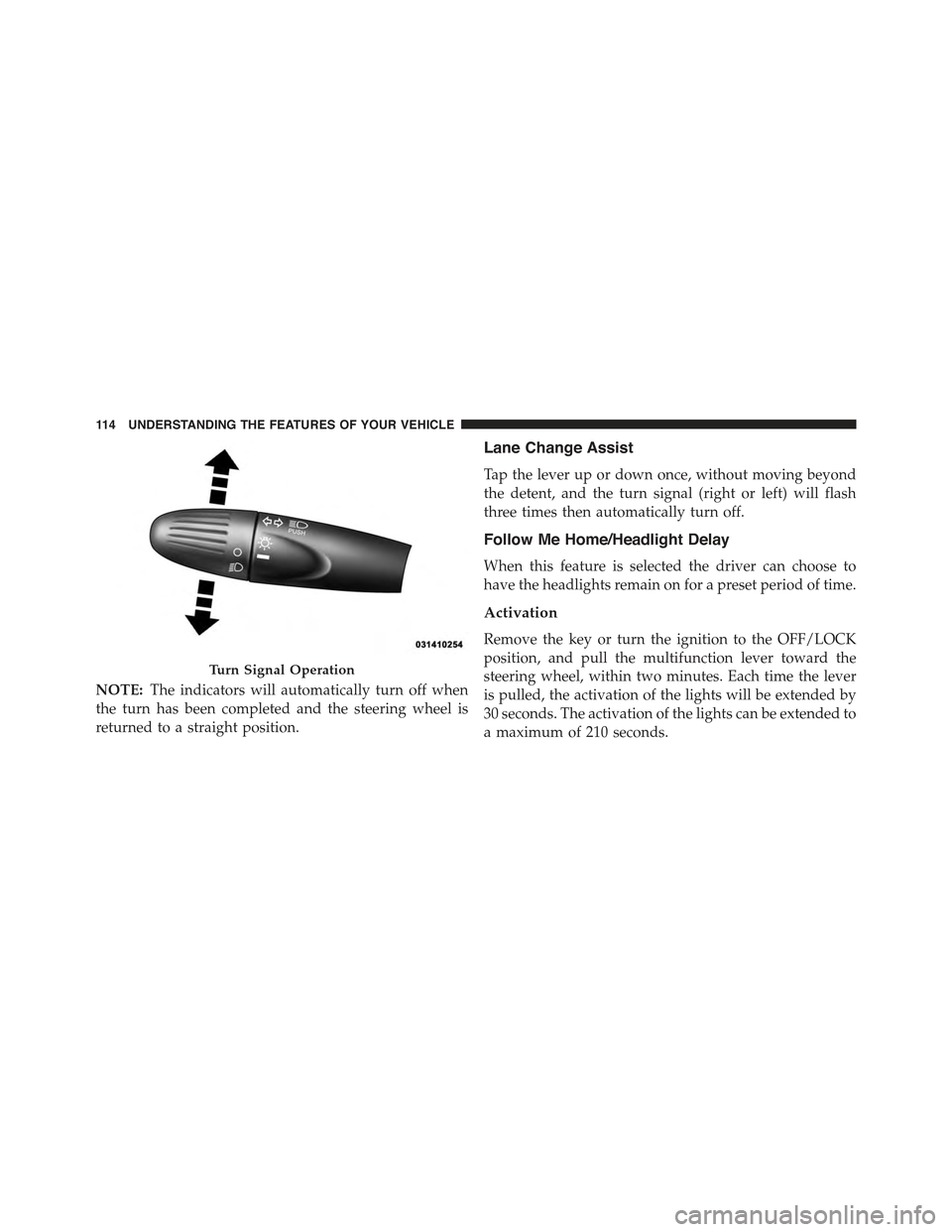
NOTE:The indicators will automatically turn off when
the turn has been completed and the steering wheel is
returned to a straight position.
Lane Change Assist
Tap the lever up or down once, without moving beyond
the detent, and the turn signal (right or left) will flash
three times then automatically turn off.
Follow Me Home/Headlight Delay
When this feature is selected the driver can choose to
have the headlights remain on for a preset period of time.
Activation
Remove the key or turn the ignition to the OFF/LOCK
position, and pull the multifunction lever toward the
steering wheel, within two minutes. Each time the lever
is pulled, the activation of the lights will be extended by
30 seconds. The activation of the lights can be extended to
a maximum of 210 seconds.
Turn Signal Operation
11 4 U N D E R S TA N D I N G T H E F E AT U R E S O F Y O U R V E H I C L E
Page 117 of 388
Deactivation
Pull the multifunction lever toward the steering wheel
and hold it for more than two seconds.
Interior Lights
The interior light switches are located in the overhead
console. The interior lights can be set to three different
positions (Off/Left Position, Center Position, On/Right
Position).
Using the switch on the left overhead, press the switch to
the right from its center position and the lights are always
on. Press the switch to the left from its center position and
the lights are always off. Leave the switch in the center
position, and the lights are turned on and off when the
doors are opened or closed. The switch on the right side
of the overhead console controls the map or reading
function of the lights. Press the switch to the right to turn
on the right light and press the switch to the left to turn
on the left light.
CAUTION!
Before getting out of the vehicle be sure that the
switch is in the center position or that the lights are
off to avoid draining the battery.
Interior Light Timing (Center Position)
There are four different modes of operation that can be
activated in this position:
•When one door is opened a 3 minute timer is activated.
•When the key is removed from the ignition (within
two minutes of the ignition being turned off), a 10
second timer is activated.
•When the doors are unlocked with Key Fob a 10
second timer is activated.
3
UNDERSTANDING THE FEATURES OF YOUR VEHICLE 115
Page 118 of 388
•When the doors are locked with the Key Fob the lights
will turn off.
Interior Light Timing (On/Right Position)
•When all doors are closed a 15 minute timer is
activated.
NOTE:The timer is deactivated when the key is moved
into the ON/RUN position.
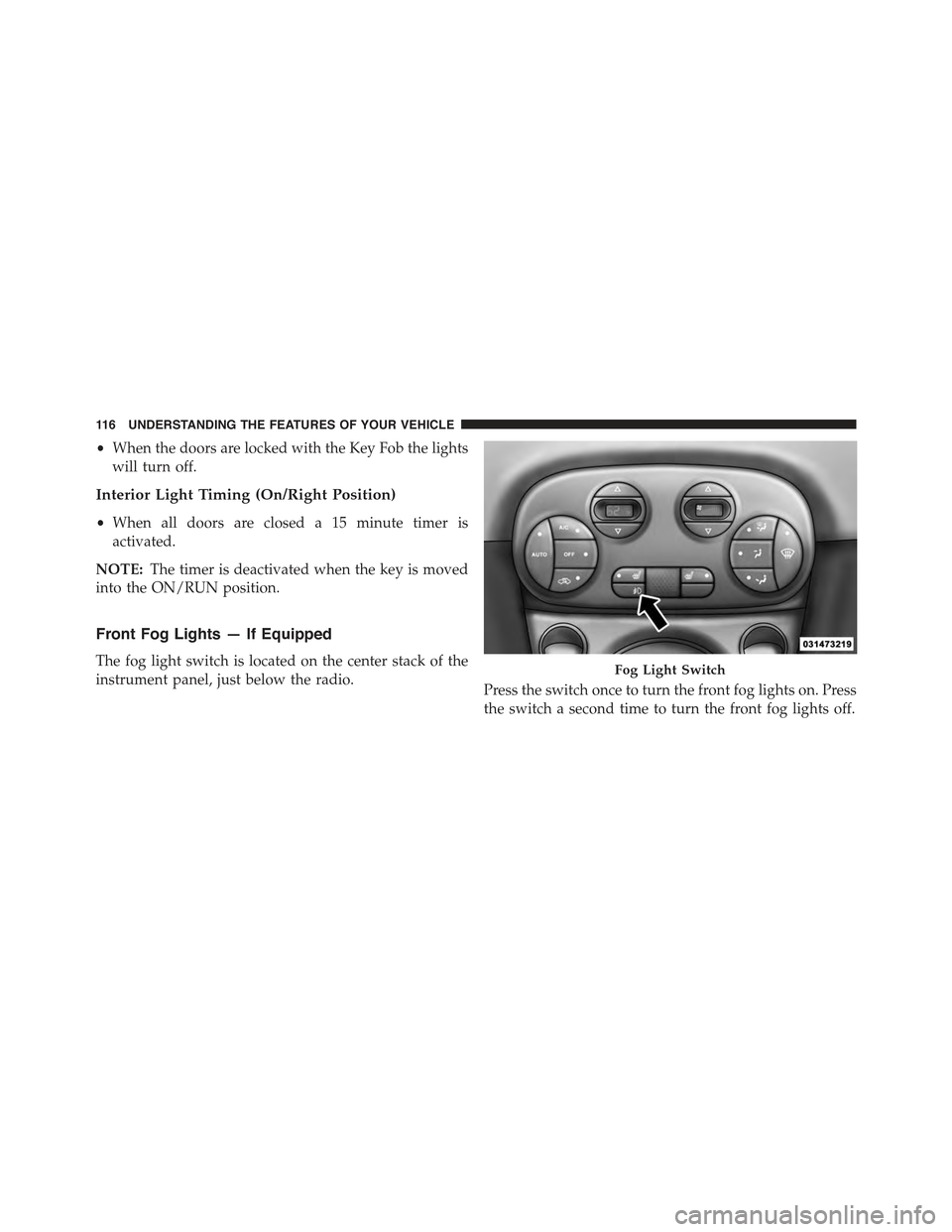
Front Fog Lights — If Equipped
The fog light switch is located on the center stack of the
instrument panel, just below the radio.Press the switch once to turn the front fog lights on. Press
the switch a second time to turn the front fog lights off.
Fog Light Switch
11 6 U N D E R S TA N D I N G T H E F E AT U R E S O F Y O U R V E H I C L E
Page 124 of 388
NOTE:In order to ensure proper operation, the Elec-
tronic Speed Control system has been designed to shut
down if multiple Speed Control functions are operated at
the same time. If this occurs, the Electronic Speed Control
system can be reactivated by pushing the Electronic
Speed Control ON/OFF button and resetting the desired
vehicle set speed.
To Activate
Push the ON/OFF button. The Cruise Indicator Light in
the instrument cluster will illuminate. To turn the system
off, push the ON/OFF button a second time. The Cruise
Indicator Light will turn off. The system should be
turned off when not in use.
WARNING!
Leaving the Electronic Speed Control system on
when not in use is dangerous. You could accidentally
set the system or cause it to go faster than you want.
You could lose control and have an accident. Always
leave the system OFF when you are not using it.
To Set A Desired Speed
Turn the Electronic Speed Control ON. When the vehicle
has reached the desired speed, press the SET (-) button
and release. Release the accelerator and the vehicle will
operate at the selected speed.
NOTE:The vehicle should be traveling at a steady speed
and on level ground before pressing the SET (-) button.
122 UNDERSTANDING THE FEATURES OF YOUR VEHICLE
Page 126 of 388
Using Electronic Speed Control On Hills
The transmission may downshift on hills to maintain the
vehicle set speed.
NOTE:The Electronic Speed Control system maintains
speed up and down hills. A slight speed change on
moderate hills is normal.
On steep hills, a greater speed loss or gain may occur so
it may be preferable to drive without Electronic Speed
Control.
WARNING!
Electronic Speed Control can be dangerous where the
system cannot maintain a constant speed. Your ve-
hicle could go too fast for the conditions, and you
could lose control and have an accident. Do not use
Electronic Speed Control in heavy traffic or on roads
that are winding, icy, snow-covered or slippery.
REAR PARK ASSIST — IF EQUIPPED
The Rear Park Assist system provides an audible indica-
tion of the distance between the rear fascia/bumper and
a detected obstacle when backing up, e.g. during a
parking maneuver. Refer to the “Park Assist System
Usage Precautions” for the limitations of this system and
recommendations.
Rear Park Assist is automatically activated when the
transmission is placed into REVERSE. As the distance
from an obstacle behind the vehicle decreases, the au-
dible alert becomes more frequent.
Rear Park Assist Sensors
The four Rear Park Assist sensors, located in the rear
fascia/bumper, monitor the area behind the vehicle that
is within the sensors’ field of view. The sensors can detect
obstacles, in the horizontal direction, from approximately
12 in (30 cm) up to 55 in (140 cm) from the center of the
rear fascia/bumper and up to 24 in (60 cm) from the
124 UNDERSTANDING THE FEATURES OF YOUR VEHICLE
Page 135 of 388
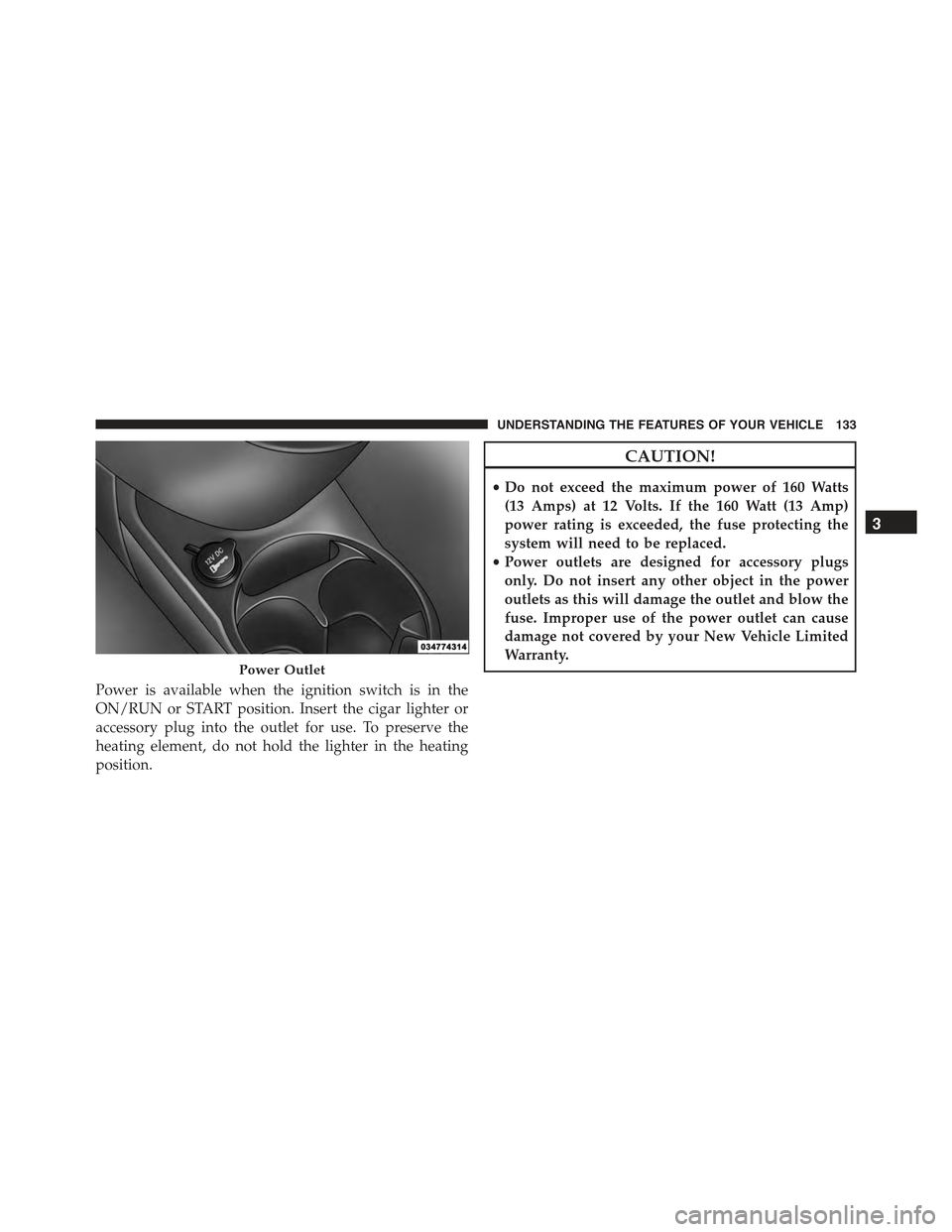
Power is available when the ignition switch is in the
ON/RUN or START position. Insert the cigar lighter or
accessory plug into the outlet for use. To preserve the
heating element, do not hold the lighter in the heating
position.
CAUTION!
•Do not exceed the maximum power of 160 Watts
(13 Amps) at 12 Volts. If the 160 Watt (13 Amp)
power rating is exceeded, the fuse protecting the
system will need to be replaced.
•Power outlets are designed for accessory plugs
only. Do not insert any other object in the power
outlets as this will damage the outlet and blow the
fuse. Improper use of the power outlet can cause
damage not covered by your New Vehicle Limited
Warranty.Power Outlet
3
UNDERSTANDING THE FEATURES OF YOUR VEHICLE 133
Page 136 of 388
WARNING!
To avoid serious injury or death:
•Only devices designed for use in this type of outlet
should be inserted into any 12 Volt outlet.
•Do not touch with wet hands.
•Close the lid when not in use and while driving the
vehicle.
•If this outlet is mishandled, it may cause an electric
shock and failure.
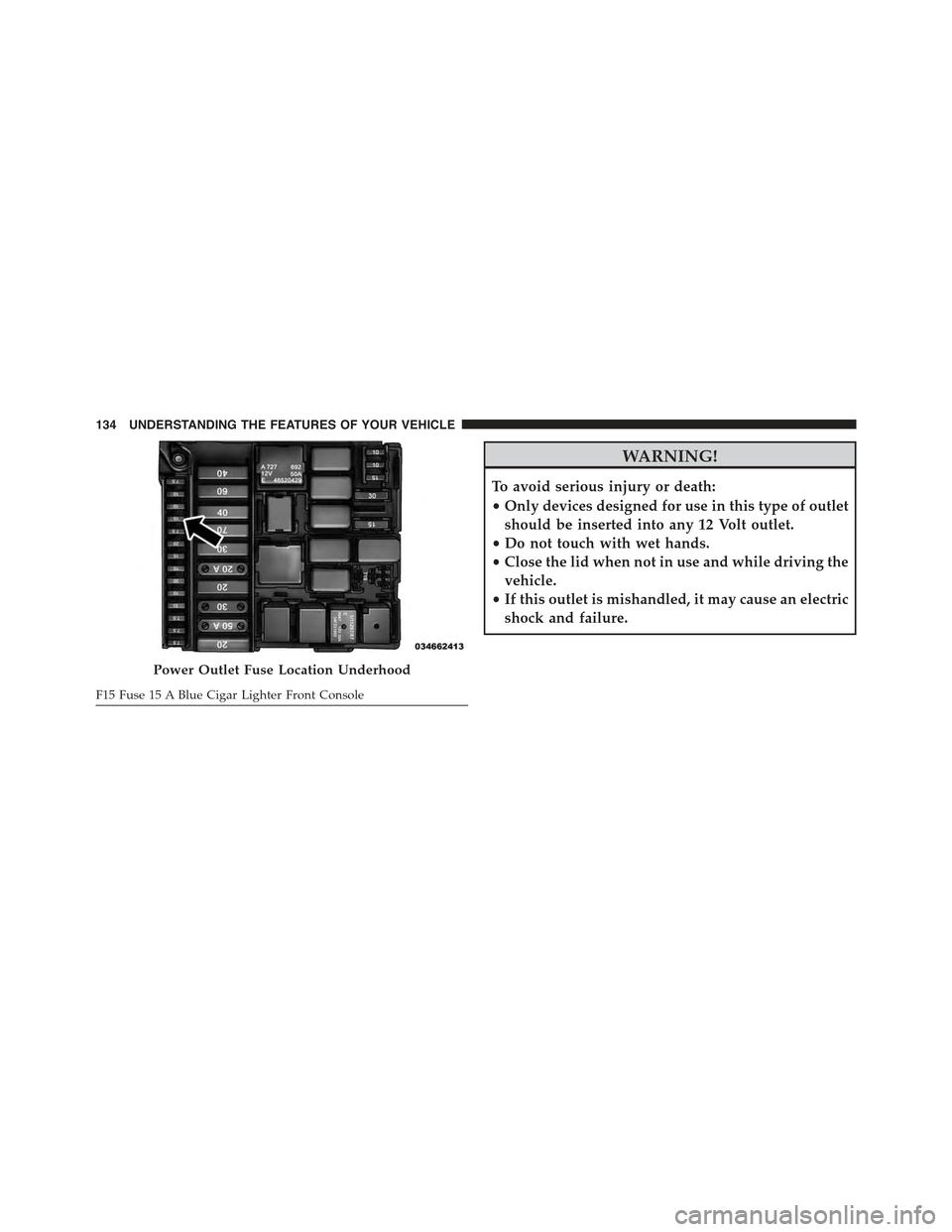
Power Outlet Fuse Location Underhood
F15 Fuse 15 A Blue Cigar Lighter Front Console
134 UNDERSTANDING THE FEATURES OF YOUR VEHICLE
Page 137 of 388
CAUTION!
•Many accessories that can be plugged in draw
power from the vehicle’s battery, even when not in
use (i.e., cellular phones, etc.). Eventually, if
plugged in long enough, the vehicle’s battery will
discharge sufficiently to degrade battery life and/or
prevent the engine from starting.
•Accessories that draw higher power (i.e., coolers,
vacuum cleaners, lights, etc.) will degrade the bat-
tery even more quickly. Only use these intermit-
tently and with great caution.
•After the use of high power draw accessories, or
long periods of the vehicle not being started (with
accessories still plugged in), the vehicle must be
driven a sufficient length of time to allow the
generator to recharge the vehicle’s battery.
CIGAR LIGHTER — IF EQUIPPED
WARNING!
When the cigar lighter is in use it becomes very hot.
To avoid serious injury, handle the cigar lighter with
care. Always check that the cigar lighter has turned
off.
3
UNDERSTANDING THE FEATURES OF YOUR VEHICLE 135
Page 145 of 388
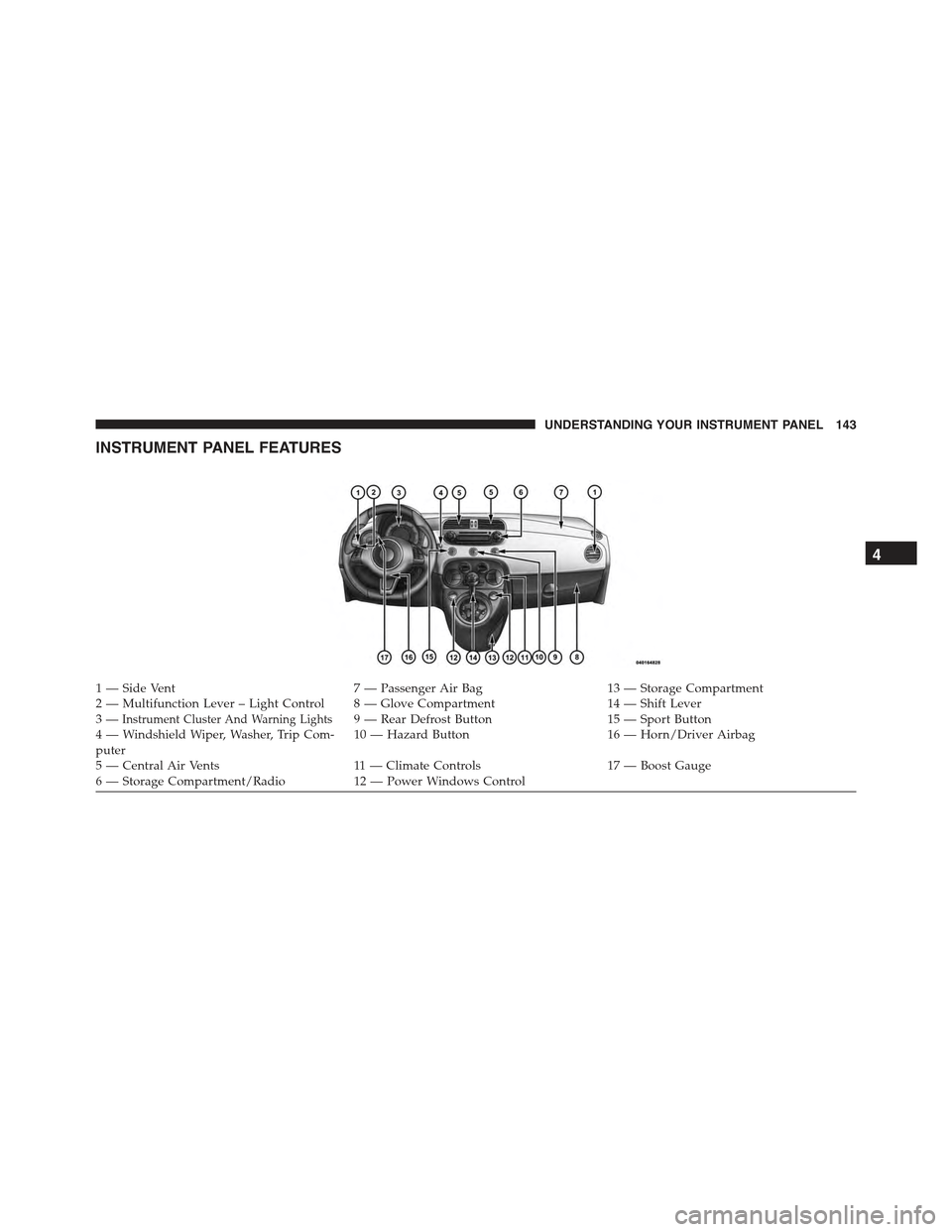
INSTRUMENT PANEL FEATURES
1—SideVent7—PassengerAirBag13 — Storage Compartment2—MultifunctionLever–LightControl 8—GloveCompartment14 — Shift Lever3—Instrument Cluster And Warning Lights9 — Rear Defrost Button15 — Sport Button4 — Windshield Wiper, Washer, Trip Com-puter10 — Hazard Button16 — Horn/Driver Airbag
5 — Central Air Vents11 — Climate Controls17 — Boost Gauge6—StorageCompartment/Radio12 — Power Windows Control
4
UNDERSTANDING YOUR INSTRUMENT PANEL 143
Page 146 of 388
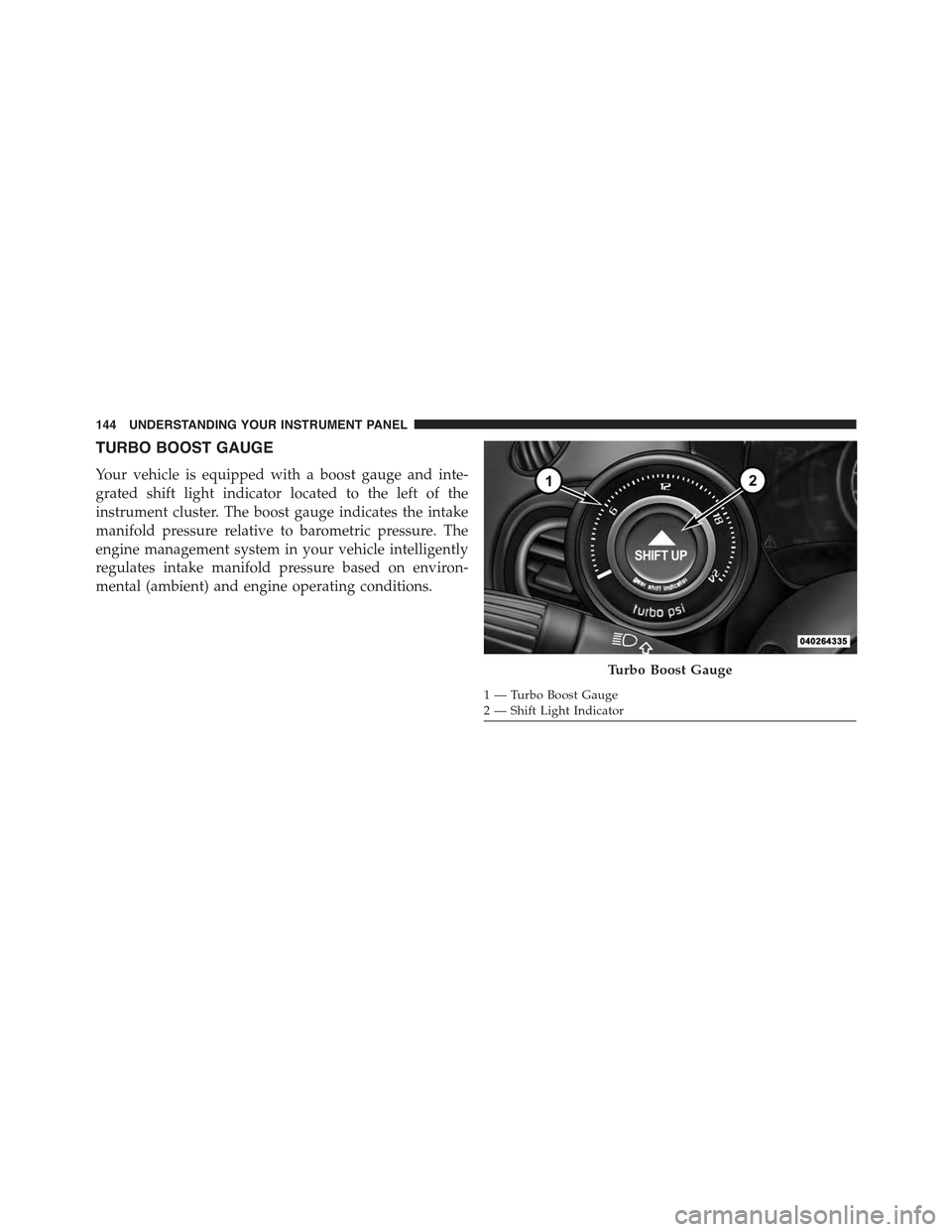
TURBO BOOST GAUGE
Your vehicle is equipped with a boost gauge and inte-
grated shift light indicator located to the left of the
instrument cluster. The boost gauge indicates the intake
manifold pressure relative to barometric pressure. The
engine management system in your vehicle intelligently
regulates intake manifold pressure based on environ-
mental (ambient) and engine operating conditions.
Turbo Boost Gauge
1—TurboBoostGauge2—ShiftLightIndicator
144 UNDERSTANDING YOUR INSTRUMENT PANEL