battery FIAT 500E 2015 2.G User Guide
[x] Cancel search | Manufacturer: FIAT, Model Year: 2015, Model line: 500E, Model: FIAT 500E 2015 2.GPages: 367, PDF Size: 9.42 MB
Page 28 of 367
Charging The High Voltage Battery
1. Put the vehicle in PARK.
2. Turn the ignition to the OFF position.
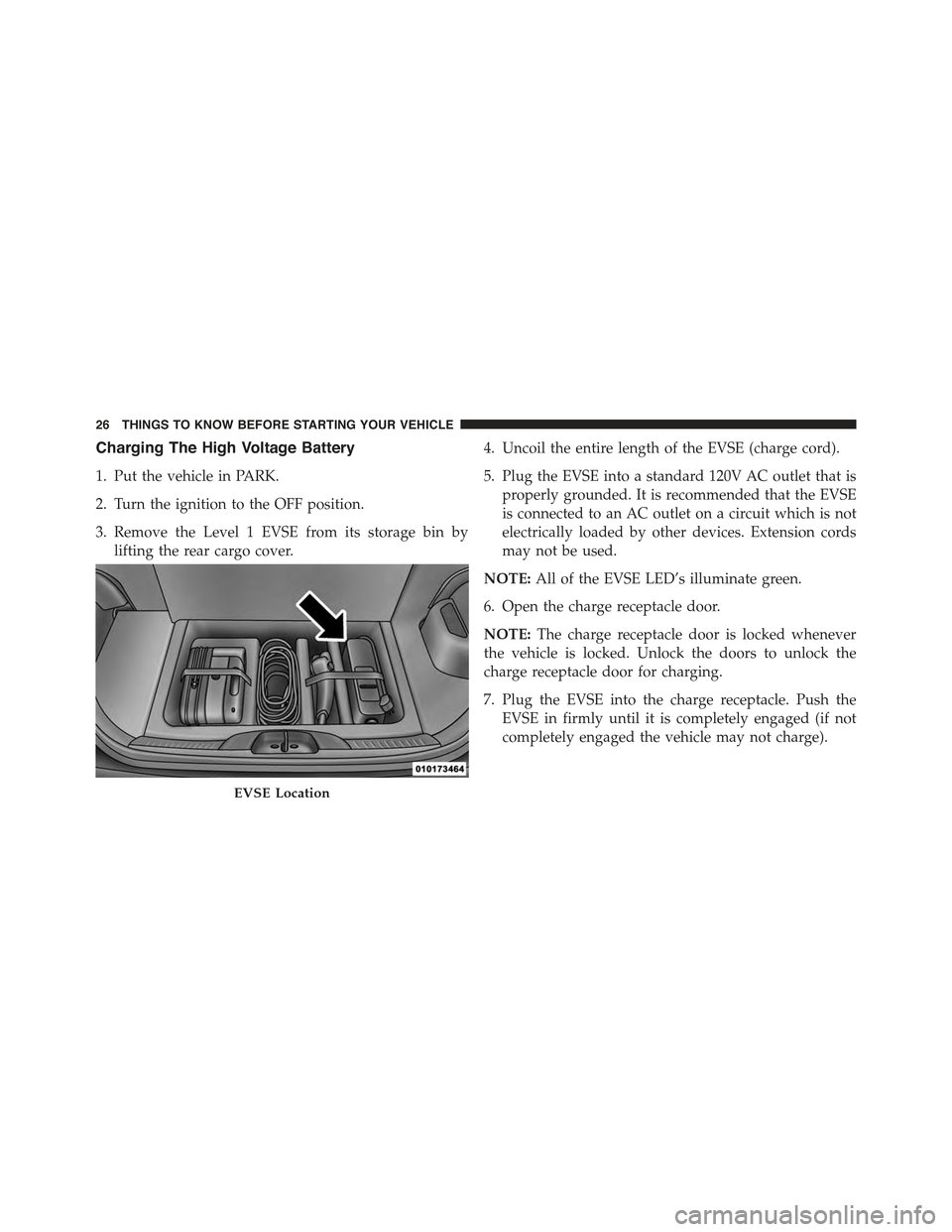
3. Remove the Level 1 EVSE from its storage bin by
lifting the rear cargo cover.
4. Uncoil the entire length of the EVSE (charge cord).
5. Plug the EVSE into a standard 120V AC outlet that is
properly grounded. It is recommended that the EVSE
is connected to an AC outlet on a circuit which is not
electrically loaded by other devices. Extension cords
may not be used.
NOTE:All of the EVSE LED’s illuminate green.
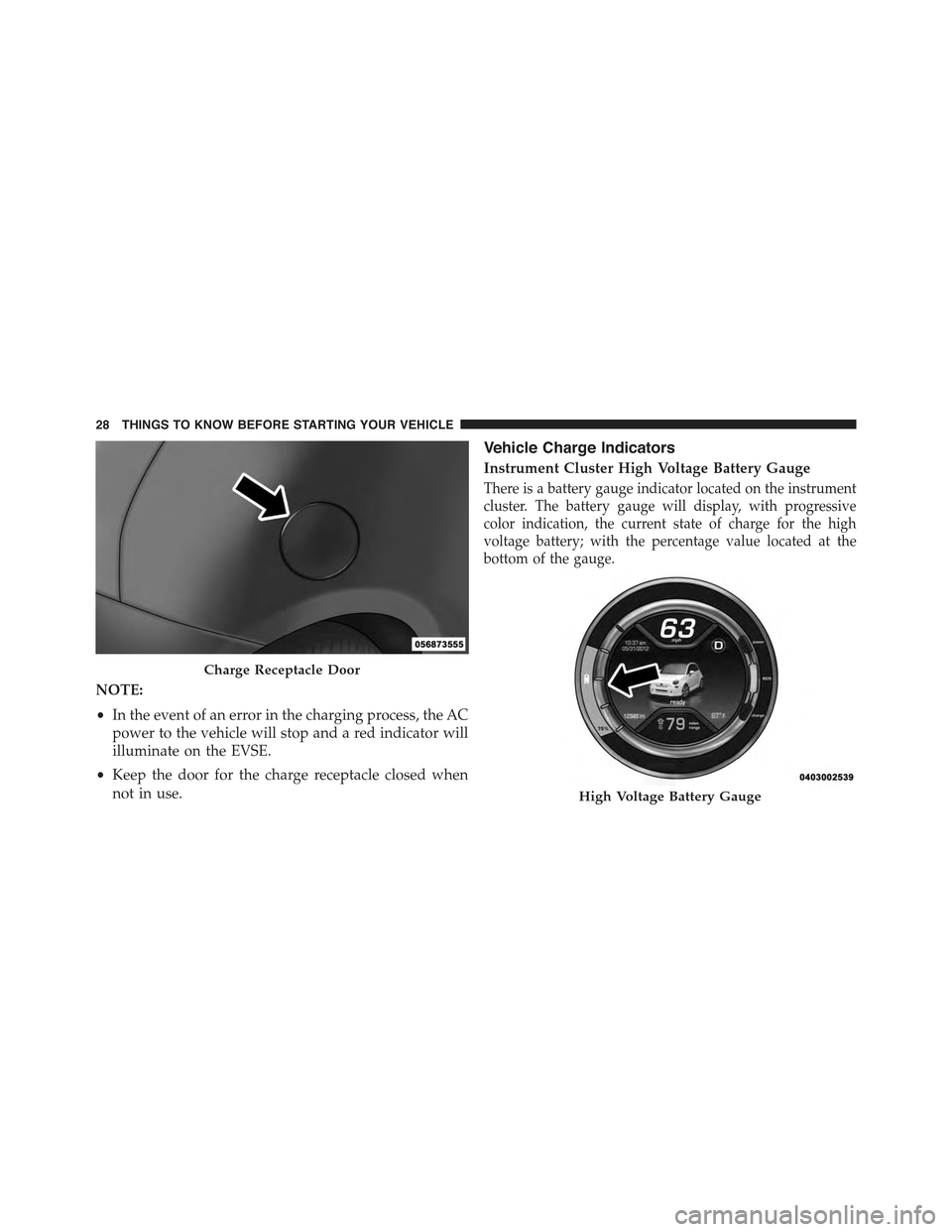
6. Open the charge receptacle door.
NOTE:The charge receptacle door is locked whenever
the vehicle is locked. Unlock the doors to unlock the
charge receptacle door for charging.
7. Plug the EVSE into the charge receptacle. Push the
EVSE in firmly until it is completely engaged (if not
completely engaged the vehicle may not charge).
EVSE Location
26 THINGS TO KNOW BEFORE STARTING YOUR VEHICLE
Page 30 of 367
NOTE:
•In the event of an error in the charging process, the AC
power to the vehicle will stop and a red indicator will
illuminate on the EVSE.
•Keep the door for the charge receptacle closed when
not in use.
Vehicle Charge Indicators
Instrument Cluster High Voltage Battery Gauge
There is a battery gauge indicator located on the instrument
cluster. The battery gauge will display, with progressive
color indication, the current state of charge for the high
voltage battery; with the percentage value located at the
bottom of the gauge.
Charge Receptacle Door
High Voltage Battery Gauge
28 THINGS TO KNOW BEFORE STARTING YOUR VEHICLE
Page 32 of 367
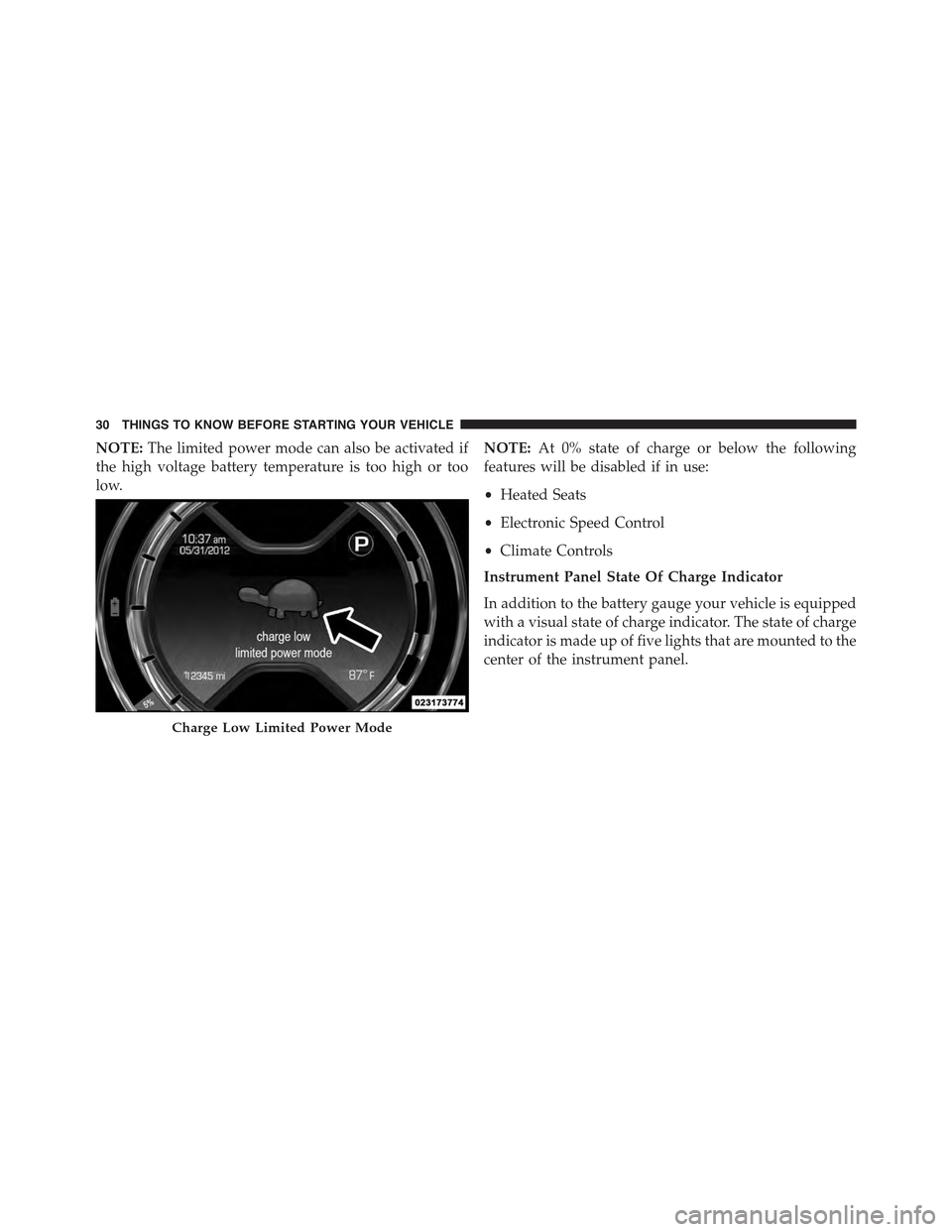
NOTE:The limited power mode can also be activated if
the high voltage battery temperature is too high or too
low.
NOTE:At 0% state of charge or below the following
features will be disabled if in use:
•Heated Seats
•Electronic Speed Control
•Climate Controls
Instrument Panel State Of Charge Indicator
In addition to the battery gauge your vehicle is equipped
with a visual state of charge indicator. The state of charge
indicator is made up of five lights that are mounted to the
center of the instrument panel.
Charge Low Limited Power Mode
30 THINGS TO KNOW BEFORE STARTING YOUR VEHICLE
Page 33 of 367
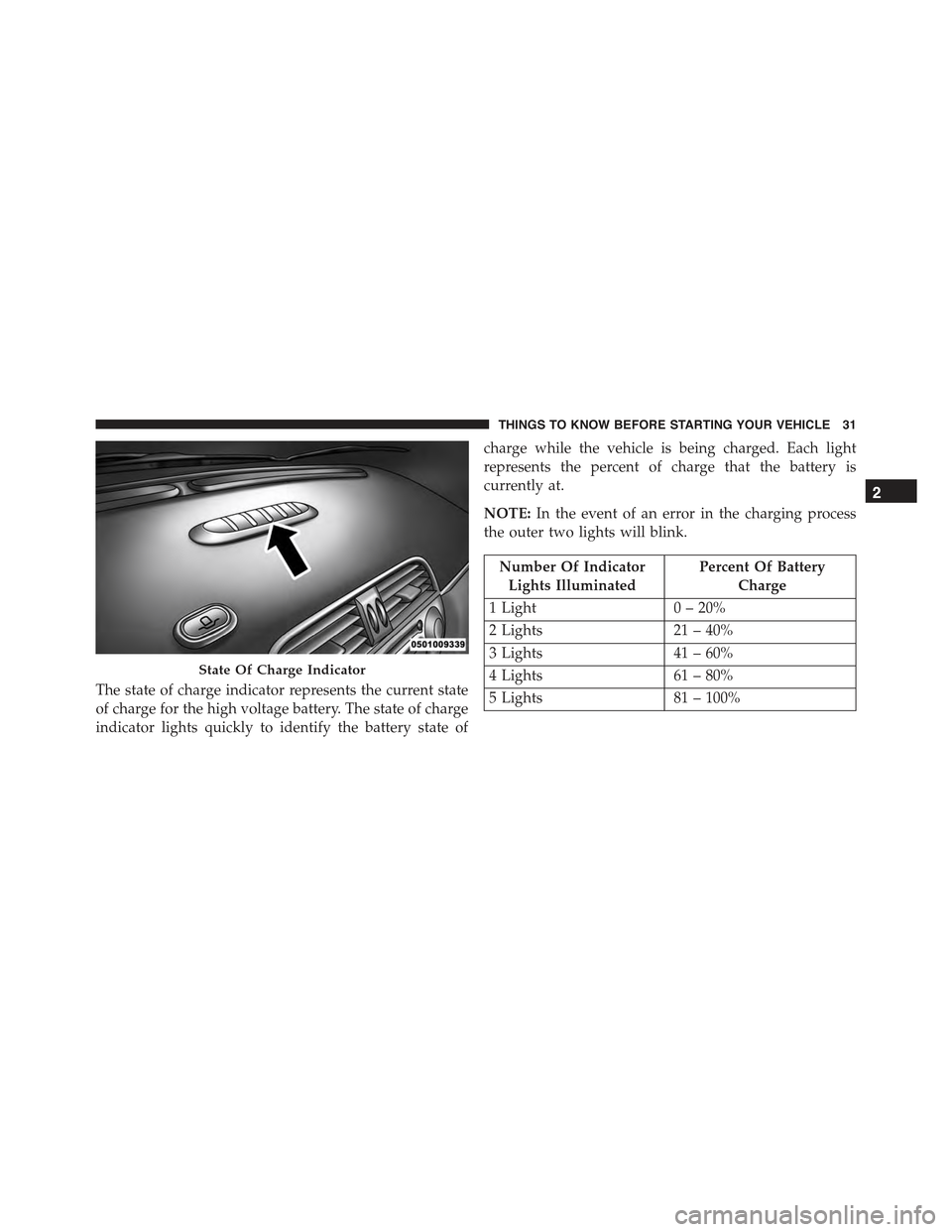
The state of charge indicator represents the current state
of charge for the high voltage battery. The state of charge
indicator lights quickly to identify the battery state of
charge while the vehicle is being charged. Each light
represents the percent of charge that the battery is
currently at.
NOTE:In the event of an error in the charging process
the outer two lights will blink.
Number Of Indicator
Lights Illuminated
Percent Of Battery
Charge
1 Light0 – 20%
2 Lights21 – 40%
3 Lights41 – 60%
4 Lights61 – 80%
5 Lights81 – 100%
State Of Charge Indicator
2
THINGS TO KNOW BEFORE STARTING YOUR VEHICLE 31
Page 39 of 367
To Unlock The Doors And Liftgate
Push and release the UNLOCK button on the RKE
transmitter once to unlock the driver ’s door or twice,
within five seconds, to unlock all doors and the liftgate.
The turn signal lights will flash to acknowledge the
unlock signal. The illuminated entry system will also
turn on.
Remote Key Unlock, Driver Door/All Doors 1st
Press
This feature lets you program the system to unlock either
the driver ’s door or all doors on the first press of the
UNLOCK button on the RKE transmitter.
To Lock The Doors And Liftgate
Push and release the LOCK button on the RKE transmit-
ter to lock all doors and the liftgate. The turn signal lights
will flash and the horn will chirp to acknowledge the
signal.
Transmitter Battery Replacement
NOTE:Perchlorate Material – special handling may ap-
ply. See www.dtsc.ca.gov/hazardouswaste/perchlorate
The recommended replacement battery is CR2032.
2
THINGS TO KNOW BEFORE STARTING YOUR VEHICLE 37
Page 40 of 367
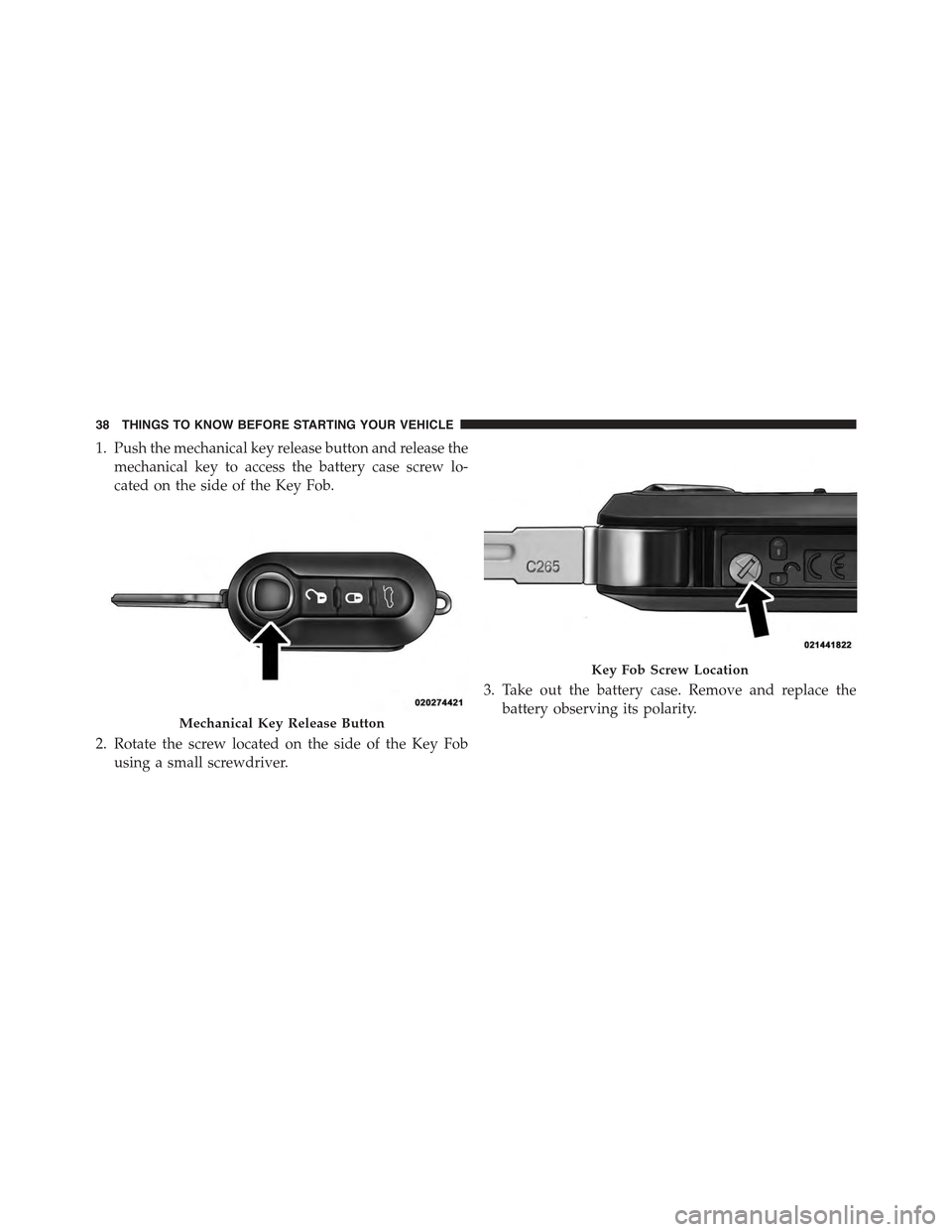
1. Push the mechanical key release button and release the
mechanical key to access the battery case screw lo-
cated on the side of the Key Fob.
2. Rotate the screw located on the side of the Key Fob
using a small screwdriver.
3. Take out the battery case. Remove and replace the
battery observing its polarity.Mechanical Key Release Button
Key Fob Screw Location
38 THINGS TO KNOW BEFORE STARTING YOUR VEHICLE
Page 41 of 367
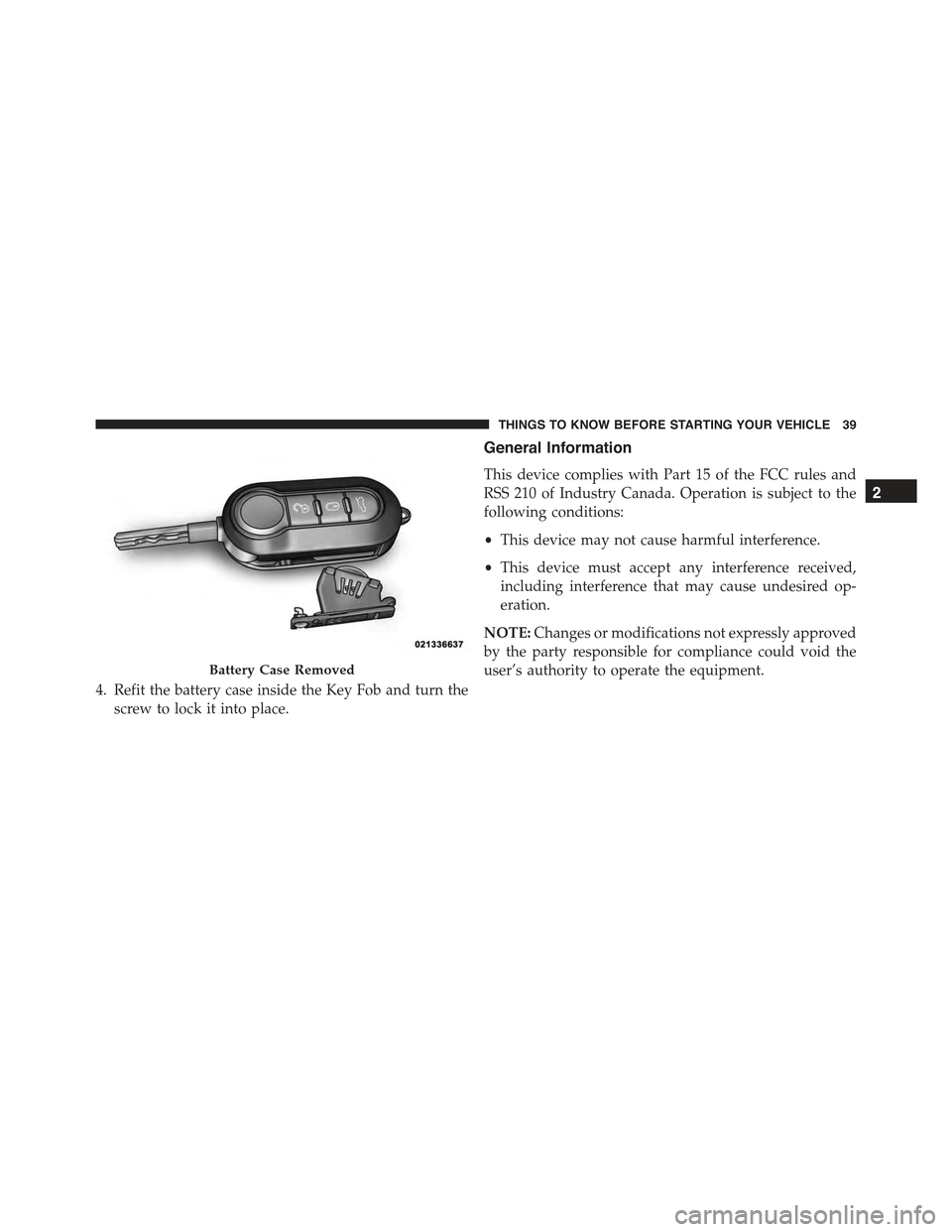
4. Refit the battery case inside the Key Fob and turn the
screw to lock it into place.
General Information
This device complies with Part 15 of the FCC rules and
RSS 210 of Industry Canada. Operation is subject to the
following conditions:
•This device may not cause harmful interference.
•This device must accept any interference received,
including interference that may cause undesired op-
eration.
NOTE:Changes or modifications not expressly approved
by the party responsible for compliance could void the
user’s authority to operate the equipment.Battery Case Removed
2
THINGS TO KNOW BEFORE STARTING YOUR VEHICLE 39
Page 42 of 367
If your RKE transmitter fails to operate from a normal
distance, check for these two conditions:
1. A weak battery in the transmitter. The expected life of
the battery is a minimum of three years.
2. Closeness to a radio transmitter such as a radio station
tower, airport transmitter, and some mobile or CB
radios.
DOOR LOCKS
The door locks can be manually locked or unlocked from
inside the vehicle by using the door handle. If the door
handle is pushed a red lock indicator will show on the
door handle (indicating locked) when the door is open or
closed, the door will lock.
NOTE:To prevent the key from being locked in the
vehicle, the doors will automatically unlock if the driv-
er’s door handle is pushed when the key is in the ignition
and either front door is open.
Door Lock Handle
40 THINGS TO KNOW BEFORE STARTING YOUR VEHICLE
Page 71 of 367
WARNING!
Deployed air bags and seat belt pretensioners cannot
protect you in another collision. Have the air bags,
seat belt pretensioners, and the seat belt retractor
assemblies replaced by an authorized dealer imme-
diately. Also, have the Occupant Restraint Controller
System serviced as well.
NOTE:
•Air bag covers may not be obvious in the interior trim,
but they will open during air bag deployment.
•After any collision, the vehicle should be taken to an
authorized dealer immediately.
Enhanced Accident Response System
In the event of an impact, if the communication network
remains intact, and the power remains intact, depending
on the nature of the event, the ORC will determine
whether to have the Enhanced Accident Response Sys-
tem perform the following functions:
•Cut off fuel to the engine.
•Flash hazard lights as long as the battery has power or
until the ignition is placed in the “OFF” position.
•Turn on the interior lights, which remain on as long as
the battery has power or until the ignition is placed in
the “OFF” position.
•Unlock the doors automatically.
2
THINGS TO KNOW BEFORE STARTING YOUR VEHICLE 69
Page 74 of 367
Air Bag Warning Light
The air bags must be ready to inflate for your
protection in a collision. The Occupant Re-
straint Controller (ORC) monitors the internal
circuits and interconnecting wiring associated
with air bag system electrical components.
The ORC monitors the readiness of the electronic parts of
the air bag system whenever the ignition is in the START
or ON/RUN position. If the ignition is in the OFF
position, the air bag system is not on and the air bags will
not inflate.
The ORC contains a backup power supply system that
may deploy the air bags even if the battery loses power or
it becomes disconnected prior to deployment.
The ORC turns on the Air Bag Warning Light in the
instrument panel for approximately four to eight seconds
for a self-check when the ignition is first placed in the
ON/RUN position. After the self-check, the Air Bag
Warning Light will turn off. If the ORC detects a mal-
function in any part of the system, it turns on the Air Bag
Warning Light, either momentarily or continuously. A
single chime will sound to alert you if the light comes on
again after initial startup.
The ORC also includes diagnostics that will illuminate
the instrument panel Air Bag Warning Light if a malfunc-
tion is detected that could affect the air bag system. The
diagnostics also record the nature of the malfunction.
72 THINGS TO KNOW BEFORE STARTING YOUR VEHICLE