time FIAT DUCATO 244 2005 3.G User Guide
[x] Cancel search | Manufacturer: FIAT, Model Year: 2005, Model line: DUCATO 244, Model: FIAT DUCATO 244 2005 3.GPages: 258, PDF Size: 4.05 MB
Page 60 of 258
59GETTING TO KNOW YOUR VEHICLE
SELF-STANDING SUPPLEMENTARY
HEATER (where provided)
The vehicle can be equipped, upon re-
quest, with two different self-standing
heaters:one is totally automatic
whereas the other is programmable.
AUTOMATIC VERSION
The supplementary heater is totally in-
dependent from the engine.
This heater is switched on automat-
ically (if required) when turning the ig-
nition key to MAR. LOOKING AFTER THE
SYSTEM
During the winter, the climate con-
trol system must be turned on at least
once a month for about ten minutes.
Before summer, have the system
checked at a Fiat Dealership.PROGRAMMABLE VERSION
The supplementary heater is totally
independent from the engine and can
be used to:
– heat the passenger compartment
when the engine is off;
– defrost the windows;
– heat the engine coolant and con-
sequently the engine before starting.
The system consists of:
– a diesel burner to heat coolant with
exhaust fume muffler;
– a metering pump connected to the
vehicle fuel pipes to feed the burner;
– a heat exchanger connected to the
engine cooling system pipes; The system is filled with
R134a refrigerant which
will not pollute the envi-
ronment in the event of leakage.
Under no circumstances should
R12 fluid be used as it is incom-
patible with the system compo-
nents and contains CFC.
The heater burns fuel in the
same way as the engine,
though, of course, to a lesser degree
and therefore to avoid intoxication
and suffocation, never use the sup-
plementary heater in closed areas,
garages or workshops not equipped
with specific exhaust evacuation
devices even for short periods of
time.
WARNING
Page 61 of 258
60GETTING TO KNOW YOUR VEHICLE
– a control unit connected to the
heater/ventilation unit for automatic
operation;
– an electronic control unit to check
and adjusted the integrated heater
burner;
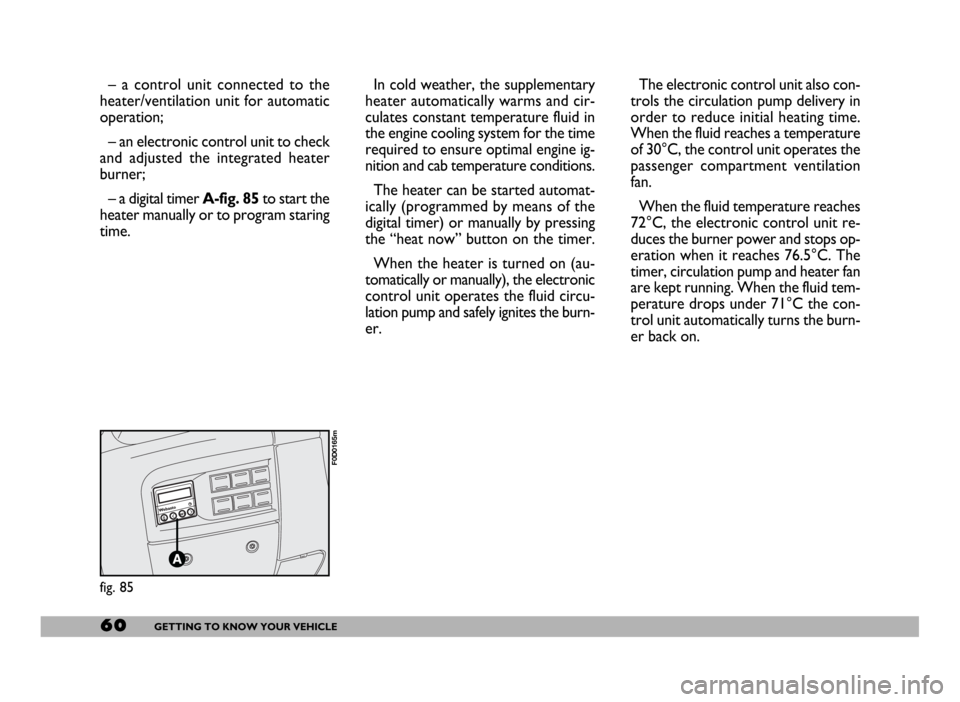
– a digital timer A-fig. 85to start the
heater manually or to program staring
time.In cold weather, the supplementary
heater automatically warms and cir-
culates constant temperature fluid in
the engine cooling system for the time
required to ensure optimal engine ig-
nition and cab temperature conditions.
The heater can be started automat-
ically (programmed by means of the
digital timer) or manually by pressing
the “heat now” button on the timer.
When the heater is turned on (au-
tomatically or manually), the electronic
control unit operates the fluid circu-
lation pump and safely ignites the burn-
er.The electronic control unit also con-
trols the circulation pump delivery in
order to reduce initial heating time.
When the fluid reaches a temperature
of 30°C, the control unit operates the
passenger compartment ventilation
fan.
When the fluid temperature reaches
72°C, the electronic control unit re-
duces the burner power and stops op-
eration when it reaches 76.5°C. The
timer, circulation pump and heater fan
are kept running. When the fluid tem-
perature drops under 71°C the con-
trol unit automatically turns the burn-
er back on.
fig. 85
F0D0165m
Page 62 of 258
61GETTING TO KNOW YOUR VEHICLE
IMPORTANTThe heater is
equipped with a thermal switch which
cuts off the heater in the event of
overheating caused by low or leaking
coolant. In this case, press the pro-
gram selection button to start the
heater again after repairing the cool-
ing system fault and/or topping up the
fluid.
The heater can turn itself off after en-
gine ignition or if the flame goes out.
In this case, turn the heater off man-
ually and attempt to turn it back on
again. If you cannot turn the heater on,
contact a Fiat Dealership.Turning the heater on
Before turning the heater on check
that:
– the heating/ventilation unit knob is
turned to “warm air”;
– the heating/ventilation fan speed
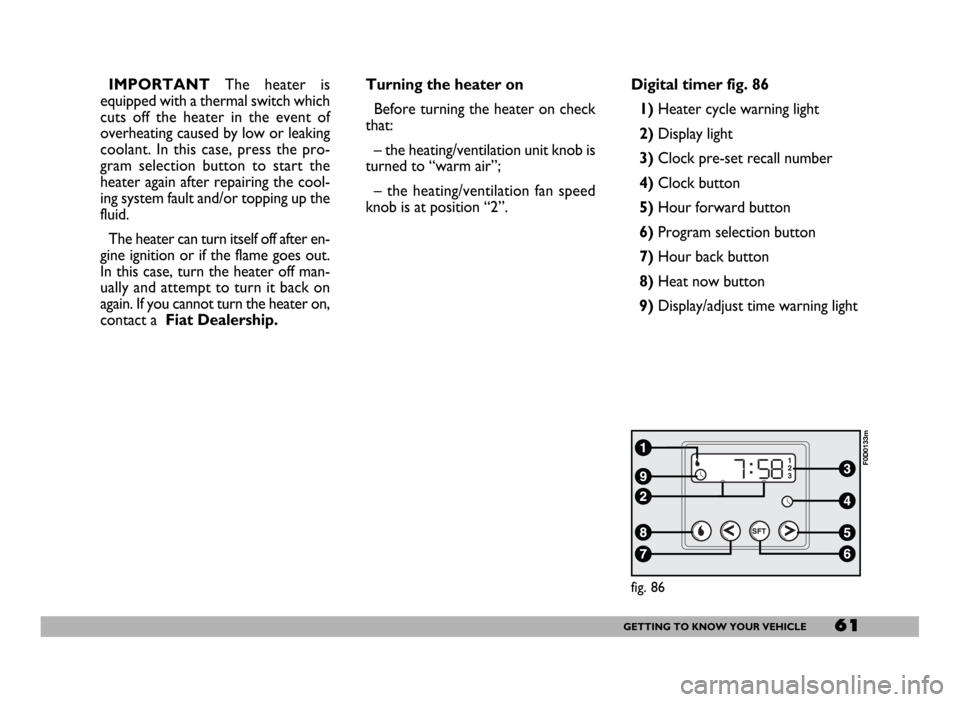
knob is at position “2”.Digital timer fig. 86
1) Heater cycle warning light
2)Display light
3)Clock pre-set recall number
4)Clock button
5)Hour forward button
6)Program selection button
7)Hour back button
8) Heat now button
9) Display/adjust time warning light
fig. 86
F0D0133m
Page 63 of 258
62GETTING TO KNOW YOUR VEHICLE
fig. 87
F0D0132m
fig. 88
F0D0134m
fig. 89
F0D0136m
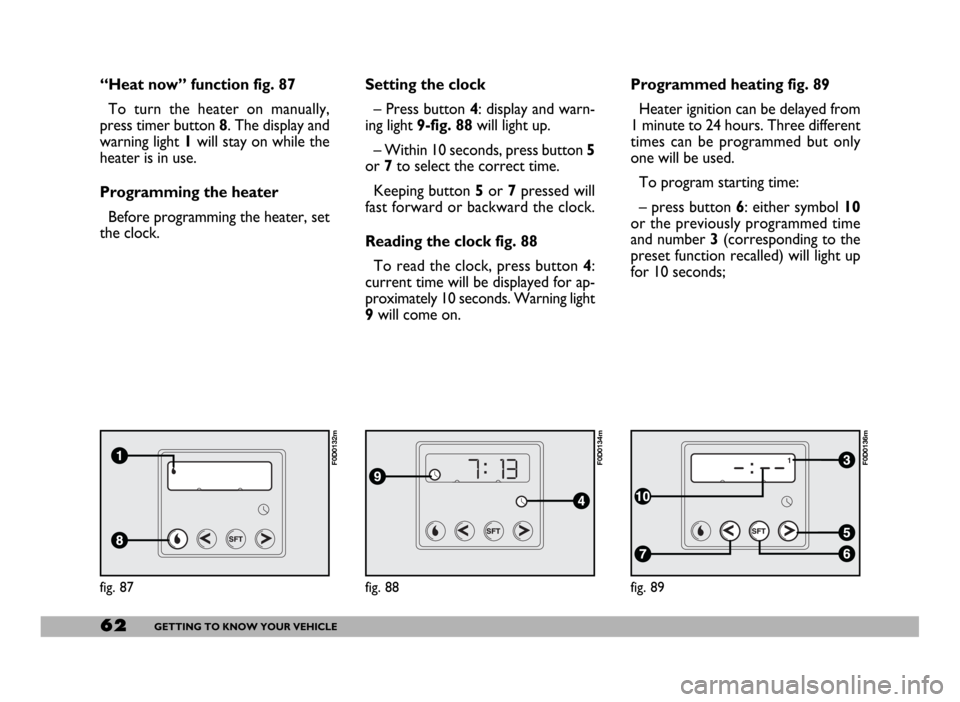
“Heat now” function fig. 87
To turn the heater on manually,
press timer button 8. The display and
warning light 1will stay on while the
heater is in use.
Programming the heater
Before programming the heater, set
the clock.Setting the clock
– Press button 4: display and warn-
ing light 9-fig. 88will light up.
– Within 10 seconds, press button 5
or 7to select the correct time.
Keeping button 5or 7pressed will
fast forward or backward the clock.
Reading the clock fig. 88
To read the clock, press button 4:
current time will be displayed for ap-
proximately 10 seconds. Warning light
9will come on.Programmed heating fig. 89
Heater ignition can be delayed from
1 minute to 24 hours. Three different
times can be programmed but only
one will be used.
To program starting time:
– press button 6: either symbol 10
or the previously programmed time
and number 3 (corresponding to the
preset function recalled) will light up
for 10 seconds;
Page 64 of 258
63GETTING TO KNOW YOUR VEHICLE
IMPORTANTTo recall other pre-
set times, press button 6within 10
seconds.
– press button 5or 7to select the
starting time required within 10 sec-
onds.
IMPORTANTStarting time disap-
pears and the number 3(correspond-
ing to the selected preset time) ap-
pears on the display to confirm the
starting time has been entered.
Deleting a programmed
starting time fig. 89
To delete the programmed starting
time, press button 6briefly: the dis-
play light will go off and number 3cor-
responding to the selected preset
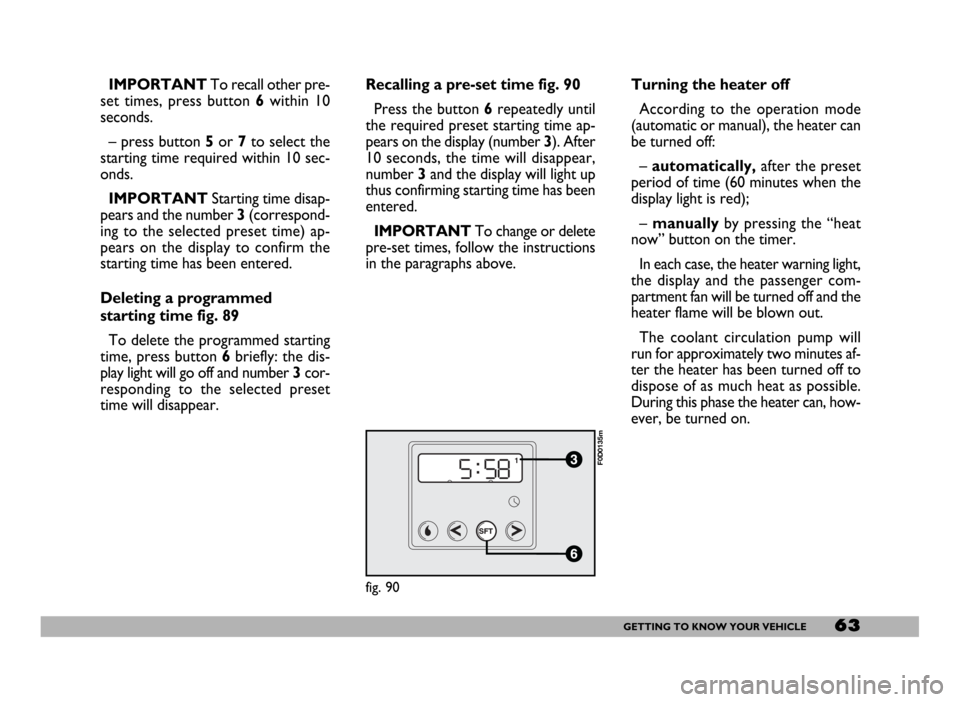
time will disappear.Recalling a pre-set time fig. 90
Press the button 6repeatedly until
the required preset starting time ap-
pears on the display (number 3). After
10 seconds, the time will disappear,
number 3and the display will light up
thus confirming starting time has been
entered.
IMPORTANTTo change or delete
pre-set times, follow the instructions
in the paragraphs above.Turning the heater off
According to the operation mode
(automatic or manual), the heater can
be turned off:
–automatically,after the preset
period of time (60 minutes when the
display light is red);
– manuallyby pressing the “heat
now” button on the timer.
In each case, the heater warning light,
the display and the passenger com-
partment fan will be turned off and the
heater flame will be blown out.
The coolant circulation pump will
run for approximately two minutes af-
ter the heater has been turned off to
dispose of as much heat as possible.
During this phase the heater can, how-
ever, be turned on.
fig. 90
F0D0135m
Page 65 of 258
64GETTING TO KNOW YOUR VEHICLE
– Always remember to turn the
heater off when refuelling or standing
in service stations to avoid fires and
explosions.
– Do not park the vehicle over in-
flammable material such as paper, dry
grass or leaves: fire risk!
– The temperature near the heater
must never exceed 120°C (e.g. during
painting operations in a workshop
oven). Higher temperatures could
damage the electronic control unit
components.
– When the engine is off, the heater
runs off the battery: it is consequently
important to run the engine for a cer-
tain period of time in order to restore
the battery charge.– Follow the prescriptions in “Vehi-
cle maintenance” section at paragraph
“Engine coolant level” to check the
coolant level. The coolant in the cir-
cuit must contain at least 10% an-
tifreeze fluid.
– Maintenance and repairs must al-
ways be carried out by a Fiat Deal-
ershipand only genuine spare parts
must be used.
MAINTENANCE
Have the heater checked at a Fiat
Dealership periodically (always be-
fore winter). This will ensure safe and
cheap running and long appliance life.
The heater burns fuel in the
same way as the engine,
though, of course, to a lesser degree
and therefore to avoid intoxication
and suffocation, never use the sup-
plementary heater in closed areas,
garages or workshops not equipped
with specific exhaust evacuation
devices even for short periods of
time.
WARNING
Page 68 of 258
67GETTING TO KNOW YOUR VEHICLE
REARVIEW
CAMERA
Vehicles equipped with CONNECT
NAV+ can be fitted with an optional
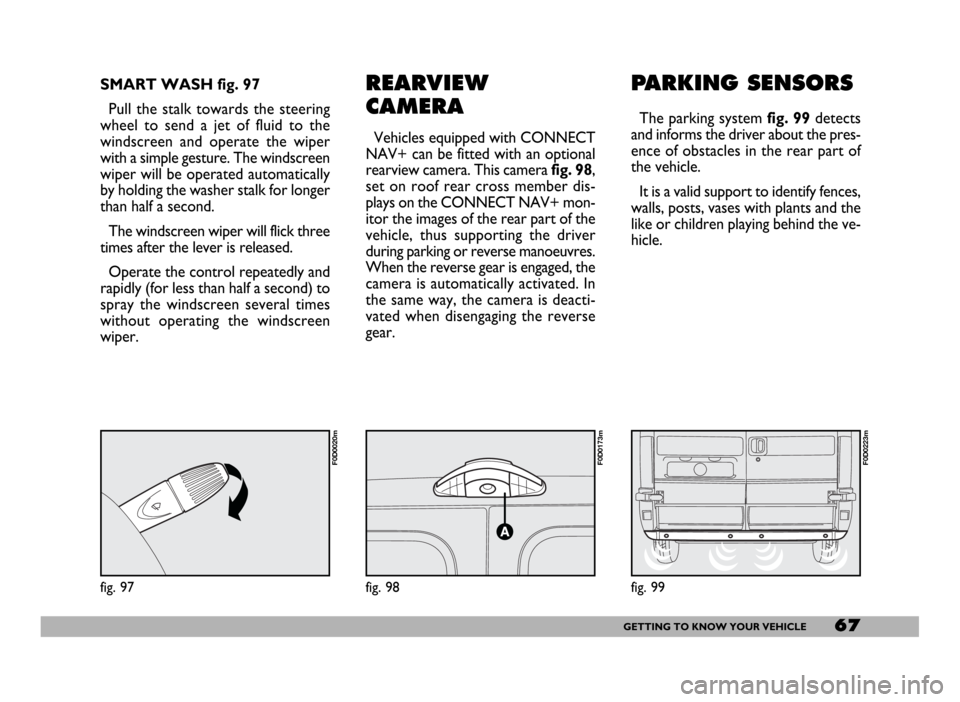
rearview camera. This camerafig. 98,
set on roof rear cross member dis-
plays on the CONNECT NAV+ mon-
itor the images of the rear part of the
vehicle, thus supporting the driver
during parking or reverse manoeuvres.
When the reverse gear is engaged, the
camera is automatically activated. In
the same way, the camera is deacti-
vated when disengaging the reverse
gear.
PARKING SENSORS
The parking system fig. 99detects
and informs the driver about the pres-
ence of obstacles in the rear part of
the vehicle.
It is a valid support to identify fences,
walls, posts, vases with plants and the
like or children playing behind the ve-
hicle.
fig. 98
F0D0173m
SMART WASH fig. 97
Pull the stalk towards the steering
wheel to send a jet of fluid to the
windscreen and operate the wiper
with a simple gesture. The windscreen
wiper will be operated automatically
by holding the washer stalk for longer
than half a second.
The windscreen wiper will flick three
times after the lever is released.
Operate the control repeatedly and
rapidly (for less than half a second) to
spray the windscreen several times
without operating the windscreen
wiper.
fig. 97
F0D0020m
fig. 99
F0D0223m
Page 70 of 258
69GETTING TO KNOW YOUR VEHICLE
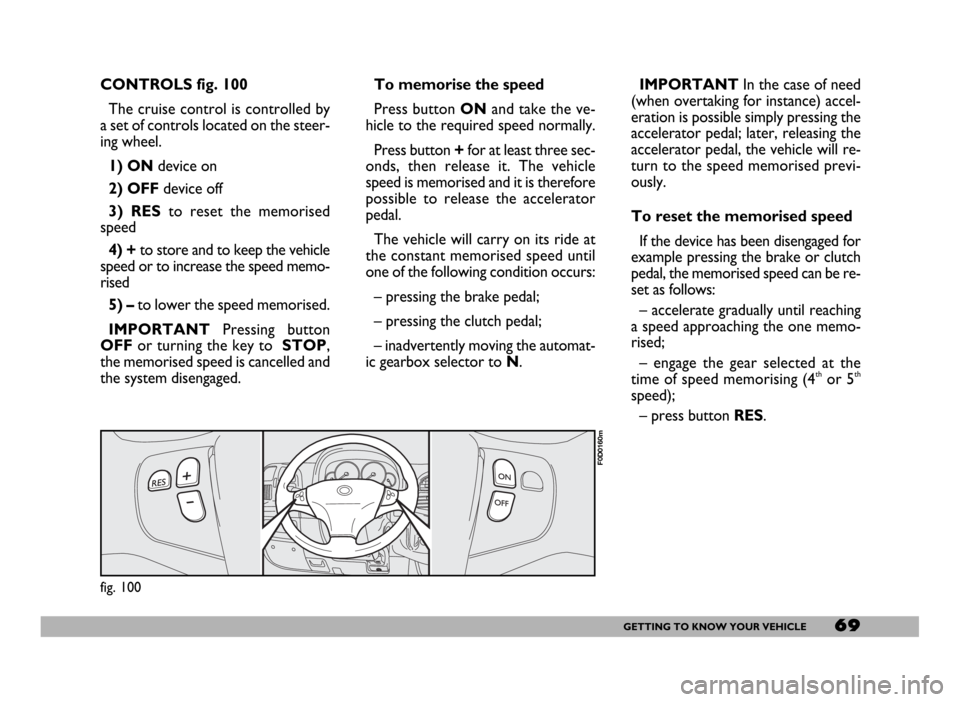
CONTROLS fig. 100
The cruise control is controlled by
a set of controls located on the steer-
ing wheel.
1) ONdevice on
2) OFFdevice off
3) RESto reset the memorised
speed
4) +to store and to keep the vehicle
speed or to increase the speed memo-
rised
5) – to lower the speed memorised.
IMPORTANTPressing button
OFFor turning the key to STOP,
the memorised speed is cancelled and
the system disengaged.IMPORTANTIn the case of need
(when overtaking for instance) accel-
eration is possible simply pressing the
accelerator pedal; later, releasing the
accelerator pedal, the vehicle will re-
turn to the speed memorised previ-
ously.
To reset the memorised speed
If the device has been disengaged for
example pressing the brake or clutch
pedal, the memorised speed can be re-
set as follows:
– accelerate gradually until reaching
a speed approaching the one memo-
rised;
– engage the gear selected at the
time of speed memorising (4
thor 5th
speed);
– press button RES. To memorise the speed
Press button ONand take the ve-
hicle to the required speed normally.
Press button +for at least three sec-
onds, then release it. The vehicle
speed is memorised and it is therefore
possible to release the accelerator
pedal.
The vehicle will carry on its ride at
the constant memorised speed until
one of the following condition occurs:
– pressing the brake pedal;
– pressing the clutch pedal;
– inadvertently moving the automat-
ic gearbox selector to N.
fig. 100
F0D0160m
Page 76 of 258
75GETTING TO KNOW YOUR VEHICLE
When tilted, the box cover becomes
a writing/reading desk with a clip to
hold sheets/papers, similar to that
shown in fig. 112.
Refrigerator version (food box)
In the refrigerator version, the box
has an internal space of about 12 litres
capacity that can contain 2 one and a
half litre bottles. In this version the
box is insulated and it is fitted with an
electric device to warm up or cool the
box interior as required.
This box can be used as food con-
tainer. Food shall be suitably packed
to avoid direct contact with the inner
walls of the box.
When used for cooling, a tempera-
ture difference of approx. 18 °C can
be achieved between the temperature
inside the box and that of the passen-
ger compartment after a certain time
of operation (with insulated cover and
plug closed). The lowest possible tem-
perature that can be reached in any
case is not lower than 8 -10 °C.To prevent the risk of running the bat-
tery down, the system is connected via
the ignition key; as a result the box will
only work when the engine is running.
You should remove perishables from
the box if you leave the vehicle parked
for longer than two hours.
For proper operation it is necessary
that ventilation grids (outside the box
and on one of the inside walls) should
not be clogged.
Turn the switch to:
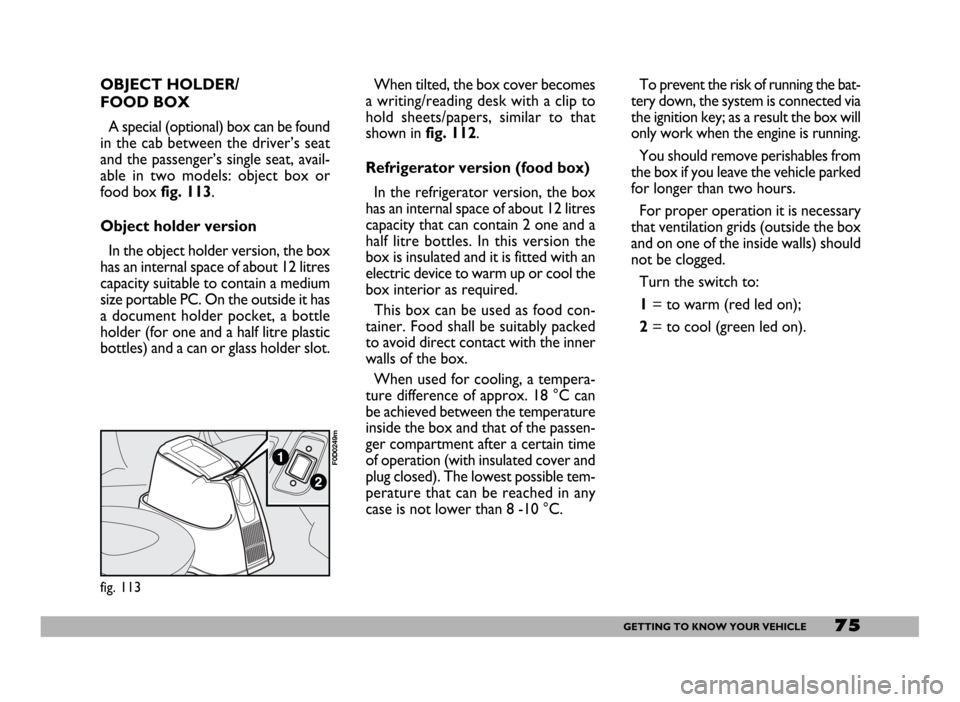
1= to warm (red led on);
2= to cool (green led on).
fig. 113
F0D0249m
OBJECT HOLDER/
FOOD BOX
A special (optional) box can be found
in the cab between the driver’s seat
and the passenger’s single seat, avail-
able in two models: object box or
food box fig. 113.
Object holder version
In the object holder version, the box
has an internal space of about 12 litres
capacity suitable to contain a medium
size portable PC. On the outside it has
a document holder pocket, a bottle
holder (for one and a half litre plastic
bottles) and a can or glass holder slot.
Page 79 of 258
78GETTING TO KNOW YOUR VEHICLE
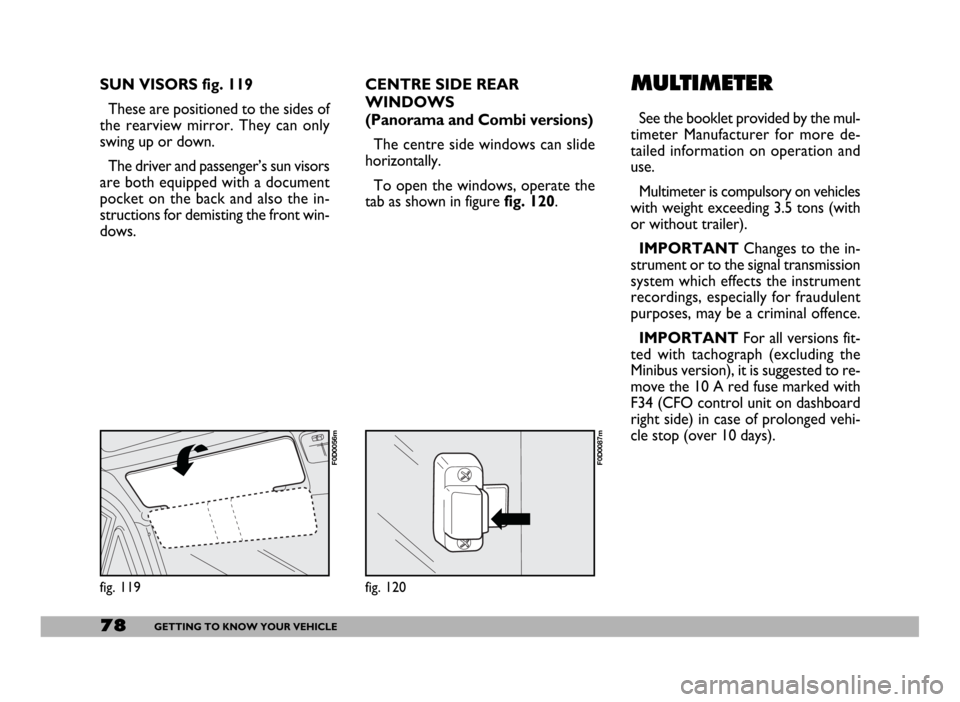
SUN VISORS fig. 119
These are positioned to the sides of
the rearview mirror. They can only
swing up or down.
The driver and passenger’s sun visors
are both equipped with a document
pocket on the back and also the in-
structions for demisting the front win-
dows.
fig. 119
F0D0056m
CENTRE SIDE REAR
WINDOWS
(Panorama and Combi versions)
The centre side windows can slide
horizontally.
To open the windows, operate the
tab as shown in figure fig. 120.
fig. 120
F0D0087m
MULTIMETER
See the booklet provided by the mul-
timeter Manufacturer for more de-
tailed information on operation and
use.
Multimeter is compulsory on vehicles
with weight exceeding 3.5 tons (with
or without trailer).
IMPORTANTChanges to the in-
strument or to the signal transmission
system which effects the instrument
recordings, especially for fraudulent
purposes, may be a criminal offence.
IMPORTANTFor all versions fit-
ted with tachograph (excluding the
Minibus version), it is suggested to re-
move the 10 A red fuse marked with
F34 (CFO control unit on dashboard
right side) in case of prolonged vehi-
cle stop (over 10 days).