wheel FIAT TIPO 4DOORS 2017 1.G Repair Manual
[x] Cancel search | Manufacturer: FIAT, Model Year: 2017, Model line: TIPO 4DOORS, Model: FIAT TIPO 4DOORS 2017 1.GPages: 240, PDF Size: 4.15 MB
Page 219 of 240
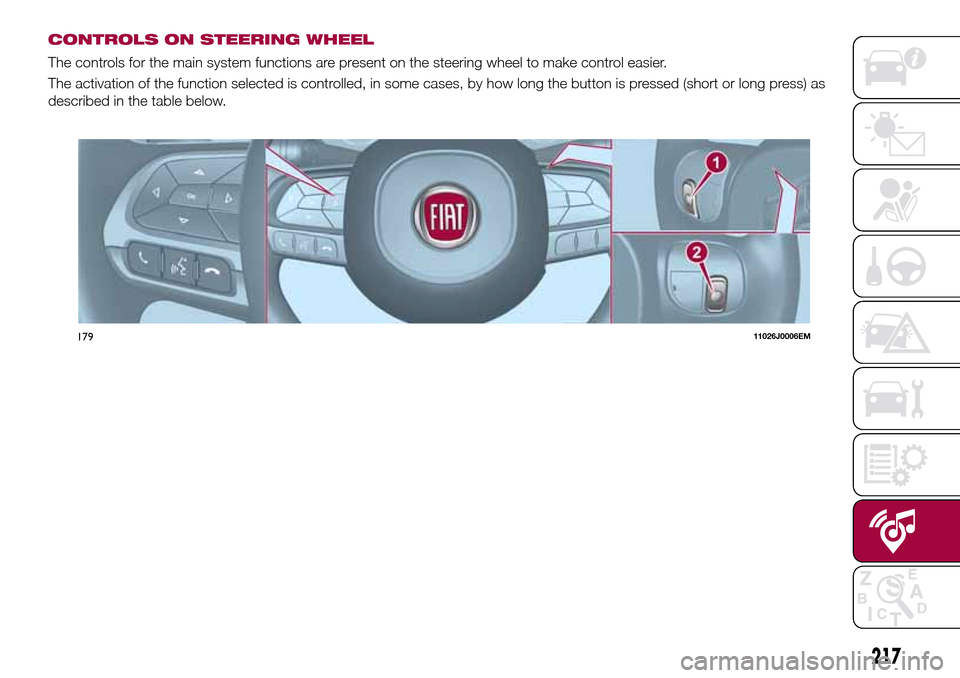
CONTROLS ON STEERING WHEEL
The controls for the main system functions are present on the steering wheel to make control easier.
The activation of the function selected is controlled, in some cases, by how long the button is pressed (short or long press) as
described in the table below.
17911026J0006EM
217
Page 220 of 240
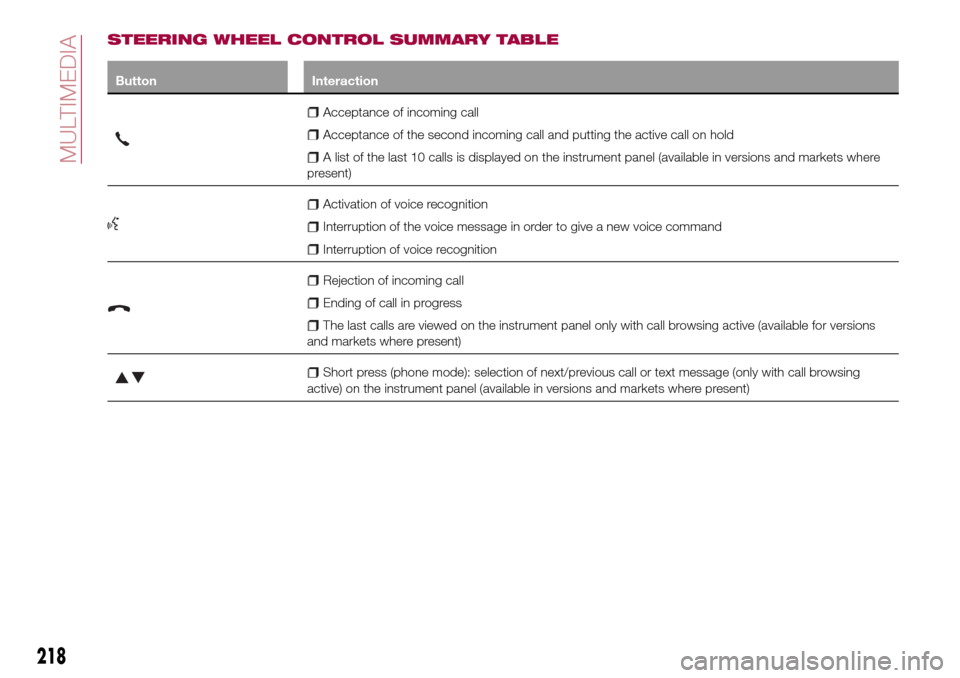
STEERING WHEEL CONTROL SUMMARY TABLE
Button Interaction
Acceptance of incoming call
Acceptance of the second incoming call and putting the active call on hold
A list of the last 10 calls is displayed on the instrument panel (available in versions and markets where
present)
Activation of voice recognition
Interruption of the voice message in order to give a new voice command
Interruption of voice recognition
Rejection of incoming call
Ending of call in progress
The last calls are viewed on the instrument panel only with call browsing active (available for versions
and markets where present)
Short press (phone mode): selection of next/previous call or text message (only with call browsing
active) on the instrument panel (available in versions and markets where present)
218
MULTIMEDIA
Page 221 of 240
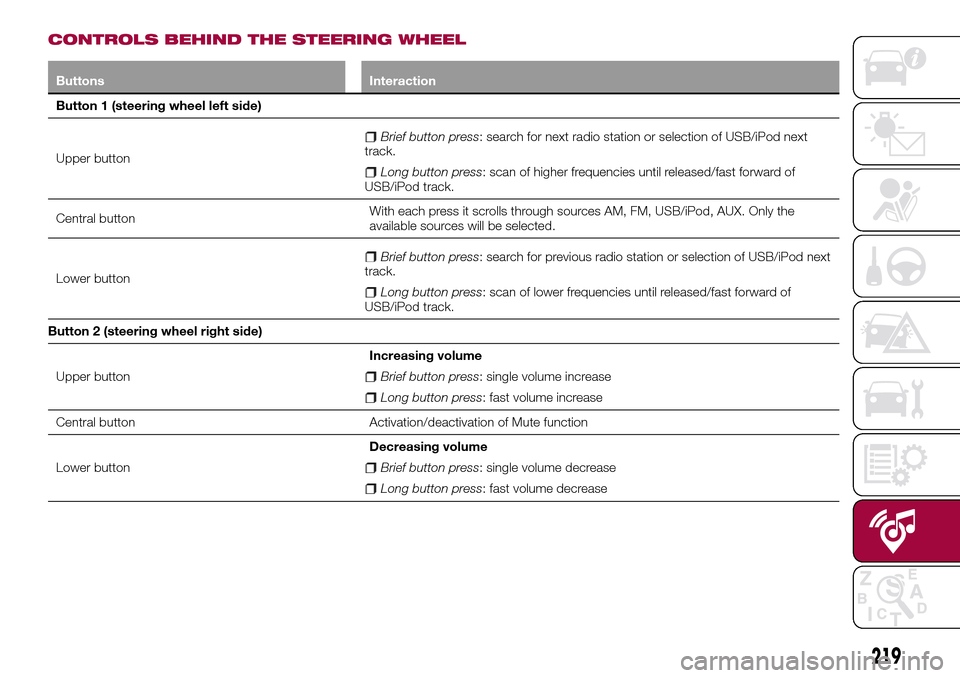
CONTROLS BEHIND THE STEERING WHEEL
Buttons Interaction
Button 1 (steering wheel left side)
Upper button
Brief button press: search for next radio station or selection of USB/iPod next
track.
Long button press: scan of higher frequencies until released/fast forward of
USB/iPod track.
Central buttonWith each press it scrolls through sources AM, FM, USB/iPod, AUX. Only the
available sources will be selected.
Lower button
Brief button press: search for previous radio station or selection of USB/iPod next
track.
Long button press: scan of lower frequencies until released/fast forward of
USB/iPod track.
Button 2 (steering wheel right side)
Upper buttonIncreasing volume
Brief button press: single volume increase
Long button press: fast volume increase
Central button Activation/deactivation of Mute function
Lower buttonDecreasing volume
Brief button press: single volume decrease
Long button press: fast volume decrease
219
Page 223 of 240
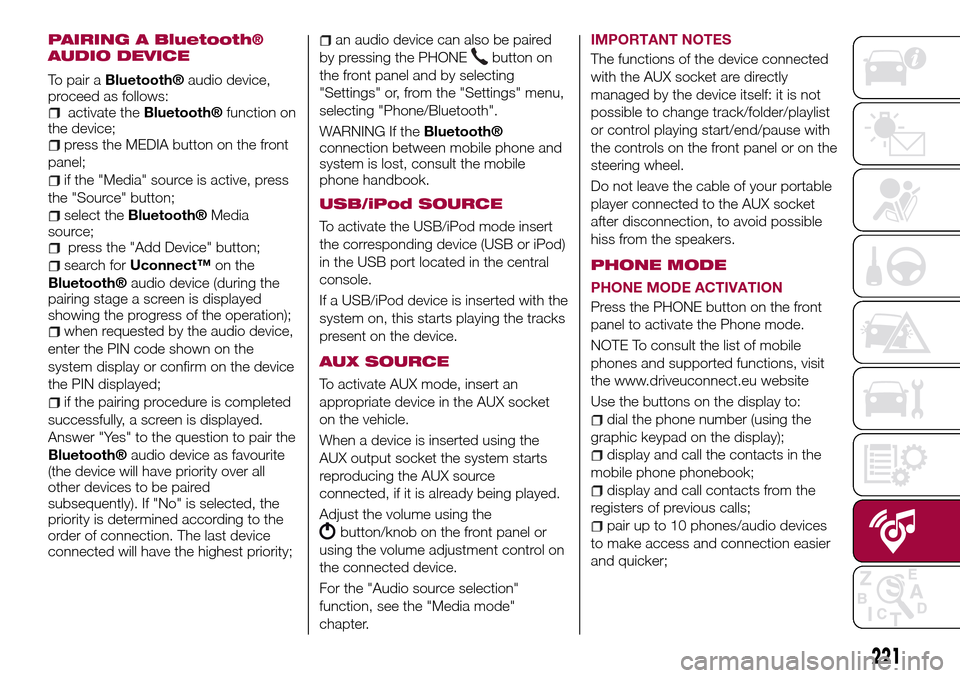
PAIRING A Bluetooth®
AUDIO DEVICE
To pair aBluetooth®audio device,
proceed as follows:
activate theBluetooth®function on
the device;
press the MEDIA button on the front
panel;
if the "Media" source is active, press
the "Source" button;
select theBluetooth®Media
source;
press the "Add Device" button;
search forUconnect™on the
Bluetooth®audio device (during the
pairing stage a screen is displayed
showing the progress of the operation);
when requested by the audio device,
enter the PIN code shown on the
system display or confirm on the device
the PIN displayed;
if the pairing procedure is completed
successfully, a screen is displayed.
Answer "Yes" to the question to pair the
Bluetooth®audio device as favourite
(the device will have priority over all
other devices to be paired
subsequently). If "No" is selected, the
priority is determined according to the
order of connection. The last device
connected will have the highest priority;
an audio device can also be paired
by pressing the PHONE
button on
the front panel and by selecting
"Settings" or, from the "Settings" menu,
selecting "Phone/Bluetooth".
WARNING If the
Bluetooth®
connection between mobile phone and
system is lost, consult the mobile
phone handbook.
USB/iPod SOURCE
To activate the USB/iPod mode insert
the corresponding device (USB or iPod)
in the USB port located in the central
console.
If a USB/iPod device is inserted with the
system on, this starts playing the tracks
present on the device.
AUX SOURCE
To activate AUX mode, insert an
appropriate device in the AUX socket
on the vehicle.
When a device is inserted using the
AUX output socket the system starts
reproducing the AUX source
connected, if it is already being played.
Adjust the volume using the
button/knob on the front panel or
using the volume adjustment control on
the connected device.
For the "Audio source selection"
function, see the "Media mode"
chapter.IMPORTANT NOTES
The functions of the device connected
with the AUX socket are directly
managed by the device itself: it is not
possible to change track/folder/playlist
or control playing start/end/pause with
the controls on the front panel or on the
steering wheel.
Do not leave the cable of your portable
player connected to the AUX socket
after disconnection, to avoid possible
hiss from the speakers.
PHONE MODE
PHONE MODE ACTIVATION
Press the PHONE button on the front
panel to activate the Phone mode.
NOTE To consult the list of mobile
phones and supported functions, visit
the www.driveuconnect.eu website
Use the buttons on the display to:
dial the phone number (using the
graphic keypad on the display);
display and call the contacts in the
mobile phone phonebook;
display and call contacts from the
registers of previous calls;
pair up to 10 phones/audio devices
to make access and connection easier
and quicker;
221
Page 226 of 240
"Lane Assist Strength"(where
provided): this function can be used to
select the force to apply to the steering
wheel to put the vehicle back in the
lane through the electric steering
system, in the event of Lane Assist
system intervention.
"Blind Spot Alert"(where provided):
this function can be used to select the
type of warning ("Sound Only" or
"Sound & Display") to indicate the
presence of objects in the blind spot of
the door mirror.
"Rain sensor"(where provided): this
function can be used to activate/
deactivate the automatic operation of
the wipers in the event of rain.
"Brakes"(where provided): this
function can be used to select the
following submenus:
- "Brake Service" (where provided):
allows you to activate the procedure for
carrying out braking system servicing;
- "Auto Park Brake" (where provided):
allows you to activate/deactivate the
automatic park brake engagement.
NAVIGATION(only UConnect™ 5” Nav)
Programming a route
WARNING In the interest of safety and
to reduce distractions while you are
driving, you should always plan a route
before you start driving.
Using the destination search function, it
is possible to find and reach your
destinations in different ways: searching
for a specific address, a partial address,
a specific type of location (for example
a service station or a restaurant), a
postal code, a POI (Point Of Interest)
near your current position (for example,
a restaurant with the search type set to
"nearby"), a pair of latitude and
longitude coordinates, or by selecting a
point on the map.
Select “Search” in the Main menu and
set the search for a destination.
While entering the information, the list
displays the corresponding addresses
and POIs in two separate lists. The
corresponding address and city are
displayed in the Address list and the
POI, the type of POIs and the locations
are displayed in the Point of Interest
lists.
To plan a route towards the destination,
select the “Guide” button.A route is planned and you are guided
to your destination, using spoken
instructions and on-screen directions.
VOICE COMMANDS
NoteFor languages not supported by
the system, voice commands are not
available.
To use the voice commands, press the
button on the steering wheel ("Voice"
button) and say out loud the command
you want to activate.
224
MULTIMEDIA
Page 227 of 240
Global
The following voice commands can be
given after pressing the
button on
the steering wheel:
Help
Cancel
Repeat
Voice Prompts
Phone
The following voice commands can be
given after pressing the
button on
the steering wheel:
Call
Dial
Redial
Call back
Last calls
Outgoing calls
Missed calls
Incoming calls
Contacts
Search
Show SMS
Send an SMS
Show messages
Radio
The following voice commands can be
given after pressing the
button on
the steering wheel:
Tune to FM "frequency"
Tune to AM "frequency"
Tune to "radio name" FM
Tune to "radio name"Media
The following voice commands can be
given after pressing the
button on
the steering wheel:
Play song...
Play album…
Play artist…
Play genre…
Play playlist…
Play podcast…
Play audiobook…
Select the source...
Display...
Navigation (only Uconnect™ 5"
Nav)
The following voice commands can be
given after pressing the
button on
the steering wheel:
Increase zoom
Decrease zoom
2d mode
3d mode
Add this position
Drive Home
Navigate going through home
Clear route
225
Page 235 of 240
INDEX
ABS (system)...............68
Active safety systems...........68
Airbag
Front airbags..............96
Side airbags.............100
Airbag (SRS supplementary
restraint system)............96
Automatic climate control system . . .29
Automatic light control..........20
Automatic transmission.....107 ,145
AUX source................221
Battery..................168
Battery recharging............170
Bluetooth® source...........220
Bodywork (cleaning and
maintenance).............175
Bonnet....................32
Boot.....................34
Brake lights (bulb replacement). . . .126
Carrying children safely.........85
Changing a wheel............135
Checking levels..............160
Child protection systems........85
Child safety device............13
Climate control system..........26
CO2 emissions..............201
Control buttons............47,49Control panel and on-board
instruments...............42
CONTROLS
Controls on the front panel. . . .215
Cornering lights..............21
Daytime running lights (DRL)......21
Daytime running lights (DRL) (bulb
replacement)..............124
Demanding use of the car.......159
Dimensions................188
Dipped headlights.............20
Dipped headlights (bulb
replacement)..............124
Direction indicators............22
Display....................47
Doors.....................12
Driving assistance systems.......71
DTC (system)................68
Electric power steering.........33
Electric windows..............31
Electronic Cruise Control........112
Emergency starting...........141
Engine...................181
marking................180
Engine compartment..........160
Engine compartment (washing). . . .176
Engine oil (consumption)........168
Engine oil (level check).........168
EOBD system...............51
ERM (system)................70ESC (system)................68
External lights...............20
Fiat Code (system)............12
Fix&Go Automatic kit..........139
Fluids and lubricants..........194
Fog lights (bulb replacement).....125
Front ceiling light..............23
Front fog lights...............21
Front seat electric heating........15
Front seats (manual adjustments) . . .14
Fuel consumption............199
Fuel cut-off system...........143
Full Brake Control (system).......71
Fuse boxes................129
Fuses (replacement)...........128
GSI (Gear Shift Indicator)........47
Hazard warning lights.........121
Emergency braking.........121
Headlight alignment adjustment....22
Headlight alignment corrector.....22
Headlights (cleaning)..........176
Headrests..................17
HHC (system)................69
Identification data
chassis marking...........180
engine marking............180
identification data plate.......180
Ignition device...............11
Page 237 of 240
Steering wheel...............18
Stop/Start system............109
Symbols....................3
TC (system)................69
Technical data..............180
Third brake light (bulb
replacement)..............127
Towing the vehicle............147
Towing trailers..............117Trip Computer...............50
TSC (system)................70
Tyres (inflation pressure)........186Uconnect 5” Nav............215
Uconnect Radio.............206
Use of the Owner Handbook.......4
Vehicle changes/alterations.......3
Version with LPG system........36
Warning lights and messages.....52
Weights..................189
Wheels...................184
Wheels and tyres.............174
Window bag...............100
Windows (cleaning)...........176
Windscreen wiper
replacing blades...........172
Page 239 of 240

We really know your car because we invented, designed and built it: we r\
eally know every single detail. At Fiat Service authorised workshops you can find technicians directly trained by us,
offering quality and professionalism for all service operations.
Fiat workshops are always close to you for the regular servicing operati\
ons, season checks and practical recommendations by our experts.
With Original Parts distributed by MOPAR
®, you maintain the reliability, comfort
and performance features that you bought your new car for over time.
Always ask for Genuine Parts for the components used on our cars; we rec\
ommend them because
they come from our steady commitment in research and development of high\
ly innovative technologies. For all these reasons: rely on Genuine Parts, because they are the only ones designed by FCA for your car.
SAFETY:
BRAKING SYSTEMENVIRONMENT: PARTICULATE FILTERS, CLIMATE CONTROL MAINTENANCECOMFORT: SUSPENSION
AND WINDSCREEN WIPERS PERFORMANCE: SPARK PLUGS, INJECTORS AND BATTERIESLINEACCESSORI
ROOF RACK BARS, WHEEL RIMS
WHY CHOOSING GENUINE PARTS
This Owner Handbook is intended to show the vehicle's operating conditio\
ns.
For the enthusiast user who wants to have insights, curiosities and deta\
iled information about the characteristics and functions
of the vehicle, Fiat gives the opportunity to consult a dedicated sectio\
n which is available in electronic format.
ONLINE VEHICLE OWNER HANDBOOK
The following symbol is reported within the text of the Owner Handbook, next to the subjects \
for which details are provided.
Go to the www.mopar.eu/owner
website and access your personal area.
The “Maintenance and care” page includes all the information about\
your vehicle and the link to access eLUM, where you will find
all the details of the Owner Handbook.
Alternatively, to access this information, go to the Internet website at\
http://aftersales.fiat.com/elum/
.
The eLUM website is free and will allow you, among many other things, to easily c\
onsult the on-board documents
of all the other vehicles of the Group.
Have a nice reading and happy motoring!
Cop TIPO LUM GB.qxp_500 UM ITA 17/05/16 16:28 Pagina 2