warning FORD B MAX 2012 1.G Owners Manual
[x] Cancel search | Manufacturer: FORD, Model Year: 2012, Model line: B MAX, Model: FORD B MAX 2012 1.GPages: 256, PDF Size: 19.67 MB
Page 196 of 256
Downloaded from www.Manualslib.com manuals search engine AUXILIARY INPUT SOCKET
WARNINGS
Driving while distracted can result inloss of vehicle control, accident andinjury. We strongly recommend thatyou use extreme caution when using anydevice or feature that may take your focusoff the road. Your primary responsibility isthe safe operation of your vehicle. Werecommend against the use of anyhandheld device while driving andencourage the use of voice-operatedsystems when possible. Make sure you areaware of all applicable local laws that mayaffect the use of electronic devices whiledriving.
For safety reasons, do not connector adjust the settings on yourportable music player while yourvehicle is moving.
Store the portable music player in asecure location, such as the centreconsole or the glove box, when yourvehicle is in moving. Hard objects maybecome projectiles in a collision or suddenstop, which may increase the risk of seriousinjury. The audio extension cable must belong enough to allow the portable musicplayer to be safely stored while yourvehicle is moving.
The auxiliary input jack allows you toconnect and play music from your portablemusic player through your vehicle speakers.You can use any portable music playerdesigned for use with headphones. Youraudio extension cable must have maleone-eighth inch (three and one-halfmillimetre) connectors at each end.
1.Make sure your vehicle, radio andportable music player are turned offand move the transmission selectorlever to position P.
2.Plug the extension cable from theportable music player into the auxiliaryinput jack.
3.Switch the radio on. Select either atuned FM station or a CD.
4.Adjust the volume as desired.
5.Switch the portable music player onand adjust its volume to half itsmaximum level.
6.Press AUX until LINE or LINE INappears in the display. You should hearmusic from your device even if it is low.
7.Adjust the volume on your portablemusic player until it reaches the volumelevel of the FM station or CD. Do thisby switching back and forth betweenthe AUX and FM or CD controls.
194Audio System
Page 199 of 256
Downloaded from www.Manualslib.com manuals search engine Safety Information
WARNING
Driving while distracted can result inloss of vehicle control, collision andinjury. We strongly recommend thatyou use extreme caution when using anydevice that may take your focus off theroad. Your primary responsibility is the safeoperation of your vehicle. We recommendagainst the use of any handheld devicewhile driving, encourage the use ofvoice-operated systems when possibleand that you become aware of applicablecountry and local laws that may affect useof electronic devices while driving.
When using SYNC:
•Do not operate playing devices if thepower cords or cables are broken, splitor damaged. Carefully place cords andcables where they cannot be steppedon or interfere with the operation ofpedals, seats, compartments or safedriving abilities.
•Do not leave playing devices in yourvehicle during extreme conditions as itcould cause them damage. Refer toyour device's user guide for furtherinformation.
•Do not attempt to service or repair thesystem. See an authorised dealer.
Privacy Information
When a mobile phone is connected toSYNC, the system creates a profile withinyour vehicle that is linked to that mobilephone. This profile is created in order tooffer you more mobile features and tooperate more efficiently. Among otherthings, this profile may contain data aboutyour phone book, text messages (read andunread) and call history. Including thehistory of calls when your mobile phonewas not connected to the system. Inaddition, if you connect a media device,the system creates and retains an index ofsupported media content. The system alsorecords a short development log ofapproximately 10 minutes of all recentsystem activity. The log profile and othersystem data may be used to improve thesystem and help diagnose any problemsthat may occur.
The mobile phone profile, media deviceindex, and development log will remain inyour vehicle unless you delete it and aregenerally accessible only in your vehiclewhen the mobile phone or media player isconnected. If you no longer plan to use thesystem or your vehicle, we recommend youperform a master reset to erase all storedinformation.
System data cannot be accessed withoutspecial equipment and access to yourvehicle's SYNC module. We will not accessthe system data for any purpose other thanas described absent consent, a court order,or where required by law enforcement,other government authorities or other thirdparties acting with lawful authority. Otherparties may seek to access the informationindependently of us. For further privacyinformation, see the sections onemergency assistance.
197SYNC
Page 213 of 256
Downloaded from www.Manualslib.com manuals search engine SYNC® APPLICATIONS AND
SERVICES
1.Press the MENU button to enter thesystem's menu.
2.Scroll until SYNC-Apps is selected,then press OK.
A list of available applications will beshown. Each application might have itsown specific settings.
SYNC Emergency Assistance
WARNINGS
For this feature to work, your mobilephone must be compatible withSYNC.
Always place your mobile phone ina secure location inside your vehicle.Failure to do so may cause seriousinjury to someone or damage the phonewhich could prevent emergency assistancefrom working correctly.
Unless the emergency assistancesetting is set to on prior to a collision,the system will not attempt to placean emergency call which could delay theresponse time, potentially increasing therisk of serious injury or death. Do not waitfor emergency assistance to make anemergency call if you can do it yourself.Dial emergency services immediately toavoid a delayed response time. If you donot hear emergency assistance within fiveseconds of the collision, the system ormobile phone may be damaged or nonfunctional.
Note:Before selecting this feature, youmust read the emergency assistance privacynotice later in this section for importantinformation.
Note:When you turn emergency assistanceon or off, that setting will apply for all pairedmobile phones. If you have turnedemergency assistance off and a previouslypaired phone connects when you switch theignition on, either a voice message plays, adisplay message or icon is shown or both.
Note:Every mobile phone operatesdifferently. While SYNC emergencyassistance works with most mobile phones,some mobile phones may experiencedifficulties using this feature.
Note:For important information regardingairbag deployment: See SupplementaryRestraints System (page 22).
In the event of a collision which deploysan airbag or activates the fuel cut-offswitch, the system may contactemergency services by dialling 112 (thewireless emergency number that works inmost European countries) through a pairedand connected mobile phone. For moreinformation about SYNC and emergencyassistance visit your regional Ford website.
Setting Emergency Assistance On:
1.Press the PHONE button to enter themobile Phone menu.
2.Scroll to emergency assistance.
3.Press OK to confirm and enter theemergency assistance menu.
4.Scroll through and highlight the On orOff selection.
5.Press OK to confirm the selection.
Display options:
•In case On was selected,Set Onappears in the display as confirmation.
•In case Off was selected a dialogueappears which allows you to set a voicereminder.
211SYNC
Page 227 of 256
Downloaded from www.Manualslib.com manuals search engine ELECTROMAGNETIC
COMPATIBILITY
WARNINGS
Your vehicle has been tested andcertified to legislations relating toelectromagnetic compatibility(72/245/EEC, UN ECE Regulation 10 orother applicable local requirements). It isyour responsibility to make sure that anyequipment you have fitted complies withapplicable local legislations. Have anyequipment fitted by an authorised dealer.
WARNINGS
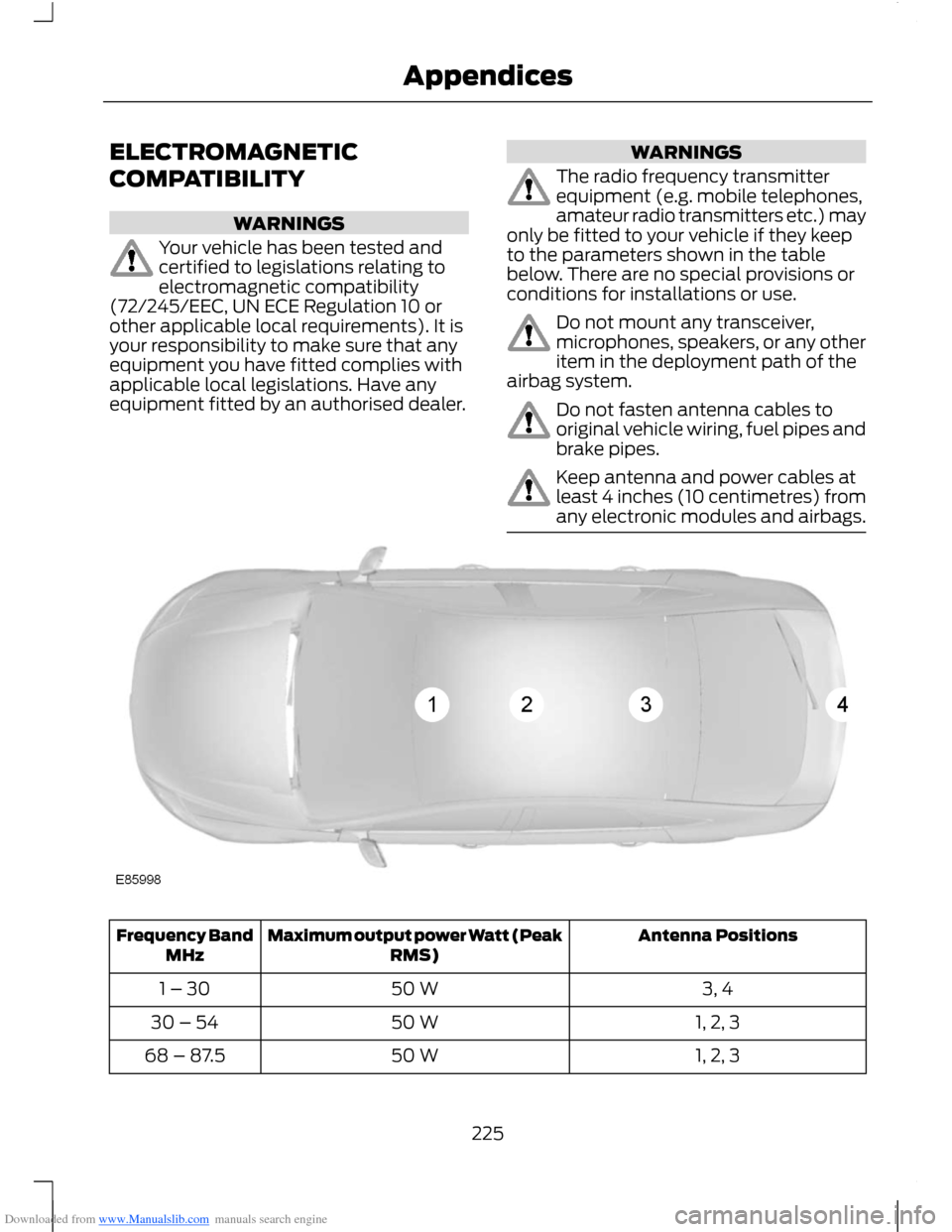
The radio frequency transmitterequipment (e.g. mobile telephones,amateur radio transmitters etc.) mayonly be fitted to your vehicle if they keepto the parameters shown in the tablebelow. There are no special provisions orconditions for installations or use.
Do not mount any transceiver,microphones, speakers, or any otheritem in the deployment path of theairbag system.
Do not fasten antenna cables tooriginal vehicle wiring, fuel pipes andbrake pipes.
Keep antenna and power cables atleast 4 inches (10 centimetres) fromany electronic modules and airbags.
Antenna PositionsMaximum output power Watt (PeakRMS)Frequency BandMHz
3, 450 W1 – 30
1, 2, 350 W30 – 54
1, 2, 350 W68 – 87.5
225Appendices
Page 233 of 256
Downloaded from www.Manualslib.com manuals search engine End User Notice
Microsoft® Windows® Mobile forAutomotive Important SafetyInformation
This system Ford SYNC™ containssoftware that is licenced to ManufacturerFORD MOTOR COMPANY by an affiliateof Microsoft Corporation pursuant to alicence agreement. Any removal,reproduction, reverse engineering or otherunauthorised use of the software from thissystem in violation of the licenceagreement is strictly prohibited and maysubject you to legal action.
Read and follow instructions: Beforeusing your Windows Automotive- basedsystem, read and follow all instructionsand safety information provided in this enduser manual ("User's Guide"). Notfollowing precautions found in this User'sGuide can lead to an accident or otherserious consequences.
Keep User's Guide in vehicle: When keptin the vehicle, the User's Guide will be aready reference for you and other usersunfamiliar with the WindowsAutomotive-based system. Please makecertain that before using the system forthe first time, all persons have access tothe User's Guide and read its instructionsand safety information carefully.
WARNING
Operating certain parts of thissystem while driving can distractyour attention away from the road,and possibly cause an accident or otherserious consequences. Do not changesystem settings or enter data non-verbally(using your hands) while driving. Stop thevehicle in a safe and legal manner beforeattempting these operations. This isimportant since while setting up orchanging some functions you might berequired to distract your attention awayfrom the road and remove your hands fromthe wheel.
General Operation
Voice Command Control: Functionswithin the Windows Automotive-basedsystem may be accomplished using onlyvoice commands. Using voice commandswhile driving allows you to operate thesystem without removing your hands fromthe wheel.
Prolonged Views of Screen: Do notaccess any function requiring a prolongedview of the screen while you are driving.Pull over in a safe and legal manner beforeattempting to access a function of thesystem requiring prolonged attention. Evenoccasional short scans to the screen maybe hazardous if your attention has beendiverted away from your driving task at acritical time.
Volume Setting: Do not raise the volumeexcessively. Keep the volume at a levelwhere you can still hear outside traffic andemergency signals while driving. Drivingwhile unable to hear these sounds couldcause an accident.
231Appendices
Page 240 of 256
Downloaded from www.Manualslib.com manuals search engine Additional Licence Limitations: Exceptwhere you have been specifically licencedto do so by NT in a separate writtenagreement, and without limiting thepreceding paragraph, your licence isconditioned on use of the Data asprescribed in this agreement, and you maynot (a) use this Data with any products,systems, or applications installed orotherwise connected to or incommunication with vehicles capable ofvehicle navigation, positioning, dispatch,real time route guidance, fleetmanagement or similar applications; or (b)with, or in communication with, includingwithout limitation, cellular phones,palmtop and handheld computers, pagers,and personal digital assistants or PDAs.
WARNING
This Data may contain inaccurate orincomplete information due to thepassage of time, changingcircumstances, sources used and thenature of collecting comprehensivegeographic Data, any of which may leadto incorrect results.
No Warranty: This Data is provided to you"as is" , and you agree to use it at your ownrisk. NT and its licensors (and theirlicensors and suppliers) make noguarantees, representations or warrantiesof any kind, express or implied, arising bylaw or otherwise, including but not limitedto, content, quality, accuracy,completeness, effectiveness, reliability,fitness for a particular purpose, usefulness,use or results to be obtained from thisData, or that the Data or server will beuninterrupted or error free.
Disclaimer of Warranty: NT AND ITSLICENSORS (INCLUDING THEIRLICENSORS AND SUPPLIERS) DISCLAIMANY WARRANTIES, EXPRESS OR IMPLIED,OF QUALITY, PERFORMANCE,MERCHANTABILITY, FITNESS FOR APARTICULAR PURPOSE ORNON-INFRINGEMENT. Some States,Territories and Countries do not allowcertain warranty exclusions, so to thatextent the above exclusion may not applyto you.
Disclaimer of Liability: NT AND ITSLICENSORS (INCLUDING THEIRLICENSORS AND SUPPLIERS) SHALL NOTBE LIABLE TO YOU IN RESPECT OF ANYCLAIM, DEMAND OR ACTION,IRRESPECTIVE OF THE NATURE OF THECAUSE OF THE CLAIM, DEMAND ORACTION ALLEGING ANY LOSS, INJURY ORDAMAGES, DIRECT OR INDIRECT, WHICHMAY RESULT FROM THE USE ORPOSSESSION OF THIS DATA; OR FOR ANYLOSS OF PROFIT, REVENUE, CONTRACTSOR SAVINGS, OR ANY OTHER DIRECT,INDIRECT, INCIDENTAL, SPECIAL ORCONSEQUENTIAL DAMAGES ARISINGOUT OF YOUR USE OF OR INABILITY TOUSE THIS DATA, ANY DEFECT IN THISDATA, OR THE BREACH OF THESE TERMSOR CONDITIONS, WHETHER IN ANACTION IN CONTRACT OR TORT ORBASED ON A WARRANTY, EVEN IF NT ORITS LICENSORS HAVE BEEN ADVISED OFTHE POSSIBILITY OF SUCH DAMAGES.Some States, Territories and Countries donot allow certain liability exclusions ordamages limitations, so to that extent theabove may not apply to you.
238Appendices
Page 243 of 256
Downloaded from www.Manualslib.com manuals search engine THE GRACENOTE SOFTWARE, EACH ITEMOF GRACENOTE DATA AND THEGRACENOTE CONTENT ARE LICENCEDTO YOU "AS IS". NEITHER GRACENOTEMAKES ANY REPRESENTATIONS ORWARRANTIES, EXPRESS OR IMPLIED,REGARDING THE ACCURACY OF ANYGRACENOTE DATA FROM THEGRACENOTE SERVERS OR GRACENOTECONTENT. GRACENOTE COLLECTIVELYAND SEPARATELY RESERVE THE RIGHTTO DELETE DATA AND/OR CONTENTFROM THE COMPANIES' RESPECTIVESERVERS OR, IN THE CASE OFGRACENOTE, CHANGE DATACATEGORIES FOR ANY CAUSE THATGRACENOTE DEEMS SUFFICIENT. NOWARRANTY IS MADE THAT EITHERGRACENOTE CONTENT OR THEGRACENOTE SOFTWARE ORGRACENOTE SERVERS ARE ERROR-FREEOR THAT THE FUNCTIONING OF THEGRACENOTE SOFTWARE ORGRACENOTE SERVERS WILL BEUNINTERRUPTED. GRACENOTE IS NOTOBLIGATED TO PROVIDE YOU WITH ANYENHANCED OR ADDITIONAL DATA TYPESTHAT GRACENOTE MAY CHOOSE TOPROVIDE IN THE FUTURE AND IS FREETO DISCONTINUE ITS ONLINE SERVICESAT ANY TIME. GRACENOTE DISCLAIM ALLWARRANTIES EXPRESS OR IMPLIED,INCLUDING, BUT NOT LIMITED TO,IMPLIED WARRANTIES OFMERCHANTABILITY, FITNESS FOR APARTICULAR PURPOSE, TITLE, ANDNON-INFRINGEMENT. NEITHERGRACENOTE WARRANTS THE RESULTSTHAT WILL BE OBTAINED BY YOUR USEOF THE GRACENOTE SOFTWARE OR ANYGRACENOTE SERVER. IN NO CASE WILLGRACENOTE BE LIABLE FOR ANYCONSEQUENTIAL OR INCIDENTALDAMAGES OR FOR ANY LOST PROFITSOR LOST REVENUES FOR ANY REASONWHATSOEVER.
© Gracenote 2007.
FCC ID: KMHSYNCG2
IC: 1422A-SYNCG2
This device complies with Part 15 of theFCC Rules and with RSS-210 of IndustryCanada. Operation is subject to thefollowing two conditions: (1) This devicemay not cause harmful interference, and(2) this device must accept anyinterference received, includinginterference that may cause undesiredoperation.
WARNING
Changes or modifications notexpressively approved by the partyresponsible for compliance couldvoid the user's authority to operate theequipment. The term "IC" before the radiocertification number only signifies thatIndustry Canada technical specificationswere met.
The antenna used for this transmitter mustnot be co-located or operating inconjunction with any other antenna ortransmitter.
241Appendices
Page 245 of 256
Downloaded from www.Manualslib.com manuals search engine A
A/CSee: Climate Control..........................................68About This Manual...........................................5Protecting the Environment...............................5ABSSee: Brakes............................................................101ABS driving hintsSee: Hints on Driving With Anti-LockBrakes.................................................................101AccessoriesSee: Replacement PartsRecommendation..............................................7Active City Stop...............................................111General Information............................................111Laser Sensor Information.................................112Using Active City Stop.........................................111Adjusting the Steering Wheel...................38Air ConditioningSee: Climate Control..........................................68Air Vents............................................................68Centre Air Vents....................................................68Side Air Vent..........................................................68AlarmSee: Anti-Theft Alarm........................................35Anti-Theft Alarm............................................35Alarm System........................................................35Arming the Alarm.................................................36Disarming the Alarm............................................37Full and Reduced Guard....................................36Triggering the Alarm............................................36Appendices....................................................225At a Glance..........................................................8Front Exterior Overview........................................8Instrument Panel Overview..............................10Rear Exterior Overview........................................13Vehicle Interior Overview.....................................9Audible Warnings and Indicators.............56Automatic Transmission...................................56Headlamps On......................................................56Key Outside Car....................................................56Low Fuel...................................................................57Seat Belt Minder....................................................57Audio Control...................................................38.....................................................................................38Audio System..................................................171General Information............................................171
Audio System Security................................187Audio Troubleshooting...............................195Audio unit - Vehicles With:AM/FM/CD/Bluetooth..............................177Alternative Frequencies....................................181Automatic Volume Control............................180Autostore Control..............................................180News Broadcasts.................................................181Regional Mode......................................................181Sound Button.......................................................179Station Preset Buttons.....................................179Station Tuning Control......................................179Traffic Information Control.............................180Waveband Button..............................................179Audio unit - Vehicles With:AM/FM/CD...................................................172Alternative Frequencies....................................176Automatic Volume Control.............................175Autostore Control...............................................175News Broadcasts................................................176Regional Mode.....................................................176Sound Button.......................................................174Station Preset Buttons......................................174Station Tuning Control......................................174Traffic Information Control..............................175Waveband Button...............................................174Audio unit - Vehicles With: SonyAM/FM/CD...................................................182Alternative Frequencies...................................186Automatic Volume Control............................186Autostore Control...............................................185Digital Signal Processing.................................186News Broadcasts...............................................186Regional Mode.....................................................187Sound Button......................................................184Station Preset Buttons.....................................184Station Tuning Control.....................................184Traffic Information Control.............................185Waveband Button..............................................184Autolamps........................................................43Automatic Climate Control........................70Temperature Control...........................................72
243Index
Page 248 of 256
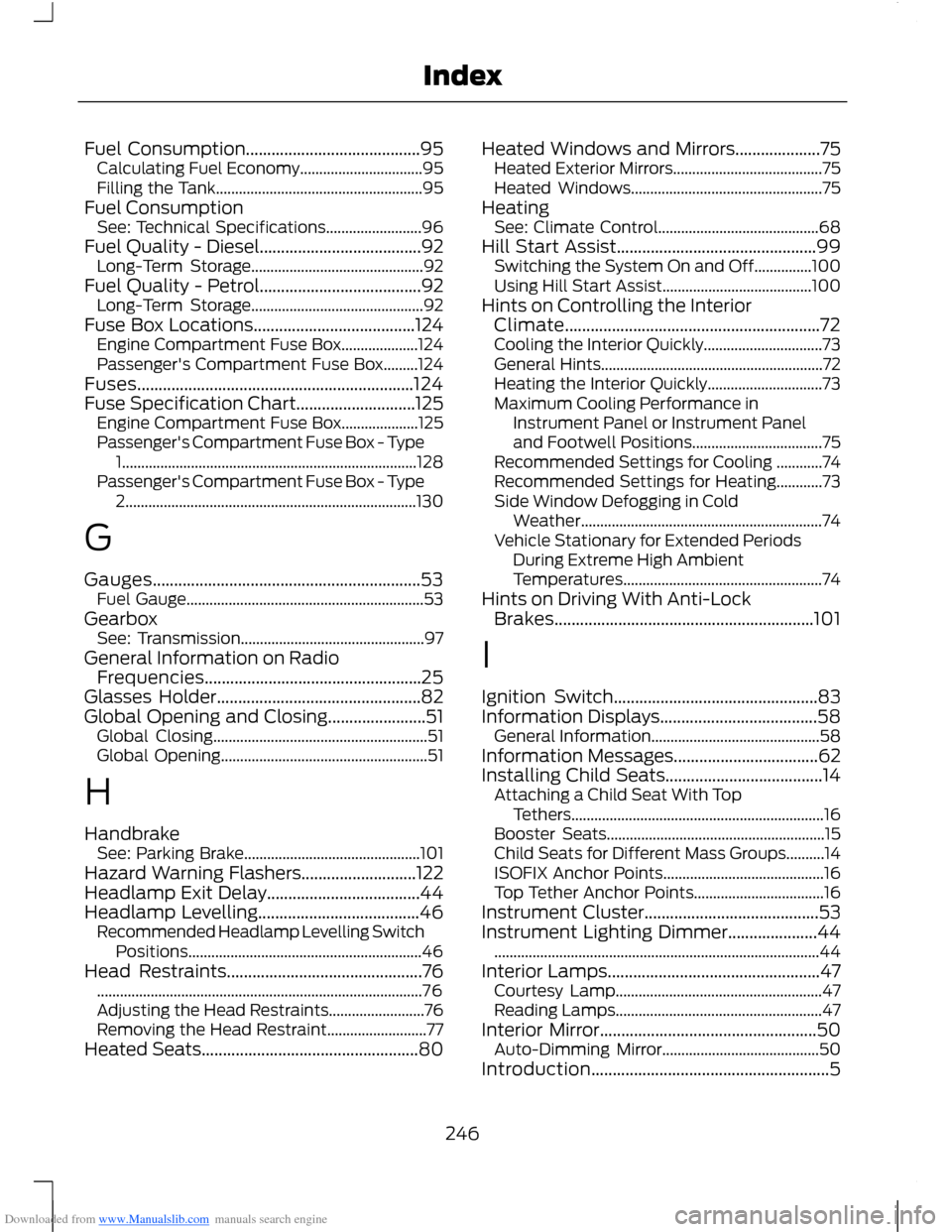
Downloaded from www.Manualslib.com manuals search engine Fuel Consumption.........................................95Calculating Fuel Economy................................95Filling the Tank......................................................95Fuel ConsumptionSee: Technical Specifications.........................96Fuel Quality - Diesel......................................92Long-Term Storage.............................................92Fuel Quality - Petrol......................................92Long-Term Storage.............................................92Fuse Box Locations......................................124Engine Compartment Fuse Box....................124Passenger's Compartment Fuse Box.........124Fuses.................................................................124Fuse Specification Chart............................125Engine Compartment Fuse Box....................125Passenger's Compartment Fuse Box - Type1.............................................................................128Passenger's Compartment Fuse Box - Type2............................................................................130
G
Gauges...............................................................53Fuel Gauge..............................................................53GearboxSee: Transmission................................................97General Information on RadioFrequencies...................................................25Glasses Holder................................................82Global Opening and Closing.......................51Global Closing........................................................51Global Opening......................................................51
H
HandbrakeSee: Parking Brake..............................................101Hazard Warning Flashers...........................122Headlamp Exit Delay....................................44Headlamp Levelling......................................46Recommended Headlamp Levelling SwitchPositions.............................................................46Head Restraints..............................................76.....................................................................................76Adjusting the Head Restraints.........................76Removing the Head Restraint..........................77Heated Seats...................................................80
Heated Windows and Mirrors....................75Heated Exterior Mirrors.......................................75Heated Windows..................................................75HeatingSee: Climate Control..........................................68Hill Start Assist...............................................99Switching the System On and Off...............100Using Hill Start Assist.......................................100Hints on Controlling the InteriorClimate............................................................72Cooling the Interior Quickly...............................73General Hints..........................................................72Heating the Interior Quickly..............................73Maximum Cooling Performance inInstrument Panel or Instrument Paneland Footwell Positions..................................75Recommended Settings for Cooling ............74Recommended Settings for Heating............73Side Window Defogging in ColdWeather...............................................................74Vehicle Stationary for Extended PeriodsDuring Extreme High AmbientTemperatures....................................................74Hints on Driving With Anti-LockBrakes.............................................................101
I
Ignition Switch................................................83Information Displays.....................................58General Information............................................58Information Messages..................................62Installing Child Seats.....................................14Attaching a Child Seat With TopTethers..................................................................16Booster Seats.........................................................15Child Seats for Different Mass Groups..........14ISOFIX Anchor Points..........................................16Top Tether Anchor Points..................................16Instrument Cluster.........................................53Instrument Lighting Dimmer.....................44.....................................................................................44Interior Lamps..................................................47Courtesy Lamp......................................................47Reading Lamps......................................................47Interior Mirror...................................................50Auto-Dimming Mirror.........................................50Introduction........................................................5
246Index
Page 252 of 256
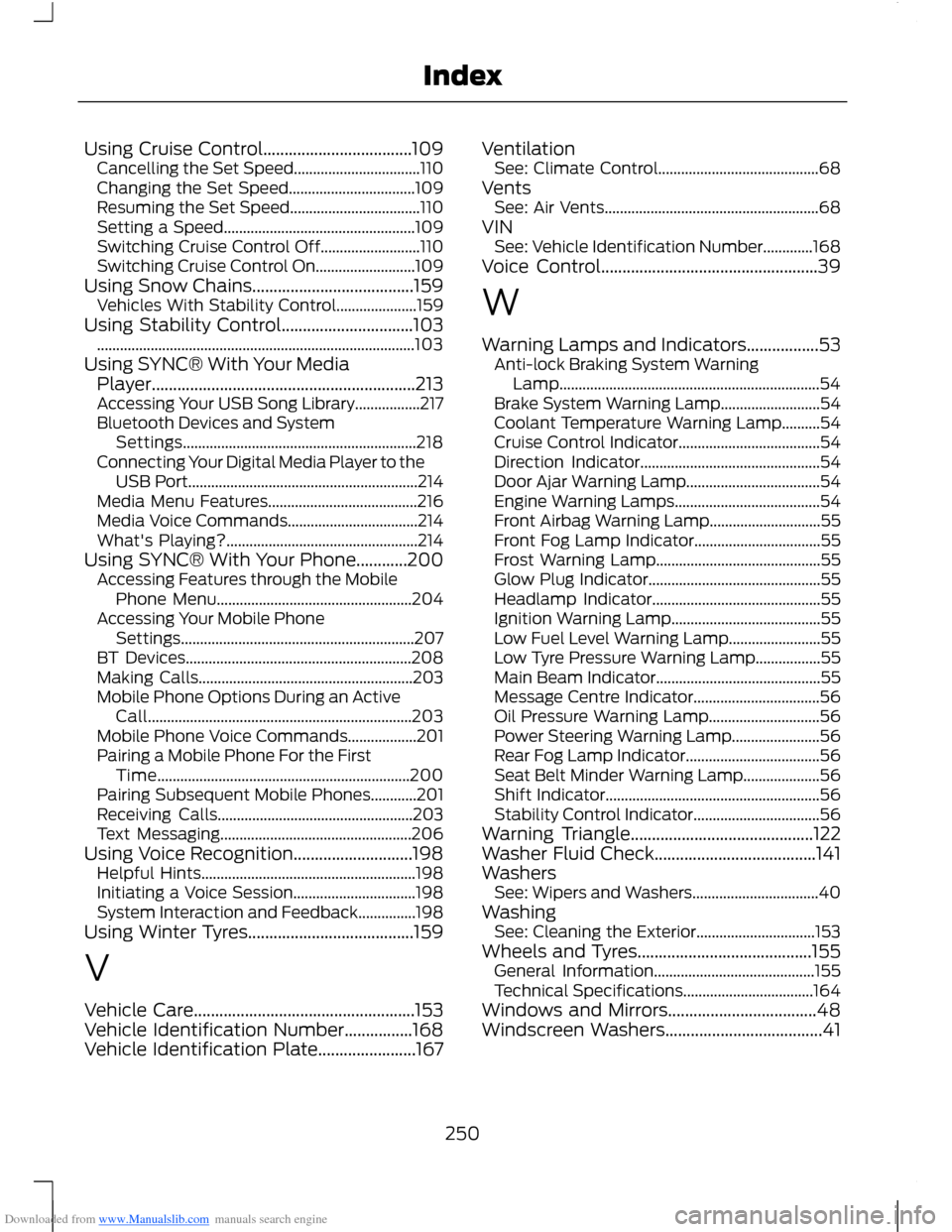
Downloaded from www.Manualslib.com manuals search engine Using Cruise Control...................................109Cancelling the Set Speed.................................110Changing the Set Speed.................................109Resuming the Set Speed..................................110Setting a Speed..................................................109Switching Cruise Control Off..........................110Switching Cruise Control On..........................109Using Snow Chains......................................159Vehicles With Stability Control.....................159Using Stability Control...............................103...................................................................................103Using SYNC® With Your MediaPlayer..............................................................213Accessing Your USB Song Library.................217Bluetooth Devices and SystemSettings.............................................................218Connecting Your Digital Media Player to theUSB Port............................................................214Media Menu Features.......................................216Media Voice Commands..................................214What's Playing?..................................................214Using SYNC® With Your Phone............200Accessing Features through the MobilePhone Menu...................................................204Accessing Your Mobile PhoneSettings.............................................................207BT Devices...........................................................208Making Calls........................................................203Mobile Phone Options During an ActiveCall.....................................................................203Mobile Phone Voice Commands..................201Pairing a Mobile Phone For the FirstTime..................................................................200Pairing Subsequent Mobile Phones............201Receiving Calls...................................................203Text Messaging..................................................206Using Voice Recognition............................198Helpful Hints........................................................198Initiating a Voice Session................................198System Interaction and Feedback...............198Using Winter Tyres.......................................159
V
Vehicle Care....................................................153Vehicle Identification Number................168Vehicle Identification Plate.......................167
VentilationSee: Climate Control..........................................68VentsSee: Air Vents........................................................68VINSee: Vehicle Identification Number.............168Voice Control...................................................39
W
Warning Lamps and Indicators.................53Anti-lock Braking System WarningLamp....................................................................54Brake System Warning Lamp..........................54Coolant Temperature Warning Lamp..........54Cruise Control Indicator.....................................54Direction Indicator...............................................54Door Ajar Warning Lamp...................................54Engine Warning Lamps......................................54Front Airbag Warning Lamp.............................55Front Fog Lamp Indicator.................................55Frost Warning Lamp...........................................55Glow Plug Indicator.............................................55Headlamp Indicator............................................55Ignition Warning Lamp.......................................55Low Fuel Level Warning Lamp........................55Low Tyre Pressure Warning Lamp.................55Main Beam Indicator...........................................55Message Centre Indicator.................................56Oil Pressure Warning Lamp.............................56Power Steering Warning Lamp.......................56Rear Fog Lamp Indicator...................................56Seat Belt Minder Warning Lamp....................56Shift Indicator........................................................56Stability Control Indicator.................................56Warning Triangle...........................................122Washer Fluid Check......................................141WashersSee: Wipers and Washers.................................40WashingSee: Cleaning the Exterior...............................153Wheels and Tyres.........................................155General Information..........................................155Technical Specifications..................................164Windows and Mirrors...................................48Windscreen Washers.....................................41
250Index