remote control FORD BRONCO 2022 User Guide
[x] Cancel search | Manufacturer: FORD, Model Year: 2022, Model line: BRONCO, Model: FORD BRONCO 2022Pages: 562, PDF Size: 73 MB
Page 86 of 562
KEYLESS ENTRY LIMITATIONS
Make sure your remote control is within 3 ft(1 m) from the front door handles and thetailgate.
The system could not function if:
•The remote control remains stationaryfor about a minute.
•The vehicle battery has no charge.
•The remote control battery has nocharge.
•There is interference causing issueswith the remote control frequencies.
•The remote control is too close tometal objects or electronic devices, forexample keys or a cell phone.
KEYLESS ENTRY SETTINGS
Switching Keyless Entry On andOff
1.Switch the ignition on using an originalkey that has not been created as aMyKey.
2.Press Settings on the touchscreen.
3.Press Vehicle Settings.
4.Press Locks.
Reprogramming the UnlockingFunction
You can enable two-stage unlockingfunction allowing you to unlock only thedriver door when you touch the unlocksensor.
Press and hold both the lock and unlockbuttons on the remote control for fourseconds to disable or enable two-stageunlocking.
If you program the unlocking function sothat only the driver door unlocks, you canunlock all of the other doors from insideyour vehicle using the power door lockcontrol. You can unlock individual doorsby pulling the interior door handles onthose doors.
USING KEYLESS ENTRY
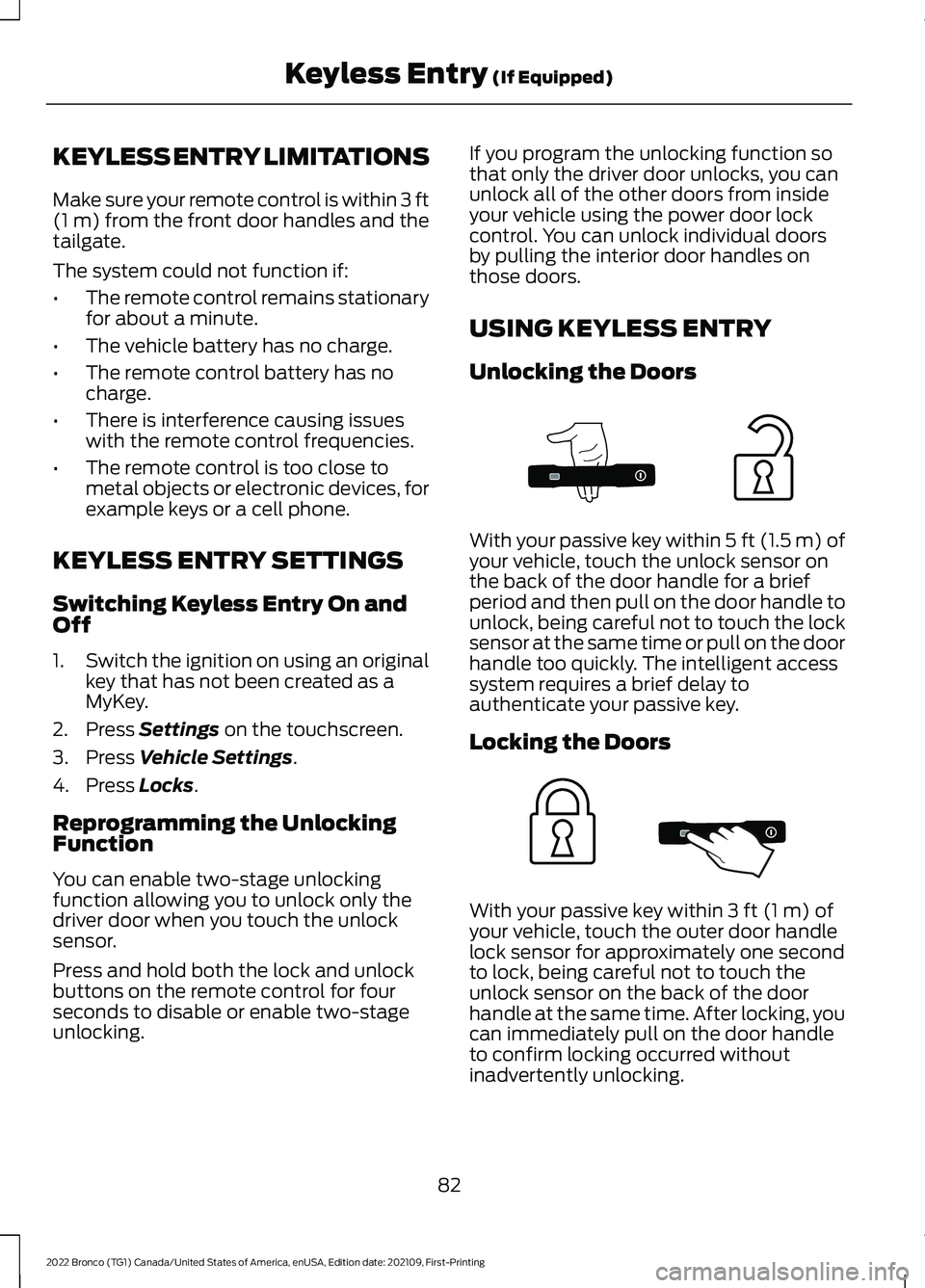
Unlocking the Doors
With your passive key within 5 ft (1.5 m) ofyour vehicle, touch the unlock sensor onthe back of the door handle for a briefperiod and then pull on the door handle tounlock, being careful not to touch the locksensor at the same time or pull on the doorhandle too quickly. The intelligent accesssystem requires a brief delay toauthenticate your passive key.
Locking the Doors
With your passive key within 3 ft (1 m) ofyour vehicle, touch the outer door handlelock sensor for approximately one secondto lock, being careful not to touch theunlock sensor on the back of the doorhandle at the same time. After locking, youcan immediately pull on the door handleto confirm locking occurred withoutinadvertently unlocking.
82
2022 Bronco (TG1) Canada/United States of America, enUSA, Edition date: 202109, First-PrintingKeyless Entry (If Equipped)E333747 E333746
Page 87 of 562
KEYLESS ENTRY –
TROUBLESHOOTING
KEYLESS ENTRY – FREQUENTLYASKED QUESTIONS
Why does the keyless entry system notfunction?
If the system does not function it maybe limited. See Keyless EntryLimitations (page 82). If the systemstill does not function use the remotecontrol or the key blade to lock andunlock your vehicle.
Why can I not lock my vehicle?
If you electronically lock your vehiclewith a rear door or the tailgate open,the system searches for a passive keyinside your vehicle after you close thelast door. If the system detects a key,all doors unlock indicating that a keyis inside. Your vehicle locks if anotherpassive key is within the detectionrange after you close the last door.
Why does the passive key not work?
The system deactivates passive keysleft inside your vehicle when you lockit. You cannot switch the ignition onusing a deactivated passive key. Pressthe unlock button on the remotecontrol to reactivate a passive key.
83
2022 Bronco (TG1) Canada/United States of America, enUSA, Edition date: 202109, First-PrintingKeyless Entry (If Equipped)
Page 88 of 562
OPENING THE TAILGATE
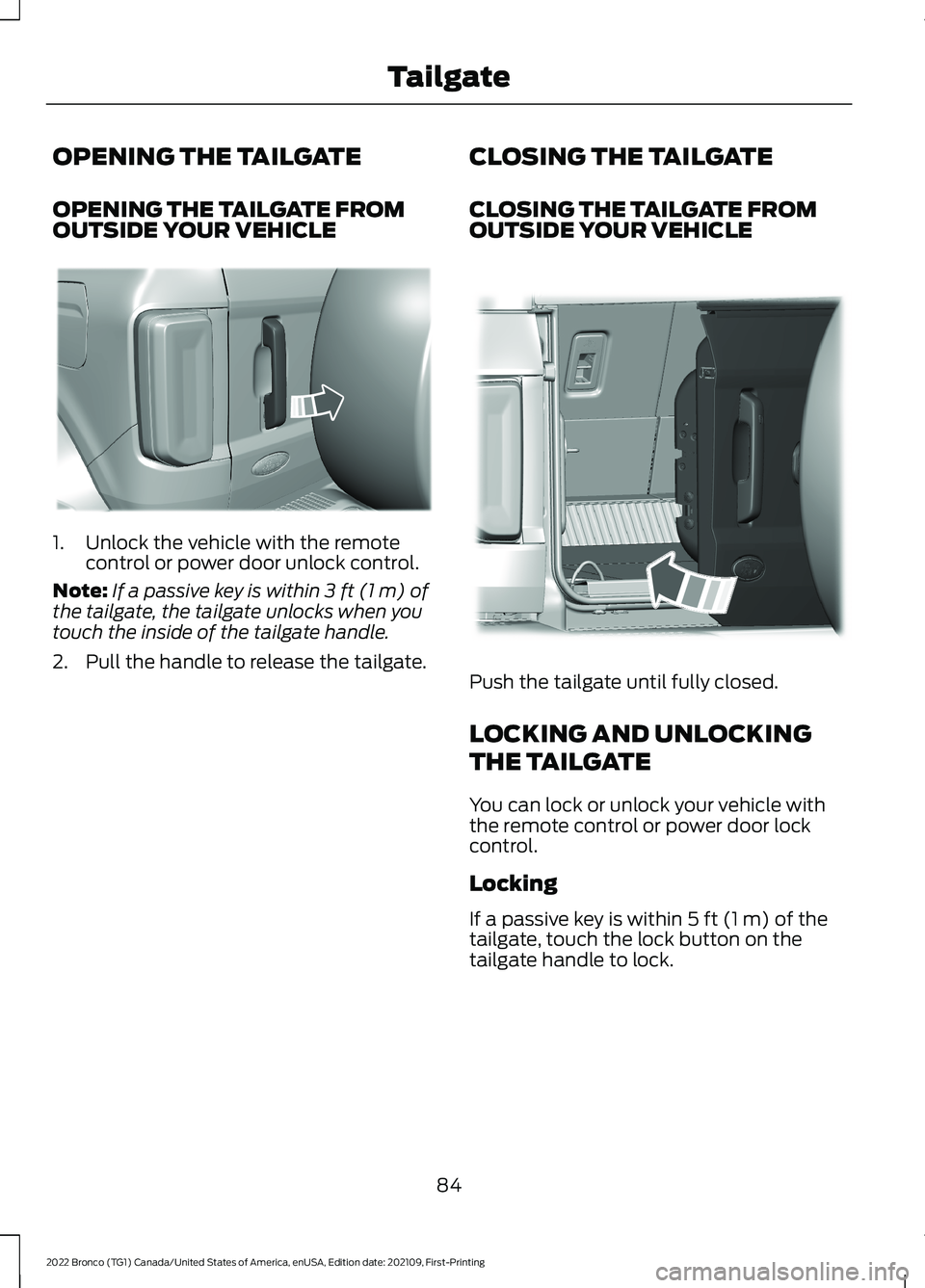
OPENING THE TAILGATE FROMOUTSIDE YOUR VEHICLE
1.Unlock the vehicle with the remotecontrol or power door unlock control.
Note:If a passive key is within 3 ft (1 m) ofthe tailgate, the tailgate unlocks when youtouch the inside of the tailgate handle.
2.Pull the handle to release the tailgate.
CLOSING THE TAILGATE
CLOSING THE TAILGATE FROMOUTSIDE YOUR VEHICLE
Push the tailgate until fully closed.
LOCKING AND UNLOCKING
THE TAILGATE
You can lock or unlock your vehicle withthe remote control or power door lockcontrol.
Locking
If a passive key is within 5 ft (1 m) of thetailgate, touch the lock button on thetailgate handle to lock.
84
2022 Bronco (TG1) Canada/United States of America, enUSA, Edition date: 202109, First-PrintingTailgateE323095 E323153
Page 92 of 562
SECURITY – FREQUENTLY ASKEDQUESTIONS
What should I do if there is anypotential alarm problem with myvehicle?
Take all remote controls to anauthorized dealer if there is anypotential alarm problem with yourvehicle.
What should I do if the vehicle is unableto start with a correctly coded key?
Have your vehicle checked as soon aspossible.
88
2022 Bronco (TG1) Canada/United States of America, enUSA, Edition date: 202109, First-PrintingSecurity
Page 101 of 562
EXTERIOR LAMP AUDIBLEWARNING
Exterior Lamps On
Sounds when you open the driver door andthe exterior lamps are on.
EXTERIOR ZONE LIGHTING (IF
EQUIPPED)
WHAT IS EXTERIOR ZONELIGHTING
Exterior zone lighting divides the exteriorlighting into zones and allows you to switchthem on and off to provide lighting aroundthe perimeter of your vehicle.
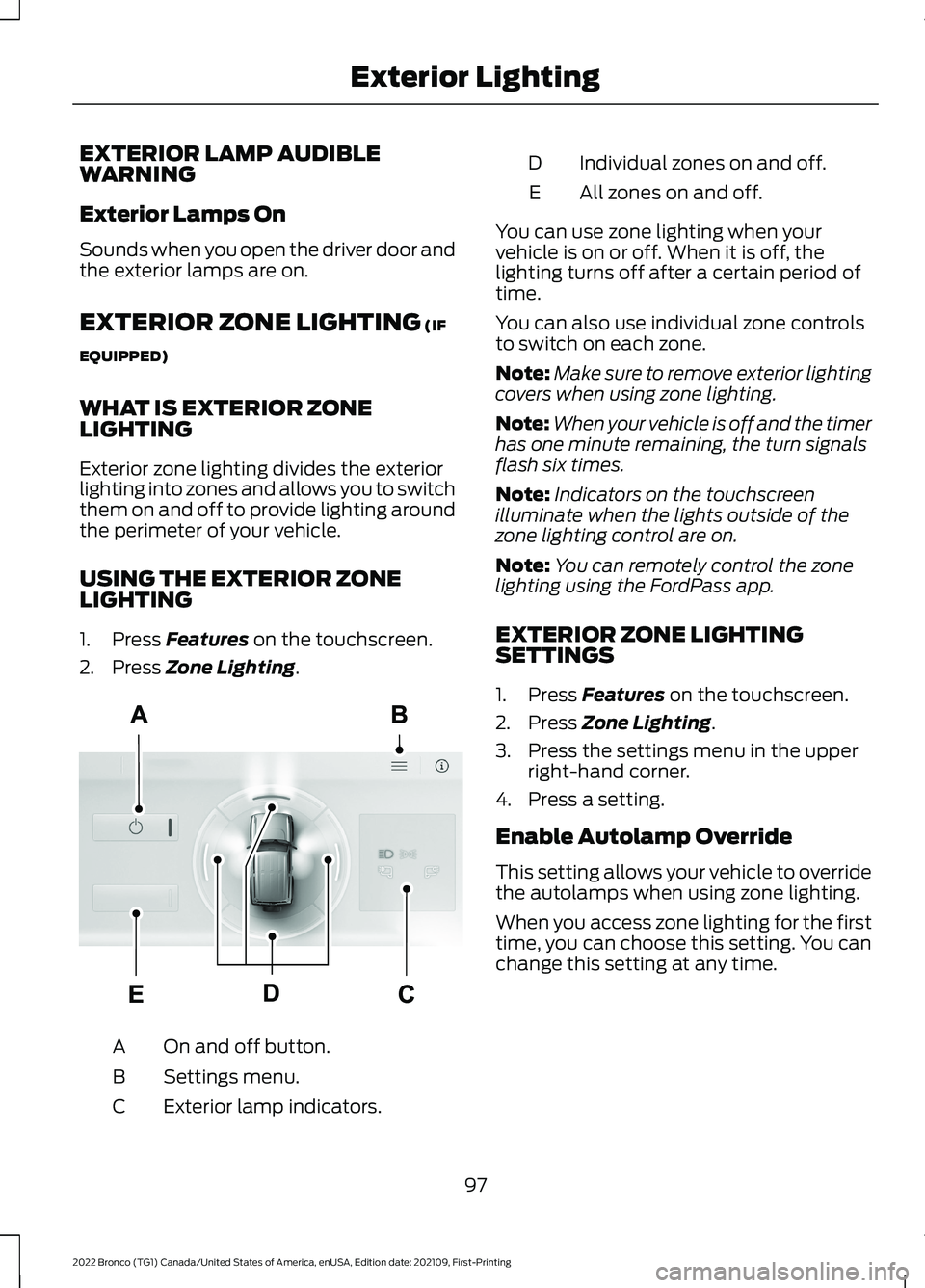
USING THE EXTERIOR ZONELIGHTING
1.Press Features on the touchscreen.
2.Press Zone Lighting.
On and off button.A
Settings menu.B
Exterior lamp indicators.C
Individual zones on and off.D
All zones on and off.E
You can use zone lighting when yourvehicle is on or off. When it is off, thelighting turns off after a certain period oftime.
You can also use individual zone controlsto switch on each zone.
Note:Make sure to remove exterior lightingcovers when using zone lighting.
Note:When your vehicle is off and the timerhas one minute remaining, the turn signalsflash six times.
Note:Indicators on the touchscreenilluminate when the lights outside of thezone lighting control are on.
Note:You can remotely control the zonelighting using the FordPass app.
EXTERIOR ZONE LIGHTINGSETTINGS
1.Press Features on the touchscreen.
2.Press Zone Lighting.
3.Press the settings menu in the upperright-hand corner.
4.Press a setting.
Enable Autolamp Override
This setting allows your vehicle to overridethe autolamps when using zone lighting.
When you access zone lighting for the firsttime, you can choose this setting. You canchange this setting at any time.
97
2022 Bronco (TG1) Canada/United States of America, enUSA, Edition date: 202109, First-PrintingExterior LightingE343474
Page 105 of 562
SWITCHING ALL OF THE
INTERIOR LAMPS ON AND OFF
The lamps turn on under the followingconditions:
•You open any door.
•You press a button on the remotecontrol.
•You press the all lamps on button onthe overhead console.
Press to switch all interior lampson or off.
SWITCHING THE FRONT
INTERIOR LAMPS ON AND OFF
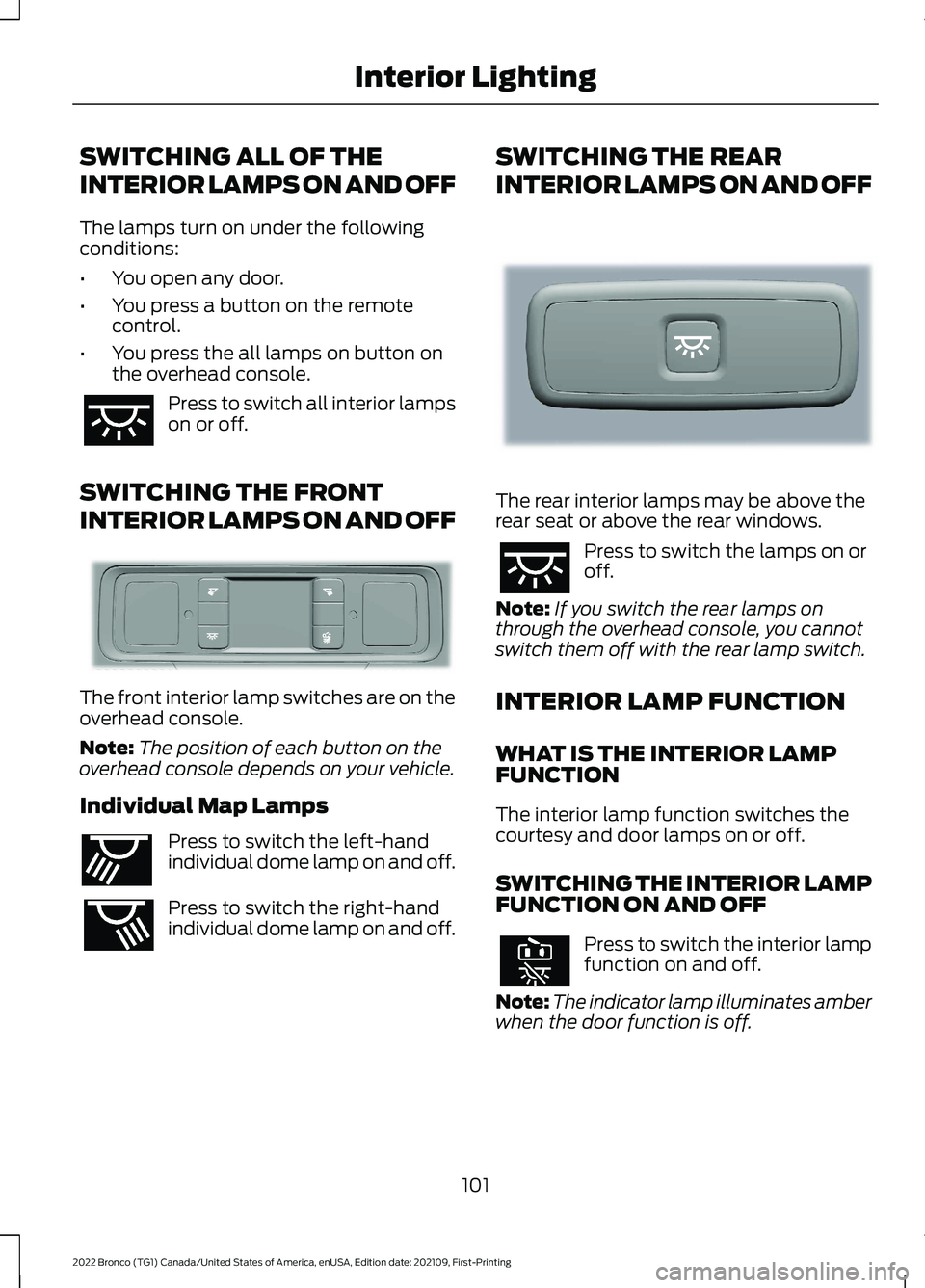
The front interior lamp switches are on theoverhead console.
Note:The position of each button on theoverhead console depends on your vehicle.
Individual Map Lamps
Press to switch the left-handindividual dome lamp on and off.
Press to switch the right-handindividual dome lamp on and off.
SWITCHING THE REAR
INTERIOR LAMPS ON AND OFF
The rear interior lamps may be above therear seat or above the rear windows.
Press to switch the lamps on oroff.
Note:If you switch the rear lamps onthrough the overhead console, you cannotswitch them off with the rear lamp switch.
INTERIOR LAMP FUNCTION
WHAT IS THE INTERIOR LAMPFUNCTION
The interior lamp function switches thecourtesy and door lamps on or off.
SWITCHING THE INTERIOR LAMPFUNCTION ON AND OFF
Press to switch the interior lampfunction on and off.
Note:The indicator lamp illuminates amberwhen the door function is off.
101
2022 Bronco (TG1) Canada/United States of America, enUSA, Edition date: 202109, First-PrintingInterior Lighting E281230 E262193 E281231
Page 107 of 562
OPENING AND CLOSING THE
WINDOWS
WARNING: Do not leave childrenunattended in your vehicle and do notlet them play with the power windows.Failure to follow this instruction couldresult in personal injury.
WARNING: When closing thepower windows, verify they are free ofobstruction and make sure that childrenand pets are not in the proximity of thewindow openings.
Press the control to open thewindow. Lift the control to closethe window.
Note:The power windows operate with theignition on, and for several minutes after youswitch the ignition off or until you open afront door.
To reduce wind noise or pulsing noise whenone window is open, slightly open theopposite window.
Tailgate Window
To open the window, do the following:
1.Open the tailgate. See Opening theTailgate From Outside Your Vehicle(page 84).
2.Lift the window.
To close the window, do the following:
1.Push the window down.
2.Close the tailgate. See Closing theTailgate From Outside Your Vehicle(page 84).
GLOBAL OPENING
WHAT IS GLOBAL OPENING
You can use the remote control to openthe windows with the ignition off.
USING GLOBAL OPENING
1.Press and release the unlock button onthe remote control.
2.Press and hold the unlock button onthe remote control.
3.Release the button when the windowsstart to open.
Press the lock or the unlock button on theremote control to stop global opening.
Note:You can use global opening for ashort period of time when you unlock yourvehicle using the remote control.
SWITCHING GLOBAL OPENING ONAND OFF
1.Press Settings on the touchscreen.
2.Press Vehicle Settings.
3.Press Windows.
4.Switch Remote Open on or off.
WINDOW BOUNCE-BACK
WHAT IS WINDOW BOUNCE-BACK
The window stops and reverses if it detectsan obstruction when closing.
103
2022 Bronco (TG1) Canada/United States of America, enUSA, Edition date: 202109, First-PrintingWindows
Page 119 of 562
WHAT IS REMOTE START
The system allows you to remotely startyour vehicle and to adjust the interiortemperature according to the settings thatyou chose.
REMOTE START
PRECAUTIONS
WARNING: Do not start the enginein a closed garage or in other enclosedareas. Exhaust fumes are toxic. Alwaysopen the garage door before you startthe engine. Failure to follow thisinstruction could result in personal injuryor death.
REMOTE START LIMITATIONS
Remote start does not work under thefollowing conditions:
•The perimeter alarm is sounding.
•The hood is open.
•The transmission is not in park (P).
•The ignition is on.
•The check engine light is on.
•The battery voltage is below theminimum operating voltage.
Note:Do not use remote start if your fuellevel is low.
Note:To use remote start with the FordPass or Phone as a Key, enable the modem.See Connecting the Vehicle to a Wi-FiNetwork (page 417).
ENABLING REMOTE START
1.Press Settings on the touchscreen.
2.Press Vehicle Settings.
3.Press Remote Start Setup.
4.Switch Remote Start on or off.
Note:To remote start with FordPass, makesure that the modem is enabled. SeeConnecting FordPass to the Modem(page 417).
REMOTELY STARTING AND
STOPPING THE VEHICLE
Remotely Starting the Vehicle
Press the button on the remotecontrol.
Within three seconds, press thebutton on the remote control.
Within three seconds, press thebutton again.
Note:You can also use FordPass to startthe vehicle.
Note:The turn signal lamps flash twice.
Note:The parking lamps turn on when thevehicle is running.
Note:The horn sounds if the system failsto start.
Note:All other vehicle systems remain offwhen you have remotely started the vehicle.
Note:The vehicle remains secured whenyou have remotely started the vehicle. Avalid key must be inside your vehicle toswitch the ignition on and drive your vehicle.
Remotely Stopping the Vehicle
Within three seconds, press thebutton on the remote control.
Within three seconds, press thebutton again.
115
2022 Bronco (TG1) Canada/United States of America, enUSA, Edition date: 202109, First-PrintingRemote Start (If Equipped)E138623 E138625 E138625
Page 120 of 562
REMOTE START REMOTE
CONTROL INDICATORS (IF
EQUIPPED)
Remote Control Feedback
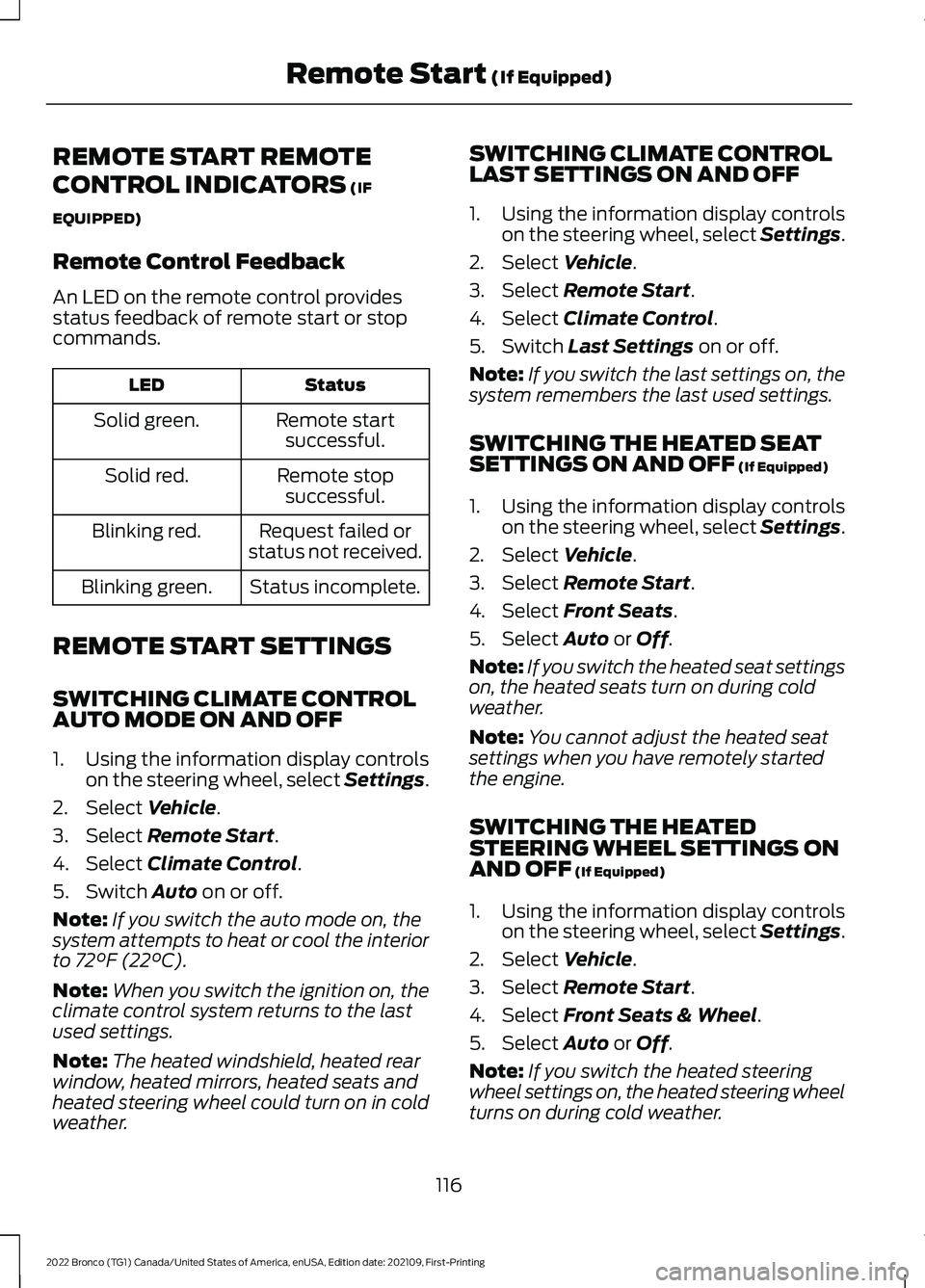
An LED on the remote control providesstatus feedback of remote start or stopcommands.
StatusLED
Remote startsuccessful.Solid green.
Remote stopsuccessful.Solid red.
Request failed orstatus not received.Blinking red.
Status incomplete.Blinking green.
REMOTE START SETTINGS
SWITCHING CLIMATE CONTROLAUTO MODE ON AND OFF
1.Using the information display controlson the steering wheel, select Settings.
2.Select Vehicle.
3.Select Remote Start.
4.Select Climate Control.
5.Switch Auto on or off.
Note:If you switch the auto mode on, thesystem attempts to heat or cool the interiorto 72°F (22°C).
Note:When you switch the ignition on, theclimate control system returns to the lastused settings.
Note:The heated windshield, heated rearwindow, heated mirrors, heated seats andheated steering wheel could turn on in coldweather.
SWITCHING CLIMATE CONTROLLAST SETTINGS ON AND OFF
1.Using the information display controlson the steering wheel, select Settings.
2.Select Vehicle.
3.Select Remote Start.
4.Select Climate Control.
5.Switch Last Settings on or off.
Note:If you switch the last settings on, thesystem remembers the last used settings.
SWITCHING THE HEATED SEATSETTINGS ON AND OFF (If Equipped)
1.Using the information display controlson the steering wheel, select Settings.
2.Select Vehicle.
3.Select Remote Start.
4.Select Front Seats.
5.Select Auto or Off.
Note:If you switch the heated seat settingson, the heated seats turn on during coldweather.
Note:You cannot adjust the heated seatsettings when you have remotely startedthe engine.
SWITCHING THE HEATEDSTEERING WHEEL SETTINGS ONAND OFF (If Equipped)
1.Using the information display controlson the steering wheel, select Settings.
2.Select Vehicle.
3.Select Remote Start.
4.Select Front Seats & Wheel.
5.Select Auto or Off.
Note:If you switch the heated steeringwheel settings on, the heated steering wheelturns on during cold weather.
116
2022 Bronco (TG1) Canada/United States of America, enUSA, Edition date: 202109, First-PrintingRemote Start (If Equipped)
Page 121 of 562
Note:You cannot adjust the heatedsteering wheel settings when you haveremotely started the engine.
SETTING THE REMOTE STARTDURATION
You can set a duration for the vehicle torun.
Note:Wait a few seconds before remotelystarting the engine after the engine stopsrunning.
1.Using the information display controlson the steering wheel, select Settings.
2.Select Vehicle.
3.Select Remote Start.
4.Select Duration.
117
2022 Bronco (TG1) Canada/United States of America, enUSA, Edition date: 202109, First-PrintingRemote Start (If Equipped)