brake light FORD BRONCO 2023 User Guide
[x] Cancel search | Manufacturer: FORD, Model Year: 2023, Model line: BRONCO, Model: FORD BRONCO 2023Pages: 642, PDF Size: 14.71 MB
Page 259 of 642
Optimal system performance requires aclear view of the road by thewindshield-mounted camera.
Optimal performance may not occur if:
•The camera is blocked.
•There is poor visibility or lightingconditions.
•There are bad weather conditions.
SWITCHING ADAPTIVE
CRUISE CONTROL ON AND OFF
The cruise controls are on the steeringwheel. See Cruise Control (page 250).
Switching Adaptive Cruise ControlOn
Press the button to activate thesystem. When the systemactivates, the set speed is equalto the current vehicle speed. If the speedis too low, or other conditions are notcorrect for adaptive cruise controlactivation, the system enters standbymode.
Note:The minimum set speed is 15 mph or20 km/h.
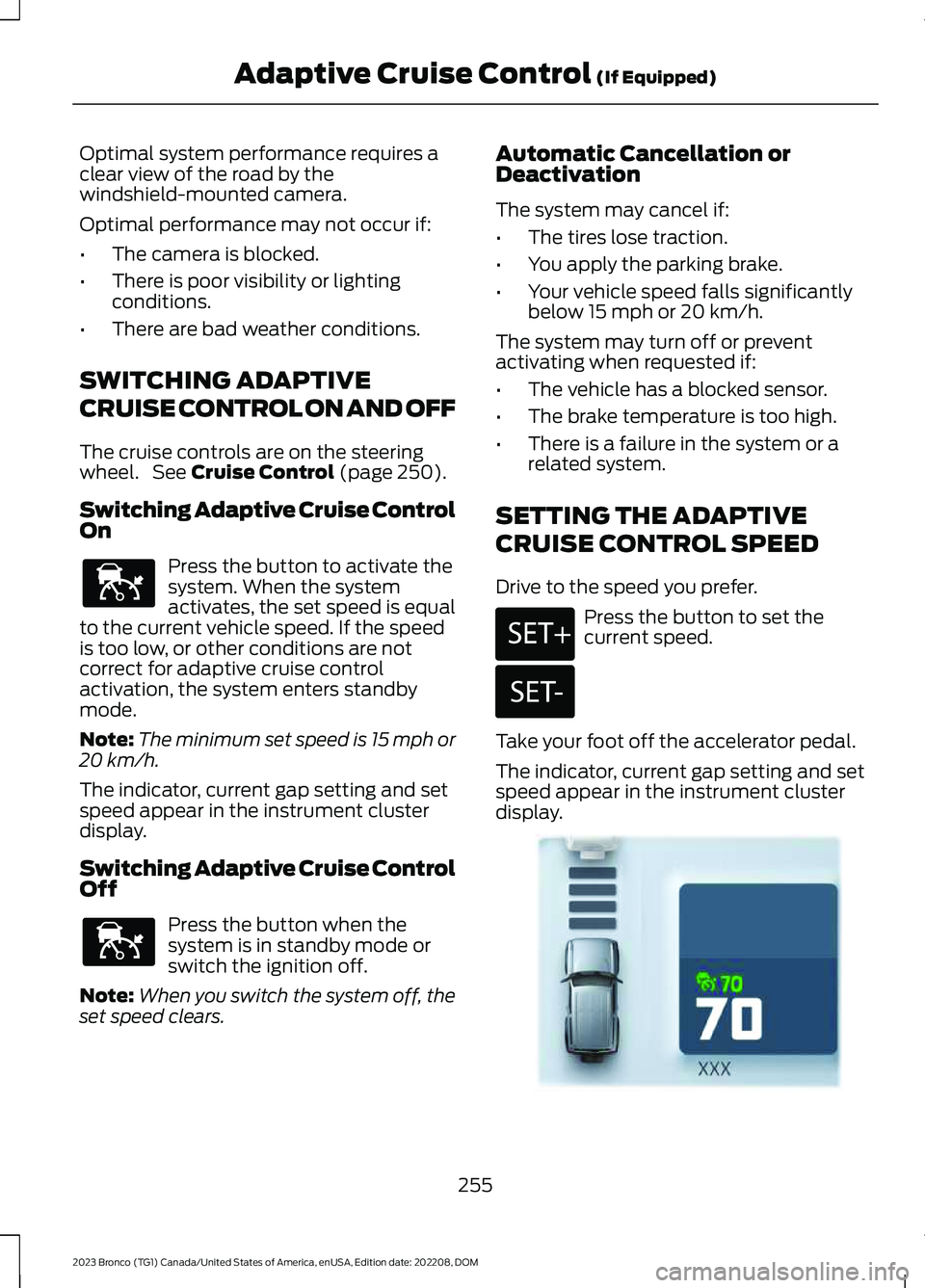
The indicator, current gap setting and setspeed appear in the instrument clusterdisplay.
Switching Adaptive Cruise ControlOff
Press the button when thesystem is in standby mode orswitch the ignition off.
Note:When you switch the system off, theset speed clears.
Automatic Cancellation orDeactivation
The system may cancel if:
•The tires lose traction.
•You apply the parking brake.
•Your vehicle speed falls significantlybelow 15 mph or 20 km/h.
The system may turn off or preventactivating when requested if:
•The vehicle has a blocked sensor.
•The brake temperature is too high.
•There is a failure in the system or arelated system.
SETTING THE ADAPTIVE
CRUISE CONTROL SPEED
Drive to the speed you prefer.
Press the button to set thecurrent speed.
Take your foot off the accelerator pedal.
The indicator, current gap setting and setspeed appear in the instrument clusterdisplay.
255
2023 Bronco (TG1) Canada/United States of America, enUSA, Edition date: 202208, DOMAdaptive Cruise Control (If Equipped)E144529 E144529 E246884 E246885 E355963
Page 260 of 642
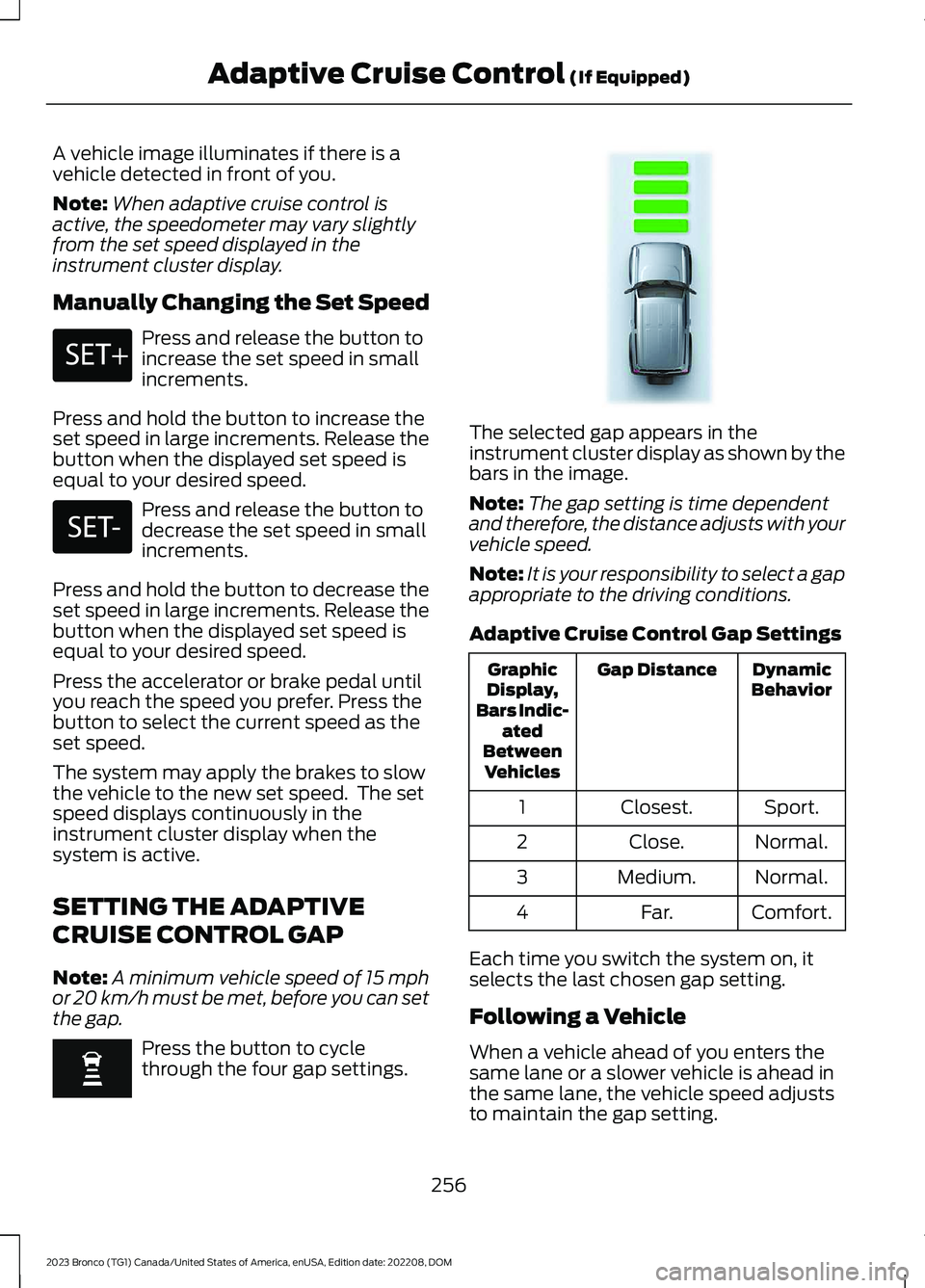
A vehicle image illuminates if there is avehicle detected in front of you.
Note:When adaptive cruise control isactive, the speedometer may vary slightlyfrom the set speed displayed in theinstrument cluster display.
Manually Changing the Set Speed
Press and release the button toincrease the set speed in smallincrements.
Press and hold the button to increase theset speed in large increments. Release thebutton when the displayed set speed isequal to your desired speed.
Press and release the button todecrease the set speed in smallincrements.
Press and hold the button to decrease theset speed in large increments. Release thebutton when the displayed set speed isequal to your desired speed.
Press the accelerator or brake pedal untilyou reach the speed you prefer. Press thebutton to select the current speed as theset speed.
The system may apply the brakes to slowthe vehicle to the new set speed. The setspeed displays continuously in theinstrument cluster display when thesystem is active.
SETTING THE ADAPTIVE
CRUISE CONTROL GAP
Note:A minimum vehicle speed of 15 mphor 20 km/h must be met, before you can setthe gap.
Press the button to cyclethrough the four gap settings.
The selected gap appears in theinstrument cluster display as shown by thebars in the image.
Note:The gap setting is time dependentand therefore, the distance adjusts with yourvehicle speed.
Note:It is your responsibility to select a gapappropriate to the driving conditions.
Adaptive Cruise Control Gap Settings
DynamicBehaviorGap DistanceGraphicDisplay,Bars Indic-atedBetweenVehicles
Sport.Closest.1
Normal.Close.2
Normal.Medium.3
Comfort.Far.4
Each time you switch the system on, itselects the last chosen gap setting.
Following a Vehicle
When a vehicle ahead of you enters thesame lane or a slower vehicle is ahead inthe same lane, the vehicle speed adjuststo maintain the gap setting.
256
2023 Bronco (TG1) Canada/United States of America, enUSA, Edition date: 202208, DOMAdaptive Cruise Control (If Equipped)E246884 E246885 E348855
Page 265 of 642
Note:To optimize off-road drivingperformance, the system disables the brakeover accelerator feature when in off-roadmodes, including mud/ruts, sand, baja androck crawl modes. A message displays inthe instrument cluster when you select anoff-road mode. See G.O.A.T. Mode Control– Information Messages (page 269). Brakeover accelerator enables when an off-roadmode is exited or during the next key cycle.Return to on-road modes, normal, eco, sportor slippery, when driving on regular roads.See Brake Over Accelerator (page 209).
SELECTING A G.O.A.T. MODE -
RAPTOR
Bronco 4x4 Systems
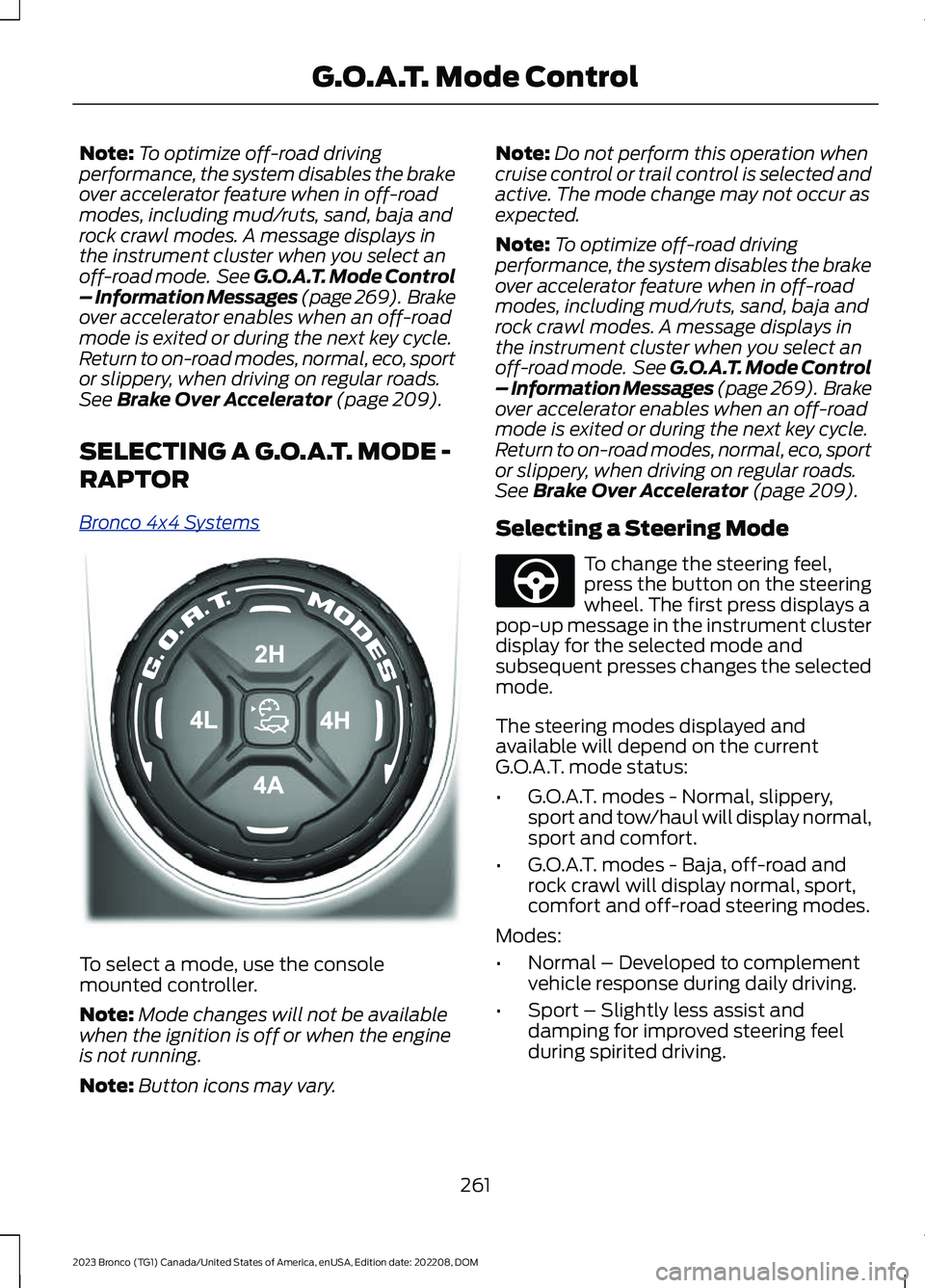
To select a mode, use the consolemounted controller.
Note:Mode changes will not be availablewhen the ignition is off or when the engineis not running.
Note:Button icons may vary.
Note:Do not perform this operation whencruise control or trail control is selected andactive. The mode change may not occur asexpected.
Note:To optimize off-road drivingperformance, the system disables the brakeover accelerator feature when in off-roadmodes, including mud/ruts, sand, baja androck crawl modes. A message displays inthe instrument cluster when you select anoff-road mode. See G.O.A.T. Mode Control– Information Messages (page 269). Brakeover accelerator enables when an off-roadmode is exited or during the next key cycle.Return to on-road modes, normal, eco, sportor slippery, when driving on regular roads.See Brake Over Accelerator (page 209).
Selecting a Steering Mode
To change the steering feel,press the button on the steeringwheel. The first press displays apop-up message in the instrument clusterdisplay for the selected mode andsubsequent presses changes the selectedmode.
The steering modes displayed andavailable will depend on the currentG.O.A.T. mode status:
•G.O.A.T. modes - Normal, slippery,sport and tow/haul will display normal,sport and comfort.
•G.O.A.T. modes - Baja, off-road androck crawl will display normal, sport,comfort and off-road steering modes.
Modes:
•Normal – Developed to complementvehicle response during daily driving.
•Sport – Slightly less assist anddamping for improved steering feelduring spirited driving.
261
2023 Bronco (TG1) Canada/United States of America, enUSA, Edition date: 202208, DOMG.O.A.T. Mode ControlE324543 E347142
Page 290 of 642
WHAT IS PRE-COLLISION
ASSIST
Pre-Collision Assist with PedestrianDetection
Pre-collision assist detects and warns ofapproaching hazards in the roadway. Ifyour vehicle is rapidly approaching anotherstationary vehicle, a vehicle traveling in thesame direction as yours, or a pedestrianwithin your driving path, the systemprovides multiple levels of assistance tohelp avoid a collision.
HOW DOES PRE-COLLISION
ASSIST WORK
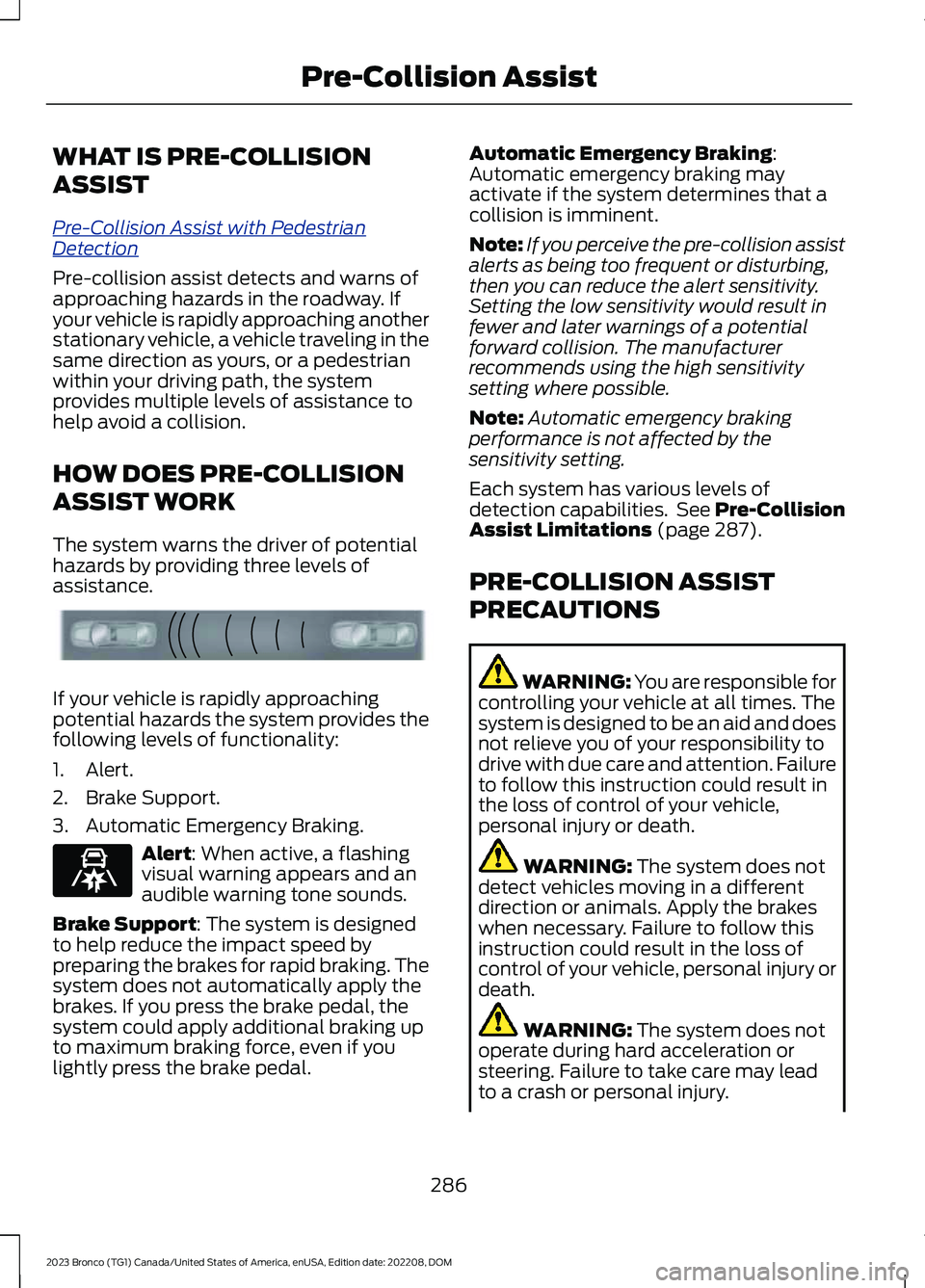
The system warns the driver of potentialhazards by providing three levels ofassistance.
If your vehicle is rapidly approachingpotential hazards the system provides thefollowing levels of functionality:
1.Alert.
2.Brake Support.
3.Automatic Emergency Braking.
Alert: When active, a flashingvisual warning appears and anaudible warning tone sounds.
Brake Support: The system is designedto help reduce the impact speed bypreparing the brakes for rapid braking. Thesystem does not automatically apply thebrakes. If you press the brake pedal, thesystem could apply additional braking upto maximum braking force, even if youlightly press the brake pedal.
Automatic Emergency Braking:Automatic emergency braking mayactivate if the system determines that acollision is imminent.
Note:If you perceive the pre-collision assistalerts as being too frequent or disturbing,then you can reduce the alert sensitivity.Setting the low sensitivity would result infewer and later warnings of a potentialforward collision. The manufacturerrecommends using the high sensitivitysetting where possible.
Note:Automatic emergency brakingperformance is not affected by thesensitivity setting.
Each system has various levels ofdetection capabilities. See Pre-CollisionAssist Limitations (page 287).
PRE-COLLISION ASSIST
PRECAUTIONS
WARNING: You are responsible forcontrolling your vehicle at all times. Thesystem is designed to be an aid and doesnot relieve you of your responsibility todrive with due care and attention. Failureto follow this instruction could result inthe loss of control of your vehicle,personal injury or death.
WARNING: The system does notdetect vehicles moving in a differentdirection or animals. Apply the brakeswhen necessary. Failure to follow thisinstruction could result in the loss ofcontrol of your vehicle, personal injury ordeath.
WARNING: The system does notoperate during hard acceleration orsteering. Failure to take care may leadto a crash or personal injury.
286
2023 Bronco (TG1) Canada/United States of America, enUSA, Edition date: 202208, DOMPre-Collision AssistE156130 E329466
Page 291 of 642
WARNING: The system mayoperate with reduced function duringcold and inclement weather conditions.Snow, ice, rain, spray and fog canadversely affect the system. Keep thefront camera and radar free of snow andice. Failure to follow this instruction mayresult in the loss of control of yourvehicle, serious personal injury or death.
WARNING: Take additional care ifyour vehicle is heavily loaded or you aretowing a trailer. These conditions couldresult in reduced performance of thissystem. Failure to follow this instructioncould result in the loss of control of yourvehicle, personal injury or death.
WARNING: The system cannothelp prevent all crashes. Do not rely onthis system to replace driver judgmentand the need to maintain a safe distanceand speed.
WARNING: System performancecould be reduced in situations where thevehicle camera has limited detectioncapability. These situations include butare not limited to direct or low sunlight,vehicles at night without tail lights,unconventional vehicle types, andpedestrians and cyclists with complex,partially obscured backgrounds. Failureto take care may result in the loss ofcontrol of your vehicle, personal injury ordeath.
PRE-COLLISION ASSIST
LIMITATIONS
Pre-collision assist depends on thedetection ability of its camera and sensors.Any obstructions or damage to these areascan limit detection or prevent the systemfrom functioning. See Locating thePre-Collision Assist Sensors (page 288).
The system is active at 3 mph (5 km/h)and above.
Note:The pre-collision assist systemautomatically disables when you selectfour-wheel drive low, manually disableAdvanceTrac™, or select rock crawl mode.
Note:Brake support and automaticemergency braking are active up to themaximum speed of the vehicle.
Pedestrian Detection Limitations
Pedestrian detection is active at speedsup to 50 mph (80 km/h).
Pedestrian detection operates optimallywhen detected hazards are clearlyidentifiable. System performance mayreduce in situations where pedestrians arerunning, partly obscured, have a complexbackground, or cannot be distinguishedfrom a group.
SWITCHING PRE-COLLISION
ASSIST ON AND OFF
To switch the system on or off, use thetouchscreen:
1.Press Features on the touchscreen.
2.Press Driver Assistance.
3.Press Pre-Collision Assist.
4.Switch the feature on or off.
287
2023 Bronco (TG1) Canada/United States of America, enUSA, Edition date: 202208, DOMPre-Collision Assist
Page 309 of 642
CONNECTING A TRAILER
PRECAUTIONS
Do not tow a trailer until you drive yourvehicle at least 1,000 mi (1,600 km).
Consult your local motor vehicle laws fortowing a trailer.
See the instructions included with towingaccessories for the proper installation andadjustment specifications.
Service your vehicle more frequently if youtow a trailer. See Normal ScheduledMaintenance (page 531).
If you use a rental trailer, follow theinstructions the rental agency gives you.
When attaching the trailer wiring connectorto your vehicle, only use a proper fittingconnector that works with the vehicle andtrailer functions.
Account for the trailer coupler weight aspart of your vehicle load when calculatingthe total vehicle weight.
Do not exceed the load limits. SeeCalculating the Load Limit (page 298).
CONNECTING A TRAILER
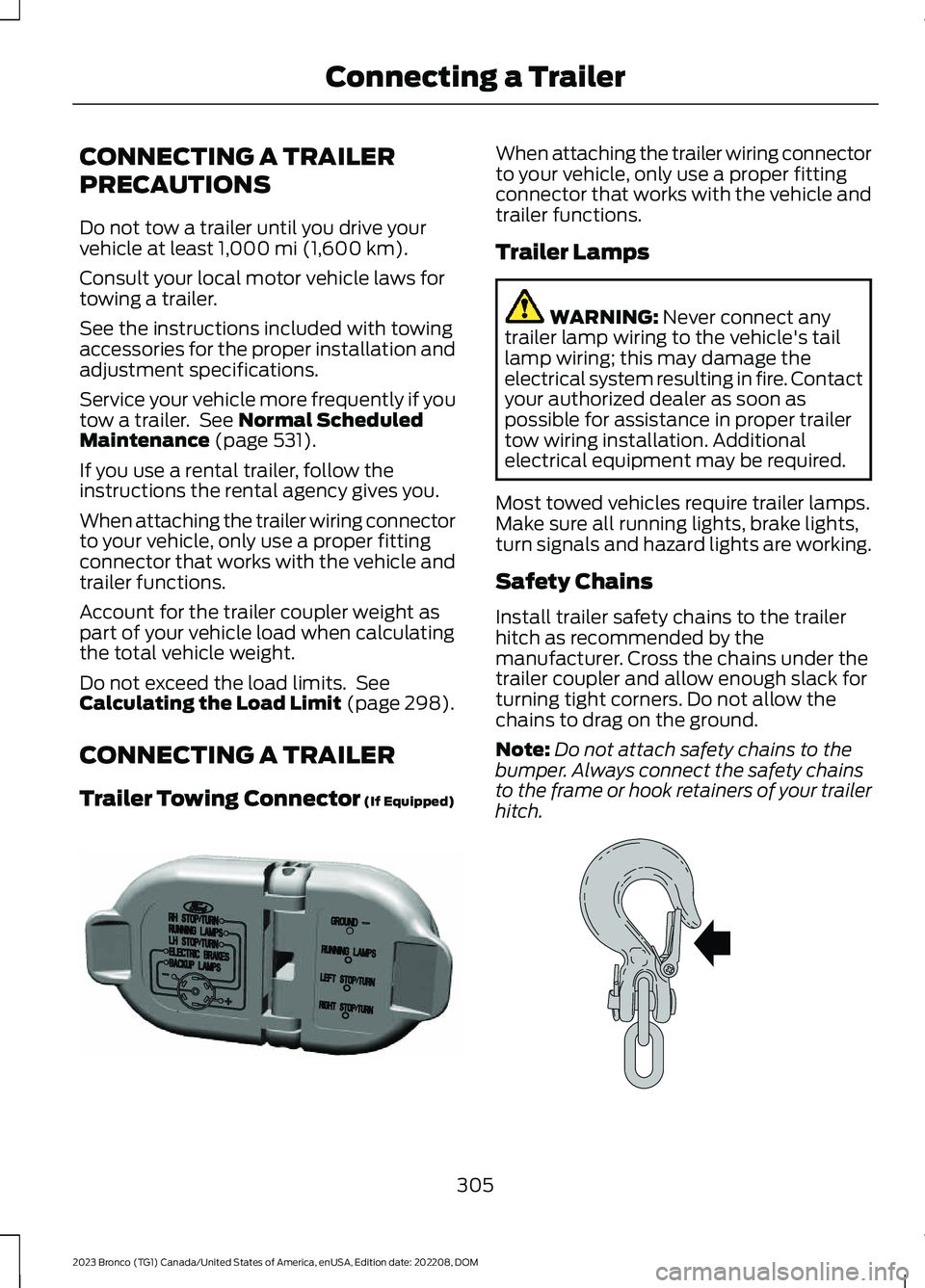
Trailer Towing Connector (If Equipped)
When attaching the trailer wiring connectorto your vehicle, only use a proper fittingconnector that works with the vehicle andtrailer functions.
Trailer Lamps
WARNING: Never connect anytrailer lamp wiring to the vehicle's taillamp wiring; this may damage theelectrical system resulting in fire. Contactyour authorized dealer as soon aspossible for assistance in proper trailertow wiring installation. Additionalelectrical equipment may be required.
Most towed vehicles require trailer lamps.Make sure all running lights, brake lights,turn signals and hazard lights are working.
Safety Chains
Install trailer safety chains to the trailerhitch as recommended by themanufacturer. Cross the chains under thetrailer coupler and allow enough slack forturning tight corners. Do not allow thechains to drag on the ground.
Note:Do not attach safety chains to thebumper. Always connect the safety chainsto the frame or hook retainers of your trailerhitch.
305
2023 Bronco (TG1) Canada/United States of America, enUSA, Edition date: 202208, DOMConnecting a TrailerE163167 E265060
Page 312 of 642
Certain states require functioning trailerbrakes for trailers over a specified weight.Be sure to check state regulations for thisspecified weight.
Ford Motor Company recommendsseparate functioning brake systems fortrailers weighing more than 1,500 lb(680 kg) when loaded.
TOWING A TRAILER
LIMITATIONS
The vehicle's load capacitydesignation is by weight, not byvolume, so you cannot necessarilyuse all available space whenloading a vehicle or trailer.
Note:Your vehicle could havereduced performance whenoperating at high altitudes andwhen heavily loaded or towing a
trailer. When driving at elevation,to match driving performance asperceived at sea level, reduce grossvehicle weight and grosscombination weight by 2% per1,000 ft (300 m) elevation.
LOADING YOUR TRAILER
To help minimize how trailermovement affects your vehiclewhen driving:
•Load the heaviest items closestto the trailer floor.
•Load the heaviest itemscentered between the left andright side trailer tires.
•Load the heaviest items abovethe trailer axles or just slightlyforward toward the trailertongue. Do not allow the finaltrailer tongue weight to goabove or below 10-15% of theloaded trailer weight. Thetrailer tongue weight shouldnever exceed 10% of themaximum towing capacity.
•Select a ball mount with thecorrect rise or drop. When boththe loaded vehicle and trailerare connected, the trailer frameshould be level, or slightlyangled down toward yourvehicle, when viewed from theside.
TRAILER TOWING HINTS -
MANUAL TRANSMISSION
Towing a trailer places an extra load onyour vehicle's engine, transmission, axle,brakes, tires and suspension. Periodicallyinspect these components during and afterany towing operation.
When driving with a trailer or payload, aslight takeoff vibration or shudder may befelt due to the increased payload weight.
Your vehicle may have a temporary orconventional spare tire. A temporary sparetire is different in diameter or width, treadtype, or from a different manufacturer thanthe road tires on your vehicle. Consultinformation on the tire label or SafetyCompliance label for limitations whenusing.
308
2023 Bronco (TG1) Canada/United States of America, enUSA, Edition date: 202208, DOMTowing a Trailer
Page 313 of 642
When towing a trailer:
•Obey country specific regulations fortowing a trailer.
•Do not drive faster than 70 mph(113 km/h) during the first 500 mi(800 km).
•Do not make full-throttle starts.
•Check your hitch, electrical connectionsand trailer wheel lug nuts thoroughlyafter you have traveled 50 mi (80 km).
•Place the transmission in neutral (N)when stopped in congested or heavytraffic during hot weather. This will aidin engine and transmission cooling andto help A/C performance.
•Turn off the speed control with heavyloads or in hilly terrain. The speedcontrol may turn off when you aretowing on long, steep slopes.
•Shift to a lower gear when driving downa long or steep hill. Do not continuouslyapply the brakes, as they may overheatand become less effective.
•If your transmission has Grade Assistor Tow/Haul, use this feature whentowing. This provides engine brakingand helps eliminate excessivetransmission shifting for optimum fueleconomy and transmission cooling.
•Your vehicle has AdvanceTrac with rollstability control. When towing a trailer,additional loads could cause theAdvanceTrac system to engage duringcornering maneuvers. Reduce corneringspeeds to make sure that you canmaintain control of the vehicle andtrailer if the AdvanceTrac systemengages.
•Allow more distance for stopping witha trailer attached. Anticipate stops andgradually brake.
•Avoid parking on a slope. However, ifyou must park on a slope. Turn thesteering wheel to point your vehicletires away from traffic flow. Set yourvehicle parking brake. Place thetransmission in a low gear. Place wheelchocks in front and back of the trailerwheels.
Note:Chocks are not included with yourvehicle.
TRAILER TOWING HINTS -
AUTOMATIC TRANSMISSION
Towing a trailer places an extra load onyour vehicle's engine, transmission, axle,brakes, tires and suspension. Periodicallyinspect these components during and afterany towing operation.
When driving with a trailer or payload, aslight takeoff vibration or shudder may bepresent due to the increased payloadweight.
Your vehicle may have a temporary orconventional spare tire. A temporary sparetire is different in diameter or width,tread-type, or is from a differentmanufacturer than the road tires on yourvehicle. Consult information on the tirelabel or Safety Compliance label forlimitations when using.
When towing a trailer:
•Obey country specific regulations fortowing a trailer.
•Do not drive faster than 70 mph(113 km/h) during the first 500 mi(800 km).
•Do not make full-throttle starts.
•Check your hitch, electrical connectionsand trailer wheel lug nuts thoroughlyafter you have traveled 50 mi (80 km).
309
2023 Bronco (TG1) Canada/United States of America, enUSA, Edition date: 202208, DOMTowing a Trailer
Page 316 of 642
WHAT IS THE MAXIMUM LOADEDTRAILER WEIGHT
The maximum loaded trailerweight is the highest possibleweight of a fully loaded trailer thevehicle can tow.
CALCULATING THE MAXIMUMLOADED TRAILER WEIGHT FORYOUR VEHICLE
1.Start with the gross combinedweight rating for your vehiclemodel and axle ratio.
2.Subtract all of the followingthat apply to your vehicle:
•Vehicle curb weight.
•Hitch hardware weight, forexample a draw bar, ball, locksor weight distributing hardware.
•Driver weight.
•Passenger weight.
•Payload, cargo and luggageweight.
•Aftermarket equipment weight.
This equals the maximum loadedtrailer weight for this combination.
Note:The trailer tongue load isconsidered part of the payload foryour vehicle. Reduce the totalpayload by the final trailer tongueweight.
Note:Consult an authorized dealerto determine the maximum trailerweight allowed for your vehicle ifyou are not sure.
TOWING A TRAILER – TROUBLESHOOTING
TOWING A TRAILER – INFORMATION MESSAGES
DetailsMessage
The trailer sway control detects trailersway. Reduce the vehicle's speed.Trailer Sway Reduce Speed
Verify the trailer brake connections aresecure and that the aftermarket trailerbrake controller device is correctly installed.Perform a trailer brake and trailer lightcheck if possible. If the message persists,have your vehicle checked as soon aspossible.
Trailer brake system fault See manual
Perform a trailer brake and trailer lightcheck if possible. If the message persists,have your vehicle checked as soon aspossible.
Trailer brake module fault
312
2023 Bronco (TG1) Canada/United States of America, enUSA, Edition date: 202208, DOMTowing a Trailer
Page 322 of 642
OFF-ROAD DRIVING
WHAT IS OFF-ROAD DRIVING
Bronco 4x4 Systems
Off-road driving is driving your vehicle onunsurfaced roads or trails, made from dirt,rocks, sand and mud.
Your vehicle has been designed andequipped to explore those places wherethe road cannot take you, whether youchoose a forest trail or the open desert.
OFF-ROAD DRIVINGPRECAUTIONS
WARNING: If you continue to driveyour vehicle when the engine isoverheating, the engine could stopwithout warning. Failure to follow thisinstruction could result in the loss ofcontrol of your vehicle.
Before going off-road, consult with yourlocal governmental agencies to determinedesignated off-road trails and recreationareas. Also, be sure to understand anyoff-road vehicle registration requirementsfor the area in which you plan on driving.
Tread Lightly is an educational programdesigned to increase public awareness ofland-use regulations and responsibilitiesin our nation’s wilderness areas. The U.S.Forest Service and Bureau of LandManagement is encouraging you to helppreserve our national forest and otherpublic and private lands by treading lightly.
Before taking your vehicle off-road,perform a basic vehicle inspection to makesure the vehicle is in top working condition.
Before you venture off road, have a clearmental picture of the underside of yourvehicle. Learn the location of any lowhanging items and any skid plates that maybe on the vehicle. You can avoid snaggingthem on rocks and other obstacles if youknow where they are.
Memorizing some basic dimensions helpsyou confidently deal with off-roadobstacles. Get to know your vehicle’sheight and width, its lowest point, itswading depth and angles. Familiarizeyourself with your vehicle’s on-boardtechnology features.
We recommend driving at least twovehicles when driving off-road. The buddysystem helps make sure that help is closeat hand should a vehicle become stuck ordamaged.
We recommend taking supplies such as afirst aid kit, supply of water, tow strap andcell or satellite phone with you any timeyou plan an off-road excursion.
Note:Remove the front license plate beforeoff-road driving to achieve optimalperformance.
BASIC OFF-ROAD DRIVINGTECHNIQUES
Grip the steering wheel with your thumbson the outside of the rim. This reduces therisk of injury due to abrupt steering wheelmotions that occur when negotiating roughterrain.
Control your throttle, brake and steeringinputs in a smooth manner. Sudden inputsto the controls can cause a loss of tractionfor the vehicle, especially when on slopedterrain or crossing obstacles such as rocksor logs.
318
2023 Bronco (TG1) Canada/United States of America, enUSA, Edition date: 202208, DOMDriving Hints