transmission FORD BRONCO 2023 User Guide
[x] Cancel search | Manufacturer: FORD, Model Year: 2023, Model line: BRONCO, Model: FORD BRONCO 2023Pages: 642, PDF Size: 14.71 MB
Page 38 of 642
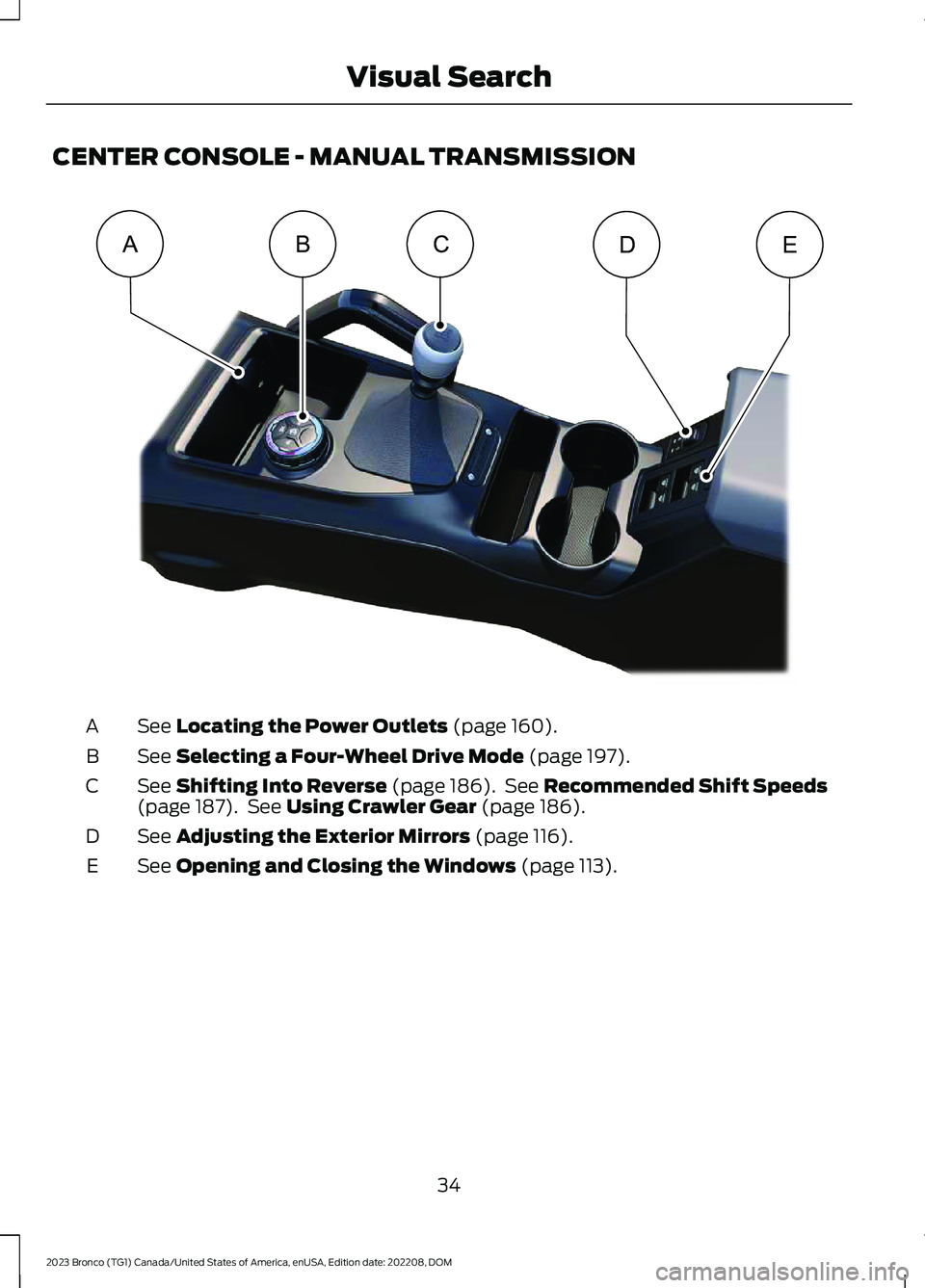
CENTER CONSOLE - MANUAL TRANSMISSION
See Locating the Power Outlets (page 160).A
See Selecting a Four-Wheel Drive Mode (page 197).B
See Shifting Into Reverse (page 186). See Recommended Shift Speeds(page 187). See Using Crawler Gear (page 186).C
See Adjusting the Exterior Mirrors (page 116).D
See Opening and Closing the Windows (page 113).E
34
2023 Bronco (TG1) Canada/United States of America, enUSA, Edition date: 202208, DOMVisual SearchABCEDE341673
Page 39 of 642
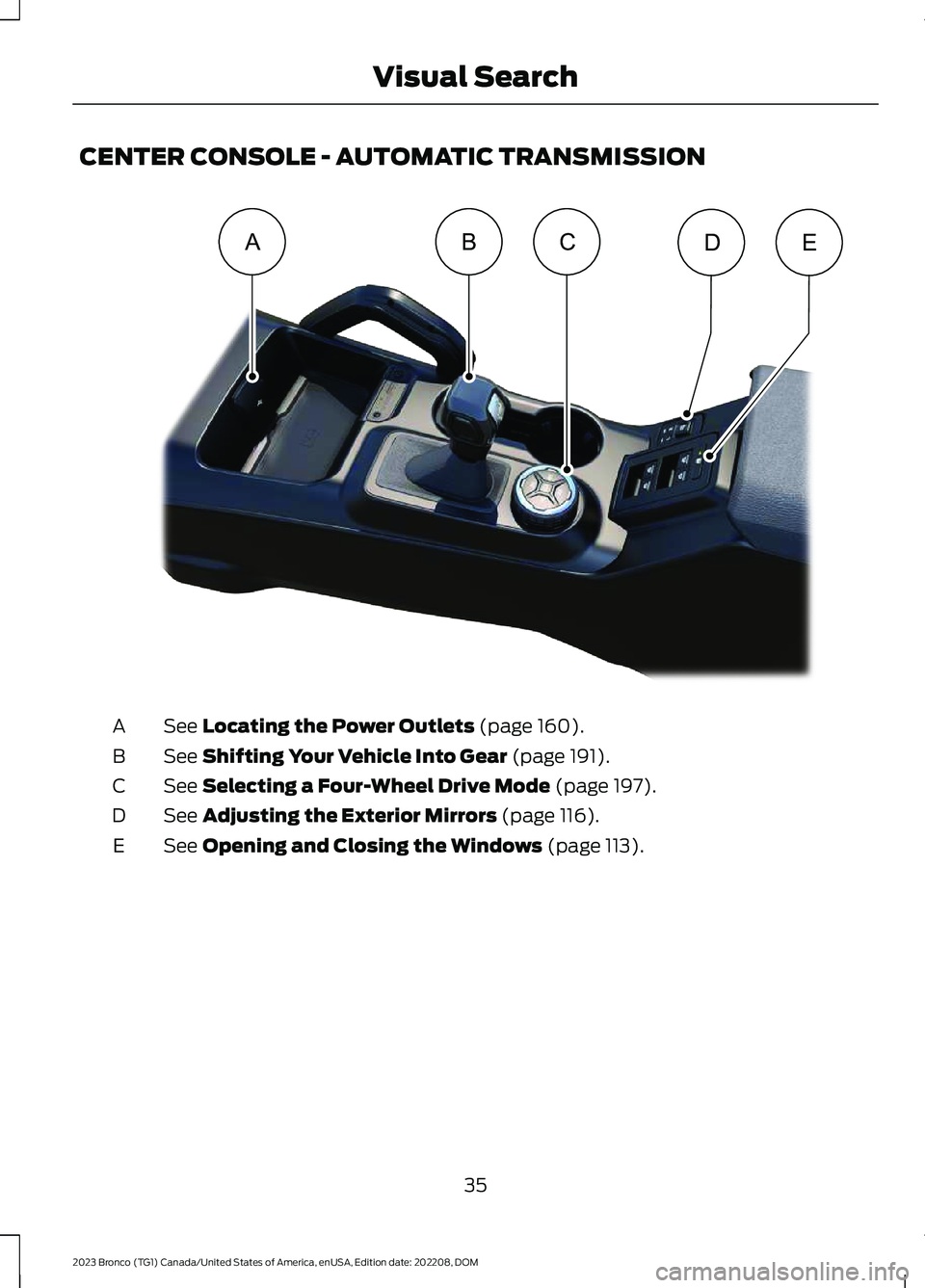
CENTER CONSOLE - AUTOMATIC TRANSMISSION
See Locating the Power Outlets (page 160).A
See Shifting Your Vehicle Into Gear (page 191).B
See Selecting a Four-Wheel Drive Mode (page 197).C
See Adjusting the Exterior Mirrors (page 116).D
See Opening and Closing the Windows (page 113).E
35
2023 Bronco (TG1) Canada/United States of America, enUSA, Edition date: 202208, DOMVisual SearchABCEDE331506
Page 69 of 642
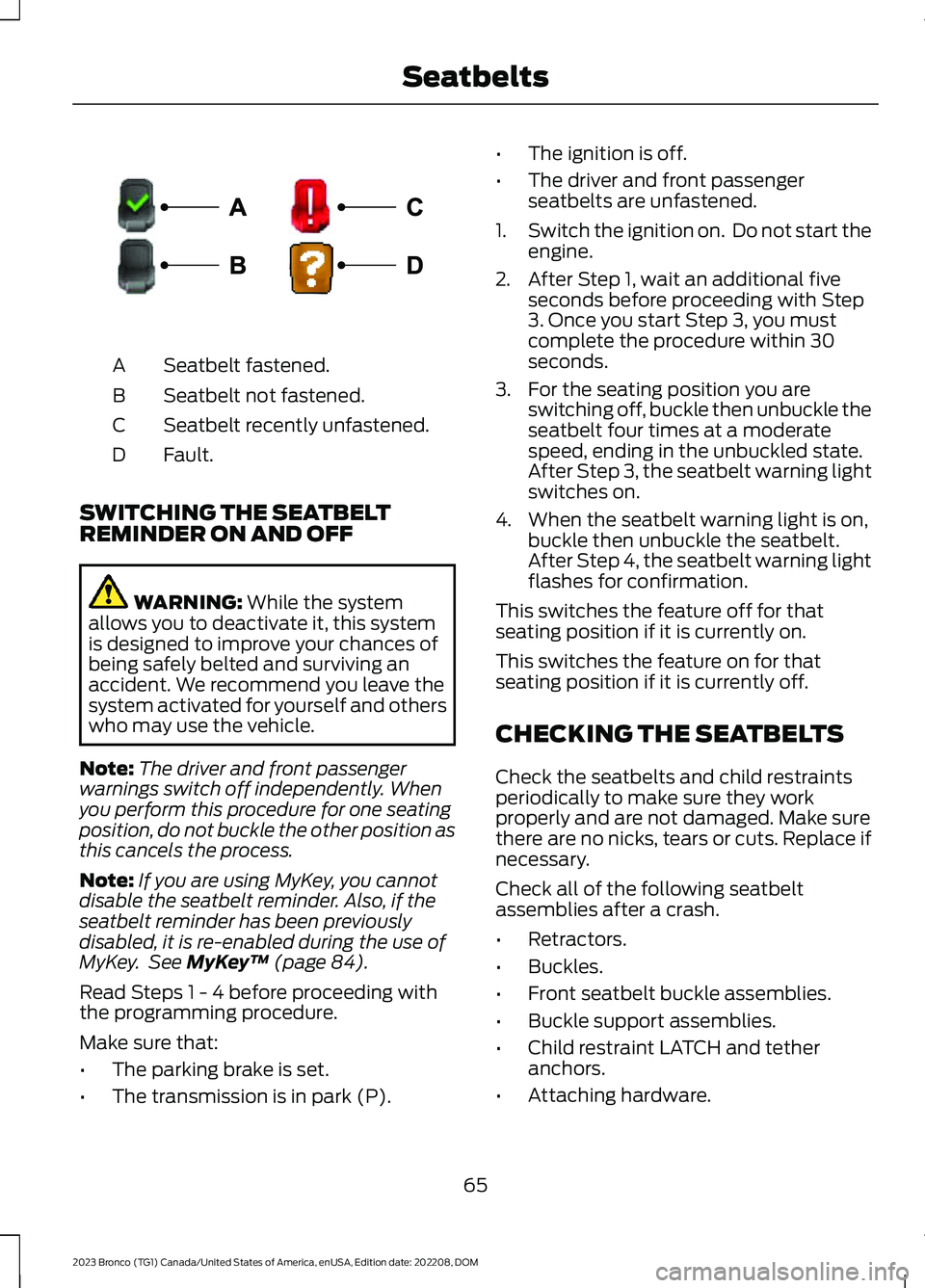
Seatbelt fastened.A
Seatbelt not fastened.B
Seatbelt recently unfastened.C
Fault.D
SWITCHING THE SEATBELTREMINDER ON AND OFF
WARNING: While the systemallows you to deactivate it, this systemis designed to improve your chances ofbeing safely belted and surviving anaccident. We recommend you leave thesystem activated for yourself and otherswho may use the vehicle.
Note:The driver and front passengerwarnings switch off independently. Whenyou perform this procedure for one seatingposition, do not buckle the other position asthis cancels the process.
Note:If you are using MyKey, you cannotdisable the seatbelt reminder. Also, if theseatbelt reminder has been previouslydisabled, it is re-enabled during the use ofMyKey. See MyKey™ (page 84).
Read Steps 1 - 4 before proceeding withthe programming procedure.
Make sure that:
•The parking brake is set.
•The transmission is in park (P).
•The ignition is off.
•The driver and front passengerseatbelts are unfastened.
1.Switch the ignition on. Do not start theengine.
2.After Step 1, wait an additional fiveseconds before proceeding with Step3. Once you start Step 3, you mustcomplete the procedure within 30seconds.
3.For the seating position you areswitching off, buckle then unbuckle theseatbelt four times at a moderatespeed, ending in the unbuckled state.After Step 3, the seatbelt warning lightswitches on.
4.When the seatbelt warning light is on,buckle then unbuckle the seatbelt.After Step 4, the seatbelt warning lightflashes for confirmation.
This switches the feature off for thatseating position if it is currently on.
This switches the feature on for thatseating position if it is currently off.
CHECKING THE SEATBELTS
Check the seatbelts and child restraintsperiodically to make sure they workproperly and are not damaged. Make surethere are no nicks, tears or cuts. Replace ifnecessary.
Check all of the following seatbeltassemblies after a crash.
•Retractors.
•Buckles.
•Front seatbelt buckle assemblies.
•Buckle support assemblies.
•Child restraint LATCH and tetheranchors.
•Attaching hardware.
65
2023 Bronco (TG1) Canada/United States of America, enUSA, Edition date: 202208, DOMSeatbeltsE274703
Page 110 of 642
SWITCHING THE DAYTIMERUNNING LAMPS ON AND OFF -VEHICLES WITH: CONFIGURABLEDAYTIME RUNNING LAMPS
WARNING: The daytime runninglamps system does not activate the rearlamps and may not provide adequatelighting during low visibility drivingconditions. Make sure you switch theheadlamps on, as appropriate, during alllow visibility conditions. Failure to do somay result in a crash.
1.Press Settings on the touchscreen.
2.Press Vehicle Settings.
3.Press Lighting.
4.Switch Daytime Running Lights on oroff.
The daytime running lamps turn on whenall of the following occur:
•You switch the system on.
•You switch your vehicle on.
•The transmission is not in park (P) forvehicles with automatic transmissionsor you release the parking brake forvehicles with manual transmissions.
•The lighting control is in the autolampsposition.
•The headlamps are off.
Note:Other lighting control positions donot turn on the daytime running lamps.
SWITCHING THE DAYTIMERUNNING LAMPS ON AND OFF -VEHICLES WITH: DAYTIMERUNNING LAMPS (DRL)
WARNING: The daytime runninglamps system does not activate the rearlamps and may not provide adequatelighting during low visibility drivingconditions. Make sure you switch theheadlamps on, as appropriate, during alllow visibility conditions. Failure to do somay result in a crash.
Daytime running lamps are always onunless you switch on the headlamps oryour vehicle is in park (P).
USING THE FRONT FOG LAMPS (If
Equipped)
To switch the lamps on or off:
1.Set the lighting control to the parkinglamps, headlamps or autolampsposition.
Note:When the lighting control is in theautolamps position, you cannot switch thefog lamps on unless the low beamheadlamps are on.
2.
Press the button on thelighting control to switch the front foglamps on or off.
Note:Only switch the front fog lamps onduring reduced visibility.
Note:The brightness of the daytime runninglamps may decrease when the front foglamps are switched on.
106
2023 Bronco (TG1) Canada/United States of America, enUSA, Edition date: 202208, DOMExterior Lighting
Page 123 of 642
FUEL GAUGE LIMITATIONS
The fuel gauge may not provide anaccurate reading when your vehicle is onan incline.
LOCATING THE FUEL FILLERDOOR
The arrow adjacent to the fuel pumpsymbol indicates on which side of yourvehicle the fuel filler door is located.
WHAT IS THE LOW FUELREMINDER
A low fuel level reminder displays andsounds when the distance to emptyreaches 75 mi (120 km) to empty forMyKey, and at 50 mi (80 km),25 mi(40 km),12 mi (20 km) and 0 mi (0 km)for all vehicle keys.
Note:The low fuel reminder can appear atdifferent fuel gauge positions depending onfuel economy conditions. This variation isnormal.
WHAT IS DISTANCE TO EMPTY
Indicates the approximate distance yourvehicle can travel on the fuel remaining inthe tank. Changes in driving pattern cancause the value to not only decrease butalso increase or stay constant for periodsof time.
ENGINE COOLANT
TEMPERATURE GAUGE
Indicates the engine coolant temperature.
TRANSMISSION FLUID
TEMPERATURE GAUGE
Indicates the transmission fluidtemperature.
Special operating conditions can causehigher than normal operatingtemperatures. See Special OperatingConditions Scheduled Maintenance(page 533).
Note:This is a configurable gauge.
TURBO BOOST GAUGE - 2.3L
ECOBOOST™
Indicates the amount of manifold airpressure in the engine.
Note:This is a configurable gauge.
WHAT IS THE INFORMATION
BAR
Displays information for navigation, outsideair temperature, odometer and distanceto empty.
WHAT ARE THE INSTRUMENT
CLUSTER WARNING LAMPS
Warning lamps alert you to a vehiclecondition that could become serious.Some lamps illuminate when you startyour vehicle to make sure they work. If anylamps remain on after starting your vehicle,refer to the respective system warninglamp for further information.
119
2023 Bronco (TG1) Canada/United States of America, enUSA, Edition date: 202208, DOMInstrument Cluster
Page 133 of 642
WHAT IS REMOTE START
Remote Start System
The system allows you to remotely startyour vehicle and to adjust the interiortemperature according to the settings thatyou chose.
REMOTE START
PRECAUTIONS
WARNING: Do not start the enginein a closed garage or in other enclosedareas. Exhaust fumes are toxic. Alwaysopen the garage door before you startthe engine. Failure to follow thisinstruction could result in personal injuryor death.
REMOTE START LIMITATIONS
Remote start does not work under thefollowing conditions:
•The alarm horn is sounding.
•The hood is open.
•The transmission is not in park (P).
•The ignition is on.
•The battery voltage is below theminimum operating voltage.
•Remote start is not enabled.
Note:Do not use remote start if the fuellevel is low.
ENABLING REMOTE START
1.Press Settings on the touchscreen.
2.Press Vehicle.
3.Press Remote Start Setup.
4.Switch Remote Start on or off.
Note:To remote start with FordPass, makesure that the modem is enabled. SeeConnecting FordPass to the Modem(page 483).
REMOTELY STARTING AND
STOPPING THE VEHICLE
Remotely Starting the Vehicle
Press the button on the remotecontrol.
Within three seconds, press thebutton on the remote control.
Within three seconds, press thebutton again.
Note:You can also use FordPass to startthe vehicle.
Note:The vehicle doors lock when yousuccessfully remote start your vehicle.
Note:The turn signal lamps flash twice.
Note:The parking lamps turn on when thevehicle is running.
Note:The horn sounds if the system failsto start.
Note:All other vehicle systems remain offwhen you have remotely started the vehicle.
Note:The vehicle remains secured whenyou have remotely started the vehicle. Avalid key must be inside your vehicle toswitch the ignition on and drive your vehicle.
Remotely Stopping the Vehicle
Within three seconds, press thebutton on the remote control.
Within three seconds, press thebutton again.
129
2023 Bronco (TG1) Canada/United States of America, enUSA, Edition date: 202208, DOMRemote Start (If Equipped)E138623 E138625 E138625
Page 157 of 642
This equipment complies with FCCradiation exposure limits set forth for anuncontrolled environment. End Users mustfollow the specific operating instructionsfor satisfying RF exposure compliance. Thistransmitter must be at least 8 in (20 cm)from the user and must not be co-locatedor operating in conjunction with any otherantenna or transmitter.
PROGRAMMING THE GARAGE
DOOR OPENER
To clear all stored codes in the garage dooropener in your vehicle, use the clearfunction. To override one button, use thereprogram function.
Note:Make sure that the garage door andsecurity device are free from obstructionwhen you are programming. Do not programthe system with the vehicle in the garage.
Clearing the Garage Door Opener
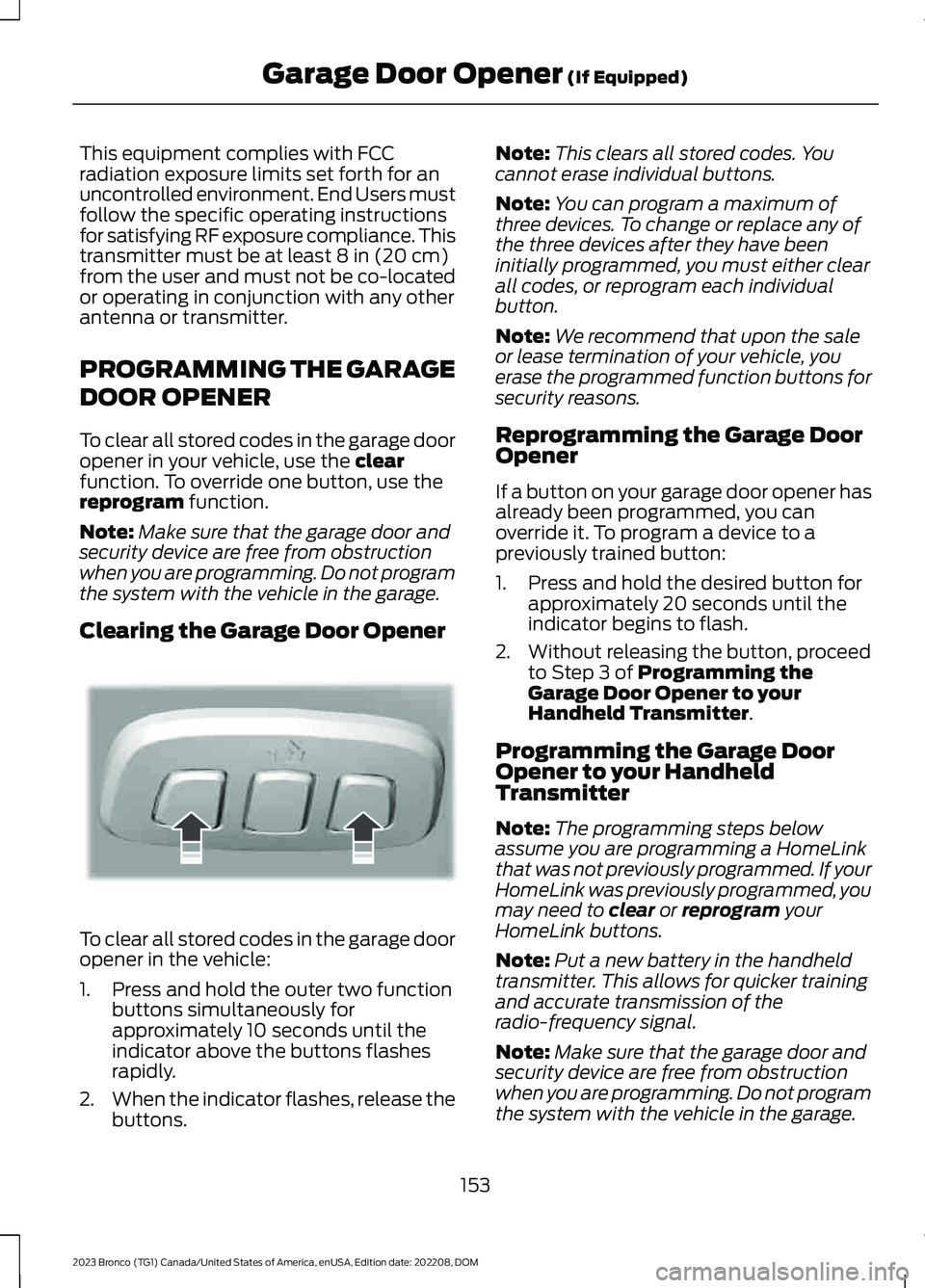
To clear all stored codes in the garage dooropener in the vehicle:
1.Press and hold the outer two functionbuttons simultaneously forapproximately 10 seconds until theindicator above the buttons flashesrapidly.
2.When the indicator flashes, release thebuttons.
Note:This clears all stored codes. Youcannot erase individual buttons.
Note:You can program a maximum ofthree devices. To change or replace any ofthe three devices after they have beeninitially programmed, you must either clearall codes, or reprogram each individualbutton.
Note:We recommend that upon the saleor lease termination of your vehicle, youerase the programmed function buttons forsecurity reasons.
Reprogramming the Garage DoorOpener
If a button on your garage door opener hasalready been programmed, you canoverride it. To program a device to apreviously trained button:
1.Press and hold the desired button forapproximately 20 seconds until theindicator begins to flash.
2.Without releasing the button, proceedto Step 3 of Programming theGarage Door Opener to yourHandheld Transmitter.
Programming the Garage DoorOpener to your HandheldTransmitter
Note:The programming steps belowassume you are programming a HomeLinkthat was not previously programmed. If yourHomeLink was previously programmed, youmay need to clear or reprogram yourHomeLink buttons.
Note:Put a new battery in the handheldtransmitter. This allows for quicker trainingand accurate transmission of theradio-frequency signal.
Note:Make sure that the garage door andsecurity device are free from obstructionwhen you are programming. Do not programthe system with the vehicle in the garage.
153
2023 Bronco (TG1) Canada/United States of America, enUSA, Edition date: 202208, DOMGarage Door Opener (If Equipped)E188213
Page 159 of 642
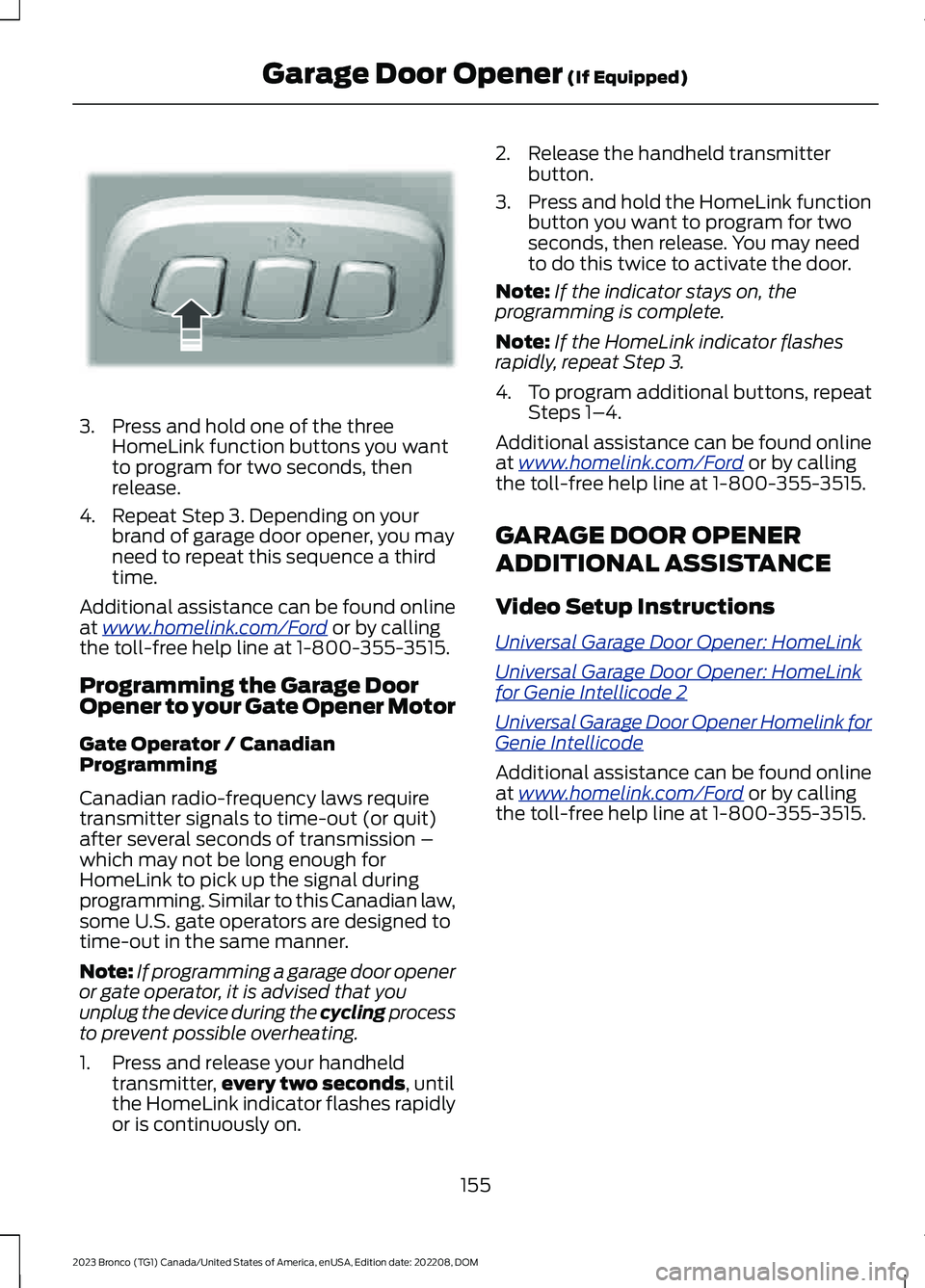
3.Press and hold one of the threeHomeLink function buttons you wantto program for two seconds, thenrelease.
4.Repeat Step 3. Depending on yourbrand of garage door opener, you mayneed to repeat this sequence a thirdtime.
Additional assistance can be found onlineat www.homelink.com/Ford or by callingthe toll-free help line at 1-800-355-3515.
Programming the Garage DoorOpener to your Gate Opener Motor
Gate Operator / CanadianProgramming
Canadian radio-frequency laws requiretransmitter signals to time-out (or quit)after several seconds of transmission –which may not be long enough forHomeLink to pick up the signal duringprogramming. Similar to this Canadian law,some U.S. gate operators are designed totime-out in the same manner.
Note:If programming a garage door openeror gate operator, it is advised that youunplug the device during the cycling processto prevent possible overheating.
1.Press and release your handheldtransmitter,every two seconds, untilthe HomeLink indicator flashes rapidlyor is continuously on.
2.Release the handheld transmitterbutton.
3.Press and hold the HomeLink functionbutton you want to program for twoseconds, then release. You may needto do this twice to activate the door.
Note:If the indicator stays on, theprogramming is complete.
Note:If the HomeLink indicator flashesrapidly, repeat Step 3.
4.To program additional buttons, repeatSteps 1–4.
Additional assistance can be found onlineat www.homelink.com/Ford or by callingthe toll-free help line at 1-800-355-3515.
GARAGE DOOR OPENER
ADDITIONAL ASSISTANCE
Video Setup Instructions
Universal Garage Door Opener: HomeLink
Universal Garage Door Opener: HomeLinkfor Genie Intellicode 2
Universal Garage Door Opener Homelink forGenie Intellicode
Additional assistance can be found onlineat www.homelink.com/Ford or by callingthe toll-free help line at 1-800-355-3515.
155
2023 Bronco (TG1) Canada/United States of America, enUSA, Edition date: 202208, DOMGarage Door Opener (If Equipped)E188212
Page 169 of 642
Note:The system may not function if theremote control is close to metal objects orelectronic devices, for example keys or a cellphone.
Note:You need a valid key inside yourvehicle to switch the ignition on and startthe engine.
STARTING THE ENGINE
STARTING A GASOLINE ENGINE -MANUAL TRANSMISSION
Before starting your vehicle, check thefollowing:
•Make sure the headlamps andelectrical accessories are off.
•Make sure the parking brake is on.
•Make sure the transmission is inneutral.
1.Fully press the clutch pedal.
Note:Do not touch the accelerator pedal.
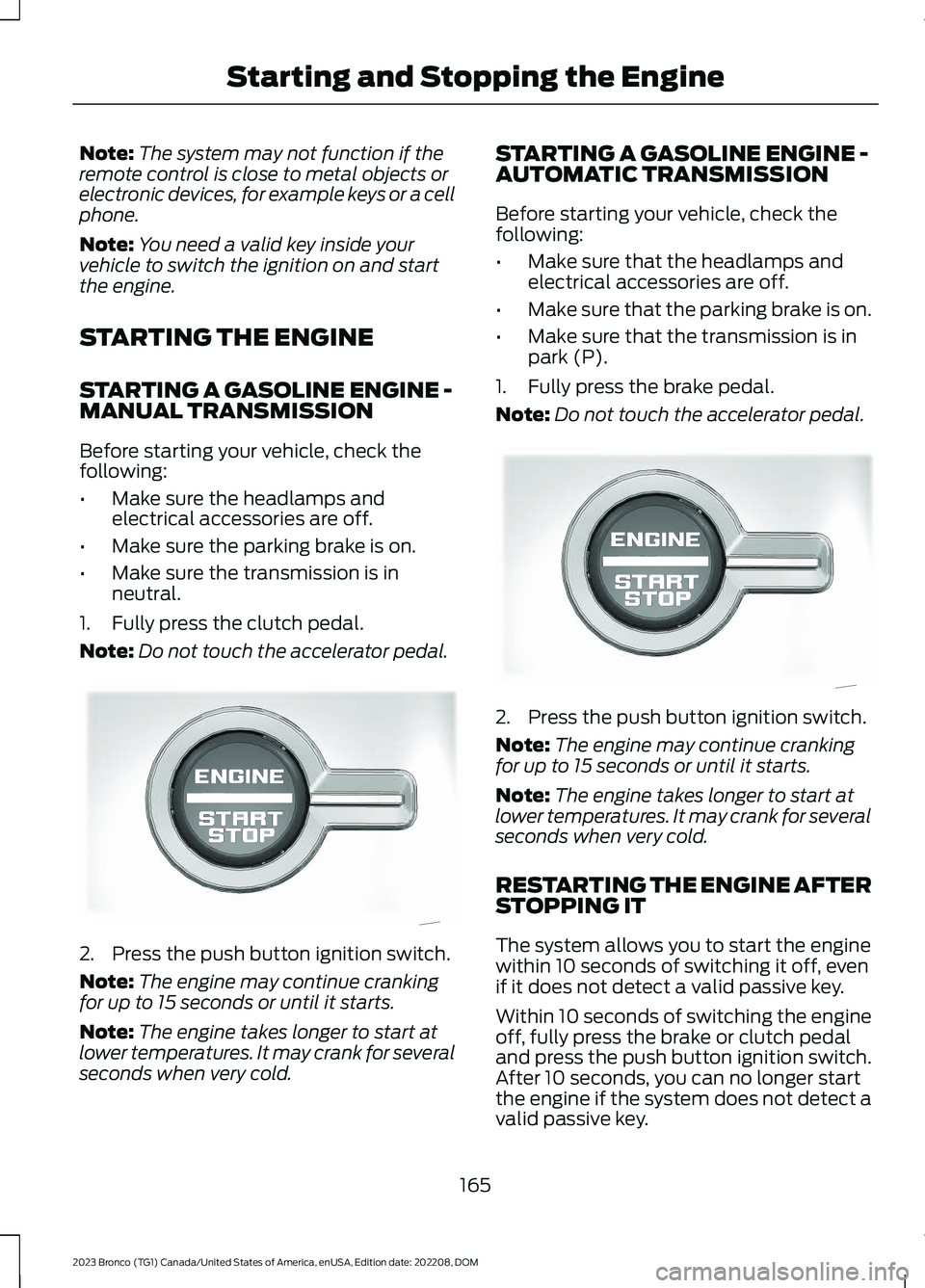
2.Press the push button ignition switch.
Note:The engine may continue crankingfor up to 15 seconds or until it starts.
Note:The engine takes longer to start atlower temperatures. It may crank for severalseconds when very cold.
STARTING A GASOLINE ENGINE -AUTOMATIC TRANSMISSION
Before starting your vehicle, check thefollowing:
•Make sure that the headlamps andelectrical accessories are off.
•Make sure that the parking brake is on.
•Make sure that the transmission is inpark (P).
1.Fully press the brake pedal.
Note:Do not touch the accelerator pedal.
2.Press the push button ignition switch.
Note:The engine may continue crankingfor up to 15 seconds or until it starts.
Note:The engine takes longer to start atlower temperatures. It may crank for severalseconds when very cold.
RESTARTING THE ENGINE AFTERSTOPPING IT
The system allows you to start the enginewithin 10 seconds of switching it off, evenif it does not detect a valid passive key.
Within 10 seconds of switching the engineoff, fully press the brake or clutch pedaland press the push button ignition switch.After 10 seconds, you can no longer startthe engine if the system does not detect avalid passive key.
165
2023 Bronco (TG1) Canada/United States of America, enUSA, Edition date: 202208, DOMStarting and Stopping the EngineE340581 E340581
Page 171 of 642
Note:The engine block heater is mosteffective when outdoor temperatures arebelow 0°F (-18°C).
USING THE ENGINE BLOCKHEATER
Make sure the receptacle terminals areclean and dry prior to use. Clean them witha dry cloth if necessary.
The heater uses 0.4 to 1.0 kilowatt-hoursof energy per hour of use. The system doesnot have a thermostat. It achievesmaximum temperature afterapproximately three hours of operation.Using the heater longer than three hoursdoes not improve system performance andunnecessarily uses electricity.
STOPPING THE ENGINE
STOPPING THE ENGINE WHENYOUR VEHICLE IS STATIONARY -MANUAL TRANSMISSION
1.Shift into neutral.
2.Apply the parking brake.
3.Wait until the engine reaches idlespeed.
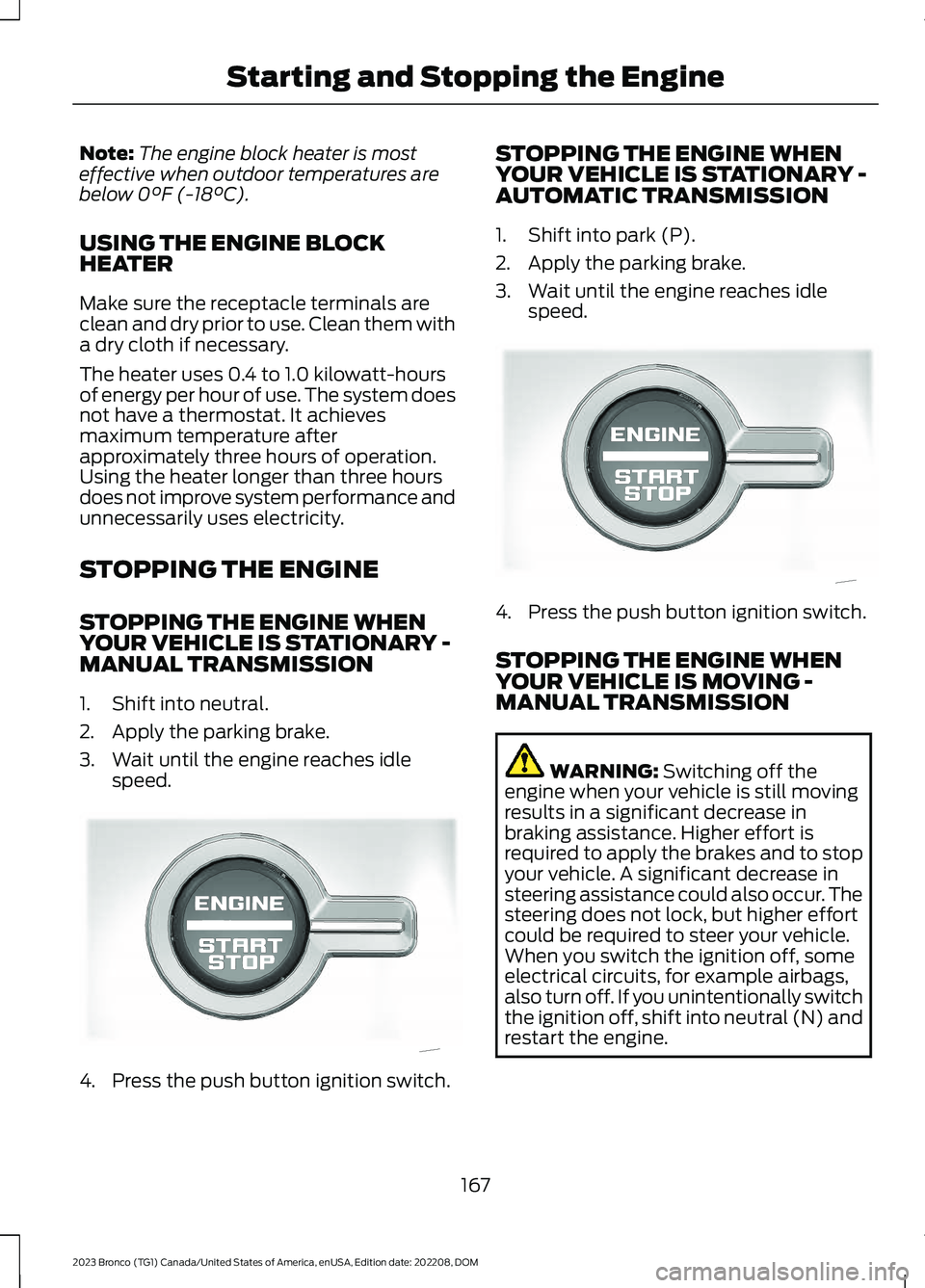
4.Press the push button ignition switch.
STOPPING THE ENGINE WHENYOUR VEHICLE IS STATIONARY -AUTOMATIC TRANSMISSION
1.Shift into park (P).
2.Apply the parking brake.
3.Wait until the engine reaches idlespeed.
4.Press the push button ignition switch.
STOPPING THE ENGINE WHENYOUR VEHICLE IS MOVING -MANUAL TRANSMISSION
WARNING: Switching off theengine when your vehicle is still movingresults in a significant decrease inbraking assistance. Higher effort isrequired to apply the brakes and to stopyour vehicle. A significant decrease insteering assistance could also occur. Thesteering does not lock, but higher effortcould be required to steer your vehicle.When you switch the ignition off, someelectrical circuits, for example airbags,also turn off. If you unintentionally switchthe ignition off, shift into neutral (N) andrestart the engine.
167
2023 Bronco (TG1) Canada/United States of America, enUSA, Edition date: 202208, DOMStarting and Stopping the EngineE340581 E340581