ignition FORD BRONCO SPORT 2023 Workshop Manual
[x] Cancel search | Manufacturer: FORD, Model Year: 2023, Model line: BRONCO SPORT, Model: FORD BRONCO SPORT 2023Pages: 516, PDF Size: 14.27 MB
Page 204 of 516
Traction Control
The system enhances your vehicle’s abilityto maintain traction of the wheels bydetecting and controlling wheel spin. SeeUsing Traction Control (page 198).
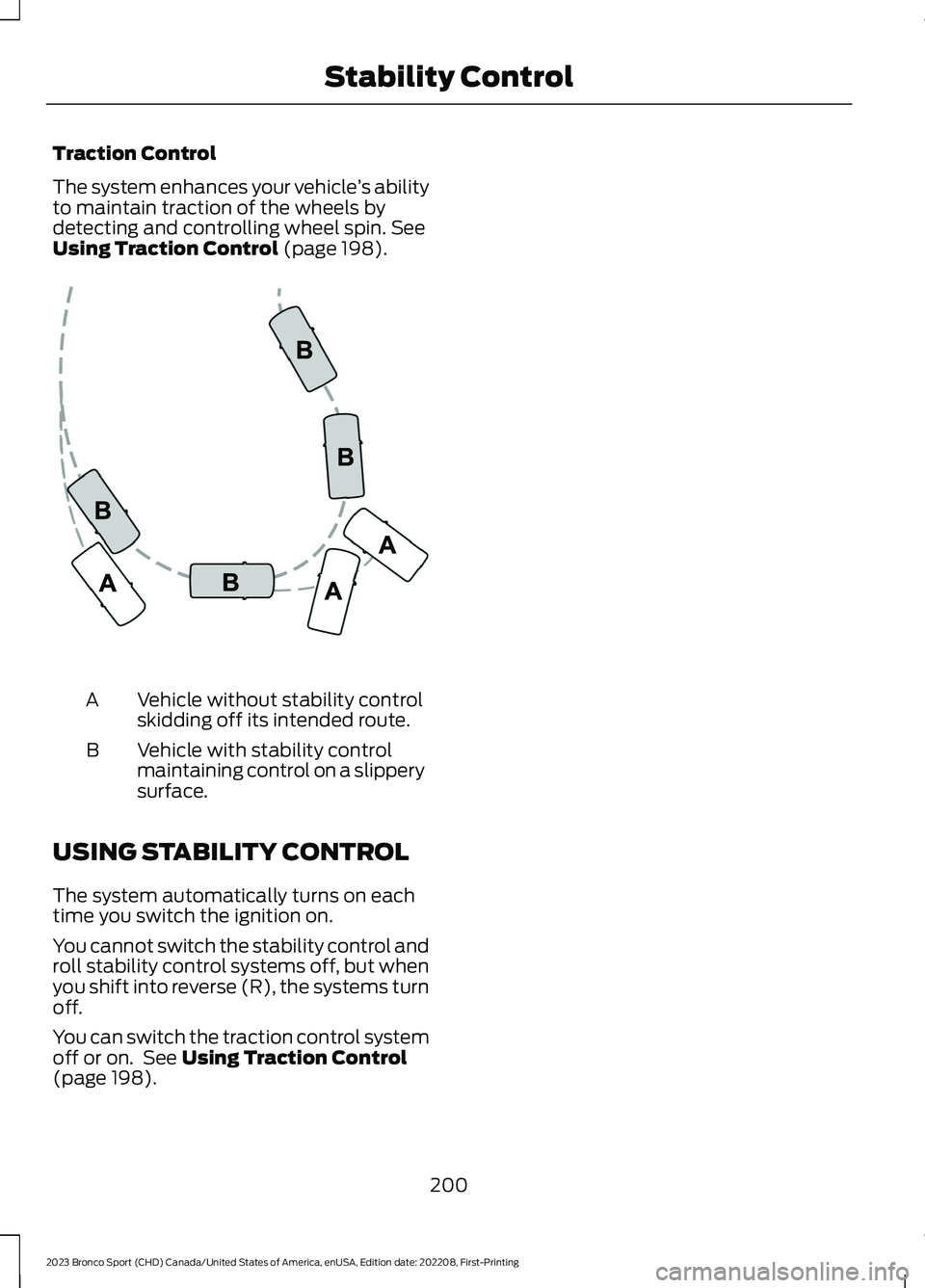
Vehicle without stability controlskidding off its intended route.A
Vehicle with stability controlmaintaining control on a slipperysurface.
B
USING STABILITY CONTROL
The system automatically turns on eachtime you switch the ignition on.
You cannot switch the stability control androll stability control systems off, but whenyou shift into reverse (R), the systems turnoff.
You can switch the traction control systemoff or on. See Using Traction Control(page 198).
200
2023 Bronco Sport (CHD) Canada/United States of America, enUSA, Edition date: 202208, First-PrintingStability ControlE72903
Page 207 of 516
PRINCIPLE OF OPERATION
WARNING: To help avoid personalinjury, always use caution when inreverse (R) and when using the sensingsystem.
WARNING: The system may notdetect objects with surfaces that absorbreflection. Always drive with due careand attention. Failure to take care mayresult in a crash.
WARNING: Traffic control systems,fluorescent lamps, inclement weather,air brakes, external motors and fans mayaffect the correct operation of thesensing system. This may cause reducedperformance or false alerts.
WARNING: The system may notdetect small or moving objects,particularly those close to the ground.
WARNING: If damage occurs in theimmediate area surrounding the sensor,have your vehicle checked as soon aspossible.
WARNING: The parking aid systemcan only assist you to detect objectswhen your vehicle is moving at parkingspeeds. To help avoid personal injury youmust take care when using the parkingaid system.
WARNING: In cold and severeweather conditions the system may notfunction. Rain, snow and spray can alllimit sensor performance.
WARNING: The system may notfunction if the sensor is blocked.
Note:If your vehicle has MyKey™, thesensing system cannot be switched offwhen a MyKey™ is present. See Principleof Operation (page 203).
Note:Do not clean the sensors with sharpobjects.
Note:If your vehicle sustains damage tothe bumper or fascia and you leave itmisaligned or bent, the sensing zone couldbe altered causing inaccurate measurementof obstacles or false alerts.
Note:Add-on devices such as large trailerhitches, bike or surfboard racks, license platebrackets, or bumper covers installed aroundthe bumper or facia can block the normaldetection zone of the system causing falsealerts. Remove the add-on devices toprevent false alerts.
Note:When you connect a trailer to yourvehicle, the rear parking aid could detect thetrailer and therefore provide an alert. Disablethe rear parking aid when you connect atrailer to prevent the alert.
The sensing system warns you of obstacleswithin a certain range of your vehicle. Thesystem turns on when you switch theignition on.
You can switch the system offby shifting into reverse (R) andpressing the button on the rearview camera display screen.
If a fault is present in the system, a warningmessage appears in the informationdisplay. See Information Messages(page 109).
203
2023 Bronco Sport (CHD) Canada/United States of America, enUSA, Edition date: 202208, First-PrintingParking Aids (If Equipped)E139213
Page 214 of 516
WHAT IS CRUISE CONTROL
Cruise control lets you maintain a setspeed without keeping your foot on theaccelerator pedal.
Requirements
Use cruise control when the vehicle speedis greater than 20 mph (30 km/h).
SWITCHING CRUISE CONTROL
ON AND OFF
WARNING: Do not use cruisecontrol on winding roads, in heavy trafficor when the road surface is slippery. Thiscould result in loss of vehicle control,serious injury or death.
The cruise controls are on the steeringwheel.
Switching Cruise Control On
Press the button to put thesystem in standby mode.
Switching Cruise Control Off
Press the button when instandby mode or switch theignition off.
Note:When you switch cruise control offthe set speed clears.
SETTING THE CRUISE
CONTROL SPEED
WARNING: When you are goingdownhill, your vehicle speed couldincrease above the set speed. Thesystem does not apply the brakes.
Drive to the speed you prefer.
Press the toggle button upwardor downward to set the currentspeed.
Take your foot off the accelerator pedal.
Note:The indicator changes color in theinformation display.
Changing the Set Speed
Press and release the togglebutton upward to increase theset speed in small increments.
Press and hold the toggle button upwardto accelerate. Release the button whenyou have reached your preferred speed.
Press and release the togglebutton downward to decreasethe set speed in smallincrements.
Press and hold the toggle buttondownward to decelerate. Release thebutton when you have reached yourpreferred speed.
Note: If you accelerate by pressing theaccelerator pedal, the set speed does notchange. When you release the acceleratorpedal, your vehicle returns to the speed thatyou previously set.
210
2023 Bronco Sport (CHD) Canada/United States of America, enUSA, Edition date: 202208, First-PrintingCruise ControlE71340 E71340 E246884 E246885 E246884 E246885
Page 220 of 516
Switching Adaptive Cruise ControlOn
Press the button to set thesystem in standby mode.
The indicator, current gap setting and setspeed appear in the information display.
Switching Adaptive Cruise ControlOff
Press the button when thesystem is in standby mode, orswitch the ignition off.
Note:You erase the set speed when youswitch the system off.
Automatic Cancellation orDeactivation
The system may cancel if:
•The tires lose traction.
•You apply the parking brake.
The system may cancel and set the parkingbrake if:
•You unbuckle the seatbelt and openthe driver door after you stop yourvehicle.
•Your vehicle is at a stop continuouslyfor more than three minutes.
The system may deactivate or preventactivating when requested if:
•The vehicle has a blocked sensor.
•The brake temperature is too high.
•There is a failure in the system or arelated system.
SETTING THE ADAPTIVE
CRUISE CONTROL SPEED
Drive to the speed you prefer.
Press the toggle button upwardor downward to set the currentspeed.
Take your foot off the accelerator pedal.
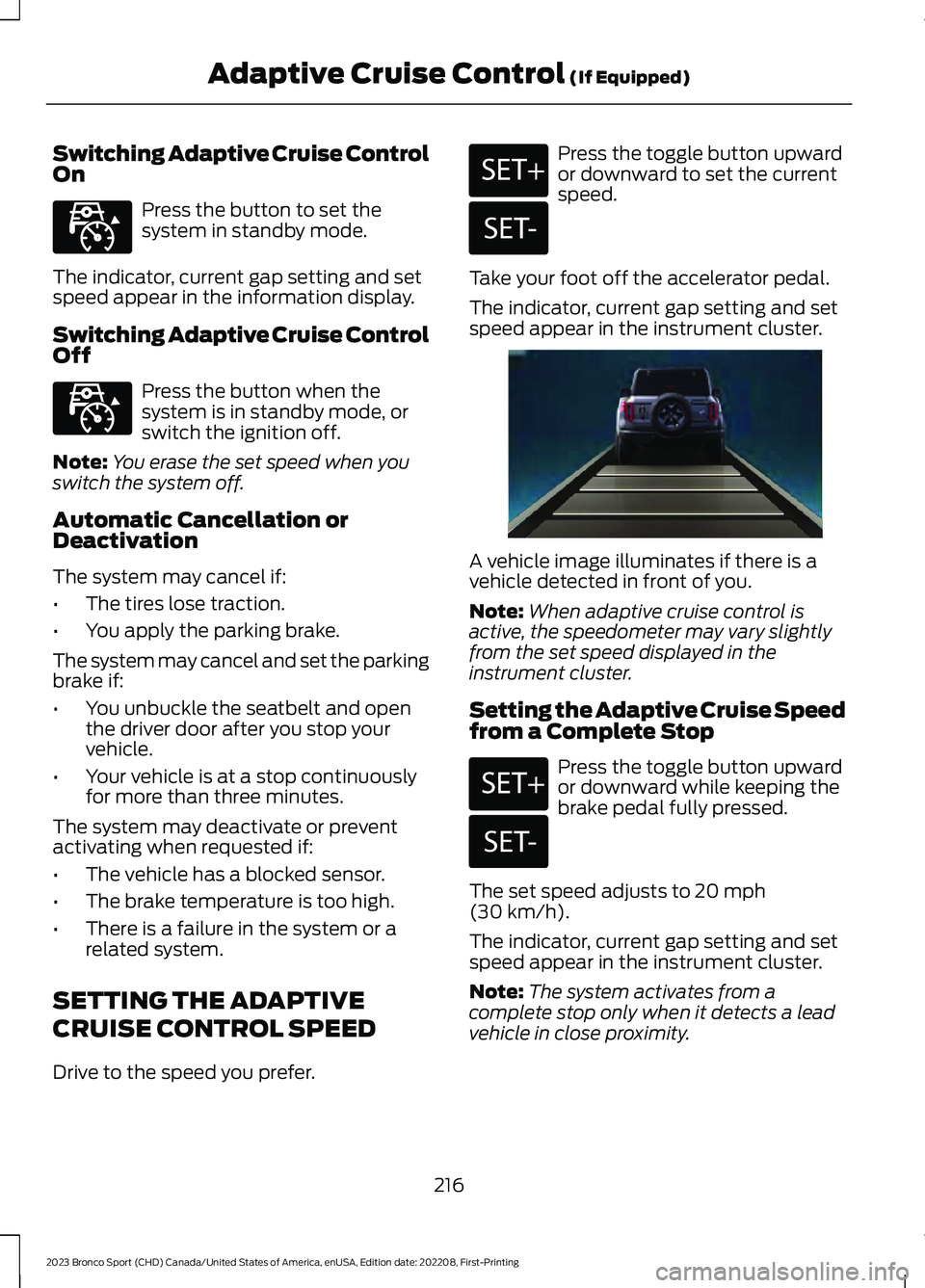
The indicator, current gap setting and setspeed appear in the instrument cluster.
A vehicle image illuminates if there is avehicle detected in front of you.
Note:When adaptive cruise control isactive, the speedometer may vary slightlyfrom the set speed displayed in theinstrument cluster.
Setting the Adaptive Cruise Speedfrom a Complete Stop
Press the toggle button upwardor downward while keeping thebrake pedal fully pressed.
The set speed adjusts to 20 mph(30 km/h).
The indicator, current gap setting and setspeed appear in the instrument cluster.
Note:The system activates from acomplete stop only when it detects a leadvehicle in close proximity.
216
2023 Bronco Sport (CHD) Canada/United States of America, enUSA, Edition date: 202208, First-PrintingAdaptive Cruise Control (If Equipped)E323440 E323440 E246884 E246885 E338558 E246884 E246885
Page 229 of 516
The warning system uses two stages. Atfirst the system issues a temporary warningthat you need to take a rest. This messageonly appears for a short time. If the systemdetects further reduction in drivingalertness, another warning could be issuedwhich remains in the information displayfor a longer time. Press OK on the steeringwheel control to clear the warning. Whenactive the system runs in the backgroundand only issues a warning if required.
Resetting the System
You can reset the system by either:
•Switching the ignition off and on.
•Stopping the vehicle and then openingand closing the driver door.
LANE KEEPING SYSTEM
WARNING: You are responsible forcontrolling your vehicle at all times. Thesystem is designed to be an aid and doesnot relieve you of your responsibility todrive with due care and attention. Failureto follow this instruction could result inthe loss of control of your vehicle,personal injury or death.
WARNING: Always drive with duecare and attention when using andoperating the controls and features onyour vehicle.
WARNING: In cold and severeweather conditions the system may notfunction. Rain, snow and spray can alllimit sensor performance.
WARNING: Large contrasts inoutside lighting can limit sensorperformance.
WARNING: The system will notoperate if the sensor cannot track theroad lane markings.
WARNING: The sensor mayincorrectly track lane markings as otherstructures or objects. This can result ina false or missed warning.
WARNING: The system may notoperate properly if the sensor is blocked.Keep the windshield free fromobstruction.
WARNING: If damage occurs in theimmediate area surrounding the sensor,have your vehicle checked as soon aspossible.
WARNING: The system may notcorrectly operate if your vehicle is fittedwith a suspension kit not approved byus.
Note:The system works above 40 mph(64 km/h).
Note:The system works as long as thecamera can detect one lane marking or roadedge.
Note:When you select aid or alert + aidmode and the system detects no steeringactivity for a short period, the system alertsyou to put your hands on the steering wheel.The system may detect a light grip ortouch on the steering wheel as hands offdriving.
Note:The system may not function if thecamera is blocked, or if the windshield isdamaged or dirty.
225
2023 Bronco Sport (CHD) Canada/United States of America, enUSA, Edition date: 202208, First-PrintingDriving Aids
Page 237 of 516
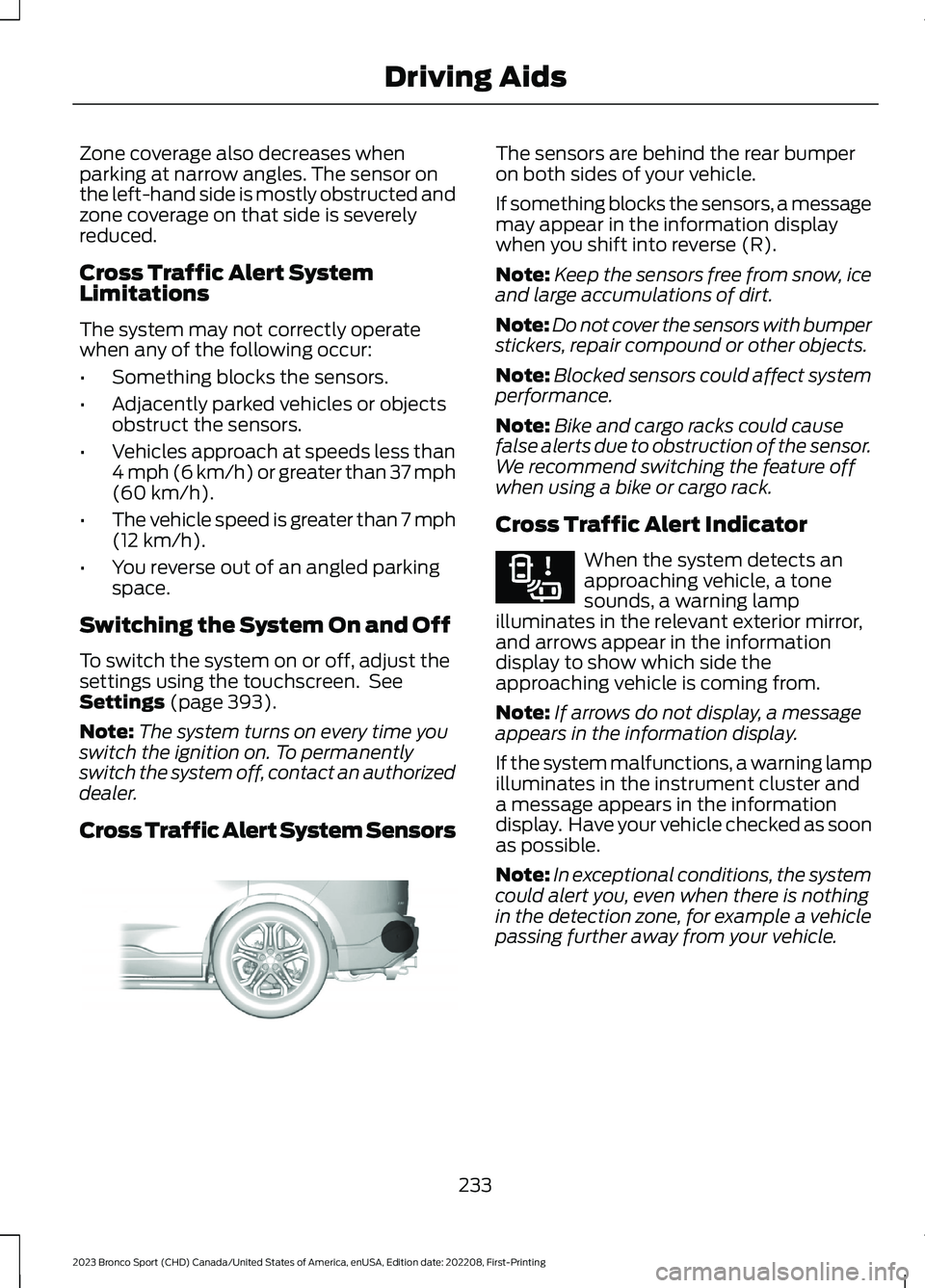
Zone coverage also decreases whenparking at narrow angles. The sensor onthe left-hand side is mostly obstructed andzone coverage on that side is severelyreduced.
Cross Traffic Alert SystemLimitations
The system may not correctly operatewhen any of the following occur:
•Something blocks the sensors.
•Adjacently parked vehicles or objectsobstruct the sensors.
•Vehicles approach at speeds less than4 mph (6 km/h) or greater than 37 mph(60 km/h).
•The vehicle speed is greater than 7 mph(12 km/h).
•You reverse out of an angled parkingspace.
Switching the System On and Off
To switch the system on or off, adjust thesettings using the touchscreen. SeeSettings (page 393).
Note:The system turns on every time youswitch the ignition on. To permanentlyswitch the system off, contact an authorizeddealer.
Cross Traffic Alert System Sensors
The sensors are behind the rear bumperon both sides of your vehicle.
If something blocks the sensors, a messagemay appear in the information displaywhen you shift into reverse (R).
Note:Keep the sensors free from snow, iceand large accumulations of dirt.
Note:Do not cover the sensors with bumperstickers, repair compound or other objects.
Note:Blocked sensors could affect systemperformance.
Note:Bike and cargo racks could causefalse alerts due to obstruction of the sensor.We recommend switching the feature offwhen using a bike or cargo rack.
Cross Traffic Alert Indicator
When the system detects anapproaching vehicle, a tonesounds, a warning lampilluminates in the relevant exterior mirror,and arrows appear in the informationdisplay to show which side theapproaching vehicle is coming from.
Note:If arrows do not display, a messageappears in the information display.
If the system malfunctions, a warning lampilluminates in the instrument cluster anda message appears in the informationdisplay. Have your vehicle checked as soonas possible.
Note:In exceptional conditions, the systemcould alert you, even when there is nothingin the detection zone, for example a vehiclepassing further away from your vehicle.
233
2023 Bronco Sport (CHD) Canada/United States of America, enUSA, Edition date: 202208, First-PrintingDriving AidsE205199 E268294
Page 238 of 516
Cross Traffic Alert Information Messages
ActionMessage
Displays instead of indication arrows when the systemdetects a vehicle. Check for approaching traffic.Cross Traffic Alert
Indicates blocked cross traffic alert system sensors. Cleanthe sensors. If the message continues to appear, have yourvehicle checked as soon as possible.
Cross Traffic Not Avail-able Sensor Blocked SeeManual
The system has malfunctioned. Have your vehicle checkedas soon as possible.Cross Traffic SystemFault
Displays if you attach a trailer to your vehicle.Cross Traffic Alert Deac-tivated Trailer Attached
SPEED SIGN RECOGNITION (IF
EQUIPPED)
Principle of Operation
WARNING: You are responsible forcontrolling your vehicle at all times. Thesystem is designed to be an aid and doesnot relieve you of your responsibility todrive with due care and attention. Failureto follow this instruction could result inthe loss of control of your vehicle,personal injury or death.
WARNING: In cold and severeweather conditions the system may notfunction. Rain, snow and spray can alllimit sensor performance.
WARNING: The system may notoperate properly if the sensor is blocked.Keep the windshield free fromobstruction.
The system is designed to detect speedlimit signs to inform you of the currentspeed limit. Detected speed signs appearin the information display. The sensor isbehind the interior mirror.
Note:Do not carry out windshield repairsin the immediate area surrounding thesensor.
Note:Speed sign data provided by thenavigation system contains informationintegrated to the data carrier release.
Note:The system may not detect orcorrectly read all speed signs.
Note:If your vehicle has a suspension kitnot approved by us, the system may notcorrectly function.
Note:Always replace headlamp bulbs withthose specifically designed for your vehicle.Other bulbs could reduce systemperformance.
The system turns on when you switch theignition on, and you cannot switch thesystem off.
234
2023 Bronco Sport (CHD) Canada/United States of America, enUSA, Edition date: 202208, First-PrintingDriving Aids
Page 240 of 516
STEERING
Electric Power Steering
WARNING: The electric powersteering system has diagnostic checksthat continuously monitor the system. Ifa fault is detected, a message displaysin the information display. Stop yourvehicle as soon as it is safe to do so.Switch the ignition off. After at least 10seconds, switch the ignition on andwatch the information display for asteering system warning message. If asteering system warning messagereturns, have the system checked assoon as possible.
WARNING: If the system detectsan error, you may not feel a difference inthe steering, however a serious conditionmay exist. Have your vehicle checked assoon as possible. Failure to do so mayresult in loss of steering control.
If your vehicle loses electrical power whileyou are driving (or if the ignition is turnedoff), you can steer the vehicle manually,but it takes more effort. You must adaptyour speed and driving behavior to reducedsteering assist. Extreme continuoussteering may increase the effort it takesfor you to steer. This occurs to preventinternal overheating and permanentdamage to your steering system. If thisshould occur, you will neither lose theability to steer the vehicle manually norwill it cause permanent damage. Typicalsteering and driving maneuvers will allowthe system to cool down and steeringassist will return to normal.
Steering Tips
If the steering wanders or pulls, check for:
•An improperly inflated tire.
•Uneven tire wear.
•Loose or worn suspensioncomponents.
•Loose or worn steering components.
•Improper vehicle alignment.
A high crown in the road or high crosswindsmay also make the steering seem towander or pull.
PRE-COLLISION ASSIST
WARNING: You are responsible forcontrolling your vehicle at all times. Thesystem is designed to be an aid and doesnot relieve you of your responsibility todrive with due care and attention. Failureto follow this instruction could result inthe loss of control of your vehicle,personal injury or death.
WARNING: The system does notdetect vehicles that are driving in adifferent direction, cyclists or animals.Apply the brakes when necessary. Failureto follow this instruction could result inthe loss of control of your vehicle,personal injury or death.
WARNING: The system does notoperate during hard acceleration orsteering. Failure to take care may leadto a crash or personal injury.
236
2023 Bronco Sport (CHD) Canada/United States of America, enUSA, Edition date: 202208, First-PrintingDriving Aids
Page 243 of 516
After you turn the steering wheel, thesystem applies additional steering torqueto help you steer around the vehicle. Afteryou pass the vehicle, the system appliessteering torque in the opposite direction toencourage you to steer back into the lane.The system deactivates after you fully passthe vehicle.
Note:The system does not automaticallysteer around a vehicle. If you do not turn thesteering wheel, the system does notactivate.
Note:The system does not activate if thedistance to the vehicle ahead is too smalland you cannot avoid a crash.
Note:The system does not activate forcyclists or pedestrians.
Adjusting the Pre-Collision AssistSettings
Depending on your vehicle options, thepre-collision assist settings can be in thefollowing:
•instrument cluster display. SeeGeneral Information (page 104).
•Touchscreen. See Settings (page 393).
You can adjust the following settings:
•Change alert and distance alertsensitivity to one of three possiblesettings.
•Switch distance indication and alert onor off.
•If required, switch active braking on oroff.
•If required, switch evasive steeringassist on or off.
Note:Active braking and evasive steeringassist turn on every time you switch theignition on.
Note:If you switch active braking off,evasive steering assist turns off.
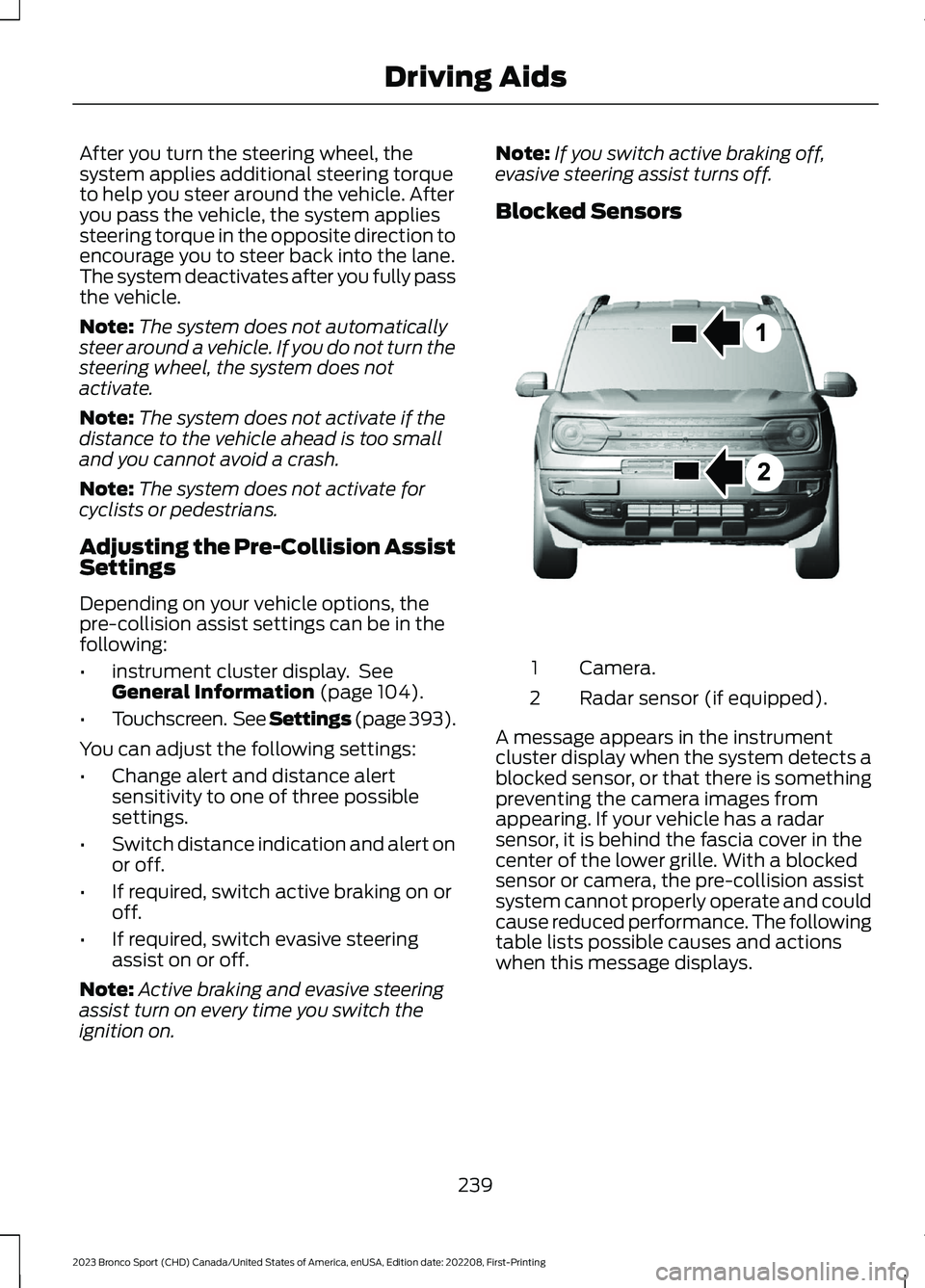
Blocked Sensors
Camera.1
Radar sensor (if equipped).2
A message appears in the instrumentcluster display when the system detects ablocked sensor, or that there is somethingpreventing the camera images fromappearing. If your vehicle has a radarsensor, it is behind the fascia cover in thecenter of the lower grille. With a blockedsensor or camera, the pre-collision assistsystem cannot properly operate and couldcause reduced performance. The followingtable lists possible causes and actionswhen this message displays.
239
2023 Bronco Sport (CHD) Canada/United States of America, enUSA, Edition date: 202208, First-PrintingDriving AidsE325781
Page 245 of 516
WHAT IS G.O.A.T. MODE
CONTROL
Your vehicle has several goes overany-type of terrain (G.O.A.T.) modes thatyou can select for different drivingconditions. Depending on the mode thatyou select, the system adjusts variousvehicle settings.
HOW DOES G.O.A.T. MODE
CONTROL WORK
Each selectable mode changes variouselectronic and mechanical settings withinyour vehicle to tailor its performance anddriving characteristics to on-road oroff-road driving conditions. The systemcan alter steering feel and effort, tractioncontrol, stability control, chassis controls,powertrain response, transmission shiftpoints, four-wheel driveline settings andthe exhaust noise level to apre-determined setting, depending uponthe mode that you select.
Your vehicle reverts to normal mode eachtime you start it.
Note:Your vehicle has diagnostic checksthat continuously monitor all systems forproper operation. If a mode is unavailabledue to a system fault, your vehicle defaultsto normal mode and the driveline remainsin the four-wheel drive setting that you lastselected prior to the system fault.
SELECTING A G.O.A.T. MODE -
1.5L ECOBOOST™
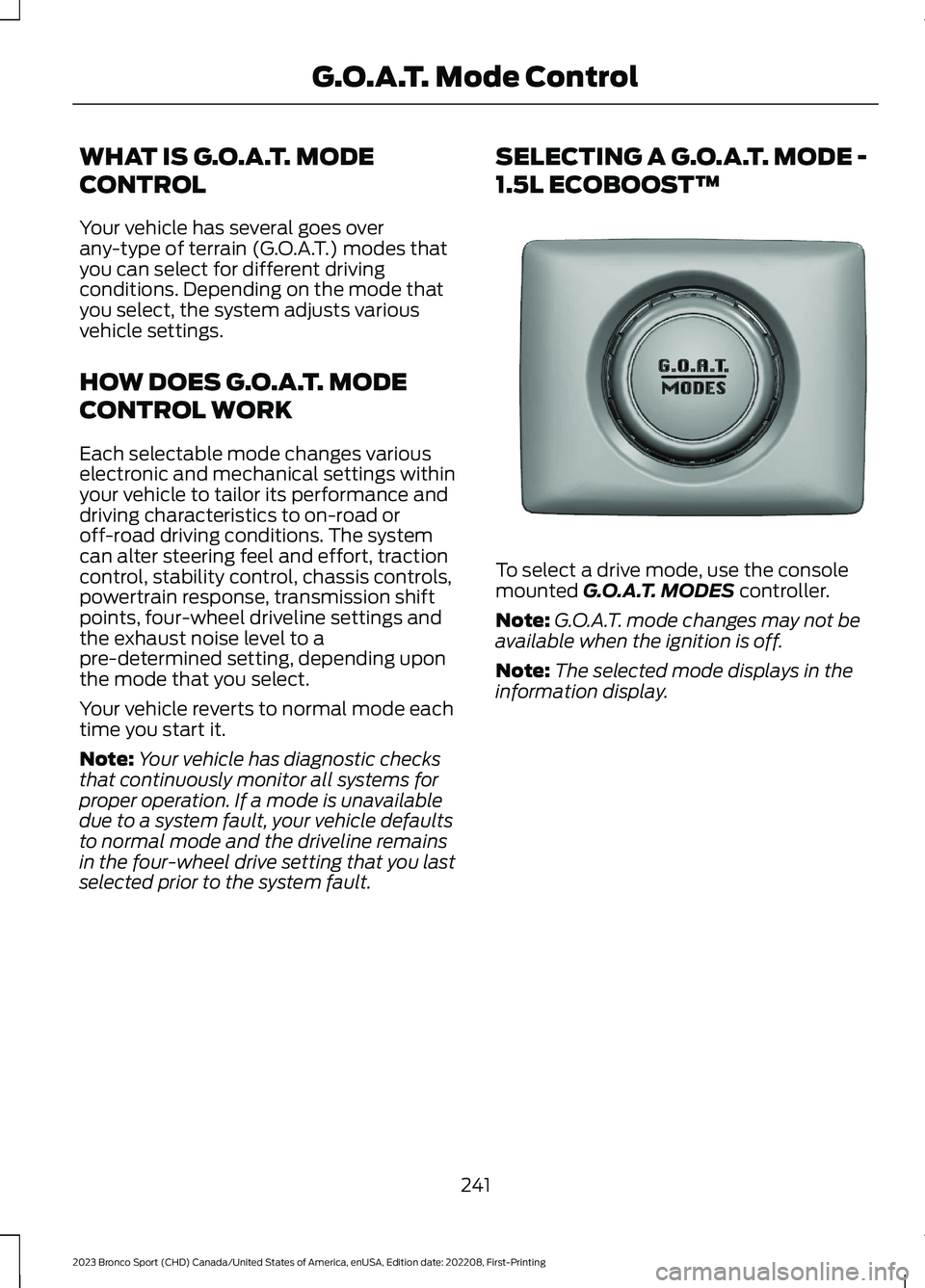
To select a drive mode, use the consolemounted G.O.A.T. MODES controller.
Note:G.O.A.T. mode changes may not beavailable when the ignition is off.
Note:The selected mode displays in theinformation display.
241
2023 Bronco Sport (CHD) Canada/United States of America, enUSA, Edition date: 202208, First-PrintingG.O.A.T. Mode ControlE339228