display FORD BRONCO SPORT 2023 Repair Manual
[x] Cancel search | Manufacturer: FORD, Model Year: 2023, Model line: BRONCO SPORT, Model: FORD BRONCO SPORT 2023Pages: 516, PDF Size: 14.27 MB
Page 209 of 516
If your vehicle remains stationary for twoseconds the audible warning turns off. Ifyour vehicle moves backward the tonesounds again.
Note:If the detected object is 12 in (30 cm)or less from the rear bumper, the audiblewarning does not turn off.
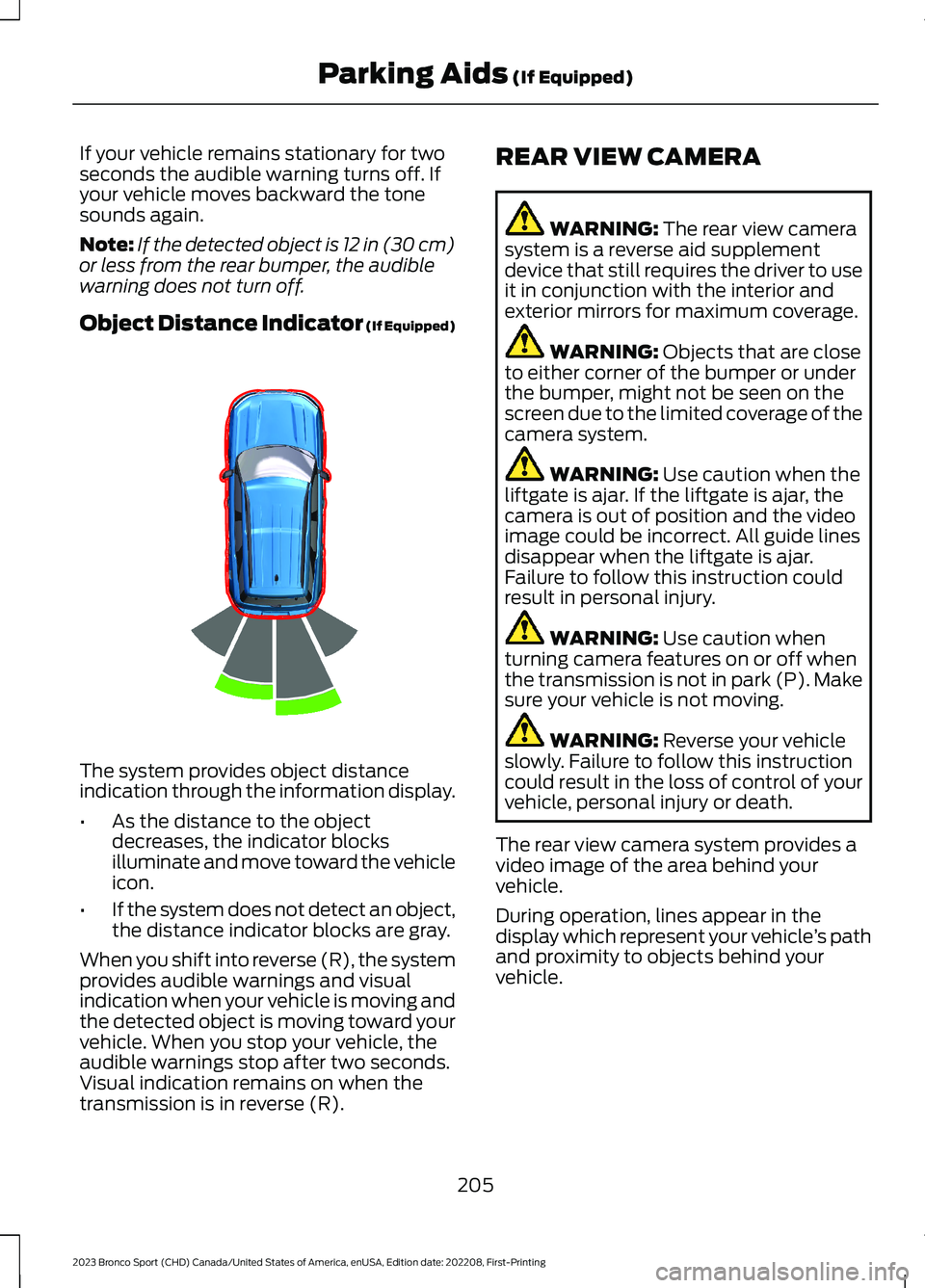
Object Distance Indicator (If Equipped)
The system provides object distanceindication through the information display.
•As the distance to the objectdecreases, the indicator blocksilluminate and move toward the vehicleicon.
•If the system does not detect an object,the distance indicator blocks are gray.
When you shift into reverse (R), the systemprovides audible warnings and visualindication when your vehicle is moving andthe detected object is moving toward yourvehicle. When you stop your vehicle, theaudible warnings stop after two seconds.Visual indication remains on when thetransmission is in reverse (R).
REAR VIEW CAMERA
WARNING: The rear view camerasystem is a reverse aid supplementdevice that still requires the driver to useit in conjunction with the interior andexterior mirrors for maximum coverage.
WARNING: Objects that are closeto either corner of the bumper or underthe bumper, might not be seen on thescreen due to the limited coverage of thecamera system.
WARNING: Use caution when theliftgate is ajar. If the liftgate is ajar, thecamera is out of position and the videoimage could be incorrect. All guide linesdisappear when the liftgate is ajar.Failure to follow this instruction couldresult in personal injury.
WARNING: Use caution whenturning camera features on or off whenthe transmission is not in park (P). Makesure your vehicle is not moving.
WARNING: Reverse your vehicleslowly. Failure to follow this instructioncould result in the loss of control of yourvehicle, personal injury or death.
The rear view camera system provides avideo image of the area behind yourvehicle.
During operation, lines appear in thedisplay which represent your vehicle’s pathand proximity to objects behind yourvehicle.
205
2023 Bronco Sport (CHD) Canada/United States of America, enUSA, Edition date: 202208, First-PrintingParking Aids (If Equipped)E322352
Page 210 of 516
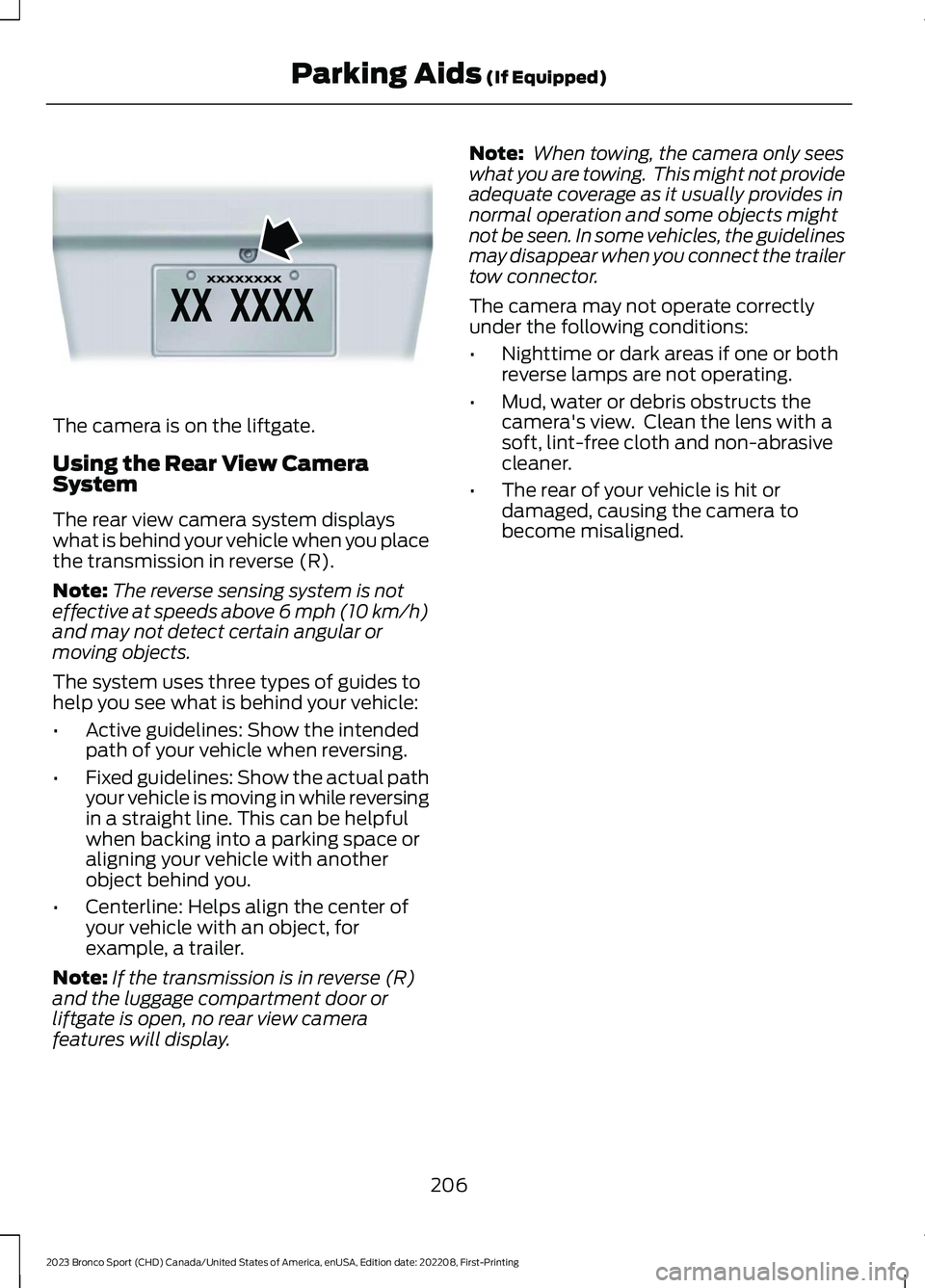
The camera is on the liftgate.
Using the Rear View CameraSystem
The rear view camera system displayswhat is behind your vehicle when you placethe transmission in reverse (R).
Note:The reverse sensing system is noteffective at speeds above 6 mph (10 km/h)and may not detect certain angular ormoving objects.
The system uses three types of guides tohelp you see what is behind your vehicle:
•Active guidelines: Show the intendedpath of your vehicle when reversing.
•Fixed guidelines: Show the actual pathyour vehicle is moving in while reversingin a straight line. This can be helpfulwhen backing into a parking space oraligning your vehicle with anotherobject behind you.
•Centerline: Helps align the center ofyour vehicle with an object, forexample, a trailer.
Note:If the transmission is in reverse (R)and the luggage compartment door orliftgate is open, no rear view camerafeatures will display.
Note: When towing, the camera only seeswhat you are towing. This might not provideadequate coverage as it usually provides innormal operation and some objects mightnot be seen. In some vehicles, the guidelinesmay disappear when you connect the trailertow connector.
The camera may not operate correctlyunder the following conditions:
•Nighttime or dark areas if one or bothreverse lamps are not operating.
•Mud, water or debris obstructs thecamera's view. Clean the lens with asoft, lint-free cloth and non-abrasivecleaner.
•The rear of your vehicle is hit ordamaged, causing the camera tobecome misaligned.
206
2023 Bronco Sport (CHD) Canada/United States of America, enUSA, Edition date: 202208, First-PrintingParking Aids (If Equipped)E142435
Page 211 of 516
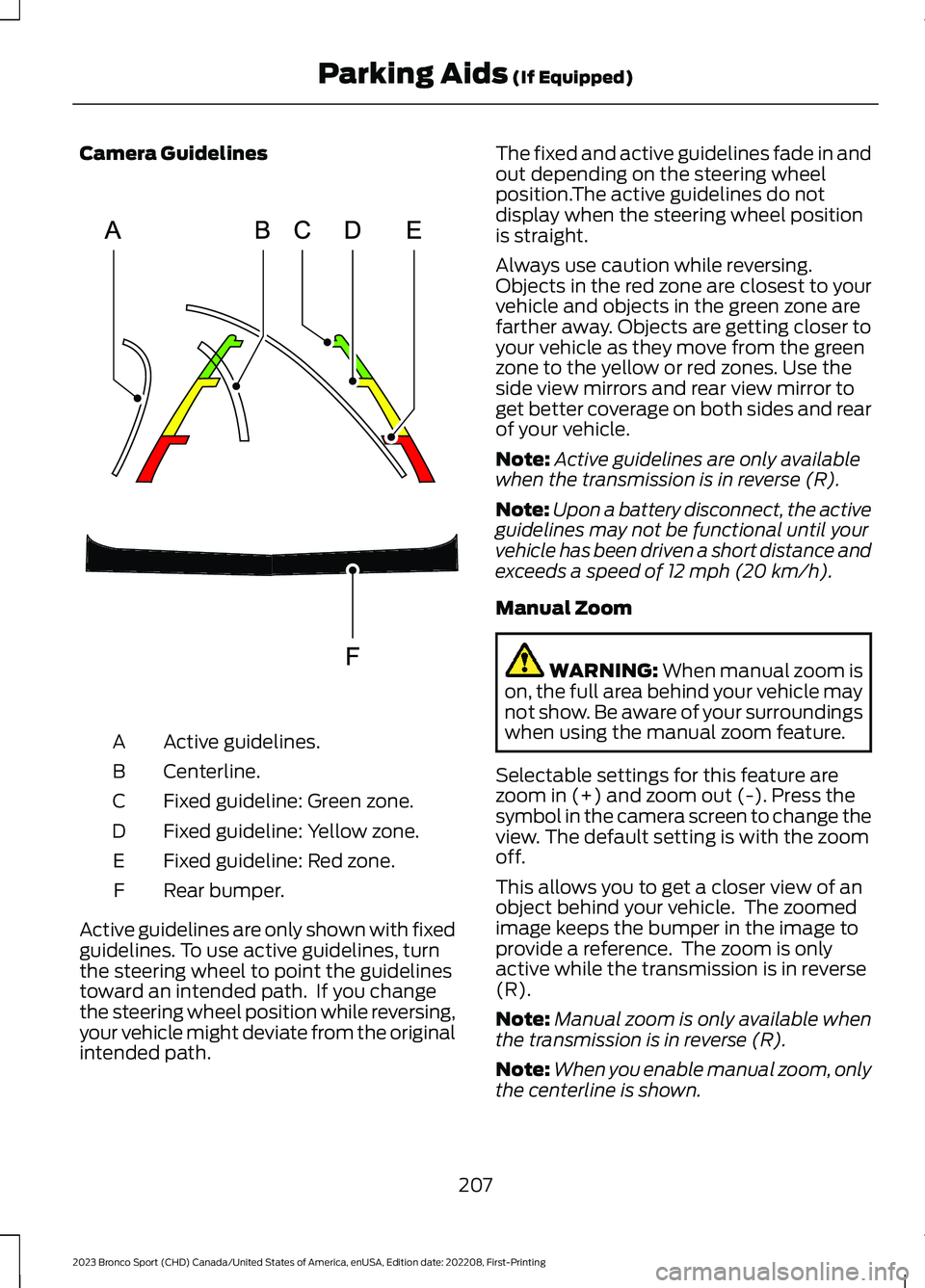
Camera Guidelines
Active guidelines.A
Centerline.B
Fixed guideline: Green zone.C
Fixed guideline: Yellow zone.D
Fixed guideline: Red zone.E
Rear bumper.F
Active guidelines are only shown with fixedguidelines. To use active guidelines, turnthe steering wheel to point the guidelinestoward an intended path. If you changethe steering wheel position while reversing,your vehicle might deviate from the originalintended path.
The fixed and active guidelines fade in andout depending on the steering wheelposition.The active guidelines do notdisplay when the steering wheel positionis straight.
Always use caution while reversing.Objects in the red zone are closest to yourvehicle and objects in the green zone arefarther away. Objects are getting closer toyour vehicle as they move from the greenzone to the yellow or red zones. Use theside view mirrors and rear view mirror toget better coverage on both sides and rearof your vehicle.
Note:Active guidelines are only availablewhen the transmission is in reverse (R).
Note:Upon a battery disconnect, the activeguidelines may not be functional until yourvehicle has been driven a short distance andexceeds a speed of 12 mph (20 km/h).
Manual Zoom
WARNING: When manual zoom ison, the full area behind your vehicle maynot show. Be aware of your surroundingswhen using the manual zoom feature.
Selectable settings for this feature arezoom in (+) and zoom out (-). Press thesymbol in the camera screen to change theview. The default setting is with the zoomoff.
This allows you to get a closer view of anobject behind your vehicle. The zoomedimage keeps the bumper in the image toprovide a reference. The zoom is onlyactive while the transmission is in reverse(R).
Note:Manual zoom is only available whenthe transmission is in reverse (R).
Note:When you enable manual zoom, onlythe centerline is shown.
207
2023 Bronco Sport (CHD) Canada/United States of America, enUSA, Edition date: 202208, First-PrintingParking Aids (If Equipped)E306774
Page 212 of 516
Camera System Settings
The rear view camera system settings canbe accessed through the display screen.See General Information (page 104).
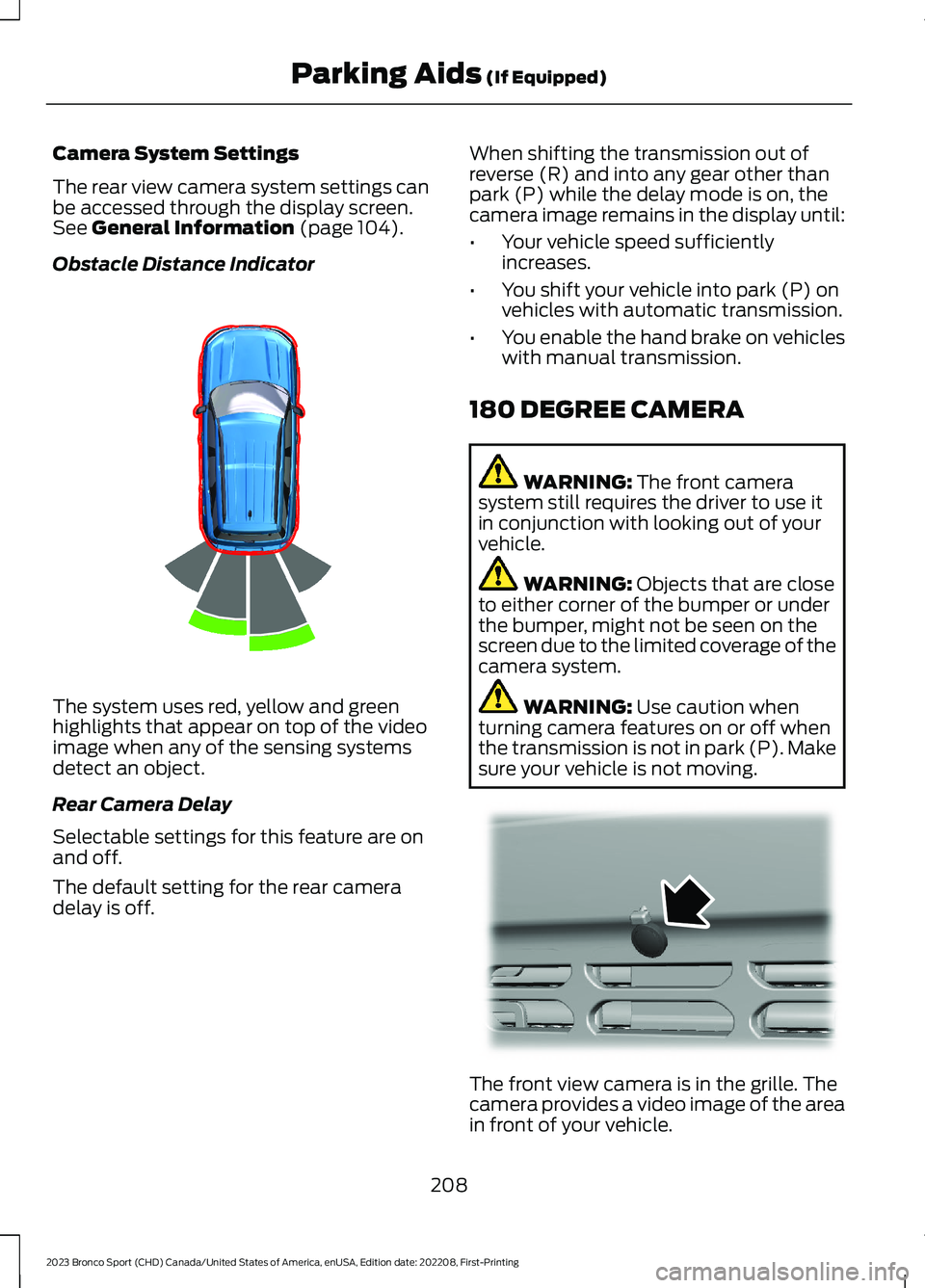
Obstacle Distance Indicator
The system uses red, yellow and greenhighlights that appear on top of the videoimage when any of the sensing systemsdetect an object.
Rear Camera Delay
Selectable settings for this feature are onand off.
The default setting for the rear cameradelay is off.
When shifting the transmission out ofreverse (R) and into any gear other thanpark (P) while the delay mode is on, thecamera image remains in the display until:
•Your vehicle speed sufficientlyincreases.
•You shift your vehicle into park (P) onvehicles with automatic transmission.
•You enable the hand brake on vehicleswith manual transmission.
180 DEGREE CAMERA
WARNING: The front camerasystem still requires the driver to use itin conjunction with looking out of yourvehicle.
WARNING: Objects that are closeto either corner of the bumper or underthe bumper, might not be seen on thescreen due to the limited coverage of thecamera system.
WARNING: Use caution whenturning camera features on or off whenthe transmission is not in park (P). Makesure your vehicle is not moving.
The front view camera is in the grille. Thecamera provides a video image of the areain front of your vehicle.
208
2023 Bronco Sport (CHD) Canada/United States of America, enUSA, Edition date: 202208, First-PrintingParking Aids (If Equipped)E322352 E321541
Page 213 of 516
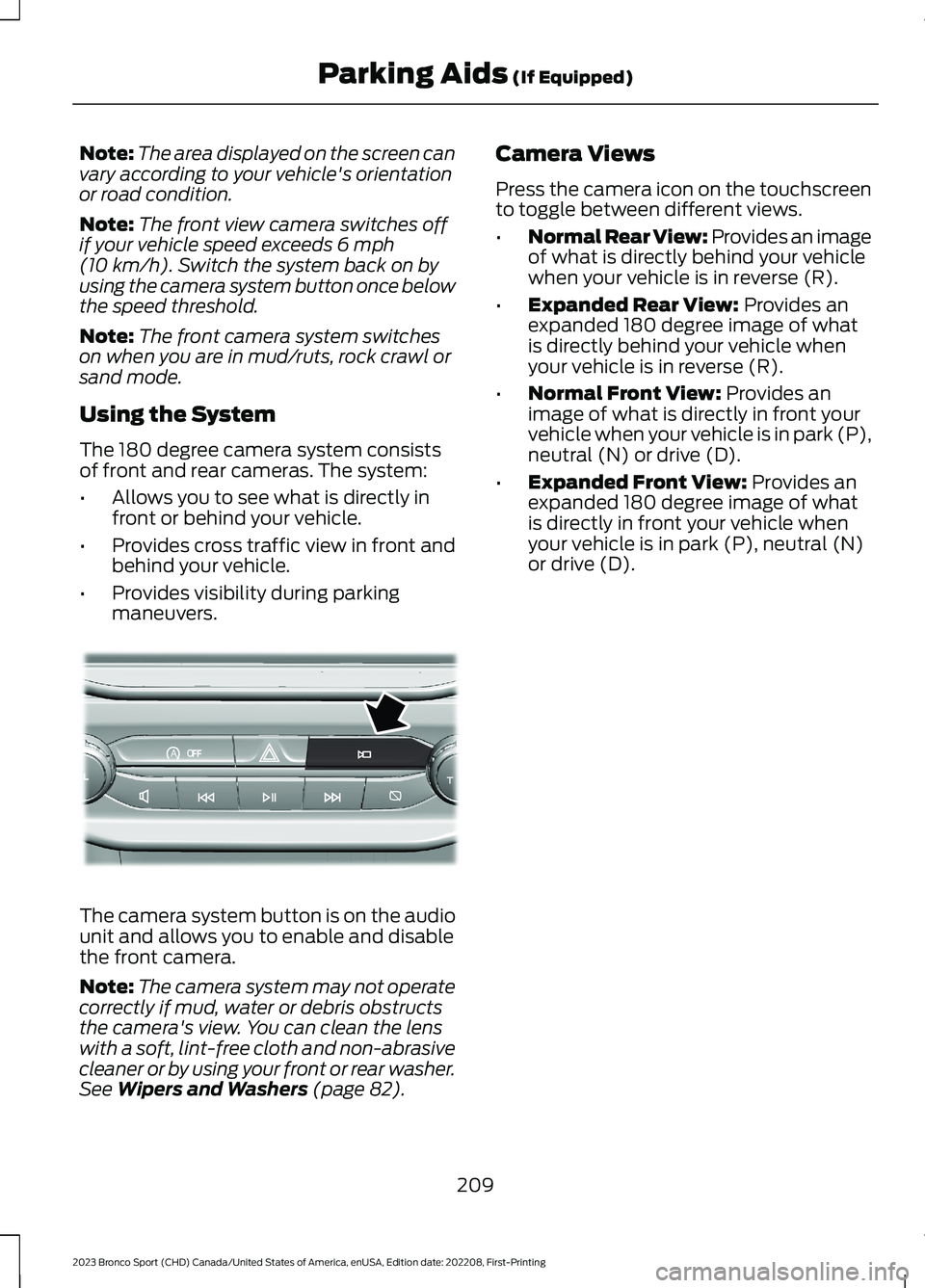
Note:The area displayed on the screen canvary according to your vehicle's orientationor road condition.
Note:The front view camera switches offif your vehicle speed exceeds 6 mph(10 km/h). Switch the system back on byusing the camera system button once belowthe speed threshold.
Note:The front camera system switcheson when you are in mud/ruts, rock crawl orsand mode.
Using the System
The 180 degree camera system consistsof front and rear cameras. The system:
•Allows you to see what is directly infront or behind your vehicle.
•Provides cross traffic view in front andbehind your vehicle.
•Provides visibility during parkingmaneuvers.
The camera system button is on the audiounit and allows you to enable and disablethe front camera.
Note:The camera system may not operatecorrectly if mud, water or debris obstructsthe camera's view. You can clean the lenswith a soft, lint-free cloth and non-abrasivecleaner or by using your front or rear washer.See Wipers and Washers (page 82).
Camera Views
Press the camera icon on the touchscreento toggle between different views.
•Normal Rear View: Provides an imageof what is directly behind your vehiclewhen your vehicle is in reverse (R).
•Expanded Rear View: Provides anexpanded 180 degree image of whatis directly behind your vehicle whenyour vehicle is in reverse (R).
•Normal Front View: Provides animage of what is directly in front yourvehicle when your vehicle is in park (P),neutral (N) or drive (D).
•Expanded Front View: Provides anexpanded 180 degree image of whatis directly in front your vehicle whenyour vehicle is in park (P), neutral (N)or drive (D).
209
2023 Bronco Sport (CHD) Canada/United States of America, enUSA, Edition date: 202208, First-PrintingParking Aids (If Equipped)AoE321477
Page 214 of 516
WHAT IS CRUISE CONTROL
Cruise control lets you maintain a setspeed without keeping your foot on theaccelerator pedal.
Requirements
Use cruise control when the vehicle speedis greater than 20 mph (30 km/h).
SWITCHING CRUISE CONTROL
ON AND OFF
WARNING: Do not use cruisecontrol on winding roads, in heavy trafficor when the road surface is slippery. Thiscould result in loss of vehicle control,serious injury or death.
The cruise controls are on the steeringwheel.
Switching Cruise Control On
Press the button to put thesystem in standby mode.
Switching Cruise Control Off
Press the button when instandby mode or switch theignition off.
Note:When you switch cruise control offthe set speed clears.
SETTING THE CRUISE
CONTROL SPEED
WARNING: When you are goingdownhill, your vehicle speed couldincrease above the set speed. Thesystem does not apply the brakes.
Drive to the speed you prefer.
Press the toggle button upwardor downward to set the currentspeed.
Take your foot off the accelerator pedal.
Note:The indicator changes color in theinformation display.
Changing the Set Speed
Press and release the togglebutton upward to increase theset speed in small increments.
Press and hold the toggle button upwardto accelerate. Release the button whenyou have reached your preferred speed.
Press and release the togglebutton downward to decreasethe set speed in smallincrements.
Press and hold the toggle buttondownward to decelerate. Release thebutton when you have reached yourpreferred speed.
Note: If you accelerate by pressing theaccelerator pedal, the set speed does notchange. When you release the acceleratorpedal, your vehicle returns to the speed thatyou previously set.
210
2023 Bronco Sport (CHD) Canada/United States of America, enUSA, Edition date: 202208, First-PrintingCruise ControlE71340 E71340 E246884 E246885 E246884 E246885
Page 218 of 516
WARNING: The system only warnsof vehicles detected by the radar andcamera sensors. In some cases theremay be no warning or a delayed warning.Apply the brakes when necessary. Failureto follow this instruction could result inpersonal injury or death.
WARNING: The system may notdetect stationary or slow movingvehicles below 6 mph (10 km/h).
WARNING: The system does notdetect pedestrians or objects in the road.
WARNING: The system does notdetect oncoming vehicles in the samelane.
WARNING: The system may notoperate properly if the sensor is blocked.Keep the windshield free fromobstruction.
WARNING: The sensor mayincorrectly track lane markings as otherstructures or objects. This can result ina false or missed warning.
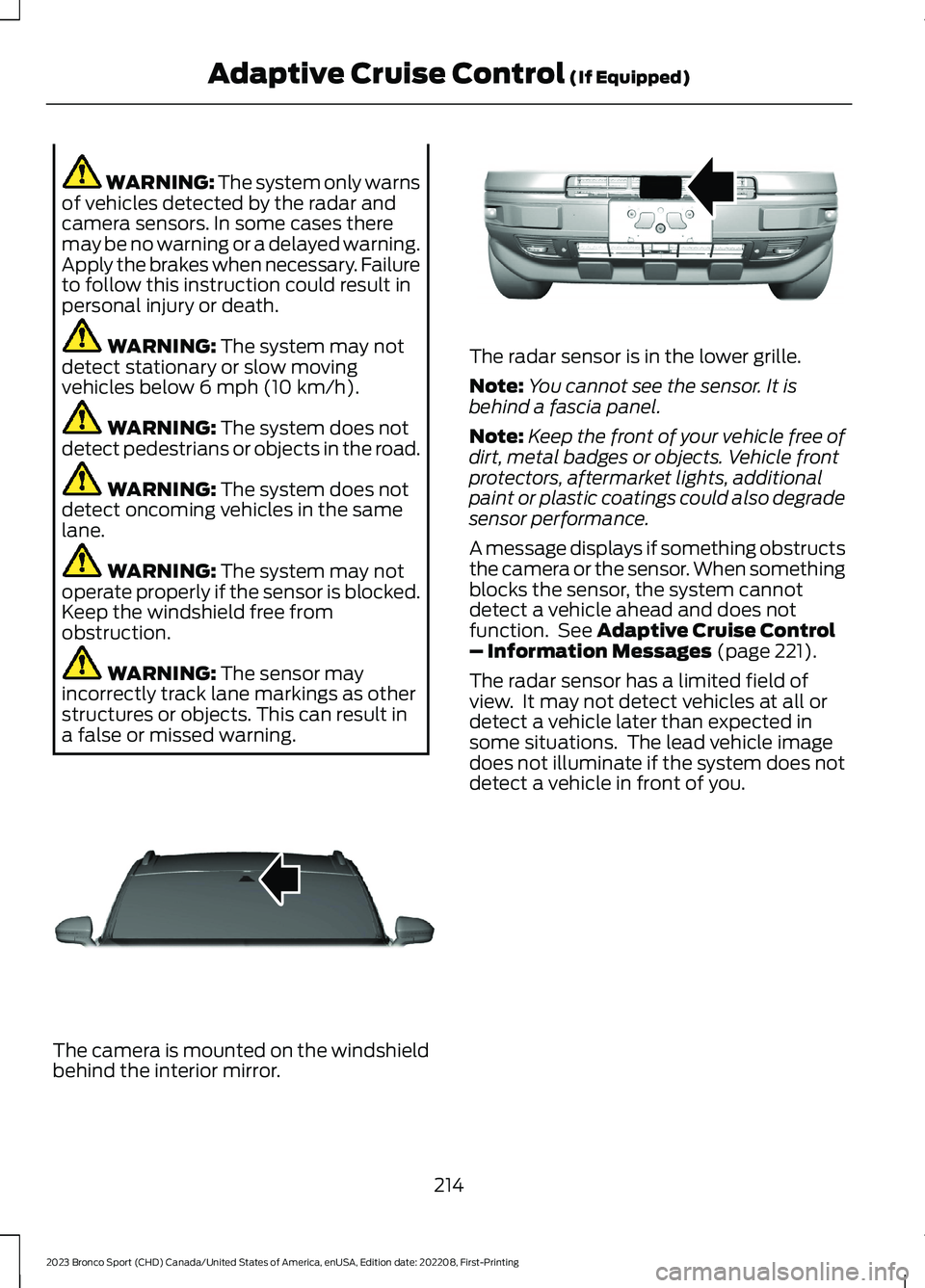
The camera is mounted on the windshieldbehind the interior mirror.
The radar sensor is in the lower grille.
Note:You cannot see the sensor. It isbehind a fascia panel.
Note:Keep the front of your vehicle free ofdirt, metal badges or objects. Vehicle frontprotectors, aftermarket lights, additionalpaint or plastic coatings could also degradesensor performance.
A message displays if something obstructsthe camera or the sensor. When somethingblocks the sensor, the system cannotdetect a vehicle ahead and does notfunction. See Adaptive Cruise Control– Information Messages (page 221).
The radar sensor has a limited field ofview. It may not detect vehicles at all ordetect a vehicle later than expected insome situations. The lead vehicle imagedoes not illuminate if the system does notdetect a vehicle in front of you.
214
2023 Bronco Sport (CHD) Canada/United States of America, enUSA, Edition date: 202208, First-PrintingAdaptive Cruise Control (If Equipped)E307893 E321483
Page 220 of 516
Switching Adaptive Cruise ControlOn
Press the button to set thesystem in standby mode.
The indicator, current gap setting and setspeed appear in the information display.
Switching Adaptive Cruise ControlOff
Press the button when thesystem is in standby mode, orswitch the ignition off.
Note:You erase the set speed when youswitch the system off.
Automatic Cancellation orDeactivation
The system may cancel if:
•The tires lose traction.
•You apply the parking brake.
The system may cancel and set the parkingbrake if:
•You unbuckle the seatbelt and openthe driver door after you stop yourvehicle.
•Your vehicle is at a stop continuouslyfor more than three minutes.
The system may deactivate or preventactivating when requested if:
•The vehicle has a blocked sensor.
•The brake temperature is too high.
•There is a failure in the system or arelated system.
SETTING THE ADAPTIVE
CRUISE CONTROL SPEED
Drive to the speed you prefer.
Press the toggle button upwardor downward to set the currentspeed.
Take your foot off the accelerator pedal.
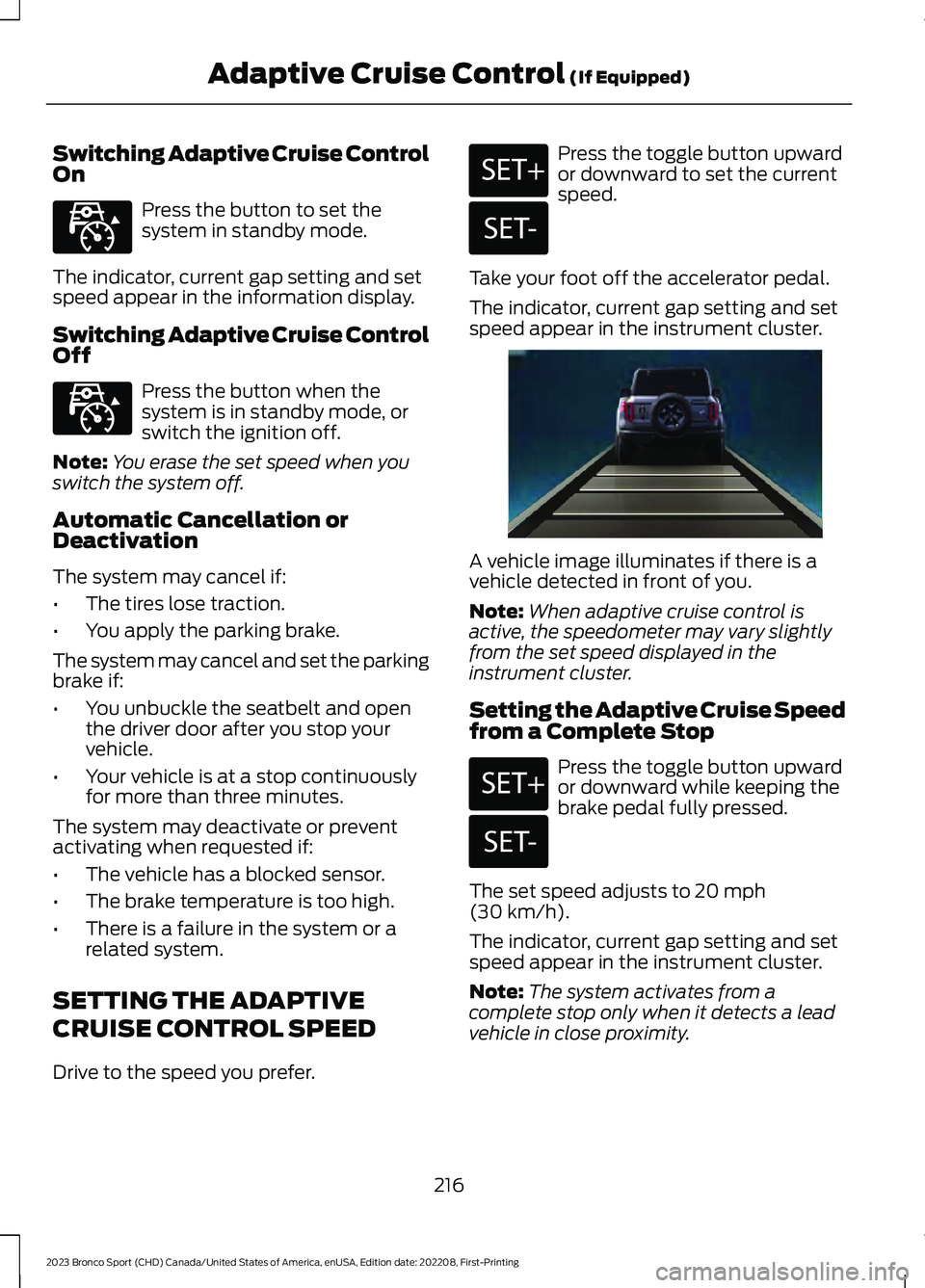
The indicator, current gap setting and setspeed appear in the instrument cluster.
A vehicle image illuminates if there is avehicle detected in front of you.
Note:When adaptive cruise control isactive, the speedometer may vary slightlyfrom the set speed displayed in theinstrument cluster.
Setting the Adaptive Cruise Speedfrom a Complete Stop
Press the toggle button upwardor downward while keeping thebrake pedal fully pressed.
The set speed adjusts to 20 mph(30 km/h).
The indicator, current gap setting and setspeed appear in the instrument cluster.
Note:The system activates from acomplete stop only when it detects a leadvehicle in close proximity.
216
2023 Bronco Sport (CHD) Canada/United States of America, enUSA, Edition date: 202208, First-PrintingAdaptive Cruise Control (If Equipped)E323440 E323440 E246884 E246885 E338558 E246884 E246885
Page 221 of 516
Manually Changing the Set Speed
Press and release the togglebutton upward to increase theset speed in small increments.
Press and hold the toggle button upwardto increase the set speed in largeincrements. Release the button when theset speed is equal to the desired speed.
Press and release the togglebutton downward to decreasethe set speed in smallincrements.
Press and hold the toggle buttondownward to decrease the set speed inlarge increments. Release the button whenthe set speed is equal to the desired speed.
You can also press the accelerator or brakepedal until you reach the speed you prefer.Press the toggle button upward ordownward to select the current speed asthe set speed.
The system may apply the brakes to slowthe vehicle to the new set speed. The setspeed continuously displays in theinformation display when the system isactive.
SETTING THE ADAPTIVE
CRUISE CONTROL GAP
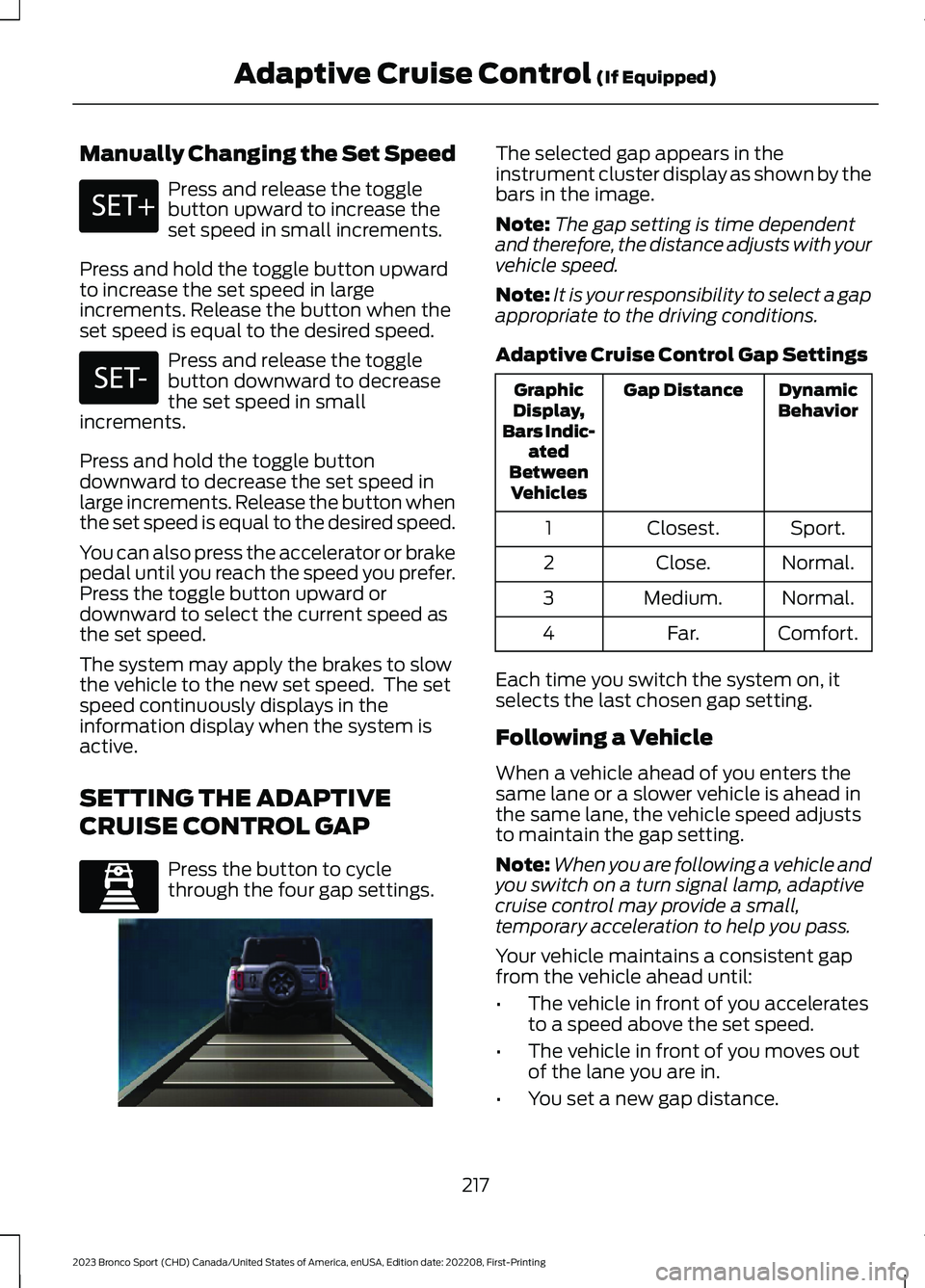
Press the button to cyclethrough the four gap settings.
The selected gap appears in theinstrument cluster display as shown by thebars in the image.
Note:The gap setting is time dependentand therefore, the distance adjusts with yourvehicle speed.
Note:It is your responsibility to select a gapappropriate to the driving conditions.
Adaptive Cruise Control Gap Settings
DynamicBehaviorGap DistanceGraphicDisplay,Bars Indic-atedBetweenVehicles
Sport.Closest.1
Normal.Close.2
Normal.Medium.3
Comfort.Far.4
Each time you switch the system on, itselects the last chosen gap setting.
Following a Vehicle
When a vehicle ahead of you enters thesame lane or a slower vehicle is ahead inthe same lane, the vehicle speed adjuststo maintain the gap setting.
Note:When you are following a vehicle andyou switch on a turn signal lamp, adaptivecruise control may provide a small,temporary acceleration to help you pass.
Your vehicle maintains a consistent gapfrom the vehicle ahead until:
•The vehicle in front of you acceleratesto a speed above the set speed.
•The vehicle in front of you moves outof the lane you are in.
•You set a new gap distance.
217
2023 Bronco Sport (CHD) Canada/United States of America, enUSA, Edition date: 202208, First-PrintingAdaptive Cruise Control (If Equipped)E246884 E246885 E339110 E338558
Page 222 of 516
The system applies the brakes to slowdown your vehicle to maintain a safe gapdistance from the vehicle in front of you.The system only applies limited braking.You can override the system by applyingthe brakes.
Note:The brakes may emit noise whenapplied by the system.
If the system determines that its maximumbraking level is not sufficient, an audiblewarning sounds, a message appears in theinstrument cluster display and an indicatorflashes when the system continues tobrake. Take immediate action.
CANCELING THE SET SPEED
Press the button or tap the brakepedal.
The set speed does not erase.
RESUMING THE SET SPEED
Press the button.
Your vehicle speed returns to thepreviously set speed and gap setting. Theset speed displays continuously in theinformation display when the system isactive.
Note:Only use resume if you are aware ofthe set speed and intend to return to it.
Resuming the Set Speed from aComplete Stop
If your vehicle follows a vehicle to acomplete stop and remains stationary forless than three seconds, your vehicleaccelerates from a stationary position tofollow the vehicle ahead.
If your vehicle follows a vehicleto a complete stop and remainsstationary for more than threeseconds, press and release the button orpress the accelerator pedal to follow thevehicle ahead.
OVERRIDING THE SET SPEED
WARNING: If you override thesystem by pressing the acceleratorpedal, it does not automatically applythe brakes to maintain a gap from anyvehicle ahead.
When you press the accelerator pedal, youoverride the set speed and gap distance.
Use the accelerator pedal to intentionallyexceed the set speed limit.
When you override the system, the greenindicator illuminates and the vehicle icondoes not appear in the instrument clusterdisplay.
The system resumes operation when yourelease the accelerator pedal. The vehiclespeed decreases to the set speed, or alower speed if following a slower vehicle.
ADAPTIVE CRUISE CONTROL
INDICATORS
Illuminates when you switch thesystem on. The color of theindicator changes to indicate thesystem status.
White indicates the system is on butinactive.
Green indicates the system is active andthe speed has been set.
218
2023 Bronco Sport (CHD) Canada/United States of America, enUSA, Edition date: 202208, First-PrintingAdaptive Cruise Control (If Equipped)E280804 E323440