Menu FORD C MAX 2008 1.G User Guide
[x] Cancel search | Manufacturer: FORD, Model Year: 2008, Model line: C MAX, Model: FORD C MAX 2008 1.GPages: 278, PDF Size: 17.5 MB
Page 241 of 278
Downloaded from www.Manualslib.com manuals search engine Dialling a number - Bluetoothphone
Using the Bluetooth phone, phonenumbers can be dialled using voicecontrol, refer to the Voice controlchapter.
Ending a call
Calls can be ended by either:
•pressing the reject button
•pressing the MODE button on theremote switch
•pressing the off button on thenavigation system
•pressing the right rotary entrycontrol button.
Redialling a number - cradlephone
1.Press the PHONE button on theaudio unit.
2.Press the MENU button.
3.Select the CALL OUT list, CALLIN list or REDIAL.
4.Press the PHONE button on theaudio unit to dial the desiredphone number.
Redialling a number -Bluetooth phone
1.Press the PHONE button on theaudio unit.
2.Press the MENU button.
3.Select REDIAL.
4.Press the PHONE button on theaudio unit to dial the phonenumber.
Handling an incoming call
Accepting an incoming call
Incoming calls can be accepted byeither:
•pressing the accept button
•pressing the MODE button on theremote control
•pressing the PHONE button onthe audio unit
•using the ACCEPT option in themenu.
Rejecting an incoming call
Incoming calls can be rejected byeither:
•pressing the reject button
•pressing one of the followingbuttons on the audio unit: CD,AM/FM
•using the REJECT option in themenu.
Note:You cannot reject an incomingcall using the remote control MODEbutton.
Handling a secondincoming call
Note:The second incoming callfunction must be activated in yourphone.
If there is an incoming call, whilstthere is an ongoing call, a beep willbe heard and you will have the optionto end the active call and to acceptthe incoming call.
239
Telephone
Page 242 of 278
Downloaded from www.Manualslib.com manuals search engine Accepting a second incomingcall
Second incoming calls can beaccepted by either:
•Pressing the accept button.
•Pressing the MODE button on theremote control.
•Pressing the PHONE button onthe audio unit.
•Using the ACCEPT option in themenu.
Note:This will cancel the ongoingcall.
Rejecting a second incomingcall
Second incoming calls can berejected by pressing either:
•The teject button
•one of the following buttons onthe audio unit: CD, AM/FM.
Changing the active phone
Note:Phones must be bonded tothe system before they can be madeactive.
1.Press the PHONE button on theaudio unit.
2.Using the ACTIVE PHONEoption in the menu, select theactive phone from the list usingthe preset buttons.
Debonding a bonded phone
A bonded phone can be deletedfrom the system at any time, unlessa phone call is in progress.
1.Press the PHONE button on theaudio unit.
2.Select the DEBOND option in themenu.
3.Select the phone from the list byusing the preset buttons.
Note:After bonding a Bluetoothphone to the system, this becomesthe active phone.
However, in some cases theBluetooth phone has to be activatedby pressing the appropriate stationbutton on the audio or navigationunit.
240
Telephone
Page 244 of 278
Downloaded from www.Manualslib.com manuals search engine •Store up to 20 name tags perfunction.
•The average recording time foreach name tag is approximately2-3 seconds.
USING VOICE CONTROL
System operation
The order and content of the voicecontrols are given in the followinglists. The tables show the sequenceof user voice commands and systemresponses for each available function.
<> indicates a number or storedname tag to be inserted by the user.
Short cuts
There are a number of voicecommand short cuts available, whichallow you to control some vehiclefeatures without having to follow thecomplete command menu. Theseare:
•phone: "MOBILE NAME"1, "DIAL
NUMBER", "DIAL NAME" and"REDIAL"
•CD player: "DISC" and "TRACK"
•climate control: "TEMPERATURE","FAN", "AUTO MODE","DEFROSTING/DEMISTING ON"and "DEFROSTING/DEMISTINGOFF"
•radio: "TUNE NAME"
•navigation: "ZOOM" and "ROUTESETTING".
1) Only when the mobile phone isfitted with Bluetooth and voicecontrol
Start communicating with thesystem
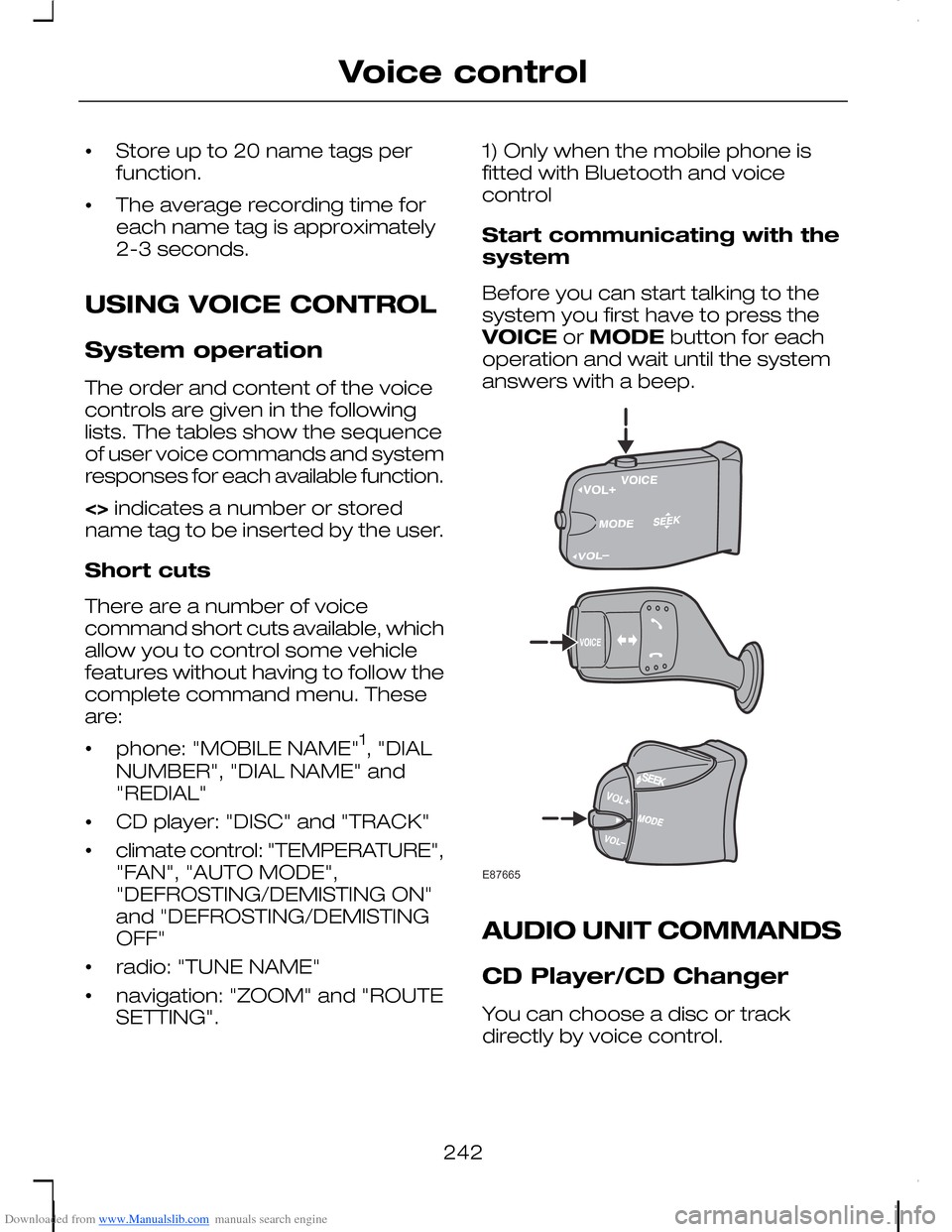
Before you can start talking to thesystem you first have to press theVOICE or MODE button for eachoperation and wait until the systemanswers with a beep.
AUDIO UNIT COMMANDS
CD Player/CD Changer
You can choose a disc or trackdirectly by voice control.
242
Voice controlE87665
Page 245 of 278
Downloaded from www.Manualslib.com manuals search engine OverviewThe overview below shows theavailable voice commands foroperating your CD player. Thefollowing lists will give furtherinformation about the completecommand menu.
"CD"
"HELP"
"DISC"a
"TRACK"b
a) Can only be used with a CD changer.
b) Can be used as a shortcut.
Disc
If you have a CD changer you canchoose the disc number.
System answerUser saysSteps
"CD""CD"1
"DISC NUMBER PLEASE""DISC"a2
"DISC
a) Can be used as a shortcut.
Track
You can also choose a track on yourCD directly.
System answerUser saysSteps
"CD""CD"1
243
Voice control
Page 246 of 278
Downloaded from www.Manualslib.com manuals search engine System answerUser saysSteps
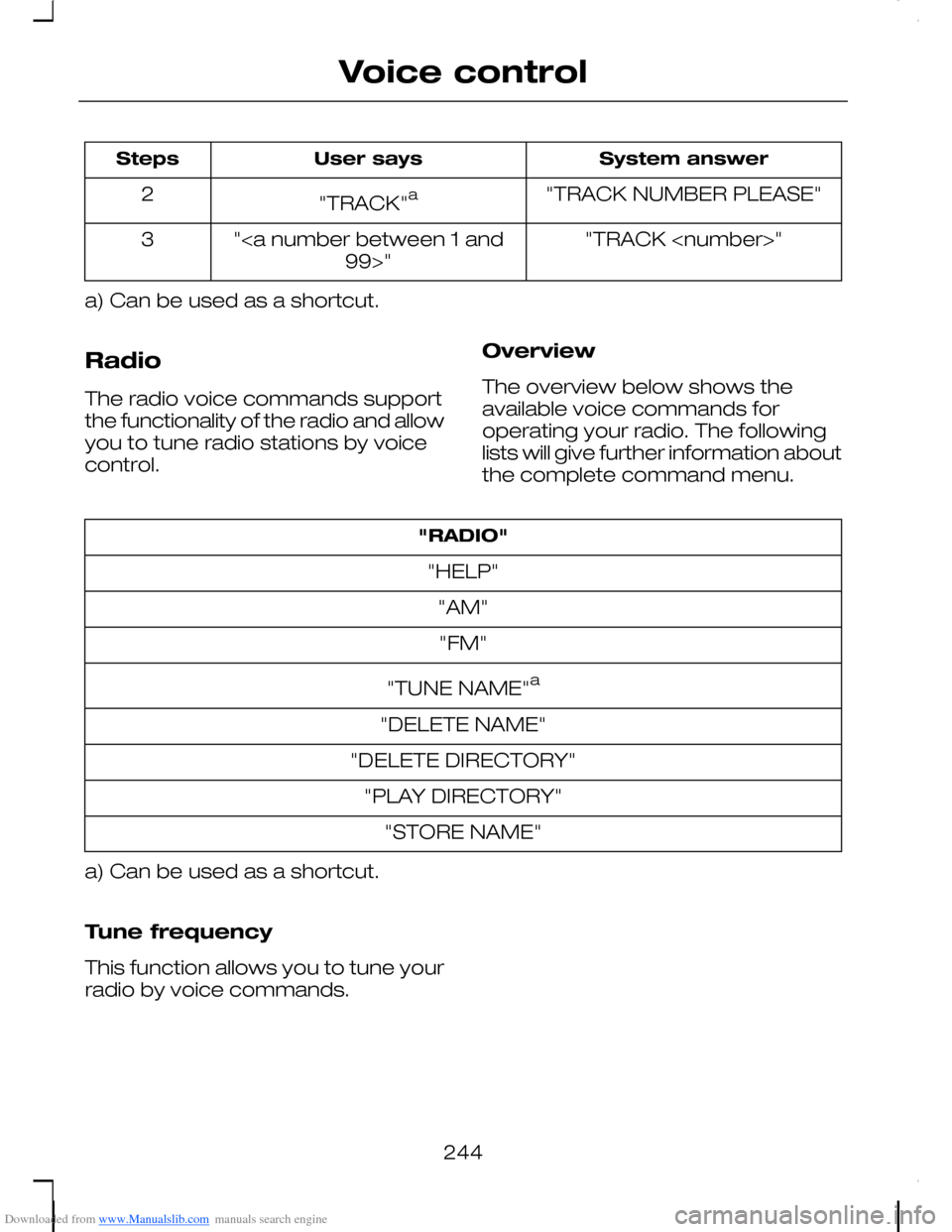
"TRACK NUMBER PLEASE""TRACK"a2
"TRACK
a) Can be used as a shortcut.
Radio
The radio voice commands supportthe functionality of the radio and allowyou to tune radio stations by voicecontrol.
Overview
The overview below shows theavailable voice commands foroperating your radio. The followinglists will give further information aboutthe complete command menu.
"RADIO"
"HELP"
"AM"
"FM"
"TUNE NAME"a
"DELETE NAME"
"DELETE DIRECTORY"
"PLAY DIRECTORY"
"STORE NAME"
a) Can be used as a shortcut.
Tune frequency
This function allows you to tune yourradio by voice commands.
244
Voice control
Page 249 of 278
Downloaded from www.Manualslib.com manuals search engine TELEPHONE COMMANDS
Phone
Your phone system allows you tocreate an additional phonebook. Thestored entries can be dialled by voicecontrol. Phone numbers stored byusing voice control are stored on thevehicle system and not in yourphone.
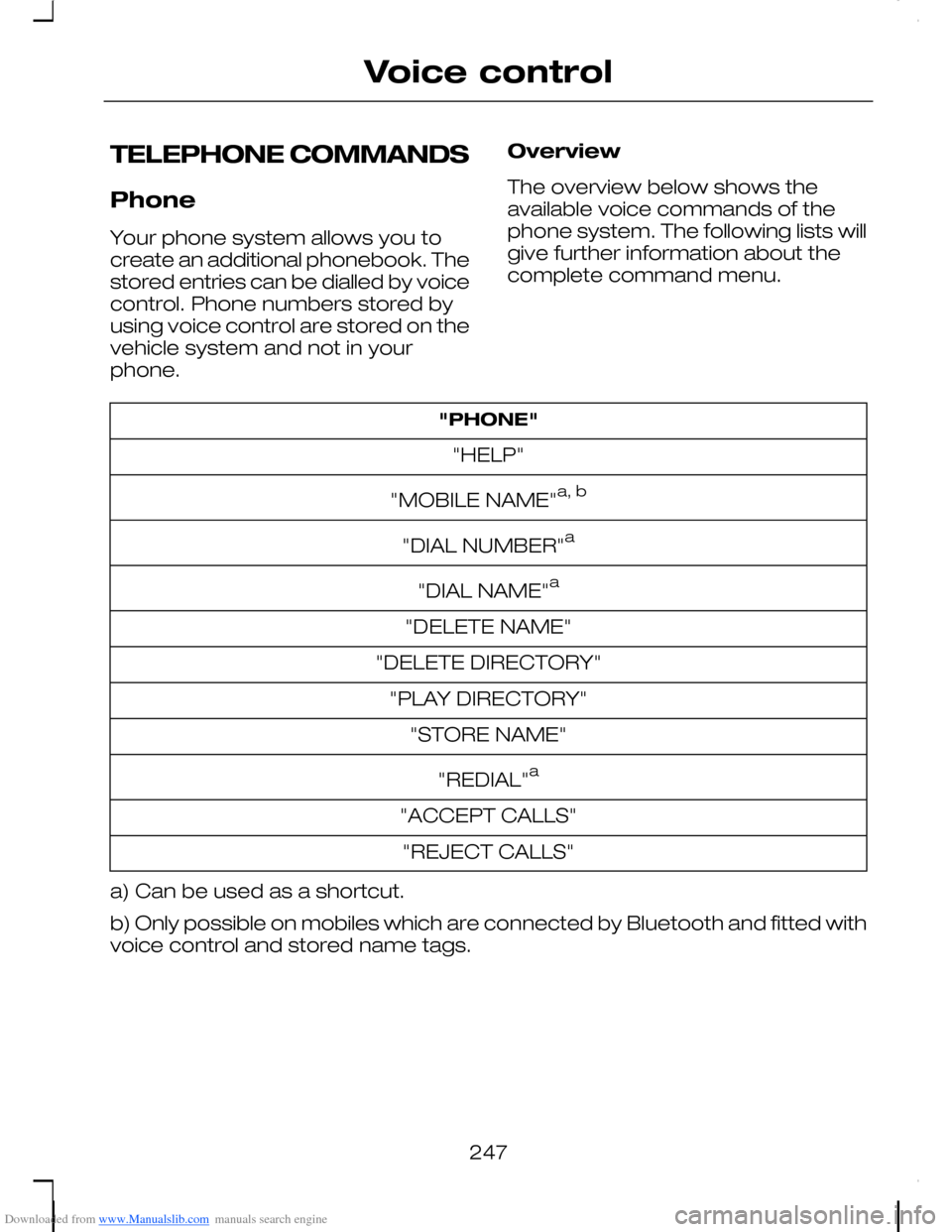
Overview
The overview below shows theavailable voice commands of thephone system. The following lists willgive further information about thecomplete command menu.
"PHONE"
"HELP"
"MOBILE NAME"a, b
"DIAL NUMBER"a
"DIAL NAME"a
"DELETE NAME"
"DELETE DIRECTORY"
"PLAY DIRECTORY"
"STORE NAME"
"REDIAL"a
"ACCEPT CALLS"
"REJECT CALLS"
a) Can be used as a shortcut.
b) Only possible on mobiles which are connected by Bluetooth and fitted withvoice control and stored name tags.
247
Voice control
Page 254 of 278
Downloaded from www.Manualslib.com manuals search engine System answerUser saysSteps
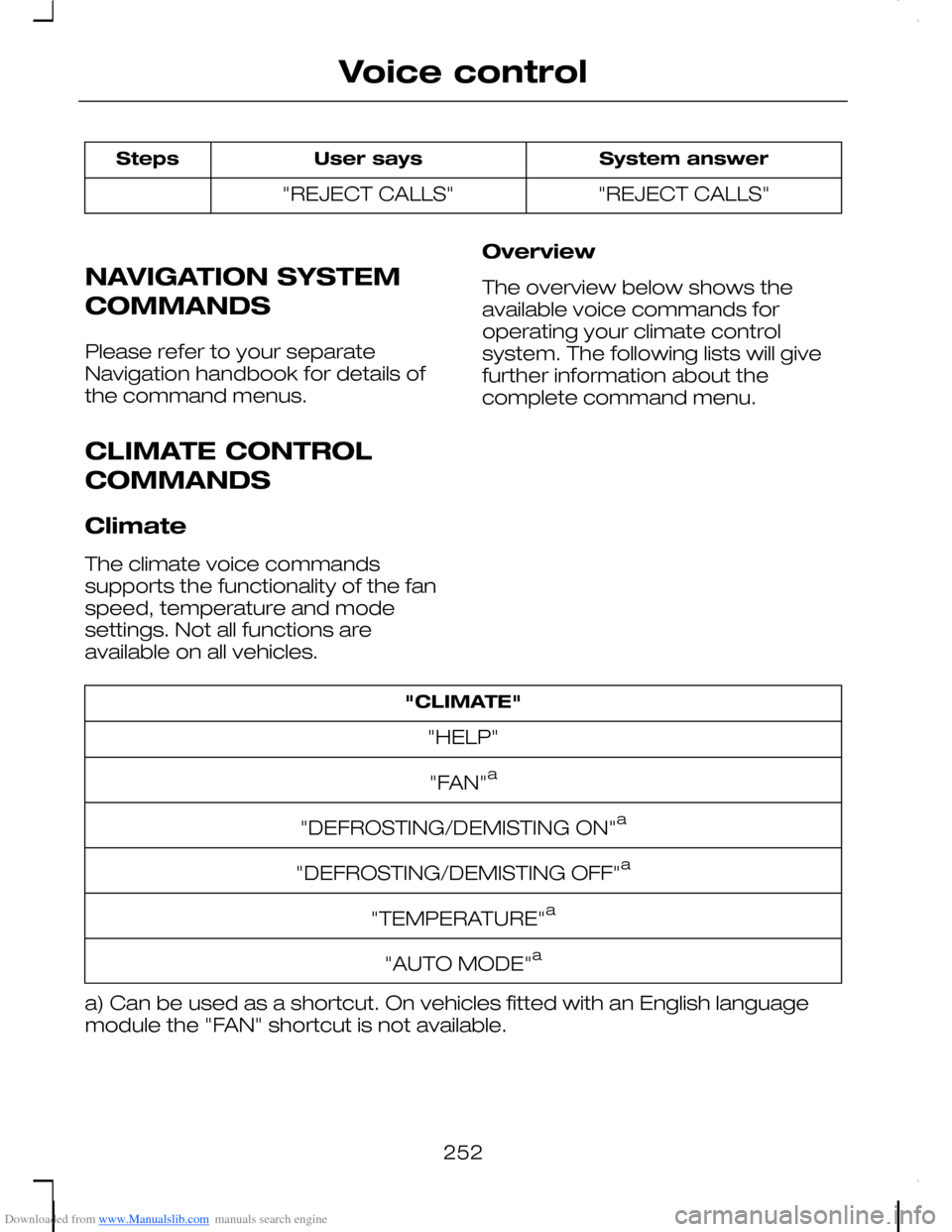
"REJECT CALLS""REJECT CALLS"
NAVIGATION SYSTEM
COMMANDS
Please refer to your separateNavigation handbook for details ofthe command menus.
CLIMATE CONTROL
COMMANDS
Climate
The climate voice commandssupports the functionality of the fanspeed, temperature and modesettings. Not all functions areavailable on all vehicles.
Overview
The overview below shows theavailable voice commands foroperating your climate controlsystem. The following lists will givefurther information about thecomplete command menu.
"CLIMATE"
"HELP"
"FAN"a
"DEFROSTING/DEMISTING ON"a
"DEFROSTING/DEMISTING OFF"a
"TEMPERATURE"a
"AUTO MODE"a
a) Can be used as a shortcut. On vehicles fitted with an English languagemodule the "FAN" shortcut is not available.
252
Voice control
Page 272 of 278
Downloaded from www.Manualslib.com manuals search engine Manual transmission.....................154Reverse gear − 5-speedtransmission....................................154Reverse gear − 6-speedtransmission....................................154
Message centreSee: Information displays...................96
MirrorsSee: Heated windows and mirrors...114See: Windows and mirrors.................84
N
Navigation systemcommands..................................252
O
Occupant protection......................27Principle of operation..........................27
Oil checkSee: Engine oil check.......................200
Opening and closing thebonnet..........................................189Closing the bonnet............................189Opening the bonnet..........................189
P
Parking aid......................................162Principle of operation........................162
Parking aidSee: Using the parking aid................162
Parking brake.................................159All vehicles...........................................159
Parts and accessories......................7Look for the Ford logo on thefollowing parts ....................................8Now you can be sure that your Fordparts are Ford parts...........................7
Pedals...............................................58
Personalised settings.....................99Auxiliary heater programming..........100Car Setup menu..................................99Chime deactivation............................102Clock setting.......................................100ESP.......................................................100Language setting...............................100Units of measure................................100
Power steering fluid check.........202Vehicles with 1.4L Duratec-16V(Sigma) or 1.6L Duratec-16V(Sigma) or 1.6L Duratec-16V Ti-VCT(Sigma) engine...............................202Vehicles with 1.8L Duratec-HE (MI4)or 2.0L Duratec-HE (MI4) or 2.5LDuratec-ST (VI5) or 1.6LDuratorq-TDCi (DV) Diesel or 1.8LDuratorq-TDCi (Kent) Diesel or 2.0LDuratorq-TDCi (Kent) Dieselengine.............................................203
Programming the remotecontrol............................................35Reprogramming the unlockingfunction..............................................36
Q
Quick start.........................................10
R
Rear fog lamps................................65Rear seats......................................124Comfort seat system........................124Folding the seatbacks forward........125Folding the seats forward.................127Installing the seats..............................131Removing the seats..........................130Returning the seatbacks to theupright position...............................126Returning the seats to the seatingposition............................................129
270
Index