ECO mode FORD C MAX ENERGI 2016 User Guide
[x] Cancel search | Manufacturer: FORD, Model Year: 2016, Model line: C MAX ENERGI, Model: FORD C MAX ENERGI 2016Pages: 395, PDF Size: 6.78 MB
Page 91 of 395
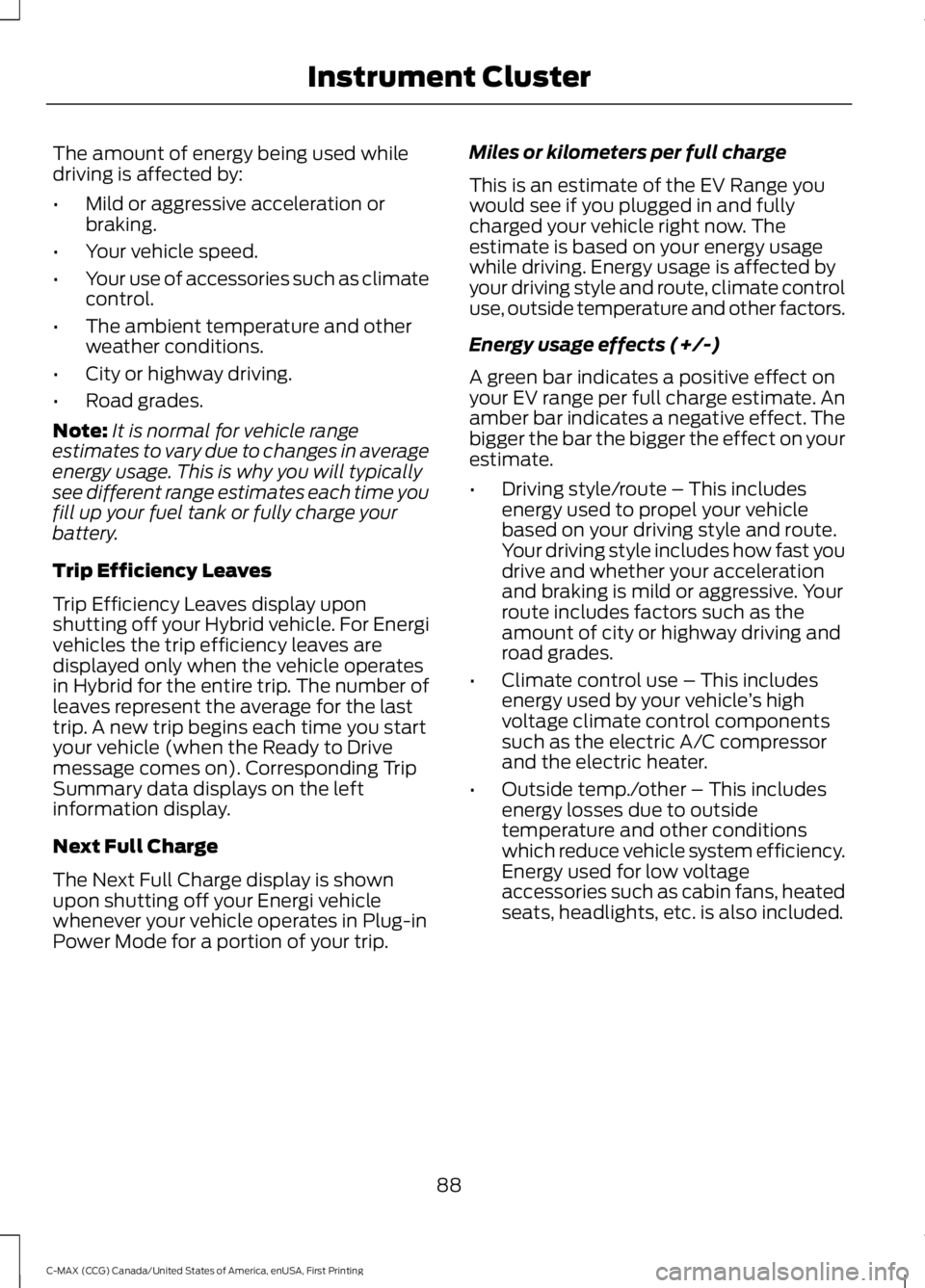
The amount of energy being used whiledriving is affected by:
•Mild or aggressive acceleration orbraking.
•Your vehicle speed.
•Your use of accessories such as climatecontrol.
•The ambient temperature and otherweather conditions.
•City or highway driving.
•Road grades.
Note:It is normal for vehicle rangeestimates to vary due to changes in averageenergy usage. This is why you will typicallysee different range estimates each time youfill up your fuel tank or fully charge yourbattery.
Trip Efficiency Leaves
Trip Efficiency Leaves display uponshutting off your Hybrid vehicle. For Energivehicles the trip efficiency leaves aredisplayed only when the vehicle operatesin Hybrid for the entire trip. The number ofleaves represent the average for the lasttrip. A new trip begins each time you startyour vehicle (when the Ready to Drivemessage comes on). Corresponding TripSummary data displays on the leftinformation display.
Next Full Charge
The Next Full Charge display is shownupon shutting off your Energi vehiclewhenever your vehicle operates in Plug-inPower Mode for a portion of your trip.
Miles or kilometers per full charge
This is an estimate of the EV Range youwould see if you plugged in and fullycharged your vehicle right now. Theestimate is based on your energy usagewhile driving. Energy usage is affected byyour driving style and route, climate controluse, outside temperature and other factors.
Energy usage effects (+/-)
A green bar indicates a positive effect onyour EV range per full charge estimate. Anamber bar indicates a negative effect. Thebigger the bar the bigger the effect on yourestimate.
•Driving style/route – This includesenergy used to propel your vehiclebased on your driving style and route.Your driving style includes how fast youdrive and whether your accelerationand braking is mild or aggressive. Yourroute includes factors such as theamount of city or highway driving androad grades.
•Climate control use – This includesenergy used by your vehicle’s highvoltage climate control componentssuch as the electric A/C compressorand the electric heater.
•Outside temp./other – This includesenergy losses due to outsidetemperature and other conditionswhich reduce vehicle system efficiency.Energy used for low voltageaccessories such as cabin fans, heatedseats, headlights, etc. is also included.
88
C-MAX (CCG) Canada/United States of America, enUSA, First Printing
Instrument Cluster
Page 94 of 395
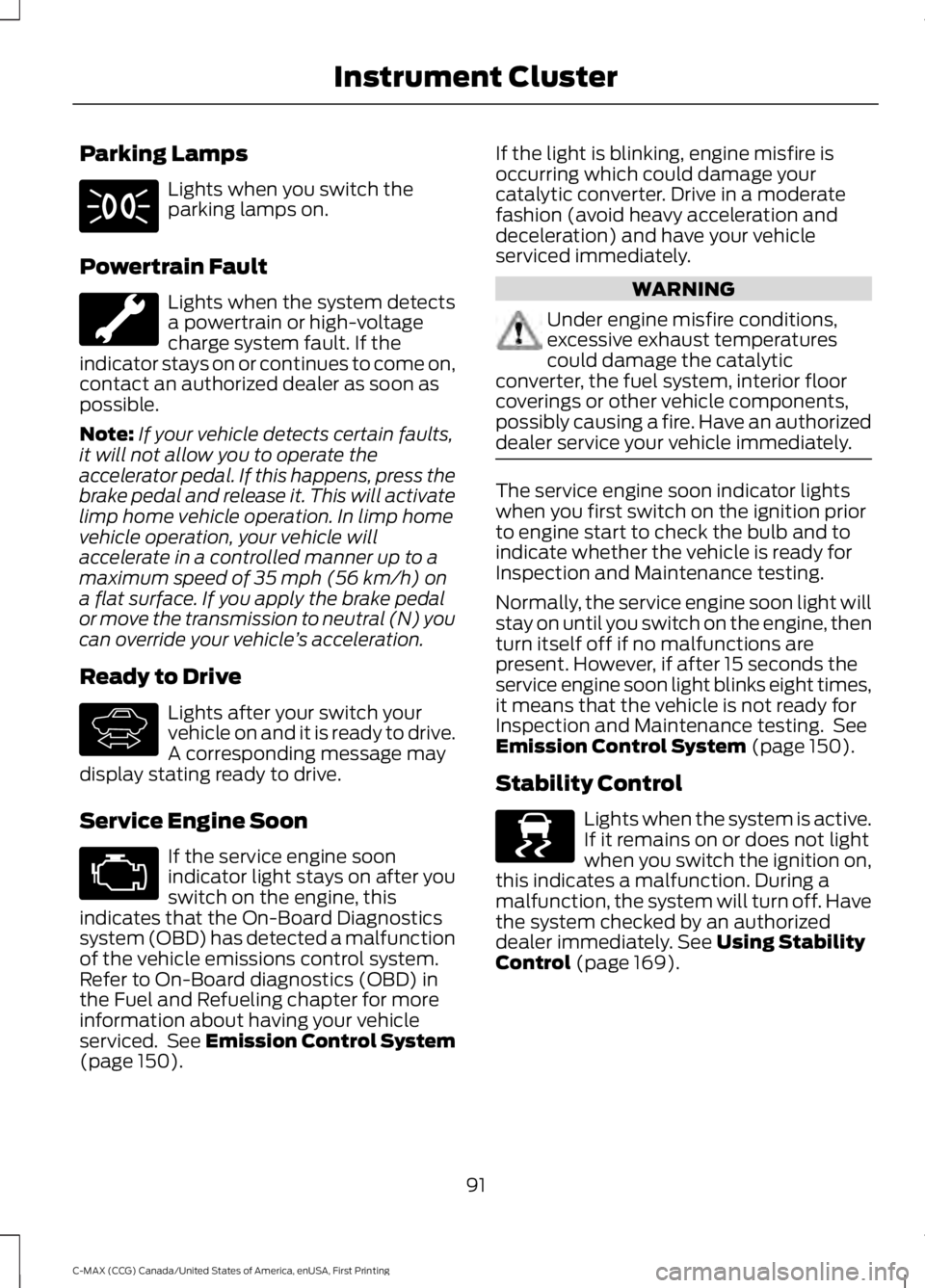
Parking Lamps
Lights when you switch theparking lamps on.
Powertrain Fault
Lights when the system detectsa powertrain or high-voltagecharge system fault. If theindicator stays on or continues to come on,contact an authorized dealer as soon aspossible.
Note:If your vehicle detects certain faults,it will not allow you to operate theaccelerator pedal. If this happens, press thebrake pedal and release it. This will activatelimp home vehicle operation. In limp homevehicle operation, your vehicle willaccelerate in a controlled manner up to amaximum speed of 35 mph (56 km/h) ona flat surface. If you apply the brake pedalor move the transmission to neutral (N) youcan override your vehicle’s acceleration.
Ready to Drive
Lights after your switch yourvehicle on and it is ready to drive.A corresponding message maydisplay stating ready to drive.
Service Engine Soon
If the service engine soonindicator light stays on after youswitch on the engine, thisindicates that the On-Board Diagnosticssystem (OBD) has detected a malfunctionof the vehicle emissions control system.Refer to On-Board diagnostics (OBD) inthe Fuel and Refueling chapter for moreinformation about having your vehicleserviced. See Emission Control System(page 150).
If the light is blinking, engine misfire isoccurring which could damage yourcatalytic converter. Drive in a moderatefashion (avoid heavy acceleration anddeceleration) and have your vehicleserviced immediately.
WARNING
Under engine misfire conditions,excessive exhaust temperaturescould damage the catalyticconverter, the fuel system, interior floorcoverings or other vehicle components,possibly causing a fire. Have an authorizeddealer service your vehicle immediately.
The service engine soon indicator lightswhen you first switch on the ignition priorto engine start to check the bulb and toindicate whether the vehicle is ready forInspection and Maintenance testing.
Normally, the service engine soon light willstay on until you switch on the engine, thenturn itself off if no malfunctions arepresent. However, if after 15 seconds theservice engine soon light blinks eight times,it means that the vehicle is not ready forInspection and Maintenance testing. SeeEmission Control System (page 150).
Stability Control
Lights when the system is active.If it remains on or does not lightwhen you switch the ignition on,this indicates a malfunction. During amalfunction, the system will turn off. Havethe system checked by an authorizeddealer immediately. See Using StabilityControl (page 169).
91
C-MAX (CCG) Canada/United States of America, enUSA, First Printing
Instrument Cluster E144692 E138639
Page 97 of 395
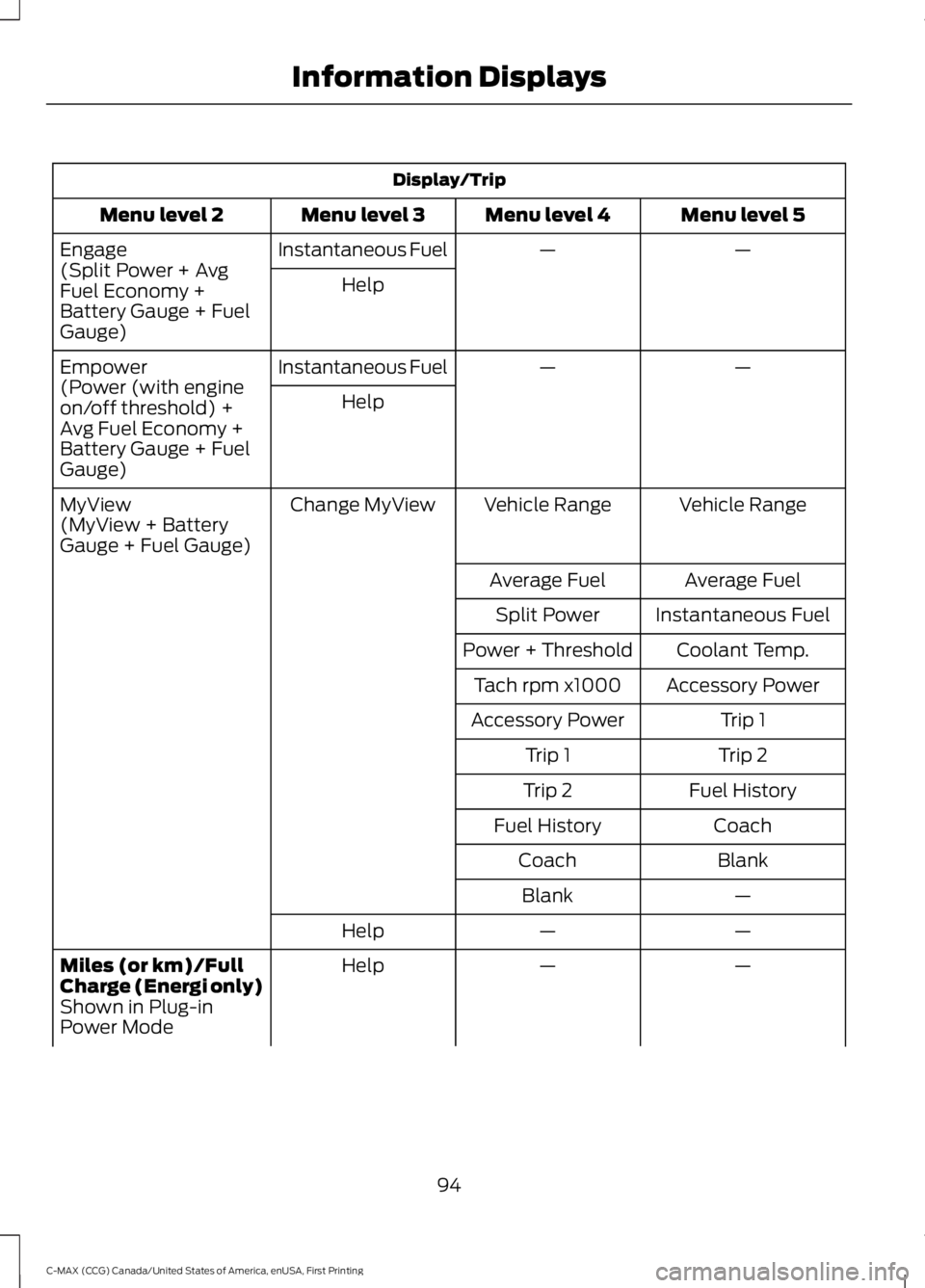
Display/Trip
Menu level 5Menu level 4Menu level 3Menu level 2
——Instantaneous FuelEngage(Split Power + AvgFuel Economy +Battery Gauge + FuelGauge)
Help
——Instantaneous FuelEmpower(Power (with engineon/off threshold) +Avg Fuel Economy +Battery Gauge + FuelGauge)
Help
Vehicle RangeVehicle RangeChange MyViewMyView(MyView + BatteryGauge + Fuel Gauge)
Average FuelAverage Fuel
Instantaneous FuelSplit Power
Coolant Temp.Power + Threshold
Accessory PowerTach rpm x1000
Trip 1Accessory Power
Trip 2Trip 1
Fuel HistoryTrip 2
CoachFuel History
BlankCoach
—Blank
——Help
——HelpMiles (or km)/FullCharge (Energi only)Shown in Plug-inPower Mode
94
C-MAX (CCG) Canada/United States of America, enUSA, First Printing
Information Displays
Page 98 of 395
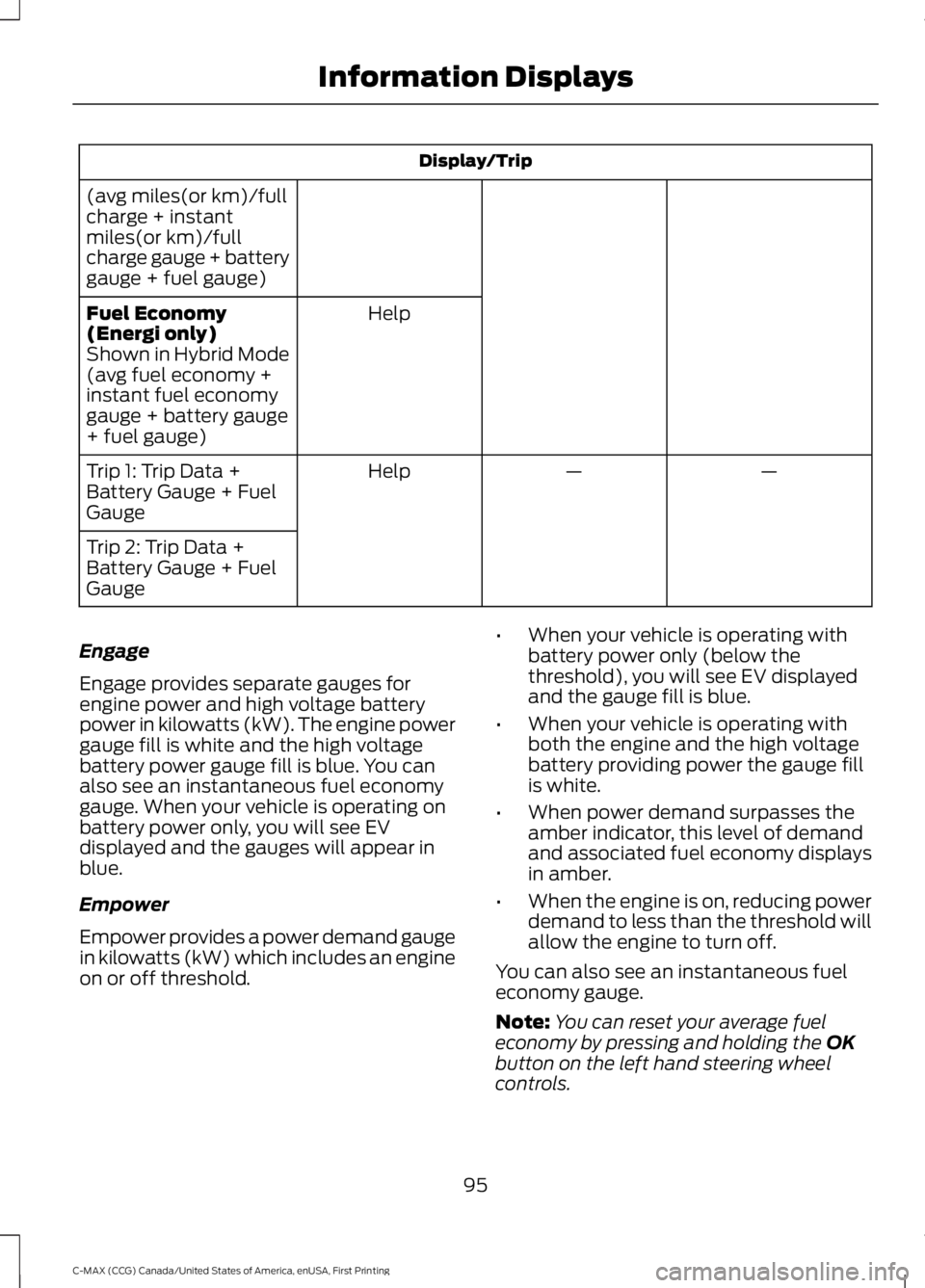
Display/Trip
(avg miles(or km)/fullcharge + instantmiles(or km)/fullcharge gauge + batterygauge + fuel gauge)
HelpFuel Economy(Energi only)Shown in Hybrid Mode(avg fuel economy +instant fuel economygauge + battery gauge+ fuel gauge)
——HelpTrip 1: Trip Data +Battery Gauge + FuelGauge
Trip 2: Trip Data +Battery Gauge + FuelGauge
Engage
Engage provides separate gauges forengine power and high voltage batterypower in kilowatts (kW). The engine powergauge fill is white and the high voltagebattery power gauge fill is blue. You canalso see an instantaneous fuel economygauge. When your vehicle is operating onbattery power only, you will see EVdisplayed and the gauges will appear inblue.
Empower
Empower provides a power demand gaugein kilowatts (kW) which includes an engineon or off threshold.
•When your vehicle is operating withbattery power only (below thethreshold), you will see EV displayedand the gauge fill is blue.
•When your vehicle is operating withboth the engine and the high voltagebattery providing power the gauge fillis white.
•When power demand surpasses theamber indicator, this level of demandand associated fuel economy displaysin amber.
•When the engine is on, reducing powerdemand to less than the threshold willallow the engine to turn off.
You can also see an instantaneous fueleconomy gauge.
Note:You can reset your average fueleconomy by pressing and holding the OKbutton on the left hand steering wheelcontrols.
95
C-MAX (CCG) Canada/United States of America, enUSA, First Printing
Information Displays
Page 99 of 395
MyView
You can choose what to display in thisview. Selecting Change MyView in theoptions menu allows you to scroll throughtwo columns of content choices.
•Press the up or down arrow to viewcontent.
•Press OK to save your selectedcontent.
•You must select content in bothcolumns before you can save your newMyView.
Unique content available in MyView:
•Vehicle Range (Energi vehicles only) –Indicates the estimated distance yourvehicle will travel with the energycurrently onboard. Separately displaysrange available in Hybrid Mode fueledby gasoline, electric range available inPlug-in Power Mode, and total range.Gasoline range and electric range arealso shown on the bottom of the rightinformation display. Changes in drivingpattern and climate control use willcause the values to vary.
•Accessory Power— Indicates electricalpower demands from your vehicle’saccessory systems. Accessories usepower but do not contribute topropelling your vehicle. The gaugeseparately displays power demand inkilowatts (kW) for climate and otheraccessories. Climate includes thepower being used by high voltageclimate control components such asthe electric A/C compressor and theelectric heater (Energi vehicles only).Other includes all power being used bythe low voltage accessories (cabinfans, headlights, heated seats, etc.).
•Coolant Temp – Indicates enginecoolant temperature. At normaloperating temperature, the levelindicator will be white and will be in thenormal range (between H and C). If theengine coolant temperature exceedsthe normal range, the level indicatorwill change to red to indicate that theengine is overheating. Stop your vehicleas soon as safely possible, turn yourvehicle off and let the engine cool.
•Tach rpm x 1000 — When the gasolineengine is running, the tachometergauge displays the engine speed inrevolutions per minute (RPM). Whenyour vehicle is operating on batterypower only with the engine off, EVdisplays and the tachometer is greyedout.
Note:The trip data, and average fueleconomy cannot be reset in MyView.
Miles (or km)/Full Charge (Energi only)
In Hybrid Mode the display changes to FuelEconomy. Miles or Kilometers per FullCharge is an estimate of your EV Rangewith a fully charged battery.
This display is only available in Plug-inPower Mode.
Average Miles or Kilometers per FullCharge is provided along with anInstantaneous gauge. This information isbased on your energy usage while driving.Energy usage is affected by your drivingstyle and route, climate control use,outside temperature and other factors. Formore information refer to Next Full Charge.See Gauges (page 85).
When you select EV Now operation thisscreen will automatically be shown. Youcan press OK to enable the engine whenviewing this screen during EV Nowoperation. See Plug-In Hybrid VehicleOperation (page 137).
96
C-MAX (CCG) Canada/United States of America, enUSA, First Printing
Information Displays
Page 100 of 395
Fuel Economy (Energi only)
This display is only available in HybridMode. In Plug-in Power Mode the displaychanges to Miles (or km)/Full Charge.
An Instant Fuel Economy gauge is providedalong with Avg Fuel Economy. Whileviewing this screen you can reset youraverage fuel economy by pressing andholding the OK button on the left handsteering wheel controls. For moreinformation see Common Displays in thischapter.
Trip 1 & 2
Provides trip odometer, trip average fueleconomy and trip timer.
Distance traveled on battery power onlywith the engine off is shown in blue nextto total trip distance.
For Energi vehicles total plug-in electricityused in kilowatt hours (kWh) is shown inblue next to trip average fuel economy.
Info
In this mode, you can viewdifferent vehicle systeminformation and perform asystem check.
Information
Displays a number of different system tutorials. Use the up/downarrows to scroll through the tutorials. Then press OK to view.Tutorial
MyKeys (Number of MyKeys programmed)MyKey
MyKey Miles (km) (Distance traveled using a programmed MyKey)
Admin Keys (Number of admin keys)
All active warnings will display first if applicable. The system checkmenu may appear different based upon equipment options andcurrent vehicle status. Use the up/down arrow buttons to scrollthrough the list.
System Check
Settings
In this mode, you can configuredifferent driver setting choices.
Note:Some items are optional and may not appear.
Note:Some MyKey items will only appear if a MyKey is set.
97
C-MAX (CCG) Canada/United States of America, enUSA, First Printing
Information DisplaysE144642 E100023
Page 101 of 395
Settings
Menu level 6Menu level 5Menu level 4Menu level 3Menu level 2
—On or OffTraction CtrlDriver Assist
—On or OffECO Cruise
—On or OffEV+ Mode
—On or OffRear Park Aid
—Hold OK toResetTire Monitor
—On or OffAuto EngineOffVehicle
On or OffAuto LightRainLighting
On or OffDaytimeLights
Select time intervalHome Light
Auto or LastSettingsHeater - A/CClimateControlRemote Start
Auto or OffFront Defrost
Auto or OffRear Defrost
Auto or OffDriver Seat
Auto or OffPassenger Seat
5, 10 or 15 minutesDuration
On or OffQuiet Start
Enable or DisableSystem
—Selectnumber ofyears
Tire MobilityKit
—Hold OK toCreate MyKeyCreate MyKeyMyKey
—Always On orUser Select-able
TractionControl
98
C-MAX (CCG) Canada/United States of America, enUSA, First Printing
Information Displays
Page 104 of 395
Note:Fuel Economy will be impacted byyour use of brakes, accelerator andaccessories, as well as environmentalconditions such as hills and weather.
Note:Fuel economy is not always ameasure of appropriate driving behavior. Forexample, when driving uphill andmaintaining an appropriate speed, yourinstant fuel economy may not be good(losing leaves) but the Coach may show ablue bar for Acceleration and Cruising.
Common Displays
Both Average fuel economy and aninstantaneous fuel economy gauge areincluded in Engage, Empower, MyView (ifselected) and Fuel Economy (shown inHybrid Mode) on the left informationdisplay. They are also included in FuelHistory on the right information display.
Average Fuel Economy
Average Fuel Economy is continuouslyaveraged since the last reset. You can resetyour average fuel economy by pressing andholding the OK button on thecorresponding steering wheel controls. ForEnergi vehicles both Hybrid and Plug-inPower mode operation will be included inthe calculation.
Note:Average fuel economy cannot bereset in MyView.
Instantaneous Fuel Economy
If your instantaneous fuel economy isgreater than the maximum valuedisplayed, a + sign will be shown next tothe maximum scale number. When yourvehicle is operating on battery power only,EV will display and the gauge fill will showin blue.
INFORMATION MESSAGES
Note:Depending on the vehicle optionsequipped with your vehicle, not all of themessages display or are available. Certainmessages may be abbreviated or shorteneddepending upon which cluster type youhave.
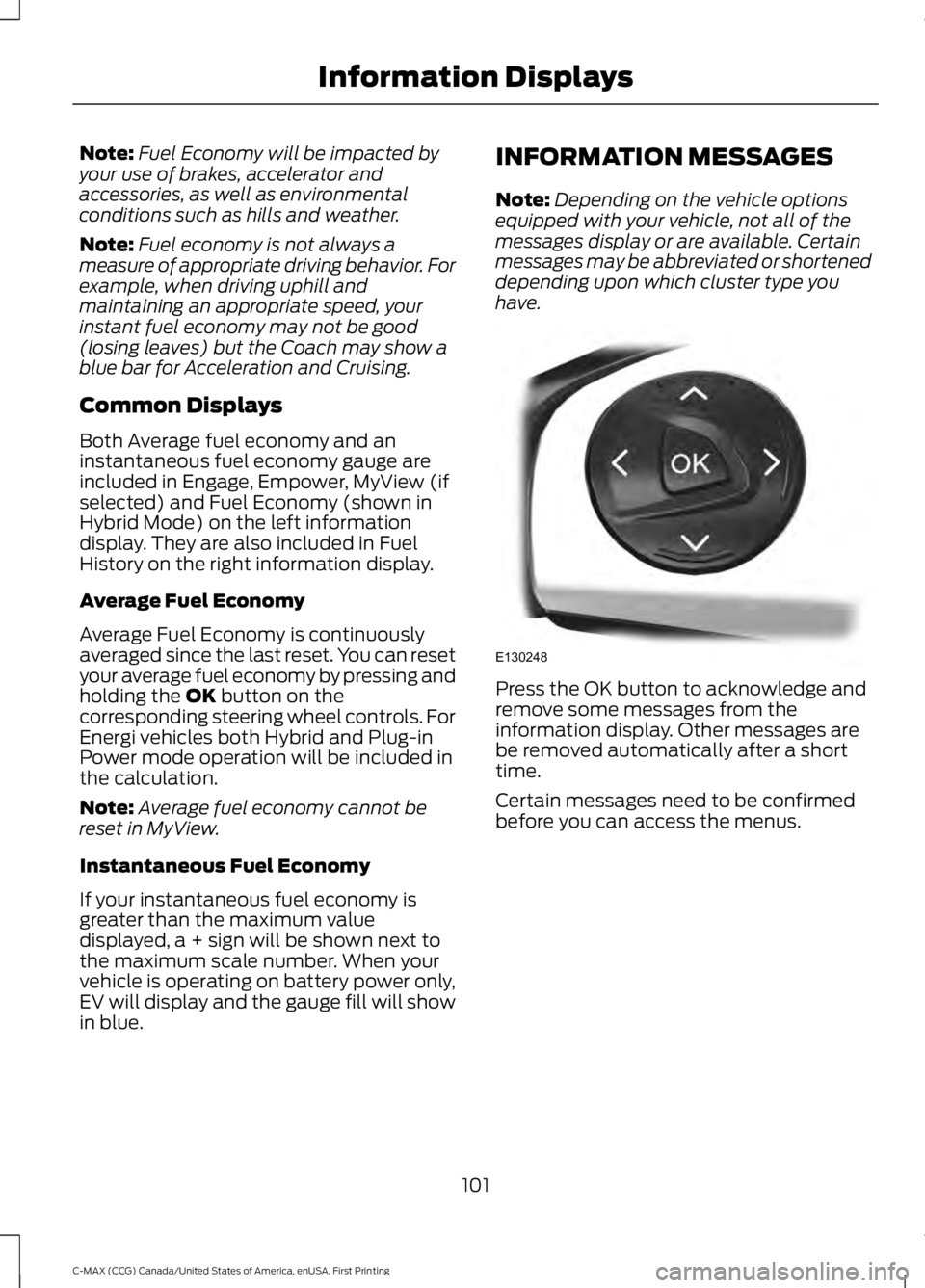
Press the OK button to acknowledge andremove some messages from theinformation display. Other messages arebe removed automatically after a shorttime.
Certain messages need to be confirmedbefore you can access the menus.
101
C-MAX (CCG) Canada/United States of America, enUSA, First Printing
Information DisplaysE130248
Page 106 of 395
ActionMessage
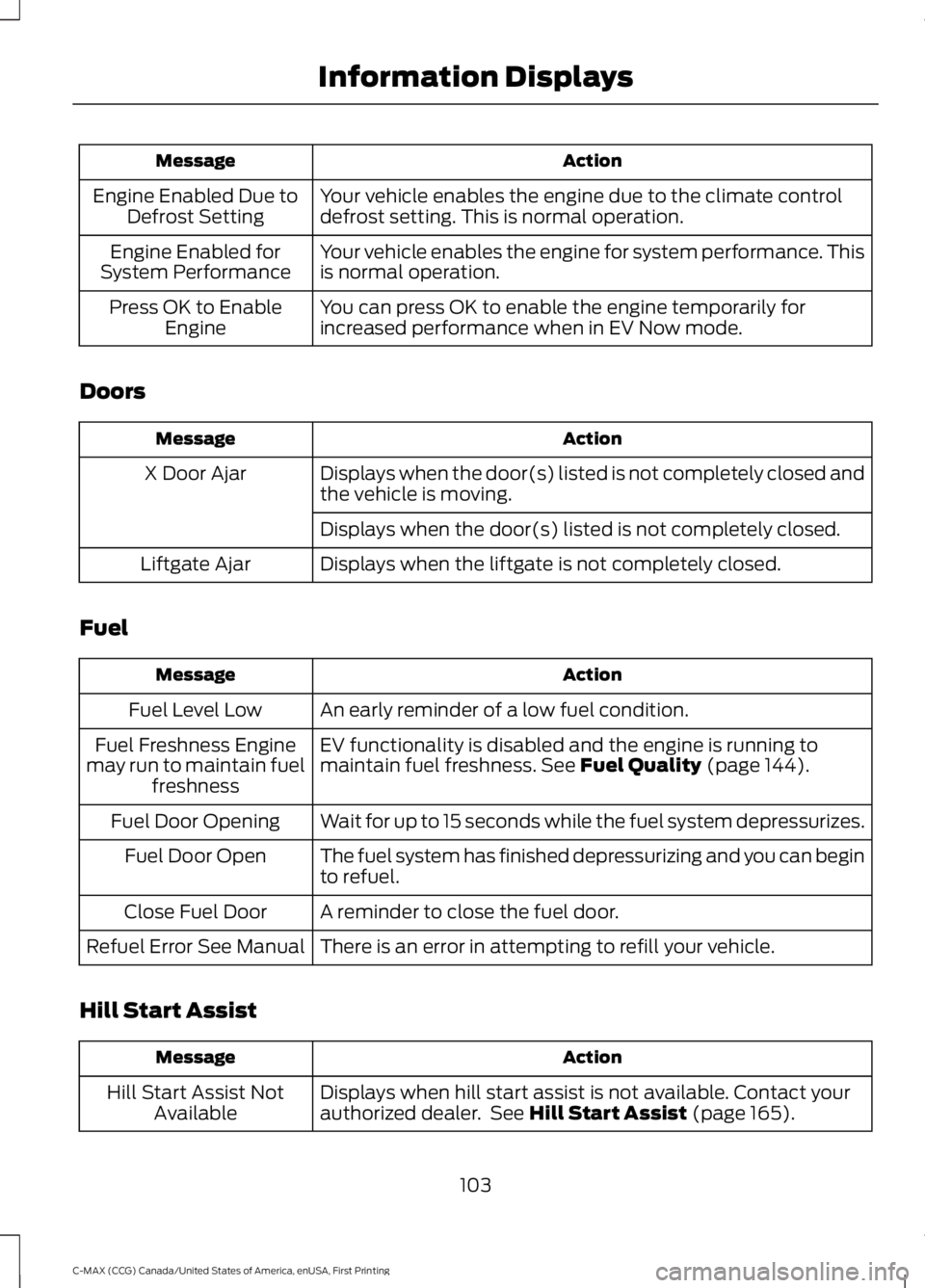
Your vehicle enables the engine due to the climate controldefrost setting. This is normal operation.Engine Enabled Due toDefrost Setting
Your vehicle enables the engine for system performance. Thisis normal operation.Engine Enabled forSystem Performance
You can press OK to enable the engine temporarily forincreased performance when in EV Now mode.Press OK to EnableEngine
Doors
ActionMessage
Displays when the door(s) listed is not completely closed andthe vehicle is moving.X Door Ajar
Displays when the door(s) listed is not completely closed.
Displays when the liftgate is not completely closed.Liftgate Ajar
Fuel
ActionMessage
An early reminder of a low fuel condition.Fuel Level Low
EV functionality is disabled and the engine is running tomaintain fuel freshness. See Fuel Quality (page 144).Fuel Freshness Enginemay run to maintain fuelfreshness
Wait for up to 15 seconds while the fuel system depressurizes.Fuel Door Opening
The fuel system has finished depressurizing and you can beginto refuel.Fuel Door Open
A reminder to close the fuel door.Close Fuel Door
There is an error in attempting to refill your vehicle.Refuel Error See Manual
Hill Start Assist
ActionMessage
Displays when hill start assist is not available. Contact yourauthorized dealer. See Hill Start Assist (page 165).Hill Start Assist NotAvailable
103
C-MAX (CCG) Canada/United States of America, enUSA, First Printing
Information Displays
Page 111 of 395
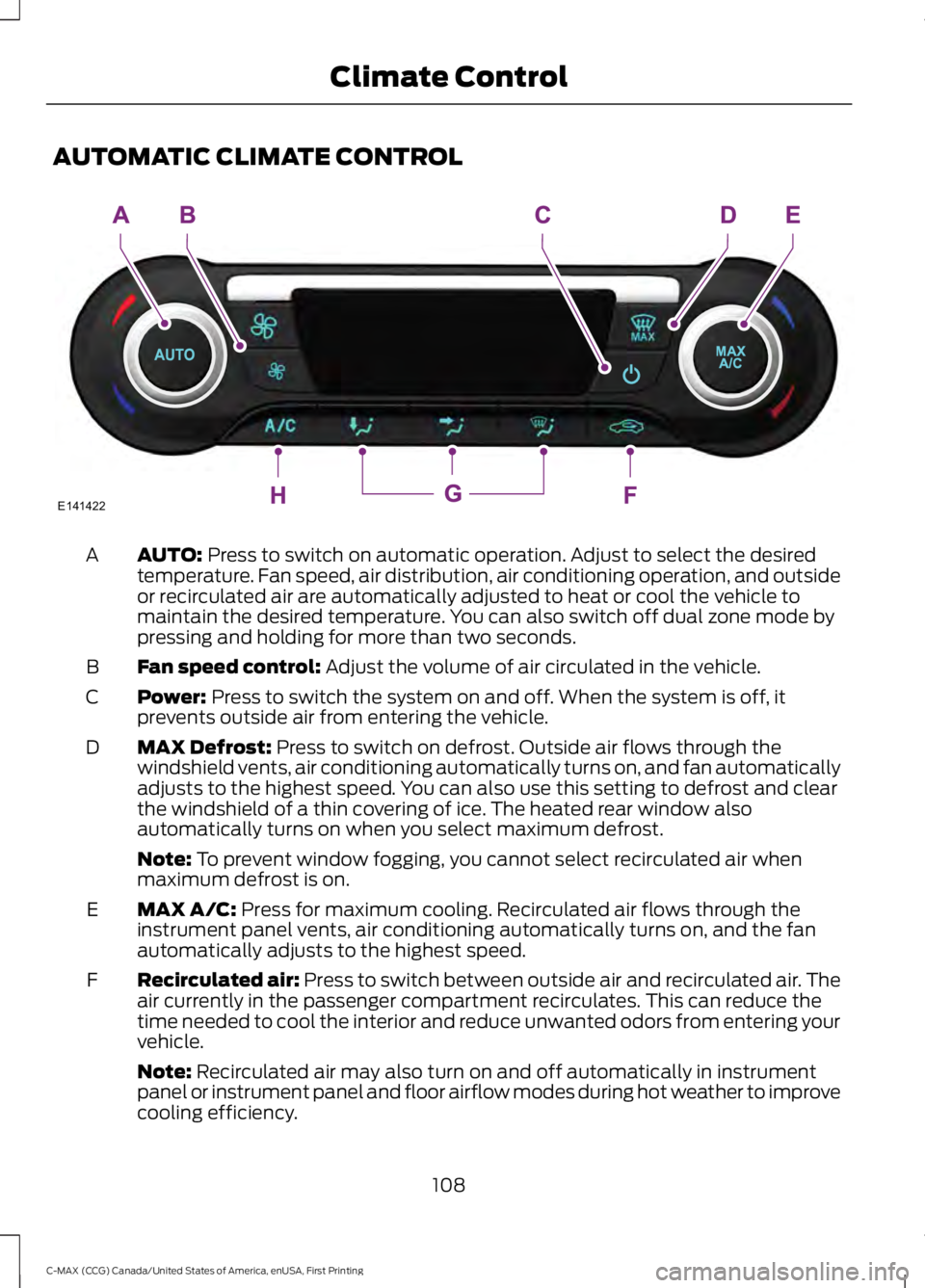
AUTOMATIC CLIMATE CONTROL
AUTO: Press to switch on automatic operation. Adjust to select the desiredtemperature. Fan speed, air distribution, air conditioning operation, and outsideor recirculated air are automatically adjusted to heat or cool the vehicle tomaintain the desired temperature. You can also switch off dual zone mode bypressing and holding for more than two seconds.
A
Fan speed control: Adjust the volume of air circulated in the vehicle.B
Power: Press to switch the system on and off. When the system is off, itprevents outside air from entering the vehicle.C
MAX Defrost: Press to switch on defrost. Outside air flows through thewindshield vents, air conditioning automatically turns on, and fan automaticallyadjusts to the highest speed. You can also use this setting to defrost and clearthe windshield of a thin covering of ice. The heated rear window alsoautomatically turns on when you select maximum defrost.
D
Note: To prevent window fogging, you cannot select recirculated air whenmaximum defrost is on.
MAX A/C: Press for maximum cooling. Recirculated air flows through theinstrument panel vents, air conditioning automatically turns on, and the fanautomatically adjusts to the highest speed.
E
Recirculated air: Press to switch between outside air and recirculated air. Theair currently in the passenger compartment recirculates. This can reduce thetime needed to cool the interior and reduce unwanted odors from entering yourvehicle.
F
Note: Recirculated air may also turn on and off automatically in instrumentpanel or instrument panel and floor airflow modes during hot weather to improvecooling efficiency.
108
C-MAX (CCG) Canada/United States of America, enUSA, First Printing
Climate ControlE141422