radio FORD E SERIES 2008 4.G Owners Manual
[x] Cancel search | Manufacturer: FORD, Model Year: 2008, Model line: E SERIES, Model: FORD E SERIES 2008 4.GPages: 280, PDF Size: 2.56 MB
Page 9 of 280
Cell phone use
The use of Mobile Communications Equipment has become increasingly
important in the conduct of business and personal affairs. However,
drivers must not compromise their own or others’ safety when using
such equipment. Mobile Communications can enhance personal safety
and security when appropriately used, particularly in emergency
situations. Safety must be paramount when using mobile communications
equipment to avoid negating these benefits.
Mobile Communication Equipment includes, but is not limited to cellular
phones, pagers, portable email devices, in-vehicle communications
systems, telematics devices and portable two-way radios.
Driving while distracted can result in loss of vehicle control,
accident and injury. Ford strongly recommends that drivers use
extreme caution when using any device that may take their focus off
the road. The drivers primary responsibility is the safe operation of
their vehicle. Only use cell phones and other devices not essential to
the driving task when it is safe to do so.
Export unique (Non–United States/Canada) vehicle specific
information
For your particular global region, your vehicle may be equipped with
features and options that are different from the ones that are described
in thisOwner’s Guide.A market unique supplement may be supplied
that complements this book. By referring to the market unique
supplement, if provided, you can properly identify those features,
recommendations and specifications that are unique to your vehicle. This
Owner’s Guideis written primarily for the U.S. and Canadian Markets.
Features or equipment listed as standard may be different on units built
for Export.Refer to this Owner’s Guide for all other required
information and warnings.
2008 Econoline(eco)
Owners Guide (post-2002-fmt)
USA(fus)
Introduction
9
Page 19 of 280
AUDIO SYSTEMS
AM/FM stereo (if equipped)
Driving while distracted can result in loss of vehicle control,
accident and injury. Ford strongly recommends that drivers use
extreme caution when using any device that may take their focus off
the road. The drivers primary responsibility is the safe operation of
their vehicle. Only use cell phones and other devices not essential to
the driving task when it is safe to do so.
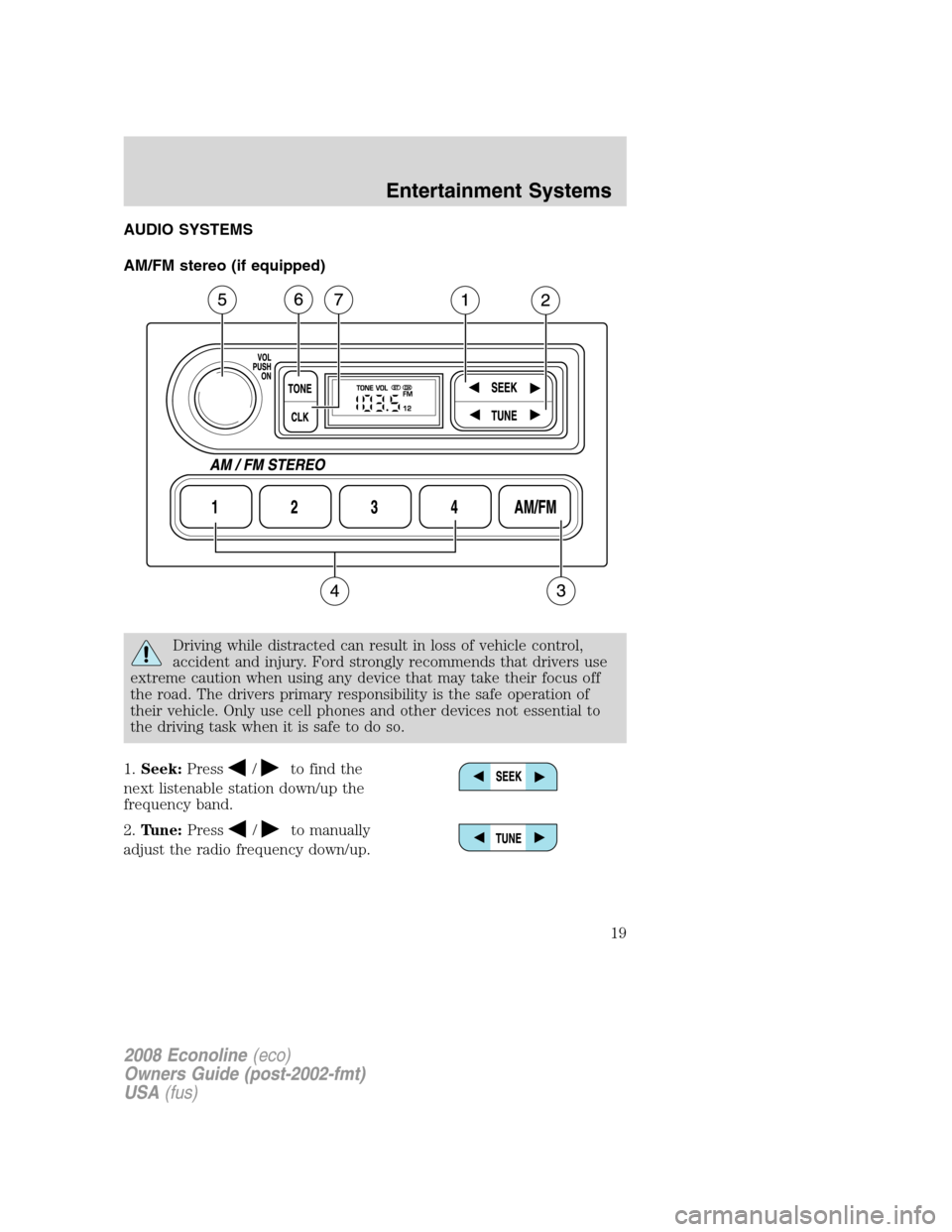
1.Seek:Press
/to find the
next listenable station down/up the
frequency band.
2.Tune:Press
/to manually
adjust the radio frequency down/up.
2008 Econoline(eco)
Owners Guide (post-2002-fmt)
USA(fus)
Entertainment Systems
19
Page 20 of 280
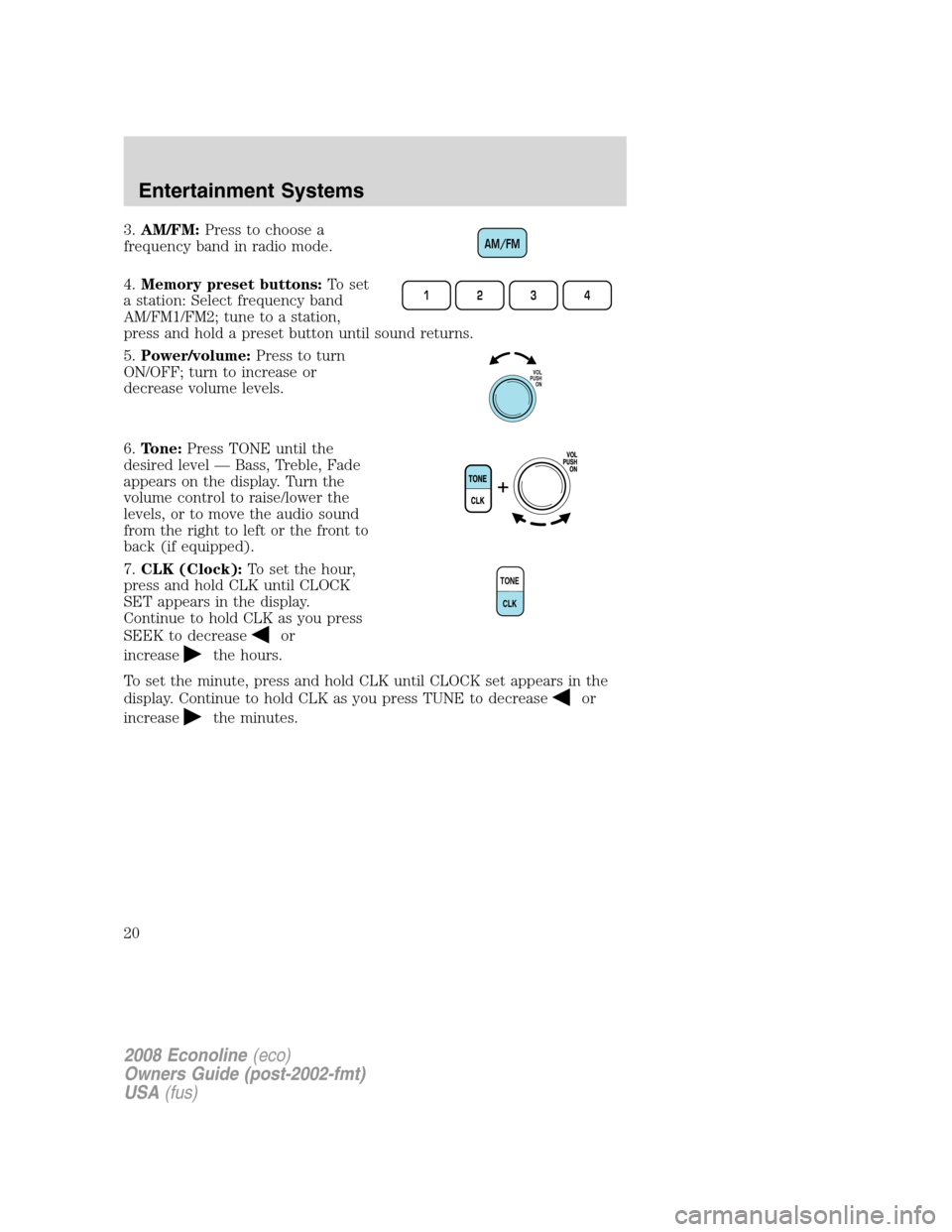
3.AM/FM:Press to choose a
frequency band in radio mode.
4.Memory preset buttons:To set
a station: Select frequency band
AM/FM1/FM2; tune to a station,
press and hold a preset button until sound returns.
5.Power/volume:Press to turn
ON/OFF; turn to increase or
decrease volume levels.
6.Tone:Press TONE until the
desired level — Bass, Treble, Fade
appears on the display. Turn the
volume control to raise/lower the
levels, or to move the audio sound
from the right to left or the front to
back (if equipped).
7.CLK (Clock):To set the hour,
press and hold CLK until CLOCK
SET appears in the display.
Continue to hold CLK as you press
SEEK to decrease
or
increase
the hours.
To set the minute, press and hold CLK until CLOCK set appears in the
display. Continue to hold CLK as you press TUNE to decrease
or
increase
the minutes.
AM/FM
1234
VOL
PUSH
ON
TONE
CLK
2008 Econoline(eco)
Owners Guide (post-2002-fmt)
USA(fus)
Entertainment Systems
20
Page 21 of 280
Satellite Compatible AM/FM Stereo In-Dash Single CD/MP3 Radio
(if equipped)
Driving while distracted can result in loss of vehicle control,
accident and injury. Ford strongly recommends that drivers use
extreme caution when using any device that may take their focus off
the road. The drivers primary responsibility is the safe operation of
their vehicle. Only use cell phones and other devices not essential to
the driving task when it is safe to do so.
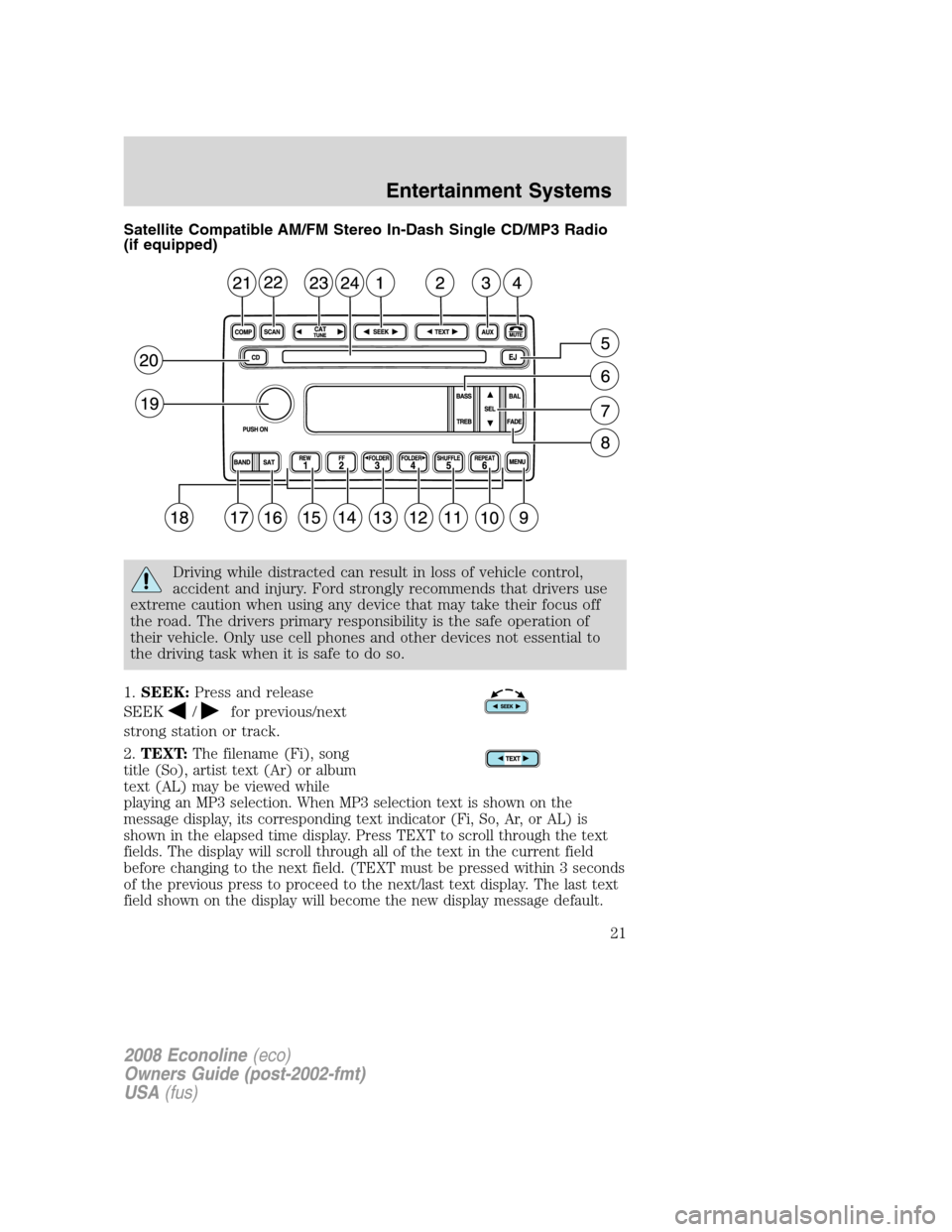
1.SEEK:Press and release
SEEK
/for previous/next
strong station or track.
2.TEXT:
The filename (Fi), song
title (So), artist text (Ar) or album
text (AL) may be viewed while
playing an MP3 selection. When MP3 selection text is shown on the
message display, its corresponding text indicator (Fi, So, Ar, or AL) is
shown in the elapsed time display. Press TEXT to scroll through the text
fields. The display will scroll through all of the text in the current field
before changing to the next field. (TEXT must be pressed within 3 seconds
of the previous press to proceed to the next/last text display. The last text
field shown on the display will become the new display message default.
2008 Econoline(eco)
Owners Guide (post-2002-fmt)
USA(fus)
Entertainment Systems
21
Page 22 of 280
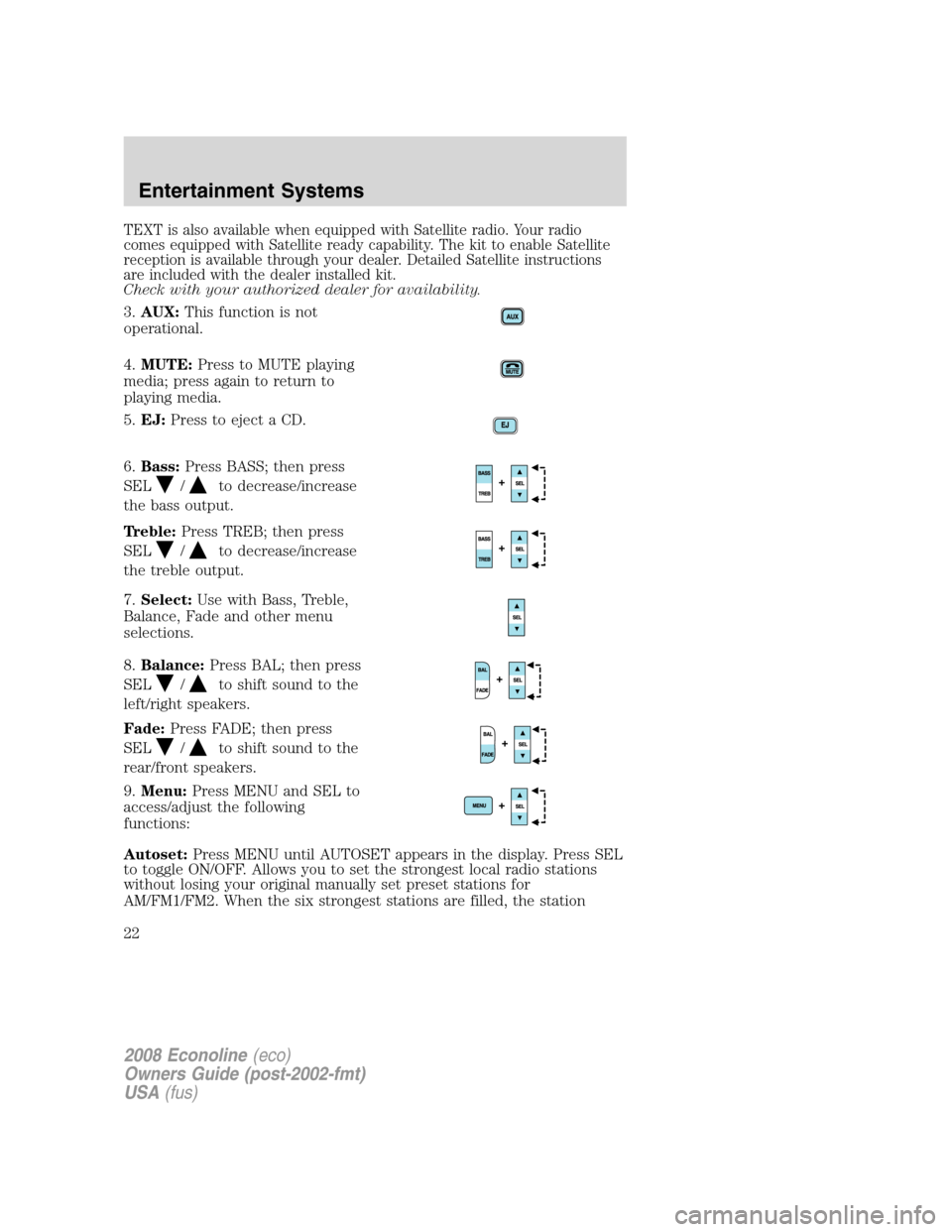
TEXT is also available when equipped with Satellite radio. Your radio
comes equipped with Satellite ready capability. The kit to enable Satellite
reception is available through your dealer. Detailed Satellite instructions
are included with the dealer installed kit.
Check with your authorized dealer for availability.
3.AUX:This function is not
operational.
4.MUTE:Press to MUTE playing
media; press again to return to
playing media.
5.EJ:Press to eject a CD.
6.Bass:Press BASS; then press
SEL
/to decrease/increase
the bass output.
Treble:Press TREB; then press
SEL
/to decrease/increase
the treble output.
7.Select:Use with Bass, Treble,
Balance, Fade and other menu
selections.
8.Balance:Press BAL; then press
SEL
/to shift sound to the
left/right speakers.
Fade:Press FADE; then press
SEL
/to shift sound to the
rear/front speakers.
9.Menu:Press MENU and SEL to
access/adjust the following
functions:
Autoset:Press MENU until AUTOSET appears in the display. Press SEL
to toggle ON/OFF. Allows you to set the strongest local radio stations
without losing your original manually set preset stations for
AM/FM1/FM2. When the six strongest stations are filled, the station
2008 Econoline(eco)
Owners Guide (post-2002-fmt)
USA(fus)
Entertainment Systems
22
Page 23 of 280
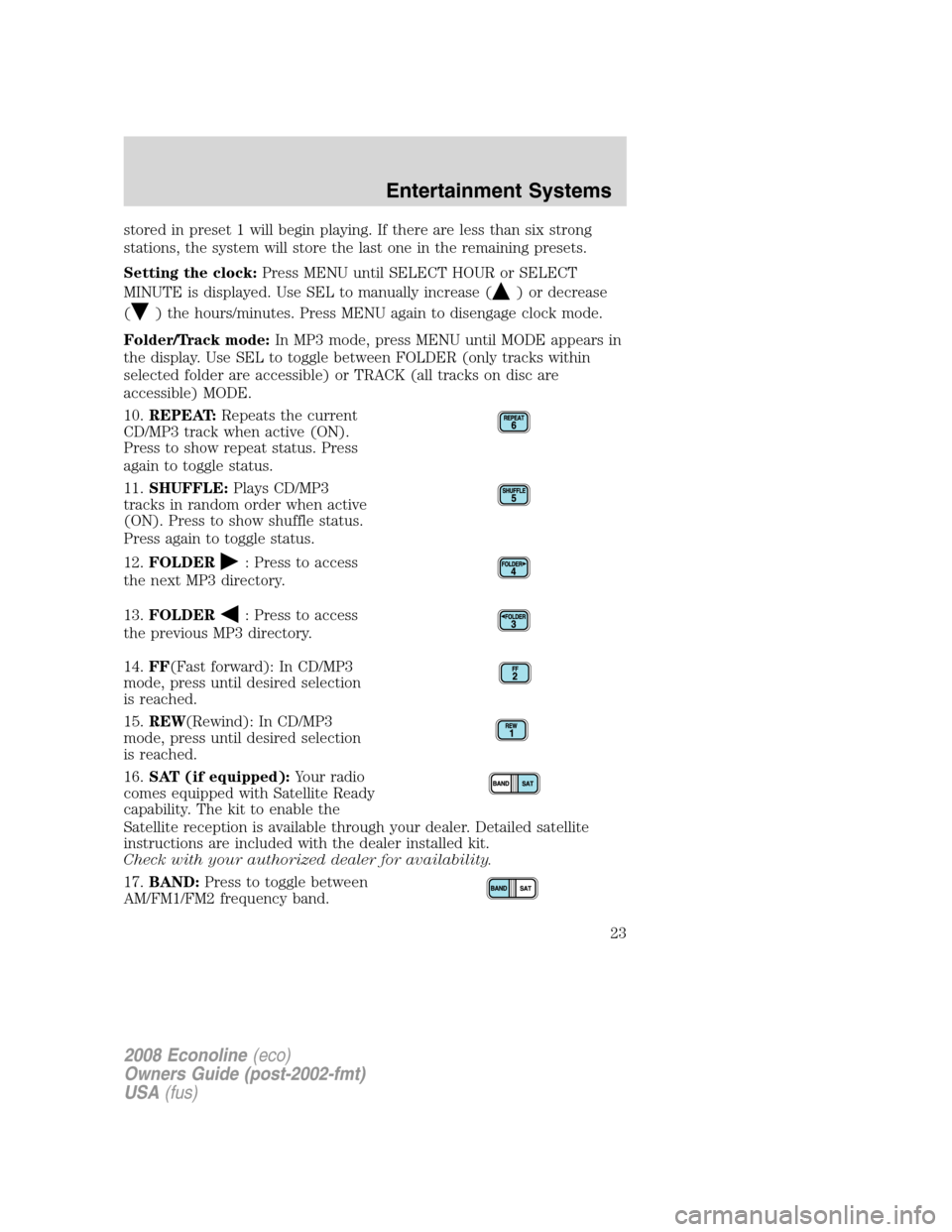
stored in preset 1 will begin playing. If there are less than six strong
stations, the system will store the last one in the remaining presets.
Setting the clock:Press MENU until SELECT HOUR or SELECT
MINUTE is displayed. Use SEL to manually increase (
) or decrease
(
) the hours/minutes. Press MENU again to disengage clock mode.
Folder/Track mode:In MP3 mode, press MENU until MODE appears in
the display. Use SEL to toggle between FOLDER (only tracks within
selected folder are accessible) or TRACK (all tracks on disc are
accessible) MODE.
10.REPEAT:Repeats the current
CD/MP3 track when active (ON).
Press to show repeat status. Press
again to toggle status.
11.SHUFFLE:Plays CD/MP3
tracks in random order when active
(ON). Press to show shuffle status.
Press again to toggle status.
12.FOLDER
: Press to access
the next MP3 directory.
13.FOLDER
: Press to access
the previous MP3 directory.
14.FF(Fast forward): In CD/MP3
mode, press until desired selection
is reached.
15.REW(Rewind): In CD/MP3
mode, press until desired selection
is reached.
16.SAT (if equipped):Your radio
comes equipped with Satellite Ready
capability. The kit to enable the
Satellite reception is available through your dealer. Detailed satellite
instructions are included with the dealer installed kit.
Check with your authorized dealer for availability.
17.BAND:Press to toggle between
AM/FM1/FM2 frequency band.
2008 Econoline(eco)
Owners Guide (post-2002-fmt)
USA(fus)
Entertainment Systems
23
Page 24 of 280
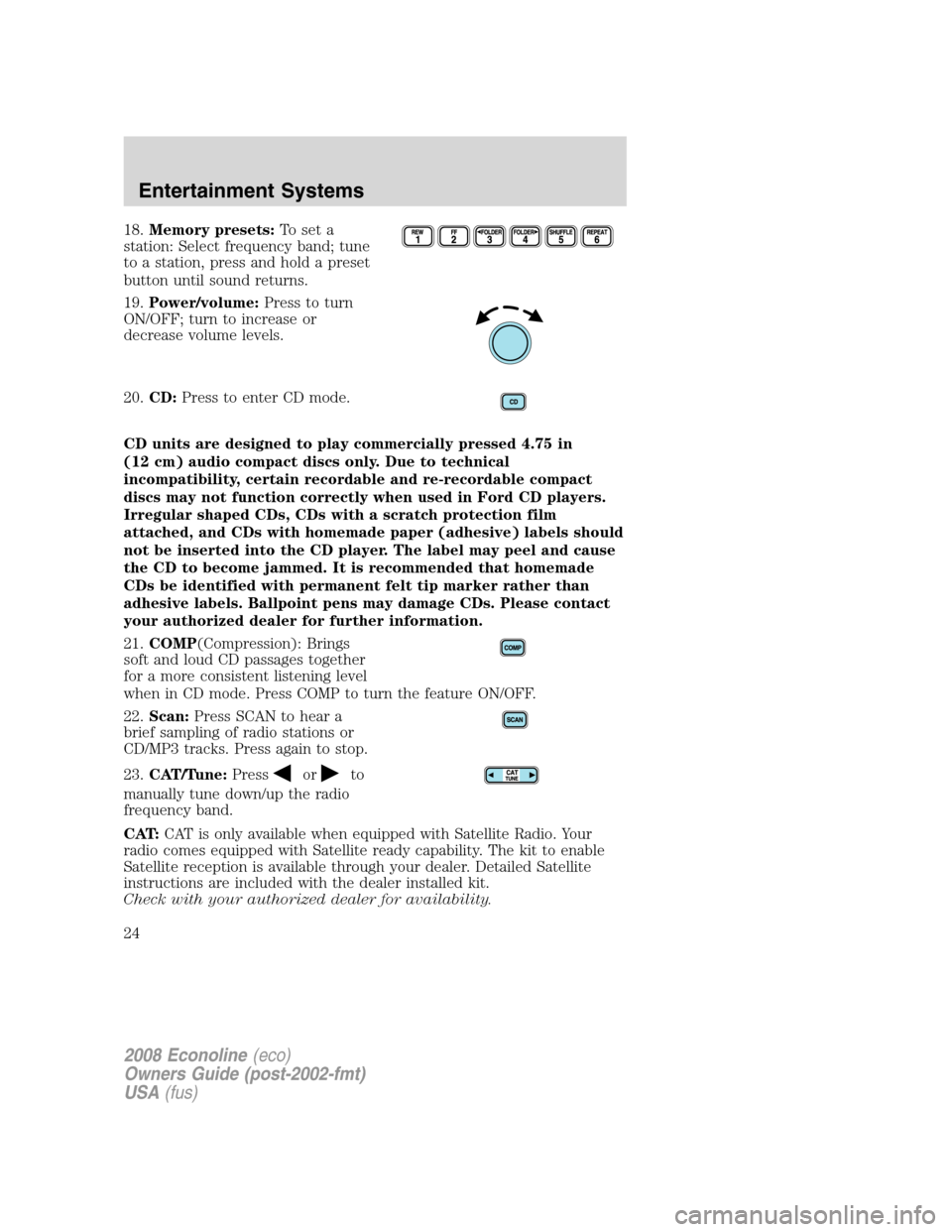
18.Memory presets:To set a
station: Select frequency band; tune
to a station, press and hold a preset
button until sound returns.
19.Power/volume:Press to turn
ON/OFF; turn to increase or
decrease volume levels.
20.CD:Press to enter CD mode.
CD units are designed to play commercially pressed 4.75 in
(12 cm) audio compact discs only. Due to technical
incompatibility, certain recordable and re-recordable compact
discs may not function correctly when used in Ford CD players.
Irregular shaped CDs, CDs with a scratch protection film
attached, and CDs with homemade paper (adhesive) labels should
not be inserted into the CD player. The label may peel and cause
the CD to become jammed. It is recommended that homemade
CDs be identified with permanent felt tip marker rather than
adhesive labels. Ballpoint pens may damage CDs. Please contact
your authorized dealer for further information.
21.COMP(Compression): Brings
soft and loud CD passages together
for a more consistent listening level
when in CD mode. Press COMP to turn the feature ON/OFF.
22.Scan:Press SCAN to hear a
brief sampling of radio stations or
CD/MP3 tracks. Press again to stop.
23.CAT/Tune:Press
orto
manually tune down/up the radio
frequency band.
CAT:CAT is only available when equipped with Satellite Radio. Your
radio comes equipped with Satellite ready capability. The kit to enable
Satellite reception is available through your dealer. Detailed Satellite
instructions are included with the dealer installed kit.
Check with your authorized dealer for availability.
2008 Econoline(eco)
Owners Guide (post-2002-fmt)
USA(fus)
Entertainment Systems
24
Page 25 of 280
For information regarding SIRIUS Satellite Radio, please call toll-free
888-539-SIRIUS (888-539-7474) or visit the SIRIUS website at
www.siriusradio.com
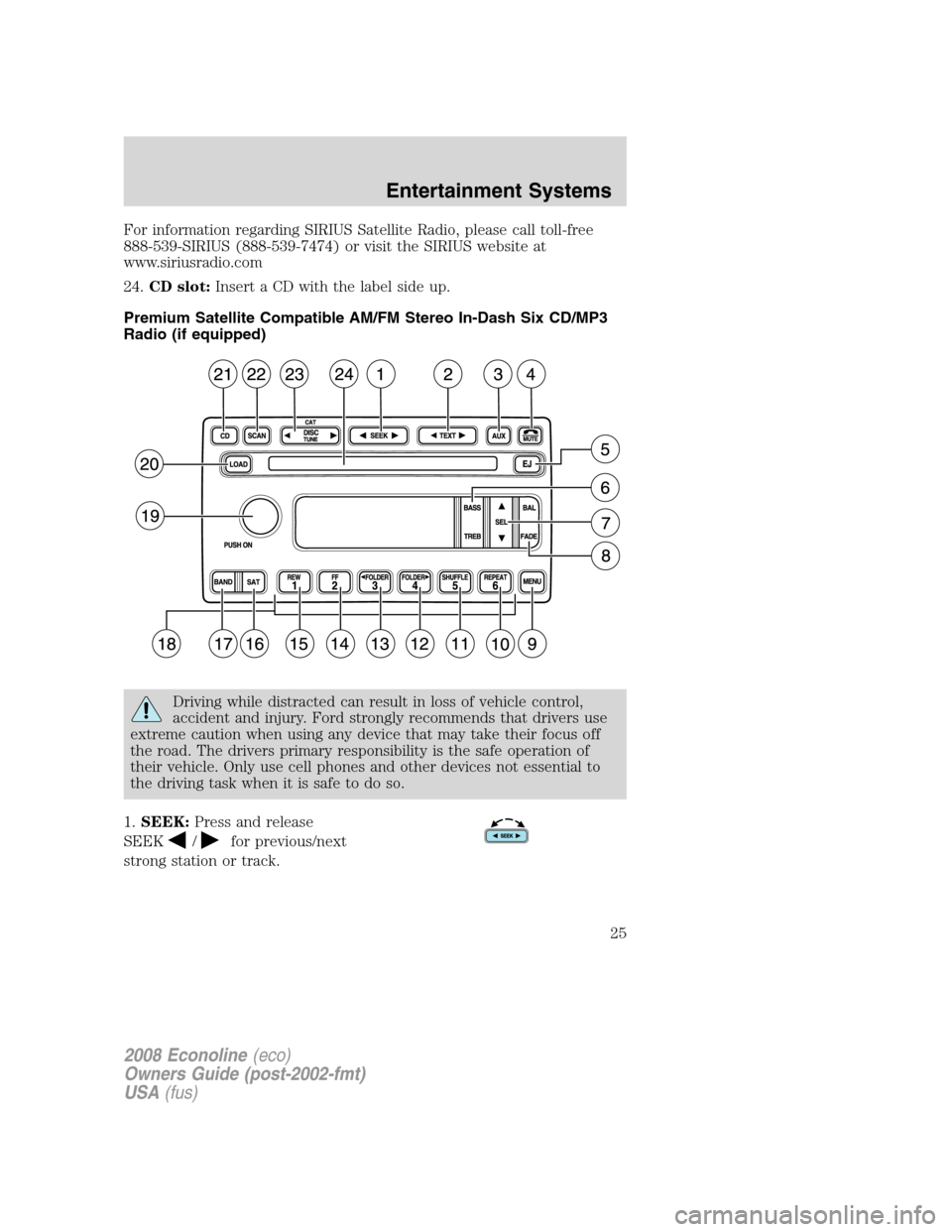
24.CD slot:Insert a CD with the label side up.
Premium Satellite Compatible AM/FM Stereo In-Dash Six CD/MP3
Radio (if equipped)
Driving while distracted can result in loss of vehicle control,
accident and injury. Ford strongly recommends that drivers use
extreme caution when using any device that may take their focus off
the road. The drivers primary responsibility is the safe operation of
their vehicle. Only use cell phones and other devices not essential to
the driving task when it is safe to do so.
1.SEEK:Press and release
SEEK
/for previous/next
strong station or track.
2008 Econoline(eco)
Owners Guide (post-2002-fmt)
USA(fus)
Entertainment Systems
25
Page 26 of 280
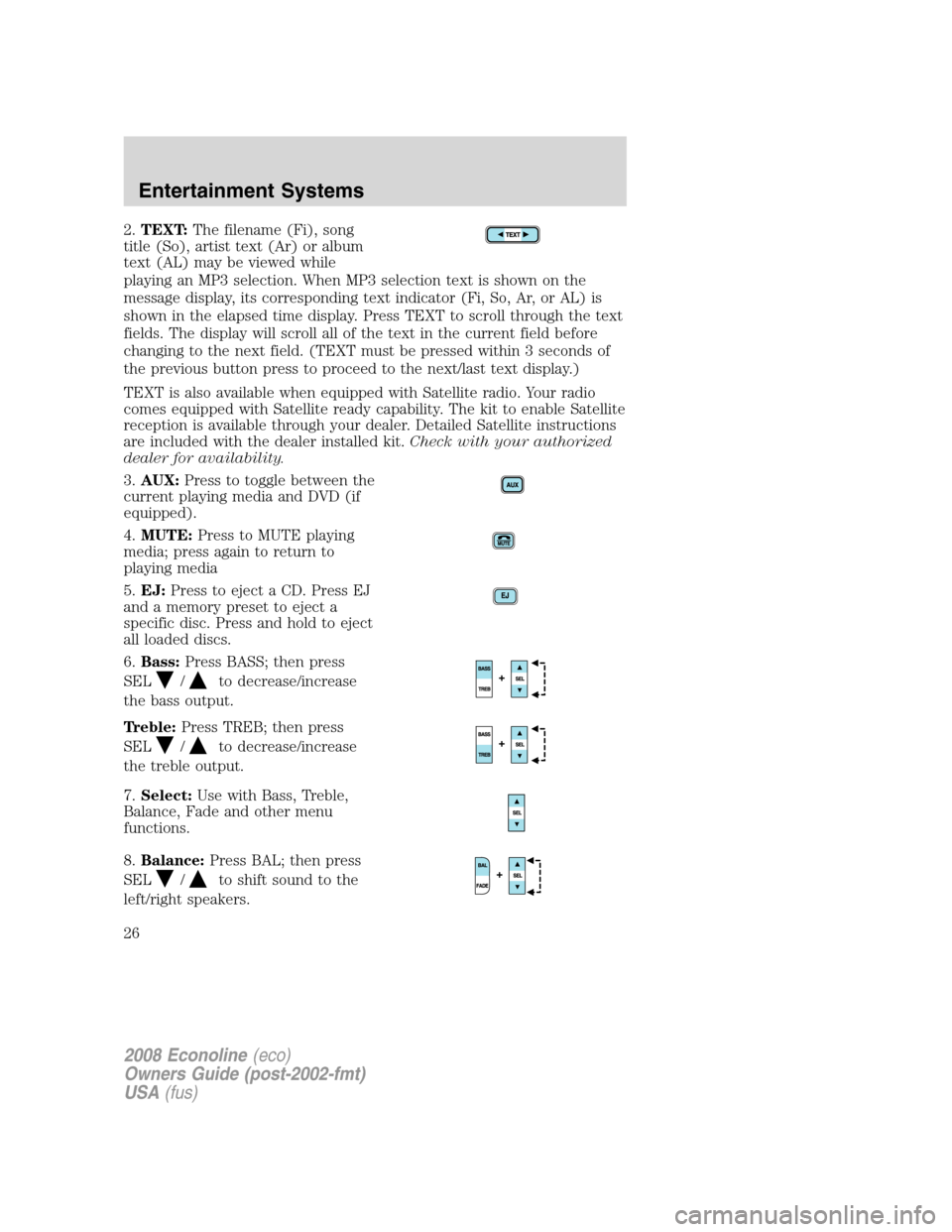
2.TEXT:The filename (Fi), song
title (So), artist text (Ar) or album
text (AL) may be viewed while
playing an MP3 selection. When MP3 selection text is shown on the
message display, its corresponding text indicator (Fi, So, Ar, or AL) is
shown in the elapsed time display. Press TEXT to scroll through the text
fields. The display will scroll all of the text in the current field before
changing to the next field. (TEXT must be pressed within 3 seconds of
the previous button press to proceed to the next/last text display.)
TEXT is also available when equipped with Satellite radio. Your radio
comes equipped with Satellite ready capability. The kit to enable Satellite
reception is available through your dealer. Detailed Satellite instructions
are included with the dealer installed kit.Check with your authorized
dealer for availability.
3.AUX:Press to toggle between the
current playing media and DVD (if
equipped).
4.MUTE:Press to MUTE playing
media; press again to return to
playing media
5.EJ:Press to eject a CD. Press EJ
and a memory preset to eject a
specific disc. Press and hold to eject
all loaded discs.
6.Bass:Press BASS; then press
SEL
/to decrease/increase
the bass output.
Treble:Press TREB; then press
SEL
/to decrease/increase
the treble output.
7.Select:Use with Bass, Treble,
Balance, Fade and other menu
functions.
8.Balance:Press BAL; then press
SEL
/to shift sound to the
left/right speakers.
2008 Econoline(eco)
Owners Guide (post-2002-fmt)
USA(fus)
Entertainment Systems
26
Page 27 of 280
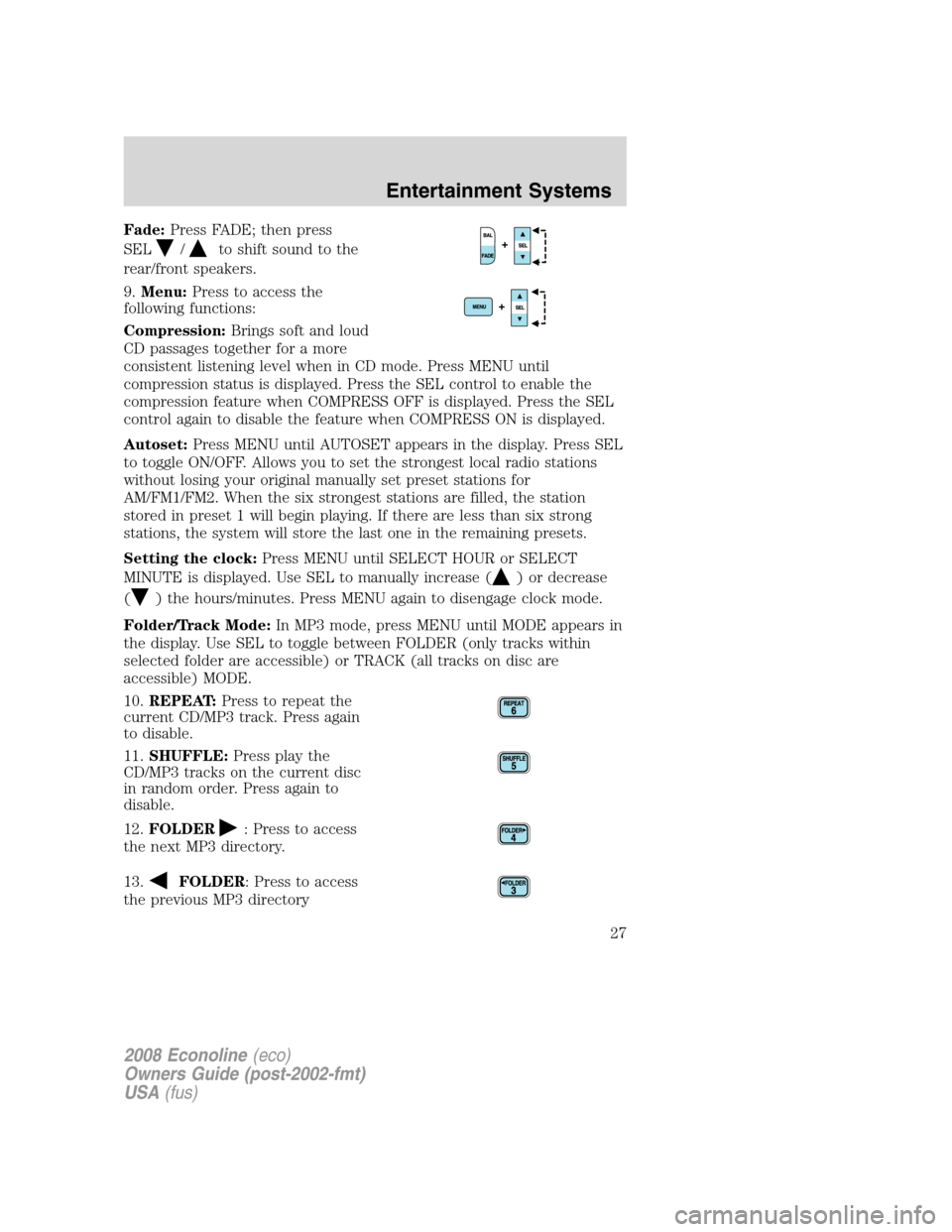
Fade:Press FADE; then press
SEL
/to shift sound to the
rear/front speakers.
9.Menu:Press to access the
following functions:
Compression:Brings soft and loud
CD passages together for a more
consistent listening level when in CD mode. Press MENU until
compression status is displayed. Press the SEL control to enable the
compression feature when COMPRESS OFF is displayed. Press the SEL
control again to disable the feature when COMPRESS ON is displayed.
Autoset:Press MENU until AUTOSET appears in the display. Press SEL
to toggle ON/OFF. Allows you to set the strongest local radio stations
without losing your original manually set preset stations for
AM/FM1/FM2. When the six strongest stations are filled, the station
stored in preset 1 will begin playing. If there are less than six strong
stations, the system will store the last one in the remaining presets.
Setting the clock:Press MENU until SELECT HOUR or SELECT
MINUTE is displayed. Use SEL to manually increase (
) or decrease
(
) the hours/minutes. Press MENU again to disengage clock mode.
Folder/Track Mode:In MP3 mode, press MENU until MODE appears in
the display. Use SEL to toggle between FOLDER (only tracks within
selected folder are accessible) or TRACK (all tracks on disc are
accessible) MODE.
10.REPEAT:Press to repeat the
current CD/MP3 track. Press again
to disable.
11.SHUFFLE:Press play the
CD/MP3 tracks on the current disc
in random order. Press again to
disable.
12.FOLDER
: Press to access
the next MP3 directory.
13.
FOLDER: Press to access
the previous MP3 directory
2008 Econoline(eco)
Owners Guide (post-2002-fmt)
USA(fus)
Entertainment Systems
27