ECO mode FORD E SERIES 2015 4.G User Guide
[x] Cancel search | Manufacturer: FORD, Model Year: 2015, Model line: E SERIES, Model: FORD E SERIES 2015 4.GPages: 360, PDF Size: 3.28 MB
Page 51 of 360
Car Finder
Press the button twice within three seconds. The horn will sound
and the turn signals will flash. We recommend you use this
method to locate your vehicle, rather than using the panic alarm.
Sounding a Panic Alarm
Press the button to activate the alarm. Press the button again
or switch the ignition on to deactivate.
Note:The panic alarm will operate regardless of the ignition position.
REPLACING A LOST KEY OR REMOTE CONTROL
You can purchase replacement or additional keys or remote controls from
an authorized dealer. A dealer can program the transmitters to your
vehicle or you may be able to program them yourself. See theSecurity
chapter for information on programming spare keys.
Reprogramming Your Remote Controls
You must have all remote controls (maximum of four) available before
beginning this procedure. If all remote controls are not present during
programming, the ones missing will no longer operate the vehicle.
Note:Make sure you do not press the brake pedal during this sequence.
To reprogram the remote control:
1. Make sure the vehicle is electronically unlocked.
2. Place the key in the ignition and turn it from lock to off.
3. Cycle eight times rapidly (within 10 seconds) between off and on.
Note:The eighth turn must end in the on position.
4. The doors will lock, and then unlock, to confirm that you have
activated the programming mode.
5. Within 20 seconds press any button on the remote control.
Note:If more than 20 seconds have passed you will need to start the
procedure over.
6. The doors will lock, and then unlock, to confirm that you have
programmed this remote control.
7. Repeat Step 5 to program each additional remote control (up to four).
8. Turn the ignition off after you have finished programming all of the
remote controls.
9. The doors will lock, and then unlock, to confirm that you have exited
the programming mode.
50Keys and Remote Control
2015 Econoline(eco)
Owners Guide gf, 1st Printing, June 2014
USA(fus)
Page 52 of 360
LOCKING AND UNLOCKING
You can use the power door lock control or the remote control to lock
and unlock your vehicle.
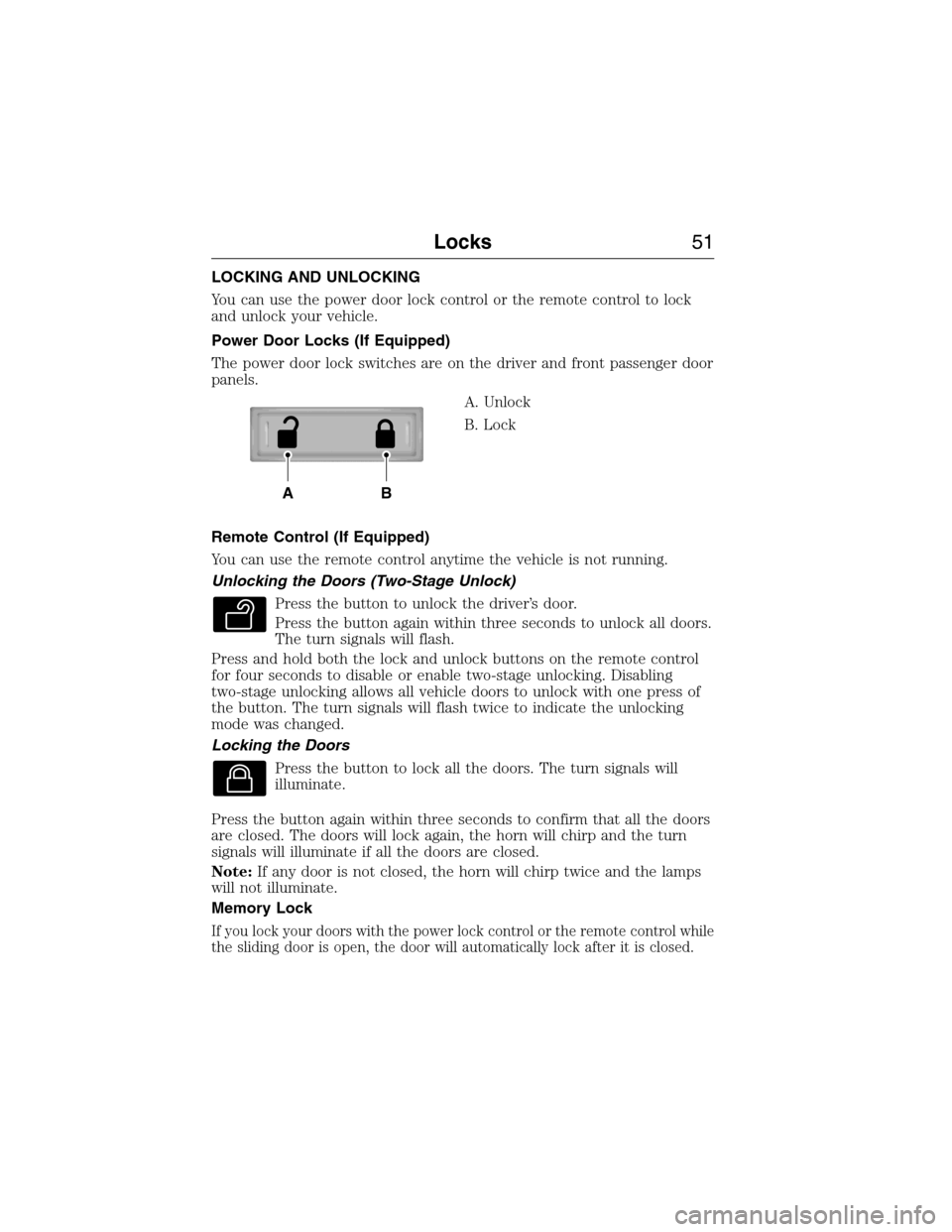
Power Door Locks (If Equipped)
The power door lock switches are on the driver and front passenger door
panels.
A. Unlock
B. Lock
Remote Control (If Equipped)
You can use the remote control anytime the vehicle is not running.
Unlocking the Doors (Two-Stage Unlock)
Press the button to unlock the driver’s door.
Press the button again within three seconds to unlock all doors.
The turn signals will flash.
Press and hold both the lock and unlock buttons on the remote control
for four seconds to disable or enable two-stage unlocking. Disabling
two-stage unlocking allows all vehicle doors to unlock with one press of
the button. The turn signals will flash twice to indicate the unlocking
mode was changed.
Locking the Doors
Press the button to lock all the doors. The turn signals will
illuminate.
Press the button again within three seconds to confirm that all the doors
are closed. The doors will lock again, the horn will chirp and the turn
signals will illuminate if all the doors are closed.
Note:If any door is not closed, the horn will chirp twice and the lamps
will not illuminate.
Memory Lock
If you lock your doors with the power lock control or the remote control while
the sliding door is open, the door will automatically lock after it is closed.
AB
Locks51
2015 Econoline(eco)
Owners Guide gf, 1st Printing, June 2014
USA(fus)
Page 53 of 360
Autolock and Unlock
Note:Your vehicle comes with this feature disabled.
The autolock feature will lock all the doors when:
•all doors are closed,
•the ignition is on,
•you shift into any gear putting the vehicle in motion, and
•the vehicle attains a speed greater than 12 mph (20 km/h).
If the vehicle was autolocked, the autounlock feature will unlock all
doors when the driver’s door is opened within 10 minutes of switching
the ignition off.
Enabling or Disabling Autolock and Autounlock
These features can be enabled or disabled:
•by your authorized dealer
•through the information display
•using the power door lock procedure.
To enable or disable using the power door locks, do the following:
Note:You will have 30 seconds to complete the procedure.
1. Switch the ignition on.
2. Press the power door lock button three times.
3. Switch the ignition off.
4. Press the power door lock button three times.
5. Switch the ignition on. The horn will chirp indicating the programming
mode has been entered.
Autolock:Once in programming mode, press the power door unlock
button then the lock button. The horn will chirp once if autolock was
deactivated or twice (one short and one long chirp) if autolock was
activated.
Autounlock:Once in programming mode, press the power door lock
button then the unlock button. The horn will chirp once if autounlock
was deactivated or twice (one short and one long chirp) if autounlock
was activated.
6. Turn the ignition off. The horn will chirp once to confirm the
procedure is complete.
Note:The autounlock feature can be enabled or disabled independently
of the autolock feature.
52Locks
2015 Econoline(eco)
Owners Guide gf, 1st Printing, June 2014
USA(fus)
Page 59 of 360
ADJUSTING THE STEERING WHEEL
WARNING:Do not adjust the steering wheel when your vehicle
is moving.
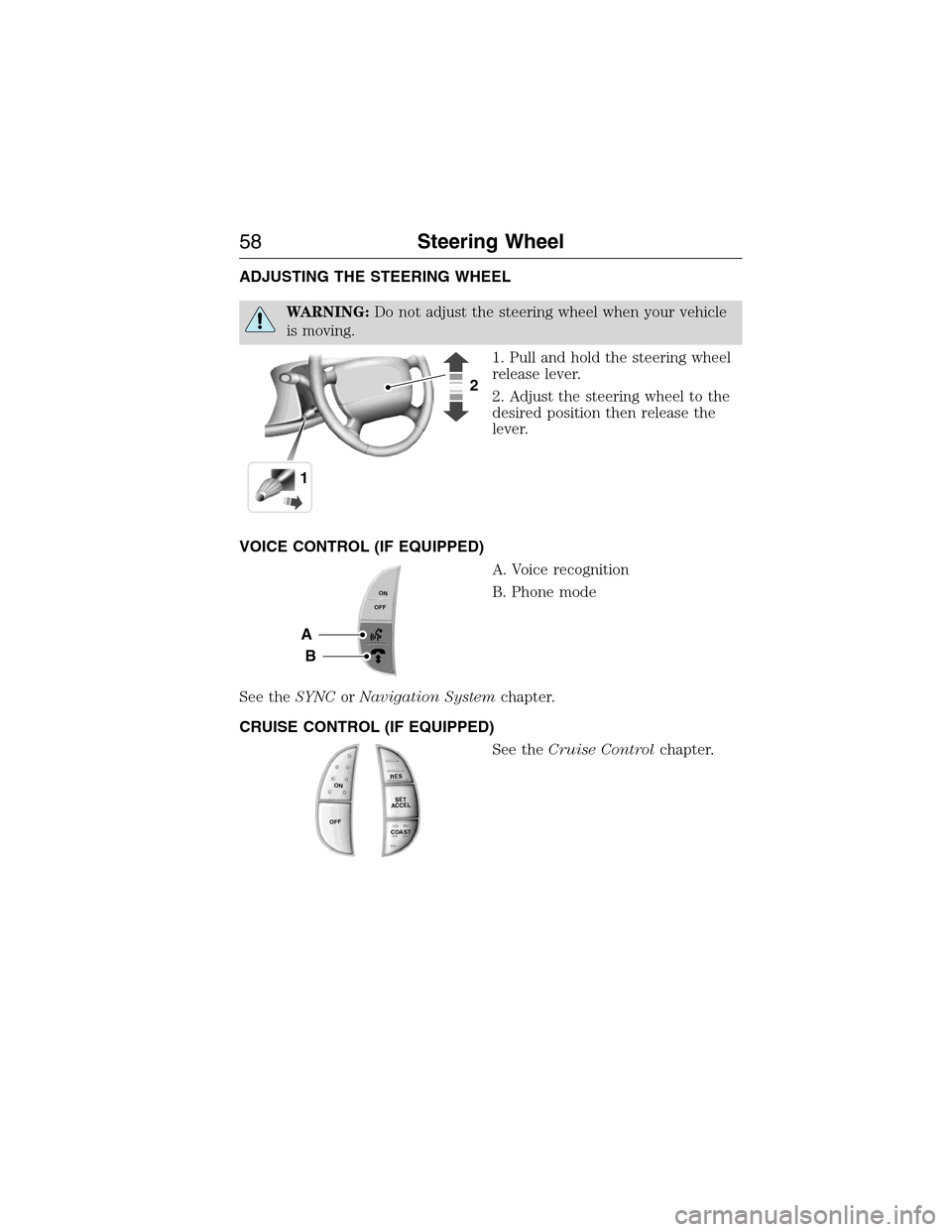
1. Pull and hold the steering wheel
release lever.
2. Adjust the steering wheel to the
desired position then release the
lever.
VOICE CONTROL (IF EQUIPPED)
A. Voice recognition
B. Phone mode
See theSYNCorNavigation Systemchapter.
CRUISE CONTROL (IF EQUIPPED)
See theCruise Controlchapter.
12
A
B
ONOFF
R
E
S
S
E
T
A
C
C
E
L
C
OA
S
T
ON
OFF
58Steering Wheel
2015 Econoline(eco)
Owners Guide gf, 1st Printing, June 2014
USA(fus)
Page 74 of 360
Solid illumination after the engine is started indicates the on-board
diagnostics system (OBD-II) has detected a malfunction. Refer to
On-board diagnostics (OBD-II)in theFuel and Refuelingchapter.
If the light is blinking, engine misfire is occurring which could damage
your catalytic converter. Drive in a moderate fashion (avoid heavy
acceleration and deceleration) and have your vehicle serviced
immediately by your authorized dealer.
WARNING:Under engine misfire conditions, excessive exhaust
temperatures could damage the catalytic converter, the fuel system,
interior floor coverings or other vehicle components, possibly causing a fire.
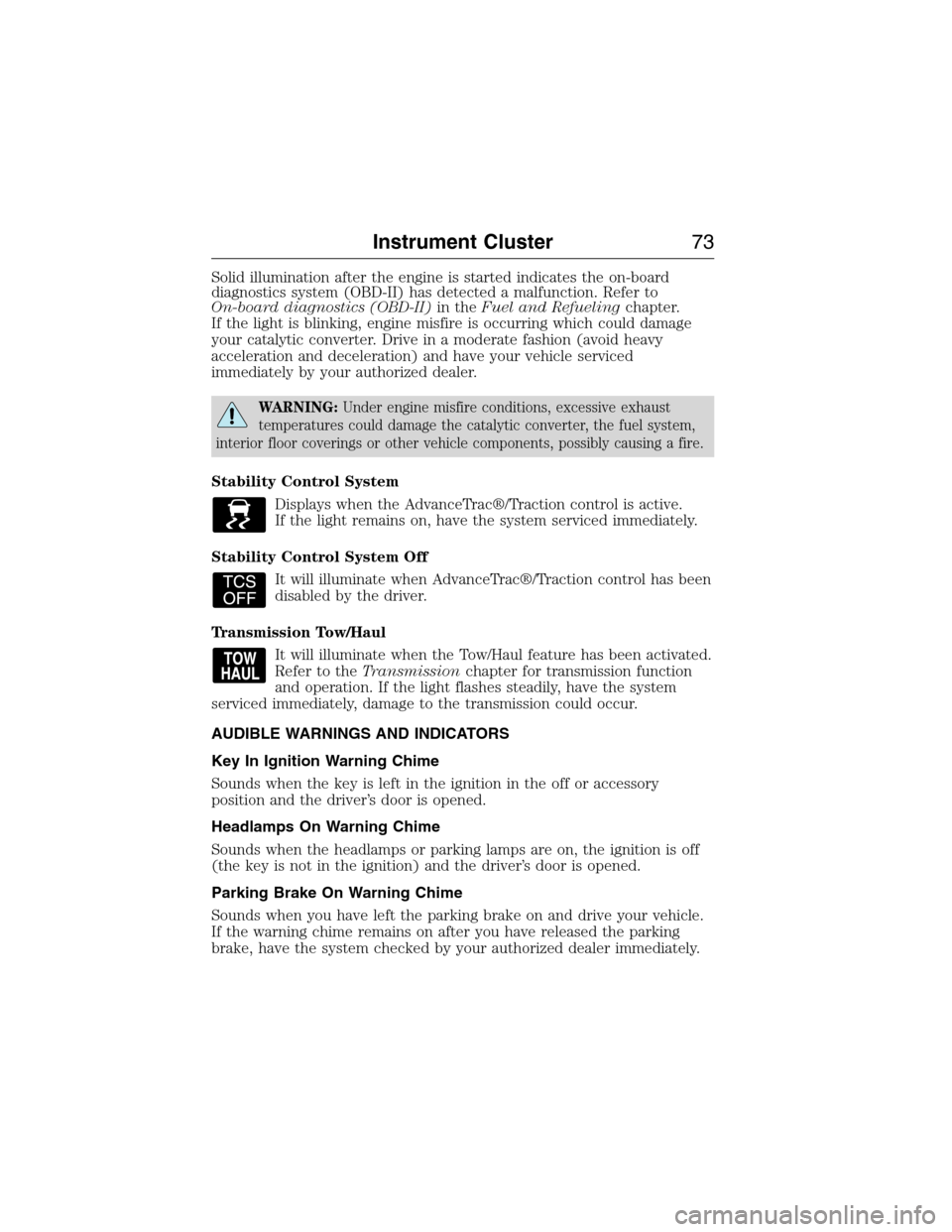
Stability Control System
Displays when the AdvanceTrac®/Traction control is active.
If the light remains on, have the system serviced immediately.
Stability Control System Off
It will illuminate when AdvanceTrac®/Traction control has been
disabled by the driver.
Transmission Tow/Haul
It will illuminate when the Tow/Haul feature has been activated.
Refer to theTransmissionchapter for transmission function
and operation. If the light flashes steadily, have the system
serviced immediately, damage to the transmission could occur.
AUDIBLE WARNINGS AND INDICATORS
Key In Ignition Warning Chime
Sounds when the key is left in the ignition in the off or accessory
position and the driver’s door is opened.
Headlamps On Warning Chime
Sounds when the headlamps or parking lamps are on, the ignition is off
(the key is not in the ignition) and the driver’s door is opened.
Parking Brake On Warning Chime
Sounds when you have left the parking brake on and drive your vehicle.
If the warning chime remains on after you have released the parking
brake, have the system checked by your authorized dealer immediately.
Instrument Cluster73
2015 Econoline(eco)
Owners Guide gf, 1st Printing, June 2014
USA(fus)
Page 77 of 360
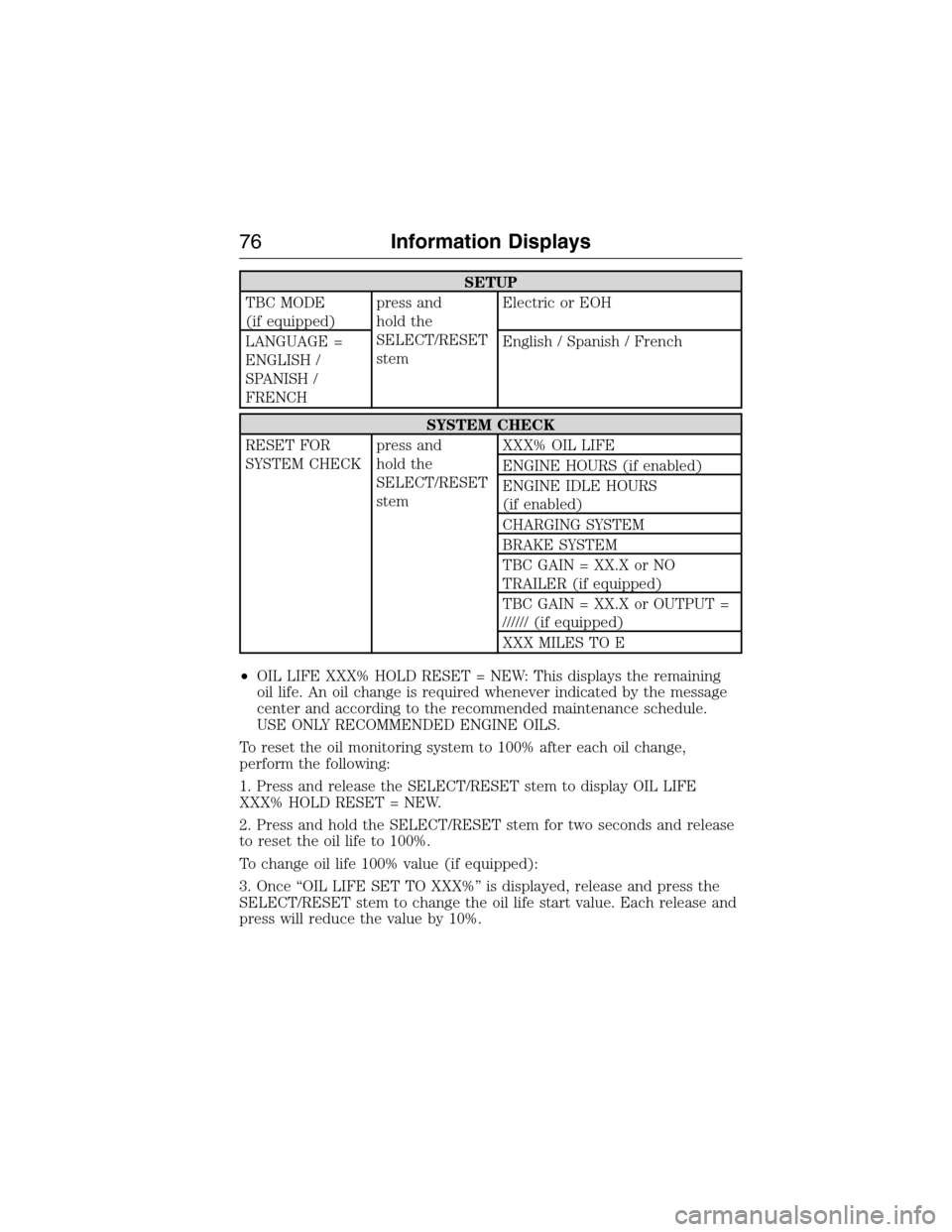
SETUP
TBC MODE
(if equipped)press and
hold the
SELECT/RESET
stemElectric or EOH
LANGUAGE =
ENGLISH /
SPANISH /
FRENCHEnglish / Spanish / French
SYSTEM CHECK
RESET FOR
SYSTEM CHECKpress and
hold the
SELECT/RESET
stemXXX% OIL LIFE
ENGINE HOURS (if enabled)
ENGINE IDLE HOURS
(if enabled)
CHARGING SYSTEM
BRAKE SYSTEM
TBC GAIN = XX.X or NO
TRAILER (if equipped)
TBC GAIN = XX.X or OUTPUT =
////// (if equipped)
XXX MILES TO E
•OIL LIFE XXX% HOLD RESET = NEW: This displays the remaining
oil life. An oil change is required whenever indicated by the message
center and according to the recommended maintenance schedule.
USE ONLY RECOMMENDED ENGINE OILS.
To reset the oil monitoring system to 100% after each oil change,
perform the following:
1. Press and release the SELECT/RESET stem to display OIL LIFE
XXX% HOLD RESET = NEW.
2. Press and hold the SELECT/RESET stem for two seconds and release
to reset the oil life to 100%.
To change oil life 100% value (if equipped):
3. Once “OIL LIFE SET TO XXX%” is displayed, release and press the
SELECT/RESET stem to change the oil life start value. Each release and
press will reduce the value by 10%.
76Information Displays
2015 Econoline(eco)
Owners Guide gf, 1st Printing, June 2014
USA(fus)
Page 79 of 360
Compass calibration adjustment
Note:For optimum calibration, drive to an open, level location away
from large metallic objects or structures. Switch off all non-essential
electrical accessories (heated rear window, heater, A/C, map lamps,
wiper, etc.) and make sure all the doors are closed
Note:If the SELECT/RESET stem is pressed during the calibration or
three minutes has elapsed since the beginning of the calibration without
driving the vehicle, the message center reverts back to normal operation
and the CAL will display until a successful calibration is carried out.
1. Press and release the SELECT/RESET stem to scroll through the
information displays until the message center displays HOLD RESET
FOR SETUP MENU.
2. Press and hold the SELECT/RESET stem to get into the setup menu.
Repeatedly press it again to scroll through the setup menu until the
message center displays HOLD RESET FOR CALIBRATION.
3. Press and hold the SELECT/RESET stem for approximately two
seconds until the message center enters the compass zone adjustment
mode.
4. Press and hold the SELECT/RESET stem until the message center
displays CIRCLE SLOWLY TO CALIBRATE.
5. Slowly drive the vehicle in a circle less than 3 mph (5 km/h ) until the
CIRCLE SLOWLY TO CALIBRATE message changes to CALIBRATION
COMPLETED. This may require up to five circles to complete the
calibration.
•
TBC MODE (if equipped): Allows you to choose the trailer brake mode.
•LANGUAGE = ENGLISH / SPANISH / FRENCH: Allows you to choose
which language the message center will display in.
Waiting four seconds or pressing the SELECT/RESET stem cycles the
message center through each of the language choices.
Press the SELECT/RESET stem to set the language choice when the
language you want appears.
•HOLD RESET FOR SYSTEM CHECK: The message center will begin
to cycle through the vehicle systems and provide a status of the item
if needed. Some systems show a message only if a condition is
present.
78Information Displays
2015 Econoline(eco)
Owners Guide gf, 1st Printing, June 2014
USA(fus)
Page 93 of 360
The power point can switch to a fault mode when it is overloaded,
overheated, or shorted. Unplug your device and turn the ignition off then
on for overloading and shorting conditions. Let the system cool off, then
turn the ignition off then on for an overheating condition.
The power point can provide power whenever the ignition is on and the
indicator light is on. The indicator light is located in the top left corner
of the power point.
When the indicator light is:
•on — power point is ready to supply power
•off — power point power supply is off; ignition is not on
•blinking — power point is in fault mode
92Auxiliary Power Points
2015 Econoline(eco)
Owners Guide gf, 1st Printing, June 2014
USA(fus)
Page 110 of 360
N (Neutral)
With the gearshift lever in N (Neutral), your vehicle can be started and
is free to roll. Hold the brake pedal down while in this position.
D (Drive with Overdrive) with Tow/Haul off
D (Overdrive) with tow/haul off is the normal driving position for the
best fuel economy. The overdrive function allows automatic upshifts and
downshifts through gears one through five.
D (Drive with Overdrive) with Tow/Haul on
The tow/haul feature improves transmission operation when towing a
trailer or a heavy load. All transmission gear ranges are available when
using tow/haul.
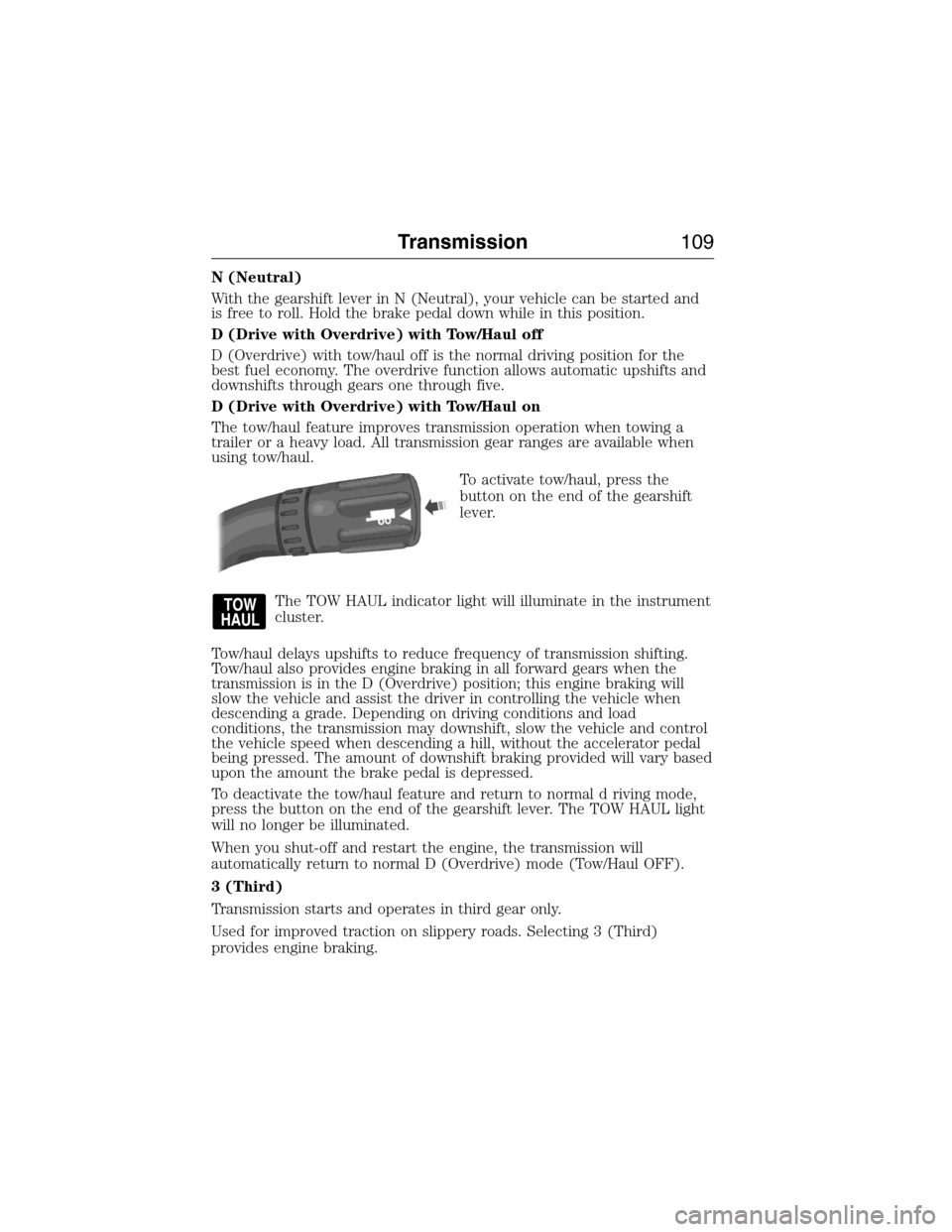
To activate tow/haul, press the
button on the end of the gearshift
lever.
The TOW HAUL indicator light will illuminate in the instrument
cluster.
Tow/haul delays upshifts to reduce frequency of transmission shifting.
Tow/haul also provides engine braking in all forward gears when the
transmission is in the D (Overdrive) position; this engine braking will
slow the vehicle and assist the driver in controlling the vehicle when
descending a grade. Depending on driving conditions and load
conditions, the transmission may downshift, slow the vehicle and control
the vehicle speed when descending a hill, without the accelerator pedal
being pressed. The amount of downshift braking provided will vary based
upon the amount the brake pedal is depressed.
To deactivate the tow/haul feature and return to normal d riving mode,
press the button on the end of the gearshift lever. The TOW HAUL light
will no longer be illuminated.
When you shut-off and restart the engine, the transmission will
automatically return to normal D (Overdrive) mode (Tow/Haul OFF).
3 (Third)
Transmission starts and operates in third gear only.
Used for improved traction on slippery roads. Selecting 3 (Third)
provides engine braking.
Transmission109
2015 Econoline(eco)
Owners Guide gf, 1st Printing, June 2014
USA(fus)
Page 128 of 360
RECOMMENDED TOWING WEIGHTS
Note:Calculate the maximum trailer weight for all cutaway vehicles by
subtracting the weight of your vehicle (including incomplete vehicle
weight and payload, which includes second unit body weight, cargo and
passengers) from the gross combined weight. Otherwise, maximum
trailer weight is 10000 pounds (4536 kilograms).
Note:Do not exceed the trailer weight for your vehicle configuration
listed in the chart below.
Note:Make sure to take into consideration trailer frontal area. Do not
exceed 60 feet
2(5.57 meters2) trailer frontal area.
Note:Exceeding this limitation may significantly reduce the
performance of your towing vehicle. Selecting a trailer with a low
aerodynamic drag and rounded front design helps optimize performance
and fuel economy.
Note:For high altitude operation, reduce the gross combined weight by
2% per 1000 feet (300 meters) starting at the 1000 foot (300 meter)
elevation point.
Note:Certain states require electric trailer brakes for trailers over a
specified weight. Be sure to check state regulations for this specified
weight. The maximum trailer weights listed may be limited to this
specified weight, as your vehicle’s electrical system may not include the
wiring connector needed to use electric trailer brakes.
Your vehicle may tow a trailer provided the maximum trailer weight is
less than or equal to the maximum trailer weight listed for your vehicle
configuration on the following chart.
To calculate the maximum loaded trailer weight for your vehicle:
1. Start with the gross combined weight rating for your vehicle model
and axle ratio. See the following chart.
2. Subtract all of the following that apply to your vehicle:
•Vehicle curb weight
•Hitch hardware weight, such as a draw bar, ball, locks or weight
distributing
•Driver weight
•Passenger(s) weight
•Payload, cargo and luggage weight
•Aftermarket equipment weight.
3. This equals the maximum loaded trailer weight for this combination.
Note:The trailer tongue load figures into the payload for your vehicle.
Reduce the total payload by the final trailer tongue weight.
Towing127
2015 Econoline(eco)
Owners Guide gf, 1st Printing, June 2014
USA(fus)