brakes FORD EDGE 2023 User Guide
[x] Cancel search | Manufacturer: FORD, Model Year: 2023, Model line: EDGE, Model: FORD EDGE 2023Pages: 504, PDF Size: 14.96 MB
Page 191 of 504
WHAT IS HILL START ASSIST
Hill Start Assist makes it easier for you topull away when your vehicle is on a slopewithout using the parking brake.
HOW DOES HILL START
ASSIST WORK
When the system activates, your vehicleremains stationary for a few seconds afteryou release the brake pedal. This gives youtime to move your foot from the brakepedal to the accelerator pedal. The brakesrelease when you apply the acceleratorpedal and the vehicle begins to moveforward, or the vehicle is stationary beyondhill start assist hold time.
The system activates when your vehicle isin any forward gear and facing uphill, orwhen your vehicle is in reverse (R) andfacing downhill.
HILL START ASSIST
PRECAUTIONS
WARNING: The system does notreplace the parking brake. When youleave your vehicle, always apply theparking brake.
WARNING: You must remain inyour vehicle when the system turns on.At all times you are responsible forcontrolling your vehicle, supervising thesystem, and intervening if required.Failure to follow this instruction couldresult in the loss of control of yourvehicle, personal injury or death.
HILL START ASSIST –
TROUBLESHOOTING
HILL START ASSIST –INFORMATION MESSAGES
ActionMessage
Displays whensystem is not avail-able. Have yourvehicle checked assoon as possible.
Hill Start Assist NotAvailable
187
2023 Edge (CDQ) Canada/United States of America, enUSA, Edition date: 202207, DOMHill Start Assist
Page 192 of 504
HOW DOES AUTO HOLD WORK
Auto hold applies the brakes to hold yourvehicle after you bring the vehicle to a stop.This can help when waiting on a hill or intraffic.
SWITCHING AUTO HOLD ON
AND OFF
WARNING: The system does notreplace the parking brake. When youleave your vehicle, always apply theparking brake.
WARNING: You must remain inyour vehicle when the system turns on.At all times you are responsible forcontrolling your vehicle, supervising thesystem, and intervening if required.Failure to follow this instruction couldresult in the loss of control of yourvehicle, personal injury or death.
You can switch the system on or off byaccessing the menu in the SYNC displayscreen.
1.Press Features on the touchscreen.
2.Press Driver Assistance.
Note:You can only switch the system onafter you close the driver door.
Note:The system remembers the lastsetting when you start your vehicle.
Note:When using an automatic car wash,make sure to switch auto hold off or shift toneutral (N) with the brake pedal applied toensure auto hold is not active.
USING AUTO HOLD
1.Bring your vehicle to a complete stop.The auto hold active indicatorilluminates in the information display.
2.Release the brake pedal. The systemholds your vehicle at a standstill. Theauto hold active indicator remainsilluminated in the information display.
3.Apply the accelerator and drive off ina normal manner. The system releasesthe brakes and the auto hold activeindicator switches off.
Note:The system only activates if youapply enough brake pressure on the brakepedal to bring the vehicle to a standstill.
Note:Under certain conditions, the systemcould apply the electric parking brake. Thebrake system warning lamp illuminates. Theelectric parking brake releases when youpress the accelerator pedal. SeeAutomatically Releasing the ElectricParking Brake (page 185).
Note:The system switches off if you shiftinto reverse (R) or neutral (N) while pressingthe brake pedal.
There could be actions that can cause theauto hold system not to work when thefollowing occur:
•When you use active park assist.
•Your vehicle is in stay in neutral mode.
•The driver door is open.
•You shift into reverse (R) or neutral (N)before the system is active.
AUTO HOLD INDICATORS
Illuminates when the system isactive.
188
2023 Edge (CDQ) Canada/United States of America, enUSA, Edition date: 202207, DOMAuto HoldE323448
Page 194 of 504
HOW DOES TRACTION
CONTROL WORK
If your vehicle begins to slide, the systemapplies the brakes to individual wheelsand, when needed, reduces power at thesame time. If the wheels spin whenaccelerating on slippery or loose surfaces,the system reduces power in order toincrease traction.
SWITCHING TRACTION
CONTROL ON AND OFF
WARNING: Operating your vehiclewith the traction control disabled couldlead to an increased risk of loss of vehiclecontrol, vehicle rollover, personal injuryand death.
When you switch the system off or on, amessage appears in the informationdisplay showing system status.
You can switch the system off with thetraction control switch.
Using a Switch
Use the traction control switch on theinstrument panel to switch the system offor on.
TRACTION CONTROL
INDICATOR
TRACTION CONTROL –
TROUBLESHOOTING
TRACTION CONTROL – WARNINGLAMPS
System Messages
The traction control lighttemporarily illuminates onstart-up and flashes whenactivated by a driving condition.
The traction control off light temporarilyilluminates on start-up and stays on:
•When you switch the traction controlsystem off.
•When you select an alternative stabilitycontrol mode.
•If a problem occurs in the system.
190
2023 Edge (CDQ) Canada/United States of America, enUSA, Edition date: 202207, DOMTraction ControlE138639 E130458 E138639
Page 195 of 504
HOW DOES STABILITY
CONTROL WORK
WARNING: Vehicle modificationsinvolving braking system, aftermarketroof racks, suspension, steering system,tire construction and wheel and tire sizemay change the handling characteristicsof your vehicle and may adversely affectthe performance of the electronicstability control system. In addition,installing any stereo loudspeakers mayinterfere with and adversely affect theelectronic stability control system. Installany aftermarket stereo loudspeaker asfar as possible from the front centerconsole, the tunnel, and the front seatsin order to minimize the risk of interferingwith the electronic stability controlsensors. Reducing the effectiveness ofthe electronic stability control systemcould lead to an increased risk of loss ofvehicle control, vehicle rollover, personalinjury and death.
WARNING: Remember that evenadvanced technology cannot defy thelaws of physics. It's always possible tolose control of a vehicle due toinappropriate driver input for theconditions. Aggressive driving on anyroad condition can cause you to losecontrol of your vehicle increasing the riskof personal injury or property damage.Activation of the electronic stabilitycontrol system is an indication that atleast some of the tires have exceededtheir ability to grip the road; this couldreduce the operator's ability to controlthe vehicle potentially resulting in a lossof vehicle control, vehicle rollover,personal injury and death. If yourelectronic stability control systemactivates, SLOW DOWN.
If a driving condition activates either thestability control or the traction controlsystem you may experience the followingconditions:
•The stability and traction control lightflashes.
•Your vehicle slows down.
•Reduced engine power.
The stability control system has severalfeatures built into it to help you maintaincontrol of your vehicle:
Electronic Stability Control
Electronic stability control enhances yourvehicle’s ability to prevent skids or lateralslides by applying brakes to one or moreof the wheels individually and, if necessary,reducing engine power.
Roll Stability Control
Roll stability control enhances yourvehicle’s ability to prevent rollovers bydetecting your vehicle’s roll motion andthe rate at which it changes by applyingthe brakes to one or more wheelsindividually.
Curve Control
Curve control enhances your vehicle’sability to follow the road when corneringseverely or avoiding objects in the roadway.Curve control operates by reducing enginepower and, if necessary, applying brakesto one or more of the wheels individually.
Traction Control
Traction control enhances your vehicle’sability to maintain traction of the wheelsby detecting and controlling wheel spin.See How Does Traction Control Work(page 190).
191
2023 Edge (CDQ) Canada/United States of America, enUSA, Edition date: 202207, DOMStability Control
Page 198 of 504
PARKING AID PRECAUTIONS
WARNING: To help avoid personalinjury, always use caution when inreverse (R) and when using the sensingsystem.
WARNING: The system may notdetect objects with surfaces that absorbreflection. Always drive with due careand attention. Failure to take care mayresult in a crash.
WARNING: Traffic control systems,fluorescent lamps, inclement weather,air brakes, external motors and fans mayaffect the correct operation of thesensing system. This may cause reducedperformance or false alerts.
WARNING: The system may notdetect small or moving objects,particularly those close to the ground.
WARNING: The parking aid systemcan only assist you to detect objectswhen your vehicle is moving at parkingspeeds. To help avoid personal injury youmust take care when using the parkingaid system.
WARNING: The system may notfunction if the sensor is blocked.
WARNING: In cold and severeweather conditions the system may notfunction. Rain, snow and spray can alllimit sensor performance.
WARNING: If damage occurs in theimmediate area surrounding the sensor,have your vehicle checked as soon aspossible.
Note:If your vehicle sustains damageleaving the sensors misaligned, this willcause inaccurate measurements or falsealerts.
When you connect a trailer to your vehicle,the rear parking aid detects the trailer andprovides an alert. Disable the parking aidwhen you connect a trailer to prevent thealert.
Note:Connected trailers might be detectedby the vehicle and parking aid turns offautomatically in those instances.
Note:Certain add-on devices installedaround the bumper or fascia may createfalse alerts, for example, large trailerhitches, bike or surfboard racks, license platebrackets, bumper covers or any other devicethat could block the normal detection zoneof the parking aid system. Aftermarket sparetires or spare tire covers mounted to the reartailgate could cause false alerts from thepark aid system. Remove the add-on deviceto prevent false alerts.
Note: Keep the sensors free from snow, iceand large accumulations of dirt. If thesensors are covered, the system's accuracycan be affected.
Do not clean the sensors with sharpobjects.
Note: When using a programmed MyKey,you cannot switch the parking aids off. SeeMyKey™ (page 64).
SWITCHING PARKING AID ON
AND OFF
Using the Parking Aid Button (If
Equipped)
Press the parking aid button oruse the menu to turn the systemon and off.
194
2023 Edge (CDQ) Canada/United States of America, enUSA, Edition date: 202207, DOMParking Aids (If Equipped)E139213
Page 208 of 504
WHAT IS ACTIVE PARK
ASSIST
Enhanced Active Park Assist
Assists you with parking in and out ofparking spaces.
HOW DOES ACTIVE PARK
ASSIST WORK
Active park assist uses sensors to detectparking spaces. The system controlssteering as required to maneuver into orout of a parking space.
ACTIVE PARK ASSIST
PRECAUTIONS
WARNING: You must remain inyour vehicle when the system turns on.At all times you are responsible forcontrolling your vehicle, supervising thesystem, and intervening if required.Failure to follow this instruction couldresult in the loss of control of yourvehicle, personal injury or death.
WARNING: The sensors may notdetect objects in heavy rain or otherconditions that cause interference.
WARNING: You are responsible forcontrolling your vehicle at all times. Thesystem is designed to be an aid and doesnot relieve you of your responsibility todrive with due care and attention. Failureto follow this instruction could result inthe loss of control of your vehicle,personal injury or death.
WARNING: Active park assist doesnot apply the brakes under anycircumstances.
WARNING: Do not use the systemwith accessories that extend beyond thefront or rear of your vehicle, for examplea trailer hitch or bike rack. The system isnot able to make corrections for theadditional length of the accessories.
SWITCHING ACTIVE PARK
ASSIST ON AND OFF
Press the active park assistbutton to bring up full screennotifications.
Press the soft keys on the touchscreen toswitch between parallel park in,perpendicular park in or parallel park outparking modes.
Cancelling Active Park Assist
To cancel parking assistance at any time:
•Press the active park assist buttonduring operation.
•Grab the steering wheel duringoperation.
•Drive above 22 mph (35 km/h) for ashort period of time when searching fora parking space.
•Drive above 6 mph (9 km/h) duringoperation.
•Switch traction control off.
ENTERING A PARALLEL
PARKING SPACE
1.Press the active park assist button.
2.Select parallel park.
Note:The system detects other vehiclesand curbs to find a parking space.
204
2023 Edge (CDQ) Canada/United States of America, enUSA, Edition date: 202207, DOMActive Park Assist (If Equipped)E146186
Page 212 of 504
WHAT IS CRUISE CONTROL
Cruise control lets you maintain a setspeed without keeping your foot on theaccelerator pedal.
Requirements
Use cruise control when the vehicle speedis greater than 20 mph (30 km/h).
SWITCHING CRUISE CONTROL
ON AND OFF
WARNING: Do not use cruisecontrol on winding roads, in heavy trafficor when the road surface is slippery. Thiscould result in loss of vehicle control,serious injury or death.
The cruise controls are on the steeringwheel. See Steering Wheel (page 24).
Switching Cruise Control On
Press the button.
Switching Cruise Control Off
Press the button when thesystem is in standby mode.
The system also turns off when you switchthe ignition off.
Note:The set speed erases when youswitch the system off.
SETTING THE CRUISE
CONTROL SPEED
WARNING: When you are goingdownhill, your vehicle speed couldincrease above the set speed. Thesystem does not apply the brakes.
Drive to the speed you prefer.
Press either button to set thecurrent speed.
Take your foot off the accelerator pedal.
Note:The indicator changes color in theinformation display.
Changing the Set Speed
Press and release the button toincrease the set speed in smallincrements.
Press and hold the button to accelerate.Release the button when you reach yourpreferred speed.
Press and release the button todecrease the set speed in smallincrements.
Press and hold the button to decelerate.Release the button when you reach yourpreferred speed.
Note: If you accelerate by pressing theaccelerator pedal, the set speed does notchange. When you release the acceleratorpedal, your vehicle returns to the speed thatyou previously set.
208
2023 Edge (CDQ) Canada/United States of America, enUSA, Edition date: 202207, DOMCruise ControlE265296 E265297 E246884 E246885 E246884 E246885
Page 214 of 504
HOW DOES ADAPTIVE CRUISE
CONTROL WITH STOP AND GO
WORK
Adaptive Cruise Control with Stop and Goand Lane-Centering Assist
Adaptive cruise control with stop and gouses radar and camera sensors to maintaina set gap between your vehicle and thevehicle in front of you while following it toa complete stop. Stop and go can also beset to follow a vehicle directly in front ofyou and adjust the set speed, while you areat a complete stop.
ADAPTIVE CRUISE CONTROL
PRECAUTIONS
WARNING: You are responsible forcontrolling your vehicle at all times. Thesystem is designed to be an aid and doesnot relieve you of your responsibility todrive with due care and attention. Failureto follow this instruction could result inthe loss of control of your vehicle,personal injury or death.
WARNING: Do not use adaptivecruise control on winding roads, in heavytraffic or when the road surface isslippery. This could result in loss ofvehicle control, serious injury or death.
WARNING: Pay close attention tochanging road conditions such asentering or leaving a highway, on roadswith intersections or roundabouts, roadswithout visible lanes of travel, roads thatare unpaved, or steep slopes. Failure tofollow this instruction could result in theloss of control of your vehicle, personalinjury or death.
WARNING: The system is not acrash warning or avoidance system.
WARNING: Do not use the systemwhen towing a trailer that hasaftermarket electronic trailer brakecontrols. Failure to follow this instructioncould result in the loss of control of yourvehicle, personal injury or death.
WARNING: Do not use tire sizesother than those recommended becausethis can affect the normal operation ofthe system. Failure to do so may resultin a loss of vehicle control, which couldresult in serious injury.
WARNING: Do not use the systemwith a snow plow blade installed.
WARNING: Do not use the systemin poor visibility, for example fog, heavyrain, spray or snow.
When Following a Vehicle
WARNING: When following avehicle that is braking, your vehicle doesnot always decelerate quickly enough toavoid a crash without driver intervention.Apply the brakes when necessary. Failureto follow this instruction could result inpersonal injury or death.
Hilly Condition Usage
Select a lower gear when the system isactive in situations such as prolongeddownhill driving on steep slopes, forexample in mountainous areas.
210
2023 Edge (CDQ) Canada/United States of America, enUSA, Edition date: 202207, DOMAdaptive Cruise Control (If Equipped)
Page 215 of 504
ADAPTIVE CRUISE CONTROL
LIMITATIONS
Sensor Limitations
WARNING: On rare occasions,detection issues can occur due to theroad infrastructures, for example bridges,tunnels and safety barriers. In thesecases, the system may brake late orunexpectedly. At all times, you areresponsible for controlling your vehicle,supervising the system and intervening,if required.
WARNING: If the systemmalfunctions, have your vehicle checkedas soon as possible.
WARNING: Large contrasts inoutside lighting can limit sensorperformance.
WARNING: The system only warnsof vehicles detected by the radar sensor.In some cases there may be no warningor a delayed warning. Apply the brakeswhen necessary. Failure to follow thisinstruction could result in personal injuryor death.
WARNING: The system may notdetect stationary or slow movingvehicles below 6 mph (10 km/h).
WARNING: The system does notdetect pedestrians or objects in the road.
WARNING: The system does notdetect oncoming vehicles in the samelane.
WARNING: The system may notoperate properly if the sensor is blocked.Keep the windshield free fromobstruction.
WARNING: The sensor mayincorrectly track lane markings as otherstructures or objects. This can result ina false or missed warning.
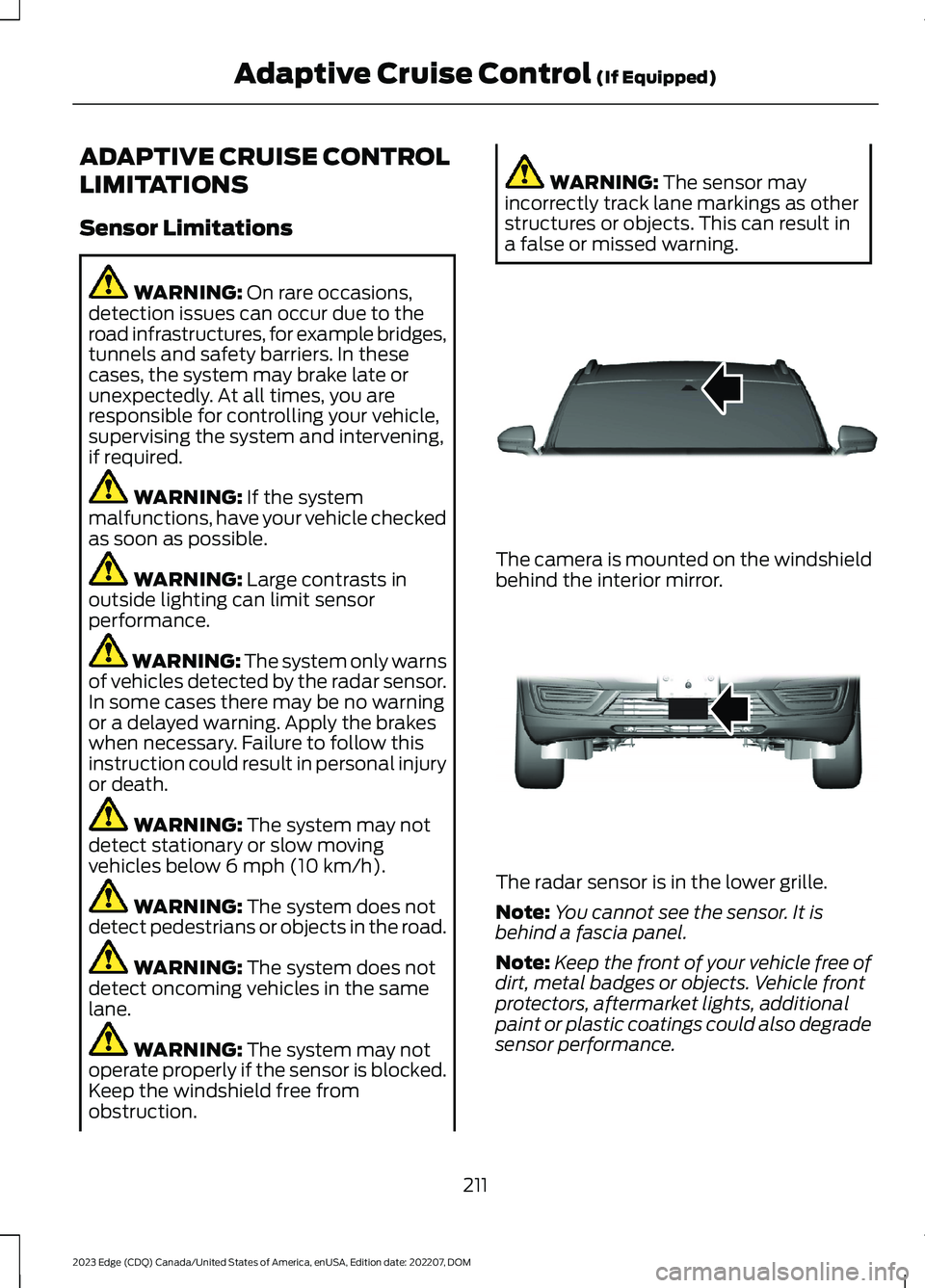
The camera is mounted on the windshieldbehind the interior mirror.
The radar sensor is in the lower grille.
Note:You cannot see the sensor. It isbehind a fascia panel.
Note:Keep the front of your vehicle free ofdirt, metal badges or objects. Vehicle frontprotectors, aftermarket lights, additionalpaint or plastic coatings could also degradesensor performance.
211
2023 Edge (CDQ) Canada/United States of America, enUSA, Edition date: 202207, DOMAdaptive Cruise Control (If Equipped)E307893 E307892
Page 218 of 504
Note:When adaptive cruise control isactive, the speedometer may vary slightlyfrom the set speed displayed in theinformation display.
Setting the Adaptive Cruise Speedfrom a Complete Stop
Press and release either buttonwhile keeping the brake pedalfully pressed.
The set speed adjusts to 20 mph(30 km/h).
The indicator, current gap setting and setspeed appear in the information display.
Note:The system will activate from acomplete stop only when it detects a leadvehicle in close proximity.
Manually Changing the Set Speed
Press and release to increase theset speed in small increments.
Press and hold to increase the set speedin large increments. Release the buttonwhen the set speed equals the desiredspeed.
Press and release to decreasethe set speed in smallincrements.
Press and hold to decrease the set speedin large increments. Release the buttonwhen the set speed equals the desiredspeed.
You can also press theaccelerator or brake pedal untilyou reach the speed you prefer.Press the button to select the currentspeed as the set speed.
The system may apply the brakes to slowthe vehicle to the new set speed. The setspeed continuously displays in theinformation display when the system isactive.
SETTING THE ADAPTIVE
CRUISE CONTROL GAP
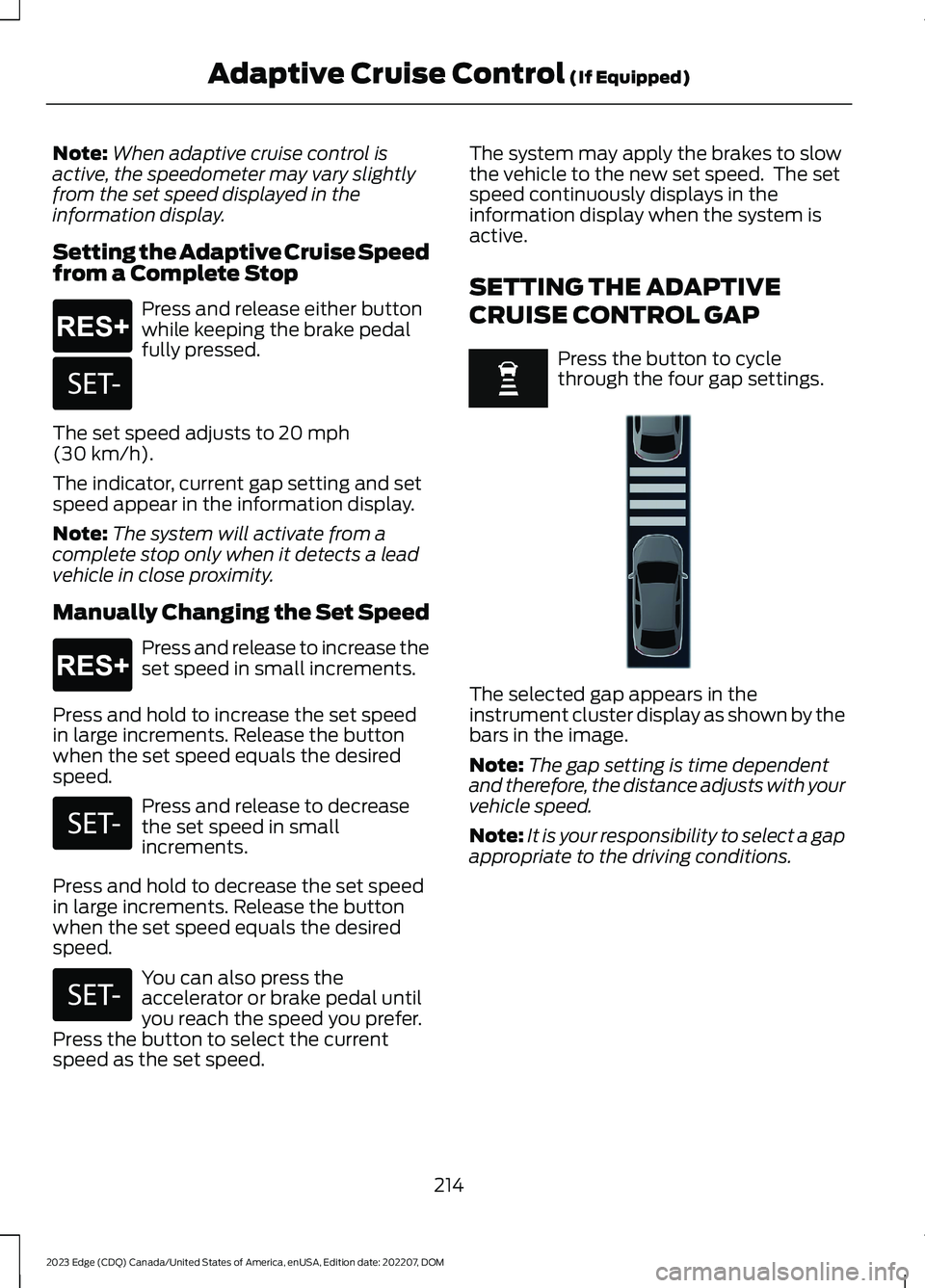
Press the button to cyclethrough the four gap settings.
The selected gap appears in theinstrument cluster display as shown by thebars in the image.
Note:The gap setting is time dependentand therefore, the distance adjusts with yourvehicle speed.
Note:It is your responsibility to select a gapappropriate to the driving conditions.
214
2023 Edge (CDQ) Canada/United States of America, enUSA, Edition date: 202207, DOMAdaptive Cruise Control (If Equipped)E265299 E246885 E265299 E246885 E246885 E355761