high FORD EDGE 2023 Service Manual
[x] Cancel search | Manufacturer: FORD, Model Year: 2023, Model line: EDGE, Model: FORD EDGE 2023Pages: 504, PDF Size: 14.96 MB
Page 222 of 504
Note:The system steering assistance islimited and may not have sufficient effortfor all driving situations and/or conditions,such as driving through tight curves ordriving through curves at high speeds.
Note:In exceptional conditions, the systemmay deviate from the lane center.
SWITCHING LANE CENTERING ONAND OFF
You must keep your hands on the steeringwheel at all times.
The controls are on the steering wheel.
Press the button.
The indicator appears in the instrumentcluster. When the lane centering system ison, the color of the indicator changes toindicate the system status.
You can override the system at any timeby steering your vehicle.
Note:The lane centering requirementsmust be met before you can enable thefeature. See Lane CenteringRequirements (page 217).
LANE CENTERING ALERTS
You must keep your hands on the steeringwheel at all times.
When the system is active and detects nosteering activity for a period of time, thesystem alerts you to put your hands on thesteering wheel. If you do not reactappropriately to the warnings the adaptivecruise control with lane centering systemcancels and slows your vehicle down toidle speeds while maintaining steeringcontrol. See Lane Centering AutomaticCancellation (page 218).
The system also alerts you if your vehiclecrosses lane line markings withoutdetected steering activity.
Note:The system could detect a light gripor light touch on the steering wheel ashands-off driving.
LANE CENTERING AUTOMATICCANCELLATION
When an external condition cancels thesystem, for example, no lane markingsavailable, a tone sounds and a messageappears in the information display.
If your vehicle starts to slowdown, you must provide steeringinput to the wheel and press andrelease the button to regain full systemperformance.
Automatic cancellation can also occur if:
•The lane becomes too wide or toonarrow.
•The system cannot detect valid lanemarkings.
•Lane markings cross over one another.
Note:The system disables until the nextkey cycle if your vehicle slows down due todriver inactivity twice within a key cycle.
LANE CENTERING MANUALCANCELLATION
When you perform the following actions,adaptive cruise control with lane centeringwill cancel:
•The brake pedal is pressed.
•Adaptive cruise control button isswitched off on the steering wheel.
The lane centering system is momentarilysuppressed when either of the followingactions are performed:
218
2023 Edge (CDQ) Canada/United States of America, enUSA, Edition date: 202207, DOMAdaptive Cruise Control (If Equipped)E262175
Page 226 of 504
The lane keeping system may not correctlyoperate in any of the following conditions:
•The lane keeping system does notdetect at least one lane marking.
•You switch the turn signal on.
•You apply direct steering, acceleratefast or brake hard.
•The vehicle speed is less than 40 mph(64 km/h).
•The anti-lock brake, stability control ortraction control system activates.
•The lane is too narrow.
•Something is obscuring the camera orit is unable to detect the lane markingsdue to environment, traffic or vehicleconditions.
The lane keeping system may not correctlane positioning in any of the followingconditions:
•High winds.
•Uneven road surfaces.
•Heavy or uneven loads.
•Incorrect tire pressure.
SWITCHING THE LANE
KEEPING SYSTEM ON AND
OFF
To activate the lane keepingsystem, press the button on theturn signal lever.
Note:The system stores the on or offsetting until manually changed, unless itdetects a MyKey™. If the system detects aMyKey™, it defaults to on and the mode isset to alert.
Note: If the system detects a MyKey™,pressing the button does not affect the onor off status of the system. You can onlychange the mode and intensity settings.
SWITCHING THE LANE
KEEPING SYSTEM MODE
The lane keeping system has differentsettings that you can view or adjust usingthe information display.
The system stores the last known selectionfor each of these settings. You do not needto readjust your settings each time youswitch on the system.
To change the lane keeping system mode,use the instrument cluster display:
1.Using the instrument cluster displaycontrols on the steering wheel, selectDriver Assist.
2.Select Lane Keeping Sys.
3.Select Mode.
4.Select a mode.
Note:The system remembers the lastsetting when you start your vehicle. If thesystem detects a MyKey™, it defaults to thelast setting for that MyKey™.
LANE KEEPING SYSTEM
SETTINGS
To change the steering wheel vibration,use the instrument cluster display:
1.Using the instrument cluster displaycontrols on the steering wheel, selectDriver Assist.
2.Select Lane Keeping Sys.
3.Select Alert Intensity.
4.Select a setting.
222
2023 Edge (CDQ) Canada/United States of America, enUSA, Edition date: 202207, DOMLane Keeping SystemE308131
Page 230 of 504
LANE KEEPING SYSTEM – FREQUENTLY ASKED QUESTIONS
Why is the feature not available (lane markings are gray) when I can see the lane markingson the road?
Your vehicle speed is less than 40 mph (65 km/h).
The sun is shining directly into the camera lens.
A quick intentional lane change has occurred.
Your vehicle stays too close to the lane markings for an extended interval of time.
Driving at high speeds in curves.
The last alert warning or aid intervention occurred a short time ago.
Ambiguous lane markings, for example, in construction zones.
Rapid transition from light to dark, or from dark to light.
Sudden offset in lane markings.
ABS or AdvanceTrac™ is active.
There is a camera blockage due to dirt, grime, fog, frost or water on the windshield.
You are driving too close to the vehicle in front of you.
Transitioning between no lane markings to lane markings, or vice versa.
There is standing water on the road.
Faint lane markings, for example, partial yellow lane markings on concrete roads.
Lane width is too narrow or too wide.
You have not calibrated the camera after a windshield replacement.
Driving on tight or on uneven roads.
226
2023 Edge (CDQ) Canada/United States of America, enUSA, Edition date: 202207, DOMLane Keeping System
Page 231 of 504
Why does the vehicle not come back toward the middle of the lane, as expected, in theAid, or Aid + Alert mode?
High cross winds are present.
There is a large road crown.
Rough roads, grooves or shoulder drop-offs.
Heavy, uneven loading of the vehicle or improper tire inflation pressure.
You changed the tires or modified the suspension.
227
2023 Edge (CDQ) Canada/United States of America, enUSA, Edition date: 202207, DOMLane Keeping System
Page 238 of 504
WHAT IS PRE-COLLISION
ASSIST
Pre-Collision Assist with PedestrianDetection
Pre-collision assist detects and warns ofapproaching hazards in the roadway. Ifyour vehicle is rapidly approaching anotherstationary vehicle, a vehicle traveling in thesame direction as yours, or a pedestrianwithin your driving path, the systemprovides multiple levels of assistance tohelp avoid a collision.
HOW DOES PRE-COLLISION
ASSIST WORK
Pre-Collision Assist with AutomaticEmergency Braking
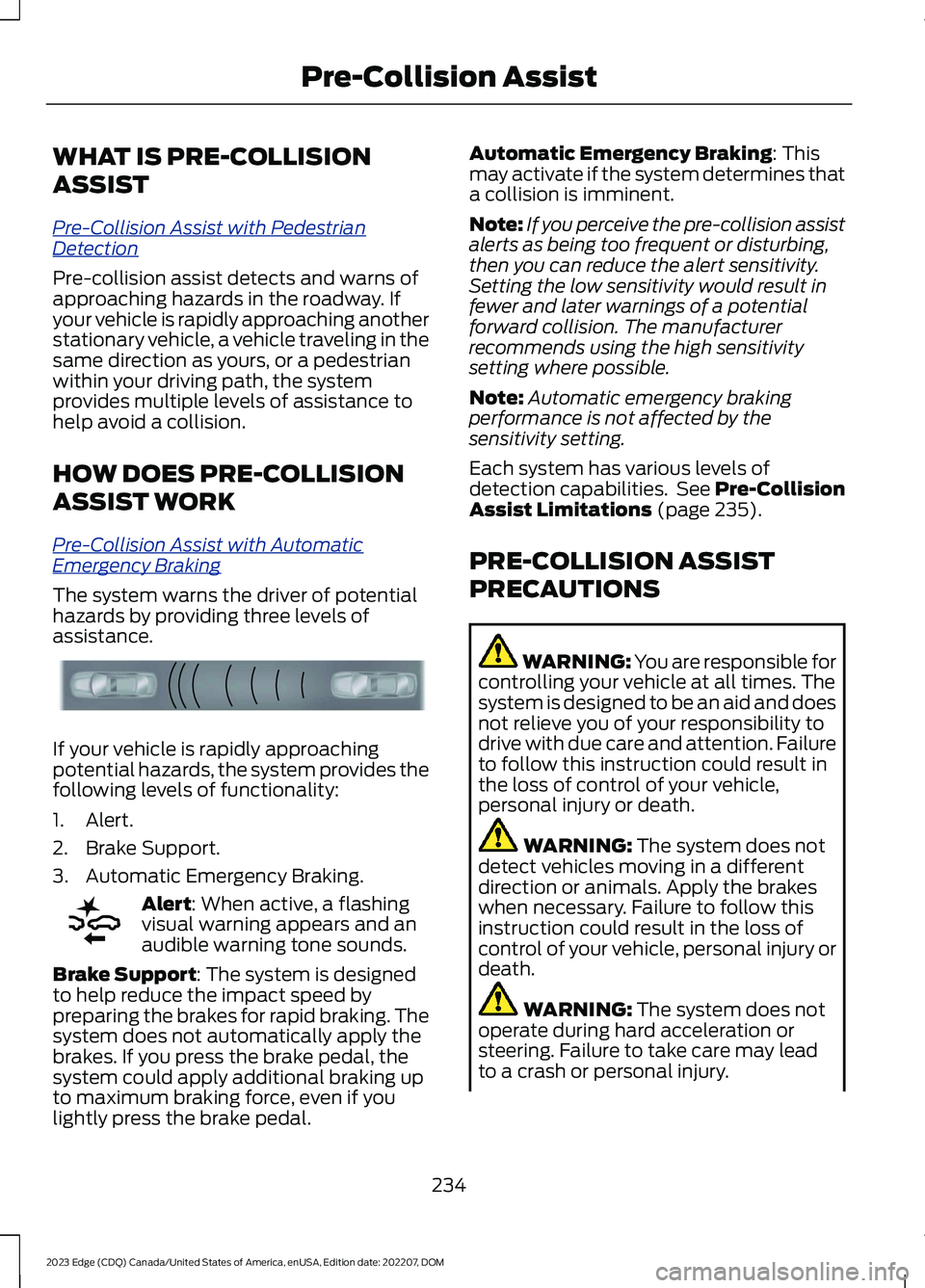
The system warns the driver of potentialhazards by providing three levels ofassistance.
If your vehicle is rapidly approachingpotential hazards, the system provides thefollowing levels of functionality:
1.Alert.
2.Brake Support.
3.Automatic Emergency Braking.
Alert: When active, a flashingvisual warning appears and anaudible warning tone sounds.
Brake Support: The system is designedto help reduce the impact speed bypreparing the brakes for rapid braking. Thesystem does not automatically apply thebrakes. If you press the brake pedal, thesystem could apply additional braking upto maximum braking force, even if youlightly press the brake pedal.
Automatic Emergency Braking: Thismay activate if the system determines thata collision is imminent.
Note:If you perceive the pre-collision assistalerts as being too frequent or disturbing,then you can reduce the alert sensitivity.Setting the low sensitivity would result infewer and later warnings of a potentialforward collision. The manufacturerrecommends using the high sensitivitysetting where possible.
Note:Automatic emergency brakingperformance is not affected by thesensitivity setting.
Each system has various levels ofdetection capabilities. See Pre-CollisionAssist Limitations (page 235).
PRE-COLLISION ASSIST
PRECAUTIONS
WARNING: You are responsible forcontrolling your vehicle at all times. Thesystem is designed to be an aid and doesnot relieve you of your responsibility todrive with due care and attention. Failureto follow this instruction could result inthe loss of control of your vehicle,personal injury or death.
WARNING: The system does notdetect vehicles moving in a differentdirection or animals. Apply the brakeswhen necessary. Failure to follow thisinstruction could result in the loss ofcontrol of your vehicle, personal injury ordeath.
WARNING: The system does notoperate during hard acceleration orsteering. Failure to take care may leadto a crash or personal injury.
234
2023 Edge (CDQ) Canada/United States of America, enUSA, Edition date: 202207, DOMPre-Collision AssistE156130 E255268
Page 247 of 504
LOAD CARRYING
PRECAUTIONS
Keep your loaded vehicle weightwithin its design rating capability,with or without a trailer. Properlyloading your vehicle providesmaximum return of vehicle designperformance. Before you load yourvehicle, become familiar with thefollowing terms for determiningyour vehicle’s weight rating, withor without a trailer, from thevehicle’s Tire and LoadingInformation label or SafetyCompliance Certification label.
WARNING: Theappropriate loading capacity ofyour vehicle can be limited eitherby volume capacity (how muchspace is available) or by payloadcapacity (how much weight thevehicle should carry). Once youhave reached the maximumpayload of your vehicle, do notadd more cargo, even if there isspace available. Overloading orimproperly loading your vehiclecan contribute to loss of vehiclecontrol and vehicle rollover.
WARNING: Exceeding theSafety Compliance Certificationlabel vehicle weight limits canadversely affect theperformance and handling ofyour vehicle, cause vehicledamage and can result in theloss of control of your vehicle,serious personal injury or death.
WARNING: Do not usereplacement tires with lowerload carrying capacities than theoriginal tires because they maylower your vehicle's GVWR andGAWR limitations. Replacementtires with a higher limit than theoriginal tires do not increase theGVWR and GAWR limitations.
WARNING: Do not exceedthe GVWR or the GAWRspecified on the certificationlabel.
WARNING: Exceeding anyvehicle weight rating canadversely affect theperformance and handling ofyour vehicle, cause vehicledamage and can result in theloss of control of your vehicle,serious personal injury or death.
WARNING: When loadingthe roof racks, we recommendyou evenly distribute the load,as well as maintain a low centerof gravity. Loaded vehicles, withhigher centers of gravity, may
243
2023 Edge (CDQ) Canada/United States of America, enUSA, Edition date: 202207, DOMLoad Carrying
Page 248 of 504
handle differently than unloadedvehicles. Take extra precautions,such as slower speeds andincreased stopping distance,when driving a heavily loadedvehicle.
The gross combined weight mustnever exceed the Gross CombinedWeight Rating.
LOCATING THE SAFETY
COMPLIANCE CERTIFICATION
LABELS
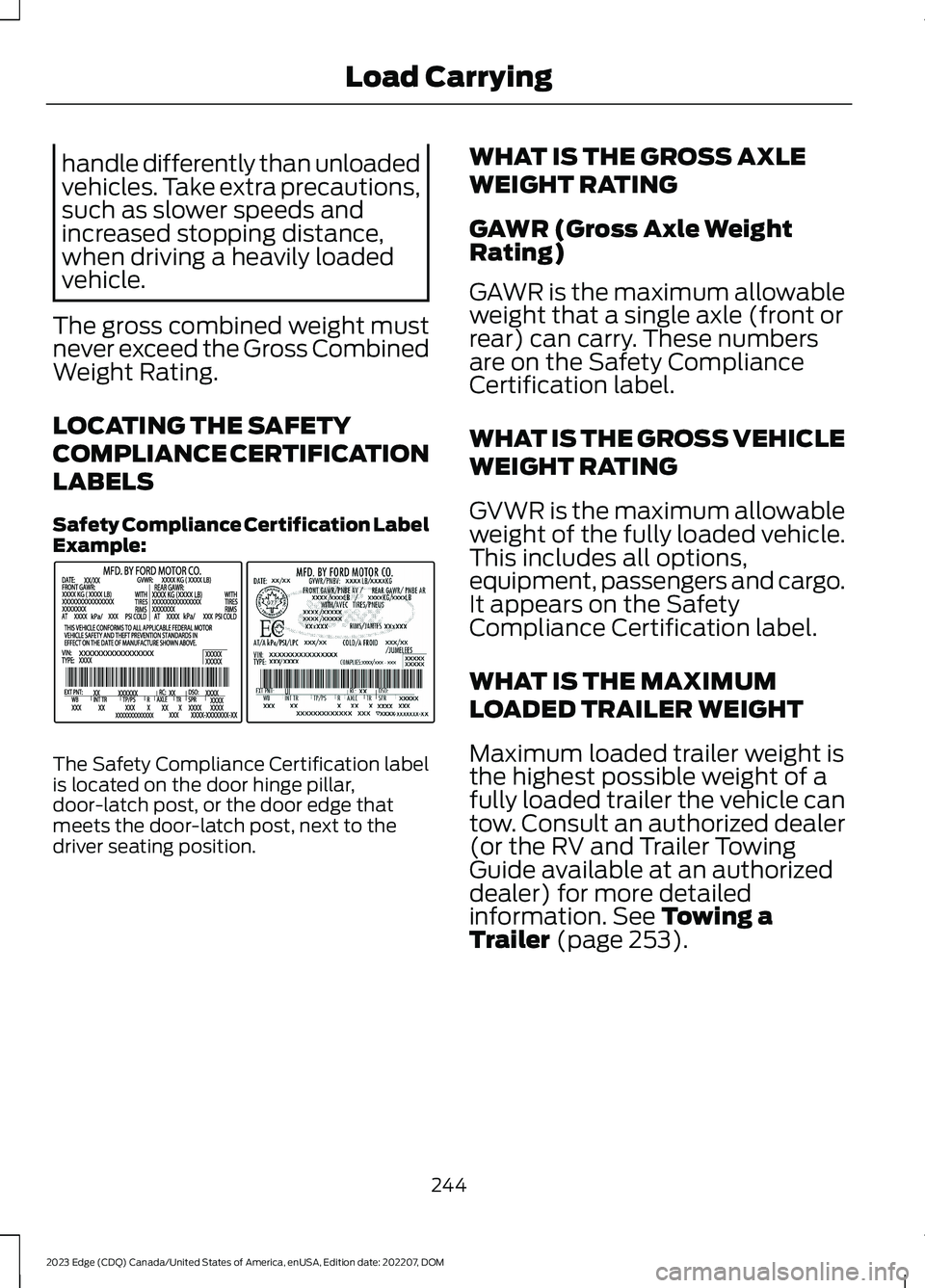
Safety Compliance Certification LabelExample:
The Safety Compliance Certification labelis located on the door hinge pillar,door-latch post, or the door edge thatmeets the door-latch post, next to thedriver seating position.
WHAT IS THE GROSS AXLE
WEIGHT RATING
GAWR (Gross Axle WeightRating)
GAWR is the maximum allowableweight that a single axle (front orrear) can carry. These numbersare on the Safety ComplianceCertification label.
WHAT IS THE GROSS VEHICLE
WEIGHT RATING
GVWR is the maximum allowableweight of the fully loaded vehicle.This includes all options,equipment, passengers and cargo.It appears on the SafetyCompliance Certification label.
WHAT IS THE MAXIMUM
LOADED TRAILER WEIGHT
Maximum loaded trailer weight isthe highest possible weight of afully loaded trailer the vehicle cantow. Consult an authorized dealer(or the RV and Trailer TowingGuide available at an authorizeddealer) for more detailedinformation. See Towing aTrailer (page 253).
244
2023 Edge (CDQ) Canada/United States of America, enUSA, Edition date: 202207, DOMLoad CarryingE198828
Page 251 of 504
Suppose your vehicle has a1400-pound (635-kilogram) cargoand luggage capacity. You andone of your friends decide to pickup cement from the local homeimprovement store to finish thatpatio you have been planning forthe past two years. Measuring theinside of the vehicle with the rearseat folded down, you have roomfor twelve 100-pound(45-kilogram) bags of cement. Doyou have enough load capacity totransport the cement to yourhome? If you and your friend eachweigh 220 pounds (99 kilograms),the calculation would be: 1400 -(2 x 220) - (12 x 100) = 1400 - 440- 1200 = - 240 pounds. No, you donot have enough cargo capacityto carry that much weight. Inmetric units, the calculation wouldbe: 635 kilograms - (2 x 99kilograms) - (12 x 45 kilograms) =635 - 198 - 540 = -103 kilograms.You will need to reduce the loadweight by at least 240 pounds(104 kilograms). If you removethree 100-pound (45-kilogram)cement bags, then the loadcalculation would be: 1400 - (2 x220) - (9 x 100) = 1400 - 440 -900 = 60 pounds. Now you havethe load capacity to transport thecement and your friend home. Inmetric units, the calculation wouldbe: 635 kilograms - (2 x 99kilograms) - (9 x 45 kilograms) =635 - 198 - 405 = 32 kilograms.
The above calculations alsoassume that the loads arepositioned in your vehicle in amanner that does not overloadthe front or the rear gross axleweight rating specified for yourvehicle on the Safety ComplianceCertification label.
ROOF RACK (IF EQUIPPED)
ROOF RACK PRECAUTIONS
WARNING: Read and follow themanufacturer's instructions when youare fitting a roof rack.
WARNING: When loading the roofracks, we recommend you evenlydistribute the load, as well as maintaina low center of gravity. Loaded vehicles,with higher centers of gravity, mayhandle differently than unloadedvehicles. Take extra precautions, suchas slower speeds and increased stoppingdistance, when driving a heavily loadedvehicle.
Note:If you use a roof rack, the fuelconsumption of your vehicle will be higherand you may experience different drivingcharacteristics.
You must place loads directly on thecrossbars fitted to the roof rack side rails.
Make sure that you securely fasten theload. Check the tightness of the loadbefore driving and at each fuel stop.
247
2023 Edge (CDQ) Canada/United States of America, enUSA, Edition date: 202207, DOMLoad Carrying
Page 258 of 504
Certain states require functioning trailerbrakes for trailers over a specified weight.Be sure to check state regulations for thisspecified weight.
Ford Motor Company recommendsseparate functioning brake systems fortrailers weighing more than 1,500 lb(680 kg) when loaded.
TOWING A TRAILER
LIMITATIONS
The vehicle's load capacitydesignation is by weight, not byvolume, so you cannot necessarilyuse all available space whenloading a vehicle or trailer.
Note:Your vehicle could havereduced performance whenoperating at high altitudes andwhen heavily loaded or towing a
trailer. When driving at elevation,to match driving performance asperceived at sea level, reduce grossvehicle weight and grosscombination weight by 2% per1,000 ft (300 m) elevation.
LOADING YOUR TRAILER
To help minimize how trailermovement affects your vehiclewhen driving:
•Load the heaviest items closestto the trailer floor.
•Load the heaviest itemscentered between the left andright side trailer tires.
•Load the heaviest items abovethe trailer axles or just slightlyforward toward the trailertongue. Do not allow the finaltrailer tongue weight to goabove or below 10-15% of theloaded trailer weight. Thetrailer tongue weight shouldnever exceed 10% of themaximum towing capacity.
•Select a ball mount with thecorrect rise or drop. When boththe loaded vehicle and trailerare connected, the trailer frameshould be level, or slightlyangled down toward yourvehicle, when viewed from theside.
TRAILER TOWING HINTS
Towing a trailer places an extra load onyour vehicle's engine, transmission, axle,brakes, tires and suspension. Periodicallyinspect these components during and afterany towing operation.
When driving with a trailer or payload, aslight takeoff vibration or shudder may bepresent due to the increased payloadweight.
Your vehicle may have a temporary orconventional spare tire. A temporary sparetire is different in diameter or width,tread-type, or is from a differentmanufacturer than the road tires on yourvehicle. Consult information on the tirelabel or Safety Compliance label forlimitations when using.
254
2023 Edge (CDQ) Canada/United States of America, enUSA, Edition date: 202207, DOMTowing a Trailer
Page 259 of 504
When towing a trailer:
•Obey country specific regulations fortowing a trailer.
•Do not drive faster than 70 mph(113 km/h) during the first 500 mi(800 km).
•Do not make full-throttle starts.
•Check your hitch, electrical connectionsand trailer wheel lug nuts thoroughlyafter you have traveled 50 mi (80 km).
•When stopped in congested or heavytraffic during hot weather, place thetransmission in park (P) to aid engineand transmission cooling and to helpA/C performance.
•Turn off the speed control with heavyloads or in hilly terrain. The speedcontrol may turn off when you aretowing on long, steep slopes.
•Shift to a lower gear when driving downa long or steep hill. Do not continuouslyapply the brakes, as they may overheatand become less effective.
•If your transmission has Grade Assistor Tow/Haul, use this feature whentowing. This provides engine brakingand helps eliminate excessivetransmission shifting for optimum fueleconomy and transmission cooling.
•Your vehicle has AdvanceTrac with rollstability control. When towing a trailer,additional loads could cause theAdvanceTrac system to engage duringcornering maneuvers. Reduce corneringspeeds to make sure that you canmaintain control of the vehicle andtrailer if the AdvanceTrac systemengages.
•Allow more distance for stopping witha trailer attached. Anticipate stops andgradually brake.
•Avoid parking on a slope. However, ifyou must park on a slope, turn thesteering wheel to point your vehicletires away from traffic flow, set theparking brake, place the transmissionin park (P) and place wheel chocks infront and back of the trailer wheels.
Note:Chocks are not included with yourvehicle.
LAUNCHING OR RETRIEVING
A BOAT OR PERSONAL
WATERCRAFT
When backing down a ramp during boatlaunching or retrieval:
•Do not allow the static water level torise above the bottom edge of the rearbumper.
•Do not allow waves to break higherthan 6 in (15 cm) above the bottomedge of the rear bumper.
Exceeding 6 in (15 cm) could allow waterto enter vehicle components, causinginternal damage to the components andaffecting driveability, emissions andreliability.
Note:Replace the rear axle lubricantanytime the rear axle has been submergedin water.
Note:Disconnect the trailer wiringconnector before backing the trailer into thewater.
Note:Reconnect the trailer wiringconnector after removing the trailer fromthe water.
255
2023 Edge (CDQ) Canada/United States of America, enUSA, Edition date: 202207, DOMTowing a Trailer