remote control FORD ESCAPE 2013 3.G Owner's Manual
[x] Cancel search | Manufacturer: FORD, Model Year: 2013, Model line: ESCAPE, Model: FORD ESCAPE 2013 3.GPages: 423, PDF Size: 4.59 MB
Page 120 of 423

You cannot adjust the system during
remote start operation. Turn the ignition
on to return the system to its previous
settings. You can now make adjustments.
You will need to turn certain
vehicle-dependent features back on, such
as:
•heated seats
• cooled seats
• heated steering wheel
• heated mirrors
• heated rear window.
You can adjust the settings using the
information display controls. See
Information Displays (page 84).
Automatic Settings
You can set the climate control to operate
in AUTO mode through the information
display setting: Remote Start > Climate
Control > Heater-A/C > Auto. The climate
control system automatically sets the
interior temperature to 72°F (22°C).
In hot weather, the system is set to 72°F
(22°C). Cooled seats are set to high (if
available, and selected to AUTO in the
information display).
In moderate weather, the system either
heats or cools (based on previous
settings). The rear defroster, heated
mirrors and heated/cooled seats are not
automatically turned on.
In cold weather, the system is set to 72°F
(22°C). The heated seats and heated
steering wheel are set to high (if available,
and selected to AUTO in the information
display). The rear defroster and heated
mirrors are automatically turned on. Last Settings
You can set the climate control to operate
using the last climate control settings
through the information display setting:
Remote Start > Climate Control >
Heater
–A/C > Last Settings. The climate
control system automatically uses the
settings last selected before the vehicle
was turned off.
Heated and Cooled Devices
The climate control system controls other
heated and cooled devices inside the
vehicle. These devices (if available, and
selected to AUTO in the information
displays) may also be switched on during
remote start. Heated devices are typically
switched on during cold weather, and
cooled devices during hot weather.
120
Climate Control
Page 126 of 423
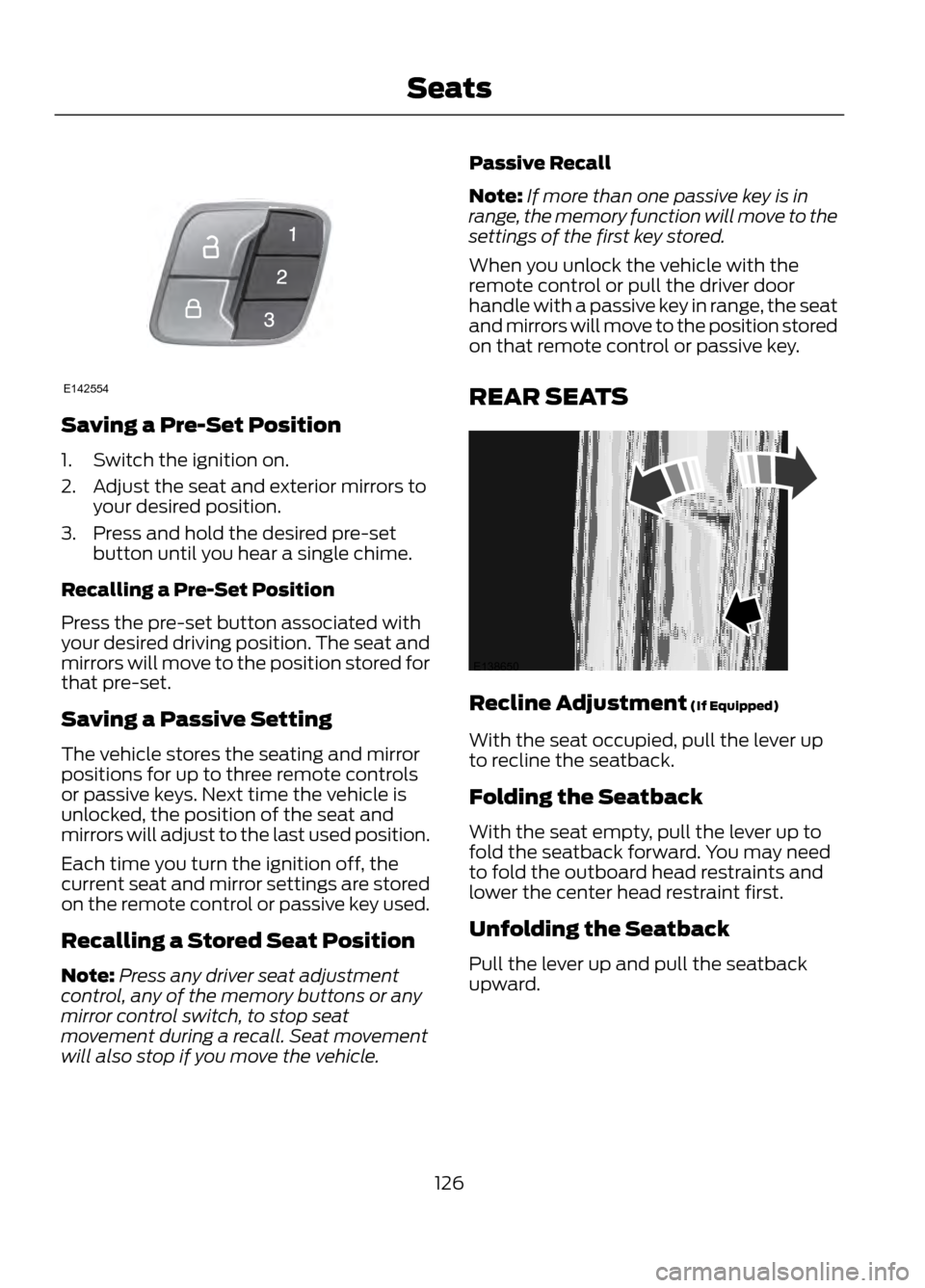
Saving a Pre-Set Position
1. Switch the ignition on.
2. Adjust the seat and exterior mirrors toyour desired position.
3. Press and hold the desired pre-set button until you hear a single chime.
Recalling a Pre-Set Position
Press the pre-set button associated with
your desired driving position. The seat and
mirrors will move to the position stored for
that pre-set.
Saving a Passive Setting
The vehicle stores the seating and mirror
positions for up to three remote controls
or passive keys. Next time the vehicle is
unlocked, the position of the seat and
mirrors will adjust to the last used position.
Each time you turn the ignition off, the
current seat and mirror settings are stored
on the remote control or passive key used.
Recalling a Stored Seat Position
Note: Press any driver seat adjustment
control, any of the memory buttons or any
mirror control switch, to stop seat
movement during a recall. Seat movement
will also stop if you move the vehicle. Passive Recall
Note:
If more than one passive key is in
range, the memory function will move to the
settings of the first key stored.
When you unlock the vehicle with the
remote control or pull the driver door
handle with a passive key in range, the seat
and mirrors will move to the position stored
on that remote control or passive key.
REAR SEATS
Recline Adjustment (If Equipped)
With the seat occupied, pull the lever up
to recline the seatback.
Folding the Seatback
With the seat empty, pull the lever up to
fold the seatback forward. You may need
to fold the outboard head restraints and
lower the center head restraint first.
Unfolding the Seatback
Pull the lever up and pull the seatback
upward.
126
Seats
E142554
E138650
Page 128 of 423
Homelink® Wireless Control
System (If Equipped)
WARNINGS
Make sure that the garage door and
security device are free from
obstruction when you are
programming. Do not program the system
with the vehicle in the garage.
Do not use the system with any
garage door opener that does not
have the safety stop and reverse
feature as required by U.S. Federal Safety
Standards (this includes any garage door
opener manufactured before April 1, 1982).
Note: Make sure you keep the original
remote control transmitter for use in other
vehicles as well as for future system
programming.
Note: We recommend that upon the sale
or lease termination of your vehicle, you
erase the programmed function buttons for
security reasons. See Erasing the function
button codes later in this section.
Note: You can program a maximum of
three devices. To change or replace any of
the three devices after it has been initially
programmed, you must first erase the
current settings. See Erasing the function
button codes later in this section.
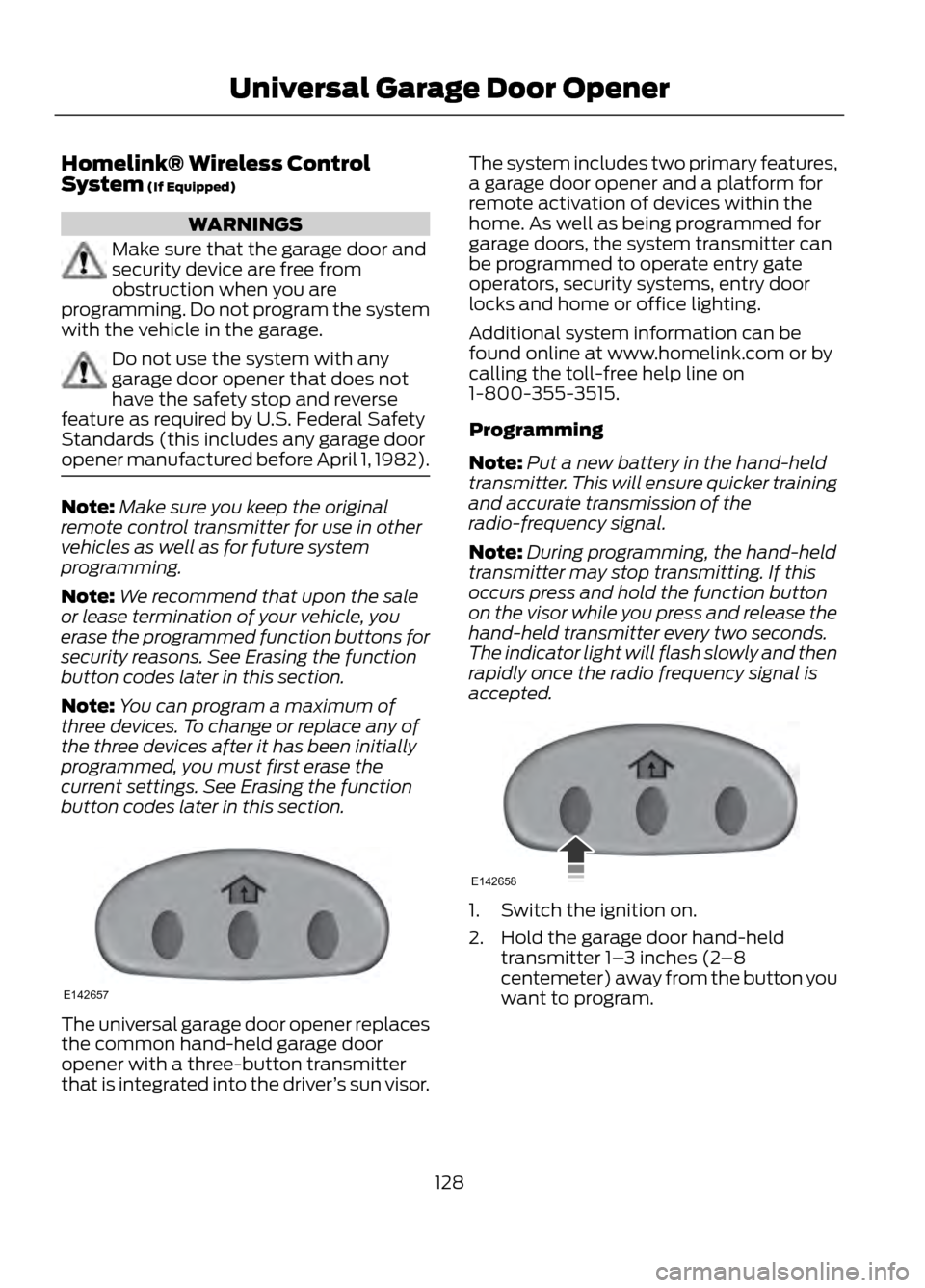
The universal garage door opener replaces
the common hand-held garage door
opener with a three-button transmitter
that is integrated into the driver ’s sun visor. The system includes two primary features,
a garage door opener and a platform for
remote activation of devices within the
home. As well as being programmed for
garage doors, the system transmitter can
be programmed to operate entry gate
operators, security systems, entry door
locks and home or office lighting.
Additional system information can be
found online at www.homelink.com or by
calling the toll-free help line on
1-800-355-3515.
Programming
Note:
Put a new battery in the hand-held
transmitter. This will ensure quicker training
and accurate transmission of the
radio-frequency signal.
Note: During programming, the hand-held
transmitter may stop transmitting. If this
occurs press and hold the function button
on the visor while you press and release the
hand-held transmitter every two seconds.
The indicator light will flash slowly and then
rapidly once the radio frequency signal is
accepted.
1. Switch the ignition on.
2. Hold the garage door hand-held transmitter 1– 3 inches (2–8
centemeter) away from the button you
want to program.
128
Universal Garage Door Opener
E142657
E142658
Page 254 of 423
WARNINGS
found on these labels then you should
contact your authorized dealer as soon as
possible. Use of any tire or wheel not
recommended by Ford can affect the
safety and performance of your vehicle,
which could result in an increased risk of
loss of vehicle control, vehicle rollover,
personal injury and death. Additionally the
use of non-recommended tires and wheels
could cause steering, suspension, axle,
transfer case or power transfer unit failure.
If you have questions regarding tire
replacement, contact your authorized
dealer as soon as possible.
When mounting replacement tires
and wheels, you should not exceed
the maximum pressure indicated on
the sidewall of the tire to set the beads
without additional precautions listed
below. If the beads do not seat at the
maximum pressure indicated, re-lubricate
and try again
When inflating the tire for mounting
pressures up to 20 psi (1.38 bar) greater
than the maximum pressure on the tire
sidewall, the following precautions must
be taken to protect the person mounting
the tire:
1. Make sure that you have the correct tire
and wheel size.
2. Lubricate the tire bead and wheel bead
seat area again.
3. Stand at a minimum of 12 ft (3.66 m)
away from the wheel and tire assembly.
4. Use both eye and ear protection.
For a mounting pressure more than 20 psi
(1.38 bar) greater than the maximum
pressure, a Ford dealer or other tire service
professional should do the mounting.
WARNINGS
Always inflate steel carcass tires with a
remote air fill with the person inflating
standing at a minimum of 12 ft (3.66 m)
away from the wheel and tire assembly
Important: Remember to replace the
wheel valve stems when the road tires are
replaced on your vehicle
It is recommended that the two front tires
or two rear tires generally be replaced as
a pair.
The tire pressure sensors mounted in the
wheels (originally installed on your vehicle)
are not designed to be used in aftermarket
wheels.
The use of wheels or tires not
recommended by Ford Motor Company
may affect the operation of your tire
pressure monitoring system.
If the TPMS indicator is flashing, your
TPMS is malfunctioning. Your replacement
tire might be incompatible with your TPMS,
or some component of the TPMS may be
damaged.
Safety Practices
WARNINGS
If your vehicle is stuck in snow, mud,
sand, etc., do not rapidly spin the
tires; spinning the tires can tear the
tire and cause an explosion. A tire can
explode in as little as three to five seconds.
Do not spin the wheels at over 35
mph (56 km/h). The tires may fail
and injure a passenger or bystander.
Driving habits have a great deal to do with
your tire mileage and safety.
• Observe posted speed limits
• Avoid fast starts, stops and turns
254
Wheels and Tires
Page 417 of 423

Information Messages..................................87Airbag........................................................................\
87
Alarm........................................................................\
88
Battery and Charging System......................... 88
Blind Spot Information and Cross Traffic Alert System..................................................... 88
Doors........................................................................\
89
Engine...................................................................... 90
Hill Start Assist..................................................... 90
Keyless Vehicle..................................................... 90
Lighting..................................................................... 91
Maintenance.......................................................... 92
Message indicator................................................ 87
MyKey....................................................................... 92
Park Aid.................................................................... 93
Park Brake............................................................... 93
Power Steering...................................................... 94
Starting System ................................................... 94
Tire Pressure Monitoring System................... 96
Traction Control................................................... 96
Transmission and Four-Wheel Drive............94
Installing Child Seats.....................................19 Using LAP AND SHOULDER BELTS...............19
Using Lower Anchors AND Tethers FOR
CHildren (LATCH)............................................ 22
Using Tether Straps............................................. 23
Instrument Cluster.........................................79
Instrument Lighting Dimmer.......................71 Vehicles With Front Fog Lamps....................... 71
Vehicles Without Front Fog Lamps................71
Interior Lamps..................................................72 Front Interior Lamp.............................................. 72
Rear Interior Lamp................................................ 73
Interior Mirror....................................................76 Auto-Dimming Mirror.......................................... 76
Introduction.........................................................7
J
Jump-Starting the Vehicle........................198 Connecting the Jumper Cables..................... 199
Jump Starting...................................................... 199
Preparing Your Vehicle..................................... 198
Removing the Jumper Cables........................ 199K
Keyless Entry...................................................60
SECURICODE™ KEYLESS ENTRY
KEYPAD.............................................................. 60
Keyless Starting.............................................135 Fast Restart........................................................... 137
Stopping the Engine When Your Vehicle is Moving................................................................ 137
Stopping the Engine When Your Vehicle is Stationary......................................................... 136
Keys and Remote Controls.........................44 Principle of Operation........................................ 44
Knee Airbag.......................................................37
L
Lighting Control..............................................70 Headlamp Flasher............................................... 70
High Beams............................................................ 70
Lighting..............................................................70
Load Carriers See: Roof Racks and Load Carriers..............178
Load Carrying..................................................177
Load Limit........................................................179 Vehicle loading - with and without a
trailer................................................................... 179
Locking and Unlocking.................................54 Activating Intelligent Access ........................... 55
Autolock and Autounlock ................................ 56
Battery Saver......................................................... 56
Illuminated Entry.................................................. 56
Illuminated Exit..................................................... 56
Power Door Locks................................................ 54
Remote Control.................................................... 54
Smart Unlocks For Integrated Keyhead Transmitter........................................................ 55
Smart Unlocks For Intelligent Access Keys ........................................................................\
........ 55
Locks...................................................................54
Luggage Covers..............................................177
M
Maintenance...................................................217 General Information........................................... 217
Manual Climate Control..............................113
Manual Liftgate...............................................57
417
Index
Page 419 of 423
Power Door LocksSee: Locking and Unlocking............................. 54
Power Liftgate..................................................57 Obstacle Detection............................................. 59
Opening and Closing the Liftgate..................58
Setting the Liftgate Open Height................... 59
Power Seats....................................................124 Power Lumbar...................................................... 125
Power Steering Fluid Check.....................225
Power Windows..............................................74 Accessory Delay.................................................... 75
Bounce-Back.......................................................... 74
One-Touch Down................................................. 74
One-Touch Up....................................................... 74
Window Lock.......................................................... 74
R
Rear Seat Armrest.........................................127
Rear Seats.......................................................126 Folding the Seatback........................................ 126
Recline Adjustment........................................... 126
Unfolding the Seatback................................... 126
Rear Under Floor Storage...........................177 Adjustable Load Floor........................................ 177
Cargo Management System........................... 177
Passenger Compartment Floor...................... 177
Rear View Camera........................................167 Using the Rear View Camera System.........167
Rear View Camera See: Rear View Camera.................................... 167
Rear Window Wiper and Washers..........69 Rear Window Washer......................................... 69
Rear Window Wiper............................................ 69
Recommended Towing Weights............188
Refueling..........................................................142 Easy Fuel® No Cap Fuel System..................143
Remote Control..............................................44 Car Finder................................................................ 46
Integrated Keyhead Transmitters .................44
Intelligent Access Key......................................... 45
Remote Start ......................................................... 47
Replacing the Battery......................................... 45
Sounding a Panic Alarm.................................... 47
Remote Start...................................................119 Automatic Settings............................................ 120
Heated and Cooled Devices........................... 120
Last Settings........................................................ 120Removing a Headlamp...............................231
Repairing Minor Paint Damage...............237
Replacement Parts
Recommendation.........................................11
Collision Repairs..................................................... 11
Scheduled Maintenance and Mechanical Repairs................................................................... 11
Warranty on Replacement Parts...................... 11
Replacing a Lost Key or Remote Control............................................................48
Reporting Safety Defects (Canada Only).............................................................206
Reporting Safety Defects (U.S. Only)..............................................................205
Roadside Assistance...................................197 Vehicles Sold In Canada : Getting Roadside
Assistance........................................................ 197
Vehicles Sold In Canada : Using Roadside Assistance........................................................ 197
Vehicles Sold In The U.S.: Getting Roadside Assistance........................................................ 197
Vehicles Sold In The U.S. : Using Roadside Assistance........................................................ 197
Roadside Emergencies...............................197
Roof Racks and Load Carriers..................178 Adjusting the Crossbar..................................... 178
Running Out of Fuel......................................141 Refilling With a Portable Fuel
Container........................................................... 141
S
Safety Belt Height Adjustment................30
Safety Belt Minder..........................................31 Belt-Minder®.......................................................... 31
Safety Belts......................................................26 Principle of Operation........................................ 26
Safety Belt Warning Lamp and Indicator Chime..............................................................30
Conditions of operation..................................... 30
Safety Canopy®..............................................41
Safety Precautions......................................140
Satellite Radio................................................110 Satellite Radio Electronic Serial Number
(ESN).................................................................... 111
Satellite Radio Reception Factors..................111
SIRIUS® Satellite Radio Service..................... 111
Troubleshooting................................................... 112
419
Index
Page 421 of 423
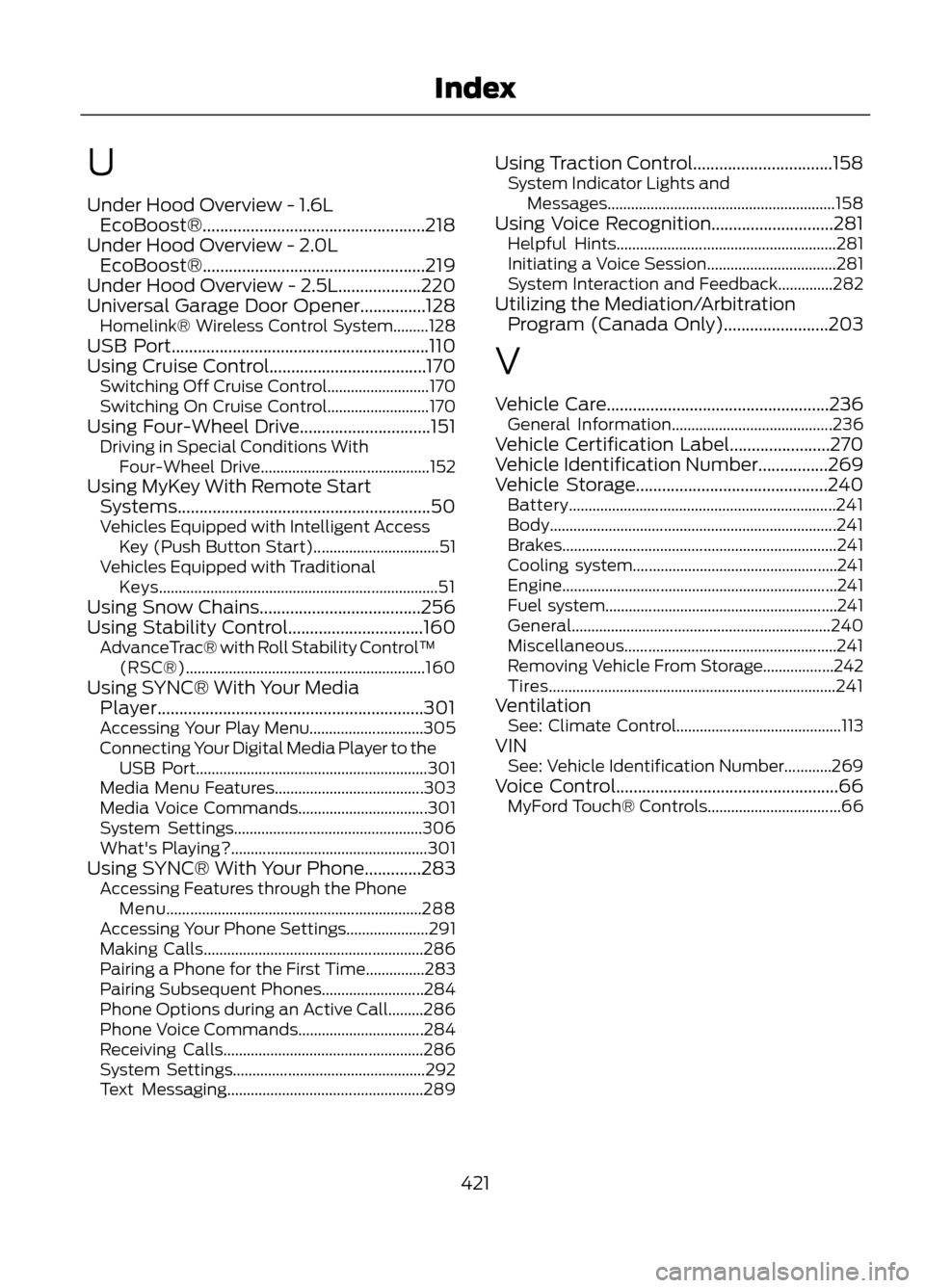
U
Under Hood Overview - 1.6LEcoBoost®...................................................218
Under Hood Overview - 2.0L EcoBoost®...................................................219
Under Hood Overview - 2.5L...................220
Universal Garage Door Opener...............128 Homelink® Wireless Control System.........128
USB Port...........................................................110
Using Cruise Control....................................170 Switching Off Cruise Control.......................... 170
Switching On Cruise Control.......................... 170
Using Four-Wheel Drive..............................151 Driving in Special Conditions With
Four-Wheel Drive........................................... 152
Using MyKey With Remote Start Systems..........................................................50
Vehicles Equipped with Intelligent Access Key (Push Button Start)................................ 51
Vehicles Equipped with Traditional Keys....................................................................... 51
Using Snow Chains.....................................256
Using Stability Control...............................160 AdvanceTrac® with Roll Stability Control ™
(RSC®)............................................................. 160
Using SYNC® With Your Media Player.............................................................301
Accessing Your Play Menu............................. 305
Connecting Your Digital Media Player to the USB Port........................................................... 301
Media Menu Features...................................... 303
Media Voice Commands................................. 301
System Settings................................................ 306
What's Playing?.................................................. 301
Using SYNC® With Your Phone.............283 Accessing Features through the Phone
Menu................................................................. 288
Accessing Your Phone Settings..................... 291
Making Calls........................................................ 286
Pairing a Phone for the First Time...............283
Pairing Subsequent Phones.......................... 284
Phone Options during an Active Call.........286
Phone Voice Commands................................ 284
Receiving Calls................................................... 286
System Settings................................................. 292
Text Messaging.................................................. 289Using Traction Control................................158
System Indicator Lights and
Messages.......................................................... 158
Using Voice Recognition............................281 Helpful Hints........................................................ 281
Initiating a Voice Session................................. 281
System Interaction and Feedback..............282
Utilizing the Mediation/Arbitration Program (Canada Only)........................203
V
Vehicle Care...................................................236 General Information......................................... 236
Vehicle Certification Label.......................270
Vehicle Identification Number................269
Vehicle Storage............................................240 Battery.................................................................... 241
Body........................................................................\
. 241
Brakes...................................................................... 241
Cooling system.................................................... 241
Engine...................................................................... 241
Fuel system........................................................... 241
General.................................................................. 240
Miscellaneous...................................................... 241
Removing Vehicle From Storage..................242
Tires........................................................................\
. 241
Ventilation See: Climate Control.......................................... 113
VIN See: Vehicle Identification Number............269
Voice Control...................................................66 MyFord Touch® Controls.................................. 66
421
Index