steering FORD ESCAPE 2013 3.G Owner's Manual
[x] Cancel search | Manufacturer: FORD, Model Year: 2013, Model line: ESCAPE, Model: FORD ESCAPE 2013 3.GPages: 423, PDF Size: 4.59 MB
Page 157 of 423
PARKING BRAKE
WARNING
Always set the parking brake fully
and leave your vehicle with the
transmission selector lever in
position P.
Note: Do not press the release button while
pulling the lever up.
To apply the parking brake:
1. Press the foot brake pedal firmly.
2. Pull the parking brake lever up to its fullest extent.
Note: If you park your vehicle on a hill and
facing uphill, move the transmission selector
lever to position P and turn the steering
wheel away from the curb.
Note: If you park your vehicle on a hill and
facing downhill, move the transmission
selector lever to P and turn the steering
wheel toward the curb.
To release the parking brake:
1. Press the brake pedal firmly.
2. Pull the lever up slightly.
3. Press the release button and push the lever down.
157
Brakes
Page 159 of 423
PRINCIPLE OF OPERATION
WARNINGS
Vehicle modifications involving
braking system, aftermarket roof
racks, suspension, steering system,
tire construction and wheel and tire size
may change the handling characteristics
of the vehicle and may adversely affect
the performance of the AdvanceTrac
system. In addition, installing any stereo
loudspeakers may interfere with and
adversely affect the AdvanceTrac system.
Install any aftermarket stereo loudspeaker
as far as possible from the front center
console, the tunnel, and the front seats in
order to minimize the risk of interfering with
the AdvanceTrac sensors. Reducing the
effectiveness of the AdvanceTrac system
could lead to an increased risk of loss of
vehicle control, vehicle rollover, personal
injury and death.
Remember that even advanced
technology cannot defy the laws of
physics. It’ s always possible to lose
control of a vehicle due to inappropriate
driver input for the conditions. Aggressive
driving on any road condition can cause
you to lose control of your vehicle
increasing the risk of personal injury or
property damage. Activation of the
AdvanceTrac system is an indication that
at least some of the tires have exceeded
their ability to grip the road; this could
reduce the operator ’s ability to control the
vehicle potentially resulting in a loss of
vehicle control, vehicle rollover, personal
injury and death. If your AdvanceTrac
system activates, SLOW DOWN.
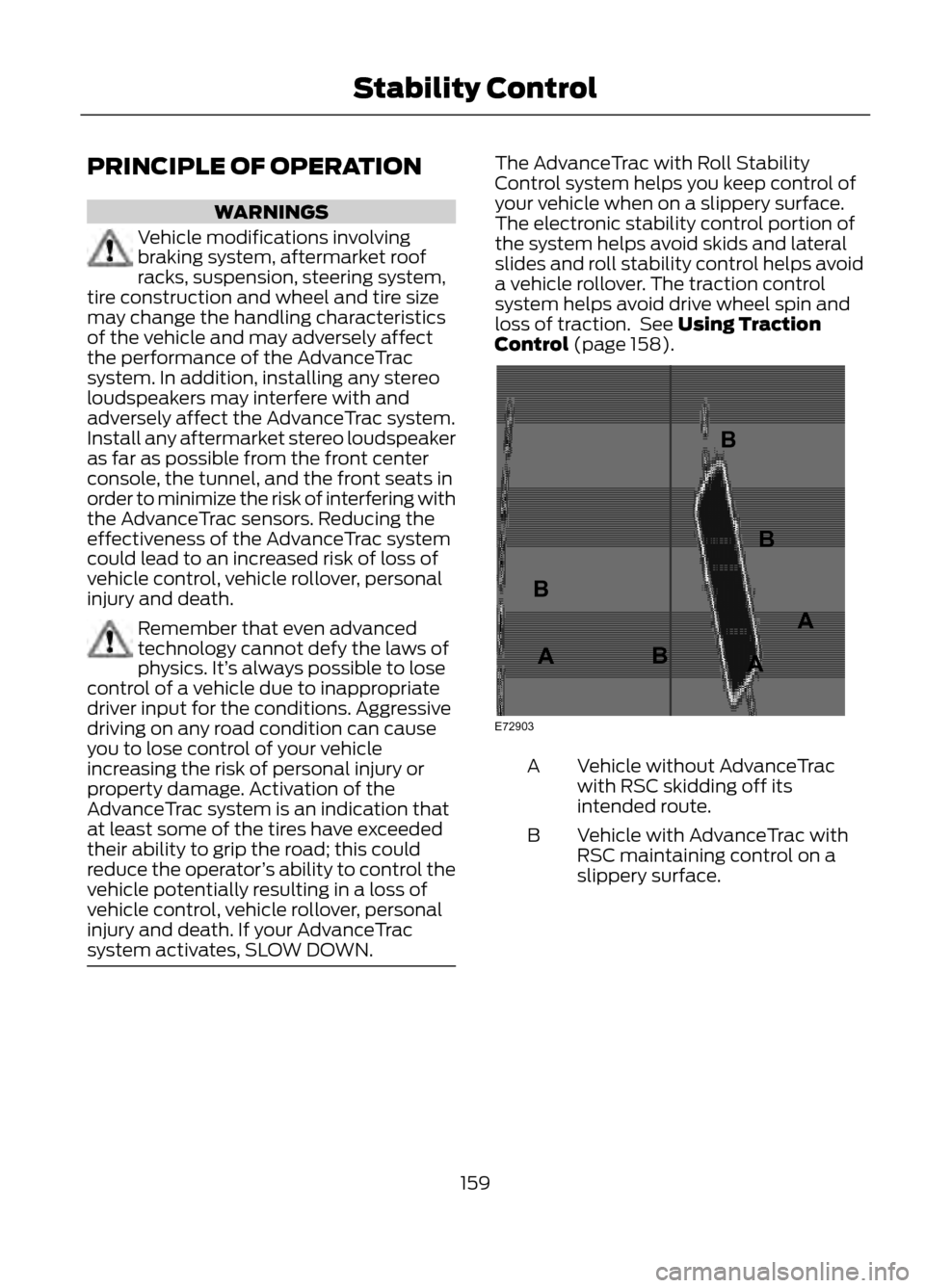
The AdvanceTrac with Roll Stability
Control system helps you keep control of
your vehicle when on a slippery surface.
The electronic stability control portion of
the system helps avoid skids and lateral
slides and roll stability control helps avoid
a vehicle rollover. The traction control
system helps avoid drive wheel spin and
loss of traction. See Using Traction
Control (page 158).
Vehicle without AdvanceTrac
with RSC skidding off its
intended route.
A
Vehicle with AdvanceTrac with
RSC maintaining control on a
slippery surface.
B
159
Stability Control
E72903
AAA
B
BB
B
Page 164 of 423
Note:If the turn signal is not on, the system
automatically searches on the vehicle's
passenger side.
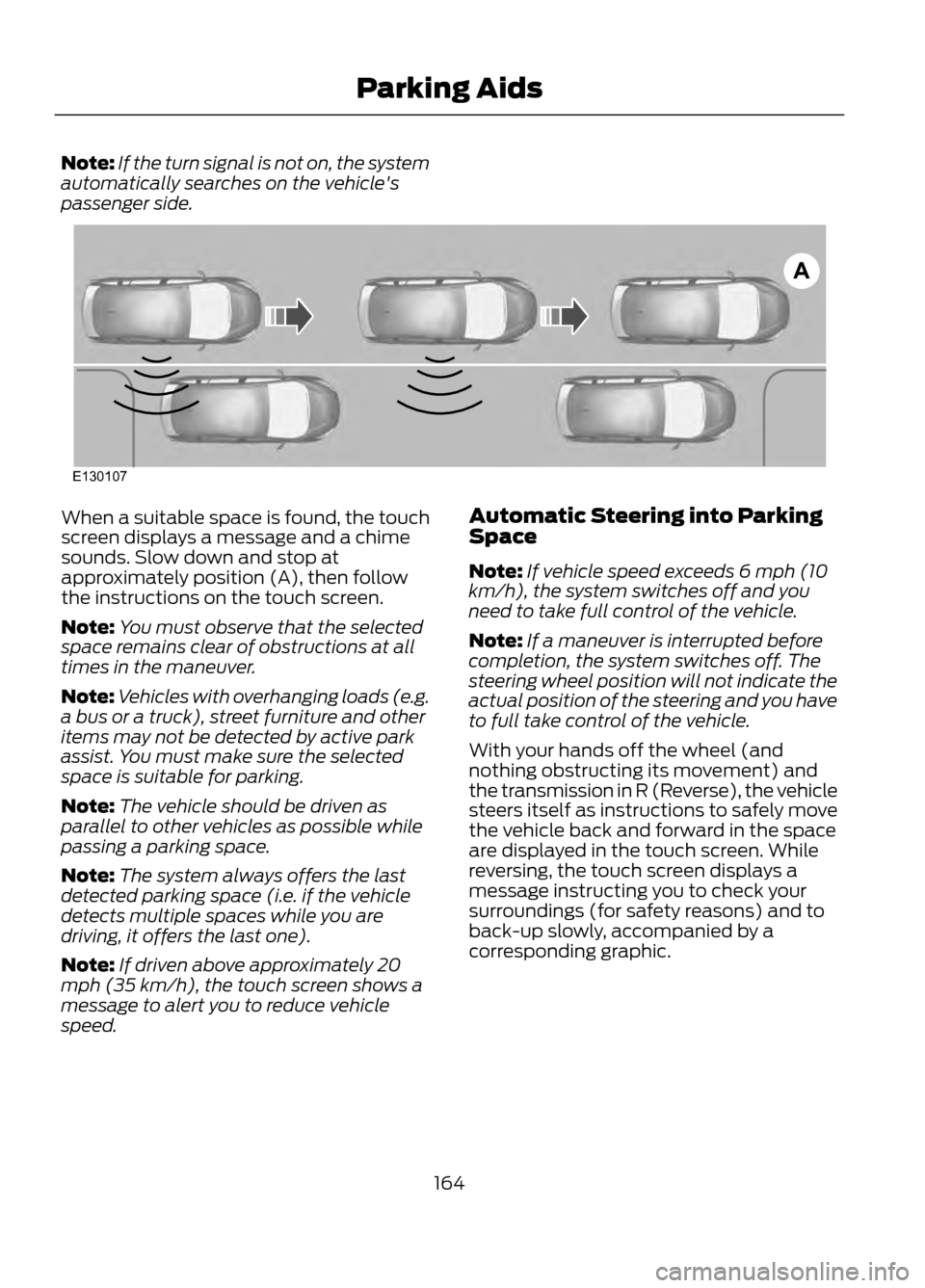
When a suitable space is found, the touch
screen displays a message and a chime
sounds. Slow down and stop at
approximately position (A), then follow
the instructions on the touch screen.
Note: You must observe that the selected
space remains clear of obstructions at all
times in the maneuver.
Note: Vehicles with overhanging loads (e.g.
a bus or a truck), street furniture and other
items may not be detected by active park
assist. You must make sure the selected
space is suitable for parking.
Note: The vehicle should be driven as
parallel to other vehicles as possible while
passing a parking space.
Note: The system always offers the last
detected parking space (i.e. if the vehicle
detects multiple spaces while you are
driving, it offers the last one).
Note: If driven above approximately 20
mph (35 km/h), the touch screen shows a
message to alert you to reduce vehicle
speed. Automatic Steering into Parking
Space
Note:
If vehicle speed exceeds 6 mph (10
km/h), the system switches off and you
need to take full control of the vehicle.
Note: If a maneuver is interrupted before
completion, the system switches off. The
steering wheel position will not indicate the
actual position of the steering and you have
to full take control of the vehicle.
With your hands off the wheel (and
nothing obstructing its movement) and
the transmission in R (Reverse), the vehicle
steers itself as instructions to safely move
the vehicle back and forward in the space
are displayed in the touch screen. While
reversing, the touch screen displays a
message instructing you to check your
surroundings (for safety reasons) and to
back-up slowly, accompanied by a
corresponding graphic.
164
Parking Aids
A
E130107
Page 165 of 423
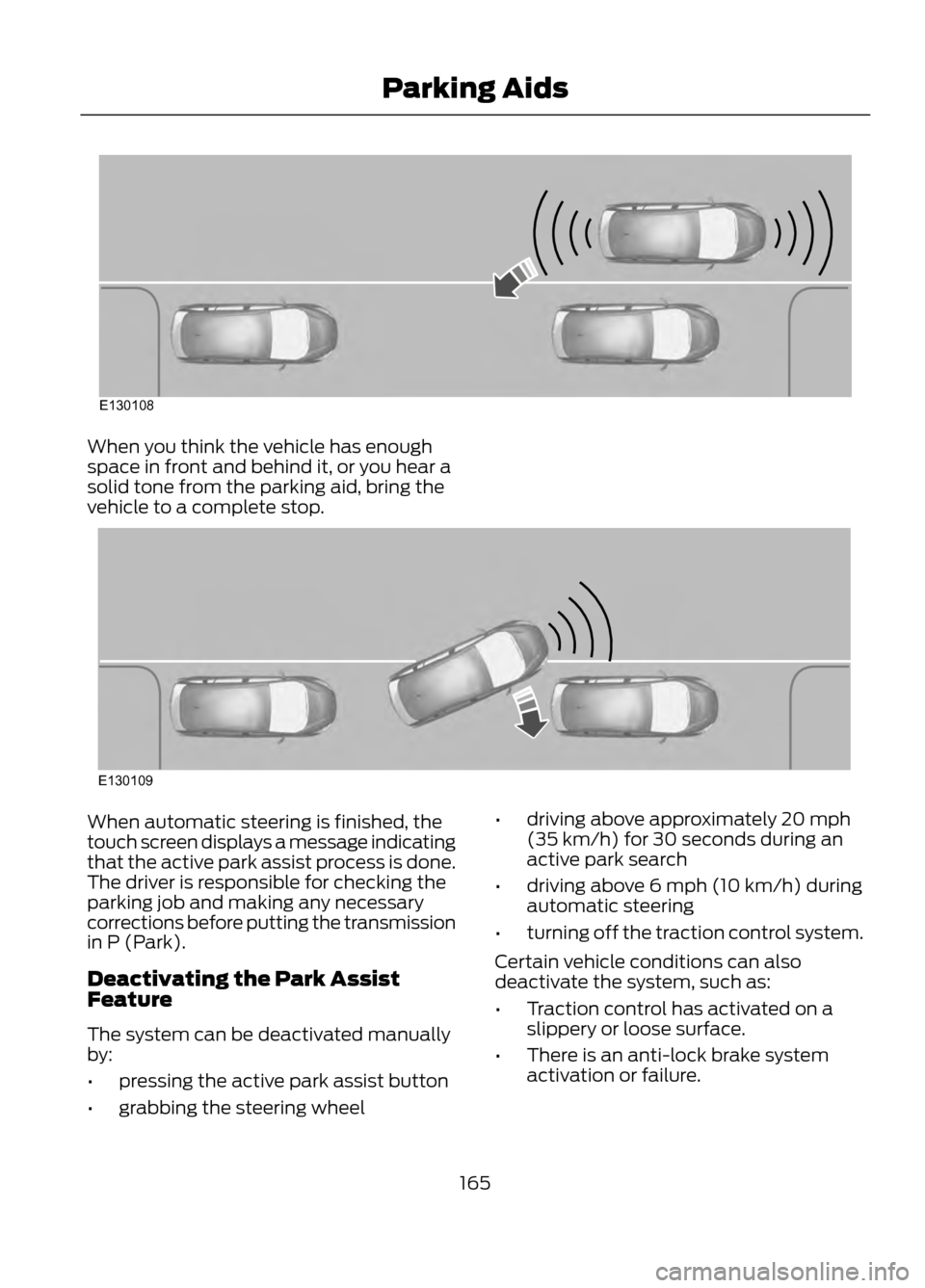
When you think the vehicle has enough
space in front and behind it, or you hear a
solid tone from the parking aid, bring the
vehicle to a complete stop.
When automatic steering is finished, the
touch screen displays a message indicating
that the active park assist process is done.
The driver is responsible for checking the
parking job and making any necessary
corrections before putting the transmission
in P (Park).
Deactivating the Park Assist
Feature
The system can be deactivated manually
by:
•pressing the active park assist button
• grabbing the steering wheel •
driving above approximately 20 mph
(35 km/h) for 30 seconds during an
active park search
• driving above 6 mph (10 km/h) during
automatic steering
• turning off the traction control system.
Certain vehicle conditions can also
deactivate the system, such as:
• Traction control has activated on a
slippery or loose surface.
• There is an anti-lock brake system
activation or failure.
165
Parking Aids
E130108
E130109
Page 166 of 423
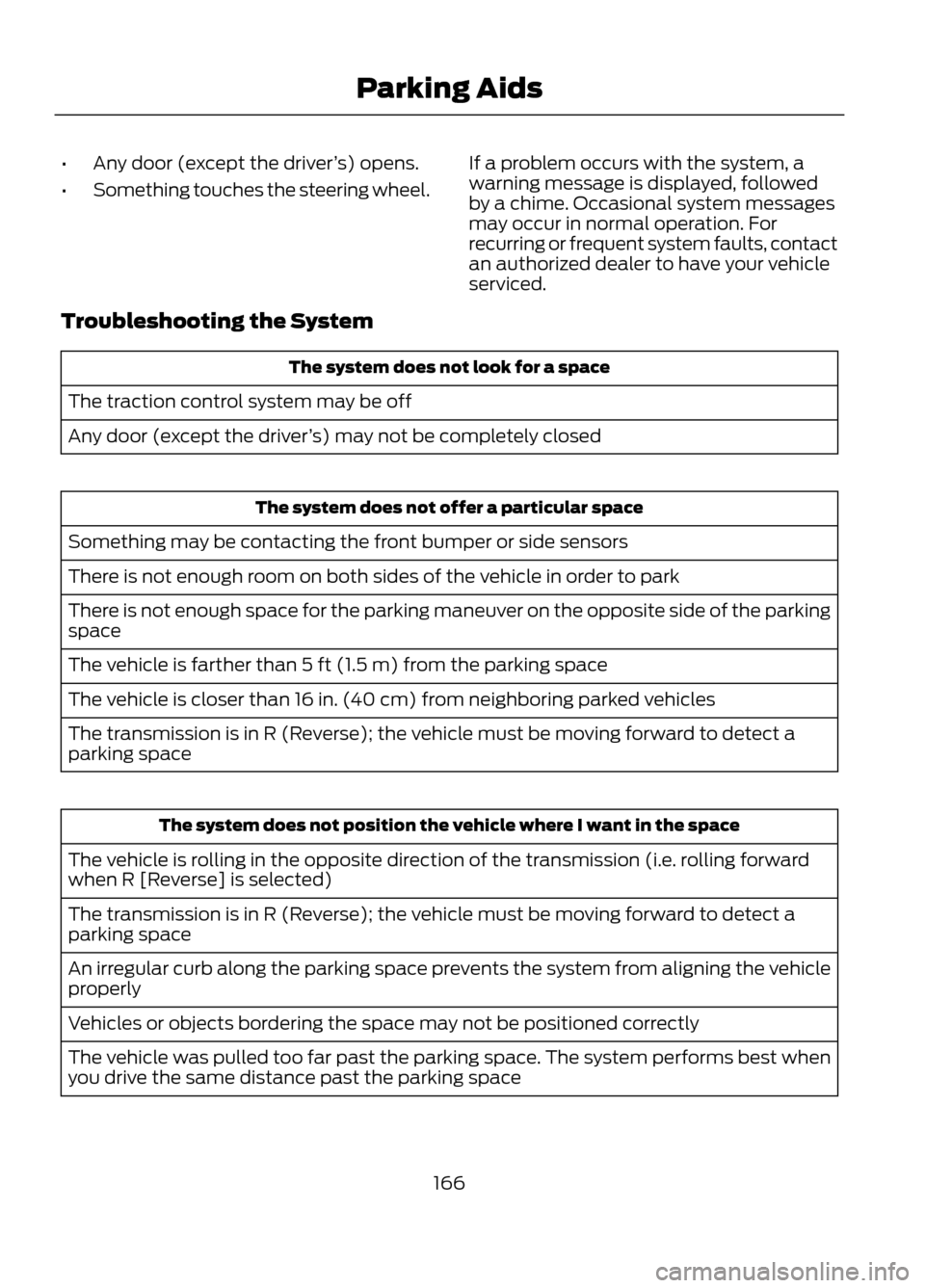
•Any door (except the driver ’s) opens.
• Something touches the steering wheel. If a problem occurs with the system, a
warning message is displayed, followed
by a chime. Occasional system messages
may occur in normal operation. For
recurring or frequent system faults, contact
an authorized dealer to have your vehicle
serviced.
Troubleshooting the System
The system does not look for a space
The traction control system may be off
Any door (except the driver ’s) may not be completely closed
The system does not offer a particular space
Something may be contacting the front bumper or side sensors
There is not enough room on both sides of the vehicle in order to park
There is not enough space for the parking maneuver on the opposite side of the parking
space
The vehicle is farther than 5 ft (1.5 m) from the parking space
The vehicle is closer than 16 in. (40 cm) from neighboring parked vehicles
The transmission is in R (Reverse); the vehicle must be moving forward to detect a
parking space
The system does not position the vehicle where I want in the space
The vehicle is rolling in the opposite direction of the transmission (i.e. rolling forward
when R [Reverse] is selected)
The transmission is in R (Reverse); the vehicle must be moving forward to detect a
parking space
An irregular curb along the parking space prevents the system from aligning the vehicle
properly
Vehicles or objects bordering the space may not be positioned correctly
The vehicle was pulled too far past the parking space. The system performs best when
you drive the same distance past the parking space
166
Parking Aids
Page 169 of 423
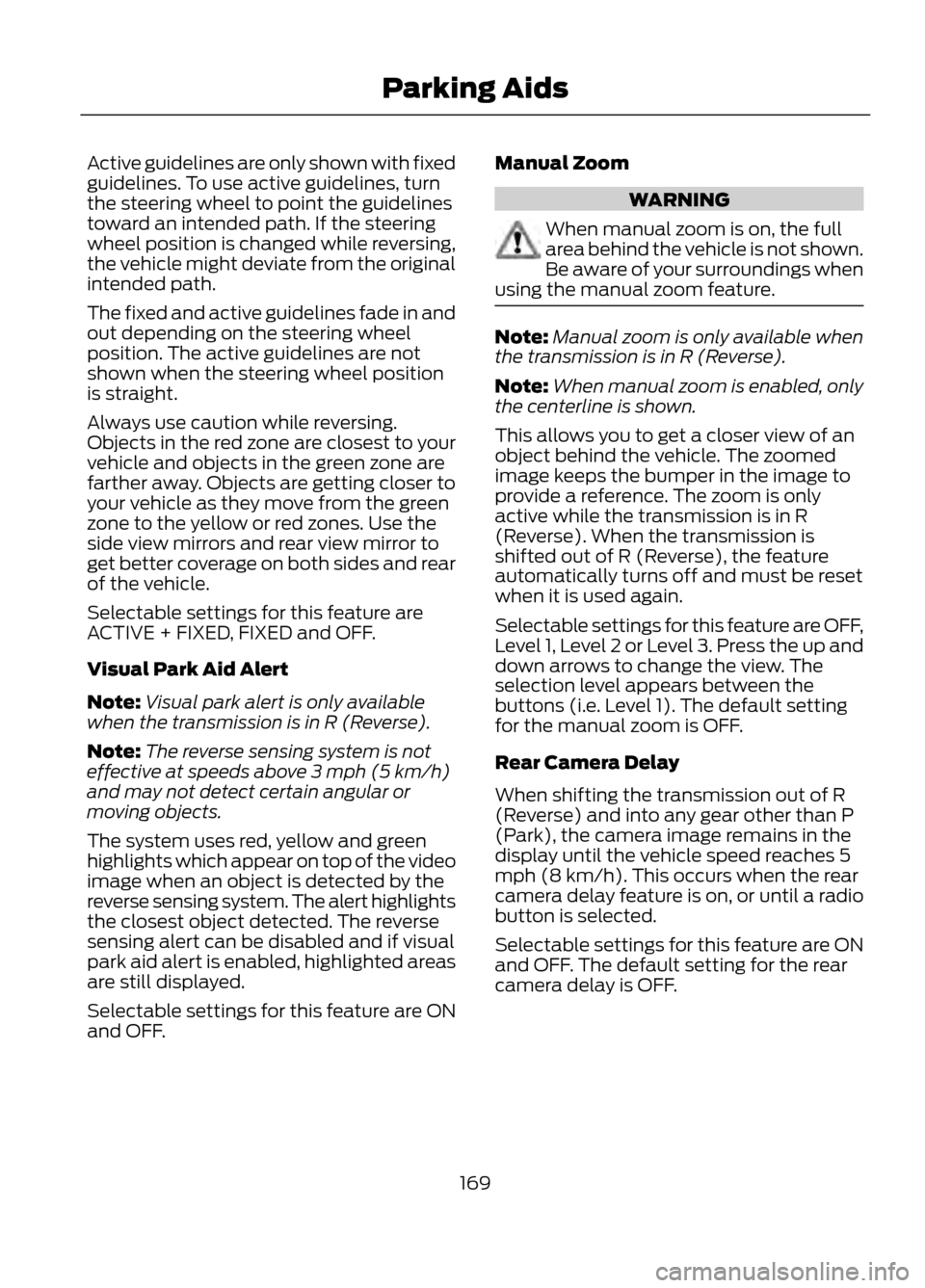
Active guidelines are only shown with fixed
guidelines. To use active guidelines, turn
the steering wheel to point the guidelines
toward an intended path. If the steering
wheel position is changed while reversing,
the vehicle might deviate from the original
intended path.
The fixed and active guidelines fade in and
out depending on the steering wheel
position. The active guidelines are not
shown when the steering wheel position
is straight.
Always use caution while reversing.
Objects in the red zone are closest to your
vehicle and objects in the green zone are
farther away. Objects are getting closer to
your vehicle as they move from the green
zone to the yellow or red zones. Use the
side view mirrors and rear view mirror to
get better coverage on both sides and rear
of the vehicle.
Selectable settings for this feature are
ACTIVE + FIXED, FIXED and OFF.
Visual Park Aid Alert
Note:Visual park alert is only available
when the transmission is in R (Reverse).
Note: The reverse sensing system is not
effective at speeds above 3 mph (5 km/h)
and may not detect certain angular or
moving objects.
The system uses red, yellow and green
highlights which appear on top of the video
image when an object is detected by the
reverse sensing system. The alert highlights
the closest object detected. The reverse
sensing alert can be disabled and if visual
park aid alert is enabled, highlighted areas
are still displayed.
Selectable settings for this feature are ON
and OFF. Manual Zoom
WARNING
When manual zoom is on, the full
area behind the vehicle is not shown.
Be aware of your surroundings when
using the manual zoom feature.
Note: Manual zoom is only available when
the transmission is in R (Reverse).
Note: When manual zoom is enabled, only
the centerline is shown.
This allows you to get a closer view of an
object behind the vehicle. The zoomed
image keeps the bumper in the image to
provide a reference. The zoom is only
active while the transmission is in R
(Reverse). When the transmission is
shifted out of R (Reverse), the feature
automatically turns off and must be reset
when it is used again.
Selectable settings for this feature are OFF,
Level 1, Level 2 or Level 3. Press the up and
down arrows to change the view. The
selection level appears between the
buttons (i.e. Level 1). The default setting
for the manual zoom is OFF.
Rear Camera Delay
When shifting the transmission out of R
(Reverse) and into any gear other than P
(Park), the camera image remains in the
display until the vehicle speed reaches 5
mph (8 km/h). This occurs when the rear
camera delay feature is on, or until a radio
button is selected.
Selectable settings for this feature are ON
and OFF. The default setting for the rear
camera delay is OFF.
169
Parking Aids
Page 176 of 423
STEERING
Electric Power Steering
WARNINGS
The electric power steering system
has diagnostic checks that
continuously monitor the system to
ensure proper operation. When a system
error is detected a steering message will
appear in the information display.
The electric power steering system
has diagnostic checks that
continuously monitor the system to
ensure proper operation of the electronic
system. When an electronic error is
detected, a message will be displayed in
the information display. If this happens,
stop the vehicle in a safe place, and turn
off the engine. After at least 10 seconds,
reset the system by restarting the engine,
and watch the information display for a
steering message. If a steering message
returns, or returns while driving, take the
vehicle to your dealer to have it checked.
Obtain immediate service if a system
error is detected. You may not notice
any difference in the feel of your
steering, but a serious condition may exist.
Failure to do so may result in loss of
steering control.
Your vehicle is equipped with an electric
power-assisted steering system. There is
no fluid reservoir to check or fill. If your vehicle loses electrical power while
you are driving (or if the ignition is turned
off), you can steer the vehicle manually,
but it takes more effort. Extreme
continuous steering may increase the effort
it takes for you to steer. This occurs to
prevent internal overheating and
permanent damage to your steering
system. If this should occur, you will neither
lose the ability to steer the vehicle
manually nor will it cause permanent
damage. Typical steering and driving
maneuvers will allow the system to cool
and steering assist will return to normal.
Steering Tips
If the steering wanders or pulls, check for:
•
an improperly inflated tire
• uneven tire wear
• loose or worn suspension components
• loose or worn steering components
• improper vehicle alignment
A high crown in the road or high crosswinds
may also make the steering seem to
wander or pull.
176
Driving Aids
Page 191 of 423
When Towing a Trailer
•Do not drive faster than 70 mph (113
km/h) during the first 500 miles (800
kilometers) and do not make
full-throttle starts.
• Check your hitch, electrical connections
and trailer wheel lug nuts thoroughly
after you have traveled 50 miles (80
km).
• Place the gearshift lever in position P
to aid in engine and transmission
cooling and A/C efficiency during hot
weather while stopped in traffic.
• Turn off the speed control. The speed
control may turn off automatically
when you are towing on long, steep
grades.
• Shift to a lower gear when driving down
a long or steep hill. Do not apply the
brakes continuously, as they may
overheat and become less effective.
• If your transmission is equipped with
the grade assist feature, use this
feature when towing. This provides
engine braking and helps eliminate
excessive transmission shifting for
optimum fuel economy and
transmission cooling.
• Allow more distance for stopping with
a trailer attached; anticipate stops and
brake gradually.
• Avoid parking on a grade. However, if
you must park on a grade, place wheel
chocks under the trailer's wheels.
TOWING POINTS (IF EQUIPPED)
Towing Eye Location
The screw-in towing eye is located in the
spare wheel well.
The towing eye must always be carried in
the vehicle. Installing the Towing Eye
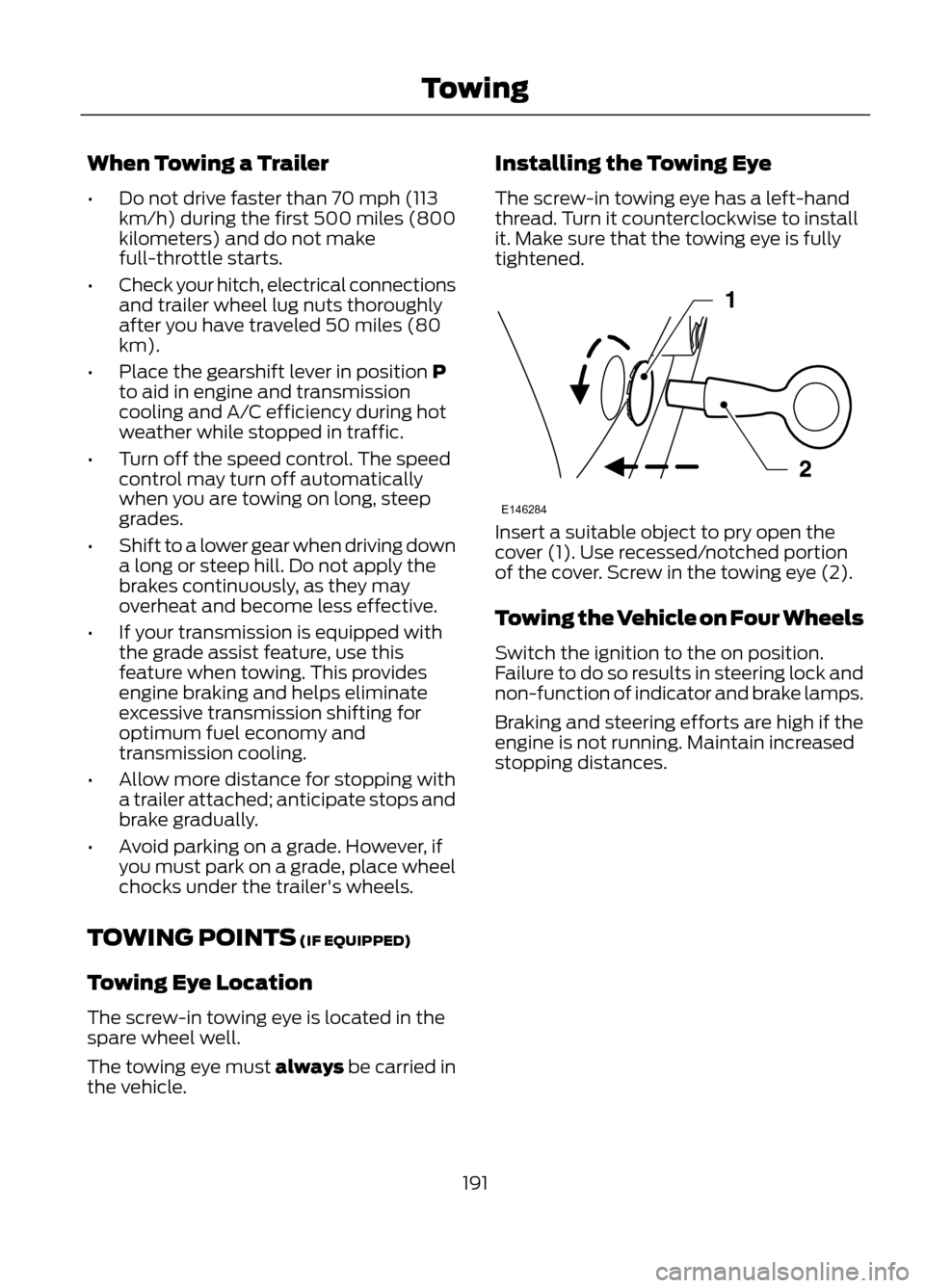
The screw-in towing eye has a left-hand
thread. Turn it counterclockwise to install
it. Make sure that the towing eye is fully
tightened.
Insert a suitable object to pry open the
cover (1). Use recessed/notched portion
of the cover. Screw in the towing eye (2).
Towing the Vehicle on Four Wheels
Switch the ignition to the on position.
Failure to do so results in steering lock and
non-function of indicator and brake lamps.
Braking and steering efforts are high if the
engine is not running. Maintain increased
stopping distances.
191
Towing
E146284
Page 210 of 423
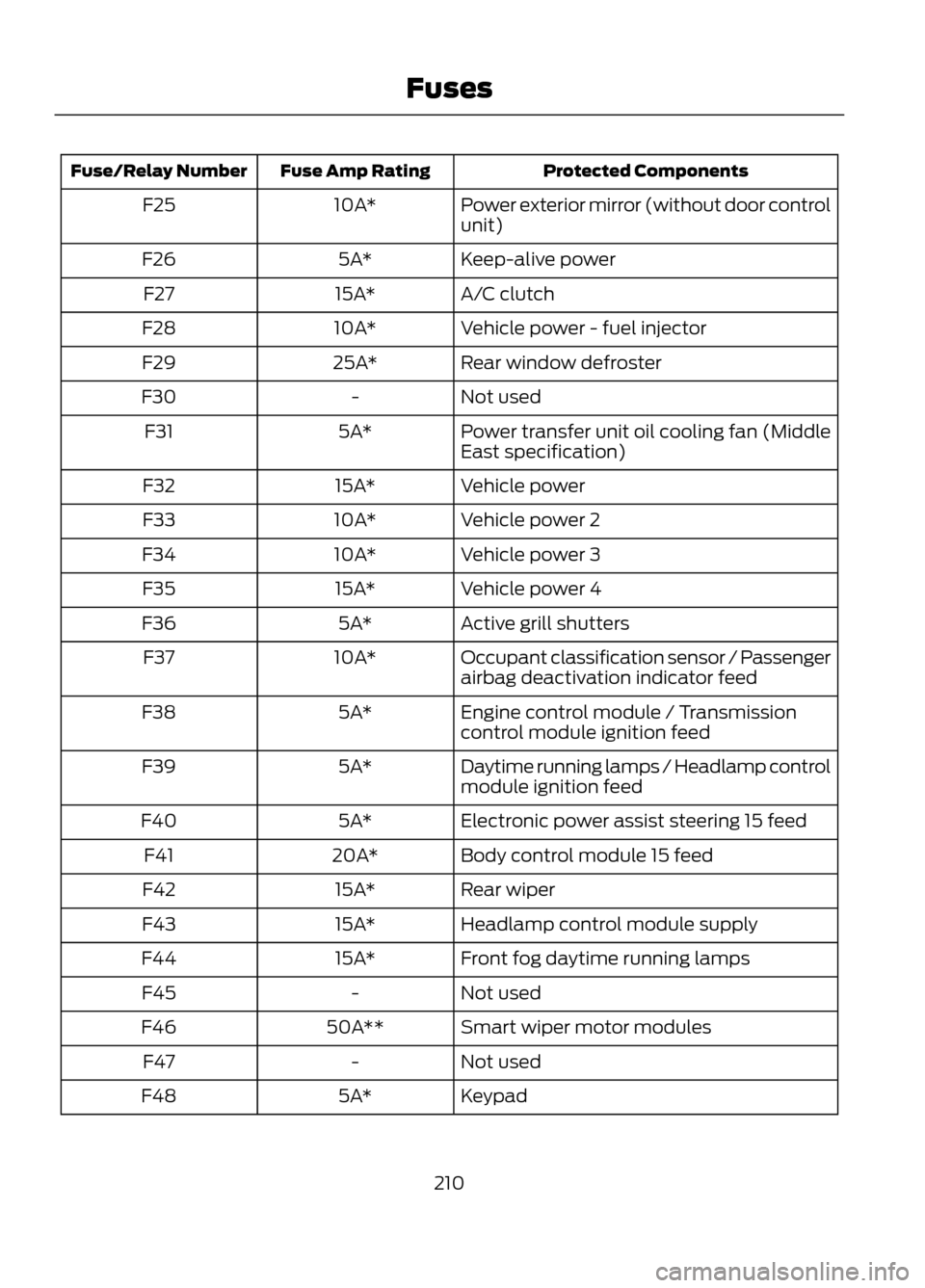
Protected Components
Fuse Amp Rating
Fuse/Relay Number
Power exterior mirror (without door control
unit)
10A*
F25
Keep-alive power
5A*
F26
A/C clutch
15A*
F27
Vehicle power - fuel injector
10A*
F28
Rear window defroster
25A*
F29
Not used
-
F30
Power transfer unit oil cooling fan (Middle
East specification)
5A*
F31
Vehicle power
15A*
F32
Vehicle power 2
10A*
F33
Vehicle power 3
10A*
F34
Vehicle power 4
15A*
F35
Active grill shutters
5A*
F36
Occupant classification sensor / Passenger
airbag deactivation indicator feed
10A*
F37
Engine control module / Transmission
control module ignition feed
5A*
F38
Daytime running lamps / Headlamp control
module ignition feed
5A*
F39
Electronic power assist steering 15 feed
5A*
F40
Body control module 15 feed
20A*
F41
Rear wiper
15A*
F42
Headlamp control module supply
15A*
F43
Front fog daytime running lamps
15A*
F44
Not used
-
F45
Smart wiper motor modules
50A**
F46
Not used
-
F47
Keypad
5A*
F48
210
Fuses
Page 213 of 423
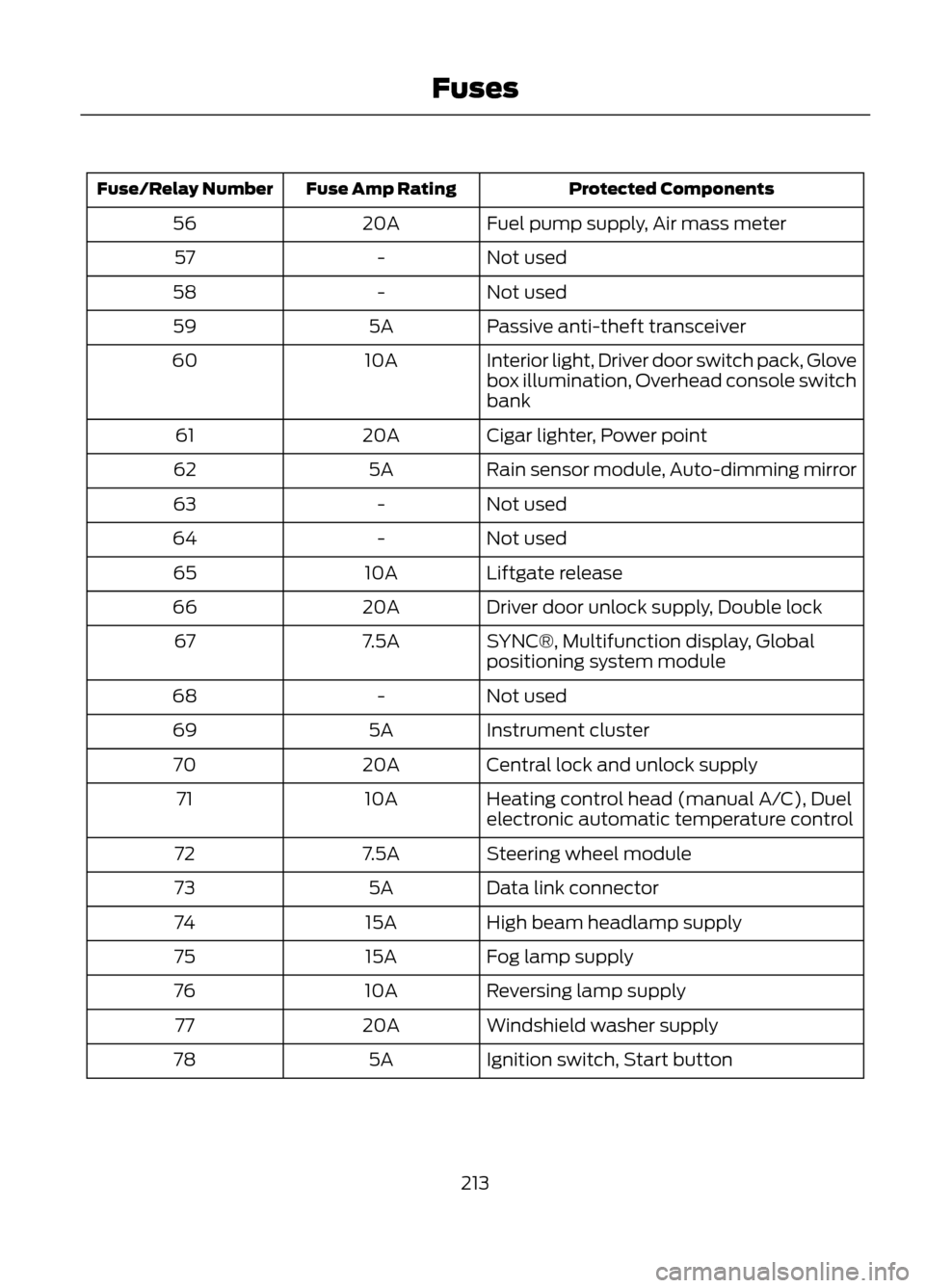
Protected Components
Fuse Amp Rating
Fuse/Relay Number
Fuel pump supply, Air mass meter
20A
56
Not used
-
57
Not used
-
58
Passive anti-theft transceiver
5A
59
Interior light, Driver door switch pack, Glove
box illumination, Overhead console switch
bank
10A
60
Cigar lighter, Power point
20A
61
Rain sensor module, Auto-dimming mirror
5A
62
Not used
-
63
Not used
-
64
Liftgate release
10A
65
Driver door unlock supply, Double lock
20A
66
SYNC®, Multifunction display, Global
positioning system module
7.5A
67
Not used
-
68
Instrument cluster
5A
69
Central lock and unlock supply
20A
70
Heating control head (manual A/C), Duel
electronic automatic temperature control
10A
71
Steering wheel module
7.5A
72
Data link connector
5A
73
High beam headlamp supply
15A
74
Fog lamp supply
15A
75
Reversing lamp supply
10A
76
Windshield washer supply
20A
77
Ignition switch, Start button
5A
78
213
Fuses