lock FORD EXPEDITION 1998 1.G Owner's Manual
[x] Cancel search | Manufacturer: FORD, Model Year: 1998, Model line: EXPEDITION, Model: FORD EXPEDITION 1998 1.GPages: 216, PDF Size: 1.51 MB
Page 86 of 216
edge of the seat cushion. You may
wish to discuss the special needs
of your child with your
pediatrician.
SAFETY SEATS FOR CHILDREN
Child and infant or child safety
seats
Use a safety seat that is
recommended for the size and
weight of the child. Carefully
follow all of the manufacturer's
instructions with the safety seat
you put in your vehicle. If you do
not install and use the safety seat
properly, the child may be injured
in a sudden stop or collision.
When installing a child safety seat:
²Use the correct safety belt
buckle for that seating position.
²Make sure the tongue is
securely fastened in the buckle.
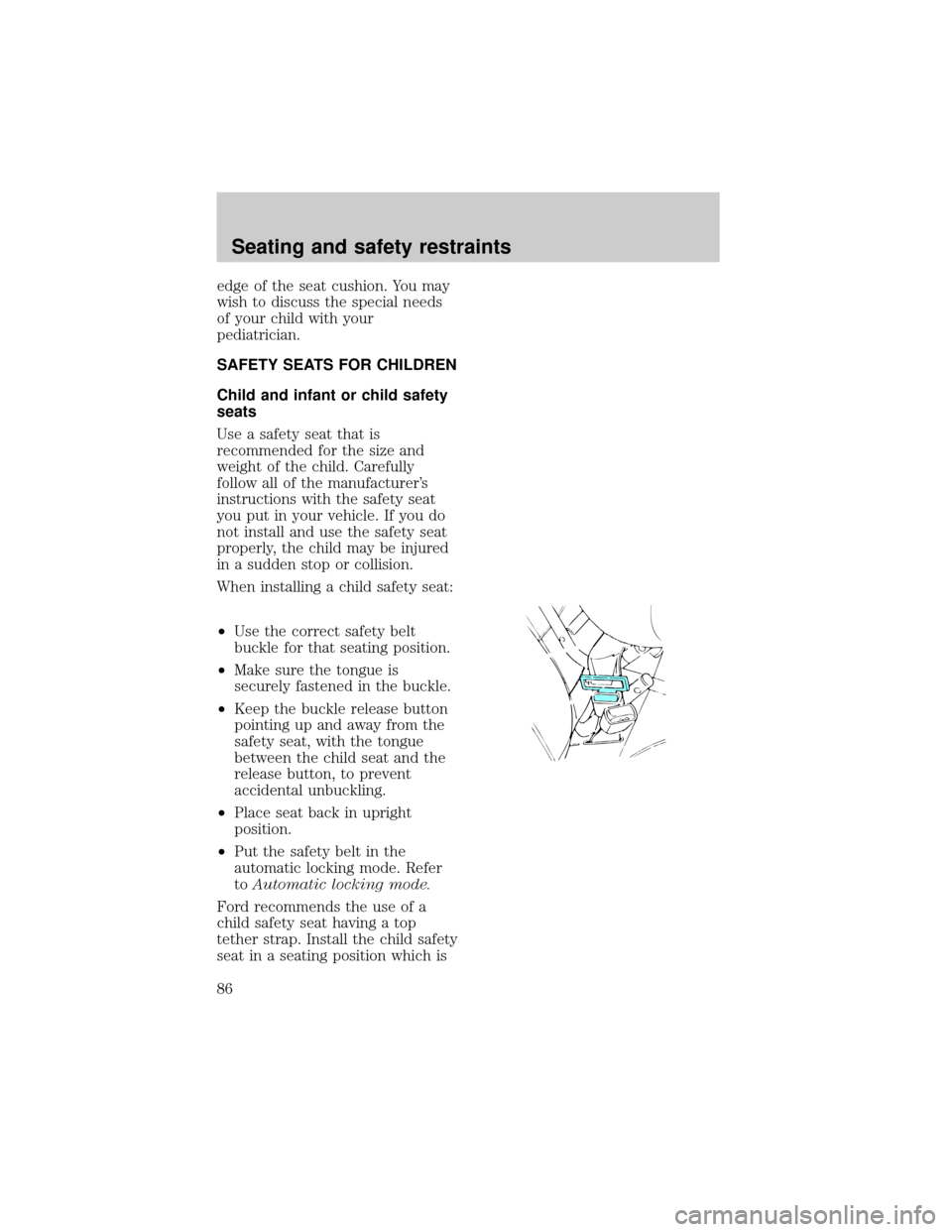
²Keep the buckle release button
pointing up and away from the
safety seat, with the tongue
between the child seat and the
release button, to prevent
accidental unbuckling.
²Place seat back in upright
position.
²Put the safety belt in the
automatic locking mode. Refer
toAutomatic locking mode.
Ford recommends the use of a
child safety seat having a top
tether strap. Install the child safety
seat in a seating position which is
Seating and safety restraints
86
Page 89 of 216
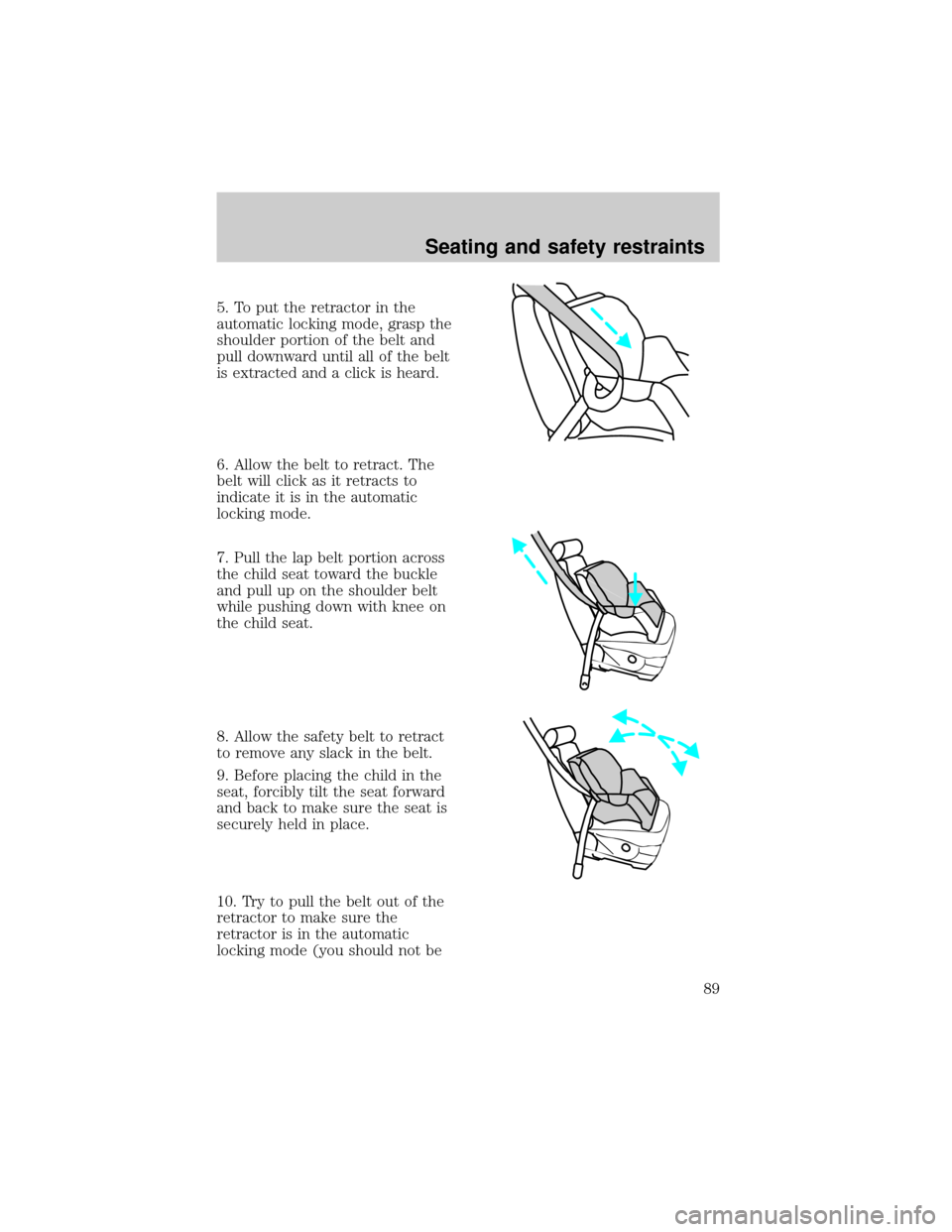
5. To put the retractor in the
automatic locking mode, grasp the
shoulder portion of the belt and
pull downward until all of the belt
is extracted and a click is heard.
6. Allow the belt to retract. The
belt will click as it retracts to
indicate it is in the automatic
locking mode.
7. Pull the lap belt portion across
the child seat toward the buckle
and pull up on the shoulder belt
while pushing down with knee on
the child seat.
8. Allow the safety belt to retract
to remove any slack in the belt.
9. Before placing the child in the
seat, forcibly tilt the seat forward
and back to make sure the seat is
securely held in place.
10. Try to pull the belt out of the
retractor to make sure the
retractor is in the automatic
locking mode (you should not be
Seating and safety restraints
89
Page 90 of 216

able to pull more belt out). If the
retractor is not locked, unbuckle
the belt and repeat steps two
through nine.
Check to make sure the child seat
is properly secured before each
use.
Attaching safety seats with
tether straps
Some manufacturers make safety
seats that include a tether strap
that goes over the back of the
vehicle seat and attaches to an
anchoring point. Other
manufacturers offer the tether
strap as an accessory. Contact the
manufacturer of your child safety
seat for information about ordering
a tether strap.
Tether anchorage hardware
A tethered seat can be installed in
the front seat. Put the tether strap
over the seatback and attach it to
an anchor bracket.
An anchor bracket can be installed
on the rear edge of the front seat
cushion.
The provision (attaching hole) is
provided in the rear edge of the
front passenger seat cushion
frame. The anchor bracket must be
installed using the instructions
provided with the kit.
Tether anchorage hardware kits
(part number 613D74) including
instructions, may be obtained at no
charge from any Ford or
Lincoln-Mercury dealer.
Seating and safety restraints
90
Page 96 of 216
accelerator when the engine starts.
4. After idling for a few seconds,
apply the brake and release the
parking brake.
Using the engine block heater
(if equipped)
An engine block heater warms the
engine coolant, which improves
starting, warms up the engine
faster and allows the
heater-defroster system to respond
quickly. They are strongly
recommended if you live in a
region where temperatures reach
-23ÉC (-10ÉF) or below.
For best results, plug the heater in
at least three hours before starting
the vehicle. Using the heater for
longer than three hours will not
harm the engine, so the heater can
be plugged in the night before
starting the vehicle.
To prevent electrical
shock, do not use your
heater with ungrounded
electrical systems or
two-pronged (cheater) adapters.
Guarding against exhaust
fumes
Although odorless and colorless,
carbon monoxide is present in
exhaust fumes. Take precautions
to avoid its dangerous effects.
Starting
96
Page 98 of 216

BRAKES
Your brakes are self-adjusting.
Refer to the ªService Guideº for
scheduled maintenance.
Occasional brake noise is normal
and often does not indicate a
performance concern with the
vehicle's brake system. In normal
operation, automotive brake
systems may emit occasional or
intermittent squeal or groan noises
when the brakes are applied. Such
noises are usually heard during the
first few brake applications in the
morning; however, they may be
heard at any time while braking
and can be aggravated by
environmental conditions such as
cold, heat, moisture, road dust, salt
or mud. If a ªmetal-to-metal,º
ªcontinuous grindingº or
ªcontinuous squealº sound is
present while braking, the brake
linings may be worn-out and
should be inspected by a qualified
service technician.
Anti-lock brake system (ABS)
On vehicles equipped with an
anti-lock braking system (ABS), a
noise from the hydraulic pump
motor and pulsation in the pedal
may be observed during ABS
braking events. Pedal pulsation
coupled with noise while braking
under panic conditions or on loose
gravel, bumps, wet or snowy roads
is normal and indicates proper
functioning of the vehicle's
anti-lock brake system. If the
vehicle has continuous vibration or
Driving
98
Page 99 of 216
shudder while braking, felt mainly
in the steering wheel, the vehicle
most likely needs service.
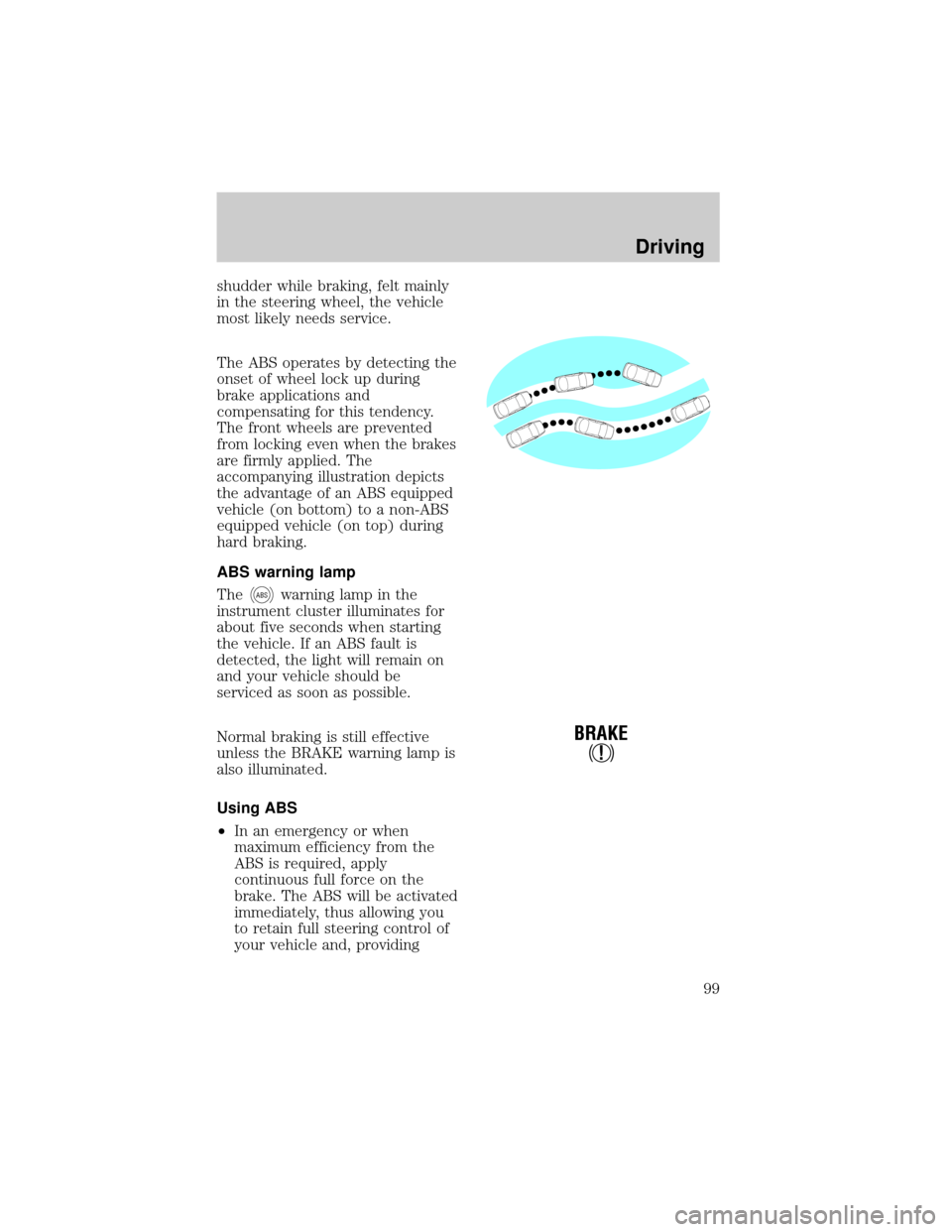
The ABS operates by detecting the
onset of wheel lock up during
brake applications and
compensating for this tendency.
The front wheels are prevented
from locking even when the brakes
are firmly applied. The
accompanying illustration depicts
the advantage of an ABS equipped
vehicle (on bottom) to a non-ABS
equipped vehicle (on top) during
hard braking.
ABS warning lamp
The
ABSwarning lamp in the
instrument cluster illuminates for
about five seconds when starting
the vehicle. If an ABS fault is
detected, the light will remain on
and your vehicle should be
serviced as soon as possible.
Normal braking is still effective
unless the BRAKE warning lamp is
also illuminated.
Using ABS
²In an emergency or when
maximum efficiency from the
ABS is required, apply
continuous full force on the
brake. The ABS will be activated
immediately, thus allowing you
to retain full steering control of
your vehicle and, providing
!
BRAKE
Driving
99
Page 104 of 216

TRANSMISSION OPERATION
Automatic transmission
operation
Brake-shift interlock
This vehicle is equipped with a
brake-shift interlock feature that
prevents the gearshift from being
moved from P (Park) unless the
brake pedal is depressed.
If you cannot move the gearshift
out of P (Park) with the brake
pedal depressed:
1. Apply the parking brake, turn
ignition key to LOCK, then remove
the key.
2. Insert the key and turn it to
OFF. Apply the brake pedal and
shift to N (Neutral).
3. Start the vehicle.
If it is necessary to use the above
procedure to move the gearshift, it
is possible that a fuse has blown
and the vehicle's brakelamps may
not be operating properly. Refer to
Fuses and relaysin theRoadside
emergencieschapter.
Do not drive your vehicle
until you verify that the
brakelamps are working.
If your vehicle gets stuck in mud
or snow it may be rocked out by
shifting from forward and reverse
gears in a steady pattern. Press
lightly on the accelerator in each
gear.
Driving
104
Page 108 of 216
gear, and will shift to 1 (Low) after
vehicle decelerates to the proper
speed.
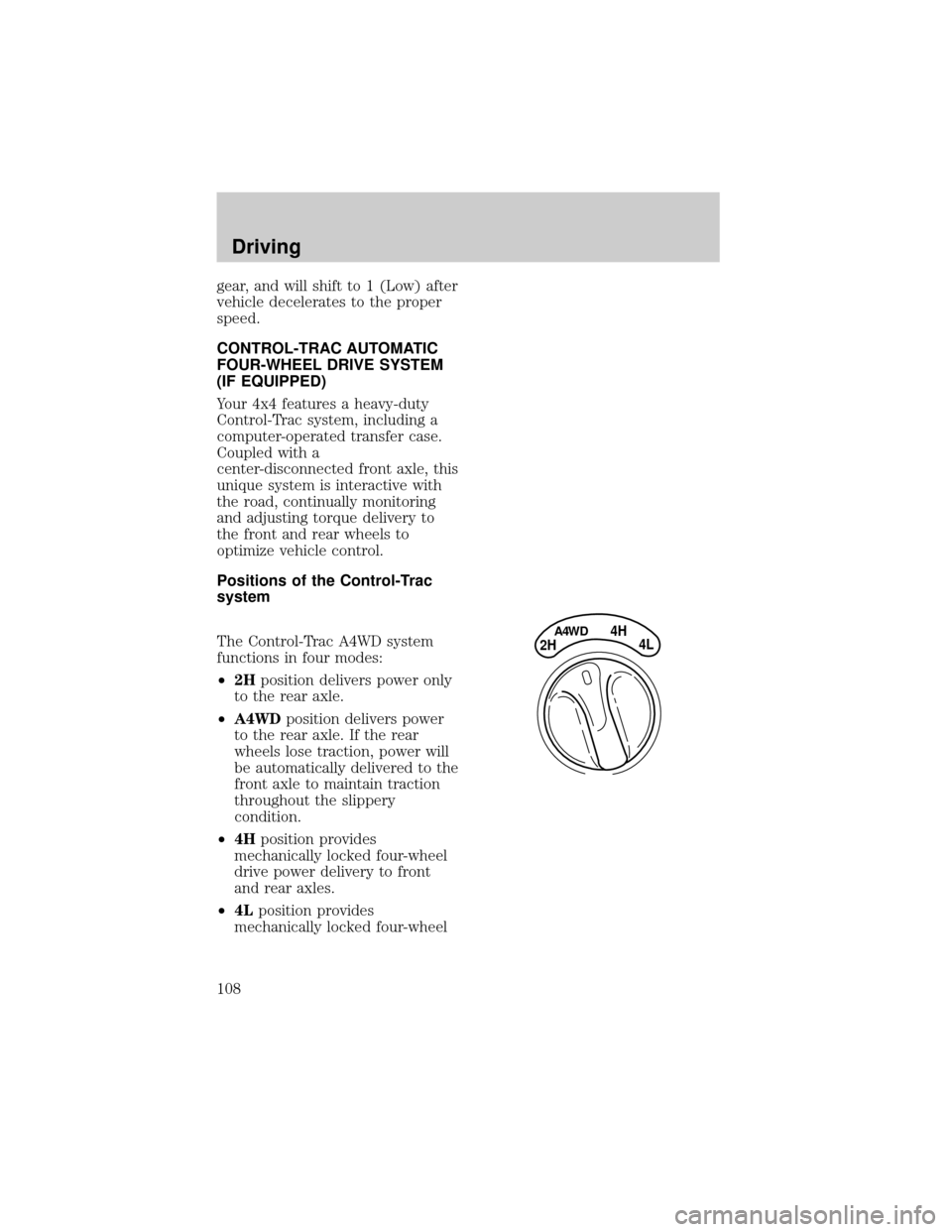
CONTROL-TRAC AUTOMATIC
FOUR-WHEEL DRIVE SYSTEM
(IF EQUIPPED)
Your 4x4 features a heavy-duty
Control-Trac system, including a
computer-operated transfer case.
Coupled with a
center-disconnected front axle, this
unique system is interactive with
the road, continually monitoring
and adjusting torque delivery to
the front and rear wheels to
optimize vehicle control.
Positions of the Control-Trac
system
The Control-Trac A4WD system
functions in four modes:
²2Hposition delivers power only
to the rear axle.
²A4WDposition delivers power
to the rear axle. If the rear
wheels lose traction, power will
be automatically delivered to the
front axle to maintain traction
throughout the slippery
condition.
²4Hposition provides
mechanically locked four-wheel
drive power delivery to front
and rear axles.
²4Lposition provides
mechanically locked four-wheel
4H
2HA4WD4L
Driving
108
Page 114 of 216

ACCEL button (to resume speeds
over 50 km/h (30 mph).
Automatic transmission may shift
frequently while driving up steep
grades. Eliminate frequent shifting
by shifting out of
(Overdrive)
into D (Drive).
Driving on snow and ice
A 4WD vehicle has advantages
over 2WD vehicles in snow and ice
but can skid like any other vehicle.
Avoid sudden applications of
power and quick changes of
direction on snow and ice. Apply
the accelerator slowly and steadily
when starting from a full stop.
When braking, apply the brakes as
you normally would. In order to
allow the anti-lock brake system
(ABS) to operate properly, keep
steady pressure on the brake
pedal.
Allow more stopping distance and
drive slower than usual. Consider
using one of the lower gears.
DRIVING THROUGH WATER
Do not drive quickly through
standing water, especially if the
depth is unknown. Traction or
brake capability may be limited
and if the ignition system gets wet,
your engine may stall. Water may
also enter your engine's air intake
and severely damage your engine.
If driving through deep or standing
water is unavoidable, proceed very
slowly. Never drive through water
that is higher than the bottom of
Driving
114
Page 126 of 216
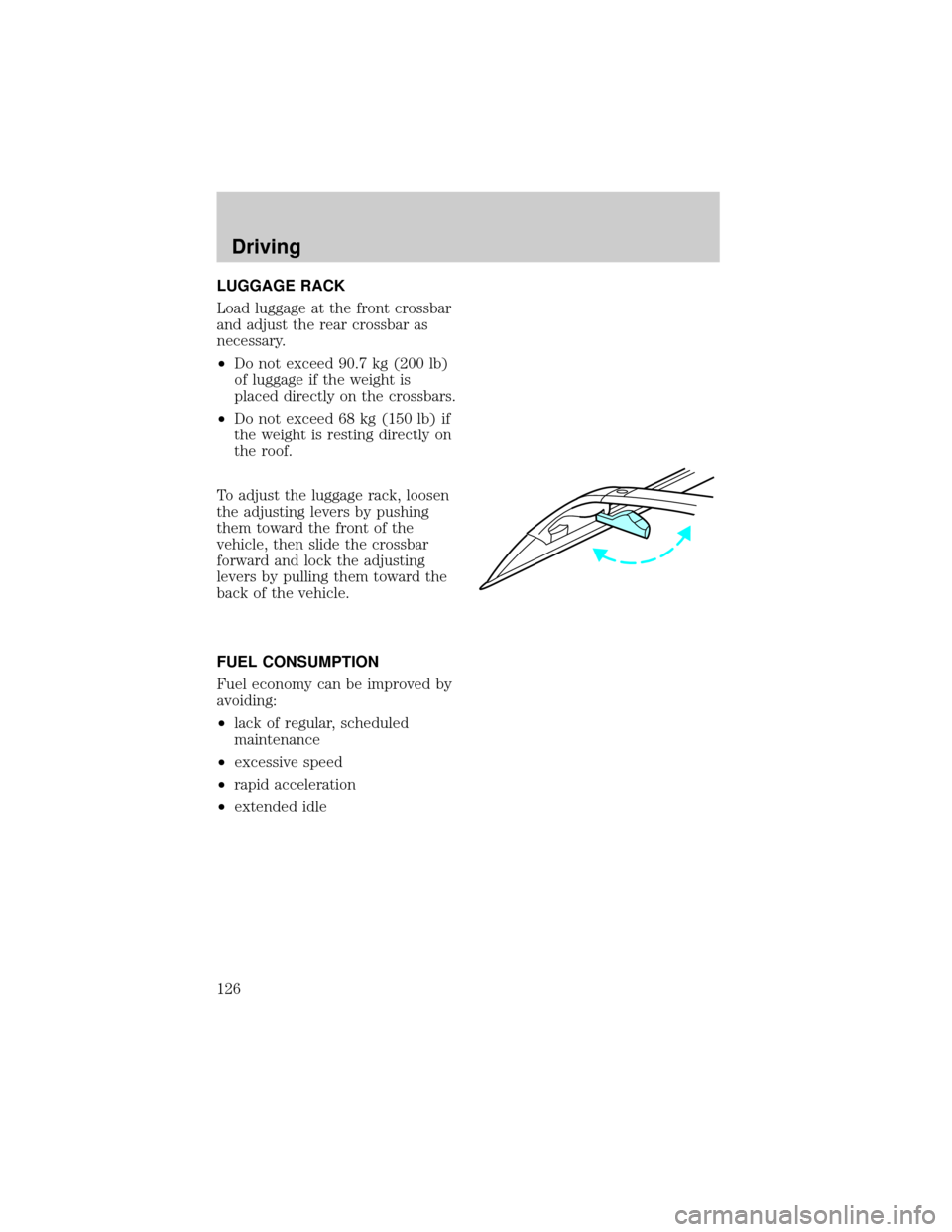
LUGGAGE RACK
Load luggage at the front crossbar
and adjust the rear crossbar as
necessary.
²Do not exceed 90.7 kg (200 lb)
of luggage if the weight is
placed directly on the crossbars.
²Do not exceed 68 kg (150 lb) if
the weight is resting directly on
the roof.
To adjust the luggage rack, loosen
the adjusting levers by pushing
them toward the front of the
vehicle, then slide the crossbar
forward and lock the adjusting
levers by pulling them toward the
back of the vehicle.
FUEL CONSUMPTION
Fuel economy can be improved by
avoiding:
²lack of regular, scheduled
maintenance
²excessive speed
²rapid acceleration
²extended idle
Driving
126