ESP FORD EXPEDITION 2023 Owner's Manual
[x] Cancel search | Manufacturer: FORD, Model Year: 2023, Model line: EXPEDITION, Model: FORD EXPEDITION 2023Pages: 658, PDF Size: 16.16 MB
Page 179 of 658
Note:Be sure the third-row center headrestraint is in the lowered position beforeyou power the rear seats down. Thethird-row outermost head restraints foldautomatically when you press the foldbutton.
UNFOLDING THE SEAT BACKREST
To return the second-row seat backrest tothe original position, rotate the seatbackrest up until it latches in the uprightposition. The seat backrest clicks when itis locked into position.
To return the third-row seat backrest tothe original position, press thecorresponding control again.
Note:If the third row seat does notcompletely fold or unfold, press and holdthe seat button until the seat folds andunfolds twice.
If the power rear seat is disabled after 10minutes, you can enable the seat by:
•Opening any door.
•Pressing the unlock button on the keyfob.
•Pressing any keyless entry keypadbutton.
•Switching the ignition on.
Folding Down the Rear Seats to theLoad Floor
WARNING: To prevent possibledamage to the seat or seatbelts, makesure that the seatbelts are not fastenedbefore folding the seatback.
WARNING: Do not place cargo orany objects behind the seatback beforereturning it to the original position.
The third-row seats have obstacledetection that prevents the seats fromfolding or returning if they are obstructed.
HEATED SEATS (IF EQUIPPED)
HEATED SEAT PRECAUTIONS
WARNING: Use caution when usingthe heated seat if you are unable to feelpain to your skin because of advancedage, chronic illness, diabetes, spinal cordinjury, medication, alcohol use,exhaustion or other physical conditions.The heated seat could cause burns evenat low temperatures, especially if usedfor long periods of time. Failure to followthis instruction could result in personalinjury.
WARNING: Do not poke sharpobjects into the seat cushion or seatbackrest. This could damage the heatedseat element and cause it to overheat.Failure to follow this instruction couldresult in personal injury.
WARNING: Do not place anythingon the seat that blocks the heat, forexample a seat cover or a cushion. Thiscould cause the seat to overheat. Failureto follow this instruction could result inpersonal injury.
Do not:
•Place heavy objects on the seat.
•Operate the heated seat if water or anyother liquid spills on the seat. Allow theseat to dry.
175
2023 Expedition (TB8) Canada/United States of America, enUSA, Edition date: 202207, DOMRear Seats
Page 185 of 658
GARAGE DOOR OPENER
INTRODUCTION
HomeLink Wireless ControlSystem
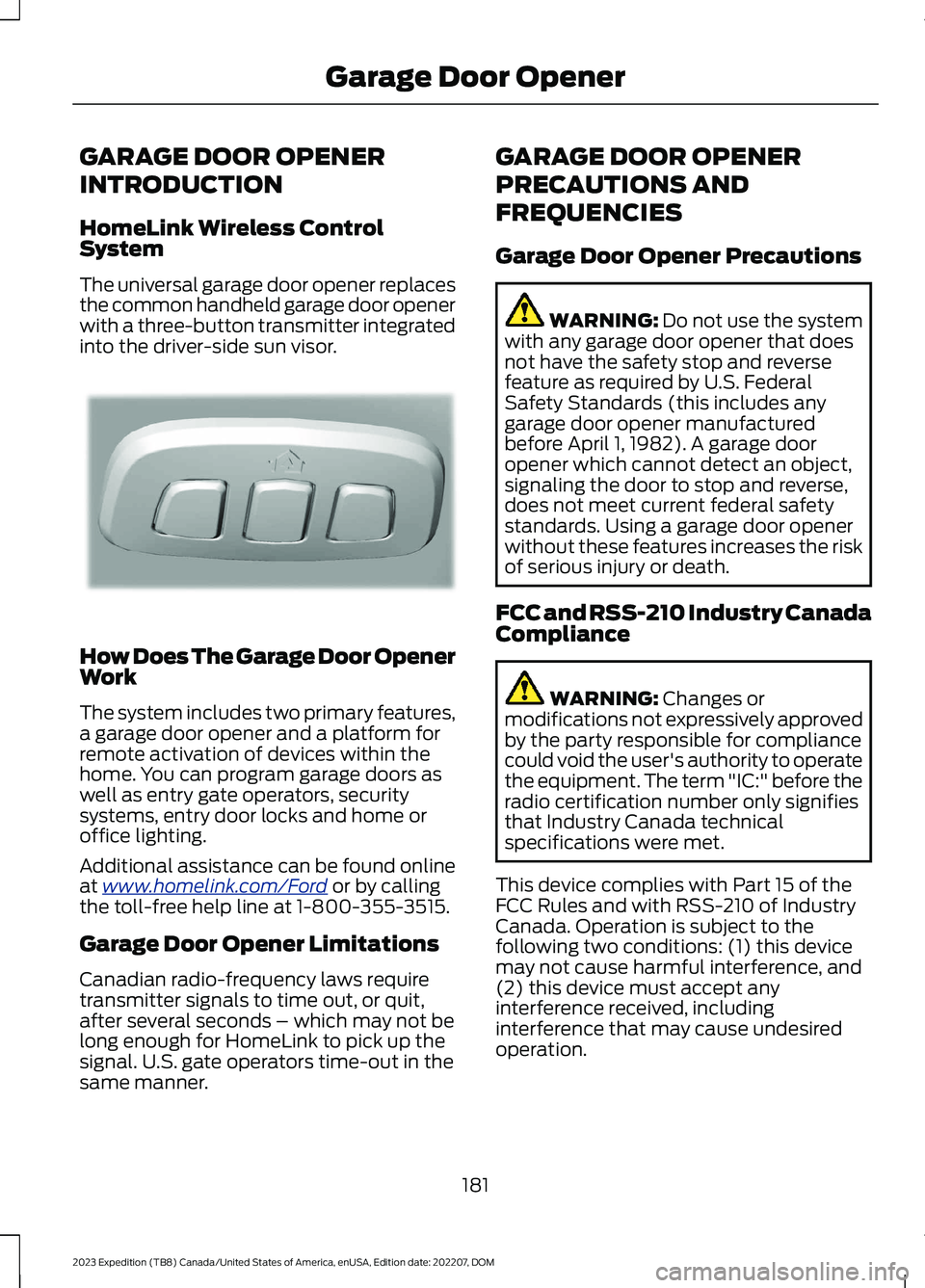
The universal garage door opener replacesthe common handheld garage door openerwith a three-button transmitter integratedinto the driver-side sun visor.
How Does The Garage Door OpenerWork
The system includes two primary features,a garage door opener and a platform forremote activation of devices within thehome. You can program garage doors aswell as entry gate operators, securitysystems, entry door locks and home oroffice lighting.
Additional assistance can be found onlineat www.homelink.com/Ford or by callingthe toll-free help line at 1-800-355-3515.
Garage Door Opener Limitations
Canadian radio-frequency laws requiretransmitter signals to time out, or quit,after several seconds – which may not belong enough for HomeLink to pick up thesignal. U.S. gate operators time-out in thesame manner.
GARAGE DOOR OPENER
PRECAUTIONS AND
FREQUENCIES
Garage Door Opener Precautions
WARNING: Do not use the systemwith any garage door opener that doesnot have the safety stop and reversefeature as required by U.S. FederalSafety Standards (this includes anygarage door opener manufacturedbefore April 1, 1982). A garage dooropener which cannot detect an object,signaling the door to stop and reverse,does not meet current federal safetystandards. Using a garage door openerwithout these features increases the riskof serious injury or death.
FCC and RSS-210 Industry CanadaCompliance
WARNING: Changes ormodifications not expressively approvedby the party responsible for compliancecould void the user's authority to operatethe equipment. The term "IC:" before theradio certification number only signifiesthat Industry Canada technicalspecifications were met.
This device complies with Part 15 of theFCC Rules and with RSS-210 of IndustryCanada. Operation is subject to thefollowing two conditions: (1) this devicemay not cause harmful interference, and(2) this device must accept anyinterference received, includinginterference that may cause undesiredoperation.
181
2023 Expedition (TB8) Canada/United States of America, enUSA, Edition date: 202207, DOMGarage Door OpenerE188211
Page 189 of 658
LOCATING THE USB PORTS
Data Transfer USB Ports
The USB ports could be in the followinglocations:
•On the lower instrument panel.
•Inside the center console.
Note: These USB ports can also chargedevices.
Note: Not all USB ports in your vehicle havedata transfer capabilities.
Note: We recommend using only USB-IFcertified cables and adapters. Non-certifiedcables and adapters may not work.
Charge Only USB Ports
The USB ports could be in the followinglocations:
•On the lower instrument panel.
•On the upper instrument panel.
•Inside the media bin.
•Inside the center console.
•On the rear of the center console.
•In the cargo area.
•In the frunk.
PLAYING MEDIA USING THE
USB PORT
WARNING: Driving while distractedcan result in loss of vehicle control, crashand injury. We strongly recommend thatyou use extreme caution when using anydevice that may take your focus off theroad. Your primary responsibility is thesafe operation of your vehicle. Werecommend against the use of anyhand-held device while driving andencourage the use of voice-operatedsystems when possible. Make sure youare aware of all applicable local lawsthat may affect the use of electronicdevices while driving.
Connect your device to a data transfer USBport.
Press the audio button on thefeature bar.
Select Sources.
Select the USB option.
Press to play a track. Press againto pause the track.
Press to skip to the next track.
Press and hold to fast forwardthrough the track.
Press once to return to thebeginning of a track. Repeatedlypress to return to previoustracks.
Press and hold to fast rewind.
CHARGING A DEVICE
Connect your device to the USB port.
185
2023 Expedition (TB8) Canada/United States of America, enUSA, Edition date: 202207, DOMUSB PortsE250655 E263583 E100027
Page 200 of 658
•Make sure that when in operation, theextension cord plug and engine blockheater cord plug connections are freeand clear of water. This could cause anelectric shock or fire.
•If the engine block heater cord is underthe hood, do not remove the wiringfrom its original location. Do not closethe hood on the extension wiring.
•Park your vehicle in a clean area, clearof combustible materials.
•Firmly connect the engine block heatercord and the extension cord.
•Check the extension cord for heatanywhere when the system has beenoperating for approximately 30minutes.
•Unplug and properly stow the systembefore starting and driving your vehicle.The protective cover seals theterminals of the engine block heatercord plug when not in use.
•Check the engine block heater systemfor proper operation before winter.
HOW DOES THE ENGINE BLOCKHEATER WORK
The engine block heater warms the enginecoolant. This allows the climate controlsystem to quickly respond. The equipmentincludes a heater element installed in theengine block and a wire harness. You canconnect the system to a grounded 110 voltAC electrical source.
Note:The engine block heater is mosteffective when outdoor temperatures arebelow 0°F (-18°C).
USING THE ENGINE BLOCKHEATER
Make sure the receptacle terminals areclean and dry prior to use. Clean them witha dry cloth if necessary.
The heater uses 0.4 to 1.0 kilowatt-hoursof energy per hour of use. The system doesnot have a thermostat. It achievesmaximum temperature afterapproximately three hours of operation.Using the engine block heater longer thanthree hours does not improve systemperformance and unnecessarily useselectricity.
STOPPING THE ENGINE
STOPPING THE ENGINE WHENYOUR VEHICLE IS STATIONARY -VEHICLES WITHOUT: PUSHBUTTON START
1.Shift into park (P).
2.Apply the parking brake.
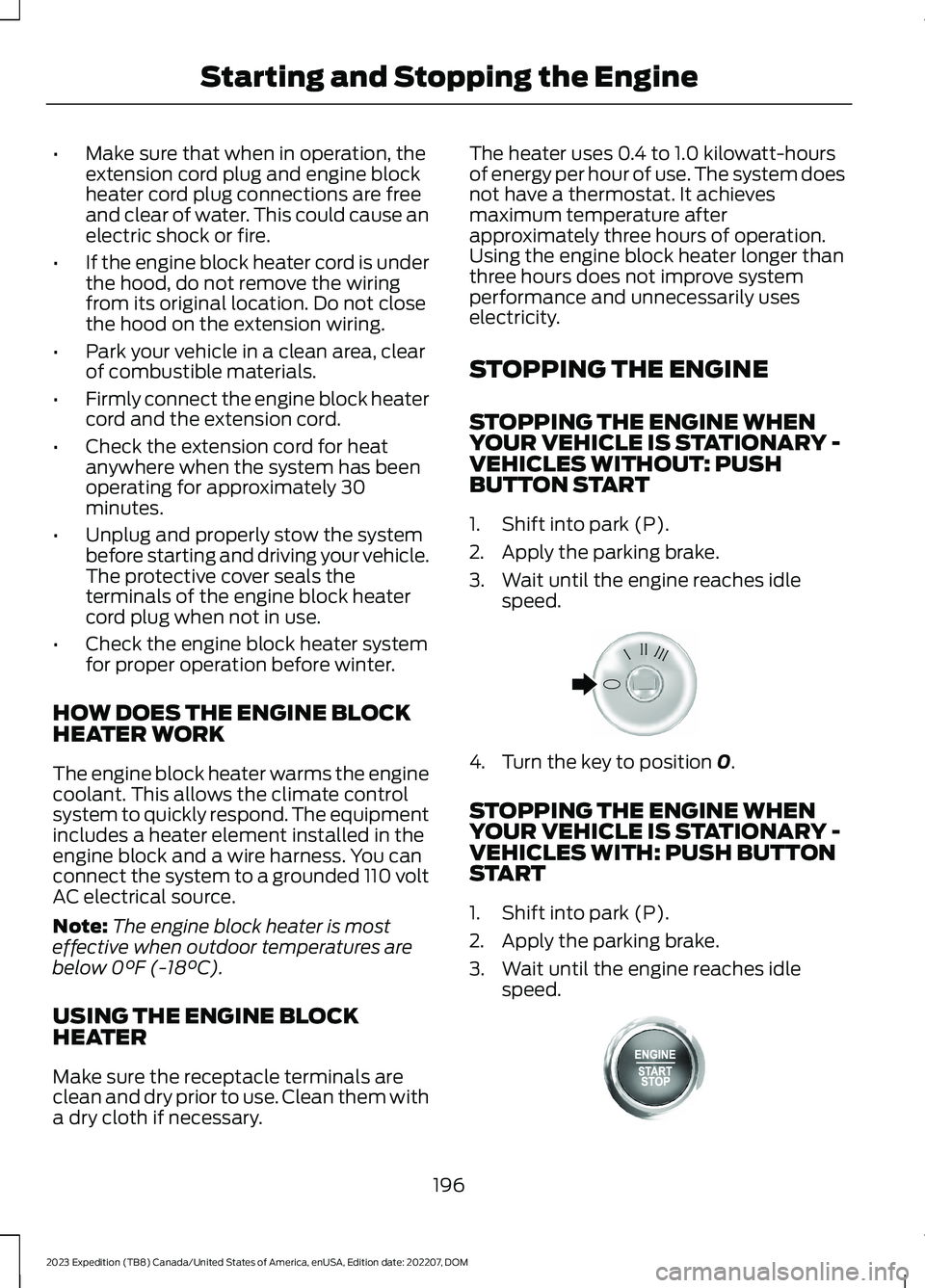
3.Wait until the engine reaches idlespeed.
4.Turn the key to position 0.
STOPPING THE ENGINE WHENYOUR VEHICLE IS STATIONARY -VEHICLES WITH: PUSH BUTTONSTART
1.Shift into park (P).
2.Apply the parking brake.
3.Wait until the engine reaches idlespeed.
196
2023 Expedition (TB8) Canada/United States of America, enUSA, Edition date: 202207, DOMStarting and Stopping the EngineE322405 E357998
Page 209 of 658
FUEL AND REFUELING
PRECAUTIONS
WARNING: Do not overfill the fueltank. The pressure in an overfilled tankmay cause leakage and lead to fuel sprayand fire.
WARNING: The fuel system maybe under pressure. If you hear a hissingsound near the fuel filler inlet, do notrefuel until the sound stops. Otherwise,fuel may spray out, which could causeserious personal injury.
WARNING: Fuels can cause seriousinjury or death if misused or mishandled.
WARNING: Fuel may containbenzene, which is a cancer-causingagent.
WARNING: When refueling alwaysshut the engine off and never allowsparks or open flames near the fuel tankfiller valve. Never smoke or use a cellphone while refueling. Fuel vapor isextremely hazardous under certainconditions. Avoid inhaling excess fumes.
WARNING: Read and follow all theinstructions on the pump island.
Follow these guidelines when refueling:
•Extinguish all smoking materials andany open flames before refueling yourvehicle.
•Switch the engine off before refueling.
•Automotive fuels can be harmful orfatal if swallowed. Fuel is highly toxicand if swallowed can cause death orpermanent injury. If fuel is swallowedimmediately call a physician, even if nosymptoms are immediately apparent.The toxic effects of fuel may not beapparent for hours.
•Avoid inhaling fuel vapors. Inhaling fuelvapor can lead to eye and respiratorytract irritation. In severe cases,excessive or prolonged breathing offuel vapor can cause serious illness andpermanent injury.
•Avoid getting fuel in your eyes. If yousplash fuel in your eyes, immediatelyremove contact lenses, if worn, flushwith water for 15 minutes and seekmedical attention. Failure to seekproper medical attention could lead topermanent injury.
•Fuels can be harmful if absorbedthrough the skin. If you splash fuel onyour skin, clothing or both, promptlyremove contaminated clothing andthoroughly wash your skin with soapand water. Repeated or prolonged skincontact causes skin irritation.
•Be particularly careful if you are takingAntabuse or other forms of Disulfiramfor the treatment of alcoholism.Breathing fuel vapors could cause anadverse reaction, serious personalinjury or sickness. Immediately call aphysician if you experience any adversereactions.
205
2023 Expedition (TB8) Canada/United States of America, enUSA, Edition date: 202207, DOMFuel and Refueling
Page 216 of 658
WHAT IS THE CATALYTIC
CONVERTER
The catalytic converter is part of yourvehicle's emissions system and filtersharmful pollutants from the exhaust gas.
CATALYTIC CONVERTER
PRECAUTIONS
WARNING: Do not park, idle ordrive your vehicle on dry grass or otherdry ground cover. The emission systemheats up the engine compartment andexhaust system, creating the risk of fire.
WARNING: The normal operatingtemperature of the exhaust system isvery high. Never work around or attemptto repair any part of the exhaust systemuntil it has cooled. Use special care whenworking around the catalytic converter.The catalytic converter heats up to a veryhigh temperature after only a shortperiod of engine operation and stays hotafter the engine is switched off.
WARNING: Exhaust leaks mayresult in entry of harmful and potentiallylethal fumes into the passengercompartment. If you smell exhaustfumes inside your vehicle, have yourvehicle inspected immediately. Do notdrive if you smell exhaust fumes.
To avoid damaging the catalytic converter:
•Do not crank the engine for more than10 seconds at a time.
•Do not run the engine with a spark pluglead disconnected.
•Do not push-start or tow-start yourvehicle. Use booster cables. See JumpStarting the Vehicle (page 395).
•Use the correct fuel. See Fuel andRefueling (page 205).
•Do not switch the ignition off when yourvehicle is moving.
•Avoid running out of fuel.
•Have the items listed in scheduledmaintenance information performedaccording to the specified schedule.
Note:Do not make any unauthorizedchanges to your vehicle or engine. By law,vehicle owners and anyone whomanufactures, repairs, or services a fleet ofvehicles are not permitted to intentionallyremove an emission control device orprevent it from working.
CATALYTIC CONVERTER –
TROUBLESHOOTING
CATALYTIC CONVERTER –WARNING LAMPS
Your vehicle has an on-board diagnosticssystem that monitors the emission controlsystem. If any of the following warninglamps illuminate, this may indicate thatthe on-board diagnostics system hasdetected an emission control systemmalfunction.
Continuing to drive your vehicle may causereduced power or the engine to stop.Failure to respond to a warning lamp maycause damage that your vehicle Warrantymay not cover. Have your vehicle checkedas soon as possible.
212
2023 Expedition (TB8) Canada/United States of America, enUSA, Edition date: 202207, DOMCatalytic ConverterE103308 E67021 E67028
Page 219 of 658
MANUALLY SHIFTING GEARS
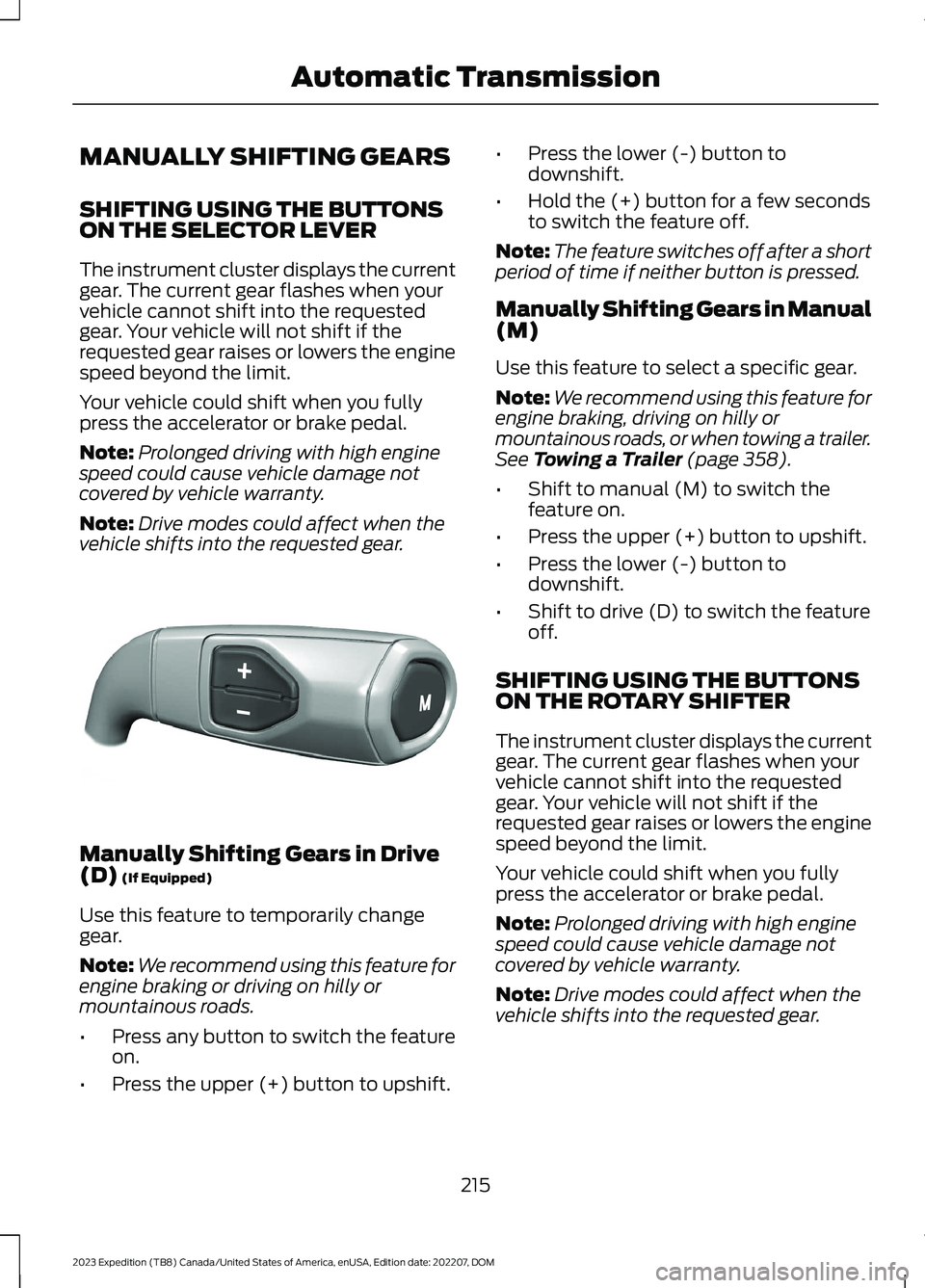
SHIFTING USING THE BUTTONSON THE SELECTOR LEVER
The instrument cluster displays the currentgear. The current gear flashes when yourvehicle cannot shift into the requestedgear. Your vehicle will not shift if therequested gear raises or lowers the enginespeed beyond the limit.
Your vehicle could shift when you fullypress the accelerator or brake pedal.
Note:Prolonged driving with high enginespeed could cause vehicle damage notcovered by vehicle warranty.
Note:Drive modes could affect when thevehicle shifts into the requested gear.
Manually Shifting Gears in Drive(D) (If Equipped)
Use this feature to temporarily changegear.
Note:We recommend using this feature forengine braking or driving on hilly ormountainous roads.
•Press any button to switch the featureon.
•Press the upper (+) button to upshift.
•Press the lower (-) button todownshift.
•Hold the (+) button for a few secondsto switch the feature off.
Note:The feature switches off after a shortperiod of time if neither button is pressed.
Manually Shifting Gears in Manual(M)
Use this feature to select a specific gear.
Note:We recommend using this feature forengine braking, driving on hilly ormountainous roads, or when towing a trailer.See Towing a Trailer (page 358).
•Shift to manual (M) to switch thefeature on.
•Press the upper (+) button to upshift.
•Press the lower (-) button todownshift.
•Shift to drive (D) to switch the featureoff.
SHIFTING USING THE BUTTONSON THE ROTARY SHIFTER
The instrument cluster displays the currentgear. The current gear flashes when yourvehicle cannot shift into the requestedgear. Your vehicle will not shift if therequested gear raises or lowers the enginespeed beyond the limit.
Your vehicle could shift when you fullypress the accelerator or brake pedal.
Note:Prolonged driving with high enginespeed could cause vehicle damage notcovered by vehicle warranty.
Note:Drive modes could affect when thevehicle shifts into the requested gear.
215
2023 Expedition (TB8) Canada/United States of America, enUSA, Edition date: 202207, DOMAutomatic TransmissionE327267
Page 223 of 658
HOW DOES FOUR-WHEEL
DRIVE WORK
Using the 1-Speed Automatic Four-Wheel Drive System
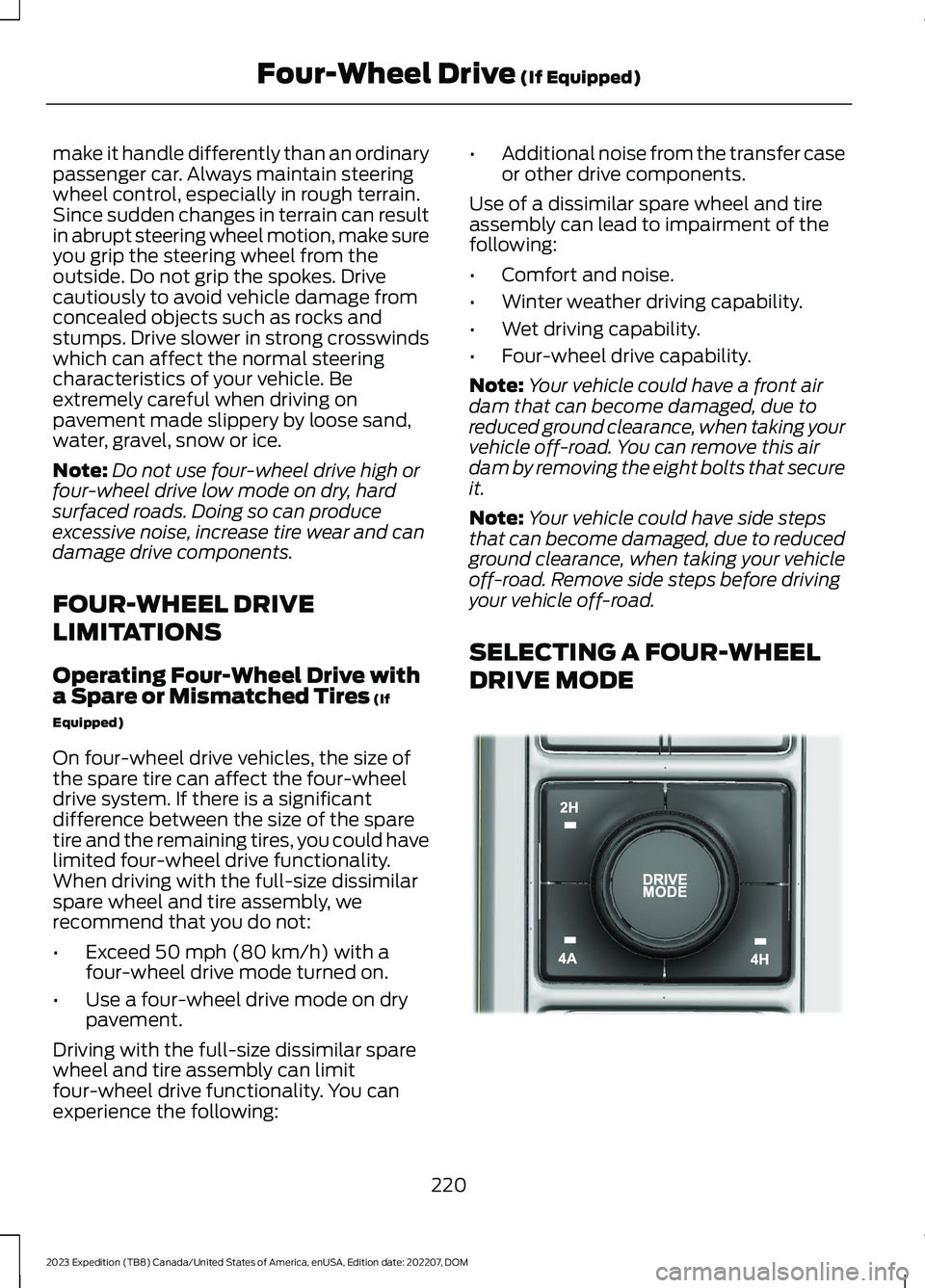
The 1-speed automatic four-wheel drivesystem utilizes an electronically controlledon-demand 1-speed transfer case. Thissystem monitors various vehicle sensoryinputs to provide an increased level ofperformance. This system offers the drivertwo-wheel drive high, four-wheel driveauto and four-wheel drive high as availablemodes of operation via the selectable drivemode switch. When you select four-wheeldrive auto the system continuously variespower to the front wheels for optimumperformance for all on-road conditions.When you select four-wheel drive high thesystem provides power to the front andrear wheels for use in off-road or slipperyconditions such as deep snow, sand ormud. There is further information on drivingin unique driving conditions. See DrivingHints (page 389).
Using the 2-Speed AutomaticFour-Wheel Drive System (If Equipped)
The 2-speed automatic four-wheel drivesystem utilizes an electronically controlledon-demand 2-speed transfer case. Thissystem monitors various vehicle sensoryinputs to provide an increased level ofperformance. This system offers the drivertwo-wheel drive high, four-wheel driveauto, four-wheel drive high, and four-wheeldrive low as available modes of operation.When you select four-wheel drive auto thesystem continuously varies power to thefront wheels for optimum performance forall on-road conditions. When you selecteither four-wheel drive high or four-wheeldrive low with the appropriate drive modes,the four-wheel drive system provideselectronically locked power to the frontand rear wheels for use in off-road or
slippery conditions such as deep snow,sand or mud. Selecting four-wheel drivelow also provides additional gearing forincreased torque multiplication forconditions like deep sand, snow, steepslopes, or pulling heavy objects. SeeSelecting a Four-Wheel Drive Mode(page 220).Additionally, the system iscapable of recreational flat towing byputting the transfer case into neutral (N).See Recreationally Towing YourVehicle (page 400).
There is further information on driving inunique driving conditions. See DrivingHints (page 389).
FOUR-WHEEL DRIVE
PRECAUTIONS
WARNING: Vehicles with a highercenter of gravity (utility and four-wheeldrive vehicles) handle differently thanvehicles with a lower center of gravity(passenger cars). Avoid sharp turns,excessive speed and abrupt steering inthese vehicles. Failure to drive cautiouslyincreases the risk of losing control of yourvehicle, vehicle rollover, personal injuryand death.
WARNING: Do not becomeoverconfident in the ability of four-wheeldrive vehicles. Although a four-wheeldrive vehicle may accelerate better thana two-wheel drive vehicle in low tractionsituations, it won't stop any faster thantwo-wheel drive vehicles. Always driveat a safe speed.
Truck and utility vehicles can differ fromsome other vehicles. Your vehicle could behigher to allow it to travel over roughterrain without getting stuck or damagingunderbody components. The differencesthat make your vehicle so versatile also
219
2023 Expedition (TB8) Canada/United States of America, enUSA, Edition date: 202207, DOMFour-Wheel Drive (If Equipped)
Page 224 of 658
make it handle differently than an ordinarypassenger car. Always maintain steeringwheel control, especially in rough terrain.Since sudden changes in terrain can resultin abrupt steering wheel motion, make sureyou grip the steering wheel from theoutside. Do not grip the spokes. Drivecautiously to avoid vehicle damage fromconcealed objects such as rocks andstumps. Drive slower in strong crosswindswhich can affect the normal steeringcharacteristics of your vehicle. Beextremely careful when driving onpavement made slippery by loose sand,water, gravel, snow or ice.
Note:Do not use four-wheel drive high orfour-wheel drive low mode on dry, hardsurfaced roads. Doing so can produceexcessive noise, increase tire wear and candamage drive components.
FOUR-WHEEL DRIVE
LIMITATIONS
Operating Four-Wheel Drive witha Spare or Mismatched Tires (If
Equipped)
On four-wheel drive vehicles, the size ofthe spare tire can affect the four-wheeldrive system. If there is a significantdifference between the size of the sparetire and the remaining tires, you could havelimited four-wheel drive functionality.When driving with the full-size dissimilarspare wheel and tire assembly, werecommend that you do not:
•Exceed 50 mph (80 km/h) with afour-wheel drive mode turned on.
•Use a four-wheel drive mode on drypavement.
Driving with the full-size dissimilar sparewheel and tire assembly can limitfour-wheel drive functionality. You canexperience the following:
•Additional noise from the transfer caseor other drive components.
Use of a dissimilar spare wheel and tireassembly can lead to impairment of thefollowing:
•Comfort and noise.
•Winter weather driving capability.
•Wet driving capability.
•Four-wheel drive capability.
Note:Your vehicle could have a front airdam that can become damaged, due toreduced ground clearance, when taking yourvehicle off-road. You can remove this airdam by removing the eight bolts that secureit.
Note:Your vehicle could have side stepsthat can become damaged, due to reducedground clearance, when taking your vehicleoff-road. Remove side steps before drivingyour vehicle off-road.
SELECTING A FOUR-WHEEL
DRIVE MODE
220
2023 Expedition (TB8) Canada/United States of America, enUSA, Edition date: 202207, DOMFour-Wheel Drive (If Equipped)E357409
Page 227 of 658
Avoid driving at excessive speed. Thiscauses vehicle momentum to work againstyou and your vehicle could become stuckto the point that assistance may berequired from another vehicle. Remember,you may be able to back out the way youcame if you proceed with caution.
DRIVING THROUGH MUD ANDWATER
WARNING: Do not spin the wheelsat over 34 mph (55 km/h). The tires mayfail and injure a passenger or bystander.
Mud
Be cautious of sudden changes in vehiclespeed or direction when you are driving inmud. Even four-wheel drive vehicles canlose traction in slick mud. If your vehicledoes slide, steer in the direction of the slideuntil you regain control of your vehicle.After driving through mud, clean off residuestuck to rotating driveshafts and tires.Excess mud stuck on tires and rotatingdriveshafts can cause an imbalance thatcould damage drive components.
Water
If you must drive through high water, driveslowly. Traction or brake capability maybe limited. When driving through water,determine the depth and avoid waterhigher than the bottom of the hubs. If theignition system gets wet, your vehicle maystall. Once through water, test the brakes.Wet brakes do not stop your vehicle aseffectively as dry brakes. Drying improvesby applying light pressure to the brakepedal while moving slowly.
Note:Driving through deep water maydamage the transmission. If the front or rearaxle is submerged in water, the axlelubricant and transfer case lubricant shouldbe checked and changed if necessary.
DRIVING ON HILLY OR SLOPINGTERRAIN
Although natural obstacles may make itnecessary to travel diagonally up or downa hill or steep incline, you should try to drivestraight up or straight down.
Note:Avoid turning on steep slopes or hills.A danger lies in losing traction, slippingsideways and possible vehicle roll over.Whenever driving on a hill, determinebeforehand the route you can use. Do notdrive over the crest of a hill without seeingwhat conditions are on the other side. Donot drive in reverse over a hill without theaid of an observer.
When climbing a steep slope or hill, startin a lower gear rather than downshifting toa lower gear from a higher gear once theascent has started. This reduces strain onthe engine and the possibility of stalling.
If your vehicle stalls, do not try toturnaround because this could causevehicle roll over. It is better to reverse backto a safe location.
Apply just enough power to the wheels toclimb the hill. Too much power can causethe tires to slip, spin or lose traction,resulting in loss of vehicle control.
Descend a hill in the same gear you woulduse to climb up the hill to avoid excessivebrake application and brake overheating.Do not descend in neutral. Disengageoverdrive or move the transmissionselector lever to a lower gear. Whendescending a steep hill, avoid sudden hardbraking as you could lose control. The frontwheels have to be turning in order to steeryour vehicle.
223
2023 Expedition (TB8) Canada/United States of America, enUSA, Edition date: 202207, DOMFour-Wheel Drive (If Equipped)