automatic transmission FORD EXPLORER 1997 2.G Owners Manual
[x] Cancel search | Manufacturer: FORD, Model Year: 1997, Model line: EXPLORER, Model: FORD EXPLORER 1997 2.GPages: 236, PDF Size: 2.43 MB
Page 81 of 236
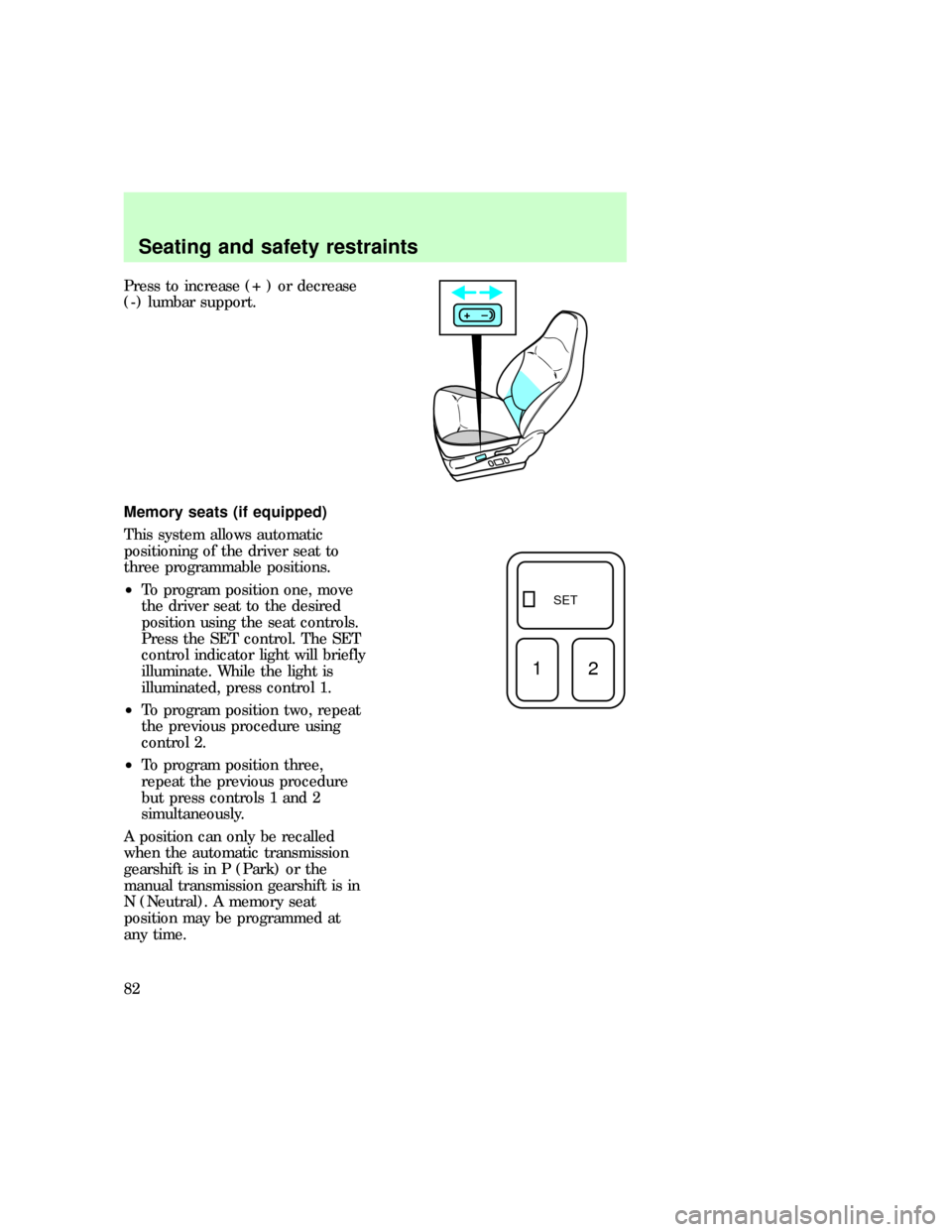
Press to increase (+ ) or decrease
(-) lumbar support.
Memory seats (if equipped)
This system allows automatic
positioning of the driver seat to
three programmable positions.
²To program position one, move
the driver seat to the desired
position using the seat controls.
Press the SET control. The SET
control indicator light will briefly
illuminate. While the light is
illuminated, press control 1.
²To program position two, repeat
the previous procedure using
control 2.
²To program position three,
repeat the previous procedure
but press controls 1 and 2
simultaneously.
A position can only be recalled
when the automatic transmission
gearshift is in P (Park) or the
manual transmission gearshift is in
N (Neutral). A memory seat
position may be programmed at
any time.
+–
SET
12
uno_remote_seat_controls
uno_seat_belts
Seating and safety restraints
82
Page 113 of 236
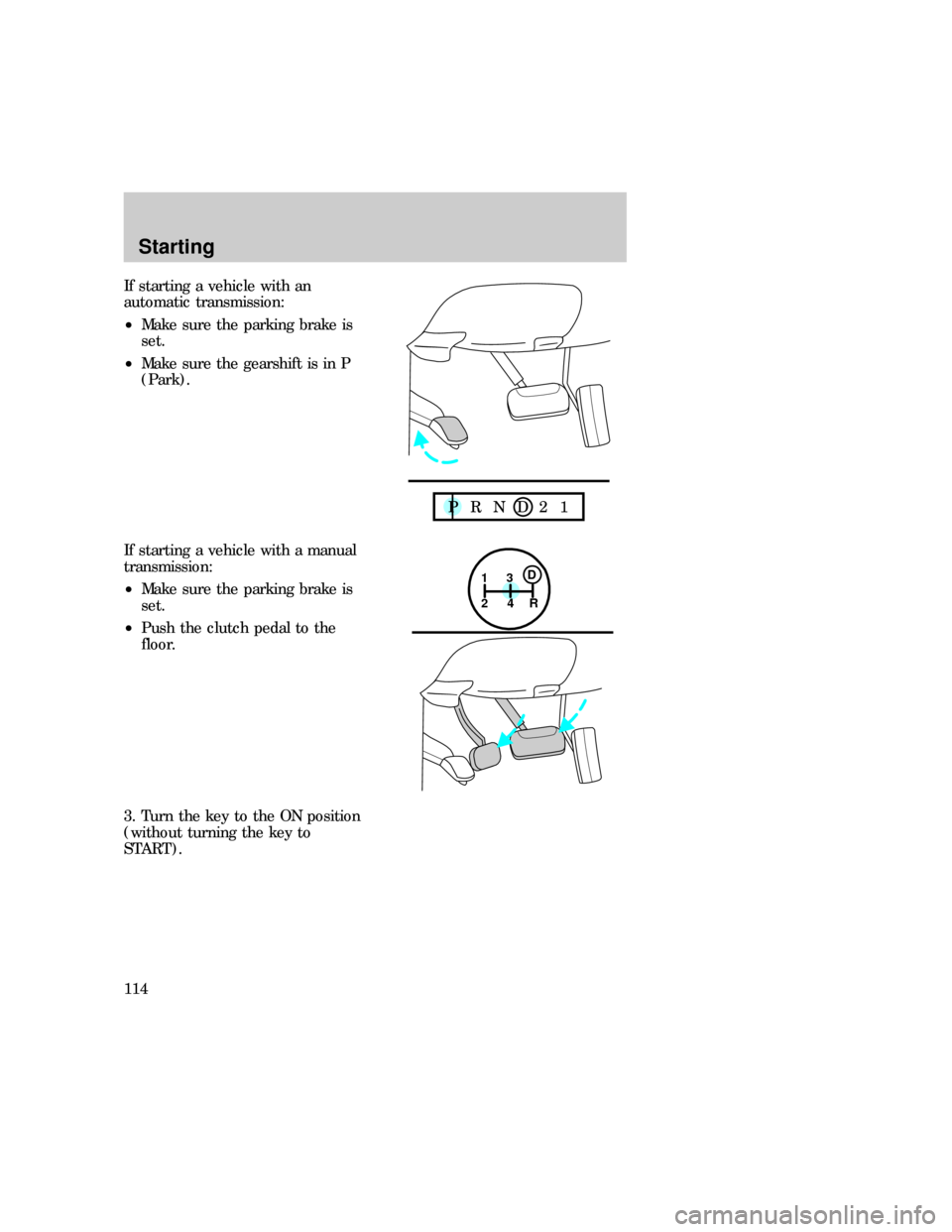
If starting a vehicle with an
automatic transmission:
²Make sure the parking brake is
set.
²Make sure the gearshift is in P
(Park).
If starting a vehicle with a manual
transmission:
²Make sure the parking brake is
set.
²Push the clutch pedal to the
floor.
3. Turn the key to the ON position
(without turning the key to
START).
P R N D 2 1
1
24R3D
Starting
114
Page 117 of 236
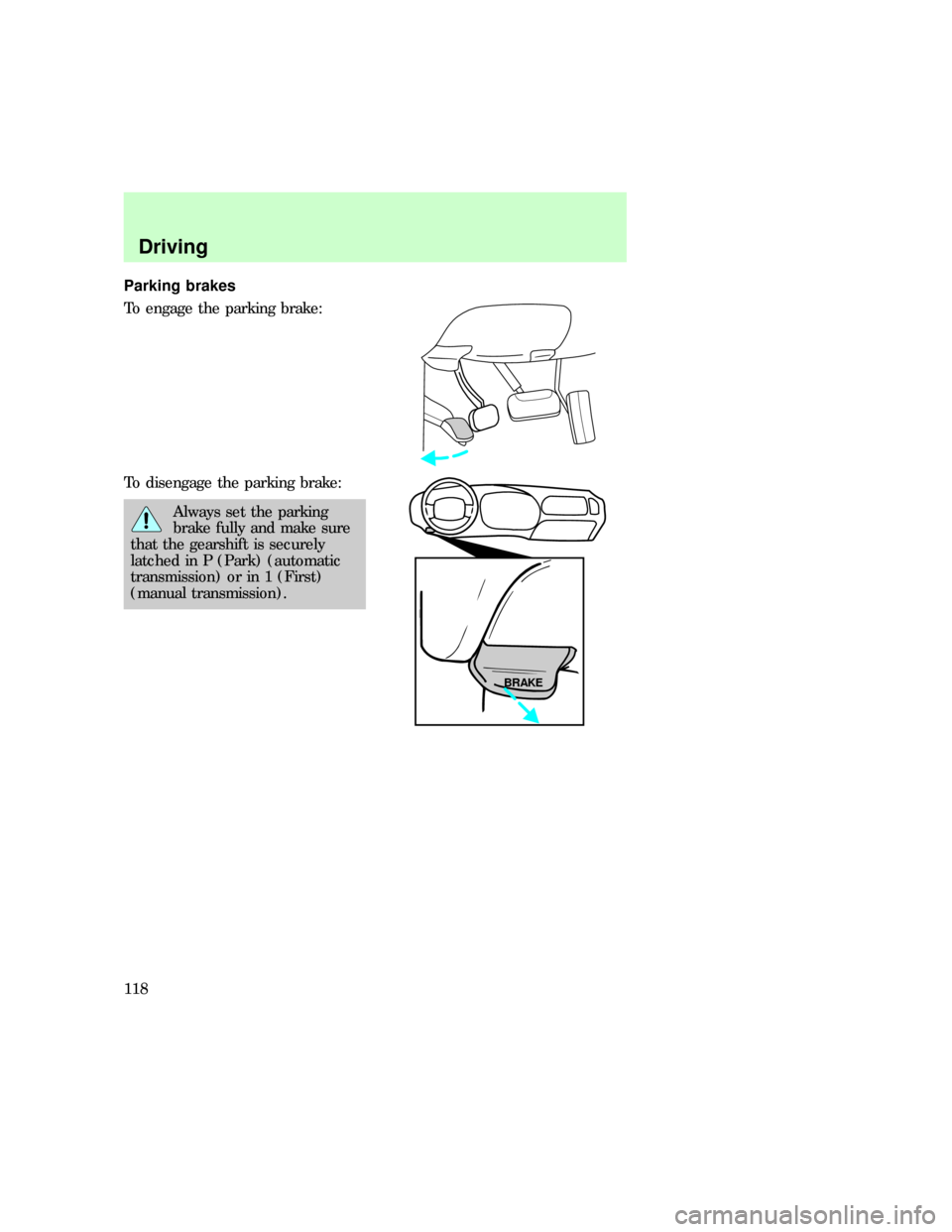
Parking brakes
To engage the parking brake:
To disengage the parking brake:
Always set the parking
brake fully and make sure
that the gearshift is securely
latched in P (Park) (automatic
transmission) or in 1 (First)
(manual transmission).
BRAKE
com_traction-lok.01
Driving
118
Page 120 of 236
Ride control switch (All wheel
drive vehicles with Automatic
Ride Control only)
The Ride Control switch provides
direct control of the Automatic
Ride Control system. The switch
doesnotcontrol or change the
performance of the All Wheel
Drive system.
The switch should be placed in the
Normal position for all on road and
most dirt, gravel or snow covered
roads. For severe off-road
conditions where additional body
ground clearance is desired and
vehicle speeds are below 30 mph,
the Off-road position should be
selected.
Service switch
The Automatic Ride Control
service switch is mounted in the
jack storage area. The switch
should be turned off to deactivate
the system during jacking, hoisting,
towing or transport of the vehicle
to avoid unexpected vehicle
movement.
TRANSMISSION OPERATION
Driving an automatic
transmission (if equipped)
Brake-shift interlock
Vehicles equipped with an
automatic transmission are
equipped with a brake-shift
interlock feature that prevents the
gearshift lever from being moved
from the P (Park) position unless
uno_service_switch
uno_transmission_title
uno_driving_an_automatic
uno_brake_shift_interlock
Driving
121
Page 122 of 236

towing a trailer or heavy loads
through heavy terrain.
To return to
D(Overdrive)
mode, press the transmission
control switch.
O/D
OFFwill remain off.
When starting your vehicle, the
transmission will automatically
return to normal
D(Overdrive)
mode.
2 SecondUse the 2 (Second)
position to start-up on slippery
roads or to provide additional
braking on downgrades.
Transmission operates in gears one
and two.
1 LowUse the 1 (Low) position to
provide maximum engine braking
on steep downgrades. Upshifts may
be made by shifting to the 2
(Second) position or to
D(Overdrive). Selecting the 1
(Low) position at higher speeds
causes the transmission to
downshift through the gears and
will shift to 1 (Low) after the
vehicle decelerates to the proper
speed.
Driving (5R55E
transmission-4.0L engines only)
DOverdriveThe normal driving
position for the best fuel economy.
Transmission operates in gears one
through five.
Dcan be deactivated by pressing
the transmission control switch on
the selector lever. The
O/D
OFFwill
illuminate.
uno_5r55e
Driving
123
Page 123 of 236

D DriveNot shown on the display.
Activate by pressing the
transmission control switch.
O/D
OFFwill illuminate in the
instrument cluster. Transmission
operates in gears one through four.
D (Drive) provides more engine
braking than
D(Overdrive) and
is useful when towing a trailer or
heavy loads through heavy terrain.
To return to
D(Overdrive)
mode, press the transmission
control switch.
O/D
OFFwill turn off.
When starting your vehicle, the
transmission will automatically
return to normal
D(Overdrive)
mode.
2 SecondUse the 2 (Second)
position to start-up on slippery
roads or to provide additional
braking on downgrades.
Transmission operates in third
gear.
1 LowUse the 1 (Low) position to
provide maximum engine braking
on steep downgrades. Upshifts may
be made by shifting to the 2
(Second) position or to
D(Overdrive). Selecting the 1
(Low) position at high speeds
causes the transmission to
downshift through the gears and
will shift to 1 (Low) after the
vehicle decelerates to the proper
speed.
uno_driving_manual_trans
Driving
124
Page 128 of 236

Using the Control Trac system
Shifting between 4WD AUTO
and 4WD HIGH
Either shift can be done at a stop,
or at any forward speed.
²The 4WD HIGH light will
illuminate when you switch the
control to 4WD HIGH or turn off
if you switch to 4WD AUTO.
Shifting from 4WD AUTO or
4WD HIGH to 4WD LOW
To perform this shift, complete the
following steps:
1. Stop the vehicle and depress the
brake.
2. Place the automatic
transmission in N (Neutral) or
depress the manual transmission
clutch.
3. Rotate the 4WD control to 4WD
LOW.
Shifting from 4WD LOW to 4WD
AUTO or 4WD HIGH
To perform this shift, complete the
following steps:
1. Bring the vehicle to a stop.
2. Depress and hold the brake.
3. Place the automatic
transmission gearshift lever in N
(Neutral) or depress the manual
transmission clutch.
4. Move the 4WD control to the
4WD AUTO or 4WD HIGH position.
uno_2h_to_4h
uno_4h_to_2h
uno_4h_to_4l
uno_driving_off_road
Driving
129
Page 132 of 236

When descending a steep hill,
avoid sudden braking. Rapid
pumping of the brake pedal will
help slow the vehicle and still
maintain steering control.
When speed control is on and you
are driving uphill, your vehicle
speed may drop considerably,
especially if you are carrying a
heavy load.
If vehicle speed drops more than
15±25 km/h (8±14 mph), the speed
control will cancel automatically.
Resume speed with accelerator
pedal.
If speed control cancels after
climbing the hill, reset speed by
pressing and holding the SET
ACCEL button (to resume speeds
over 50 km/h (30 mph).
Automatic transmission may shift
frequently while driving up steep
grades. Eliminate frequent shifting
by shifting out of
D(Overdrive)
into D (Drive).
Driving on snow and ice
Avoid sudden applications of
power and quick changes of
direction on snow and ice. Apply
the accelerator slowly and steadily
when starting from a full stop.
When braking, apply the brakes as
you normally would. In order to
allow the anti-lock brake system
(ABS) to operate properly, keep
steady pressure on the brake
pedal.
uno_driving_snow_ice
Driving
133
Page 138 of 236
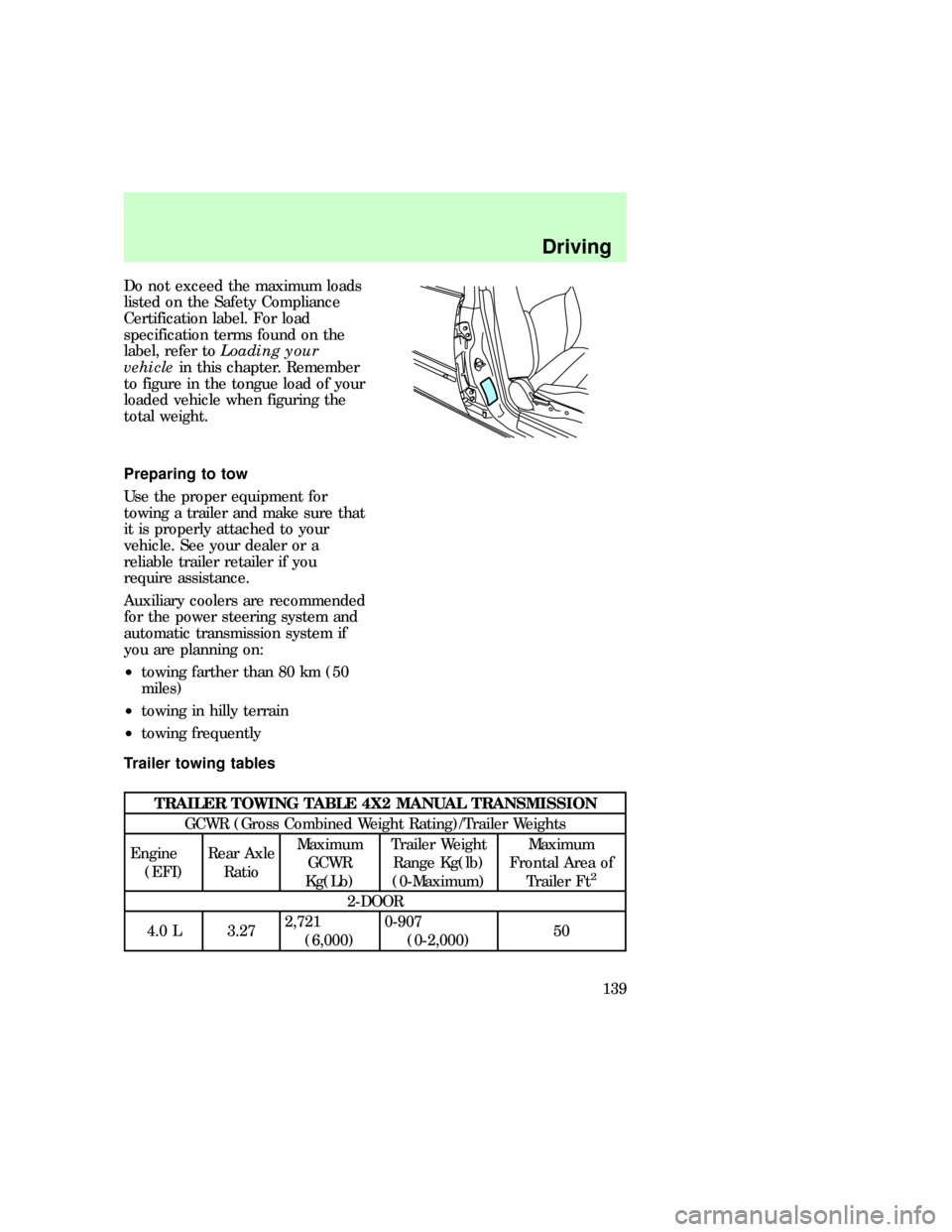
Do not exceed the maximum loads
listed on the Safety Compliance
Certification label. For load
specification terms found on the
label, refer toLoading your
vehiclein this chapter. Remember
to figure in the tongue load of your
loaded vehicle when figuring the
total weight.
Preparing to tow
Use the proper equipment for
towing a trailer and make sure that
it is properly attached to your
vehicle. See your dealer or a
reliable trailer retailer if you
require assistance.
Auxiliary coolers are recommended
for the power steering system and
automatic transmission system if
you are planning on:
²towing farther than 80 km (50
miles)
²towing in hilly terrain
²towing frequently
Trailer towing tables
TRAILER TOWING TABLE 4X2 MANUAL TRANSMISSION
GCWR (Gross Combined Weight Rating)/Trailer Weights
Engine
(EFI)Rear Axle
RatioMaximum
GCWR
Kg(Lb)Trailer Weight
Range Kg(lb)
(0-Maximum)Maximum
Frontal Area of
Trailer Ft
2
2-DOOR
4.0 L 3.272,721
(6,000)0-907
(0-2,000)50
uno_preparing_to_tow_title
uno_tables_towing
Driving
139
Page 140 of 236

TRAILER TOWING TABLE 4X2 AUTOMATIC TRANSMISSION
GCWR (Gross Combined Weight Rating)/Trailer Weights
Engine
(EFI)Rear Axle
RatioMaximum
GCWR
Kg(Lb)Trailer Weight
Range Kg(Lb)
0-MaximumMaximum
Frontal Area of
Trailer Ft
2
2-DOOR
4.0 L3.27 3,175
(7,000)0-1,360
(0-3,000)50
4.0 L3.55 3,628
(8,000)0-1,814
(0-4,000)50
4.0 L3.73 4,082
(9,000)0-2,267
(0-5,000)50
4-DOOR
4.0 L 3.554,082
(9,000)0-2,177
(0-4800)50
4.0 L 3.734,535
(10,000)0-2,630
(0-5,800)50
4.0 L 4.104,535
(10,000)0-2,630
(0-5,800)50
5.0 L 3.734,990
(11,080)0-3,039
(0-6,700)50
TRAILER TOWING TABLE 4X4 AUTOMATIC TRANSMISSION
GCWR (Gross Combined Weight Rating)/Trailer Weights
2-DOOR
4.0 L3.27 3,175
(7,000)0-1,270
(0-2,800)50
4.0 L3.55 3,628
(8,000)0-1,723
(0-3,800)50
4.0 L3.73 4,082
(9,000)0-2,177
(0-4,800)50
4-DOOR
4.0 L 3.554,082
(9,000)0-2,086
(0-4,600)50
Driving
141